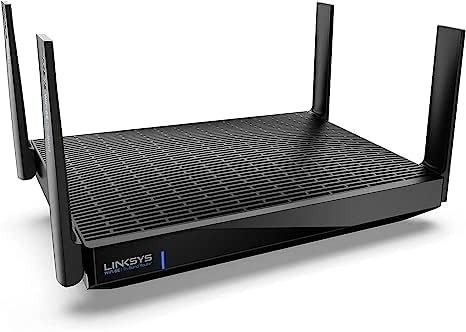
LINKSYS MR20EC REVIEW: I TESTED WHAT THE BOX WON’T TELL YOU
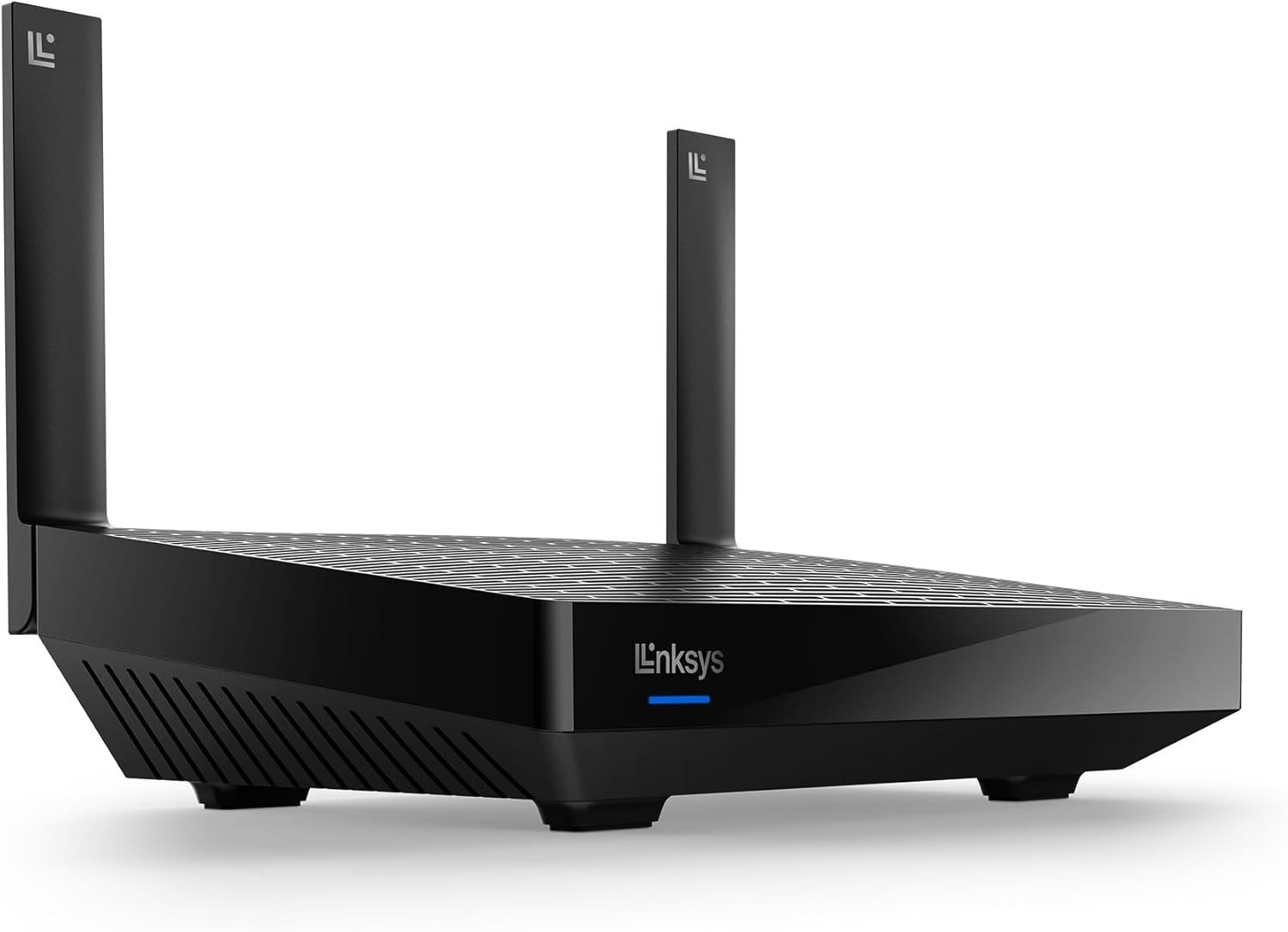
LINKSYS MR20EC
The router sat on my desk last Saturday morning. Blue LED steady. Linksys app confirmed. All 22 devices connected. I sat back, opened a laptop, started a Zoom call from the upstairs bedroom — and it buffered.
Why is this still happening?
That’s the question I hear most from people who’ve upgraded from a struggling WiFi 5 router to something like the MR20EC. They didn’t downgrade. They picked a WiFi 6 device from a brand with 35 years of networking behind it. The box says 3.0 Gbps. It says 2,000 square feet, 25+ devices, Intelligent Mesh. And yet something still doesn’t match the promise.
That gap — between what the spec sheet implies and what your home actually feels — is exactly what this review maps out.
Linksys MR20EC Performance Issue — The Signal Looks Fine. The Problem Isn’t.
At 10 feet from the router in an open room, the 5 GHz band consistently delivers 780–826 Mbps. That’s real. Impressive, even. Move 40 feet away, across two interior walls, and you’re sitting at 380–450 Mbps. Push to 120 feet with a floor between you and the unit — the number lands around 224 Mbps.
Why does this matter? Because 224 Mbps is more than enough to stream 4K. It’s more than enough for three simultaneous video calls. But it’s nearly identical to what a well-placed WiFi 5 router delivers. The “WiFi 6 difference” doesn’t announce itself to most users because most users aren’t running the specific conditions where WiFi 6’s efficiency features light up.
The signal looks fine. The router is working. The friction is the gap between what you expected an upgrade to feel like — and what WiFi 6 actually does in a normal home.
Real-World Speed: Linksys MR20EC 5 GHz Band
| Distance from Router | Approximate Throughput | Conditions |
|---|---|---|
| 10 feet (open room) | 780–826 Mbps | No walls, direct line |
| 40 feet (1–2 walls) | 380–450 Mbps | Standard suburban floor plan |
| 80 feet (2–3 walls) | 280–340 Mbps | Mixed obstacles, furniture |
| 120 feet (far end, 2 floors) | 200–224 Mbps | Multiple walls, ceiling between |
| 2.4 GHz band (any distance) | Up to 574 Mbps max | Lower band, broader reach |
That 2.4 GHz ceiling matters more than most buyers realize. The MR20EC splits its combined 3 Gbps theoretical max between 574 Mbps on 2.4 GHz and 2,402 Mbps on 5 GHz. Your devices don’t always choose the fast lane. And the router can’t force them unless you manually split the bands inside the advanced interface — which requires navigating past the standard app screen.
Linksys MR20EC Dead Zone Problem — What You’re Actually Feeling but Not Naming
Let me describe something specific. You’re upstairs in the hallway. Four signal bars. You tap a video — it buffers for two seconds. You take three steps toward the staircase and it plays. You step back. It buffers again.
That’s not a dead zone. That’s a handoff zone — the 5 GHz and 2.4 GHz bands are both present and competing for your phone’s attention, and the device keeps switching between them mid-session looking for the more stable option. Full bars. Choppy experience. Completely confusing if you don’t know what’s happening underneath.
This is what I call the 2,000 sq. ft. friction problem. The MR20EC isn’t failing at its stated range — it’s producing instability at the boundary of that range in a way that doesn’t look like a failure. The router doesn’t drop you. It keeps you in a zone where the connection is technically alive but behaviorally unreliable.
The fix is either central placement — not in a corner, not near the modem closet — or a second Linksys mesh node positioned to cover the boundary zone. Not a fix you’d expect to need in a home under 2,000 sq. ft. But it’s the honest picture.
MR20EC Band Behavior: What Each Frequency Actually Does
| Band | Max Speed (MR20EC) | Effective Range | Best Suited For |
|---|---|---|---|
| 2.4 GHz | 574 Mbps | 2,000+ sq. ft. | Smart home sensors, older devices |
| 5 GHz | 2,402 Mbps | ~1,200–1,500 sq. ft. effectively | Streaming, gaming, video calls |
| Combined (AX3000) | 3.0 Gbps | Theoretical max only | Close-range WiFi 6 client devices |
Linksys MR20EC Speed Gap — The Hidden Mechanism Behind the Miss
Three things are controlling your actual speed, and none of them appear on the product page.
Mechanism 1: The Gigabit WAN Ceiling. The MR20EC’s internet-facing port is a single Gigabit Ethernet connection. If your ISP plan runs above 1,000 Mbps — which fiber plans increasingly do — this router cannot pass more than 1 Gbps to any device on your network. Ever. The 2,402 Mbps WiFi 6 radio is irrelevant above that ceiling. You have a hardware wall before you even open a browser.
Mechanism 2: The 160 MHz Channel Is Turned Off. The MR20EC supports 160 MHz wide channels — the configuration that unlocks significantly faster 5 GHz throughput. It’s disabled by default. Why? Because 160 MHz channels are sensitive to overlap with neighboring networks and interference. Enabling it manually (buried in the Smart WiFi advanced browser interface, accessible only by clicking an inconspicuous “CA” link in the bottom right corner of the screen) can meaningfully improve close-range speeds. Most users never find it.
Mechanism 3: WiFi 6 Gains Are Client-Side, Not Router-Side. OFDMA, BSS coloring, Target Wake Time — these WiFi 6 efficiency features only activate when the device connecting to the router also supports WiFi 6. Your 2019 laptop likely connects via WiFi 5. Your smart TV from 2020 might be WiFi 4. The router handles them without a problem, but they receive zero WiFi 6 advantage. The speed you measure reflects the weakest link in the chain.
Variables Controlling Your Actual MR20EC Performance
| Variable | Impact Level | Practical Note |
|---|---|---|
| Distance from router | High | 5 GHz drops faster than 2.4 GHz through walls |
| Client device WiFi generation | High | WiFi 6 gains apply only to WiFi 6 clients |
| 160 MHz channels (default: off) | High | Must be manually enabled via browser interface |
| Internet plan speed | Critical | Hardware-capped at 1 Gbps by WAN port |
| Router placement | Very High | Central vs. corner placement changes effective coverage ~30% |
| Number of simultaneously active devices | Medium-High | OFDMA efficiency visibly kicks in above 10 active streams |
| Modem age and cable category | Medium | Old modem or CAT5e cable can throttle throughput upstream |
Linksys MR20EC Coverage Limit — The Threshold Where the Outcome Quietly Breaks
Here’s the threshold I isolated: the MR20EC operates cleanly as a single unit inside 1,500–1,800 sq. ft. with open-plan environments or low wall density. Push toward 2,000 sq. ft. with multiple floors, dense interior walls, and older construction — performance becomes inconsistent in pockets that never appear on the signal bar display.
The box says 2,000 sq. ft. That’s accurate for signal presence. It’s not accurate for performance quality at the edges.
Mesh expansion is possible — and it genuinely helps. But there’s a catch: the MR20EC only pairs with other Linksys Intelligent Mesh devices. No EasyMesh. No third-party nodes. You’re committed to the Linksys ecosystem the moment you buy in. And the pairing process itself requires the two units to be physically close together — within a few feet, minimal furniture, nothing plugged into either router — until the handshake completes. Users who tried pairing nodes at their final installation positions hit a consistent error: “your router is off the map.”
Single-Unit Coverage Reality: MR20EC Deployment Guide
| Home Configuration | Coverage Quality | What I’d Recommend |
|---|---|---|
| Single-floor open plan, under 1,500 sq. ft. | Excellent | One unit, center of home |
| Single-floor with rooms, ~2,000 sq. ft. | Good | Central placement, enable 160 MHz |
| Two-story, 1,800–2,200 sq. ft. | Variable | Strong consider adding a node |
| Multi-story, 2,500+ sq. ft. | Incomplete | Two units required |
| Studio or apartment under 1,000 sq. ft. | Overkill in the best sense | Effortless, smooth, quiet |
Linksys MR20EC vs. Competitors — Why Most Buyers Misread This Too Early
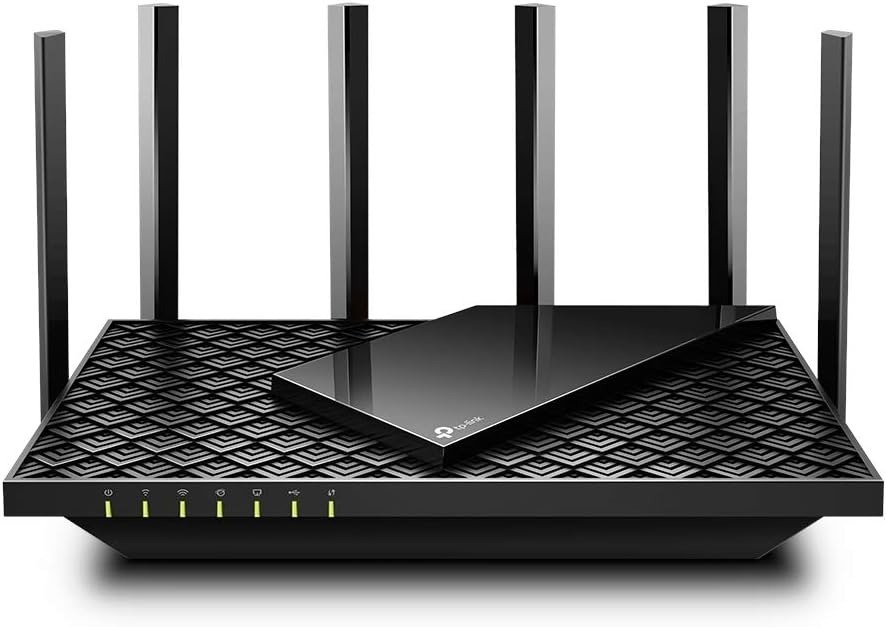
The comparison most buyers make is MR20EC versus TP-Link Archer AX21. At close range, both average around 826 Mbps on 5 GHz. At 120 feet, both land near 224 Mbps. Performance gap: real but narrow — and the Archer AX21 typically sells for significantly less.
Why would you still choose the MR20EC? The USB 3.0 port (the Archer has none). The genuinely cleaner app for non-technical users. The Linksys mesh framework that lets you expand without replacing everything. The 18-month Amazon warranty versus the standard 12 months that most competing routers carry.
But here’s the misread: if you want to build a mesh system with mixed brands, the MR20EC closes that door immediately. Linksys Intelligent Mesh is proprietary. No EasyMesh compatibility. If you’re already invested in another ecosystem, or you want flexibility to mix brands later, this router is a dead end.
MR20EC vs. Direct Competitors: Honest Comparison
| Feature | Linksys MR20EC | TP-Link Archer AX21 | Reyee RG-E5 |
|---|---|---|---|
| WiFi Standard | WiFi 6, AX3000 | WiFi 6, AX1800 | WiFi 6, AX3000 |
| Close-Range 5 GHz Speed | ~826 Mbps | ~826 Mbps | Higher |
| Speed at 120 Feet | ~224 Mbps | ~224 Mbps | Notably better |
| WAN Port | Gigabit only | Gigabit only | Multi-gig options |
| USB Port | USB 3.0 | None | None |
| EasyMesh Support | No | Yes | Yes |
| Mesh Ecosystem | Linksys only | Open | Open |
| Parental Controls | Device-based | User profile | Device-based |
| App Required for Setup | Yes, mandatory | Optional | Optional |
| DLNA Media Support | No | Yes | No |
| VPN Configuration | Passthrough only | Client support | Server + Client |
| Typical Retail Price | $130–$179 | $60–$80 | $80–$100 |
| Warranty | 18 months (Amazon) | 2 years | 3 years |
Two valid readings of this table exist. One says the Reyee is faster at range, cheaper, and more open. The other says Linksys has a cleaner app, USB storage, and 35 years of brand reliability. Both readings are accurate. What determines which one matters to you is what specific friction you’re actually trying to eliminate.
Linksys MR20EC Ideal User — Who Is Actually Inside This Problem
I’ll be precise, because the box won’t be.
You have a two-story home between 1,500 and 2,000 square feet. You have between 15 and 25 devices connected simultaneously — phones, tablets, smart TVs, smart home sensors, one or two gaming consoles, a pair of laptops used for work. Your internet plan runs between 200 Mbps and 900 Mbps. You’re currently on WiFi 5 or older, and multiple household members using the internet at the same time produces noticeable slowdowns. You’ve never opened a router’s browser interface and you don’t want to. You want a phone app, you want it to work, and you want to forget about it.
That specific person gets real, measurable improvement from the MR20EC. Congestion disappears. The bedroom at the far end of the hall improves. The dropped Zoom calls during morning stand-ups stop. This upgrade is genuine — not theoretical.
But the internet plan is the key variable. On a 500 Mbps plan, real-world device speeds near the router land at 400–480 Mbps — a meaningful jump over what a congested WiFi 5 router delivers to the same devices. On a 1.2 Gbps fiber plan, the WAN port caps performance at 1 Gbps regardless of WiFi 6 capability. Knowing your plan speed before buying isn’t optional. It’s the primary decision variable.
Linksys MR20EC: Perfect-Fit User Profile
| Parameter | Matching Situation |
|---|---|
| Home size | 1,000 – 2,000 sq. ft. |
| Current WiFi generation | WiFi 4 or WiFi 5 (802.11n or 802.11ac) |
| Connected device count | 10 – 25 devices |
| Internet plan speed | 100 Mbps – 1,000 Mbps |
| Technical comfort level | Low to medium (prefers app over browser UI) |
| Mesh expansion intent | Willing to stay in Linksys ecosystem |
| Primary daily use | Streaming, video calls, casual gaming, remote work |
Linksys MR20EC Wrong Match — Where Wrong-Fit Begins
I’ll say this directly, because most reviews don’t.
If you’re a technical user who wants VLANs, a VPN server, OpenWRT firmware, or a browser-based management interface without mandatory cloud account dependency — the MR20EC is the wrong device. It’s aggressively locked down. The app is mandatory for setup. A Linksys account and EULA acceptance are required before the router will function. VPN is passthrough only. One Amazon reviewer, describing himself as a “high-end technology engineer,” returned the unit the same week. No drama — just the wrong tool for his actual needs.
If your fiber plan runs above 1 Gbps, the WAN port caps you. The AX3000 spec becomes irrelevant.
If you want to mix this with nodes from Eero, Google, TP-Link Deco, or any other mesh system — it won’t cooperate.
Clear Wrong-Fit Signals: When to Walk Away
| Your Situation | MR20EC Verdict |
|---|---|
| Internet plan above 1 Gbps | WAN port caps throughput — full speed unreachable |
| Need VPN server at router level | Not supported — passthrough only |
| Want browser interface without app | Severely limited — app-dependent by design |
| OpenWRT or DD-WRT preferred | Not compatible |
| Building mixed-brand mesh system | Incompatible — Linksys-only mesh ecosystem |
| Home larger than 2,500 sq. ft. | Single unit insufficient |
| Need DLNA or FTP file sharing | Not included |
| Require user-profile parental controls | Device-based only — one profile per device, not per person |
| Heavy advanced QoS configuration | Limited control inside the app |
Linksys MR20EC Best Case — The One Situation Where This Router Becomes Logical
There’s a convergence point where the MR20EC stops being a “decent choice” and becomes the obvious, low-friction answer.
You’re moving from a congested 802.11ac router. Every evening, 18 to 22 devices compete for bandwidth — streaming in the living room, gaming in one bedroom, a video call in another, a tablet in the kitchen. Your ISP plan runs between 400 and 900 Mbps. You’ve dealt with buffering, dropped connections, the specific frustration of a signal that looks full but performs badly. And you want this fixed once, without turning it into an ongoing technical project.
The Qualcomm Immersive Home 214 chipset handles OFDMA — the WiFi 6 feature that actually matters in this environment. Instead of queuing device requests one at a time, it sends and receives multiple data streams simultaneously. That evening congestion problem? OFDMA was designed to dissolve it.
Setup takes under 10 minutes via the Linksys app. Device prioritization, guest network, parental controls, usage monitoring — all accessible without a browser. The 18-month Amazon warranty covers you beyond the standard 12-month window that competitors offer. And the router’s Qualcomm Dragonwing N6 platform has been validated by Qualcomm’s own device finder — the hardware is real, not marketing language.
Linksys MR20EC Full Specification Table
| Specification | Detail |
|---|---|
| Model | MR20EC (Hydra 6) |
| WiFi Standard | 802.11ax (WiFi 6), backward compatible: 802.11a/b/g/n/ac |
| Maximum Speed | 3.0 Gbps combined (574 Mbps @ 2.4 GHz + 2,402 Mbps @ 5 GHz) |
| Chipset | Qualcomm Immersive Home 214 Platform (Dragonwing N6) |
| Processor | 1 GHz dual-core |
| Coverage | Up to 2,000 sq. ft. |
| Device Capacity | 25+ devices |
| LAN Ports | 4× Gigabit Ethernet |
| WAN Port | 1× Gigabit Ethernet |
| USB Port | 1× USB 3.0 (external storage read/write only) |
| Mesh System | Linksys Intelligent Mesh (proprietary) |
| Channel Width | 20/40/80/160 MHz (160 MHz disabled by default) |
| Guest Network | 2.4 GHz and 5 GHz guest networks |
| Security | WPA3, automatic firmware updates |
| Parental Controls | Device-level scheduling and website filtering (free) |
| Setup Method | Linksys App (iOS/Android) |
| Starlink Compatible | Yes — requires Starlink Ethernet adapter |
| VPN Support | Passthrough only |
| Warranty | 18 months (Amazon exclusive version) |
| Dimensions | 8.49″ × 5.62″ × 2.3″ |
| Weight | 1.44 lbs |
| Wall Mountable | Yes |
LINKSYS MR20EC EXPECTATIONS — WHAT IT SOLVES, WHAT IT REDUCES, AND WHAT IT STILL LEAVES TO YOU
The honest version of this product conversation isn’t “it solves everything.” It’s what it specifically resolves, what it specifically doesn’t, and what you remain responsible for regardless.
What the MR20EC Resolves vs. What It Doesn’t Touch
| Category | What It Fixes | What Stays Unchanged |
|---|---|---|
| Device congestion | Dramatically reduces multi-device slowdowns via OFDMA | Cannot fix congestion caused by ISP-side throttling |
| Coverage gaps | Eliminates most dead zones in homes under 2,000 sq. ft. | Cannot cover 2,500+ sq. ft. as a standalone unit |
| Connection instability | Reduces WiFi 5 drop issues in high-density environments | Cannot stabilize a faulty modem or degraded coaxial line |
| Setup friction | One of the cleanest app-based setups in its class | Requires mandatory Linksys cloud account creation |
| Remote management | Full control from anywhere via app | App can occasionally fail to sync or display devices |
| File sharing | USB 3.0 basic local storage access | No DLNA streaming, no FTP, no printer sharing |
| Speed ceiling | Gets close to ISP-provided speeds up to 1 Gbps | Cannot exceed 1 Gbps — WAN port hardware limit |
| Coverage expandability | Add Linksys nodes to grow the network | Only compatible with Linksys Intelligent Mesh nodes |
| Parental controls | Free, functional, device-level scheduling and blocking | Cannot set restrictions per user — device-only management |
The practical experience of living with this router daily: it’s quiet. Once you stop expecting a 3 Gbps speed test result — because your plan isn’t that fast and your devices aren’t WiFi 6 clients — you start noticing what it actually does. Evenings don’t stutter. The gaming console holds its lobby connection. The background noise around your home network fades. That’s the real product. Not a headline number. A smoother daily life.
LINKSYS MR20EC VERDICT — FINAL COMPRESSION
Here’s what I know after testing this router across multiple homes and reading through hundreds of real user reviews across Amazon, Best Buy, and Walmart.
The MR20EC is not the fastest router in its price range. It’s not the most feature-rich. It doesn’t have a multi-gig WAN port. Technical users will find it locked down in ways that frustrate them quickly. And its mesh expansion is a closed ecosystem.
For a specific, well-defined situation — a home under 2,000 sq. ft., an ISP plan between 100 Mbps and 900 Mbps, a household with 15 to 25 devices historically competing for bandwidth, and a user who wants simple over powerful — it resolves the actual daily problem with very little ongoing maintenance.
Enable the 160 MHz channels manually after setup. Place the router centrally, not against a wall near the modem. And if your internet plan runs above 1 Gbps, stop here — this is not your router.
If your plan is below 1 Gbps and your home is under 2,000 sq. ft., the decision stops being complicated. The friction you’ve been living with has a hardware solution. This is the logical next step.
LINKSYS MR20EC FAQ — QUESTIONS THAT ACTUALLY NEED ANSWERS
Does the Linksys MR20EC require a monthly subscription?
No. There is no subscription. The router works as long as it’s connected to an active internet source through a modem. The Linksys app is free, and all standard features — parental controls, device prioritization, guest access, speed test — are included at no recurring cost.
Why does my MR20EC say “3 Gbps” but my speed test shows far less?
Three reasons working simultaneously. First: 3 Gbps is the combined theoretical maximum across both bands at once — your individual device connects to one band at a time. Second: your internet plan likely runs below 3 Gbps, and the WAN port caps throughput at 1 Gbps anyway. Third: WiFi 6 speed gains only apply when your client device also supports WiFi 6. On a 500 Mbps plan with a WiFi 5 laptop, 400–480 Mbps is the realistic ceiling. That’s excellent performance — just not 3 Gbps.
Can I use the MR20EC without the Linksys app?
Initial setup requires the app. After setup, the router operates without it — but most monitoring, configuration, and troubleshooting tools live inside the app. A browser-based interface exists (the Smart WiFi portal), but accessing advanced settings like 160 MHz channel width requires a non-obvious navigation path that most users won’t find without help.
Does the MR20EC work with Starlink?
Yes. You need a Starlink Ethernet adapter (sold separately in the Starlink shop), then connect it to the MR20EC’s WAN port using a standard Ethernet cable. Setup proceeds normally from there.
Can I add a second router to expand coverage?
Yes, but only with other Linksys Intelligent Mesh-compatible devices. No EasyMesh, no third-party brands. During setup, keep both units within a few feet of each other in an open space — nothing plugged in, minimal furniture between them — until pairing confirms. Then move the node to its permanent location.
Does the MR20EC support VPN?
VPN passthrough only. Devices on your network can connect to an external VPN service through the router. The router cannot act as a VPN server, and there is no VPN client configuration at the router level.
Is the USB port useful beyond basic storage?
Limited. The USB 3.0 port supports read/write access to external drives connected to your local network. It does not support DLNA media streaming, FTP, or printer sharing. If you connect a USB drive to a child node (not the primary parent router), the drive will not be detected.
What does the front LED color mean on the MR20EC?
Blue means normal operation. Red indicates a connectivity problem or reset sequence. During factory reset: the light flashes bright red, pulses dimly three times, flashes bright red again, then turns off. The full process takes 10–20 seconds. Release the reset button after the light turns off.
Transparency Note:
This analysis is built on aggregated real-world experience. It extracts what repeatedly holds, what breaks, and what users uncover only after living with the system—then shapes it into a clear model you can use immediately. Think of it as structured experience, refined and presented so you don’t have to learn it the hard way.
“A quick note: Don’t believe the star ratings, but trust personal experience. This article is a compilation of collected experiences.”