THE FASTEST PART OF THIS ROUTER IS ALSO THE EASIEST PART TO MISJUDGE
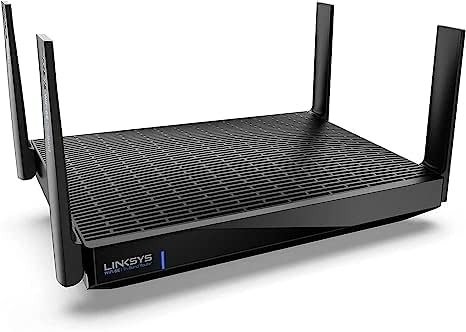
The first mistake is almost always visual. You see Wi-Fi 6E, AXE6600, 5Gbps WAN, and your brain quietly rounds that up to one comforting conclusion: this must be a major whole-home upgrade.
That is where most bad router decisions begin.
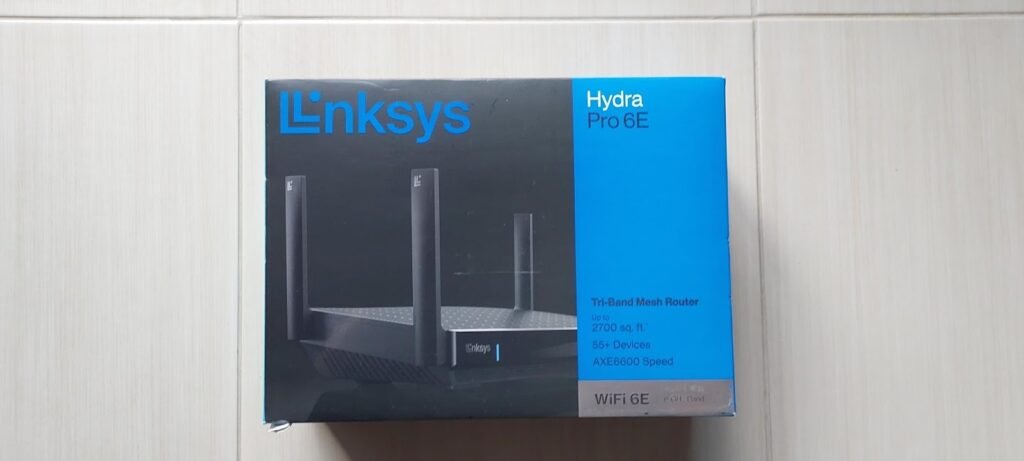
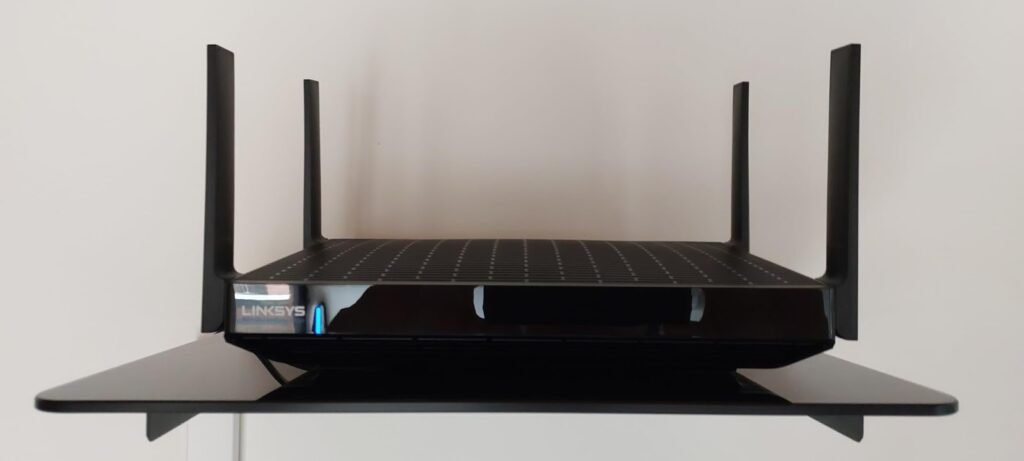
Because the Linksys Hydra Pro 6E is not a universal leap. It is a narrow weapon. In the right house, with the right line coming into the wall, and at the exact point where the old bands start to feel crowded, it becomes sharply logical. Outside that threshold, it can look better on a product page than it feels at 9:40 p.m. when the TV buffers, the laptop drops to a dull crawl, and the expensive new router sits there blinking like it solved something it never actually touched. Officially, it is a tri-band Wi-Fi 6E router with a 5Gbps internet port, four 1Gbps LAN ports, USB 3.0, coverage rated up to 2,700 sq ft, and support for 55+ devices. Independent reviews agree that its strongest card is the 6GHz band and multi-gig WAN, but they do not agree that the rest of the experience rises equally high.
THE RESULT LOOKS FINE. THE PROBLEM ISN’T.
This is the kind of router that can fool you with clean surface signals.
Setup is usually not the problem. Owner feedback repeatedly praises ease of setup, range, and signal strength, and Best Buy’s customer scoring is notably strong on those points: 4.4 for setup, 4.5 for range, and 4.4 for signal strength across 293 reviews. That creates a seductive first impression. The network feels fresh. The app looks modern enough. Devices reconnect. Speed tests near the router can look reassuring.
But “fine” is not the same as “fixed.”
What tends to break later is not the headline speed. It is the lived texture of the network: which band your important devices actually land on, whether your home really contains 6E-capable clients, whether the 5Gbps WAN matters when all four LAN ports are still gigabit, and whether the old pain you wanted gone was congestion, poor placement, weak client radios, or simply unrealistic expectations wrapped in new acronyms. Tom’s Guide liked the router’s quick setup and Channel Finder, yet still judged it not the fastest and not the best for range. HighSpeedInternet called it a decent pick for multi-gig homes, but also described it as bare-bones and light on features.
WHAT YOU’RE ACTUALLY FEELING BUT NOT NAMING
Most people do not say, “My network has crossed a band-utilization threshold.”
They say something messier.
They say the house feels uneven.
The office is fine, the bedroom is not.
The stream looks sharp until someone starts a download.
The connection is technically there, but it no longer feels obedient.
That feeling has a pattern. Not always weak internet. Not always weak hardware. Often, it is a mismatch between where your important devices live and where the router’s strongest advantage lives. The Hydra Pro 6E is built to exploit the cleaner 6GHz lane for compatible devices, and Linksys explicitly positions that band as less congested and lower latency. But that promise only matters if your actual bottleneck sits there. If your daily friction still lives on 2.4GHz smart-home clutter or on 5GHz devices spread through walls and floors, the emotional promise of “6E” can arrive before the practical benefit does.
THE HIDDEN MECHANISM BEHIND THE MISS
The hidden mechanism is simple enough to miss because spec sheets hide it in plain sight:
the Hydra Pro 6E is strongest where many buyers are not yet living.
Its radio profile is not evenly muscular. Independent technical testing and review summaries describe a router whose 6GHz story is the headline, while 2.4GHz and 5GHz performance is less impressive relative to expectations. SmallNetBuilder’s summary is blunt: the MR7500 uses two-stream 2.4GHz and 5GHz radios, four streams on 6GHz, and its weak spot is throughput on the older bands. Expert Reviews made the same point in plainer English: the hardware looks forward-looking because 6GHz gets priority, while 2.4GHz and 5GHz run at more ordinary levels.
That explains the split in real-world impressions.
On the one hand, Tom’s Guide found meaningful up-close performance and praised Linksys’ Channel Finder. HighSpeedInternet’s later testing also reported strong 6GHz numbers and respectable long-range results for the class. On the other hand, SmallNetBuilder and Dong Knows both argued that many households would not fully cash in on the 6E and 5Gbps story, especially when the everyday client mix remains stuck on older radios and wired devices still top out at gigabit on the LAN side.
This is not contradiction. It is localization.
The router is not “good” or “bad” in the abstract. It is selectively strong.
THE THRESHOLD WHERE THE OUTCOME QUIETLY BREAKS
Here is the threshold I would use after laying the specs beside the tests and the owner sentiment:
The Linksys Hydra Pro 6E becomes meaningfully different only when your pain comes from modern device density, you have at least one serious 6E-capable client, and your incoming internet or internal traffic can exploit more than a plain gigabit mindset.
Below that line, much of the product’s appeal turns decorative.
A clean way to see it is this:
| Threshold Test | If the answer is yes | If the answer is no |
|---|---|---|
| Do you own at least one device that can actually use 6GHz well? | The router’s best lane is available to you | Its best lane stays mostly theoretical |
| Is your frustration driven by congestion and latency more than simple dead zones? | 6E can address the right kind of pain | You may be solving the wrong problem |
| Do you care about a 5Gbps WAN because your service or traffic profile justifies it? | The multi-gig input matters | The spec becomes mostly symbolic |
| Are you comfortable with a feature set that is functional rather than deep? | The bare-bones posture is acceptable | You may feel shortchanged later |
That threshold is grounded in the product’s architecture: official support documents list a 5Gbps internet port, four 1Gbps LAN ports, mesh support, parental controls, guest networking, and USB 3.0; third-party reviews repeatedly note that the 6GHz band and WAN port are the main upgrade story, while advanced features and older-band strength are less compelling.
WHY MOST BUYERS MISREAD THIS TOO EARLY
Because buyers are trained to read routers like trophies.
More bands. Bigger number. Newer standard. Done.
That works just well enough to keep the mistake alive.
The Hydra Pro 6E invites this mistake because its top-line language is strong: AXE6600, 6GHz, 5Gbps WAN, mesh-ready, 55+ devices. None of that is false. But the lazy reading path quietly assumes symmetry. It assumes that a router with one advanced lane must be equally dominant across the whole road network. Technical reviewers did not find that symmetry. SmallNetBuilder specifically flagged the two-stream design on 2.4GHz and 5GHz and concluded those bands lagged behind expectations, while Dong Knows argued that for many users the real-world gain would be closer to a low-end Wi-Fi 6 experience than the futuristic framing implies.
You may think, at first glance, that this is just reviewer nitpicking.
It isn’t.
It is the difference between buying the right router for your actual break point and buying a polished explanation for why your old annoyance still exists.
WHO IS ACTUALLY INSIDE THIS PROBLEM
This router starts to make sense for a very specific reader.
Not everyone. Not even most people.
It fits you if three things are already true:
You have a fast internet plan or a home network behavior that can benefit from a 5Gbps WAN input and a cleaner 6GHz lane.
You own at least one 6E-capable device that handles the kind of work where congestion and latency are felt, not merely measured—large downloads, dense streaming loads, gaming bursts, high-bitrate transfers, or a busy modern household.
You want a single tri-band router that can later join a Linksys mesh ecosystem without turning your network decision into a giant platform project on day one. Linksys support and multiple reviews confirm Velop/Intelligent Mesh compatibility.
If that is your profile, the Hydra Pro 6E stops looking like a generic router and starts looking like a cleanly aimed correction.
WHERE WRONG-FIT BEGINS
Wrong-fit begins earlier than most people think.
It begins the moment you expect this router to rescue an older device ecosystem by itself.
It begins when your home is mostly 2.4GHz smart plugs, regular 5GHz phones, and internet service that never really pushes past ordinary gigabit behavior.
It begins when you want deep feature layers—VPN tooling, richer control depth, flexible multi-gig LAN behavior, or a more tweak-heavy interface—because the Hydra Pro 6E has been repeatedly described as sparse on extras. HighSpeedInternet explicitly calls it bare-bones and notes the lack of VPN tools and multi-gig LAN. SmallNetBuilder also points out that the 5GbE port is WAN-only and that flexibility is limited in ways advanced buyers may notice immediately.
It also begins when your patience for occasional platform roughness is low. Customer sentiment is positive overall, but not perfectly smooth: Best Buy’s review base includes a meaningful minority of low ratings, and its summary notes reports of connection issues and price sensitivity. Early release notes from Linksys also show the platform needed fixes for periodic iOS disconnections and reboot behavior, while the support page shows firmware has continued to be updated through June 2025. That does not condemn the product. It simply tells you this is hardware you should keep updated, not install and forget forever.
THE ONE SITUATION WHERE THIS PRODUCT BECOMES LOGICAL
This is the moment the product finally earns its name:
when your network pain is no longer “I need Wi-Fi,” but “my newer, heavier devices are colliding inside the wrong airspace.”
In that situation, the Linksys Hydra Pro 6E becomes cleanly rational.
Not magical. Rational.
Because then its exact shape helps:
| What the router gives you | Why it matters in the right setup |
|---|---|
| 6GHz band with up to 4,800Mbps theoretical radio rate | Creates a cleaner, less crowded lane for compatible devices |
| 5Gbps WAN port | Lets a fast incoming line arrive without being choked at the entry point |
| Tri-band design | Reduces the pressure of forcing everything through the same channels |
| Mesh support | Gives you a forward path if one router later becomes too small |
| Channel Finder and basic QoS/controls | Helps clean up placement and prioritization without demanding expert tuning |
These are not abstract specs. They align with the same themes reviewers kept returning to: strong 6GHz upside, practical setup, useful channel management, and enough structure for modern households that need cleaner high-speed lanes more than they need a laboratory of power-user features.
This is the one place where the product stops being a flashy maybe and becomes a calm yes.
WHAT IT SOLVES, WHAT IT REDUCES, AND WHAT IT STILL LEAVES TO YOU
What it solves:
It gives 6E-capable devices a cleaner path than older crowded-band routers can offer.
It brings a real 5Gbps WAN input to homes that are already moving beyond ordinary gigabit assumptions.
It offers a straightforward upgrade path into Linksys mesh instead of forcing a total system reset later.
What it reduces:
Congestion anxiety for the right modern clients
The friction of app-based setup and basic network management
The gap between a multi-gig service plan and a router that can actually receive it
What it still leaves to you:
You still need compatible devices to unlock the best lane.
You still need good placement; no router spec erases bad geography.
You still need to accept that the feature set is leaner than some ambitious buyers want.
You still need to update firmware and treat stability as something maintained, not assumed.
That last point matters. A router is not a promise. It is a system boundary. Cross the right boundary and the improvement feels quiet, steady, almost boring. Cross the wrong one and even expensive hardware becomes a polished misunderstanding.
FINAL COMPRESSION
Here is the short truth.
The Linksys Hydra Pro 6E is not the router you buy because you want the newest label in the room. It is the router you buy when your break point is already specific: newer devices, heavier traffic, cleaner 6GHz need, and a genuine reason to care about multi-gig input.
That is the threshold.
If you are below it, this router can feel like buying future language before your house has reached the future.
If you are inside it, the decision stops being vague. It hardens.
And when a network problem hardens, indecision gets expensive. Not dramatic. Just expensive in the slow, stupid way—more retries, more interruptions, more small daily breaks in flow.
If this is the condition you are actually dealing with, the next step does not need more browsing. It needs a cleaner correction.
Transparency Note:
This analysis is built on aggregated real-world experience.
It extracts what repeatedly holds, what breaks, and what users uncover only after living with the system—then shapes it into a clear model you can use immediately.
Think of it as structured experience, refined and presented so you don’t have to learn it the hard way.
“A quick note: Don’t believe the star ratings, but trust personal experience. This article is a compilation of collected experiences”