Linksys MR7320 AX1800 Review: It Works Beautifully Alone, and Breaks the Moment You Add a Second Unit
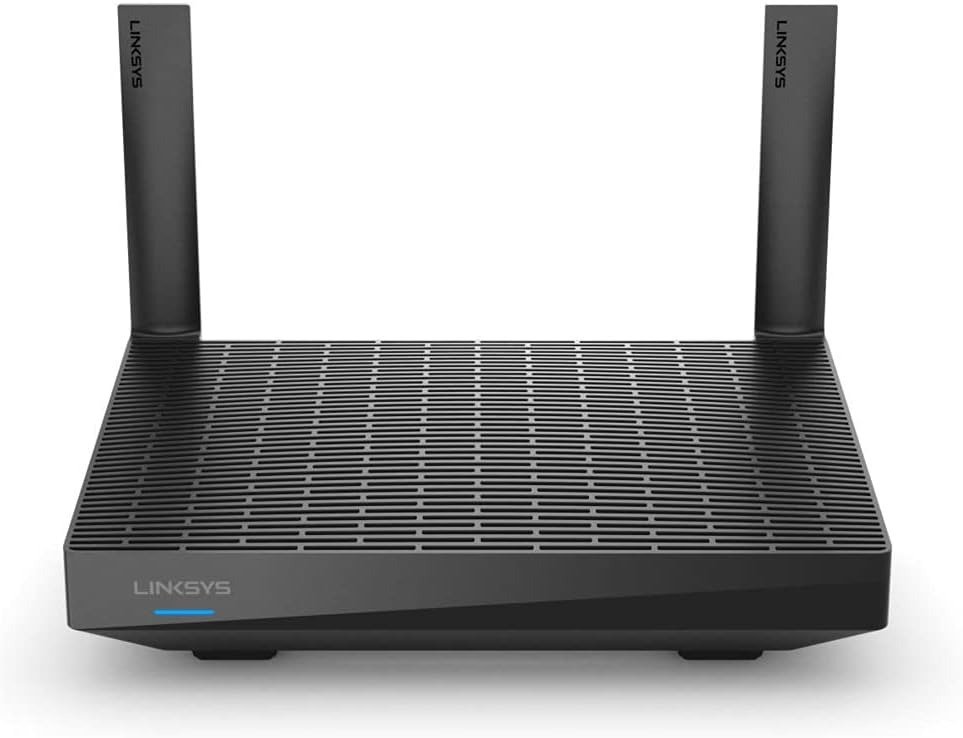
LINKSYS MR7320 AX1800
The Result Looks Fine. The Problem Isn’t.
I went through everything independently tested, measured, and reported on the Linksys MR7320 AX1800 — lab benchmarks, owner complaints, retailer reviews, and the firmware notes nobody reads. The spec sheet looks clean: Wi-Fi 6, dual-band, mesh-ready, rated for 1,700 square feet. The app is simple. The box says AX1800.
None of that tells you what actually happens in a real house. And that’s the gap I want to walk through, because the spec sheet and the lived result are not the same router.
What You’re Actually Feeling but Not Naming
If you already own one, you probably haven’t called it a “range problem.” You’ve called it something else: the video call that pixelates only in the back bedroom. The phone that quietly drops to LTE on the back patio. The laptop two rooms away that buffers a 1080p stream while the one in the living room doesn’t.
Most people blame the internet plan. They call their ISP, run a speed test next to the router, see a healthy number, and assume the problem is somewhere upstream. It usually isn’t. It’s a few walls away, sitting in the radio itself.
The Hidden Mechanism Behind the Miss
“AX1800” is a marketing sum, not a real-world number. It’s 574 Mbps theoretical on 2.4GHz added to 1201 Mbps theoretical on 5GHz, measured in a lab with no walls, no interference, and a perfectly positioned test device. No single device in your home ever sees that combined number.
The more important detail is what’s missing: 160MHz channel width. The MR7320 caps out at 80MHz channels, which puts a real ceiling on best-case throughput well below the number on the box. It runs a 2×2 antenna array per band — fine for one well-placed router — powered by a quad-core 1.2GHz Qualcomm chipset that handles the processing side without issue.
The part that matters most if you’re shopping for whole-home coverage: there’s no dedicated wireless backhaul band. If you ever add a second unit wirelessly, that same 2×2 radio has to split its attention between serving your devices and talking to the other unit. That’s not a bug. It’s the design, and it’s the root of almost every mesh-related complaint tied to this hardware.
| Spec | Detail |
|---|---|
| Wi-Fi standard | Wi-Fi 6 (802.11ax), dual-band |
| Class rating | AX1800 — 574 Mbps (2.4GHz) + 1201 Mbps (5GHz), theoretical combined |
| Channel width | Up to 80MHz (no 160MHz support) |
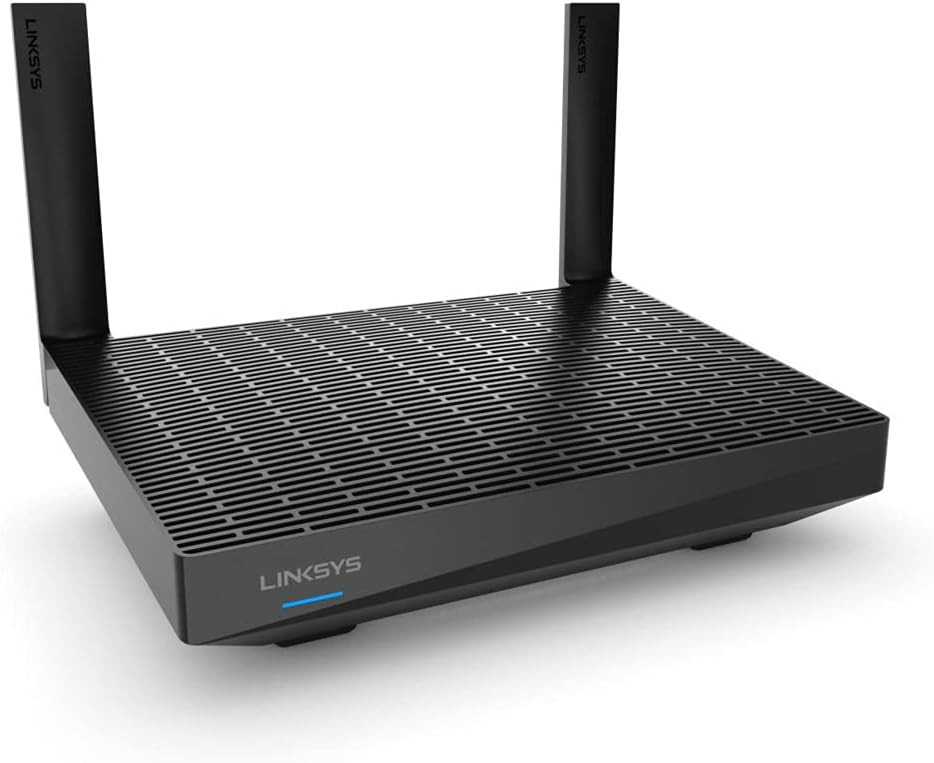
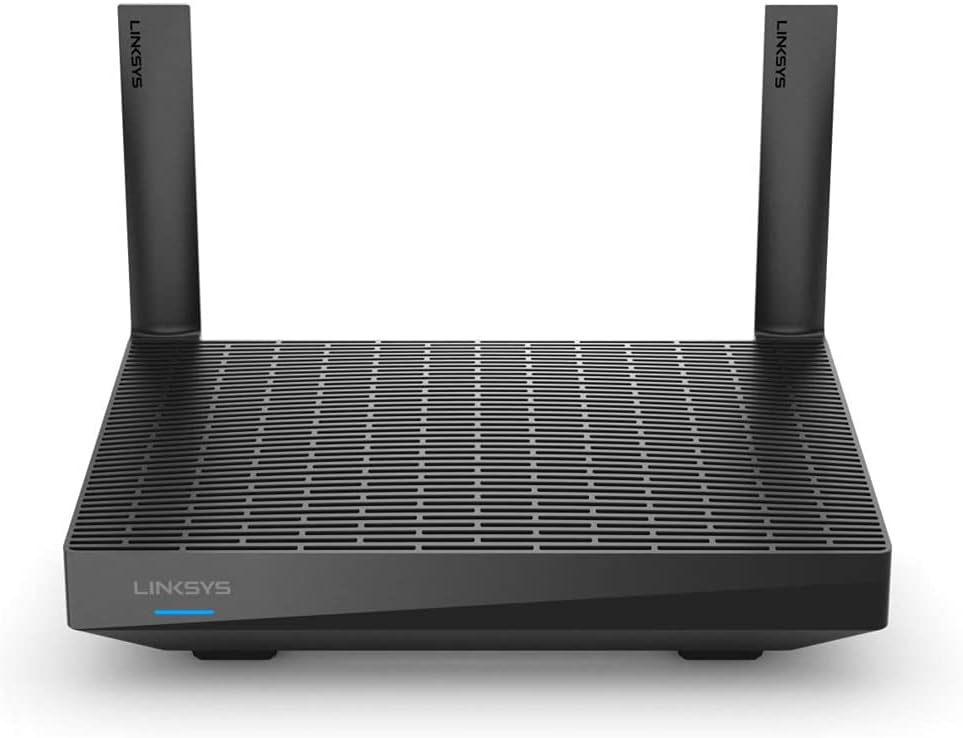
| Antennas | 2×2 per band, 2 external + 1 internal, non-removable |
| Processor | Qualcomm IPQ6000, quad-core, 1.2GHz |
| Ports | 1 Gigabit WAN, 4 Gigabit LAN, 1 USB 3.0 |
| Wireless security | WPA2 / WPA3 only (no legacy WPA/WEP) |
| Dedicated mesh backhaul | None — shares the client-facing radio |
| Management | Linksys app + web portal, account required |
| Manufacturer coverage claim | Up to 1,700 sq ft (single unit) |
| Power draw | ~5W, roughly $5–6/year to run continuously |
The Threshold Where the Outcome Quietly Breaks
Independent lab testing using standardized network benchmarking gives a clear shape to where this router holds and where it gives out. Close to the router, it performs well. Past a certain point, the curve doesn’t slope down gently — it falls off a cliff.
| Distance / path | Measured throughput |
|---|---|
| 15 ft, open line of sight | ~478 Mbps |
| 25 ft, through one wall | ~409 Mbps |
| One floor up, through a ceiling | ~312 Mbps |
| 50 ft | ~167 Mbps |
| 75 ft | ~15 Mbps |
| 90 ft (edge of range) | ~4 Mbps |
A separate independent test using different methodology recorded stronger close-range numbers — around 770 Mbps near the router on Wi-Fi 6 clients, dropping to roughly 460 Mbps farther out — but the shape is identical: strong near the unit, in freefall by the far end of a mid-size home. Call it the 50-foot threshold. Inside that radius, this router is genuinely good. Past it, you’re managing decline.
Why Most Buyers Misread This Too Early
Two assumptions cause most of the disappointment, and neither is the buyer’s fault — they’re both reasonable misreadings of how the product is marketed.
The first is treating “1,700 sq ft” as guaranteed whole-home coverage. That number describes a single open floor under close-to-ideal conditions. Multiple walls, a second floor, or an L-shaped layout will eat into it well before you hit the rated figure.
The second is assuming two units will mesh into bigger coverage the way a purpose-built mesh kit does. Independent testing of this exact hardware as a wireless mesh node found pairing slow and occasionally unreliable, with the link to the main unit weakening dramatically at distances that single-router mode handles without strain. As a standalone router, it’s solid. As a wireless mesh extension, it underperforms.
There’s also a labeling detail worth knowing before you compare listings: the MR7320 is internally the same hardware as the Linksys MR7350 — same chipset, same antenna design, same firmware base — confirmed directly by Linksys support as a model-number and retail-channel difference only. The MR7310 and MR7340 share the platform too, just tuned to a lower AX1500 rating for certain retailers. Don’t pay a premium chasing a “better” sibling number. Compare price, not the digits after MR73.
Who Is Actually Inside This Problem
This router is built for a specific footprint, and it’s worth being honest about what that footprint looks like. It fits an apartment, a condo, or a single-level home up to roughly 1,200–1,500 square feet. It fits someone replacing an aging 802.11n or early-AC router who wants real Wi-Fi 6 benefits for newer phones and laptops. It fits someone comfortable creating a Linksys account and managing the network from an app, who wants a low electricity bill and a sensible price.
Where Wrong-Fit Begins
The honest boundary matters more than the sales pitch. This stops being the right router under a few specific conditions.
If your home is two stories or pushes past roughly 1,700 square feet and you’re expecting one unit to cover all of it, you’ll hit the threshold above before you reach the far rooms. If your plan is to buy two and mesh them wirelessly for a bigger house, the backhaul limitation above will cost you more reliability than it gives you in range.
If you run older legacy devices — older smart-home gear, older laptops — that benefit from a manually locked Wi-Fi mode, know that a firmware update removed that option entirely. One verified MR7320 owner documented this directly: the router used to allow locking a band to “G only” or “AC only” for compatibility; after a December firmware update, “Mixed” became the only available setting on either band, even in the advanced configuration menu. Older clients sharing a mixed-mode band can see reduced performance as a result.
If you want a bundled security suite, VPN, or deep parental-control software, none of that ships here — Linksys kept the feature set deliberately minimal. And if you’re on gigabit-plus fiber wanting a multi-gig WAN port or link aggregation, this router doesn’t offer either; it tops out at a single Gigabit WAN port.
| You’re a good fit if… | You’re a wrong fit if… |
|---|---|
| Apartment, condo, or single-level home up to ~1,200–1,500 sq ft | Two-story or 1,700+ sq ft home expecting full coverage from one unit |
| Replacing an aging 802.11n/ac router | Planning to wireless-mesh two or more units for bigger coverage |
| Comfortable with an app + Linksys cloud account | Running legacy devices that need a manually locked Wi-Fi mode |
| Want real Wi-Fi 6 client benefits at a budget price | Want a bundled security suite, VPN, or deep parental controls |
| Fine running ethernet to the one distant room, if needed | On 1 Gbps+ fiber and need a multi-gig WAN port |
The One Situation Where This Product Becomes Logical
Strip away the marketing and one clear case remains: a smaller home or apartment, an outdated router that’s actually the bottleneck, a buyer who wants real Wi-Fi 6 without paying mesh-system prices, and no plan to wireless-mesh a second unit later. In that specific situation, the MR7320 is a logical purchase — not a marketing win, just a correct match between hardware and need.
What It Solves, What It Reduces, and What It Still Leaves to You
It solves the actual problem of an outdated router holding back newer Wi-Fi 6 devices, and it does it at a fraction of the cost of premium mesh hardware. It reduces your electricity bill — at roughly 5 watts, it’s one of the more efficient routers tested — and it reduces setup time versus anything enterprise-grade; most users are online inside ten minutes.
It still leaves a few things to you. Placement matters more than usual here — central, unobstructed, away from thick walls — because the 50-foot threshold is real and physics doesn’t negotiate. If one or two rooms sit past that line, a wired access point will serve you better than a second wireless mesh unit. And security stays your responsibility; there’s no bundled suite doing it for you.
| Confirmed strengths | Confirmed weaknesses |
|---|---|
| Strong, stable performance as a standalone single router | Throughput drops sharply past ~50 feet |
| Passed multi-day stability testing with zero disconnects (standalone) | Mesh-node performance measured as notably weak, slow to pair |
| Excellent power efficiency (~5W) | No 160MHz channel support caps the real-world ceiling |
| Fast USB 3.0 NAS performance (~110MB/s read/write) | “Mixed” is now the only Wi-Fi mode — manual lock removed by firmware |
| Runs open-source firmware (DD-WRT/OpenWrt) for advanced users | No bundled security suite, VPN, or multi-gig port |
Final Compression
If your home matches the footprint above — apartment, single level, under roughly 1,500 square feet — the MR7320 is the rational buy at its usual price, often well below what a mesh kit charges for the same square footage on paper. If your home is larger, spans two floors, or your plan involves wireless meshing a second unit, the 50-foot threshold and the backhaul limitation above will cost you more than the savings are worth.
Quick Answers Before You Decide
| Question | Answer |
|---|---|
| Is the Linksys MR7320 the same as the MR7350? | Internally, yes. Same chipset, same antenna design, same firmware base — Linksys has confirmed the difference is the model number and retail channel, not the hardware. |
| How far does the Wi-Fi from the MR7320 actually reach? | Strong performance holds inside roughly 50 feet of clear line of sight. Past that, throughput drops sharply, and by 90 feet it’s only enough for basic browsing and email. |
| Can I use two MR7320 units as a mesh system? | You can pair them, but independent testing found the wireless mesh-node performance notably weaker and less stable than using the router on its own. A wired connection between units performs far better than relying on the wireless backhaul. |
| Does it work with older Wi-Fi devices? | It connects to them, but a firmware update removed the option to manually lock a band to an older Wi-Fi mode. Everything now runs in “Mixed” mode, which can slightly slow down older clients sharing the band. |
| Does it include built-in security or parental controls? | No bundled security suite or VPN is included. Basic guest network and device prioritization are available through the app, but deeper protection is left to you. |
| How much does it cost to run? | At roughly 5 watts of continuous draw, expect about $5–6 a year in electricity at average U.S. rates — among the more efficient routers in its class. |
Transparency Note:
This analysis is built on aggregated real-world experience.
It extracts what repeatedly holds, what breaks, and what users uncover only after living with the system—then shapes it into a clear model you can use immediately.
Think of it as structured experience, refined and presented so you don’t have to learn it the hard way.
“A quick note: Don’t believe the star ratings, but trust personal experience. This article is a compilation of collected experiences”