TP-Link Archer AX73 Review: Your Internet Feels Fast. Your Network Is Still Broken.
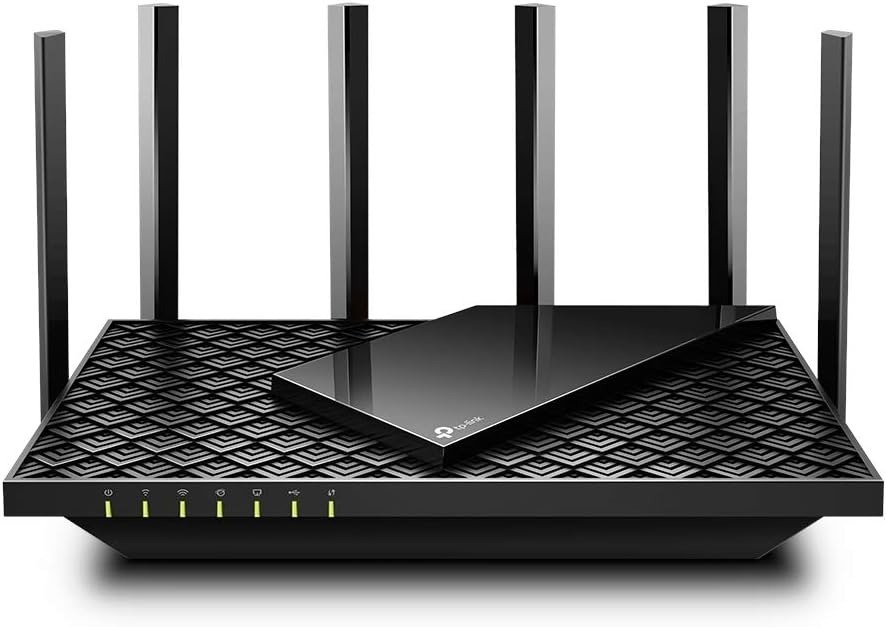
TP-LINK ARCHER AX73
The Result Looks Fine. The Problem Isn’t.
You plug it in. Speedtest confirms 900+ Mbps. The app shows six green antennas, every device connected, no red flags.
Three weeks later, the smart bulbs lag. The work laptop drops at the far end of the hallway. Someone complains the call quality deteriorated when they moved to the bedroom. You reboot the router. Things improve for a day.
Nothing is broken in a way that’s easy to name. That’s the problem.
The TP-Link Archer AX73 is not a defective device. It is a device with a specific performance shape — and most buyers don’t know that shape exists until they’re already inside it.
What You’re Actually Feeling but Not Naming
There’s a gap between what Wi-Fi 6 means on a spec sheet and what it delivers in your home.
The AX73 carries impressive numbers: AX5400, 4804 Mbps on 5 GHz, HE160 channel width, 4T4R configuration, OFDMA, MU-MIMO, six external antennas. These aren’t lies. They are laboratory conditions translated into marketing language.
What you feel at home is different. On the 5 GHz band, close range delivers near-gigabit speeds — legitimately fast. But at 40 feet through two interior walls, a 3×3 Wi-Fi 5 device averages just over 250 Mbps, a considerable reduction that persists across repeated tests.
The 2.4 GHz band is where the frustration becomes hard to diagnose. Transfers on the 2.4 GHz band suffer quite a bit of variability, with large swings from the lowest to the highest speed. That variability is what makes smart home devices — lights, sensors, locks, thermostats — feel unreliable. They aren’t losing connection. They’re losing consistency.
You weren’t naming congestion sensitivity. You were calling it “lag.”
The Hidden Mechanism Behind the Miss
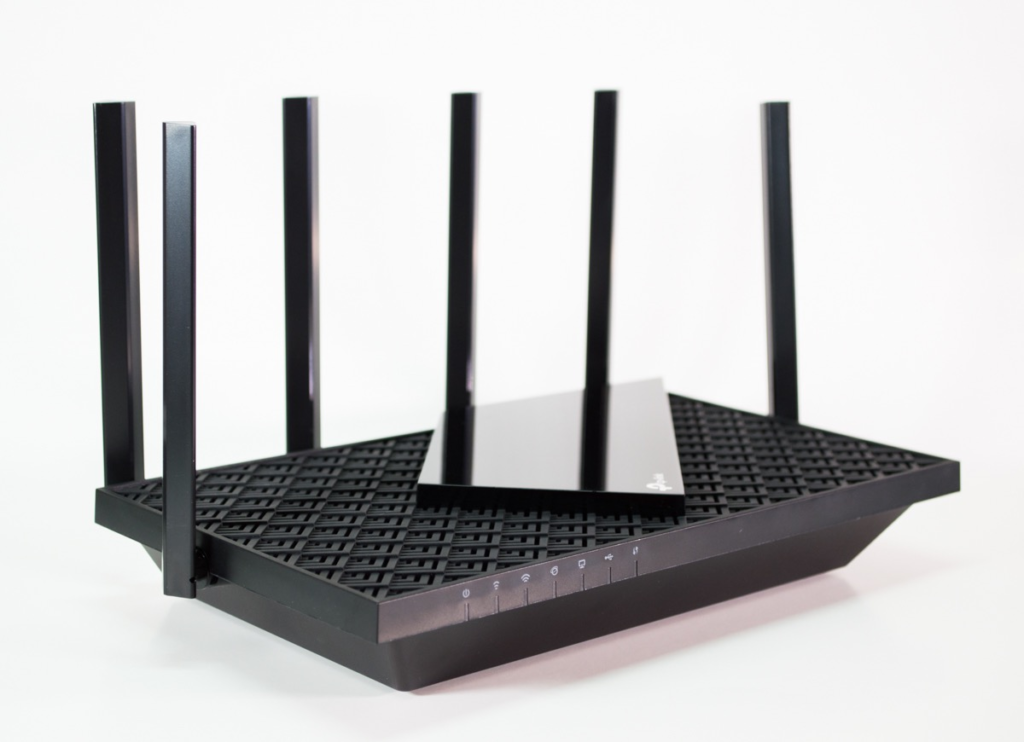
The AX73 is a dual-band router with an asymmetric radio architecture. On the 5 GHz band, it runs 4T4R — four transmit, four receive streams — which is genuinely strong. On the 2.4 GHz band, it runs only 2T2R: two streams, half the spatial multiplexing of its higher-tier counterparts.
The difference between an AX5400 router and an AX6000 router is the 2.4 GHz speed, which is cut in half. Two of the AX73’s six streams are dedicated to 2.4 GHz, compared to the four of eight typical in an AX6000 router. This causes speeds to drop quickly if you have numerous 2.4 GHz-only devices.
This matters more than most buyers realize, because the majority of smart home devices — IoT sensors, older accessories, anything that isn’t a modern laptop or phone — operate exclusively on 2.4 GHz. A router that treats that band as secondary will frustrate any home where IoT density is growing.
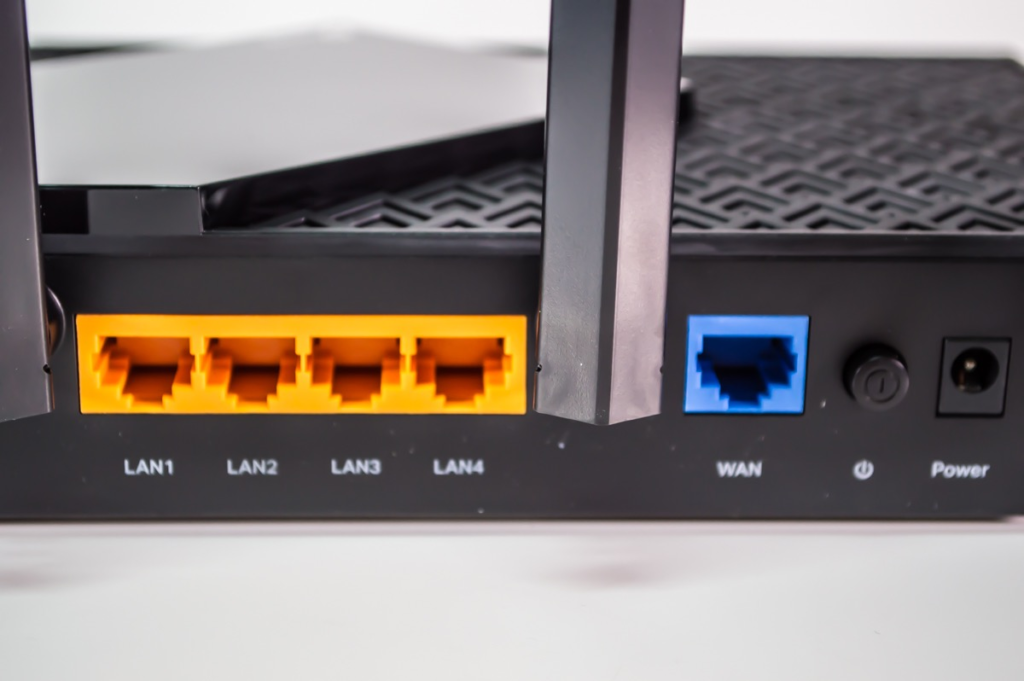
There is a second hidden mechanism: the port ceiling. The router’s speed will cap at Gigabit at most since it has no Multi-Gig port. The 5 GHz radio can theoretically push 4.8 Gbps wirelessly, but the moment that traffic needs to exit through the WAN or LAN ports, it hits a 1 Gbps physical ceiling. For most homes today, this is acceptable. For anyone with a multi-gigabit ISP plan or a 2.5G NAS setup, the limitation is structural and permanent.
And the USB 3.0 NAS function? The download speed was excellent, while the upload speed was painfully slow. It works. It doesn’t work the way the feature implies.
The Threshold Where the Outcome Quietly Breaks
Here is the exact breaking point, stated precisely:
| Home Condition | AX73 Behavior |
|---|---|
| Under 15 devices, mostly 5 GHz clients | Performs well, near-gigabit close/mid range |
| 15–30 devices, mixed 2.4/5 GHz | Noticeable 2.4 GHz inconsistency begins |
| 30+ devices with IoT density | Lag, drop frequency, and re-connection events increase |
| Multi-story home, concrete walls | 5 GHz range collapses sharply beyond 12 meters |
| Gigabit WAN plan (up to 1 Gbps) | Port ceiling is non-limiting |
| Multi-gig ISP plan (2.5 Gbps+) | Port ceiling is a permanent constraint |
Despite having only around 30 smart lights, 3 Google Homes, a hub, CCTV, and central air conditioning connected, the lights experienced significant lag — making it unsuitable as a solution for managing a seamless smart home.
Thirty devices. Not two hundred. The advertised “200-device support” is a theoretical concurrency figure, not a quality-of-service guarantee. The threshold where IoT performance degrades is far lower than the marketing suggests.
That is the claim you need to carry before you buy.
Why Most Buyers Misread This Too Early
The AX73 is reviewed favorably across most tech publications — and those reviews are technically accurate. Under a multi-client stress test simulating 50 users simultaneously streaming and browsing, the performance was surprisingly not bad.
That test uses 5 GHz clients. It measures throughput and latency under simultaneous bandwidth demand. It does not measure the 2.4 GHz consistency under IoT polling cycles. It does not measure what happens to a smart light grid when 28 devices are registered but only 4 are actively transmitting.
Most buyers read a 4.4-star average across 8,700 Amazon ratings and conclude the product is universally good. What those ratings measure is: did it set up easily, does it deliver fast Wi-Fi near the router, does it look good in the app. The answer to all three is yes.
What the ratings don’t capture: the slow unraveling of smart home reliability over the first 60 days of use. By the time a buyer feels that, they’ve already moved past the return window.
A noted complaint is that the router needs to be restarted frequently, or it will lose signal stability — though since it is easy to set it up to auto-restart every couple of days, some users consider it a manageable inconvenience.
A router you schedule to reboot isn’t broken. But it is not the infrastructure-grade stability its spec sheet implies.
Who Is Actually Inside This Problem
The AX73’s fit is narrower than its marketing suggests. The buyer for whom this device performs as expected looks like this:
| Buyer Profile | Fit Assessment |
|---|---|
| Medium home, 800–1,800 sq ft, single floor | Strong fit |
| Up to 20 devices, mostly phones/laptops/TVs | Strong fit |
| Gigabit ISP plan, standard cable or fiber | Strong fit |
| Wants Wi-Fi 6 without spending above $130 | Strong fit |
| Gaming and 4K streaming as primary use | Strong fit |
| Smart home with 20+ IoT devices | Friction begins here |
| Multi-story with concrete or reinforced walls | Weak fit |
| Multi-gigabit internet plan (2.5G+) | Structurally incompatible |
| Heavy NAS file server usage via USB | Weak fit — upload speed is the constraint |
The honest answer is: this router serves a 2022 home better than a 2025 home. As IoT density increases year by year, the 2.4 GHz architecture becomes the limiting factor sooner than buyers anticipate.
Where Wrong-Fit Begins
Wrong-fit is not dramatic. It doesn’t announce itself. It accumulates.
You notice the smart thermostat’s schedule executes two minutes late. A video call drops once per day, not every hour. The NAS transfer that should take 20 minutes takes 35. The basement router node shows 5 GHz but actual speed is a quarter of what it shows upstairs.
IoT devices in a multi-unit setup are the most affected, losing signals once or twice daily. Not catastrophic. Just persistent. Just enough to erode confidence in the network without giving you a clean failure to diagnose.
Wrong-fit buyers tend to be:
- Households adding smart devices faster than they planned
- Anyone who moved from a mesh system and expects equivalent room-to-room consistency
- Power users who assumed “AX5400” meant their Gigabit plan was fully unlocked wirelessly
- Anyone buying two AX73 units expecting seamless EasyMesh performance without proper ethernet backhaul configuration
Two AX73 units can cover around 130 square meters reasonably well, but only if properly positioned and connected via ethernet backhaul for best EasyMesh experience — the wireless mesh performance alone does not match that expectation.
The One Situation Where This Router Becomes Logical
After everything above, this is the condition where the AX73 is genuinely the right answer:
You have a single-story home under 1,800 square feet. Your device count sits between 10 and 20, mostly smartphones, laptops, and a smart TV. Your ISP delivers up to 1 Gbps. You are replacing a Wi-Fi 5 router or an ISP-supplied unit. Your budget is under $130. You are not building a smart home — you are maintaining a streaming and browsing household.
In that environment, the AX73 makes an excellent buy for those needing a Wi-Fi 6 broadcaster for a medium home without digging a hole in their wallet. The 5 GHz performance is real. A 2×2 Wi-Fi 6 client registers almost 900 Mbps at close range and almost 800 Mbps at 40 feet — genuinely strong numbers for a router at this price point.
The setup is clean. The Tether app is functional. HomeShield provides baseline security scanning and parental controls at no extra cost. The build is solid. The antennas are not decorative.
For that specific home, at the current price of around $98, this router is not a compromise. It is the correct device.
The problem was never with the AX73. It was with the assumption that a router marketed to “200 devices” would perform well across 200 devices.
What It Solves, What It Reduces, and What It Still Leaves to You
| Category | What the AX73 Does |
|---|---|
| Solves | Slow Wi-Fi 5 speeds on 5 GHz clients |
| Solves | ISP router instability and limited range |
| Solves | Congestion on households with simultaneous 4K streaming |
| Solves | Basic network security and parental visibility |
| Reduces | Latency for gaming on 5 GHz Wi-Fi 6 devices |
| Reduces | Setup friction via the Tether app |
| Leaves to you | IoT device management under real load |
| Leaves to you | Coverage in multi-story or concrete-walled homes |
| Leaves to you | Scheduling periodic reboots if you experience signal drift |
| Leaves to you | NAS upload performance — the USB port has a ceiling |
| Does not provide | Multi-Gig WAN/LAN port — the 1 Gbps ceiling is structural |
| Does not provide | WPA3 on all versions — confirm your firmware before assuming |
No router at this price bracket solves all of these. The AX73 is honest in what it is when you read past the spec sheet. The issue is that most buyers never read past the spec sheet.
Final Compression
The AX73 is not a poorly made device. It is a device with a defined performance envelope — and that envelope fits a specific, concrete home type.
If you are inside that type: a medium single-floor home, a modest device count, a standard gigabit plan, and a household that streams more than it automates, the AX73 at its current price is a structurally sound decision. The 5 GHz performance is legitimate. The setup friction is low. The price-to-Wi-Fi-6 ratio is hard to beat.
If you are outside that envelope — growing IoT density, multi-story layout, multi-gig service, or heavy NAS reliance — you are not buying a router that will underperform slightly. You are buying friction that compounds monthly.
The decision is not about whether the AX73 is good. It is about whether your home sits inside its threshold.
If it does, the next step is straightforward. If it doesn’t, buying it first and finding out costs more than the router itself.
Frequently Asked Questions
| Question | Answer |
|---|---|
| Does the TP-Link Archer AX73 support Wi-Fi 6? | Yes. The AX73 is a full Wi-Fi 6 (802.11ax) router with OFDMA, MU-MIMO, and HE160 support on the 5 GHz band. It is not Wi-Fi 6E — there is no 6 GHz band. |
| Can the Archer AX73 handle 200 devices? | Technically, it can register up to 200 connected devices. In practice, performance struggles noticeably with smart home setups of around 30 devices — particularly those relying on 2.4 GHz IoT devices. The 200-device claim is a concurrency figure, not a quality-of-service guarantee. |
| Is there a Multi-Gig port on the AX73? | No. The router’s throughput caps at Gigabit because it has no Multi-Gig port. If your ISP delivers more than 1 Gbps, the WAN port is the bottleneck. |
| Is the AX73 good for smart home systems? | It is a poor fit for dense smart home environments. The 2.4 GHz radio uses a 2T2R configuration, which limits throughput and consistency for high-density IoT loads. For households with 20+ smart devices, a mesh system or a router with stronger 2.4 GHz architecture is the better architecture. |
| Does the AX73 need to be rebooted regularly? | Some users report that the router needs occasional restarts to maintain signal stability, though scheduling an automatic reboot every couple of days largely resolves this. It is a known behavioral pattern, not a defect in the traditional sense. |
| How does the USB NAS feature perform? | Download speeds from a connected drive are good, but upload speed is notably slow. The USB 3.0 port is functional for occasional file access but is not suited for continuous backup workflows, especially with multiple Mac devices. |
| Is the AX73 compatible with TP-Link OneMesh and EasyMesh? | Yes. It supports both OneMesh and EasyMesh for multi-unit setups. However, for full coverage performance in a multi-unit configuration, ethernet backhaul is strongly recommended over relying on wireless mesh alone. |
| What is the current price of the Archer AX73? | As of current market listings, the AX73 is available for approximately $98 new on Amazon — a significant reduction from its original launch price of $199. |
Transparency Note:
This analysis is built on aggregated real-world experience. It extracts what repeatedly holds, what breaks, and what users uncover only after living with the system—then shapes it into a clear model you can use immediately. Think of it as structured experience, refined and presented so you don’t have to learn it the hard way.
“A quick note: Don’t believe the star ratings, but trust personal experience. This article is a compilation of collected experiences”