THE ASUS RT-AX58U RT-AX3000 LOOKS FAST ON PAPER — UNTIL YOU HIT THE ONE CONDITION THAT CHANGES EVERYTHING
The Signal Holds. The Frustration Doesn’t Disappear.
You upgraded. The router is running. Devices connect. The app shows green.
But something still feels off.
Streams buffer at odd moments. One room stays weak. A device that should fly over Wi-Fi 6 is moving like it’s still on the old router. You’ve restarted the router twice this week. You’re not sure if you made a mistake.
Here’s what’s actually happening: the router isn’t broken. Your expectation is misaligned with a condition that was never explained in the product listing.
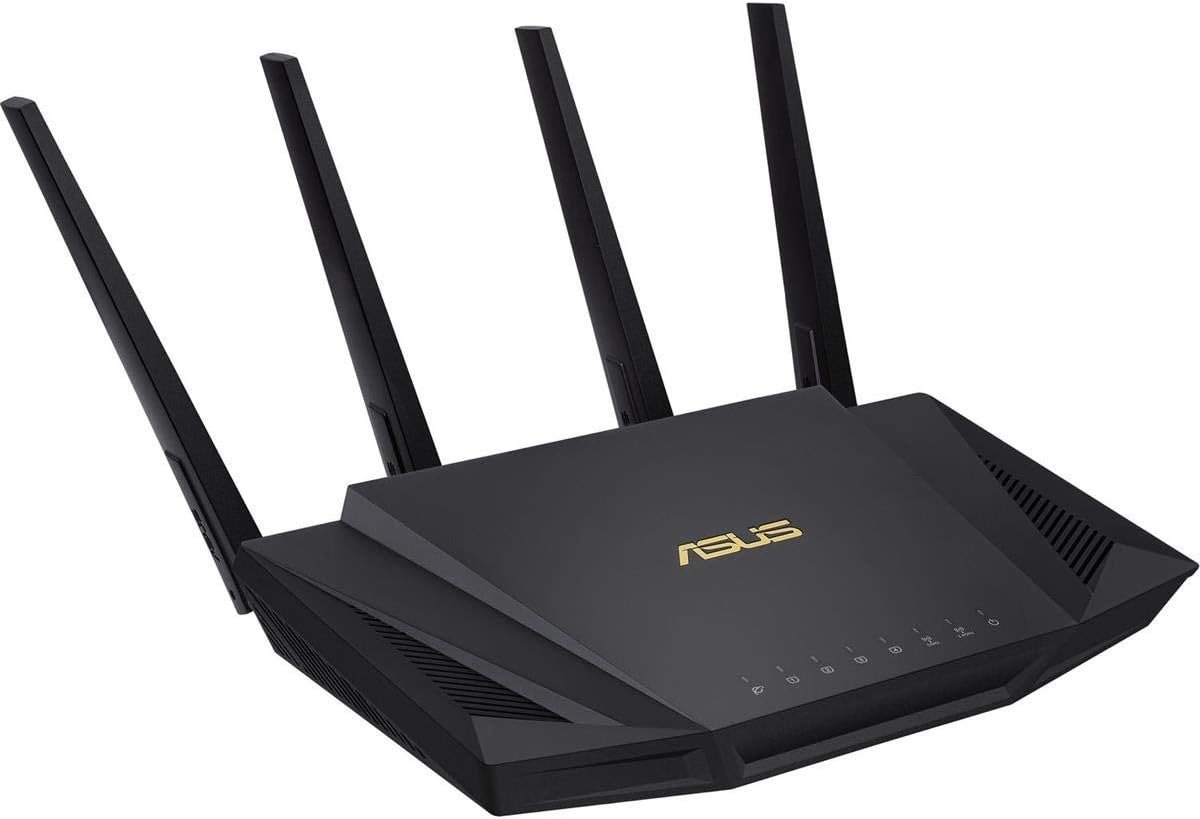
The ASUS RT-AX58U RT-AX3000 is not a flawed router. But it carries one hard boundary — a threshold — that quietly separates users who get exactly what they paid for from users who spend months wondering what went wrong.
What You’re Actually Feeling but Not Naming
The frustration isn’t random slowness. It’s conditional slowness — performance that looks correct under casual testing but degrades under a specific technical circumstance.
Most users experiencing this don’t name it accurately. They call it “inconsistent Wi-Fi.” They describe it as “the signal is fine but speeds drop.” They say the router “sometimes feels slow.”
None of those descriptions are wrong. But they’re pointing at a symptom, not a mechanism.
The real name for what you’re feeling is a 160MHz compatibility mismatch — and it’s the single most misunderstood performance variable in this router’s class.
The Hidden Mechanism Behind the Miss
The ASUS RT-AX58U advertises a total wireless speed of 3000Mbps. That number is real. But it requires a specific condition to exist: your client device must support 160MHz channel bandwidth, 2×2 MU-MIMO configuration, and 1024-QAM modulation simultaneously.
Most devices in homes today don’t meet all three at once.
When those conditions aren’t fully met, the router operates on 80MHz — which is still capable and stable, but delivers roughly half the theoretical peak speed. The ceiling drops. The “AX3000” label no longer reflects what your network is actually doing.
The deeper problem: independent testing by MBReviews found that even when a 160MHz-capable adapter is present, throughput on the RT-AX58U at 160MHz can behave erratically — spiking to 800+ Mbps then collapsing below 100 Mbps, then recovering. The same tests were replicated across multiple adapters and the instability persisted through firmware updates spanning over a year.
This is not a defect that a firmware update reliably fixes. It is a hardware-level interaction between the router’s 2×2 radio configuration and specific Wi-Fi adapters. The router functions correctly at 80MHz. The 160MHz headline is where the gap lives.
| Condition | Expected Behavior | Actual Behavior |
|---|---|---|
| Client supports 160MHz + 1024-QAM | Near-gigabit wireless speeds | Unstable — drops from 800+ to under 100 Mbps on certain adapters |
| Client supports 80MHz only | Solid mid-range speeds | Consistent, stable, well-reviewed |
| Legacy Wi-Fi 5 or older device | Backward-compatible connection | Works fine, no Wi-Fi 6 benefit |
| Mixed household (varied devices) | Balanced multi-device throughput | Stable via OFDMA, performs as expected |
The Threshold Where the Outcome Quietly Breaks
There is a performance threshold inside this router, and it divides two completely different ownership experiences.
Below the threshold: You have a home with 80MHz-capable devices, mixed smart home gadgets, laptops, phones, a streaming device or two. Your internet plan is under 500Mbps. You run up to 30 devices casually. You need reliability, coverage, and security more than you need peak laboratory speeds.
Above the threshold: You have a Wi-Fi 6 PCIe adapter or a device with an Intel AX200/AX201 chipset. You specifically purchased this router to extract near-gigabit wireless transfers for backups, NAS access, or ultra-high-speed gaming. You need 160MHz to actually work.
The router performs completely differently depending on which side of this threshold you’re on.
| User Profile | 80MHz Operation | 160MHz Operation |
|---|---|---|
| Streaming + browsing household | Excellent | Not needed |
| Smart home with 20–30 devices | Excellent | Not needed |
| Work-from-home with video calls | Excellent | Not needed |
| Gamer on wireless (competitive) | Good | Unstable on certain adapters |
| Network enthusiast chasing gigabit wireless | Adequate | Unreliable |
| NAS or large file transfer over Wi-Fi | Acceptable | Inconsistent |
Why Most Buyers Misread This Too Early
The marketing surface of the RT-AX58U reads like a near-gigabit machine. “3000Mbps.” “160MHz bandwidth.” “1024-QAM.” These specifications are structurally accurate and simultaneously misleading for the average buyer.
The error most buyers make is treating the theoretical maximum as the operational baseline. It isn’t. The 3000Mbps figure is a combined dual-band ceiling achievable only under laboratory conditions with compatible hardware at close range.
A second common mistake is comparing it on paper to older 4×4 AC-wave2 routers. Those older designs — including the Asus AC86U and Netgear R7800 — operate with four spatial streams versus this router’s two. In real-world range scenarios with non-AX clients, some of those legacy routers deliver better sustained throughput simply because of their wider stream count. The Wi-Fi 6 label doesn’t automatically mean faster than everything that came before it. It means more efficient under specific conditions.
The third mistake: assuming the 160MHz instability issue was resolved by later firmware. It wasn’t. Testing at firmware v3.0.0.4.386.42095, over a year after launch, showed the same behavior.
| Common Assumption | Reality |
|---|---|
| “3000Mbps means gigabit wireless” | Only under ideal conditions with compatible 160MHz clients |
| “Wi-Fi 6 beats all older Wi-Fi 5 routers for range” | 4×4 AC-wave2 designs can outrange this 2×2 AX router for legacy clients |
| “160MHz instability is a firmware issue” | Persists across multiple firmware versions — hardware interaction |
| “AX = automatically faster for every device” | AX efficiency benefits kick in fully only with AX clients |
| “The AX3000 number reflects real throughput” | Real-world 5GHz caps at roughly 600–800Mbps under optimal conditions |
Who Is Actually Inside This Problem
The ASUS RT-AX58U RT-AX3000 solves a very specific problem with genuine competence. The person inside this problem looks like this:
You have an internet plan between 300Mbps and 1Gbps. Your household has a mix of phones, laptops, smart TVs, streaming sticks, smart speakers, and maybe a gaming console. You want coverage across 1,500 to 2,500 square feet. You’ve outgrown your current router — either in speed, in device capacity, or in security control. You may want to expand coverage later without buying an entirely new system.
You do not currently own a Wi-Fi 6 PCIe adapter. You are not transferring multi-gigabyte files over Wi-Fi internally. Your frustration is with the old router, not with a specific ceiling you’re actively trying to break.
If that description fits you accurately, the RT-AX58U is a structurally correct match — and it will likely perform without the instability issue that plagues the 160MHz edge case.

Where Wrong-Fit Begins
There is a clear boundary. If you are past it, this router will underdeliver and you will regret the purchase.
Wrong-fit signals:
- You are buying specifically to hit gigabit speeds over Wi-Fi wirelessly
- You have an Intel AX200/AX201 or similar high-end Wi-Fi 6 adapter already installed in your machine
- Your primary use case is internal file transfers — NAS, backup drives, large media over the network
- You want 160MHz to work reliably and you’re unwilling to run at 80MHz permanently
- Your space requires more than dual-band (you have severe 5GHz interference and need a tri-band separation)
- You have a 2.5G internet plan or expect to upgrade to one soon — the WAN port caps at 1Gbps
If even one of these describes you precisely, the wrong-fit cost isn’t just money. It’s weeks of troubleshooting a problem that has no software solution — because the instability at 160MHz is a hardware-level behavior, not a configuration error.
| Wrong-Fit Trigger | Why It Breaks |
|---|---|
| Intel AX200/AX201 adapter user | Known instability at 160MHz — documented and unresolved |
| NAS or internal transfer speed user | 80MHz ceiling is a hard limiter for near-gigabit transfers |
| Gigabit+ internet plan (> 1Gbps) | WAN port caps at 1Gbps — full plan speed is inaccessible |
| Dense interference environment | Dual-band only — no 6GHz band or second 5GHz band to escape congestion |
| Future mesh expansion without ASUS | AiMesh only works with ASUS-compatible routers |
The One Situation Where the ASUS RT-AX58U RT-AX3000 Becomes Logical
After the boundary is drawn clearly, the router’s correct use case sharpens into view.
You are running a household network. Up to 30 devices. Internet plan under 1Gbps. Your devices — phones, tablets, smart home, laptops, a TV — do not include high-end Wi-Fi 6 adapters configured for 160MHz. You want reliable, managed, secure Wi-Fi that doesn’t require ongoing technical intervention. You may want to add a second ASUS node later to extend coverage rather than replace everything.
In that situation, the RT-AX58U delivers:
- Stable 80MHz operation with real-world 5GHz speeds of 560–800Mbps at close to mid range
- OFDMA-based multi-device efficiency that handles simultaneous connections with less congestion than older Wi-Fi 5 routers
- Lifetime free AiProtection Pro powered by Trend Micro — malware blocking, intrusion prevention, infected device isolation — at no subscription cost
- Advanced parental controls with per-device scheduling, content filtering, and app-category blocks
- AiMesh compatibility for later expansion using a second ASUS router as a mesh node without replacing hardware
- Setup under 10 minutes via the ASUS Router app or the web interface
- A USB 3.2 Gen 1 port for network storage sharing or LTE dongle failover
The router functions as a long-duration household network engine — not a performance flagship.
| Feature | What It Delivers |
|---|---|
| Wi-Fi 6 (802.11ax) with OFDMA | Better multi-device handling vs. Wi-Fi 5 — less congestion at peak hours |
| AiProtection Pro (Lifetime, Free) | Enterprise-grade Trend Micro security — no subscription ever |
| AiMesh Compatibility | Expand coverage using a second ASUS router — no full system replacement |
| 4× Gigabit LAN + 1× Gigabit WAN | Solid wired infrastructure for desktops, consoles, NAS |
| USB 3.2 Gen 1 Port | Network-attached storage or LTE backup connection |
| Parental Controls | Per-device time schedules + content/app category filtering |
| ASUSWRT Web Interface | Full advanced configuration — VPN, QoS, traffic monitoring |
| Beamforming | Directed signal toward connected devices for better range per antenna |
| Coverage | 1,500–2,500 sq ft — practical, not theoretical |
What It Solves, What It Reduces, and What It Still Leaves to You
What it solves:
- Congestion from too many devices fighting for bandwidth — OFDMA handles simultaneous connections more efficiently
- Security gaps from unmanaged home networks — AiProtection closes most household threat vectors
- Range inconsistency in medium-sized homes — four external antennas with beamforming deliver stable signal across floors and walls
- Setup friction — the ASUS app gets you running in under 10 minutes without touching a web interface
What it reduces:
- Parental control overhead — scheduled device access and content filtering remove daily manual management
- Future hardware cost — AiMesh lets you add coverage without starting over
- Streaming and gaming lag under normal conditions — OFDMA reduces wait time in multi-device environments
What it still leaves to you:
- If you ever want to exceed 80MHz performance, you will need a different router — this one doesn’t resolve that ceiling
- Interference management in a heavily congested environment remains manual — there is no third band to escape to
- If your internet plan grows past 1Gbps, the WAN port becomes the bottleneck before the router’s wireless ceiling is ever reached
Final Compression
The ASUS RT-AX58U RT-AX3000 is a stable, well-featured, household-grade Wi-Fi 6 router. It delivers what it promises under 80MHz operation with mixed devices, lifetime security, reliable mesh expansion, and a setup process that doesn’t require technical patience.
The problem it does not solve: 160MHz sustained throughput with high-end Wi-Fi 6 adapters. That use case hits a documented instability threshold that firmware never fixed.
If your home runs below that threshold — and most homes do — this router performs cleanly and without complaints.
If you are past that threshold, no configuration will fix it. You are buying the wrong product.
The decision compresses to one honest question: are you managing a household network, or are you chasing wireless gigabit transfers internally? If it’s the first, the RT-AX58U is a logical, durable, and well-priced choice. If it’s the second, stop here and move to the AX86U or higher.
Frequently Asked Questions — ASUS RT-AX58U RT-AX3000
| Question | Answer |
|---|---|
| Is the ASUS RT-AX58U still worth buying in 2025–2026? | Yes — for households under 1Gbps internet with mixed devices. It remains a stable, secure, well-supported Wi-Fi 6 router at a competitive price point. If you need 160MHz reliability or a 2.5G WAN port, look higher. |
| What is the real-world speed of the RT-AX58U? | On 5GHz at 80MHz with compatible devices: 560–800Mbps at close range, 300–600Mbps at 15–30 feet. The 2402Mbps figure on the spec sheet requires 160MHz operation with fully compatible clients — not achievable in most households. |
| Does the 160MHz instability affect most users? | No. Most household devices — phones, tablets, smart TVs, streaming sticks — operate at 80MHz or below. The instability specifically affects users with Intel AX200/AX201 adapters or similar high-end Wi-Fi 6 clients running at 160MHz channel width. |
| Is AiProtection truly free forever? | Yes. ASUS provides lifetime AiProtection Pro powered by Trend Micro at no subscription cost — includes malware blocking, intrusion prevention, infected device isolation, and parental controls. |
| Can I expand the RT-AX58U into a mesh system later? | Yes, via ASUS AiMesh. You can add a compatible ASUS router as a mesh node without replacing the RT-AX58U. It remains the primary node with seamless roaming. |
| What is the maximum number of devices it handles well? | Up to 30 concurrent devices under normal mixed usage. Beyond that, OFDMA efficiency helps, but CPU limits may introduce latency spikes in very dense environments. |
| Does the RT-AX58U support VPN? | Yes. The ASUSWRT interface supports both OpenVPN and WireGuard server/client configurations. This is accessible through the web interface, not the mobile app. |
| What’s the difference between the RT-AX58U and the RT-AX3000? | They are nearly identical in software and performance, but differ slightly in hardware: the RT-AX3000 has additional Skyworks front-end modules on its 2.4GHz chipset. For most users, behavior is functionally the same. |
| Should I buy the renewed/refurbished version on Amazon? | Only if the seller carries a return window and the unit comes factory-reset. Renewed units often perform identically — but verify firmware is updatable to the latest version before relying on it long-term. |
| Who should avoid the RT-AX58U entirely? | Users with internet plans above 1Gbps (WAN port caps at 1Gbps), users needing tri-band Wi-Fi for interference separation, and users with Intel AX200/AX201 adapters expecting stable 160MHz throughput. |
Transparency Note:
This analysis is built on aggregated real-world experience. It extracts what repeatedly holds, what breaks, and what users uncover only after living with the system—then shapes it into a clear model you can use immediately. Think of it as structured experience, refined and presented so you don’t have to learn it the hard way.
“A quick note: Don’t believe the star ratings, but trust personal experience. This article is a compilation of collected experiences”