MSI RADI X AXE6600 REVIEW — THE SPEED LOOKS HIGH. THE FIT IS NARROWER.
A router can look impressive on paper and still miss the room it is supposed to calm down.
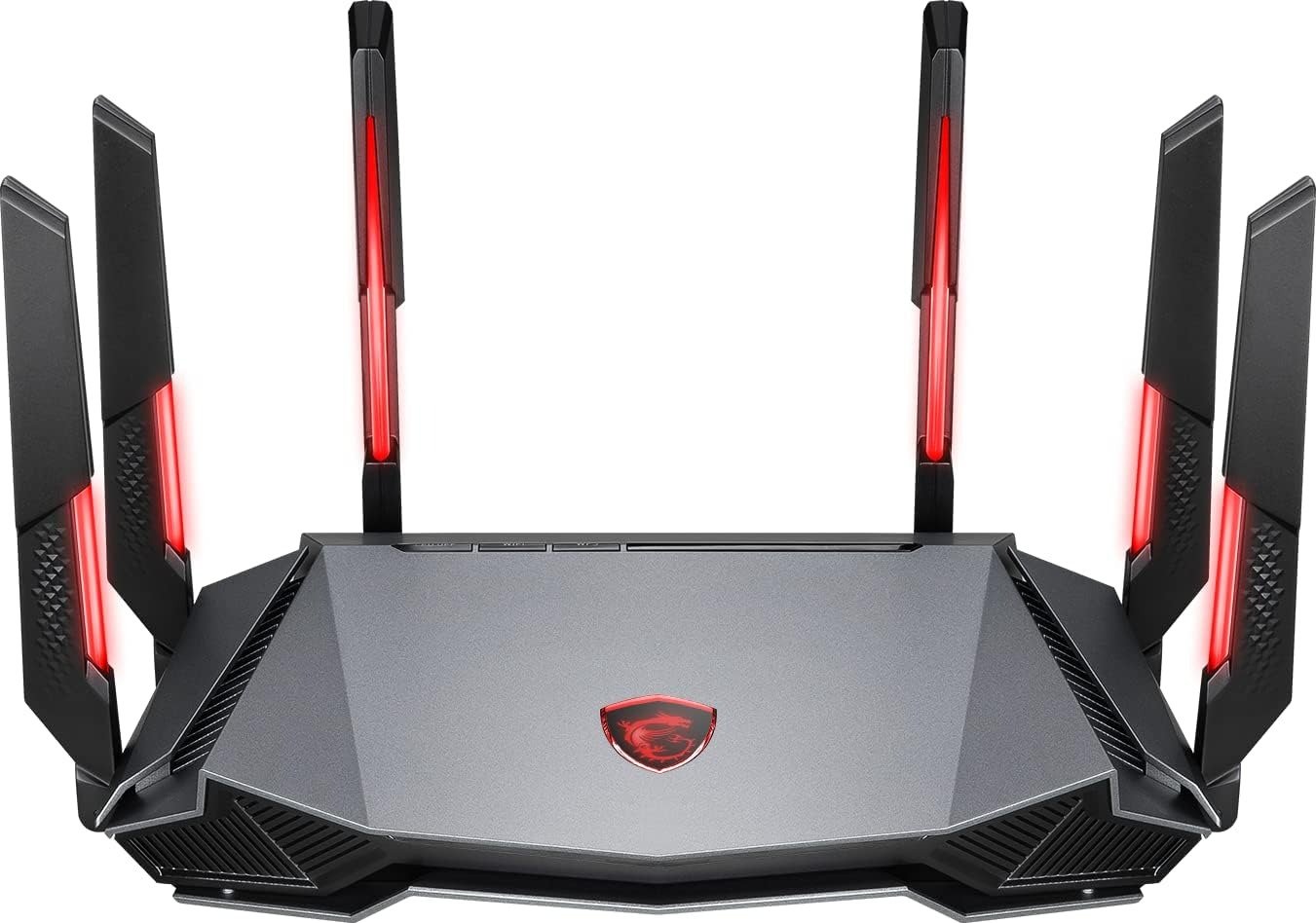
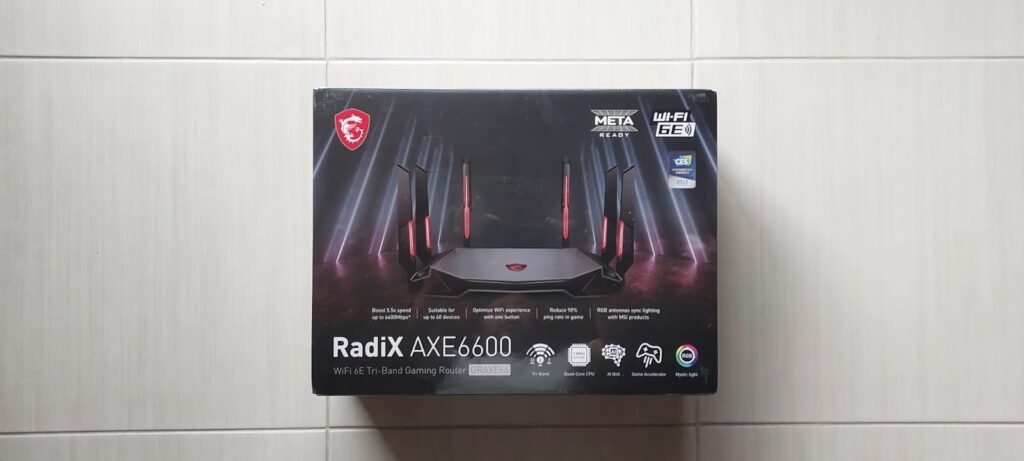
That is the first thing that stood out to me here. The MSI RadiX AXE6600 gives you the kind of spec sheet that makes a fast decision feel easy: tri-band Wi-Fi 6E, a 4×4 6 GHz radio rated up to 4804 Mbps, a 2.5GbE WAN/LAN port, a 1.8 GHz quad-core processor, 512 MB of DDR4 memory, AI QoS, and six antennas. On a product page, that sounds like the answer already arrived. In real use, the truth is narrower than that. The value of this router does not begin at “I want faster Wi-Fi.” It begins at a much more specific break point.
The real question is not whether the AXE6600 is fast. It is. The real question is whether your frustration lives in the exact zone this router is built to fix. That zone is not generic internet slowness. It is not “my ISP feels bad today.” It is not “I want a gaming router because the word gaming sounds safer.” The threshold is tighter: you need close-range high-throughput wireless, you want access to the cleaner 6 GHz band, you can actually benefit from a multi-gig uplink or low-latency local traffic, and you are willing to accept that the headline speed does not mean uniform excellence on every band in every room.
The Result Looks Fast. The Problem Often Isn’t.
Most people do not buy a router because they want a router.
They buy one because something small keeps happening. A game feels fine until someone starts a big upload. A headset works well until you move one room farther away. A laptop shows full bars, but the connection feels less stable than the icon suggests. A movie stream does not die, but the house starts feeling crowded. That difference matters. The visible result can look acceptable while the actual network starts developing friction under load.
The MSI RadiX AXE6600 is strongest exactly where many premium-looking routers fail to explain themselves honestly: it performs very well when you can use its 6 GHz band the way 6 GHz is meant to be used—at shorter range, with compatible devices, in cleaner line-of-sight or near-line-of-sight conditions. Tom’s Hardware found its 6 GHz performance especially strong, while also calling out inconsistent 5 GHz results and weak 2.4 GHz standing versus peers. HighSpeedInternet likewise reported top-tier close-range speeds, but also showed how performance falls off once distance and walls enter the picture, especially on 6 GHz.
That is the contradiction at the center of this product. It can be excellent without being broadly forgiving. And if you miss that distinction, you buy the number, not the fit.
What You’re Actually Feeling but Not Naming
In most homes, the irritation is not raw speed.
It is interruption density.
That is the better phrase for what people tend to describe badly. The network is not “down.” It is just not clean. A task starts well, then hesitates. A device reconnects, but not gracefully. A game does not become unplayable, but the timing feels slightly less trustworthy when the house gets busy. A VR session looks good until the movement rhythm breaks. A router problem often enters the room as accumulated smallness.
The AXE6600 is aimed at that kind of discomfort, especially when the hidden cause is congestion rather than lack of advertised bandwidth. MSI’s own feature set makes that pretty clear: AI QoS, traditional QoS, bandwidth limiter, real-time traffic monitoring, multiple SSIDs, parental filtering, and a 2.5GbE port all point to traffic control and device prioritization rather than just bigger marketing numbers.
What kept repeating across professional reviews and owner impressions is that latency and short-range performance are the parts people remember when this router fits. Tom’s Hardware highlighted pings staying in the 1–4 ms range across bands in testing, even when throughput results varied. A Reddit owner using it for wireless PCVR described 120 fps use with no stutters in a roughly 1600–1700 sq ft home. Those are not the same test, but together they reveal the same pattern: this router feels most persuasive when your pain is responsiveness in a controlled footprint, not blanket coverage at any distance.
The Hidden Mechanism Behind the Miss
The hidden variable is not “gaming.”
It is band behavior.
The AXE6600 is a tri-band Wi-Fi 6E router with a modest 2×2 2.4 GHz radio up to 574 Mbps, a modest 2×2 5 GHz radio up to 1201 Mbps, and a much stronger 4×4 6 GHz radio up to 4804 Mbps with 160 MHz channel support. That internal shape matters more than the combined “6600” label. The product is built around the idea that the 6 GHz band can deliver cleaner, faster, lower-contention wireless for the right clients in the right space.
That also explains the mismatch some buyers feel. If your daily devices live mostly on 2.4 GHz because of distance or smart-home sprawl, this router’s headline appeal arrives late. If your main traffic still leans on 5 GHz through several walls, the experience can be good, but it is not where this unit is most structurally advantaged. The AXE6600 makes the most sense when the 6 GHz radio is not a side benefit but the center of the plan. Tom’s Hardware explicitly found the 6 GHz band to be its strongest area and the 2.4 GHz band to lag the pack, while Dong Knows noted very good overall coverage but reiterated the shorter range reality of 6 GHz and called the 5 GHz specification mediocre.
So the “miss” is simple. Many people evaluate it like a general-purpose premium router. It is better understood as a fast, targeted Wi-Fi 6E tool with a very specific sweet spot.
The Threshold Where the Outcome Quietly Breaks
This is where the decision stops being vague.
The MSI RadiX AXE6600 becomes logical when at least three of these conditions are true at the same time:
| Condition | Why it matters here |
|---|---|
| You own devices that can actually use 6 GHz / Wi-Fi 6E | The strongest radio in this router is the 6 GHz one, not the 2.4 GHz band. |
| Your most sensitive traffic happens close to the router | Review data consistently favors its close-range profile. |
| You care about low-latency wireless behavior more than blanket long-range forgiveness | Its strongest praise clusters around responsiveness and near-field speed. |
| You want one multi-gig wired path in the system | It has a single 2.5GbE WAN/LAN port, which is useful but limited. |
| You are fine with a standalone router, not a mesh-first approach | This product is built as a single router solution, not an all-house mesh system. |
That threshold is the article’s entire point. Below it, this router can be overbought. Above it, it starts making a lot more sense.
Dong Knows’ rule of thumb was that a centrally placed unit could be enough for a home around 2000 sq ft, with the obvious warning that 6 GHz and even 5 GHz are not bands you should expect to own every corner with. HighSpeedInternet’s tests showed very strong close-range results, then a clear drop outside and through barriers on 6 GHz. That is exactly what a threshold product looks like: impressive when you stay inside its design envelope, ordinary or less convincing when you step outside it.
Why Most Buyers Misread This Too Early
They shop by label, not by failure point.
“Tri-band.”
“Gaming.”
“6600.”
“AI QoS.”
“6E.”
Those words sound like a broad upgrade. They are not broad. They are conditional.
HighSpeedInternet was unusually direct about one part of that illusion: despite the gaming language, the router does not really offer deep gaming-specific tools beyond AI-powered QoS and MSI device prioritization. Their review explicitly called out the lack of things like a ping heatmap or more advanced gaming controls. Dong Knows likewise described it as somewhat thin on gaming and protection extras. So the buyer who expects a fully loaded gamer control center can misread the product before setup even begins.
The second early misread is range optimism. 6 GHz is attractive because it is cleaner and can run wider channels, but it also has a shorter useful range and more difficulty through solid objects. That is not a flaw unique to MSI; it is part of the band itself. The product works best when you are buying into that trade-off on purpose, not discovering it after the fact.
The third misread is assuming one fast number means all bands are equally strong. They are not. On this router, they clearly are not. The 6 GHz radio is the center of gravity. Once you understand that, the entire product becomes easier to judge correctly.
Who Is Actually Inside This Problem
This is the right reader profile.
| Need | Fit |
|---|---|
| Wireless PCVR or other low-latency local wireless use near the router | Strong |
| A fast standalone Wi-Fi 6E router for a medium-size home | Strong |
| One premium room or zone that needs cleaner, faster wireless | Strong |
| Multi-gig internet or a fast wired uplink to one device | Strong |
| MSI-heavy desktop setup where MSI device priority and RGB matter | Strong |
| General browsing, streaming, and smart-home duty with no 6E clients | Borderline |
| Whole-home coverage through many walls without extra nodes | Weak |
| Buyers who mainly live on 2.4 GHz devices | Weak |
| People wanting advanced gaming analytics and deeper gamer tools | Weak |
| Users expecting rich parental controls or strong built-in security extras | Weak |
That table tells the truth more cleanly than any praise paragraph can. HighSpeedInternet explicitly says Windows gamers with MSI hardware see the biggest benefits. Tom’s Hardware and Dong Knows both support the broader interpretation: this is a strong Wi-Fi 6E router, but not one whose strengths spread evenly across every use case.
Where Wrong-Fit Begins
Wrong-fit begins the moment your problem is coverage first.
Not speed. Not latency. Coverage.
If your real complaint is that Wi-Fi becomes unreliable far from the router, through dense walls, or across a layout that naturally wants multiple nodes, the AXE6600 can become a very polished answer to the wrong question. Dong Knows called its coverage very good for a centrally placed standalone unit, but that is still not the same thing as forgiving whole-property coverage. The band physics do not let you cheat.
Wrong-fit also begins if you want this router to carry a large 2.5GbE internal network by itself. It has one 2.5GbE WAN/LAN port, then a set of Gigabit ports. That is useful, not expansive. Likewise, if you planned to use the USB port heavily as a mini NAS, the picture gets weaker. Dong Knows found its USB storage performance underwhelming and noted SMBv1 requirements for that feature.
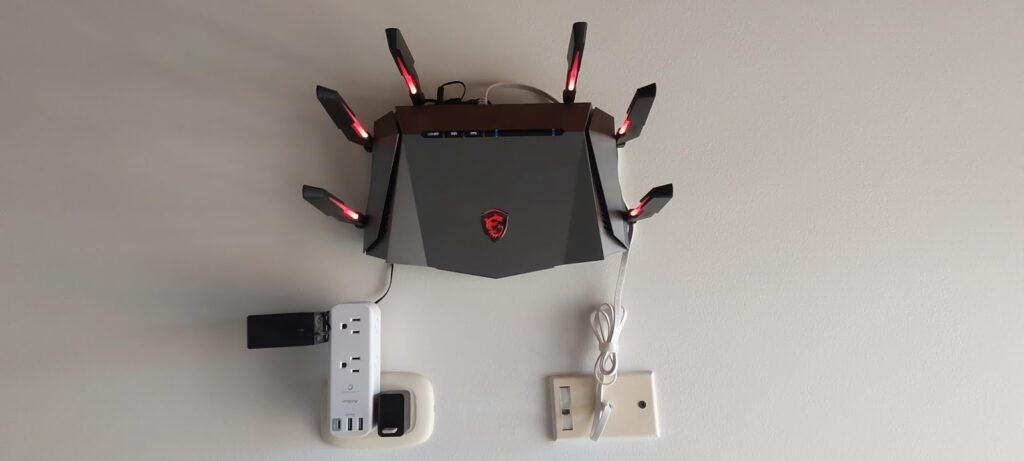
And wrong-fit begins if you are buying aesthetics as a proxy for control. The router looks distinctive. Its thermal design is well regarded. The RGB antenna lighting is unusual. But several reviewers also pointed out an awkward management split, especially if you care about lighting control and expect that to be unified elegantly across interfaces. HighSpeedInternet specifically noted that color and effect control depended on Windows software rather than being fully handled everywhere you might expect.
The One Situation Where This Product Becomes Logical
This product becomes logical when your network stress is concentrated, not distributed.
That is the cleanest way I can put it.
If the most important traffic in your home happens in one primary zone—a gaming desk, a VR room, a fast laptop station, a bedroom-office hybrid, a media corner where wireless performance actually matters—the RadiX AXE6600 starts to look smart. The 6 GHz radio, 160 MHz support, low-latency behavior, and the single 2.5GbE port line up well for that kind of environment. Tom’s Hardware praised its 6 GHz results and latency. HighSpeedInternet called it one of the fastest close-range performers they had tested and said it nearly matched more expensive competition. User feedback from PCVR use fits that same pattern.
This is also where the price story matters. Tom’s Hardware reviewed it at a $349.99 MSRP but noted discounts down to around $256 at retail during their review window. HighSpeedInternet later listed it at $154.95 on Amazon as of February 13, 2025. A router with this spec profile looks different at $155 than it does at $350. The lower the street price, the more forgiving the fit becomes.
So here is the only calm authorization that makes sense:
[link] If your break point is short-range wireless load, 6E-compatible devices, and a medium-size home that needs one strong central router rather than a sprawling coverage system, the MSI RadiX AXE6600 becomes a logical next step.
What It Solves, What It Reduces, and What It Still Leaves to You
It solves the feeling that your high-end client devices are stuck sharing air they do not need to share.
It reduces the small timing irritations that appear when sensitive traffic needs a cleaner band and better prioritization.
It still leaves three things to you: placement, device compatibility, and honesty about your floor plan.
| What changes | What improves | What does not magically disappear |
|---|---|---|
| Moving compatible devices onto 6 GHz | Cleaner near-router throughput and less crowding | Wall penetration limits of 6 GHz |
| Using the 2.5GbE port well | Better headroom for fast uplink or one premium wired device | Multi-port 2.5GbE expansion |
| Enabling QoS and traffic controls | Better behavior when the network gets busy | Weak ISP service or bad modem-side issues |
| Central placement in a medium-size home | More consistent single-router coverage | Dead zones caused by layout physics |
| Choosing it for one priority zone | Better fit and higher perceived value | Whole-home mesh behavior |
That last column is what protects you from regret. The AXE6600 is not a miracle box. It is a fast, attractive, unusually capable Wi-Fi 6E standalone router with clear strengths and equally clear limits. MSI gives you the expected core: WPA3 support, MU-MIMO, OFDMA, guest Wi-Fi, app and web management, parental filters, AI QoS, and a USB 3.0 port. Reviewers broadly agree that the interface is decent, setup is not difficult, cooling is handled well, and the 6 GHz story is the reason to care. They also broadly agree that the 5 GHz / 2.4 GHz story is less impressive and the gaming extras are lighter than the branding implies.
Final Compression
The MSI RadiX AXE6600 is not the router you buy because your internet feels vaguely slow.
It is the router you buy when you can point to a specific threshold:
you have at least one serious 6E-capable use case,
you care about close-range low-latency performance more than broad long-range forgiveness,
you want a strong standalone router rather than a mesh-first solution,
and you understand that its headline value is concentrated around its 6 GHz radio, not spread evenly across every band.
That is why the product creates such divided impressions. People outside that threshold see an overstyled router with incomplete gaming extras and uneven band value. People inside it see a fast, responsive, lower-priced Wi-Fi 6E unit that punches above its class when used correctly. Both reactions are reasonable. They just come from different rooms in the house.
If this is the condition you are actually dealing with, this is where the decision stops being vague.
Transparency Note:
This analysis is not based on quick personal impressions.
It is derived from documented system behavior, verified user patterns, and the physical constraints of storage capacity.
The goal is to translate complex technical behavior into a realistic performance model that helps you make a clear decision.
“A quick note: Don’t believe the star ratings, but trust personal experience. This article is a compilation of collected experiences”