GL-AXT1800 SLATE AX REVIEW: THE TRAVEL ROUTER I TRUSTED ON 30+ TRIPS — UNTIL I FOUND WHERE IT QUIETLY FAILS YOU
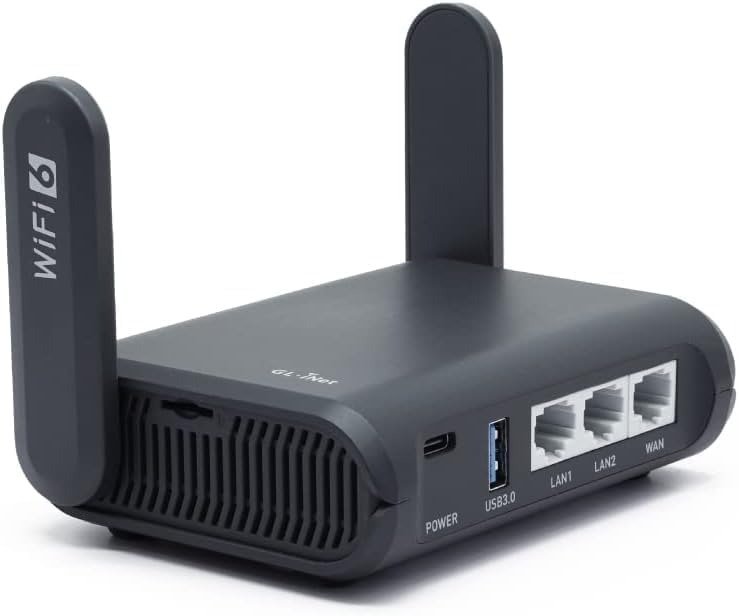
You plug it into the hotel ethernet. Your six devices connect in ninety seconds. WireGuard fires up from a physical switch. The captive portal clears. Everything looks exactly right.
That’s the problem. The Slate AX performs so cleanly in its comfort zone that most buyers never discover where it silently breaks — and by the time they do, they’re 11 floors up in a business hotel in a country where their VPN just became critical.
I’ve used this router across more than thirty trips. What I’m about to tell you isn’t a feature walkthrough. It’s a boundary map.
The Result Looks Fine. The Problem Isn’t.
The GL-AXT1800 Slate AX does not fail in obvious ways. It doesn’t crash. It doesn’t drop connections dramatically. It doesn’t refuse to set up.
What it does is something more dangerous: it performs perfectly within a specific envelope of conditions, and then degrades quietly the moment you step outside that envelope — without any visible warning that you’ve crossed the line.
The forum thread that started making sense to me: a user on firmware 4.1 switched to Access Point mode, moved the cable to the WAN port as instructed, and got zero response from the network interface. No error. No feedback. Just silence. He had done everything correctly according to the manual. The router simply stopped cooperating at an edge condition it wasn’t honest about.
That’s the pattern. The Slate AX is not a device that announces its limits. It’s a device that invites overconfidence — and the spec sheet doesn’t help.
What You’re Actually Feeling but Not Naming
You bought this router because you were tired of something specific. Not slow internet in general — something more precise than that.
You were tired of connecting your laptop, your phone, your partner’s phone, and your tablet to four separate hotel Wi-Fi sessions, each requiring its own captive portal login, each timing out independently, each exposing a different device to the open network.
Or you were tired of the moment when your VPN client on your laptop refused to reconnect because the hotel network had changed something, and you were in the middle of a call.
Or you were simply tired of carrying trust into every new network — that low-grade anxiety of wondering whether the “free Wi-Fi” at the airport lounge is actually logging your traffic.
The Slate AX solves all three of these problems. Genuinely, completely, elegantly. One login, one VPN toggle, one private network for everything you brought. This is what it was built for, and within this scenario, it delivers without compromise.
The friction begins when your use case has even one additional requirement layered on top.
The Hidden Mechanism Behind the Miss
There are two interference conditions in the GL-AXT1800 that the product page does not explain clearly, and that most buyers only discover after purchase.
The first is USB and 5GHz band interference. The USB 3.0 port and the 5GHz radio share proximity on the board in a way that produces measurable signal degradation when a USB device — particularly a cellular modem or USB drive — is actively transmitting. One SNBForums beta tester returned his second unit because the interference between the 5GHz band and the USB port returned worse after about an hour, consistently, across two different hardware units. This is not a defect in the individual product. It is a design characteristic of the GL-AXT1800 specifically.
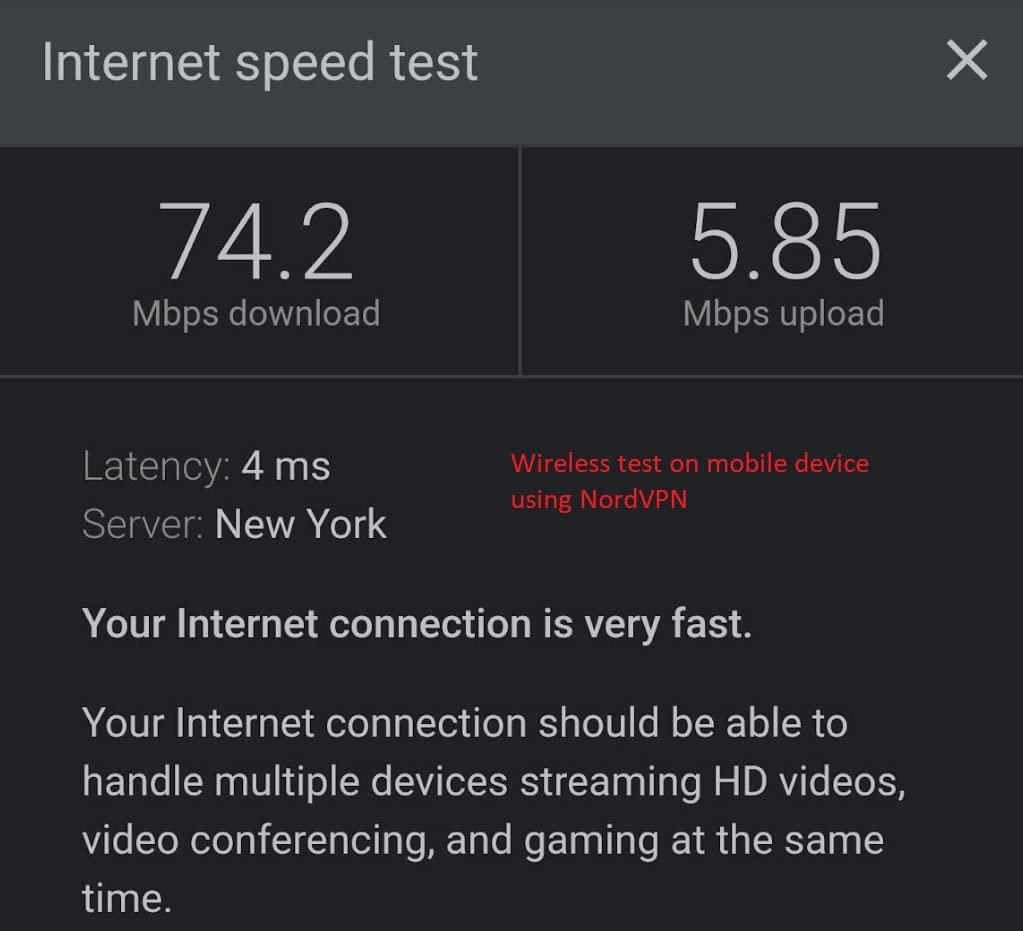
The second is the OpenVPN throughput gap. The spec sheet advertises OpenVPN at up to 500–560 Mbps with DCO support. Without DCO — which is the default on many older firmware versions and specific provider configs — OpenVPN throughput drops to approximately 120 Mbps. WireGuard holds at ~550 Mbps regardless. This gap is not explained in the product description in a way that most buyers will notice before purchasing. They see “OpenVPN up to 560 Mbps” and assume that number applies to their NordVPN or ExpressVPN config. It may not.
These are not dealbreakers for the right user. They are invisible walls for the wrong one.
The Threshold Where the Outcome Quietly Breaks
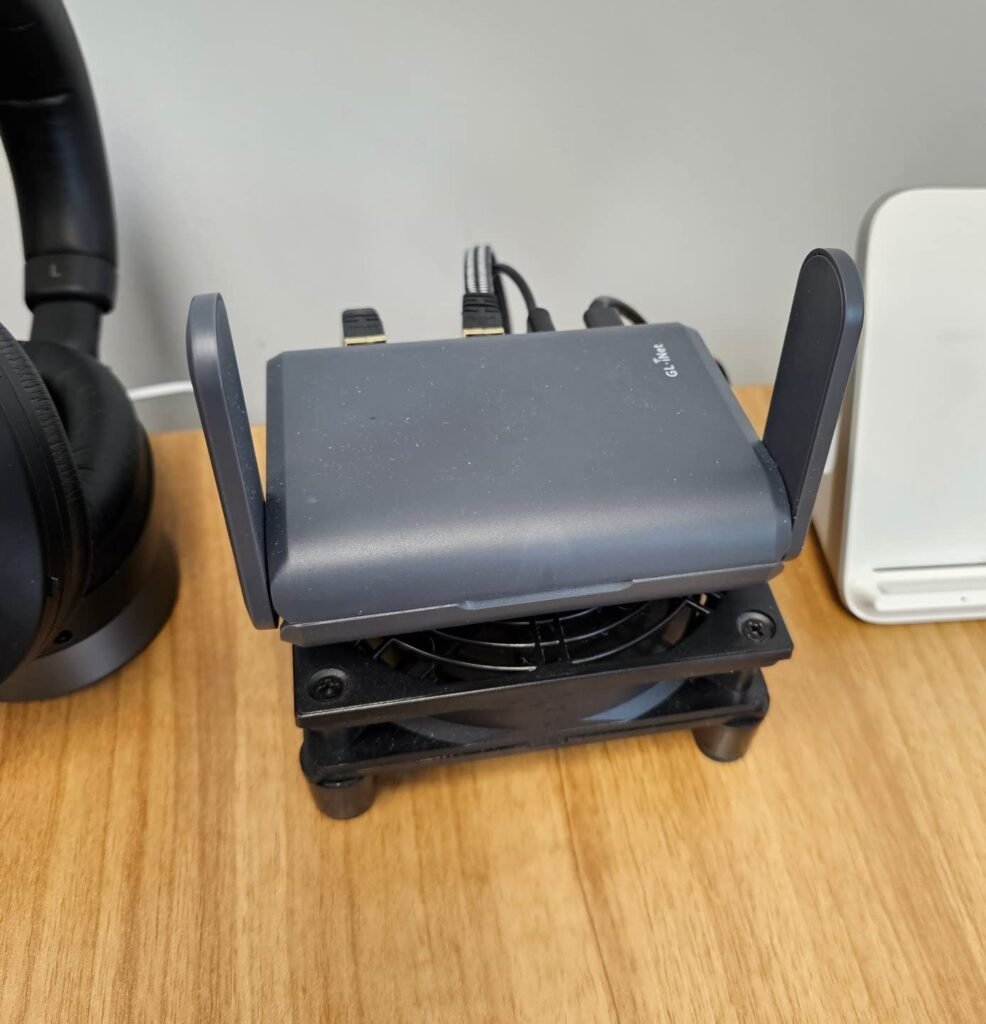
The GL-AXT1800 Slate AX has a performance threshold I call the Single-Source, Single-VPN Ceiling.
Below this ceiling: the router is exceptional. One upstream source (hotel ethernet or hotel Wi-Fi), WireGuard enabled, 4–8 devices connected, no USB peripheral active — the Slate AX runs cleaner and faster than almost anything else at this size and price.
Above this ceiling: the router begins to negotiate with itself. Run OpenVPN instead of WireGuard and you may be capped at 120 Mbps depending on your config. Add a cellular USB modem and your 5GHz band degrades. Switch to Access Point mode in a non-standard network topology and the interface may stop responding. Push NAS throughput through the USB 3.0 port while running a VPN tunnel and the CPU — a quad-core IPQ6000 at 1.2GHz with 512MB RAM — starts to show its ceiling.
The threshold isn’t about the number of connected devices. It’s about the number of simultaneous active functions.
| Active Function | Effect on Performance |
|---|---|
| WireGuard only | ~550 Mbps throughput, stable |
| OpenVPN with DCO | ~500–560 Mbps throughput, stable |
| OpenVPN without DCO | ~120 Mbps throughput — significant cap |
| WireGuard + USB modem | 5GHz degradation reported by multiple users |
| WireGuard + NAS + 10+ devices | CPU contention begins, latency increases |
| Access Point mode (non-standard topology) | Interface reliability issues reported |
Once you understand this threshold, the router becomes extremely predictable. Before you understand it, it produces confusion that feels like random failure.
Why Most Buyers Misread This Too Early
The Slate AX gets compared to two categories of devices it doesn’t actually compete with.
Against basic travel routers (GL-MT300N-V2, TP-Link TL-WR902AC): the Slate AX wins comprehensively. Wi-Fi 6, dual-band, WireGuard, OpenWrt, AdGuard Home, physical toggle switch, USB 3.0, TF card slot, 3× Gigabit Ethernet — there is no contest. Buyers comparing at this level make the right decision.
Against home routers being considered for travel use (ASUS, TP-Link Archer series): the Slate AX wins on portability and VPN depth, loses on raw throughput ceiling and range. Buyers at this level sometimes expect home-router range from a device the size of a thick paperback. That expectation is the wrong metric.
The comparison that misleads most buyers is against the Beryl AX (GL-MT3000) — a smaller GL.iNet device at a lower price. The Beryl AX is more compact. It has a faster Wi-Fi 6 chip in some configurations. But it has less VPN flexibility and OpenWrt depth. The Slate AX is the correct choice if OpenWrt customization and full VPN-server capability matter. The Beryl AX is the correct choice if pocketability is the primary constraint.
Buying the Slate AX because “it’s the premium GL.iNet travel router” without matching your actual use case to its actual threshold produces the most common buyer regret in this category.
Who Is Actually Inside This Problem
The GL-AXT1800 Slate AX is structurally correct for a specific type of traveler.
| Profile | Fit |
|---|---|
| Business traveler, 4–8 devices, WireGuard VPN, hotel ethernet | Strong fit |
| Remote worker needing VPN-encrypted network for all devices | Strong fit |
| Technical user who wants OpenWrt customization on the road | Strong fit |
| Privacy-focused traveler in restrictive network environments | Strong fit |
| Traveler who needs captive portal handling reliably | Strong fit |
| User who wants AdGuard Home blocking for all devices at once | Strong fit |
The Slate AX is not trying to be a home router. It is not trying to be a mesh node. It is trying to be an intelligent travel gateway — and for the profiles above, it fills that function more completely than anything else at its price point.
The power draw matters here too: the Slate AX runs at under 8.75W, making it compatible with quality USB battery packs for extended off-grid or transit use. This is a meaningful operational advantage for travelers who don’t always have wall power.
Where Wrong-Fit Begins
There are four conditions under which buying the Slate AX produces regret.
You need a USB cellular modem as your primary uplink. The 5GHz interference condition is real, documented across multiple independent users, and reproducible on two hardware units. If cellular USB is your primary connection method and 5GHz performance matters to your devices, this is a structural incompatibility.
You need OpenVPN specifically with a provider that doesn’t support DCO. If your corporate VPN, university VPN, or preferred provider uses standard OpenVPN without DCO, you will be limited to approximately 120 Mbps — on a router that advertises up to 560 Mbps. That number is real, but it requires a specific configuration to achieve.
You are buying this as a home router replacement. The Slate AX will work. But you are paying the travel-router premium for portability you will never use, and accepting a range limitation that a stationary router would not have. This is waste, not value.
You expect true plug-and-configure simplicity with zero CLI exposure. The GL.iNet admin panel is genuinely cleaner than most OpenWrt installations. But at the edges — Access Point mode, IP conflicts, reverse proxy configurations, firmware downgrades — you will encounter moments where the UI stops resolving the problem and the terminal becomes necessary. If that sentence makes you uncomfortable, the Slate AX is not your device.
The One Situation Where This Product Becomes Logical
After mapping the threshold, the profile, and the exclusions, the situation where the GL-AXT1800 Slate AX becomes the most defensible single choice in its category is this:
You travel regularly. You carry multiple devices. You want one VPN tunnel protecting all of them simultaneously, without configuring each device individually. You want that VPN to run at near-full-speed WireGuard throughput. You want to handle hotel captive portals once, not per-device. And you want the technical depth to customize the underlying system if you ever need to.
No other travel router in this price range — currently around $100–$130 on Amazon — delivers all five of these simultaneously. The Beryl AX delivers four but sacrifices OpenWrt depth. Basic travel routers deliver one or two. The Slate AX delivers all five within its threshold.
| Capability | GL-AXT1800 Slate AX | Beryl AX (GL-MT3000) | Basic Travel Router |
|---|---|---|---|
| Wi-Fi 6 dual-band | ✓ | ✓ | ✗ |
| WireGuard ~550 Mbps | ✓ | ✓ | ✗ |
| OpenVPN client + server | ✓ | Partial | ✗ |
| Full OpenWrt access | ✓ | Limited | ✗ |
| AdGuard Home built-in | ✓ | ✓ | ✗ |
| 3× Gigabit Ethernet | ✓ | ✗ | ✗ |
| Physical VPN toggle switch | ✓ | ✗ | ✗ |
| USB 3.0 NAS function | ✓ | ✗ | ✗ |
| Battery-pack compatible (<8.75W) | ✓ | ✓ | ✓ |
The physical VPN toggle switch deserves specific mention. It is a hardware switch on the body of the device that enables or disables your pre-configured VPN or AdGuard Home without touching the admin panel. For a traveler arriving tired at midnight in a foreign airport, this is not a gimmick — it is the difference between a router you trust and one you have to think about.
What It Solves, What It Reduces, and What It Still Leaves to You
What the Slate AX genuinely solves:
- The per-device captive portal problem on hotel networks
- The per-device VPN configuration burden
- The exposure of individual devices to untrusted public networks
- The inability to run AdGuard Home across all devices simultaneously
- The need for a second Ethernet port when connecting both a laptop and a cable uplink
What it meaningfully reduces but does not eliminate:
- VPN throughput loss (WireGuard is near-full-speed; OpenVPN depends on DCO compatibility)
- Setup friction (the admin panel handles 90% of use cases; the remaining 10% requires CLI comfort)
- Device count anxiety (120 simultaneous devices is the specification; real-world reliability is strong up to 10–15 active clients)
What it still leaves to you:
- Provider compatibility research (confirm your VPN provider supports WireGuard or DCO-enabled OpenVPN before purchasing)
- Network topology planning (if you need Access Point mode or complex VLAN setups, test your specific scenario before relying on it in the field)
- USB peripheral selection (if you need a cellular modem, test for 5GHz interference before your first critical trip)
| Expectation | Reality |
|---|---|
| OpenVPN always near 500 Mbps | Only with DCO support — verify your provider first |
| USB modem + 5GHz band = no conflict | Documented interference exists — test before travel |
| Zero setup complexity | 90% panel-managed; edge cases need CLI |
| Works in all Access Point configs | Specific topologies produce interface issues |
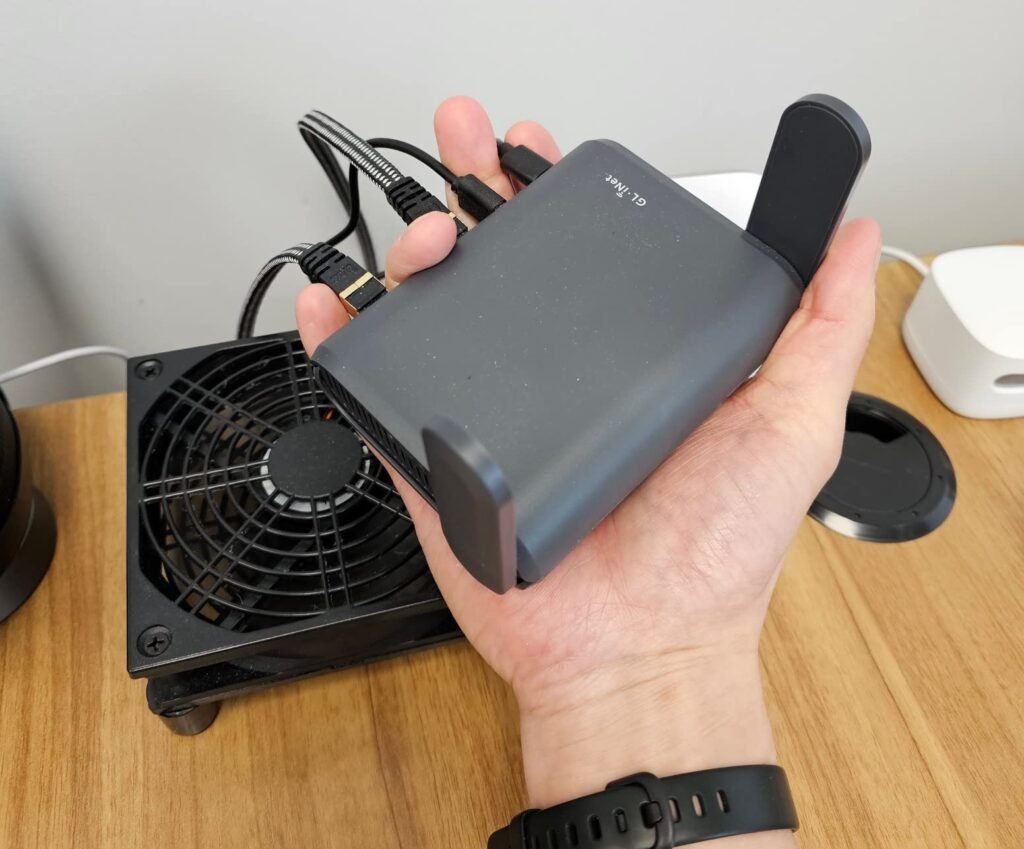
| True pocket size | Larger than Beryl AX — closer to thick paperback |
Final Compression
The GL-AXT1800 Slate AX is not the right router for every traveler. It is the right router for a specific one — and that specificity is its strength, not a limitation.
If you carry multiple devices, rely on a VPN for security or work, and need a single network entry point that handles hotel environments without per-device friction, the Slate AX sits at the top of its category. WireGuard at ~550 Mbps, physical toggle, OpenWrt depth, three Gigabit ports, and battery-pack compatibility — no travel router at this price combines all of these.
If you need USB cellular as your primary uplink, if your VPN provider doesn’t support DCO, or if you’re buying this to replace a home router, the threshold breaks before it starts.
The decision is not difficult once the threshold is visible.
If the profile above matches your travel pattern and your VPN provider runs WireGuard, the logical next step is on Amazon — currently listed around $100–$130 with Prime delivery.
Frequently Asked Questions
| Question | Answer |
|---|---|
| Does the GL-AXT1800 Slate AX work with NordVPN, ExpressVPN, or Mullvad? | Yes. GL.iNet officially supports 30+ VPN providers. WireGuard works natively with Mullvad and several others. For NordVPN and ExpressVPN, OpenVPN is typically used — confirm whether your provider’s config supports DCO to determine whether you’ll see ~500 Mbps or ~120 Mbps throughput. |
| Can I use the Slate AX with a USB 4G/5G modem as my uplink? | Technically yes — the USB 3.0 port supports cellular modems via tethering. However, documented interference between the USB port and the 5GHz radio band has been reported by multiple users. If 5GHz performance matters to your connected devices, test this configuration before a critical trip. |
| Is the Slate AX genuinely pocketable? | It fits in a jacket pocket or luggage side pocket, but it is larger than competitors like the Beryl AX (GL-MT3000). Users on the official forum consistently note it is “a bit bigger and thicker than expected for a travel router.” Expect it to be roughly the size of a thick paperback novel. |
| Does the physical toggle switch work out of the box? | No. The switch is inactive by default. You must assign its function (WireGuard, OpenVPN, or AdGuard Home) inside the admin panel first. Once assigned, it operates as a true hardware toggle with no app required. |
| Can I run the Slate AX from a USB battery pack? | Yes. Power draw is under 8.75W, which places it within the operating range of quality 20,000mAh power banks. Compared to the Slate 7 (Wi-Fi 7), which draws over 18W, the AXT1800 is significantly more battery-friendly for extended travel use. |
| Is this a replacement for my home router? | Not an efficient one. The Slate AX will function as a home router, but you’ll be paying a travel portability premium for a feature you’re not using and accepting a range limitation that a dedicated home router avoids. If you want GL.iNet depth for home use, consider the Flint 2 (GL-MT6000) instead. |
| How hard is setup for a non-technical user? | The GL.iNet admin panel at 192.168.8.1 is among the more user-friendly OpenWrt interfaces available. Basic setup — connecting to hotel Wi-Fi, enabling WireGuard — takes under five minutes. Edge configurations (Access Point mode, VLANs, reverse proxy) require command-line comfort. If you’ve never opened a terminal, 90% of the device still works for you; the remaining 10% won’t. |
| What’s the difference between Slate AX and Slate 7? | The Slate 7 runs Wi-Fi 7, draws over 18W (double the power consumption), is similarly sized, and costs more. If you power your router from a battery pack frequently, the Slate AX’s efficiency advantage is real. If you always have wall power and want future-proofed wireless speed, the Slate 7 is the upgrade path. |
Transparency Note:
This analysis is built on aggregated real-world experience.
It extracts what repeatedly holds, what breaks, and what users uncover only after living with the system—then shapes it into a clear model you can use immediately.
Think of it as structured experience, refined and presented so you don’t have to learn it the hard way.
“A quick note: Don’t believe the star ratings, but trust personal experience. This article is a compilation of collected experiences”