Your New Tri-Band Router Is Connected to Everything. So Why Does the Speed Stop at the Same Place?
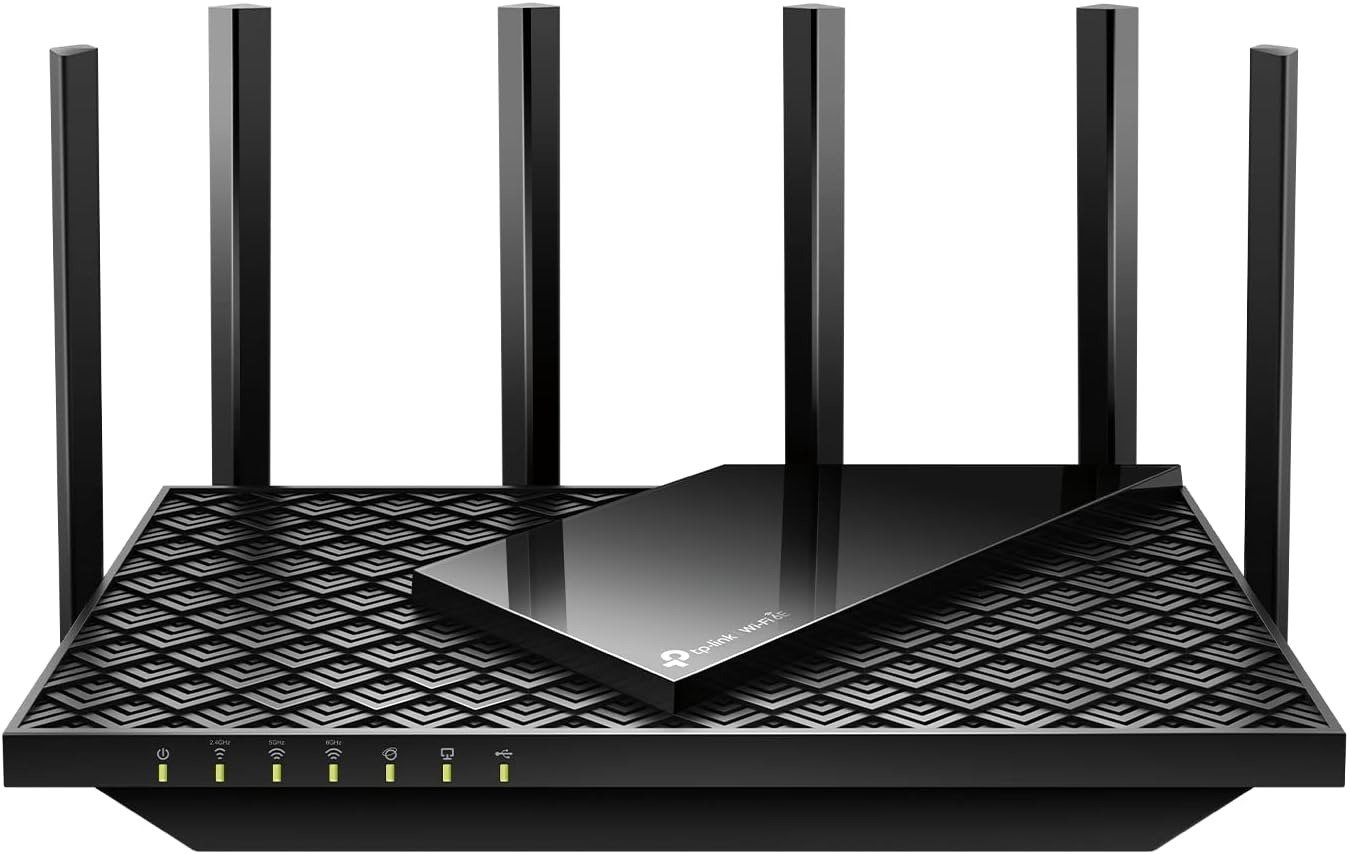
TP-LINK ARCHER AXE75
The Result Looks Fine. The Problem Isn’t.
You plug in the Archer AXE75. Three bands light up. The Tether app shows every device connected. Speeds on your phone test at 700–800 Mbps. The router hums quietly. Everything appears to be working exactly as advertised.
And then you notice something.
You’re on a 1.2 Gbps internet plan. Your previous router couldn’t touch it. This one can’t either — and it’s a WiFi 6E device with a theoretical combined throughput of 5,400 Mbps printed right on the box.
The numbers don’t match. The bands are all active. The devices are all connected. But there’s a ceiling you keep running into that no spec sheet warned you about clearly.
That ceiling is not a bug. It’s a structural decision baked into the hardware. And once you understand it, the entire performance picture of this router snaps into focus.
What You’re Actually Feeling but Not Naming
Something is off — but it’s hard to articulate because the router isn’t broken. Streaming works. Gaming works. The 6 GHz band even shows up on your iPhone 15 Pro Max. Most of the time.
But there are moments:
Your flagship laptop on the 6 GHz band pulls speeds that aren’t noticeably faster than your old 5 GHz connection. You paid for the “new band” specifically to escape that.
You connect a device that supports WiFi 6E. The speed gain over WiFi 6 is real — but smaller than expected. You expected a step-change. You got a nudge.
Your internet plan is above 1 Gbps. You can never fully test it wirelessly because the router can’t let it through. Not because of the wireless radio. Because of the port that faces your modem.
This is not disappointment without cause. These are accurate readings of a real structural boundary.
The Hidden Mechanism Behind the Miss
The Archer AXE75 has six high-gain antennas, a 1.7 GHz quad-core CPU, 512 MB of RAM, and wireless radios capable of 2,402 Mbps on both the 5 GHz and 6 GHz bands individually.
The WAN port — the single port connecting this router to your modem — is a standard Gigabit Ethernet jack. It physically cannot pass more than 1,000 Mbps. After TCP overhead, real-world throughput caps at approximately 940 Mbps in the best case.
This means: no matter how fast your 6 GHz wireless radio is, no matter how wide the 160 MHz channel it’s broadcasting on, no matter how powerful the CPU processing that traffic — what comes in from your internet service provider is limited by that single port before a single packet reaches your devices.
The 5,400 Mbps figure is the sum of all three bands’ theoretical maximums, measured between devices on your local network. It is not what the internet can deliver through this router. These are two different things, and they are commonly conflated at the moment of purchase.
The 6 GHz band provides genuine value: it is a clean, uncongested spectrum free of radar interference, legacy device noise, and neighborhood WiFi overlap. It gives your compatible devices a private lane with low latency. But when that private lane feeds back through a Gigabit WAN port to reach your internet connection — the lane narrows.
| Metric | What the Spec Sheet Says | What Testing Finds |
|---|---|---|
| Combined WiFi Speed | 5,400 Mbps | Local network only — between devices |
| 6 GHz Band Throughput | 2,402 Mbps | Close-range: ~920 Mbps; bottlenecked by WAN port |
| 5 GHz Band Throughput | 2,402 Mbps | Real-world: 500–820 Mbps depending on range |
| 2.4 GHz Band Throughput | 574 Mbps | Usable; performs mid-pack |
| WAN Port Speed | 1 Gbps | Hard ceiling; no multi-gig option |
| Internet Speed (Best Case) | Up to your plan speed | Capped at ~940 Mbps regardless of plan |
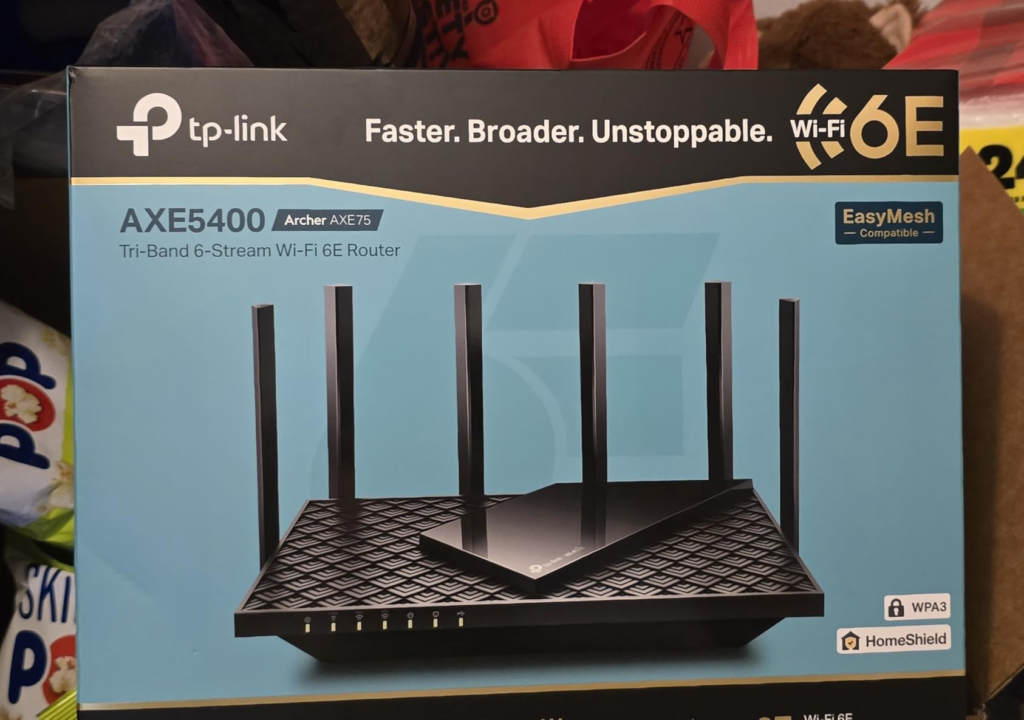
The Threshold Where the Outcome Quietly Breaks
There is a precise threshold above which this router stops delivering proportional value.
The threshold is 1 Gbps internet service.
Below it — on 300 Mbps, 500 Mbps, 700 Mbps, or even 900 Mbps plans — the AXE75 performs without compromise. Every Mbps your ISP sends arrives at your devices. The three-band architecture handles device density well. The 6 GHz channel provides a dedicated lane for your highest-priority device. Nothing is wasted.
At or above 1 Gbps, the Gigabit WAN port becomes the constraint. You are paying for an internet plan the router cannot fully pass to your network. The 6 GHz band, which in a router with a 2.5 Gbps WAN port can achieve real-world wireless speeds of 1,550 Mbps at close range, is architecturally prevented from doing so here.
This is not a defect. It is a deliberate cost-reduction choice that makes the router affordable at its price point. But it means the router’s ceiling and your plan’s ceiling are not aligned if your plan exceeds 1 Gbps.
| ISP Plan Speed | AXE75 Performance Reality | Is the WAN Port the Limit? |
|---|---|---|
| 100–300 Mbps | Full delivery; excellent headroom | No |
| 400–700 Mbps | Full delivery; comfortable for heavy multi-device use | No |
| 750–950 Mbps | Near-full delivery; minor overhead loss only | Barely |
| 1 Gbps (symmetric) | Hard ceiling encountered; ~940 Mbps max | Yes |
| 1.2–2.5+ Gbps | Significant waste; plan is throttled at entry | Yes — significantly |
Why Most Buyers Misread This Too Early
The confusion happens at a specific moment: when the buyer sees “WiFi 6E” and “5,400 Mbps” together on the product page.
The 5,400 Mbps figure leads buyers to assume this is a multi-gig capable device. It is not. The number represents theoretical simultaneous bandwidth across all three bands combined — a measure of the router’s internal radio capacity, not its internet delivery capability.
A second misreading is subtler. Buyers assume the 6 GHz band automatically means faster internet speeds. It doesn’t — not here. What it means is a third, cleaner band with less interference. In dense apartment buildings or heavily congested 5 GHz environments, that cleanliness is worth real money. In a single-family home with moderate device counts, the difference is less dramatic than the marketing implies.
The third trap: comparing the AXE75 to WiFi 6 routers and finding it faster. In controlled lab tests, the AXE75’s 6 GHz throughput matched its own 5 GHz throughput almost exactly. Reviewers at Tom’s Hardware confirmed this directly. The 6 GHz band here is not a speed doubler — it is a congestion separator.
| Common Buyer Assumption | What Actually Happens |
|---|---|
| “6E means faster internet” | Depends entirely on device support and WAN port clearance |
| “5,400 Mbps = internet speed” | That figure is local network aggregate; internet max is ~940 Mbps |
| “6 GHz > 5 GHz speed” | At this price tier, 6 GHz ≈ 5 GHz throughput — the value is the clean channel |
| “More bands = more speed per device” | More bands = better traffic separation and less congestion, not raw speed multiplication |
| “Any WiFi 6E device will benefit” | Only devices within close range of the router see the 6 GHz band reliably |
Who Is Actually Inside This Problem
This router fits a specific person cleanly.
You have a sub-gigabit internet plan — 300 to 900 Mbps — and you’re running a house with a meaningful number of devices: phones, laptops, streaming boxes, smart home hardware, maybe a gaming console. Your current router is WiFi 5, or a dual-band WiFi 6 unit that’s showing its age under device load.
You have at least one newer device that supports WiFi 6E — an iPhone 15 or 16, a Samsung Galaxy S23 or later, a recent Windows laptop with an Intel AX210 card or newer. That device is currently sharing its 5 GHz band with every other device in the house.
You want a dedicated channel for that device. You want traffic separation so that your smart TVs don’t compete with your laptop. You want a router that doesn’t require configuration beyond the setup app. And you want to do all of this for under $200.
That is the person this router was built for. The AXE75 covers 2,000–2,500 square feet reliably, handles 30+ devices under real load, and brings the 6 GHz band into a household at a price point where multi-gig hardware starts at twice the cost.
Where Wrong-Fit Begins
The AXE75 creates regret in a different profile of buyer.
You have a Gig+ internet plan. You pay for 1.2 Gbps or higher. You will never receive the full value of that plan through this router. The Gigabit WAN port is not a firmware issue — it is physical. It cannot be patched.
Your primary use case is single-device maximum throughput. If you want one device — your gaming PC, your editing workstation — to receive the fastest possible wireless connection from a fast internet plan, you need a router with a 2.5 Gbps WAN port minimum. Competitors at similar price points, including the TP-Link Archer AX5400 Pro, offer that port.
Your WiFi 6E devices are in rooms far from the router. The 6 GHz band has a shorter range than 5 GHz by design. Users in the TP-Link community have documented cases where the 6 GHz signal becomes unstable or invisible to devices beyond a single room or heavy wall. If your house is large or your devices are distant, the 6 GHz band may provide no benefit at all.
You have no WiFi 6E devices and no near-term plan to acquire them. The third band is then effectively unused. A well-priced dual-band WiFi 6 router covers the same needs for less money and without the trade-off of splitting the total bandwidth across three bands.
| Wrong-Fit Signal | Why the AXE75 Underdelivers |
|---|---|
| Internet plan ≥ 1 Gbps | WAN port is the hard ceiling; plan goes to waste |
| Single device, max speed priority | Multi-gig WAN port required; not present here |
| No WiFi 6E devices currently or planned | Third band unused; budget spent on unnecessary hardware |
| Large home, far device locations | 6 GHz range is shorter than 5 GHz; instability reported at distance |
| Privacy concern about cloud-linked apps | QoS and parental controls require TP-Link account and Tether app |
| Subscription-averse users | Full feature access requires HomeShield Pro at $5.99/month |
The One Situation Where This Product Becomes Logical
You have a sub-gigabit internet plan. You have at least one WiFi 6E-capable device. Your 5 GHz band is crowded — either because you’re running many devices or because your environment is signal-dense.
You want that device — your primary phone, your laptop, your gaming machine — on its own dedicated channel. Clean. Uncontested. No legacy devices dragging the band down.
The Archer AXE75 does exactly this. It gives that device a private 6 GHz lane with the lowest available interference of any consumer WiFi band in use today. The rest of your network runs on 2.4 GHz and 5 GHz in parallel without competing for the same channel. At close to medium range, that device will see consistent speeds between 700 and 900 Mbps — limited by your internet plan, not by the wireless radio.
The 6 GHz band here is not a speed multiplier. It is a congestion eliminator. And in a busy household with a sub-gigabit connection and growing WiFi 6E device adoption, that specific function is worth exactly what this router costs.
| Feature | AXE75 Delivers | Requires |
|---|---|---|
| 6 GHz dedicated lane | Yes — for one or two priority devices | Device must support WiFi 6E |
| Tri-band traffic separation | Yes — effective for busy households | 15–25+ mixed devices on network |
| Coverage (single floor, 2,000 sq ft) | Yes — six antennas, strong beamforming | Reasonable router placement |
| VPN client (OpenVPN/PPTP/L2TP) | Yes — built in | Basic configuration in web UI |
| OneMesh expansion | Yes — with compatible TP-Link extenders | Extender purchased separately |
| USB 3.0 NAS function | Yes — light file sharing | Not suitable for multi-user heavy NAS |
| QoS / Parental Controls | Basic free; full requires HomeShield Pro | $5.99/month or $54.99/year |
What It Solves, What It Reduces, and What It Still Leaves to You
What it solves: 5 GHz congestion in a household with multiple competing devices. The permanent friction of your flagship phone or laptop fighting for bandwidth against your smart bulbs, your kids’ tablets, and your streaming TV.
What it reduces: The latency spikes and inconsistency that come from too many devices on two bands. With three separate bands and OFDMA, traffic is distributed more intelligently. The 6 GHz device in the room with the router gets a channel to itself.
What it reduces but does not eliminate: Range anxiety. The 6 GHz band is noticeably shorter than 5 GHz. Devices in adjacent rooms typically connect cleanly. Devices two or three rooms away, through walls, may fall back to 5 GHz automatically or show unstable signal on 6 GHz. This is physics, not a defect — but it means the 6 GHz benefit is concentrated near the router.
What it still leaves to you: Getting full value from a Gig+ internet plan. Managing advanced network settings without a cloud account — some features remain app-only and require a TP-Link ID. Deciding whether the HomeShield Pro subscription is worth the cost for parental controls and security filters beyond the basic tier.
Where regret starts: When a buyer on a 1.2 Gbps plan realizes six months in that their internet speed has never once exceeded 940 Mbps wirelessly — and that no firmware update will change this. The port was always the constraint. It was documented, if not clearly emphasized at point of sale.
Final Compression
The TP-Link Archer AXE75 is a structurally honest product when its threshold is understood. Below 1 Gbps internet service, with WiFi 6E devices in the household, in a medium-sized home with meaningful device density — it does what it promises. The 6 GHz band is clean and real. The congestion separation across three bands is a genuine improvement over dual-band setups.
The threshold where the value breaks: any internet plan that exceeds Gigabit, any use case that requires single-device maximum throughput above 940 Mbps, or any home where the primary devices are too far from the router to receive stable 6 GHz signal.
The decision is not complicated. Run your current internet plan speed. If it sits comfortably below 1 Gbps, and you have at least one newer WiFi 6E device, and your current router is producing congestion or dead zones — the AXE75 resolves the actual problem at a defensible price.
If your plan already exceeds Gigabit, or will in the near term, the Gigabit WAN port will become the most expensive $200 bottleneck in your network. In that case, the correct step is a router with a 2.5 Gbps WAN port — which you can find at comparable or slightly higher prices without giving up WiFi 6E entirely.
The router doesn’t hide what it is. You just have to know which number to read before you buy it.
Transparency Note:
This analysis is built on aggregated real-world experience.
It extracts what repeatedly holds, what breaks, and what users uncover only after living with the system—then shapes it into a clear model you can use immediately.
Think of it as structured experience, refined and presented so you don’t have to learn it the hard way.
“A quick note: Don’t believe the star ratings, but trust personal experience. This article is a compilation of collected experiences”