Your Hotel Wi-Fi Isn’t the Problem. The Moment You Trust It Is.
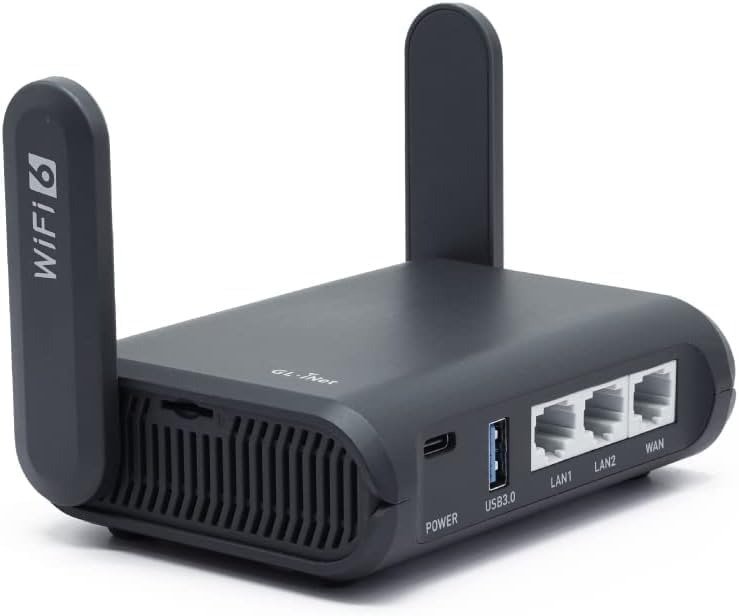
GL.I.NET SLATE AX
You do not usually feel the break when it happens.
You feel the inconvenience first. The TV refuses to connect. The work laptop signs in, but the tablet drops. The phone gets through the captive portal, the streaming stick does not. Then you start doing that modern little ritual of annoyance: reconnect, retype, refresh, retry. The connection looks alive. Your setup is not. That is the gap this device is built to close.
What pulled me into the Slate AX was not the headline promise of “Wi-Fi 6 travel router.” That phrase is too clean for the mess it is solving. The real appeal sits lower. It is the point where too many devices, hostile hotel login flows, and public-network exposure stop being a nuisance and start becoming operational drag. GL.iNet positions the Slate AX as a compact Wi-Fi 6 travel router with an IPQ6000 1.2GHz quad-core CPU, 512MB RAM, 128MB flash, three gigabit ports, USB 3.0, and a TF card slot up to 512GB. RTINGS, in its 2026 review, also found very good close-range 5GHz speeds, reasonable range for hotel-room or apartment-sized spaces, and unusually configurable software for a product this small.
The Result Looks Fine. The Problem Isn’t.
A weak travel setup often lies to you.
It tells you the problem is speed because speed is easy to see. But in actual travel use, the first crack is usually control. Who authenticates? Which device gets forced through the captive portal? Which DNS behavior breaks the hotel login page? Which device silently falls outside the protected tunnel? That is why a basic hotspot can feel “good enough” until you try to run real life through it: laptop, phone, tablet, TV, work apps, maybe a wired device, all at once.
The Slate AX is strong precisely where that lie becomes expensive. It can repeat public Wi-Fi, handle captive portals, run VPN tools, and present your gear as one private network instead of ten separate negotiations with a hotel splash page. On paper that sounds ordinary. In practice, that is the difference between a room full of “connected” devices and a room that actually works. Users describing good trips with it keep returning to the same relief: they sign into the hotel once and then their phones, laptops, and other devices ride behind the router instead of each device having to beg for permission on its own.
What You’re Actually Feeling but Not Naming
It is not just irritation.
It is intervention burden.
That is the hidden tax of public Wi-Fi: the small, repeated demand that you step in again. Approve another device. Re-authenticate another session. Fix another portal failure. Toggle another setting. Each interruption is tiny. Together, they turn travel connectivity into background friction that keeps clawing at your attention.
I would name the real pain here as a three-part drag:
| Friction | What it feels like | Why it matters |
|---|---|---|
| Login drag | Captive portal loops, splash pages that do not appear, manual re-auth | Delays access and breaks routine |
| Device drag | Each device behaves differently on public Wi-Fi | More setup repetition, more failure points |
| Privacy drag | VPN/DNS behavior may need to pause during public-hotspot login | Temporary exposure exactly where users want protection most |
That last line matters more than most people think. GL.iNet’s own documentation states that when the router enters Login Mode for Public Hotspots, some services are suspended and DNS switches to automatic, which can leak network activity to the hotspot provider during that phase. This is not a scandal. It is a boundary. And boundaries are what separate adult buying decisions from fantasy ones.
The Hidden Mechanism Behind the Miss
Most buyers misread this category because they judge it like a tiny home router.
It is not.
It is a network translator.
The Slate AX earns its keep by sitting between messy upstream access and your personal downstream environment. It can take wired or wireless internet, convert that into your own private network, and then layer features that matter on the road: repeater mode, VPN support, file sharing, custom DNS options, and OpenWrt-based configurability. That is why its value rises sharply for travelers and drops sharply for people who just want “a small router.”
Technically, the hardware is not decorative. The Qualcomm IPQ6000 platform, 512MB RAM, dual-band AX1800 radio, three 1Gbps ports, USB 3.0, and TF storage support create enough headroom for the device to act like more than a simple repeater. RTINGS found very good top speeds nearby and called the range reasonable for small spaces, while noting that there is no 2.5Gbps port and no native mesh support. That combination tells you exactly what it is: fast enough for a hotel room, apartment corner, or compact office setup, but not the right tool for whole-home ambition.
Here is the technical shape in one place:
| Area | What the Slate AX offers | What that means in use |
|---|---|---|
| CPU / Memory | IPQ6000 1.2GHz quad-core, 512MB RAM, 128MB flash | Enough overhead for travel-router tasks, VPN use, and configuration flexibility |
| Wireless | AX1800 dual-band: 600Mbps at 2.4GHz + 1200Mbps at 5GHz | Better suited to modern phones/laptops than older budget travel routers |
| Ports | Three 1Gbps Ethernet ports, USB 3.0, TF slot | Useful when travel involves wired gear, storage, or bridge scenarios |
| VPN | Officially advertised up to 560Mbps OpenVPN client and 550Mbps WireGuard client in local-network tests | Serious upside for travelers who want router-level tunneling, but real-world speeds vary and server mode is slower |
| Software | OpenWrt-based, VPN dashboard, DNS controls, scheduled tasks, Tailscale support in docs | Strong fit for users who want knobs, not just a pretty on/off switch |
The Threshold Where the Outcome Quietly Breaks
Here is the threshold:
The Slate AX becomes logical the moment your travel connection has to do more than get one phone online.
That is the dividing line.
If you only need casual browsing on one or two devices, this can look like overkill. But once you need repeatable sign-ins, stable behavior across several devices, router-level VPN protection, wired bridging, or a private subnet you carry from room to room, the category changes. You are no longer buying internet access. You are buying consistency.
And there is a second threshold beneath it:
You need to tolerate light network administration.
The same configurability that makes the Slate AX powerful also makes it less magical than casual buyers hope. Reviewers and experienced users tend to praise the control, the wireless options, the DFS support, the app/web interface, and the feature depth. But public-hotspot behavior can still require knowing when to trigger login mode, when to relax custom DNS expectations, and when a captive portal is the hotel’s problem rather than the router’s. That is not failure. That is the reality of carrying a smarter tool into dumber networks.
Why Most Buyers Misread This Too Early
They shop the spec sheet.
They should be shopping the breaking point.
A lazy comparison says: AX1800, OpenWrt, VPN, three ports, done. But that leaves out the only question that matters: When does this box stop me from babysitting the network? RTINGS praises the software flexibility and close-range performance. Amazon buyers have kept the product at 4.5/5 stars from 3,577 ratings, with more than 1,000 bought in the past month at the time of capture. That is useful social proof, but it is still not the decision metric. The decision metric is whether your pattern of travel crosses the threshold where repeated friction costs more than the router does.
There is also a common early mistake: buyers confuse privacy features with friction immunity. The Slate AX can materially improve privacy and device management, yes. But GL.iNet’s own documentation makes clear that public-hotspot login mode may suspend VPN and custom DNS temporarily, and community posts show that some captive-portal situations are smooth while others still need manual nudging. So the correct expectation is not “this makes hotel Wi-Fi perfect.” The correct expectation is “this gives me a far better operating position inside imperfect hotel Wi-Fi.”
Who Is Actually Inside This Problem
This router starts making sense for three kinds of people.
First: the traveler with a device flock.
Laptop. Phone. Tablet. Maybe a TV stick. Maybe a work device that hates captive portals. Maybe a spouse’s gear too. Once the room contains five, six, seven endpoints, the one-login/private-network model stops sounding nerdy and starts sounding sane.
Second: the traveler who wants router-level VPN behavior instead of installing and managing VPN apps on every device. GL.iNet advertises support for OpenVPN and WireGuard client modes, with official claimed client-mode speeds up to 560Mbps and 550Mbps respectively under local-test conditions. That matters when the real goal is not only privacy but simplified control across all connected gear.
Third: the user who wants travel hardware without dead-simple limitations. RTINGS calls the software highly configurable. Independent hands-on coverage also highlights the device’s “wireless nerd knobs,” including channel control, TX power, WPA3, DFS, and multiple operating modes. If you are the kind of person who gets itchy when a device hides every meaningful setting, the Slate AX understands that itch.
Where Wrong-Fit Begins
Wrong-fit starts where the buyer wants one of three things this router is not built to be.
It is not a whole-home router. RTINGS explicitly frames it as a good choice for apartments or hotel rooms, not a native-mesh whole-home solution.
It is not a zero-thinking appliance. If the phrase “OpenWrt” sounds exciting, good. If it sounds like a tax form, you may resent what makes this product special. Amazon’s own listing leans into customization, and hands-on reviewers praise precisely that depth.
It is not a guarantee that every captive portal behaves. GL.iNet documents tools to improve public-hotspot success but also openly notes the trade-offs in login mode. User reports show both outcomes: some hotels work immediately, others still produce portal friction.
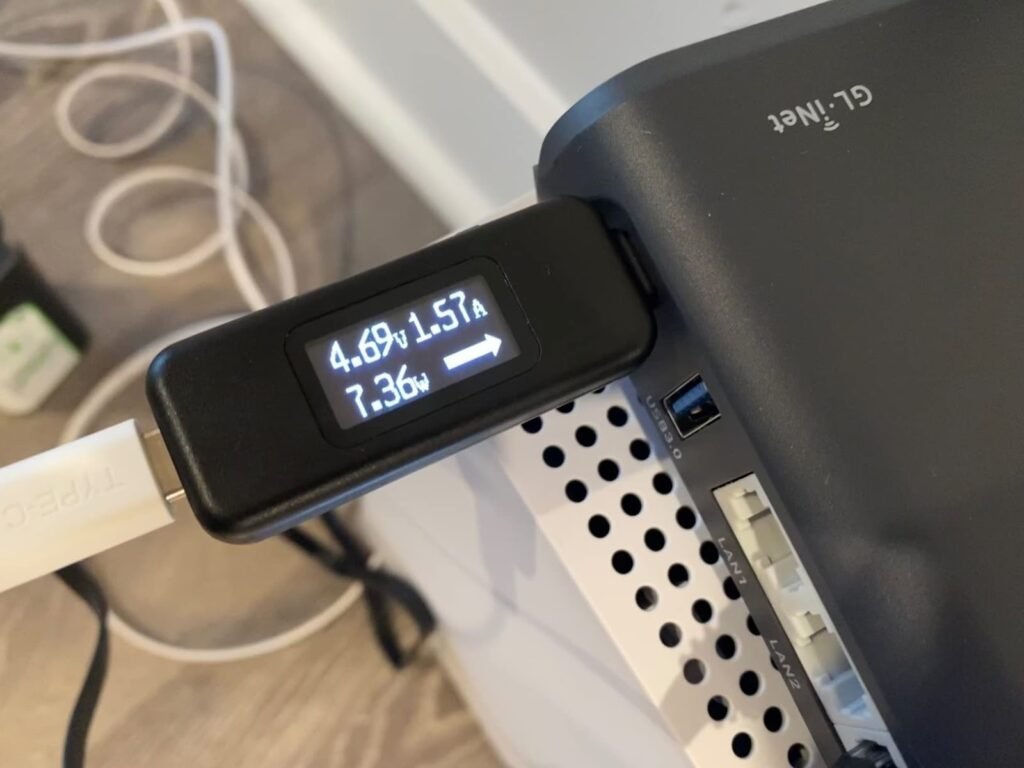
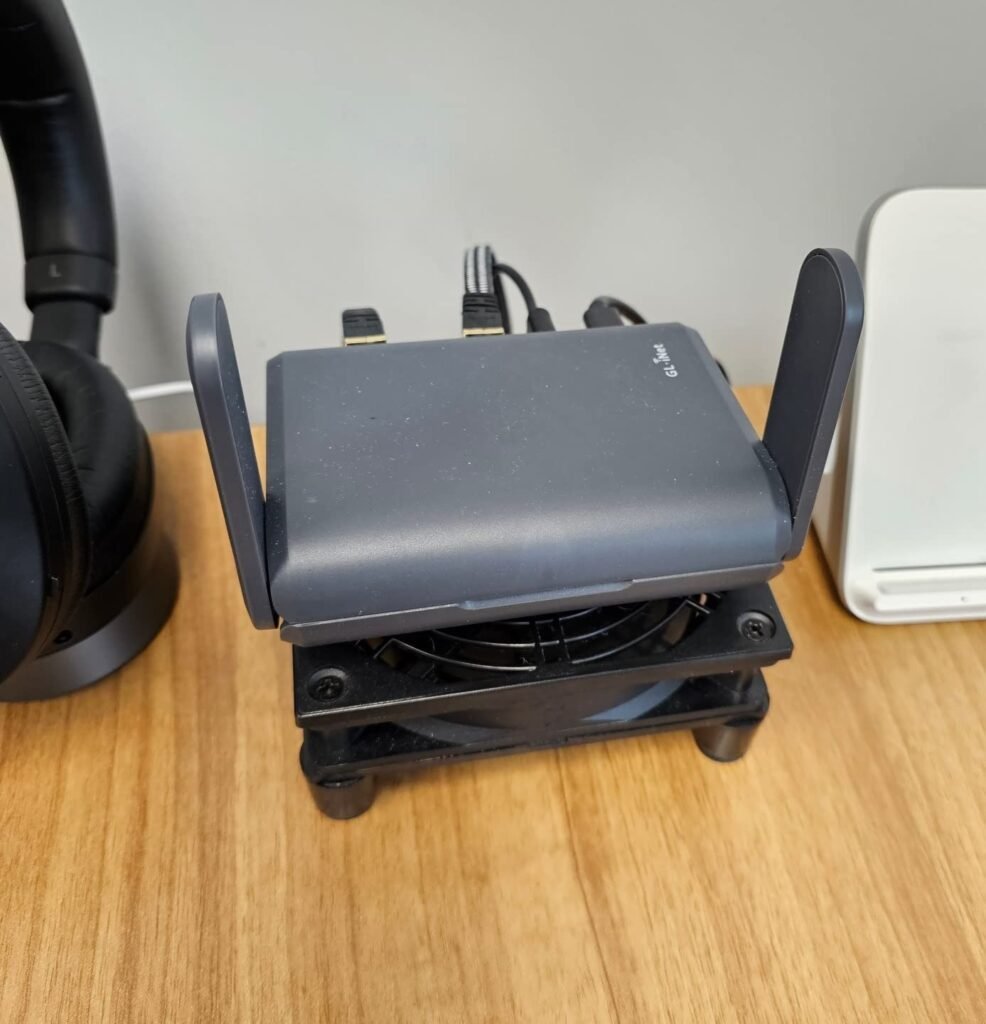
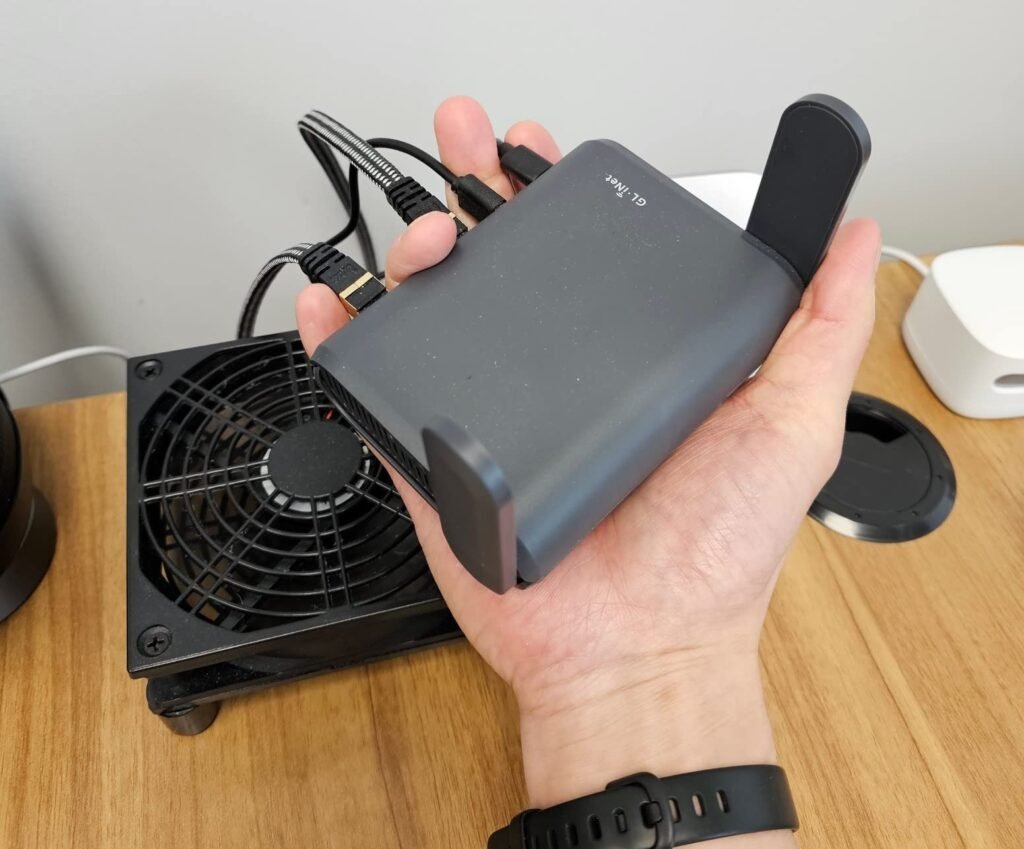
There is one more edge worth noting. Official specs list operating temperature up to 40°C ambient and power consumption under 8.75W, while user discussions mention warm operation and fan activity. That does not make it defective, but it reinforces the point: this is dense travel hardware doing real work in a small shell, not a featherweight toy.
The One Situation Where This Product Becomes Logical
The Slate AX becomes logical when your connection problem is no longer “I need internet,” but “I need my environment to behave the same way every time I move.”
That is the moment.
When I map the product against the evidence, that is where it locks into place: not as a generic router, not as a home upgrade, not as a gimmick for airport lounges, but as a compact private-network tool for people whose travel setup has become too complex for raw hotel Wi-Fi and too annoying for piecemeal fixes. RTINGS validated the small-space speed case. GL.iNet documents the VPN, repeater, DNS, and system-control stack. Real users describe the payoff in plain language: one hotel sign-in, many devices, less nonsense.
That is why the product authorization here is quiet, not theatrical.
Not “everyone needs this.”
Not “this will transform your life.”
Just this:
If your break point starts when public Wi-Fi has to serve an entire personal setup, the Slate AX is no longer a gadget. It is infrastructure.
What It Solves, What It Reduces, and What It Still Leaves to You
What it solves:
- It can turn messy upstream access into one private downstream network for your devices.
- It can centralize VPN behavior at the router layer instead of repeating that job on each endpoint.
- It gives unusually deep control for a travel-sized box.
What it reduces:
- Repeated device-by-device authentication pain in many hotel/public Wi-Fi scenarios.
- The chaos of mixed wired/wireless travel gear.
- The need to accept the network exactly as the venue hands it to you.
What it still leaves to you:
- You still need to understand that captive portals are not always elegant.
- You still need to choose sane expectations around VPN speeds, since official performance figures are lab-like client-mode numbers and real-world results vary.
- You still need to be honest about your tolerance for setup, menus, and occasional troubleshooting.
Final Compression
The cruel little myth in this category is that public Wi-Fi becomes dangerous only when it becomes slow.
No.
It becomes dangerous earlier than that—when it becomes inconsistent, fragmented, and invisible in the wrong places.
That is why the Slate AX is compelling. Not because it has the prettiest spec sheet. Not because it wins every scenario. Not because every hotel portal will bow politely. It is compelling because it moves the traveler from scattered device survival to a controlled personal network, and it does so with real hardware, serious software, and enough documented boundaries to trust the promise without romanticizing it.
Transparency Note:
This analysis is built on aggregated real-world experience.
It extracts what repeatedly holds, what breaks, and what users uncover only after living with the system—then shapes it into a clear model you can use immediately.
Think of it as structured experience, refined and presented so you don’t have to learn it the hard way.
“A quick note: Don’t believe the star ratings, but trust personal experience. This article is a compilation of collected experiences”