GL-iNet GL-BE9300 (FLINT 3) Review: I Found the Spec This Router Quietly Took Away
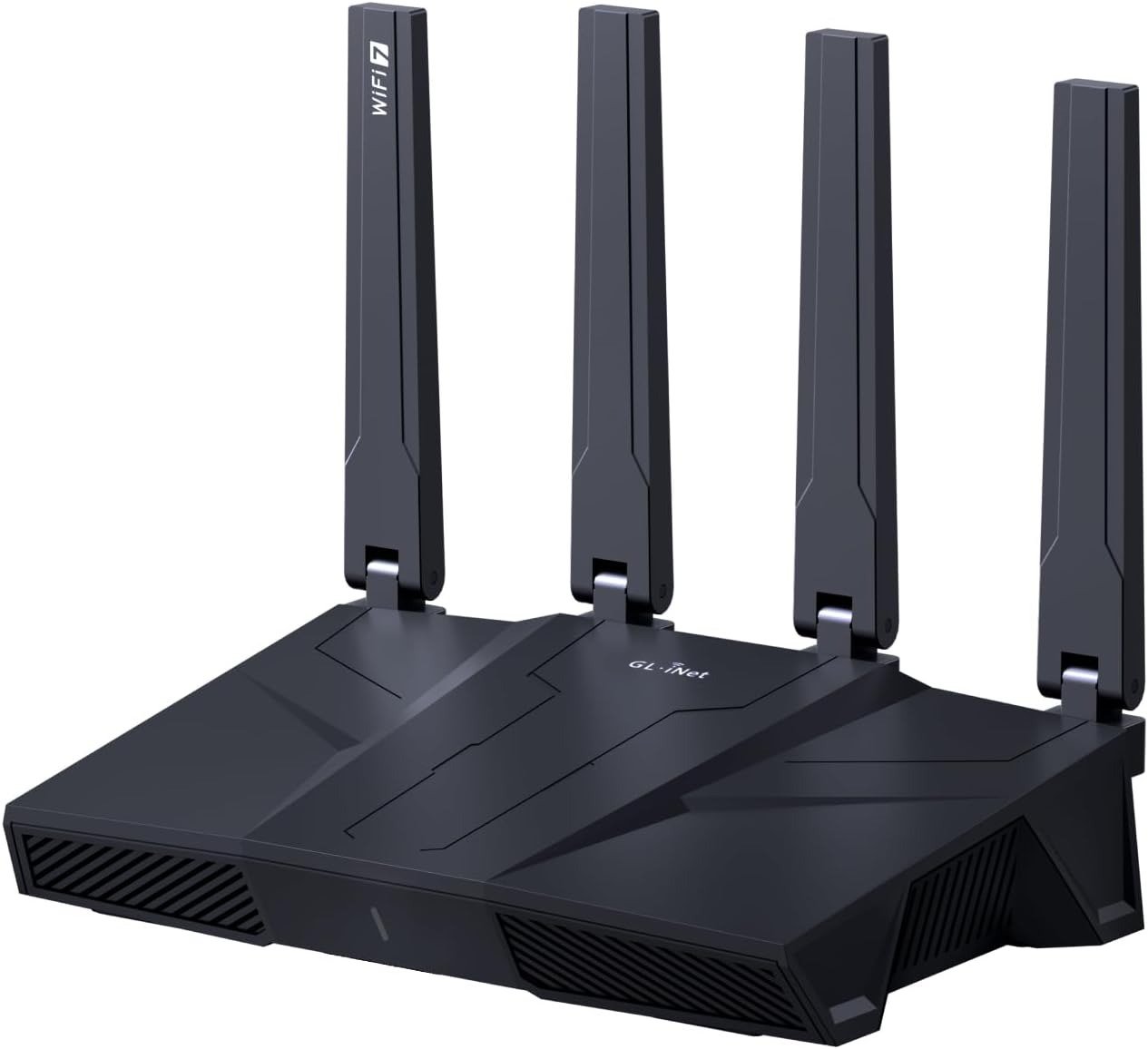
GL-iNet GL-BE9300 (FLINT 3)
Search for a basic D-Link Eagle Pro AI AX1500 on Amazon, and there’s a real chance the GL-iNet GL-BE9300 shows up a few rows down as a sponsored result, riding on a search term that has almost nothing to do with what it actually is. One is a budget dual-band router built for someone who wants Wi-Fi to disappear quietly into the background of their life. The other is a tri-band Wi-Fi 7 machine with five multi-gig ports, a built-in VPN server, and a settings menu that looks like it was built for someone running a small office network.
I went through the lab benchmarks, the firmware changelogs, GL-iNet’s own documentation, and a long stack of real owner complaints and praise threads to figure out which one the GL-BE9300 actually is once it’s out of the box. What I found wasn’t a scam, and it wasn’t a clean win either. It’s a router that quietly trades away something most buyers never think to check, in exchange for something a smaller, specific group of buyers genuinely need.
GL-BE9300 First Look: The Result Looks Fine. The Problem Isn’t.
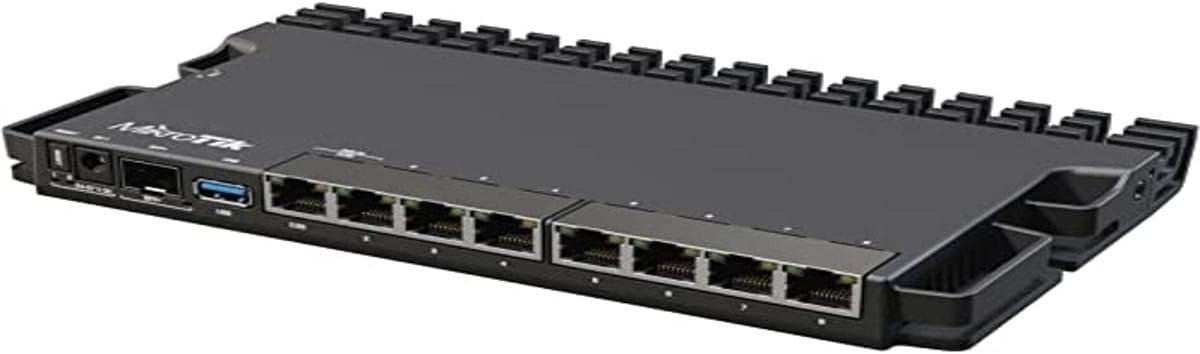
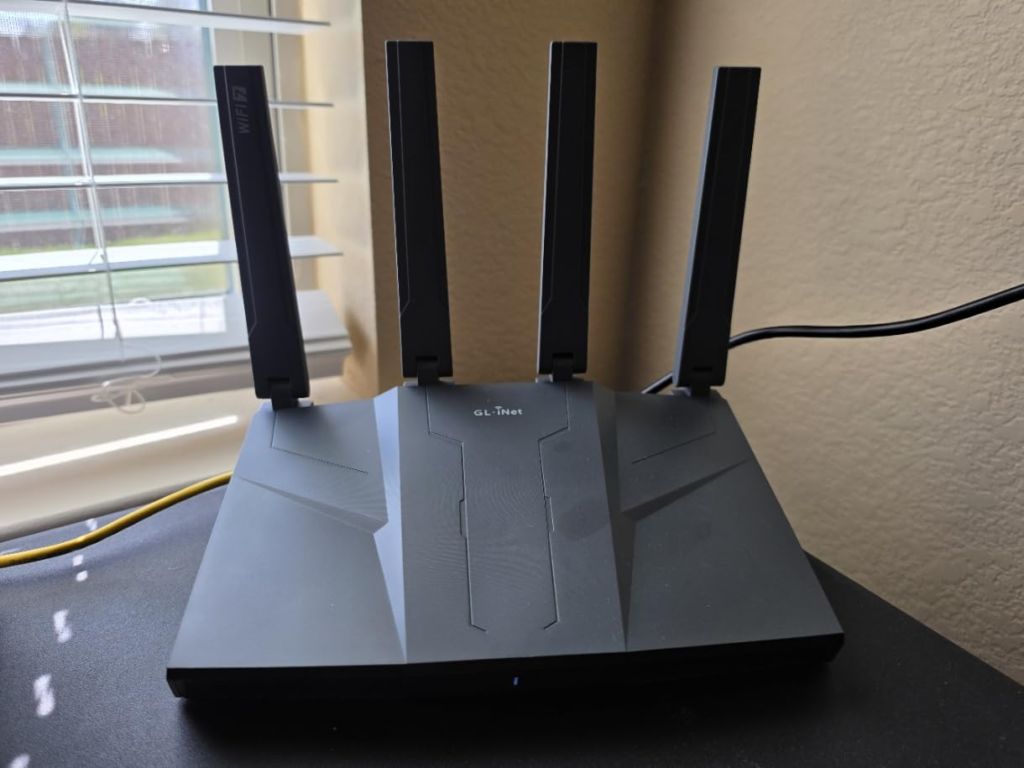
On paper, the GL-BE9300, sold under GL-iNet’s “Flint 3” name, reads like a clean upgrade story. It’s a tri-band Wi-Fi 7 router built around five 2.5-gigabit Ethernet ports and a USB 3.0 port for network storage, running on a Qualcomm processor with 1GB of RAM. The box talks about combined wireless speeds close to 9.3 Gbps across its three radios, plus a built-in ad-blocker, parental controls, and VPN client and server support, all included rather than bolted on.
None of that is fake. Pricing has moved around since launch, too: GL-iNet listed a $229.90 MSRP, early pre-orders went for as little as $119, and reviewers checking in months later were seeing it typically sit closer to $199–$219. What the spec sheet doesn’t say out loud, and what almost nobody checks before adding it to their cart, is that this router has lower VPN throughput than the model it replaced. The result looks fine. The fine print is where the actual decision lives.
| Spec | What You Actually Get |
|---|---|
| Wi-Fi standard | Tri-band Wi-Fi 7 (2.4GHz / 5GHz / 6GHz) |
| Chipset | Qualcomm IPQ5332, quad-core, 1.5GHz |
| Memory | 1GB DDR4 RAM, 8GB eMMC storage |
| Antenna setup | 2×2 MIMO on every band |
| Wired ports | 5× 2.5GbE (1 WAN, 1 switchable WAN/LAN, 3 LAN) + 1 USB 3.0 |
| VPN throughput | ~644–680 Mbps on WireGuard / OpenVPN-DCO; ~142 Mbps on standard OpenVPN |
| Rated coverage | Up to 2,000 sq ft, open floor plan |
| Firmware | GL-iNet’s own OpenWrt-based fork, not mainline-installable |
| Price | $229.90 MSRP; street price commonly $130–$220 |
Why does that VPN gap exist at all on a router that’s supposedly newer and better? That’s worth fifteen minutes of your time before you spend $200, and the real answer is more interesting than “newer is worse.”
GL-BE9300 Wi-Fi Problems at Home: What You’re Actually Feeling but Not Naming
Most people don’t go shopping for a router because they woke up wanting one. They go shopping because of a feeling. The video call that freezes right as you’re about to say the important part. The kids’ tablets that drop off the network the second someone microwaves popcorn. The smart plug that needs a manual reboot every few days like it’s got a grudge against you. The dead spot in the back bedroom that’s been “fine, mostly” for two years.
None of that is actually “slow internet.” Your plan is probably doing exactly what you pay for. What’s happening is congestion: too many devices arguing over too few lanes, on a router that was never built to referee that many conversations at once. That’s a router problem wearing an internet-problem costume, and it’s the specific itch the GL-BE9300 is built to scratch — more bands, more wired lanes, and a 2.4GHz band you can hand off entirely to the dumb, chatty IoT stuff so it stops crowding the lane your laptop needs.
GL-BE9300 Chipset and VPN Speed: The Hidden Mechanism Behind the Miss
Here’s the mechanism, in plain terms. The Flint 3 runs on a Qualcomm IPQ5332 chipset, a quad-core processor paired with 1GB of RAM. That chip is what makes tri-band Wi-Fi 7, the new 6GHz band, and Multi-Link Operation possible at this price. It’s also a 2×2 MIMO design on every single band, and side-by-side comparisons against the older Flint 2 point to that as a step down in spatial streams, fewer simultaneous “conversations” per radio, even with a third radio now in play.
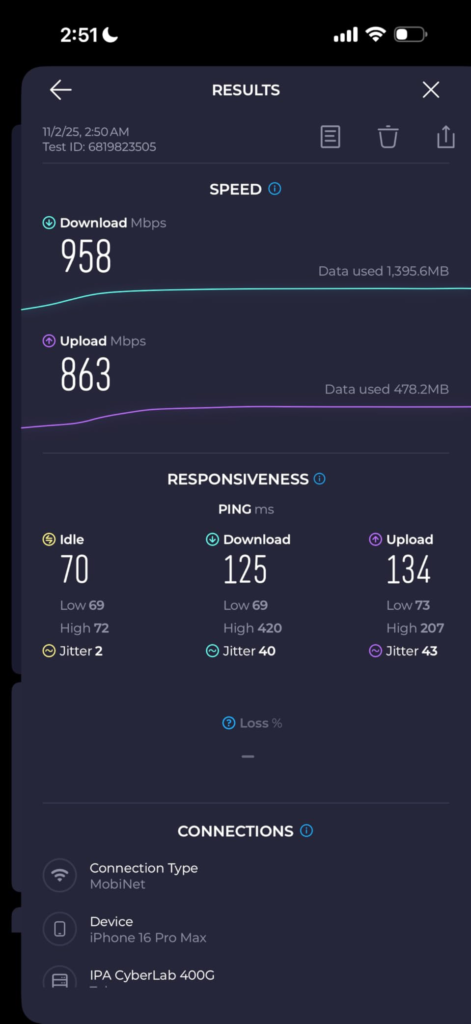
The same trade-off shows up in VPN performance. GL-iNet rates WireGuard and OpenVPN-DCO throughput at up to roughly 680 Mbps combined, solid, but a real drop from the approximately 900 Mbps WireGuard speeds reviewers clocked on the previous-generation Flint 2. There’s a second layer most buyers never find until they’re mid-setup: that 680 Mbps figure depends entirely on protocol. The router’s own listing breaks it down plainly, roughly 644 Mbps on WireGuard, but only about 142 Mbps on standard OpenVPN without hardware acceleration. Expert tip: check which protocol your VPN provider defaults to before you assume you’re getting the headline speed. It’s a thirty-second check that saves a week of confused troubleshooting.
| Claim on the Box | What Actually Happens |
|---|---|
| “Up to 9.3 Gbps Wi-Fi” | Combined theoretical ceiling across all three bands at once. No single device gets near this. |
| “680 Mbps VPN” | True for WireGuard and OpenVPN-DCO. Standard OpenVPN drops to roughly 142 Mbps. |
| “2,000 sq ft coverage” | GL-iNet’s own rating in open, low-interference space, not a multi-floor home. |
| “Wi-Fi 7 = automatic upgrade” | Tri-band and MLO are real gains. Spatial streams are 2×2, a step down from the Flint 2’s setup. |
GL-BE9300 Range and 6GHz Performance: The Threshold Where the Outcome Quietly Breaks
Every wireless spec sheet describes a best-case room: open air, no walls, the device sitting right next to the router. Real homes aren’t that room, and the GL-BE9300 has a specific point where its best numbers quietly stop applying.
6GHz is the headline band, and owners who’ve actually lived with it describe it the same way, repeatedly: extraordinary in the same room as the router, noticeably good one room over, and then falling off fast once you add a floor or a couple of interior walls. That’s physics, not a defect; 6GHz carries less distance than 5GHz or 2.4GHz on every router ever made. It does mean GL-iNet’s 2,000-square-foot coverage rating deserves a translation: that number assumes an open layout with minimal interference, not a multi-floor home with plaster walls and a basement full of ductwork.
There’s a second threshold worth naming, and it’s about software maturity, not physics. Independent real-world testing found wired performance strong and consistent, but Wi-Fi tuning, MLO especially, still needed refinement at the firmware level to behave as smoothly as the spec sheet implies. That’s typical for a first-generation Wi-Fi 7 chipset. It means the router you unbox today may run meaningfully better in three months once GL-iNet ships more firmware passes, and meaningfully worse if you land on one of the updates some owners say made their Wi-Fi flakier rather than steadier.
GL-BE9300 vs Flint 2: Why Most Buyers Misread This Too Early
The easiest mistake with any “Wi-Fi 7” label is assuming it’s a strict upgrade over “Wi-Fi 6,” the same way a newer phone is assumed to beat an older one across the board. Why doesn’t that hold here? Because a new wireless standard buys you more bands, wider channels, and lower latency under load, genuine wins, but it doesn’t automatically buy you more raw throughput per device, more spatial streams, or faster encryption. On the Flint 3, two of those three actually moved backward relative to its own predecessor.
That nuance is exactly why owner sentiment looks split at first glance and far more coherent once you read past the headlines. Pulled together across real owner discussions, sentiment runs roughly 67 positive to 10 negative out of about 85 tracked mentions, with the consistent praise landing on the Wi-Fi 7 hardware and software feature set, and the consistent complaint landing on the chipset’s limited compatibility with mainline open-source firmware. That’s not a router people regret. It’s a router a meaningful minority expected to behave exactly like its predecessor, and didn’t quite get that.
Who Should Buy the GL-BE9300: Who Is Actually Inside This Problem
Strip away the spec sheet, and this router is built for a fairly specific household, not every household. If your current setup is choking under streaming devices, a couple of consoles, smart-home gadgets, and two people on video calls at once, the extra bands and the dedicated wired backbone solve a real, daily problem. If you already run a VPN, for remote work, privacy, or reaching your home network while traveling, WireGuard-level throughput baked into the router replaces a separate VPN box entirely. And if you’ve ever lost internet mid-task because your one ISP connection hiccupped, dual-WAN failover turns that into a non-event.
It’s also a natural fit for the self-hosting and home-lab crowd: a USB port for network storage, Tailscale built in as a subnet router so you get remote access to your whole home network without installing anything on every device, and an actual plugin ecosystem sitting under the friendly interface.
GL-BE9300 Deal-Breakers: Where Wrong-Fit Begins
Here’s where I’ll talk you out of it, because a review that only tells you to buy isn’t a review.
If you want a router you plug in once and never think about again, the Flint 3 will occasionally ask more of you than that. One specific, real example: switch it into Access Point or WDS mode, common when adding it to an existing network, and you lose the ability to reach its web interface over a wired connection, a quirk tied directly to how its OpenWrt-based firmware handles those modes. That’s a fifteen-second annoyance for someone comfortable in router settings. For someone who isn’t, it’s the kind of thing that ends with a return label.
If your home is genuinely large or oddly shaped, multiple floors, thick old walls, a detached garage, one router usually loses to a proper mesh kit built for that footprint. And if your VPN app depends on standard OpenVPN rather than WireGuard, plan around that 142 Mbps reality, not the 680 Mbps headline.
And if you’re the person who searched for that basic D-Link AX1500 in the first place, someone who wants stable Wi-Fi for browsing, streaming, and calls without learning new vocabulary, that instinct wasn’t wrong. A simple dual-band AX1500 router costs a fraction of this one, asks nothing of you, and handles that exact job well. The GL-BE9300 is solving a bigger, different problem, for a different kind of household.
| You’re a Strong Fit If… | Look Elsewhere If… |
|---|---|
| You’re juggling 20+ devices and the old gateway chokes at dinner-time streaming | You want to plug in, never open a settings page again, and call it done |
| You run a VPN client or server and need WireGuard-level speed, not OpenVPN guesswork | Your VPN app only does standard OpenVPN and you need every megabit |
| You have two internet lines (cable + Starlink, fiber + 5G) and want automatic failover | Your home is three floors of old plaster and needs real mesh, not one router |
| You’re future-proofing for Wi-Fi 7 phones and laptops arriving over the next two years | You’re on a sub-300 Mbps plan and just want stable basics |
| You like root-level control, LuCI, plugins, NAS over USB, without buying a separate box | OpenWrt menus and “switchable WAN/LAN” language make your eyes glaze over |
GL-BE9300 Review Verdict: The One Situation Where This Router Becomes Logical
If you read that table and recognized your own network in the left column, too many devices, real VPN needs, a wired backbone that’s been bottlenecked for years, or a genuine interest in controlling your own router instead of renting one from your ISP, the GL-BE9300 stops being a flashy spec sheet and becomes the logical pick. Not because it’s flawless. Because for that specific situation, the trade-offs it makes line up with what you’d choose anyway.
GL-BE9300 Pros and Cons: What It Solves, What It Reduces, and What It Still Leaves to You
| It Solves | It Reduces | It Still Leaves to You |
|---|---|---|
| Multi-gig wired bottlenecks on fiber and cable plans over 1 Gbps | Network congestion from IoT clutter (2.4GHz can absorb it) | Physical placement; a router in a closet still loses to walls |
| The “three separate boxes” problem (VPN, ad-blocking, parental controls in one device) | The blind spot of not knowing which device is eating your bandwidth | Picking the right VPN protocol if raw speed matters to you |
| ISP-rented gateway dependency and its forced reboots | Single point of failure, once dual-WAN failover is set up | Patience through the first firmware update and initial setup |
GL-BE9300 FAQ: Quick Answers Before You Buy
| Question | Answer |
|---|---|
| Is the GL-BE9300 good for gaming? | Yes, especially over a wired 2.5GbE connection, where latency stays most consistent. Wirelessly, MLO and 6GHz help close the gap, but firmware tuning for MLO is still maturing, so wired remains the safer bet. |
| Does it work with my existing modem or ISP gateway? | Yes. Put your ISP’s gateway into bridge or modem-only mode, then connect it to the GL-BE9300’s dedicated WAN port. It works the same way across cable, fiber, and DSL. |
| Will my older devices still connect? | Almost all of them. The 2.4GHz and 5GHz bands still support WPA2 for backward compatibility; only the new 6GHz band requires WPA3, which is normal for the standard, not a Flint 3 quirk. |
| Is the advertised VPN speed real? | Partly. The fast numbers apply to WireGuard and OpenVPN-DCO. Standard OpenVPN, which plenty of commercial VPN apps still default to, runs dramatically slower on this hardware. |
| Can I use it as a mesh system for a bigger house? | A single unit is rated for around 2,000 sq ft in open layouts. You can add more GL-iNet units, but it isn’t sold as a turnkey mesh kit the way some competitors are, so plan accordingly if your home is large or multi-floor. |
| Is it really “open-source” the way other GL-iNet routers are? | It runs an OpenWrt-based interface, but the Qualcomm IPQ5332 chipset means it’s a GL-iNet-maintained fork rather than something you can flash with mainline OpenWrt yourself. |
GL-BE9300 Buying Decision: Final Compression
Strip away the marketing language and the decision comes down to one honest question: are you the household drowning in devices, demanding real VPN throughput, and tired of renting a router from your ISP, or are you someone who just wants Wi-Fi that works without a learning curve? The GL-BE9300 was never built to win at the second question, and it doesn’t need to.
If you’re already inside the first situation, the trade-offs documented here, the 2×2 radios, the protocol-dependent VPN ceiling, the firmware still finding its footing, are details to plan around, not reasons to walk away.
Transparency Note:
This analysis is built on aggregated real-world experience.
It extracts what repeatedly holds, what breaks, and what users uncover only after living with the system—then shapes it into a clear model you can use immediately.
Think of it as structured experience, refined and presented so you don’t have to learn it the hard way.
“A quick note: Don’t believe the star ratings, but trust personal experience. This article is a compilation of collected experiences.”