WYZE CAM V4 REVIEW: THE FOOTAGE LOOKS PERFECT — UNTIL THE ONE NIGHT YOU ACTUALLY NEEDED IT
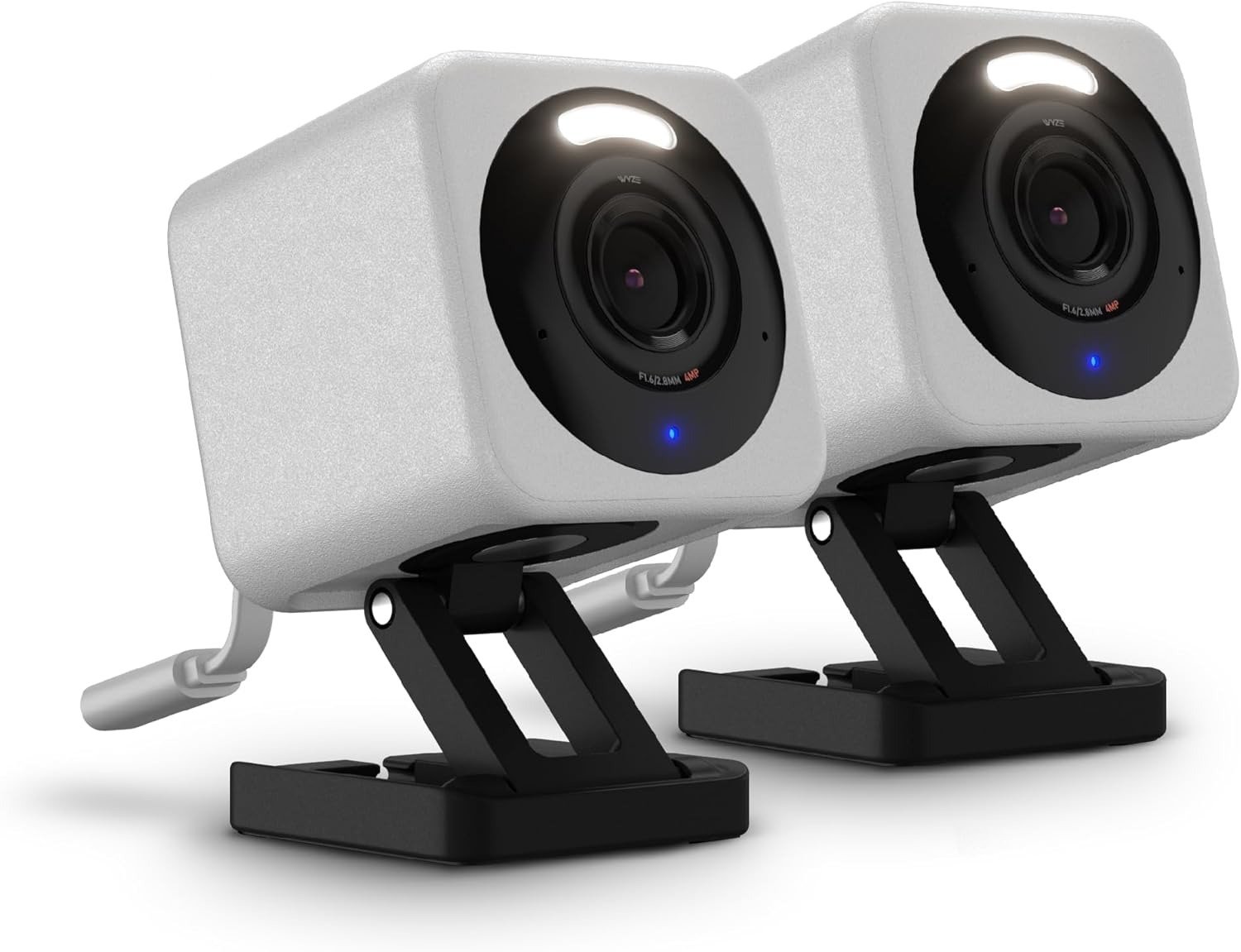
WYZE CAM V4
Wyze Cam v4 Daytime Footage vs. Night Performance: The Result Looks Fine. The Problem Isn’t.
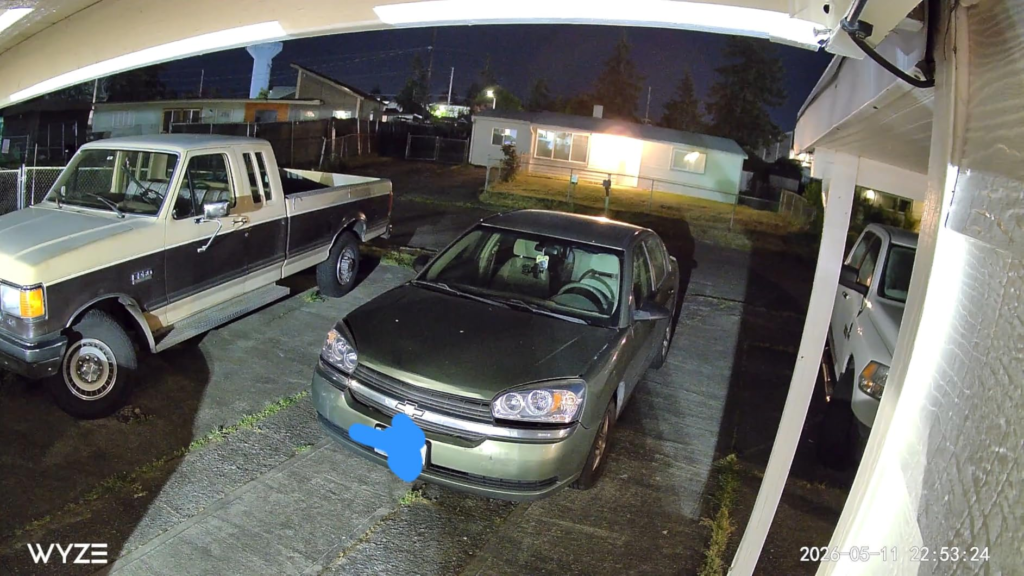
Here’s what usually happens in week one. You open the app on a random afternoon just to check that the thing works, and it does — the image is sharp enough to read a delivery label from across the yard, the colors hold up, nothing looks cheap. That sharp, vibrant image with strong low-light performance is a real, well-documented strength of this camera, and reviewers who’ve tested dozens of budget models keep landing on the same conclusion.
That early confidence is exactly what gets people. You judged the camera on its easiest fifteen seconds — full sun, close range, nothing moving fast. The footage that actually decides whether you trust this thing happens later: 11 p.m., motion at the edge of the yard, the one clip you actually needed. Why do so many frustrated reviews describe almost the same kind of night, and almost none of them mention that strong daytime test clip from day one? Because daytime is where this camera is genuinely strongest — and the edges are where the real story starts.
Wyze Cam v4 False Alerts and Missed Clips: What You’re Actually Feeling but Not Naming
It’s rarely one big failure. It’s a string of small ones. A notification for a shifting shadow, not a person. A clip that didn’t save because you’d already gotten an alert five minutes earlier and the app was still cooling down. A live view that spins and won’t load right when you actually need to see what’s happening outside.
None of that means the hardware is broken. Wyze’s own troubleshooting documentation points to the real, mundane causes: weak signal strength pulling the connection down, sunlight or window glare confusing motion sensing, and the camera’s infrared light reflecting straight back off glass if you’ve mounted it indoors looking out. None of it is exotic. All of it is the kind of low-grade maintenance burden that turns “I have a security camera” into “I’m the camera’s part-time IT department” — and that’s the feeling buyers usually can’t quite name until they’re three weeks in.
How Wyze Cam v4 Color Night Vision Actually Works: The Hidden Mechanism Behind the Miss
“Color night vision” sounds like sensor magic — like the camera can simply see in the dark the way your eyes can’t. It can’t, not really. The v4 uses a starlight-type sensor that pulls in color from very low ambient light, and when there isn’t enough ambient light left, the camera’s built-in spotlight switches on to light the scene so the sensor has something to read color from.
That spotlight is rated at two LEDs at 5000K putting out 72 lumens — genuinely useful, but it’s a porch light, not a floodlight. Up close, the color rendering is legitimately impressive. Thirty or forty feet out, in full darkness, you’re asking a 72-lumen source to do a job it was never built for, and the picture will tell you so. This is the part the product photos don’t show you: color night vision isn’t a single fixed capability, it’s a falling curve, and where you mount the camera decides which part of that curve you actually live with.
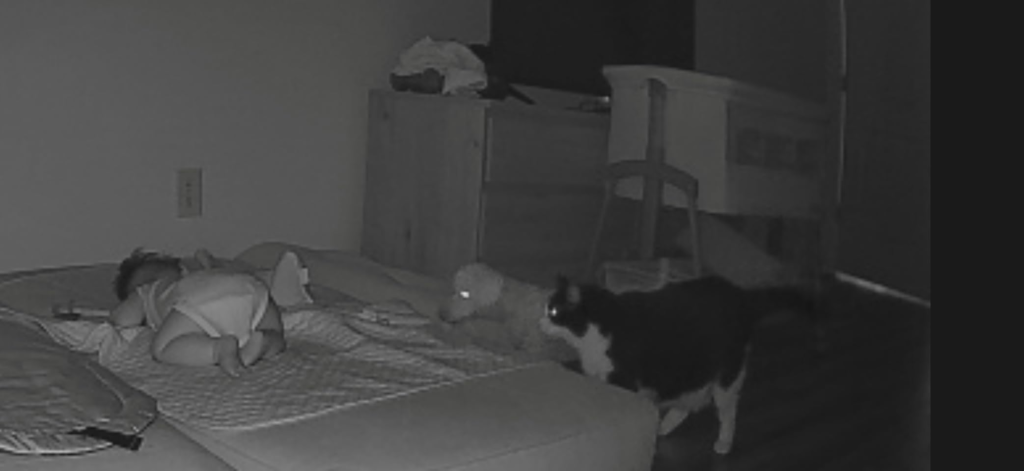
Wyze Cam v4 Detection Range and Wi-Fi Limits: The Threshold Where the Outcome Quietly Breaks
There are two distances that matter here, and they’re not the same distance. In hands-on testing, the v4 reliably flagged people and animals approaching from as far as 50 feet away — that’s the motion-detection range, and it’s genuinely strong. But facial recognition only held up reliably out to about 5 feet, a tenth of that distance. The camera will tell you something is there long before it can tell you who.
The second threshold is the network, not the lens. Wyze Cam v4 only connects to 2.4 GHz Wi-Fi — it’s not compatible with 5 GHz networks at all, and Wyze’s own guidance is blunt about signal strength: drop under two bars and you should expect to move the camera closer to the router. So the real install question isn’t “will this work outside,” it’s “how far is this from my router, and how close do I need a face identified.” Most regret traces back to skipping that second question.
| Range | What the spec sheet implies | What actually happens |
|---|---|---|
| Motion detection | “Smart AI detection” | Reliably triggers up to ~50 ft away |
| Face recognition | Sounds like the same range | Drops off sharply past ~5 ft |
| Color night vision | “See clearly, day or night” | Depends on a 72-lumen spotlight; strong close, weak far |
| Wi-Fi connection | “Wi-Fi 6 support” | 2.4 GHz only — no 5 GHz; under 2 bars means dropouts |
Wyze Cam v4 vs. Wyze Cam v3 (and Pricier Rivals): Why Most Buyers Misread This Too Early
Most people shop this camera off a spec sheet comparison, and the spec sheet flatters it. The jump from the v3’s 1080p to the v4’s 2.5K QHD resolution is a real, meaningful upgrade, especially for low-light color accuracy — that part of the upgrade story is true. The mistake is assuming “2.5K” and “color night vision” mean this camera now competes with $150–$200 systems, because those two phrases appear on both boxes.
Why does a $36 camera and a $150 camera both put “color night vision” on the front of the package? Because that phrase describes a feature category, not a specific result — the hardware doing the actual illuminating (sensor size, spotlight strength, lens quality) is what separates them, and that’s the part the headline spec never discloses. The v4 is a legitimately strong upgrade over its own predecessor. It is not a different category of camera than its price suggests.
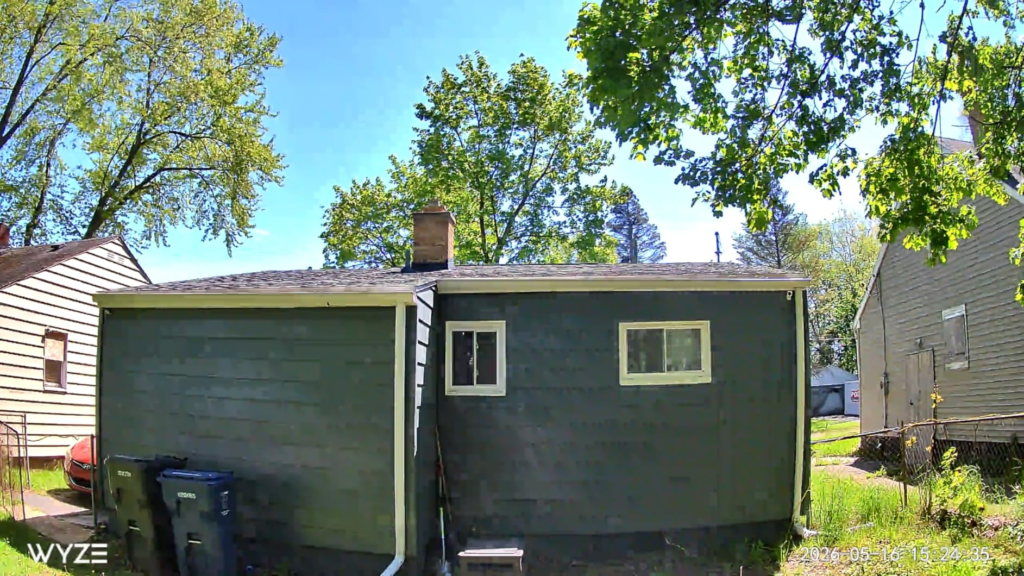
Who the Wyze Cam v4 Is Actually Built For
This camera makes the most sense for a fairly specific person: someone watching a front door, a small yard, a single room, or a porch — not a quarter-acre lot. Renters who can’t drill into siding or run conduit get a real advantage here, since it plugs into a standard outlet with a 6-foot cable and a basic adapter and needs no wiring. First-time buyers who want to know if a camera setup is even worth the hassle, before committing real money to a name-brand system, are squarely in the target zone. So are people comfortable doing five minutes of Wi-Fi troubleshooting once in a while, in exchange for not paying a brand-name premium.
Wyze Cam v4 Limitations: Where Wrong-Fit Begins
If you’re covering a long driveway, a detached garage, or a property line forty feet from the house, you’ve already left this camera’s comfortable range — both for identification and for Wi-Fi signal. If you need to mount somewhere without a nearby outlet, this isn’t your camera at all: the v4 line has no battery-powered version, and likely never will, since Wyze sells a separate wireless camera family for that exact use case. If your smart home runs on Apple HomeKit, that ecosystem isn’t supported here.
And then there’s the part worth saying plainly, not burying in fine print. Wyze has a real incident history. In 2019, a server misconfiguration exposed account data, including email addresses, for millions of customers. In 2022, security researchers found vulnerabilities that could expose camera footage; Wyze patched its supported models but could not patch the original Wyze Cam v1, which was past its end of life, and pushed users to stop using it. In September 2023, a separate issue let some users briefly see live video from cameras that weren’t theirs — serious enough that both the New York Times’ Wirecutter and USA Today pulled their Wyze recommendations afterward. Then in February 2024, an AWS outage combined with a caching bug meant more than 13,000 users briefly received thumbnail images from other people’s cameras, and 1,504 of them tapped on one; Wyze disabled the affected feature within hours and added a new verification layer. Current-generation cameras like the v4 run on different infrastructure than the affected v1 units, and Wyze has since built out a dedicated security team — but if you won’t accept any brand with a breach in its past, this isn’t the company for you, and no amount of spec-sheet quality changes that.
| This fits you if… | This isn’t for you if… |
|---|---|
| You’re a renter who can’t drill or wire | You need wireless placement, away from any outlet |
| You’re watching a door, room, or small yard | You’re covering a long driveway or large property |
| You’re fine with occasional Wi-Fi troubleshooting | You want a true “mount it and never think again” device |
| $0–$3/month for alerts is a non-issue | You require Apple HomeKit compatibility |
| You’ll place it thoughtfully given Wyze’s incident history | You won’t consider any brand with a past breach, period |
When the Wyze Cam v4 Becomes the Logical Choice
Strip away the marketing language and the decision gets simple. If what you need is sharp, accurate color coverage within roughly fifteen to twenty feet of the lens, near a power outlet, on a property where “good enough at close range” actually describes your real risk — a porch, a nursery, a side door, a small yard — this camera does that job better than almost anything else near its price. The moment your needs grow past that radius, you’re better served by a camera built for distance, not one stretched to cover it.
Wyze Cam v4 Review Verdict: What It Solves, What It Reduces, and What It Still Leaves to You
| It solves | It reduces | It still leaves to you |
|---|---|---|
| Budget access to genuinely sharp 2.5K color video | False alarms, once motion zones are set up | Choosing power-cable routing and Wi-Fi placement carefully |
| Usable color visibility close to the lens, day or night | The cost of “smart” alerts — a free tier exists | Deciding if ~$30/year for Cam Plus is worth it to you |
| No-drill setup that actually suits renters | Weatherproofing guesswork — it carries an IP65 rating | Where you point it, with Wyze’s incident history in mind |
| Tier | Cost | What you actually get |
|---|---|---|
| Free | $0 | Live view, 24/7 local recording via microSD, 12-second cloud clips, alert cooldown |
| Cam Plus | $2.99/month, or $29.99/year per camera (price increased from $19.99/year in March 2026) | Unlimited-length cloud clips, full AI person/pet/vehicle detection |
| Cam Unlimited | $9.99/month or $99/year | Cam Plus features applied across every camera on the account |
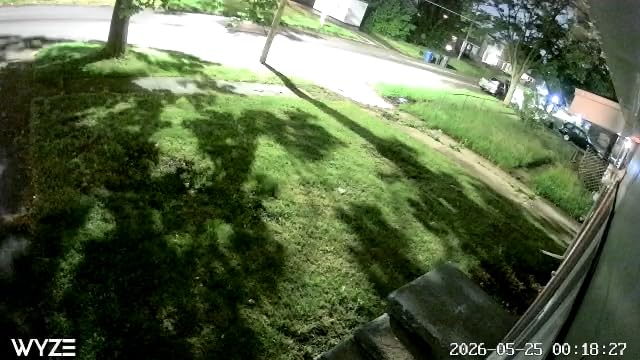
Wyze Cam v4 Review: The Final Verdict
Here’s the compressed version. The Wyze Cam v4 delivers real, tested image quality — 2.5K resolution, a 115.8° diagonal field of view, and color night vision backed by an actual spotlight — at a price most competitors don’t come close to touching. It is not weatherproof guesswork (it’s IP65), it is not secretly subscription-locked (local recording is genuinely free), and it is not a mystery box (the specs hold up under testing). What it isn’t is a long-range, set-and-forget, zero-maintenance fortress camera, and no amount of marketing copy changes that math.
If what you need is honest, close-range color coverage near your own door — not a perimeter system — this is where the decision stops being vague.
Frequently Asked Questions About the Wyze Cam v4
| Question | Answer |
|---|---|
| Does the Wyze Cam v4 need a subscription to work? | No. Local 24/7 recording to a microSD card works without ever paying Wyze anything. A Cam Plus subscription only unlocks unlimited-length cloud clips and full AI detection. |
| Does the color night vision actually work in total darkness? | Yes, but it leans on the camera’s own 72-lumen spotlight to light the scene once ambient light runs out, so color quality up close is noticeably better than color quality thirty-plus feet out. |
| Is the Wyze Cam v4 weatherproof for outdoor use? | Yes — it carries an IP65 weather-resistance rating, suitable for rain, sun, and everyday outdoor exposure. |
| Does it work with Apple HomeKit? | No. It supports Amazon Alexa and Google Assistant, but not Apple HomeKit. |
| Is Wyze safe to use, given its privacy history? | Wyze has a real history of incidents in 2019, 2022, and 2023–2024, detailed above, and you should weigh that honestly. The current-generation hardware runs on different infrastructure than the affected legacy units, and Wyze has since built a dedicated security team — but cautious buyers should lean on local microSD storage and avoid pointing any connected camera at bedrooms or bathrooms. |
| What’s actually different between the Wyze Cam v4 and the v3? | Mainly resolution and low-light color accuracy — the jump from 1080p to 2.5K QHD is real and noticeable. The physical limits, like spotlight throw and field of view, are similar between the two. |
| Can it run on battery, away from a power outlet? | No. It’s wired-only via a microUSB cable; Wyze sells a separate battery-powered camera line for that use case. |
| Does it support 5GHz Wi-Fi? | No. It connects to 2.4GHz networks only, even though it supports the Wi-Fi 6 standard on that band. |
Transparency Note:
This analysis is built on aggregated real-world experience.
It extracts what repeatedly holds, what breaks, and what users uncover only after living with the system—then shapes it into a clear model you can use immediately.
Think of it as structured experience, refined and presented so you don’t have to learn it the hard way.
“A quick note: Don’t believe the star ratings, but trust personal experience. This article is a compilation of collected experiences”