WYZE CAM PAN V3 REVIEW: THE BLIND SPOT BEHIND THE SPIN
WYZE CAM PAN V3
Midnight, and the porch light kicks on for the third time this week. You already know the routine: grab the phone, open the app, watch the little icon spin the lens toward the noise — and by the time it settles, whatever moved is gone. The clip just shows an empty porch swaying in the wind.
That’s the strange part about a camera built to turn all the way around. Why does 360 degrees of range still leave a gap exactly where you needed it?
The Result Looks Fine. The Problem Isn’t.
Open the Wyze app after a night like that and everything looks correct. Live feed loads in under two seconds. The alert has a timestamp. The badge on the camera says 360° horizontal, 180° vertical — on paper, there’s nowhere left for anything to hide.
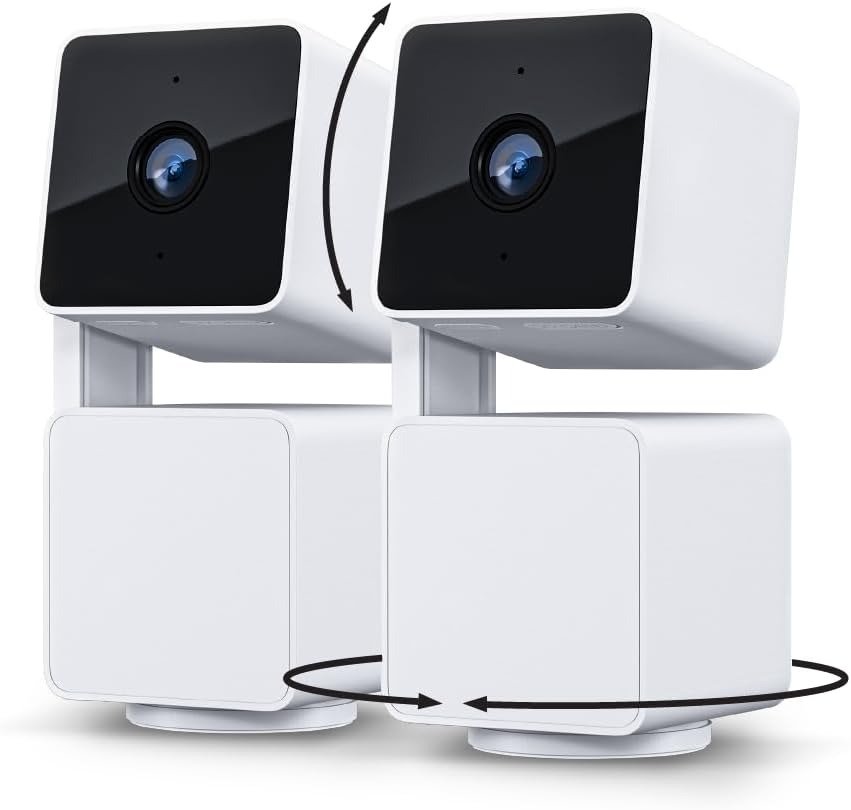
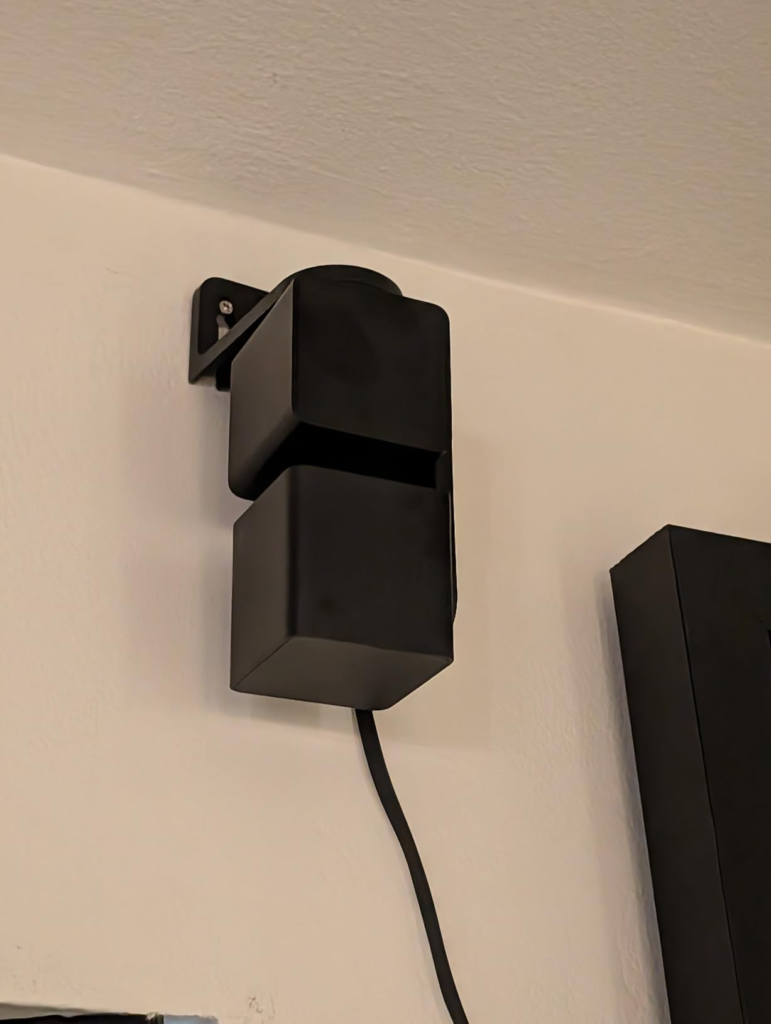
That completeness is the trap. A pan-tilt camera isn’t watching your whole yard at once; it’s a single 120° lens moving through a much wider range, one direction at a time. The Cam Pan v3 can eventually point anywhere in that circle. It can’t point everywhere in it simultaneously. The gap on the porch wasn’t a malfunction — it was the camera doing exactly what a rotating single-lens design is built to do: aim, not blanket.
Here’s what you’re actually buying, stripped down to what the numbers really mean:
| Spec | What You Actually Get |
|---|---|
| Resolution | 1080p, 20 fps daytime / 15 fps at night |
| Field of view | 120° per shot, inside a 360° pan / 180° tilt range |
| Zoom | 8x digital (cropping, not added resolution) |
| Weather rating | IP65 camera body — the stock power adapter is not outdoor-rated |
| Power | Wired, micro-USB, needs a nearby outlet |
| Wi-Fi | 2.4 GHz only |
| Storage | Local microSD, or cloud through Cam Plus |
| Price (approx.) | ~$40 single, ~$65–70 for the two-pack |
| Voice/app support | Alexa, Google Assistant, IFTTT — no native Apple HomeKit |
Every number in that table is accurate. None of them describe simultaneous awareness. Keep that distinction in mind — it explains almost everything below.
What You’re Actually Feeling but Not Naming
There’s a specific, low-grade unease that comes with owning a rotating camera — different from the flat disappointment of a camera that’s just bad. You check the event history after a trip and find three clips of the mail carrier and nothing from the delivery that actually mattered. You zoom into a thumbnail expecting a face and get a smear of pixels. None of it is dramatic enough to call a failure. It just quietly wears down your trust in the thing, one clip at a time.
Call it what it is: phantom coverage. The feeling of being watched at all times, built entirely on a spec sheet, when the hardware was only ever watching one place at a time. The camera isn’t lying to you. “360° pan, 180° tilt” reads like omniscience and functions like a fast, polite guard who can only look one direction.
The Hidden Mechanism Behind the Miss
Why does a Wi-Fi camera sitting twenty feet from the router still go offline for no visible reason? Owners ask this constantly in Wyze’s own support forum, and the answer has nothing to do with signal strength.
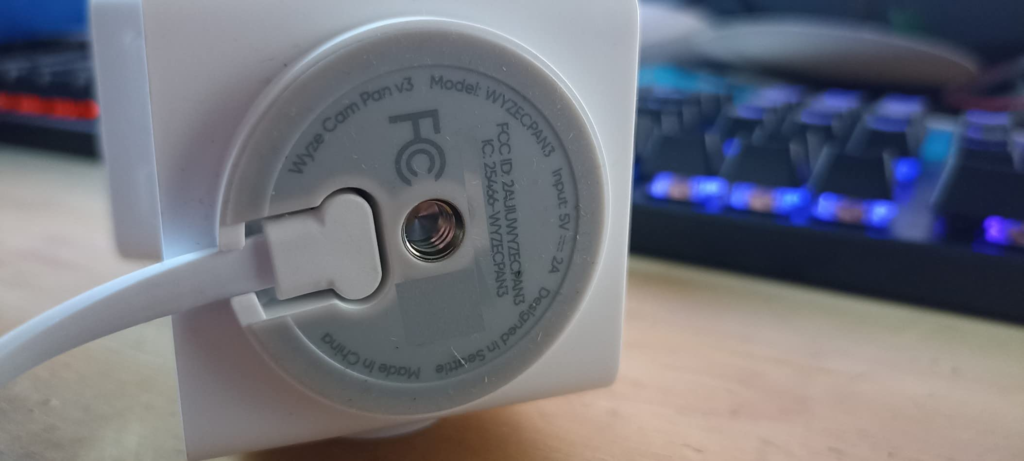
The pan-tilt motor draws a real current spike every time it moves. Over the stock cable, that’s a non-issue. Extend the run — a longer or thinner USB cable, so the camera sits exactly where you want it — and that spike causes a voltage sag right as the camera turns. It doesn’t crash so much as brown out for a second, drop its Wi-Fi association, and reconnect a moment later. In the app, that just reads as “offline,” with nothing pointing back to the actual cause: cable choice.
That’s one hidden mechanism. A few more are worth naming plainly, since each one explains a specific complaint instead of a vague one:
| What You Notice | What’s Actually Happening | What Fixes It |
|---|---|---|
| Camera shows “offline” randomly | A long or thin cable can’t hold voltage through the motor’s current spike | Use the stock cable, or a short, high-quality one — skip bargain extensions |
| Zoomed-in faces turn to mush | 8x zoom crops the 1080p frame; it adds no real resolution | Mount closer, or expect ID-level detail only within ~20–25 ft |
| Alerts just say “motion,” not who | The free tier detects movement only — person/pet/package ID needs Cam Plus | Add Cam Plus if identity, not just activity, matters to you |
| Camera resets to a different view | Detection Zone auto-returns the lens to its set position after ~15 sec idle | Expected behavior — set your primary zone deliberately |
| False alerts on windy or rainy nights | Rain and swaying branches register as motion, sometimes read as a person | Narrow the Detection Zone and drop sensitivity a notch |
None of these are defects, exactly. They’re the honest cost of motorized 360° coverage on Wi-Fi at this price. Knowing the mechanism is the difference between fighting the camera for a year and fixing it in an afternoon.
The Threshold Where the Outcome Quietly Breaks
Every mechanism above has a breaking point — a line where “works fine” quietly turns into “why does this keep happening.”
Distance. Inside a two-car driveway or a single room, 1080p plus digital zoom is genuinely enough to identify a face. Past the width of a large backyard, or across a street, the zoom is just enlarging the same pixels — detail that isn’t there doesn’t come back.
Cable length. The stock cable and adapter hold voltage fine. Any extension, especially the thin, cheap kind, turns every pan-and-tilt movement into a small gamble on whether the connection survives it.
Subscription. The free tier tells you something moved. The moment you need to know what or who without opening the clip yourself, you’ve crossed into needing Cam Plus — there’s no free middle ground on this model.
Weather. An unshielded view of a tree line or a street in wind and rain will generate false alerts almost every time, until Detection Zones are actually narrowed to the area that matters.
Cross one of these lines without knowing it’s a line, and the camera looks unreliable. Know where they sit, and the same hardware looks completely predictable.
Why Most Buyers Misread This Too Early
Most people shop for this camera the same way: line the spec sheet up against a $100-plus competitor, see “360° pan, IP65, color night vision” on both, and assume price is the only real difference. That comparison isn’t wrong — it’s just incomplete in ways that only show up once the box is open.
More rotation is not more coverage. It’s more places the lens can be, one at a time. An IP65 rating on the camera body is not the same as an IP65-rated power system — the adapter in the box isn’t built for rain. And “no subscription required” is true for basic alerts on nearly every camera in this price range, Wyze included; it stops being true the moment you want the camera to actually tell you what it saw.
None of that makes the Cam Pan v3 a worse buy. It makes the side-by-side spec comparison a bad way to decide, because the numbers people compare aren’t the numbers that end up mattering.
Who Is Actually Inside This Problem
Strip away the edge cases and the real buyer for this camera is fairly specific: one space to watch — a living room, a garage, a backyard, a porch — rather than a whole property’s perimeter. A household already on Android, Alexa, or Google Home. A realistic path to power, whether that’s an outlet already in range or the discipline to run a proper cable instead of the nearest cheap extension. Comfort with 1080p over chasing 4K. And a willingness to make an actual decision about Cam Plus, instead of assuming AI detection just comes free at this price.
If that sounds like your situation, everything above stops being a warning label and starts being a setup guide.
Where Wrong-Fit Begins
Just as clearly, there’s a version of you this camera wasn’t built for.
If you need battery or solar placement — a back fence, a gate, anywhere far from an outlet — this is a wired camera, full stop, and no cable trick changes that. If you want identifiable faces or plates from forty feet or more, no digital zoom on a 1080p sensor will consistently deliver that; you’d need a genuinely longer lens and a different budget. If your household runs on Apple Home and you want native HomeKit Secure Video without a third-party bridge, Wyze doesn’t offer that today.
One more thing worth being direct about: Wyze has had two real cloud-security incidents worth knowing before you buy — a 2019 database exposure affecting roughly 2.4 million accounts, and a February 2024 caching bug that briefly mixed up event thumbnails between about 13,000 users, with roughly 1,500 tapping through to see footage that wasn’t theirs. Wyze patched both and added extra verification steps afterward, and neither was specific to the Pan v3’s hardware. But if a company’s cloud-security track record is a hard line for you, that’s a reasonable line to hold — better decided now than after the camera’s already mounted.
| You’re a Good Fit If… | You’ll Likely Regret It If… |
|---|---|
| One camera can realistically cover a room, porch, or yard | You need battery or wire-free placement far from any outlet |
| You’re on Android, Alexa, or Google Home | Your household runs on Apple Home and needs native HomeKit |
| A nearby outlet — or a proper cable — is realistic | You need clear faces or plates from 40+ feet away |
| 1080p and an optional small subscription are fine | Wyze’s past cloud incidents are a hard dealbreaker for you |
| You’re fine choosing between free alerts and paid AI detection | You expect full AI detection included free, no subscription, ever |
The One Situation Where This Product Becomes Logical
Put both sides together and there’s one clear situation where this stops being a maybe: one budget, one wide space to watch, a workable path to power, and a household fine choosing its own subscription level instead of getting it bundled in.
For that situation, the Wyze Cam Pan v3 is the direct, unglamorous answer. It runs about $40 for a single camera, or roughly $65–70 for the two-pack the way most people actually buy it — one unit for the porch, a second for the driveway or back door. That price does the job of two or three fixed cameras, without pretending to be something it isn’t.
What It Solves, What It Reduces, and What It Still Leaves to You
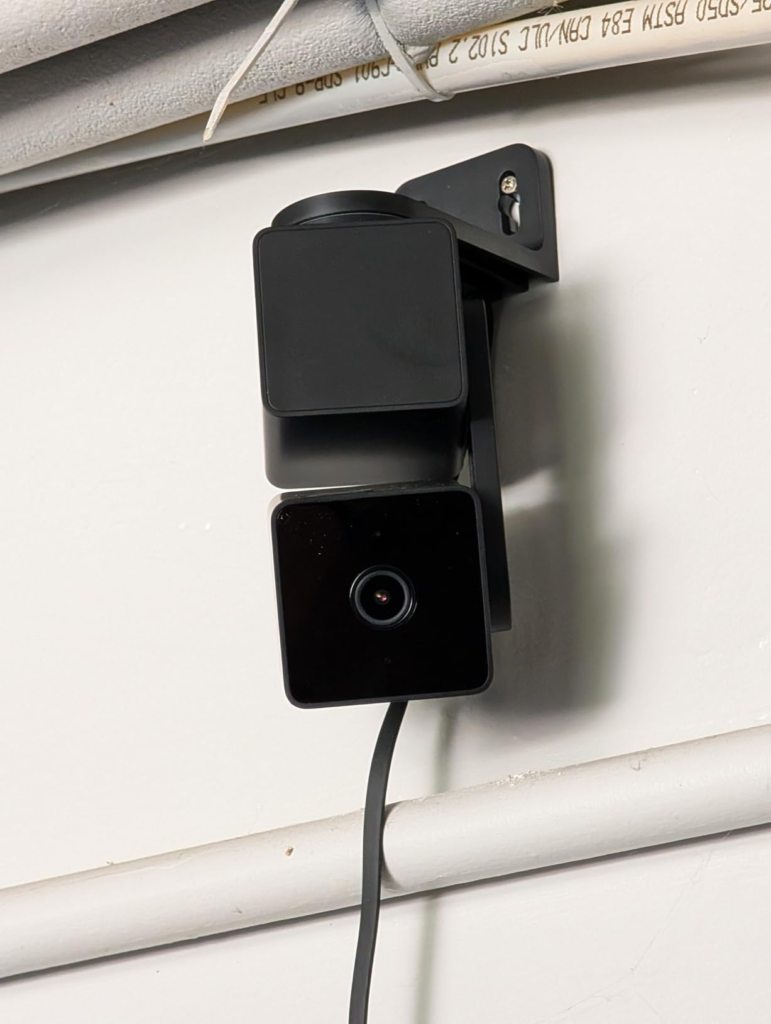
Solves: needing multiple fixed cameras to cover one irregularly shaped space. One correctly placed Cam Pan v3 replaces the coverage of two or three static ones for less than the price of one premium camera.
Reduces: blind spots — not eliminates them, see the threshold section above — and false-alert fatigue, once Detection Zones are actually configured instead of left on default.
Still leaves to you: picking the right cable and adapter for the placement you want, deciding honestly whether you need Cam Plus, and setting realistic expectations about zoom and distance before the camera goes up, not after.
Here’s the subscription decision laid out plainly, since it’s the one most buyers put off until it’s already annoying them:
| Plan | Cost | What You Get |
|---|---|---|
| Free (Basic) | $0 | Live view, 2-way audio, motion/sound alerts, 12-sec clips, 14-day cloud history, local microSD recording |
| Cam Plus | $2.99/mo or $29.99/yr per camera | Everything above, plus person/pet/vehicle/package AI detection and full-length clips |
| Cam Unlimited | $9.99/mo or $99/yr, unlimited cameras | Everything in Cam Plus, on every camera, plus facial recognition (limited in some states) |
For a single indoor or covered-porch camera, most people are genuinely fine on the free tier. Cam Plus earns its $2.99 a month the moment a second camera goes up — or the moment you’re tired of opening every alert just to see it was a leaf.
Frequently Asked Questions
| Question | Answer |
|---|---|
| Is the Wyze Cam Pan v3 actually weatherproof? | The camera body is IP65-rated for dust and rain. The power adapter that ships in the box isn’t rated for outdoor exposure — for a genuinely safe outdoor install, budget for the separate Wyze Outdoor Power Adapter. |
| Do I have to pay a subscription to use it? | No. The free tier gives you live view, two-way audio, generic motion and sound alerts, 14 days of 12-second cloud clips, and local microSD recording. You only need Cam Plus if you want the camera to tell people, pets, and packages apart. |
| Does it work with Apple HomeKit? | Not natively. It integrates directly with Alexa, Google Assistant, and IFTTT. Apple Home and Siri support requires a third-party bridge — extra setup most buyers won’t want. |
| How much footage can the microSD card actually hold? | Roughly two to three days of continuous HD footage on a 32GB card, stretching to one to two weeks on a 128–256GB card, depending on activity. |
| Should I get the v3 or wait for the Cam Pan v4? | The v4 adds 4K resolution, dual-band Wi-Fi, and on-device AI tracking for a higher price. If you’re fine on 2.4GHz, don’t need 4K, and want to spend less, the v3 remains the more sensible pick. |
| Has Wyze fixed the security issues from its past breaches? | Wyze patched the specific flaws behind the 2019 database exposure and the February 2024 thumbnail mix-up, and added extra account verification since. Whether that history is acceptable to you is a personal call worth making before you buy, not after. |
Transparency Note:
This analysis is built on aggregated real-world experience.
It extracts what repeatedly holds, what breaks, and what users uncover only after living with the system—then shapes it into a clear model you can use immediately.
Think of it as structured experience, refined and presented so you don’t have to learn it the hard way.
“A quick note: Don’t believe the star ratings, but trust personal experience. This article is a compilation of collected experiences.”