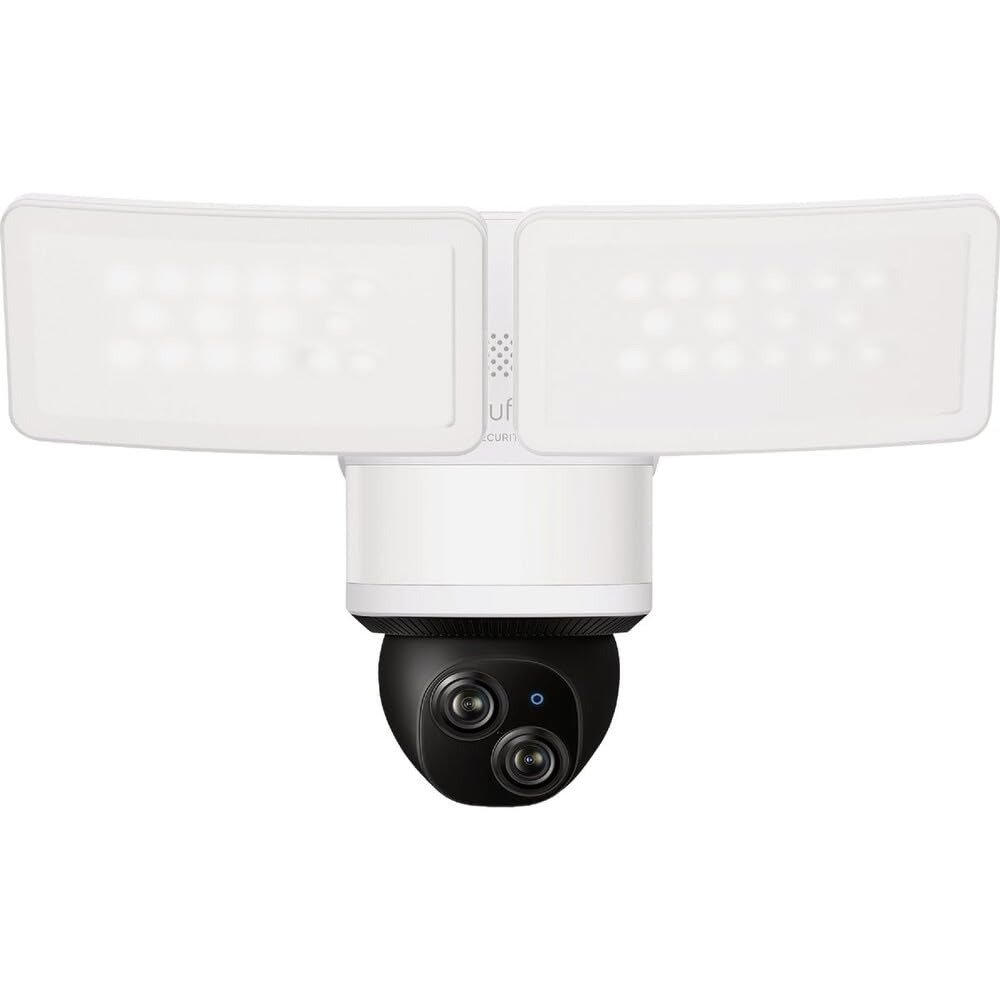
NEST CAM WITH FLOODLIGHT REVIEW: WHY YOUR YARD STILL ISN’T AS COVERED AS YOU THINK
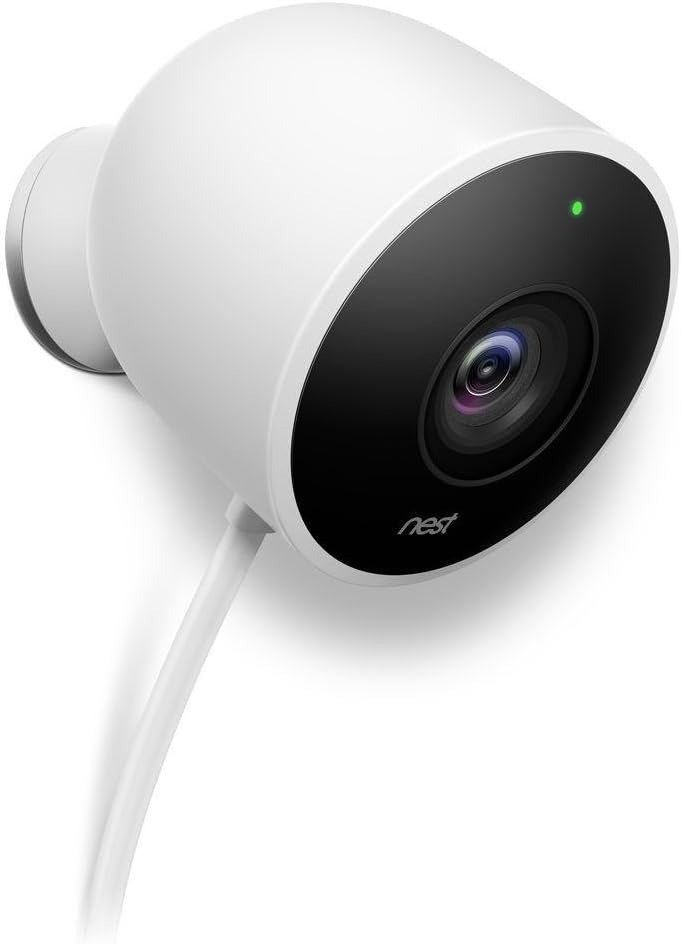
NEST CAM WITH FLOODLIGHT
You mount it. You aim it. You tell yourself the dark corner by the side gate is finally handled.
Then a raccoon sets off every light on the block except yours, and you’re standing in your kitchen at 2 a.m., squinting at a rectangle on your phone, trying to decide if that shape is your neighbor’s cat or something worth worrying about.
That gap — between “installed” and “actually covered” — is where this review lives.
Nest Cam with Floodlight Problems: The Result Looks Fine, The Problem Isn’t
Out of the box, this thing performs. The app is clean, the light snaps on with real authority, and the setup video walks you through it in about fifteen minutes if you’re already replacing an old fixture.
That’s exactly why the real problem hides so well. It doesn’t show up at setup. It shows up three weeks later, at the one moment you actually needed it — and by then you’ve already decided the camera “works,” so you assume whatever went wrong was your fault.
It usually wasn’t.
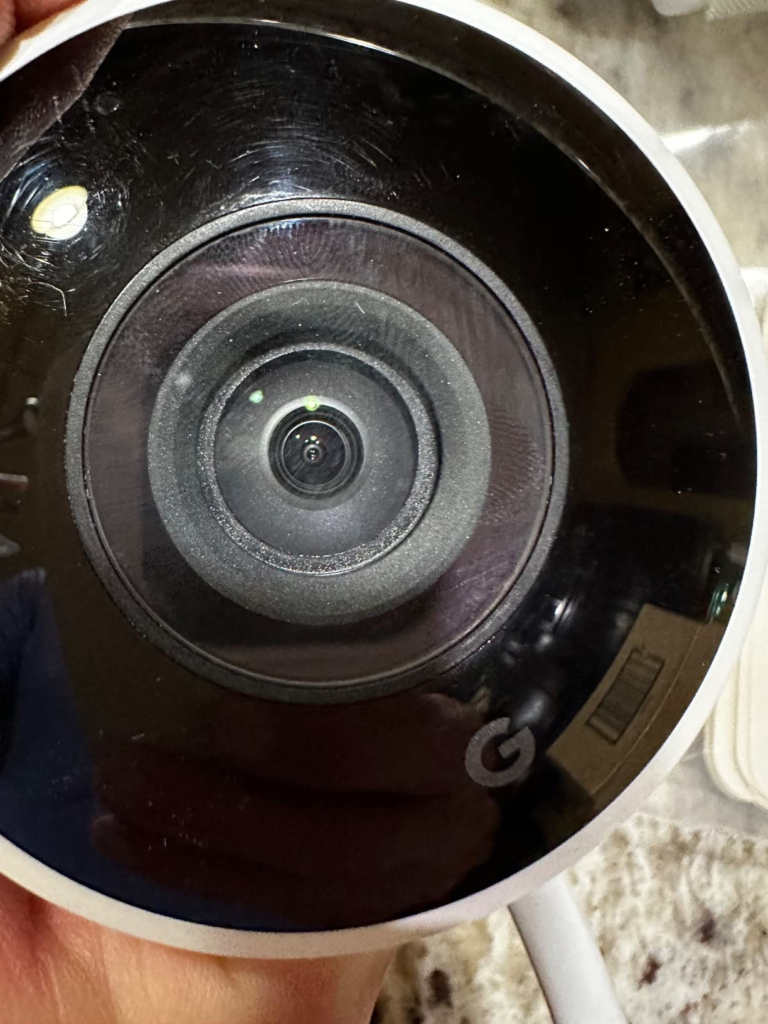
Nest Cam Floodlight Issues: What You’re Actually Feeling but Not Naming
You open the app to check something and find only three hours of history. The clip you wanted rolled off the timeline before you even knew you’d need it.
Your router shows full bars, but the camera says offline anyway, and you can’t tell if that’s the camera, the mesh network, or a coincidence you’re overthinking.
You realize the light only faces one way. Covering the other side of the driveway means buying, wiring, and mounting a second unit — not adjusting a setting.
None of this feels like a “problem” in the moment. It feels like a small, private annoyance you don’t quite have language for. Here it is, named plainly: this is a subscription-gated, single-direction, cloud-only device wearing the confidence of a full security system.
Nest Cam Floodlight Cloud Storage and Wi-Fi: The Hidden Mechanism Behind the Miss
Here’s the mechanism, in plain terms. There’s no SD card slot and no local storage option anywhere in this device — everything lives in Google’s cloud, full stop. Free usage gets you three hours of event-triggered clips. To actually keep a rolling history, you need a Google Home Premium subscription (the current name for what used to be Nest Aware): $10 a month for 30 days of event history, or $20 a month for 60 days plus ten days of continuous 24/7 recording.
The Wi-Fi issue has a mechanism too. The camera supports both 2.4GHz and 5GHz bands on paper, but a recurring pattern shows up across owner reports and Google’s own support forum: mesh routers that auto-switch a device between bands mid-session cause random disconnects, even at full signal strength. It isn’t usually a dead unit — it’s a network fighting with a camera that wants to stay on one band.
Why does a $280 camera only remember three hours on its own? Because the business model was built around the subscription, not around the hardware. That’s not a flaw so much as a design choice — but it’s one most buyers don’t clock until after checkout.
Nest Cam with Floodlight Range and Resolution: The Threshold Where the Outcome Quietly Breaks
Here’s where the promise and the spec sheet stop agreeing with each other.
| Spec | Nest Cam with Floodlight |
|---|---|
| Video resolution | 1080p HDR |
| Camera field of view | 130° |
| Floodlight output | 2,400 lumens combined (2 lights), 4000K, adjustable |
| Motion detection range | Up to 25 ft, 180° via floodlight sensors |
| Night vision | Built-in infrared + floodlight-assisted color view |
| Power | Hardwired only, via existing junction box |
| Backup power | Camera has an internal battery; the floodlight itself does not |
| Local storage | None — cloud only |
| Free event history | 3 hours |
| Weatherproofing | IP54 |
| App / ecosystem | Google Home app only; no native Apple HomeKit |
| MSRP (new) | $279.99 |
Two thresholds matter more than the rest. First, 25 feet is a real number, not a marketing one — past that, both the light and the motion sensor lose confidence, so a long driveway or a deep backyard will have a dead zone whether the listing photos suggest otherwise or not.
Second, and bigger: in October 2025, Google refreshed its Nest Cam lineup with 2K resolution across the Indoor and Outdoor models. The Floodlight didn’t get the update. Asked directly on Google’s own support forum whether an upgrade was coming, the company’s confirmed answer was no — there are no plans to update the Nest Cam with Floodlight. The 1080p sensor in this unit is the same one that’s been shipping since 2021, and it’s staying that way. Whatever generation you buy today is, by Google’s own word, the final one.
Nest Cam Floodlight vs Ring Floodlight Cam: Why Most Buyers Misread This Too Early
The lazy comparison is lumens against lumens and dollars against dollars. That’s not where the real difference sits.
| Nest Cam with Floodlight | Ring Floodlight Cam Pro (2nd Gen) | Ring Floodlight Cam (2nd Gen) | |
|---|---|---|---|
| Resolution | 1080p | Native 4K | 2K |
| Built-in siren | No | Yes | Check listing |
| Starting price (new) | $279.99 | $279.99 | $199.99 |
| Cheapest full plan | $10/mo (Standard) | $4.99/mo (1 camera) | $4.99/mo (1 camera) |
| Unlimited-camera plan | $10/mo (whole home) | $9.99/mo | $9.99/mo |
| Ecosystem | Google Home | Amazon / Alexa | Amazon / Alexa |
| Voice hub | Google Assistant native | Alexa native | Alexa native |
At identical retail prices, Ring’s newest Pro model records in genuine 4K and carries a built-in siren Nest simply doesn’t offer at any price. Nest’s edge isn’t the hardware spec sheet — it’s design, and how cleanly it disappears into a home that’s already running on Google Home. Buy on lumens and price alone, and you’ll miss the part that actually determines whether you’re happy with it in a year: which voice assistant is already running your house, and whether “no siren” is a dealbreaker or a non-issue for you.
Who Should Buy the Nest Cam with Floodlight: Who Is Actually Inside This Problem
This camera earns its price for a specific household, not every household.
It fits you well if:
| Signal | Why it fits |
|---|---|
| You already run Google Home or Nest devices | One app, one history feed, no bridging required |
| You’re replacing an existing wired floodlight | Reuses the wiring; install is genuinely straightforward |
| You want quiet, unobtrusive industrial design | White-only, soft curves, doesn’t scream “surveillance” |
| You’re fine paying for full history | The subscription buys real functionality, not filler |
| Your problem zone is within 25 feet | The hardware’s real strength lives inside that range |
If most of that list describes your situation, the camera does what it says on the box, and the complaints above will mostly stay theoretical for you.
Nest Cam with Floodlight Compatibility: Where Wrong-Fit Begins
Wrong-fit isn’t about the camera being bad. It’s about a mismatch that shows up later and quietly breeds regret.
| You are… | Why this isn’t the right pick |
|---|---|
| An Apple Home / HomeKit household | No native support; a third-party bridge adds cost and still needs a subscription for full history |
| Someone who wants zero recurring cost | Only 3 hours of memory without a subscription |
| Covering a long driveway or wide yard | 25 ft range means you’ll likely need a second, separate unit |
| Someone who wants an active siren deterrent | Not available on this device at any price |
| Chasing the sharpest picture available | Frozen at 1080p, with no upgrade path confirmed |
If two or more rows here describe you, the smarter move is either a different camera entirely, or accepting these limits going in — not discovering them three months after your return window closes.
Nest Cam with Floodlight Certified Refurbished: The One Situation Where This Product Becomes Logical
This is the part that actually changes the math: Google has confirmed this hardware isn’t getting updated. That means the unit you’d buy new today and the unit you’d buy Certified Refurbished today are the same generation, with the same sensor, the same 1080p ceiling, the same everything — except the price.
Amazon Renewed listings for this camera are inspected, tested, and cleaned by Amazon-qualified suppliers before they’re relisted, and they’re backed by the Amazon Renewed Guarantee: a minimum 90-day return window with a full refund or replacement if the unit doesn’t work as expected. It ships in original or new plain packaging with the accessories a new unit would include. What it doesn’t cover is theft, accidental damage, or tampering — normal exclusions, not hidden ones.
Here’s the three-year math that makes the case, using the subscription cost you’ll pay either way:
| Hardware | + 3 years of Standard plan ($10/mo) | Rough 3-year total | |
|---|---|---|---|
| New, full price | $279.99 | $360 | ~$640 |
| Certified Refurbished (typical range) | roughly $150–$170 | $360 | ~$510–$530 |
The subscription cost is identical either way — that’s the part buyers usually forget to weigh. Since the camera itself isn’t going to change, the only real question is whether you want to pay full price for unchanging hardware or save on the exact same thing. Why pay 2021-era pricing for 2021-era tech that Google has already confirmed won’t move forward? That’s the one situation where “refurbished” stops being a compromise and becomes the actual smart buy.
Nest Cam with Floodlight Review Verdict: What It Solves, What It Reduces, and What It Still Leaves to You
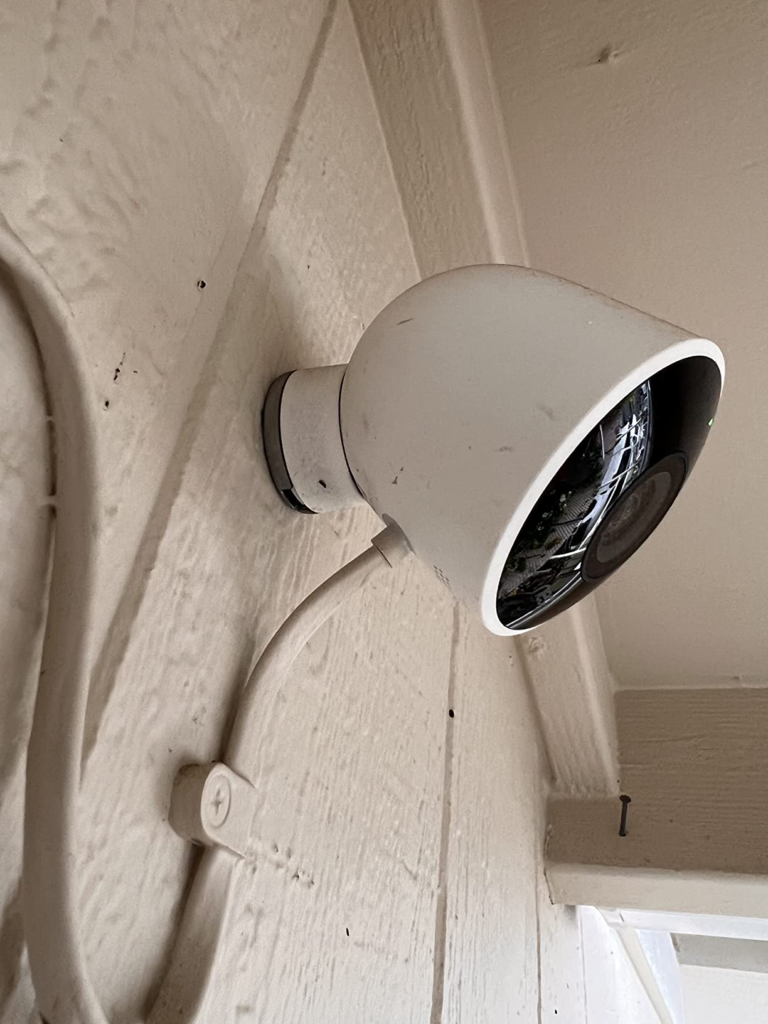
It solves the dark-corner problem cleanly: one install, one app, real brightness, and motion detection that correctly tells a person from a raccoon more often than not.
It reduces guesswork. You get an alert, you get light, you get a look — most nights, that’s genuinely enough.
What it still leaves to you: the subscription decision, a bit of Wi-Fi diligence up front, acceptance of a 1080p ceiling with no upgrade coming, and — if your property is bigger than one 25-foot radius — a plan for the areas this single unit won’t reach.
NEST CAM WITH FLOODLIGHT FAQ: The Questions Buyers Ask Right Before They Click Buy
| Question | Answer |
|---|---|
| Does it need a 2.4GHz or 5GHz network? | It supports both, but most disconnection complaints trace back to mesh routers auto-switching bands mid-session. Giving the camera its own dedicated 2.4GHz network name usually resolves it. |
| Does it work without a subscription? | Yes, for the basics — live view, motion alerts, and person/animal/vehicle detection all work free. You just lose everything beyond three hours of history, and you lose familiar-face recognition. |
| Does it work with Apple HomeKit? | Not natively. A third-party bridge (Starling Home Hub) can connect it, but you’ll still need a Google Home Premium subscription underneath for full history, so it adds cost rather than replacing it. |
| Do I need an electrician to install it? | If you’re replacing an existing wired floodlight with power already run to the box, most owners handle it themselves in 15–20 minutes. If you’re wiring a new location from scratch, hire an electrician — you’re working with mains voltage. |
| What does “Certified Refurbished” actually mean here? | The unit was inspected, tested, and cleaned by an Amazon-qualified supplier, and it’s backed by a minimum 90-day Amazon Renewed Guarantee covering full refund or replacement if it doesn’t work as expected. |
| Does the floodlight stay on during a power outage? | No — the light needs mains power. The camera portion has its own internal battery and can keep briefly recording through an outage, but the light itself won’t turn on until power returns. |
NEST CAM WITH FLOODLIGHT WORTH IT: FINAL COMPRESSION
Strip away the spec sheet and it comes down to one question: is your problem a single dark spot within 25 feet of a spot you can wire — and are you already living inside Google’s ecosystem?
If yes, this camera is a clean, logical fix. If your real problem is a long driveway, an Apple-first household, or a hard “no” on recurring subscriptions, no amount of brightness will fix that mismatch.
And if it is the right fit for you, paying full price for hardware Google has confirmed won’t be upgraded is the one part of this decision that doesn’t hold up. This is where buying Certified Refurbished stops being a compromise and starts being the obvious move.
Transparency Note:
This analysis is built on aggregated real-world experience.
It extracts what repeatedly holds, what breaks, and what users uncover only after living with the system—then shapes it into a clear model you can use immediately.
Think of it as structured experience, refined and presented so you don’t have to learn it the hard way.
“A quick note: Don’t believe the star ratings, but trust personal experience. This article is a compilation of collected experiences.”