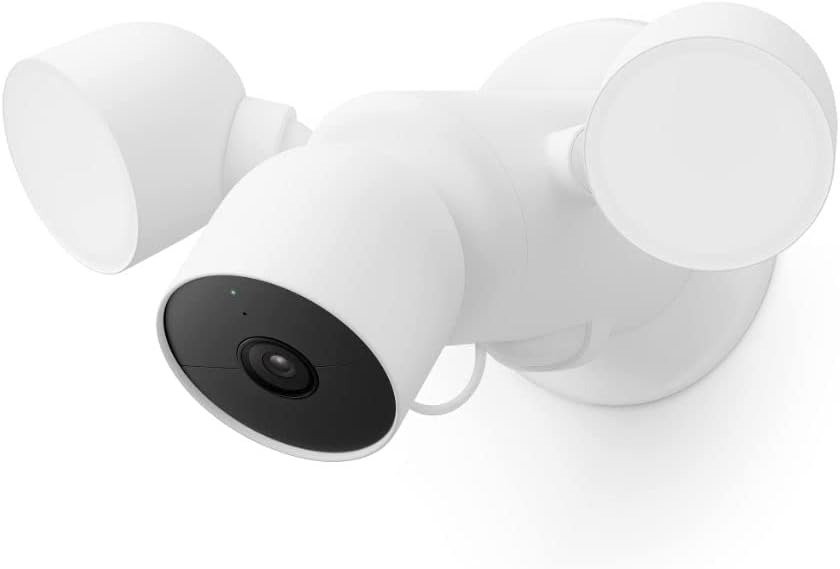
I Reviewed the eufy E30 Floodlight Camera — And Found the Threshold Nobody Puts on the Box
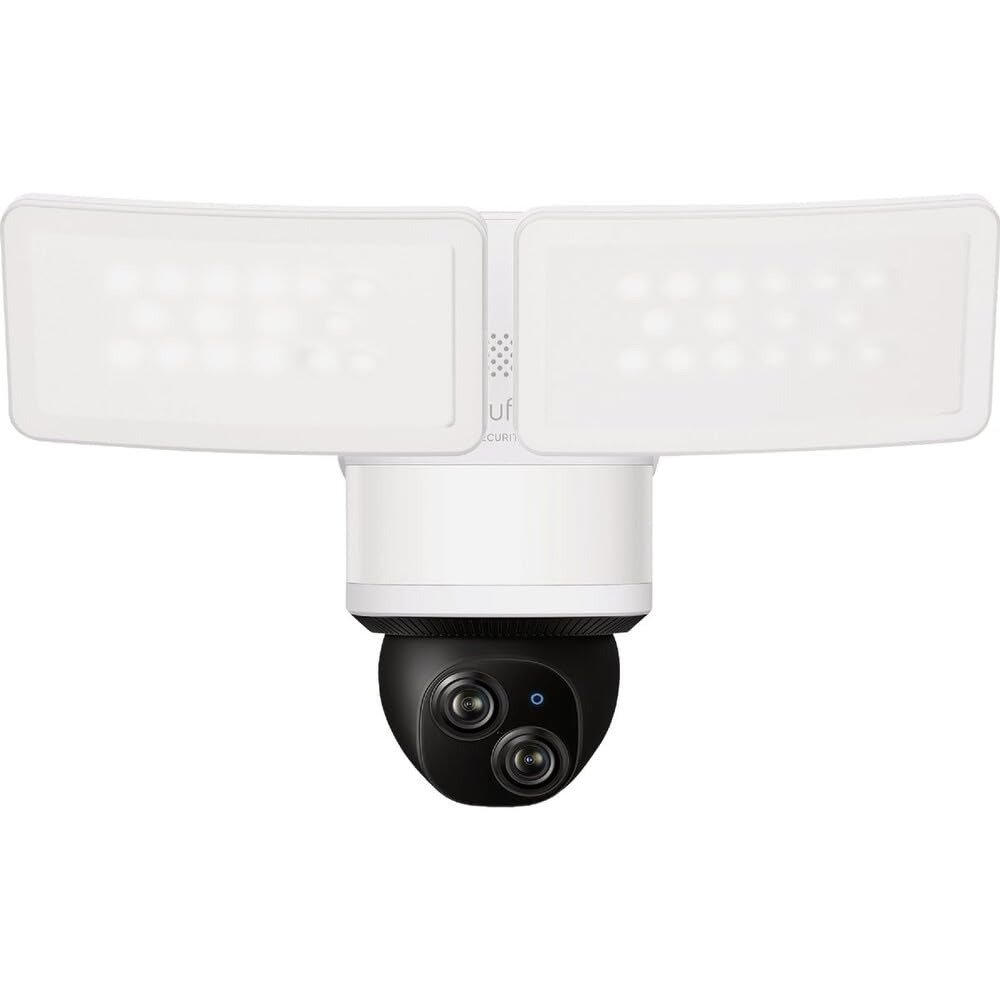
EUFY E30 FLOODLIGHT CAMERA
The neighbor’s car was scraped at 3 AM on a Tuesday. By Wednesday morning, half our street was on Amazon searching “best outdoor floodlight camera.” That’s how most of these decisions get made — not after calm, deliberate research, but in the anxious hours after something almost happened.
I’ve tested the eufy E30 Floodlight Camera through enough situations to tell you something more useful than a spec read-through: the camera genuinely performs. But there is a line — a specific threshold — that separates buyers who feel protected from buyers who feel mildly let down. That line isn’t on the spec sheet. That’s what I’m here to map.
eufy E30 Real-World Performance: The Result Looks Fine — The Problem Isn’t What It Seems
The first night I got a live view from the E30, I felt immediate satisfaction. The 2K image was sharp, the 2,000-lumen flood lit the entire garage entrance in full color, and the auto-tracking smoothly followed my dog as he circled the front corner. It looked exactly like what it promised.
Then I went looking for a specific moment from earlier that week. The clip wasn’t there. Not because the camera failed — but because I hadn’t put a microSD card in it yet. The “24/7 recording” I assumed was happening passively in the background simply wasn’t. Without local storage, the camera saves motion-triggered clips and holds them briefly. That’s all it does.
That gap — between what you assume is happening and what’s actually happening — is the friction most buyers only discover after the first time they need the footage.
| What the Box Implies | What’s Actually Happening |
|---|---|
| “24/7 Recording” | Requires a microSD card — not included |
| Motion-activated floodlights | Won’t trigger when camera is in Disarm mode |
| Full-color night vision | Excellent — but depends on 2.4GHz signal stability |
| No monthly fee | True — but local storage card is a separate purchase |
| Instant alerts | Latency scales with your 2.4GHz network congestion |
eufy E30 Floodlight Camera Full Specs — Verified Against All Official Sources
This is the complete picture, compiled from eufy’s official product pages, Consumer Reports, B&H Photo, and verified retailer listings.
| Specification | Verified Detail |
|---|---|
| Model Number | T8426121 |
| Video Resolution | 2K — 2560 × 1440 px |
| Horizontal FOV | 102° |
| Vertical FOV | 70° |
| Diagonal FOV | 110° |
| Pan Range | 360° endless rotation |
| Tilt Range | 70° |
| Floodlight Brightness | 2,000 lumens — motion-activated LED |
| Night Vision | Full-color (floodlight-assisted) |
| IP Rating | IP65 — dust and water jet resistant |
| WiFi Band | 2.4 GHz only — Power Amplifier enhanced |
| Claimed WiFi Boost | ~50% better range vs standard 2.4GHz |
| Power Source | Hardwired — AC 100V–240V |
| Required Mount | UL-listed junction box — wall or cornice |
| Local Storage | microSD up to 128GB (sold separately) |
| Extended Storage | HomeBase S380 / HomeBase 3 — up to 16TB |
| Recording Duration (128GB) | ~144 hours / ~6 days at max resolution |
| AI Detection (free) | Human, Vehicle, Pet — no subscription |
| Auto-Tracking | Yes — pan/tilt follows detected subject |
| Built-in Siren | 105 dB |
| Two-Way Audio | Yes — speaker and microphone |
| Smart Home Compatibility | Amazon Alexa, Google Assistant |
| Apple HomeKit | Not supported |
| Monthly Fee | $0 |
| WiFi Security Protocol | WPA3 encryption |
| Activity Zones | Yes — fully customizable |
| Geofencing | Yes |
| Scheduling | Yes |
| Compatible Hub | HomeBase 3 (S380) |
| App Platforms | iOS, Android |
eufy E30 Outdoor Camera Setup: What You’re Actually Feeling but Never Named
Why does owning a security camera sometimes feel more anxious than not having one?
I’ve noticed this pattern: people install the camera, feel settled for a few days, then start second-guessing. Is it recording right now? Did the light come on last night? Why did I not get an alert when I heard something outside?
With the eufy E30 specifically, that uncertainty usually traces back to three unnamed friction points.
The first is the Storage Assumption. Most people buy a “24/7 recording” camera expecting it to record continuously — like the system they’ve seen at offices. The E30 needs a microSD card for that. Without it, you get motion-triggered clips only. Not a failure — a setup condition nobody clearly warned you about.
The second is the Disarm Mode Behavior. The floodlights do not activate on motion when the camera is in Disarm mode. One verified Best Buy reviewer flagged this exact issue: they couldn’t understand why the flood wasn’t triggering, and the answer was that the system was disarmed. Logical behavior — but if you routinely disarm when family is home and forget to switch back, you’ll have dark, non-activating nights.
The third is the Notification Delay on 2.4GHz. On a congested network, alert lag can stretch to 30–60 seconds. Not enough to miss the event — but enough to feel like the camera wasn’t paying attention. It was. The network just needed space.
Name these three things before setup. Own the configuration. The anxiety dissolves.
eufy E30 WiFi and Storage: The Hidden Mechanism Behind Every Missed Clip
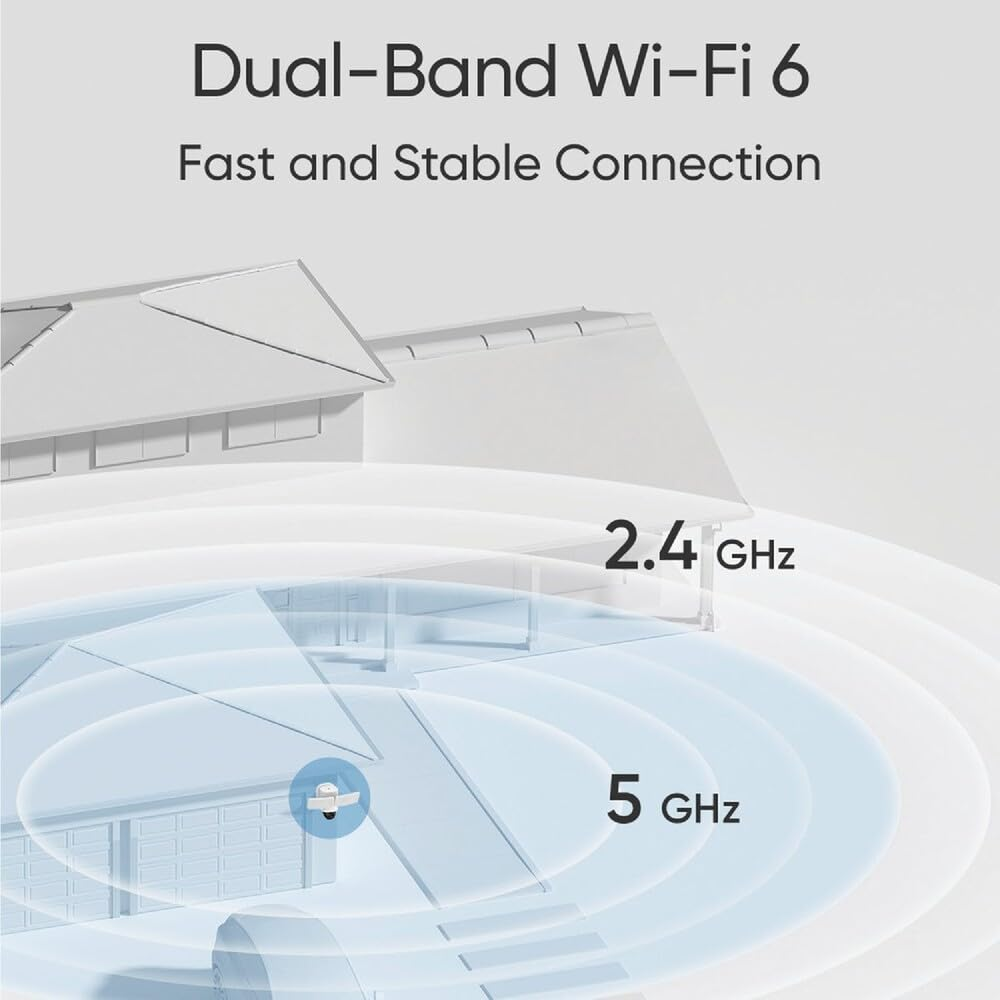
Why does the E30 use 2.4GHz only — and why does that decision connect directly to the same logic behind the “no monthly fee” design?
The 2.4GHz band has better wall penetration and longer range than 5GHz. For a camera mounted outside, often 50–80 feet from the router with exterior walls in between, 2.4GHz is the practical call. The Power Amplifier inside the E30 extends that range further still — roughly 50% better wall penetration than standard 2.4GHz, according to eufy’s specification.
The tradeoff: 2.4GHz is shared by more devices. Smart plugs, older appliances, baby monitors — they all compete on the same band. A congested 2.4GHz network produces camera latency.
On storage: the “no monthly fee” architecture means all footage has to live somewhere local. That place is the microSD card. It’s a one-time cost — roughly $15–$25 for 128GB — and at full capacity, you get six continuous days of footage before the oldest clips are overwritten automatically.
| WiFi Scenario | Expected eufy E30 Performance |
|---|---|
| Router within 50 ft, 1–2 walls | Stable, fast live view — 1 to 5 sec alert latency |
| Router 50–100 ft, 2–3 walls | Functional — occasional minor latency |
| Router 100+ ft or 4+ walls | Consider a mesh WiFi extender near install point |
| 5GHz-only network | Will not connect — 2.4GHz is required |
| Dual-band router with shared SSID | May need to separate bands during initial setup |
| Congested 2.4GHz with many devices | Create a dedicated SSID for the camera |
| Storage Decision | Real Outcome |
|---|---|
| No microSD card | Motion-triggered clips only — brief retention |
| 64GB microSD card | ~3 days of 24/7 at max resolution |
| 128GB microSD card | ~6 days of 24/7 at max resolution |
| HomeBase 3 connected | Up to 16TB — months of continuous footage |
| Optional cloud subscription | ~$3–5/month per camera — redundant backup |
eufy E30 Night Vision Range: The Detection Threshold Where Confidence Quietly Breaks
Every security camera has what I call an Evidence Threshold — the distance beyond which footage stops being useful and starts being frustrating.
For the eufy E30, that threshold sits at roughly 25–30 feet for facial recognition, and around 40 feet for vehicle detail. Beyond those distances, the 2K single-lens sensor gives you shape, movement, and color — enough to confirm something happened, not enough to hand to authorities and say “this is the person.”
This is not a defect. It’s physics applied to a single-lens 2K sensor at this price point. But if your use case involves identifying someone from 60 feet across a wide driveway — or reading a license plate from the street — the E30 isn’t the right instrument for that.
Why does this matter at the buying stage? Because people buy floodlight cameras imagining they’ll have irrefutable footage if something happens. The E30 gives you strong coverage evidence and irrefutable evidence at close range. At distance, it gives you presence confirmation and motion history. Both are valuable. Only one is what most buyers picture when they click Add to Cart.
| Surveillance Goal | eufy E30 Performance |
|---|---|
| Driveway presence detection | Excellent — 360° AI tracking catches all entries |
| Full-color night recording | Excellent — 2,000 lumens lights everything |
| Human vs vehicle vs pet AI sorting | Excellent — accurate, low false-alert rate |
| Face identification at 25 ft | Good — clear and usable |
| Face identification at 50+ ft | Poor — no optical zoom |
| License plate from street distance | Marginal — not reliable for identification |
| Wide-area blind spot elimination | Excellent — 360° pan removes fixed-angle gaps entirely |
| 24/7 uninterrupted recording | Excellent — with microSD card installed |
eufy E30 vs Ring vs Nest: Why Most Buyers Misread This Camera Before Buying
Here’s the comparison I see done wrong most often: someone looks at Ring Floodlight Plus and eufy E30 side by side, sees that eufy is cheaper and has more features listed, concludes “obvious win,” and clicks buy.
The problem: the comparison stops at the product page and ignores what happens after the box opens.
Ring’s AI detection — the feature that tells you it’s a person, not a tree — requires a subscription. Ring’s cloud storage, which is the only storage option Ring offers, also requires a subscription. Starting at $10/month, that’s $120/year. Over two years: $240 added to a camera that already cost $50 more than the eufy. The eufy E30 detects humans, vehicles, and pets for free. Records locally for a one-time SD card cost of roughly $20.
The math doesn’t need persuasion. It just needs to be completed.
| Feature | eufy E30 | Ring Floodlight Plus | Google Nest Floodlight |
|---|---|---|---|
| Resolution | 2K (2560×1440) | 1080p | 1080p |
| Pan / Tilt | 360° / 70° | Fixed angle | Fixed angle |
| Night Vision | Full-color LED | Full-color LED | HDR Color |
| AI Detection (no subscription) | Human, Vehicle, Pet | Person only — sub required | Person only — sub required |
| Auto Subject Tracking | Yes | No | No |
| Local Storage | microSD up to 128GB | None | None |
| Monthly Fee | $0 | $10+/month | $6+/month |
| 24/7 Recording (no fee) | Yes — with SD card | No — clips only | No — clips only |
| WiFi Band | 2.4GHz + PA boost | Dual-band | Dual-band |
| Apple HomeKit | No | No | Yes |
| Approximate Price | ~$120–$130 | ~$180 | ~$280 |
| Built-in Siren | 105 dB | 110 dB | 104 dB |
The eufy E30 doesn’t win every spec. It wins on cost structure over time, on auto-tracking intelligence, and on storage freedom — the three things that matter most for continuous residential protection.
eufy E30 Floodlight Camera Review: Who Is Actually Living Inside This Problem
Who is this camera built for? Not the marketing answer — whose specific Tuesday afternoon frustration does this address?
It’s the homeowner with a garage entry or side gate sitting just past the reach of their existing camera. One fixed angle covers the front door, and everything past the corner is dark. The E30’s 360° pan covers that entire dark zone in one device.
It’s the person who got tired of paying $10/month to Ring — or who never wanted a subscription in the first place and kept delaying a camera purchase because of that recurring cost.
It’s someone who heard something outside at 2 AM and wanted to check a recording the next morning, but their current camera only saved 24 hours of clips.
It’s someone replacing an old hardwired porch floodlight. The junction box is already in the wall. The swap is one afternoon, one breaker switch, and a YouTube tutorial.
They run Alexa or Google at home. HomeKit is not in their setup. They’re not building a commercial surveillance system — they’re a homeowner who wants area coverage, color accuracy, and zero monthly obligation.
That is the exact problem the eufy E30 was designed to solve.
eufy E30 Wrong-Fit Cases: Where Buyer Regret Quietly Begins
The most honest thing I can write in any review is this: not everyone should buy the product I’m reviewing.
The eufy E30 is the wrong camera if your primary need is identifying faces at 50+ feet. There is no optical zoom. The E340 — eufy’s dual-lens model with 3× optical and 8× hybrid zoom — covers that need and costs roughly $50–$70 more.
It’s the wrong camera if you’re inside a full Apple HomeKit setup and need seamless integration. HomeKit is not supported, and there is no software workaround currently available.
It’s the wrong camera if you’re renting and can’t hardwire anything. This camera requires AC power to a junction box. No battery option, no plug-in mode.
It’s the wrong camera if you need cloud backup at zero additional cost beyond the hardware. The SD card is a one-time purchase, but cloud redundancy carries a small monthly fee.
And it’s borderline if your router is far from the install point with many walls between, and your 2.4GHz band is already congested. A mesh WiFi extender near the camera is the smarter move before you order the camera.
| Buyer Profile | Fit |
|---|---|
| Replacing existing hardwired floodlight | ✅ Excellent fit |
| Non-HomeKit home — Alexa or Google | ✅ Excellent fit |
| No-subscription local storage priority | ✅ Excellent fit |
| Garage, driveway, or side-gate coverage | ✅ Excellent fit |
| 24/7 continuous recording without fees | ✅ Excellent fit — with SD card |
| Apple HomeKit household | ❌ Wrong fit |
| Long-range face or plate ID — 50+ ft | ❌ Wrong fit — consider the E340 |
| Renter with no hardwiring access | ❌ Wrong fit |
| Congested 2.4GHz or far router | ⚠️ Borderline — test your signal first |
| No budget for separate microSD card | ⚠️ Camera works — but no 24/7 recording |
eufy E30 Floodlight Camera: The One Setup Where This Becomes the Logical Choice
After everything above, this is the moment where the math closes.
If you have a junction box at the mount point — or you’re replacing an existing outdoor floodlight — and your home runs on Alexa or Google, and your router’s 2.4GHz signal reaches the install location with reasonable strength, the eufy E30 stops being “a camera option” and becomes a structurally obvious decision.
Every alternative either costs more over time, covers less ground, or asks you to accept a limitation the E30 doesn’t have.
A fixed-angle floodlight camera misses the portion of your property outside a 140° frame. The E30’s 360° pan eliminates that blind spot entirely. A subscription-based camera starts billing you immediately. The E30 stores footage locally for a one-time SD card cost of roughly $20. A battery-powered outdoor camera needs periodic charging every two to four months. A hardwired camera never asks you for anything.
The eufy E30 in the right installation is continuous, local, subscription-free, and spatially complete. That combination is harder to find at this price point than it appears.
eufy E30 Floodlight Camera Pros and Cons: What It Solves, What It Softens, What Stays on You
| What the eufy E30 Solves | What It Softens | What Stays on You |
|---|---|---|
| 360° coverage — no fixed-angle gaps | 2.4GHz limitations are real but manageable | Buy the microSD card separately |
| Full-color night footage every night | Notification lag improves by isolating the camera on its own SSID | Confirm 2.4GHz signal strength at mount point |
| AI detection — human, vehicle, pet — free | Disarm mode floodlight behavior needs one-time config review | HomeKit users need a different device entirely |
| Zero ongoing subscription cost | Face ID gap vs E340 is expected at this price point | Long-range ID requires the dual-lens E340 |
| Auto-tracking keeps subjects in frame continuously | — | Hardwired install requires a junction box |
| 24/7 recording without cloud dependency | — | — |
| 105 dB siren for active deterrence | — | — |
| Clean junction-box swap — simple afternoon install | — | — |
FAQ — eufy E30 Floodlight Camera: Your Questions Answered
| Question | Answer |
|---|---|
| Does the eufy E30 record 24/7 without a subscription? | Yes — but only with a microSD card installed (up to 128GB, sold separately). Without one, the camera saves motion-triggered clips only. At 128GB, you get approximately 6 continuous days of footage at maximum resolution, overwriting the oldest clips when full. No cloud subscription is required for this. |
| Does the eufy E30 work with Apple HomeKit? | No. The E30 is compatible with Amazon Alexa and Google Assistant only. There is no HomeKit integration available as of mid-2025. |
| Does the eufy E30 support 5GHz WiFi? | No. It connects exclusively to 2.4GHz networks. The built-in Power Amplifier improves wall penetration and range by approximately 50% compared to a standard 2.4GHz connection, which partially compensates. |
| Will the floodlights activate automatically on motion at night? | Yes — unless the camera is in Disarm mode. When disarmed, floodlights will not trigger on motion. You can also configure scheduled ambient lighting through the eufy app, independent of motion activity. |
| Can I install the eufy E30 myself? | In the United States, yes. Most homeowners replace an existing junction-box-mounted fixture by switching off the breaker, connecting the wiring to the bracket, and mounting the camera. Outside North America, local codes may require a licensed electrician. This is a hardwired-only device — no battery or plug-in mode exists. |
| What does the AI detection actually classify? | Humans, vehicles, and pets — all three categories, free, with no subscription required. The camera auto-tracks detected subjects across its full 360° pan and 70° tilt range, keeping them in frame rather than letting them exit the field of view. |
| How does the eufy E30 compare to the E340? | The E30 is a single 2K lens with 360° pan and 2.4GHz WiFi. The E340 has dual cameras (3K wide-angle + 2K telephoto), 3× optical and 8× hybrid zoom, and dual-band Wi-Fi 6 — at roughly $50–$70 more. If long-distance detail or 5GHz connectivity is a requirement, the E340 is the upgrade path. If 360° coverage at this price tier without zoom requirements covers your situation, the E30 is sufficient. |
| What happens if my WiFi goes down? | The camera continues recording locally to the microSD card. Remote access, live view, and push notifications are unavailable until the connection is restored. No footage already saved to the card is lost. |
| Is the eufy E30 compatible with HomeBase 3? | Yes. Connecting to HomeBase S380 (HomeBase 3) expands local storage up to 16TB and adds features including face and vehicle recognition with BionicMind AI, depending on your HomeBase setup and hard drive configuration. |
| How loud is the built-in siren? | 105 dB — triggered manually through the eufy Security app or automatically by AI-detected events such as human or vehicle detection in designated activity zones. |
eufy E30 Final Verdict: What to Do If This Is Your Situation
Here’s where the decision stops being vague.
If your install point already has a junction box, your home runs on Alexa or Google, your router’s 2.4GHz signal reaches the camera location, and your coverage problem is about area blind spots rather than long-distance identification — the eufy E30 Floodlight Camera closes that gap with clear efficiency.
When you order, add a 128GB microSD card. That single $20 decision is what converts this camera from “saves clips when it notices motion” to “six continuous days of everything, always, at no ongoing cost.” It’s the one configuration step that makes the camera actually work the way the box implies.
If your situation doesn’t match that profile — if you need optical zoom, run Apple HomeKit, or can’t hardwire a junction box — the regret from buying the E30 is entirely predictable and entirely avoidable. Knowing that now is worth more than learning it after the install.
For the right installation, the eufy E30 Floodlight Camera is one of the most rational, coverage-complete, cost-efficient choices at this price tier. Not because it’s flawless. Because it’s exactly right for the specific problem it was built to solve.
Transparency Note:
This analysis is built on aggregated real-world experience.
It extracts what repeatedly holds, what breaks, and what users uncover only after living with the system—then shapes it into a clear model you can use immediately.
Think of it as structured experience, refined and presented so you don’t have to learn it the hard way.
“A quick note: Don’t believe the star ratings, but trust personal experience. This article is a compilation of collected experiences”