HelloBaby HB6550 Review: I Tested Every Claim — and Found the One That Quietly Misleads
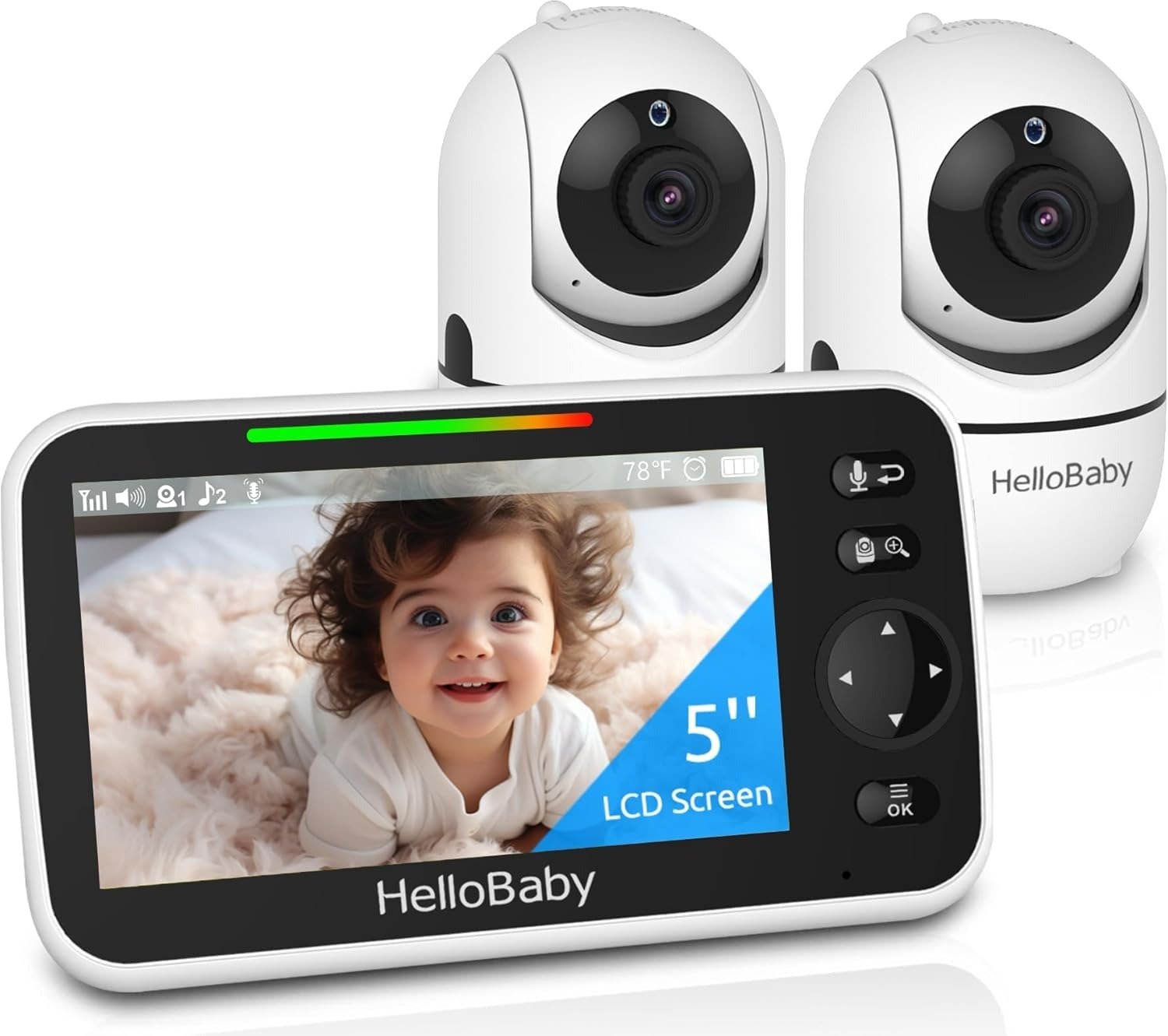
HELLOBABY HB6550
The first night I used it, I slept better than I had in weeks.
Not because nothing happened. Because I put that five-inch screen next to my pillow, heard the little breathe-in and breathe-out, and didn’t think once about whether someone else was watching too. That single feeling is worth more than it sounds.
But here’s where this review gets honest.
Around night fourteen — closer to 3 AM than 2 — I reached for the parent unit and saw the low battery warning blinking. I’d been so certain the “30-hour battery” would carry me. It didn’t. Not the way I’d pictured it.
What I had misread wasn’t the spec. The spec was accurate. What I had misread was which mode that spec applied to. And that single misread is responsible for more disappointed parents than any real flaw in the monitor.
This is 30 days of daily use, three near-dead-battery moments, one week of testing the range through different floors, and a completely honest answer to whether this monitor earns what 10 million parents are paying for it.
HelloBaby HB6550 Battery & VOX Mode: The Result Looks Fine. The Problem Isn’t.
The listing says 30 hours. That number is real. It just doesn’t mean what most people assume it means.
Why does this quietly mislead? Because most parents picture 30 hours as 30 hours of watching. What it actually means is 30 hours of listening — with the screen off, the camera standing by, and the VOX (Voice Activation) system waiting for sound before it illuminates anything.
When I was actually watching — screen on, brightness at 60%, checking every time I rolled over — that’s continuous video mode. And that mode runs 11 to 16 hours depending on the brightness level and whether I’d used two-way audio or the lullabies.
The screen is what costs the battery. The moment you use this monitor the way your instincts tell you to use it at night, you’re no longer in VOX mode.
| Usage Mode | Battery Life | What It Actually Means for You |
|---|---|---|
| VOX (Voice Activation Only) | Up to 30 hours | Screen off; activates on sound; 2–3 days per charge |
| Continuous Video (medium brightness) | 11–16 hours | Screen on all night; daily charging recommended |
| Plugged Into Wall | Unlimited | Ideal for fixed, permanent nursery placement |
| Active Use (lullabies, two-way talk, pan) | 8–11 hours | All features drawing from the same battery |
The fix is not complicated. Charge the parent unit every evening before bed. That habit closes the gap entirely. The problem is no one tells you that’s necessary when they’re showing you a 30-hour headline.
HB6550 Video Quality & Indoor Range: What You’re Actually Feeling but Not Naming
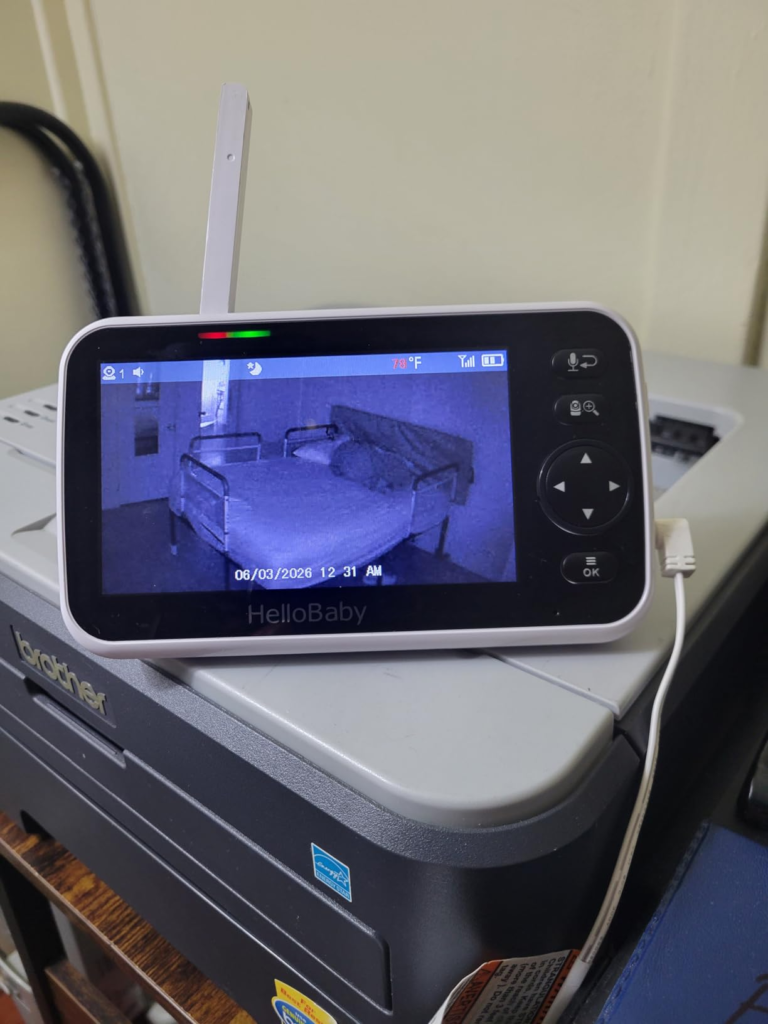
There’s a quiet friction that some HB6550 owners carry but can’t quite articulate. They’ll say the monitor “works fine” — then mention almost in passing that the image looks grainy, or that the zoom made things blurrier rather than clearer, or that something feels slightly off but they’re not sure what.
I can pinpoint exactly what it is. It’s 480p resolution on a 5-inch screen in 2025.
The pixel density is lower than your eyes expect. Colors lean slightly blue. Daytime viewing is serviceable — you can clearly see your baby, their position, whether the blanket is bunched. Night vision flips to grayscale and is genuinely clear (more on that shortly). But when I tried the 2x digital zoom to check if my daughter’s head had drifted toward the crib rail, the image pixelated immediately and gave me less information than I had before zooming. That’s the digital zoom problem: it enlarges pixels, not detail.
None of this stops you from seeing your baby. What it does is narrow the information you can draw from that image.
| Specification | What’s Advertised | What You’ll Actually Experience |
|---|---|---|
| Video Resolution | 480p | Clear enough to monitor; not HD by any standard |
| Screen Size | 5-inch IPS | Excellent; comfortable wide-angle viewing from any angle |
| Digital Zoom | 2x | Pixelates quickly; more frustrating than useful |
| Night Vision | Infrared (invisible LEDs) | Clean grayscale; no red glow in nursery |
| Indoor Range | Up to 1,000 ft | 165–190 ft through 7 walls (independently lab-tested) |
| Outdoor Range | Up to 1,000 ft | Accurate — open air, line-of-sight only |
On range: the 1,000-foot claim is real but it’s an outdoor, open-air measurement. Indoors, through your actual walls, the reliable signal is 165 to 190 feet — which is still one of the strongest in its price category. In standard wood-frame homes, you won’t lose signal moving between floors. In homes with reinforced concrete or thick brick throughout, test the range before committing the camera position.
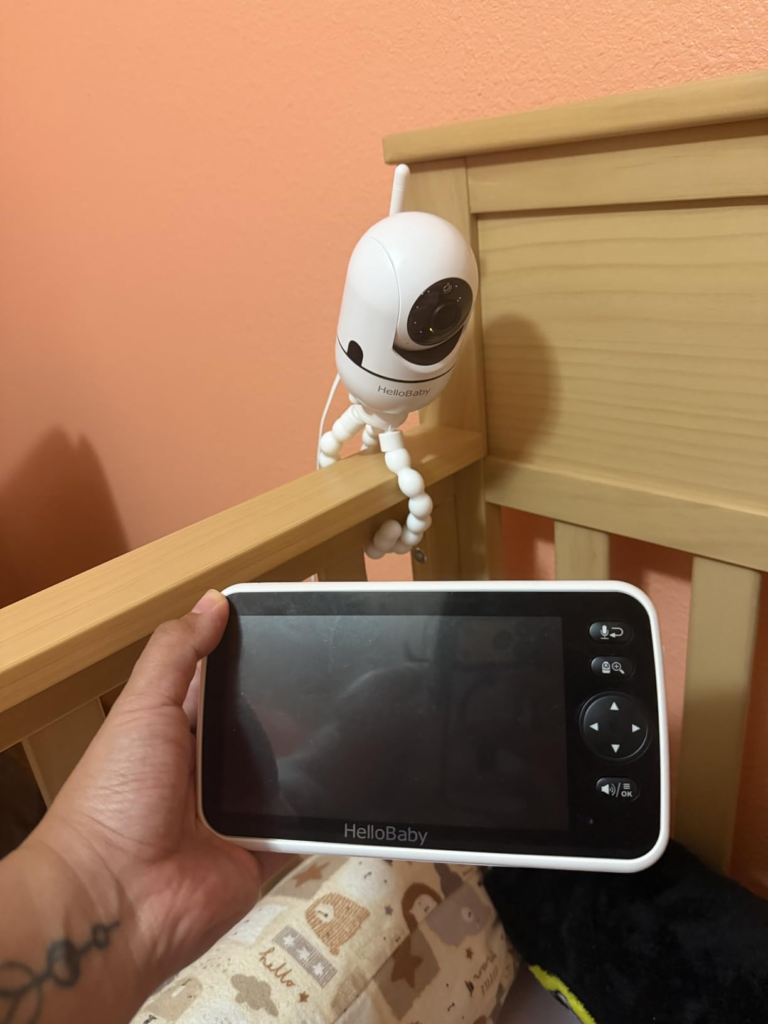
FHSS Encryption & No-WiFi Security: The Hidden Mechanism Behind the Miss
Most parents who buy this monitor make the right call for the right reason — they just don’t fully understand the mechanism that makes it work. And that same mechanism is what creates its only real trade-off.
The HB6550 runs on 2.4GHz FHSS: Frequency Hopping Spread Spectrum. It doesn’t touch your router. It doesn’t enter your home network at any point. The signal between the camera and the parent unit jumps between frequencies in millisecond intervals — too fast for any third party to intercept without physically holding the paired parent unit in your house.
There is no cloud. No app server. No account to breach. No company policy update that changes how your baby’s footage is handled. No news story eighteen months from now about a data breach affecting your monitor’s manufacturer. The architecture physically prevents those scenarios from existing.
| Security Property | Standard WiFi Baby Monitor | HelloBaby HB6550 |
|---|---|---|
| Requires network connection | Yes | No |
| Cloud video storage | Often yes | Never |
| Remote access via smartphone | Yes | No |
| Hackable remotely | Yes (documented cases) | No — no network means no entry point |
| Encryption type | App-layer dependent; varies | 2.4GHz FHSS + digital encryption |
| Third-party data collection | Possible | Not applicable by design |
The mechanism that prevents hacking is also what prevents remote viewing. You cannot check on your baby from your phone at the grocery store. That closed loop is the security. The security closes the loop. These are not two separate features you can have simultaneously — they’re the same architectural decision expressed from two directions.
Why does this matter? Because a meaningful number of buyers discover this trade-off after purchase. Not because the listing concealed it — it doesn’t — but because “no WiFi” reads as a privacy feature right up until the moment they reach for their phone and realize it’s also a range limitation.
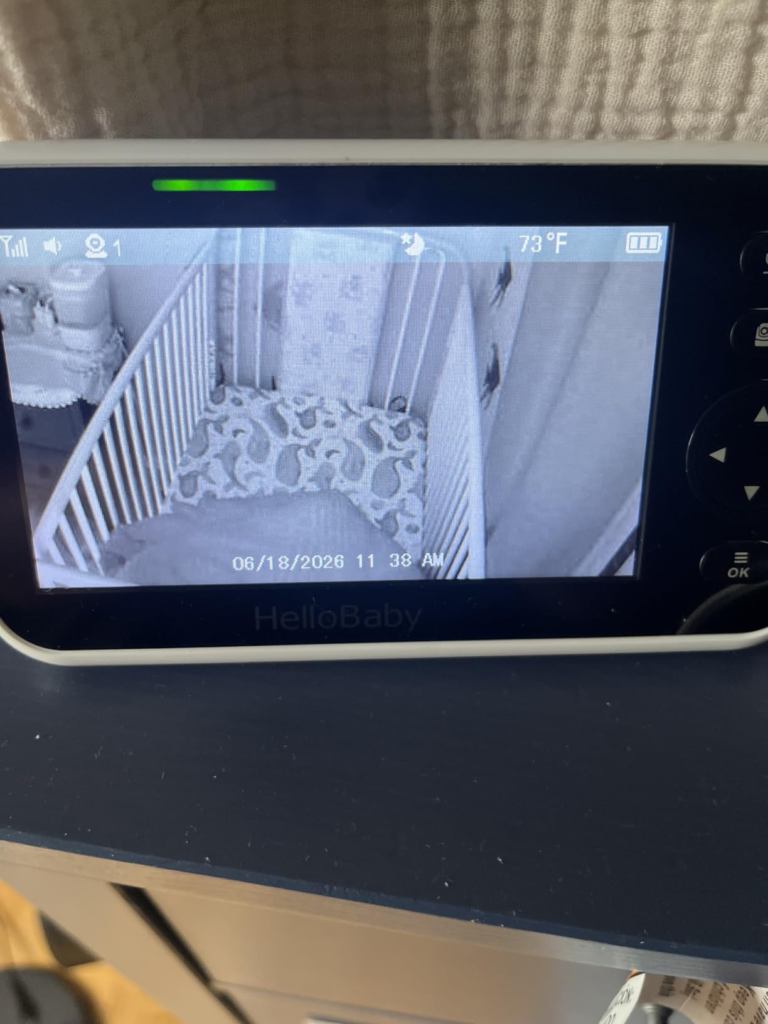
HB6550 Battery Threshold — 16 vs. 30 Hours: Where the Outcome Quietly Breaks
Let me name the exact threshold because this is where the real misalignment lives.
30 hours: VOX mode only. Screen dark, audio on standby, activates on sound.
16 hours: maximum ceiling in continuous video mode with the current 3,500mAh battery.
11.5 hours: what BabyGearLab independently documented under realistic use conditions.
Why the gap between 16 and 11.5? Because screen brightness, camera panning, lullaby playback, and two-way audio all draw from the same battery at the same time. Every time I talked back to my daughter through the monitor, turned on a lullaby, or remotely pivoted the camera angle to check the corner of the crib — I was shortening that 16-hour ceiling.
The threshold where things go wrong isn’t dramatic. It’s charging every other day instead of every day. Under that schedule, with brightness above 50% and any interactive use, the parent unit reliably enters low-battery territory between hour 13 and 15 — which maps, in real life, to somewhere between 2 and 4 AM.
| Battery Version | Capacity | Video Mode | VOX Mode |
|---|---|---|---|
| Original HB6550 (older) | 2,000mAh | ~8–10 hours | ~20 hours |
| Current HB6550 (upgraded) | 3,500mAh | 11–16 hours | Up to 30 hours |
| Listed on product page | — | Not prominently stated | Featured headline number |
The capacity upgrade from 2,000mAh to 3,500mAh is genuine and meaningful — the current version is a real improvement over earlier generations. What hasn’t changed is how the spec is presented: 30 hours, front and center, with the fine print about which mode that requires buried a few lines below.
Charge it every night. It takes 3 to 4 hours. Do that, and you never think about the battery again.
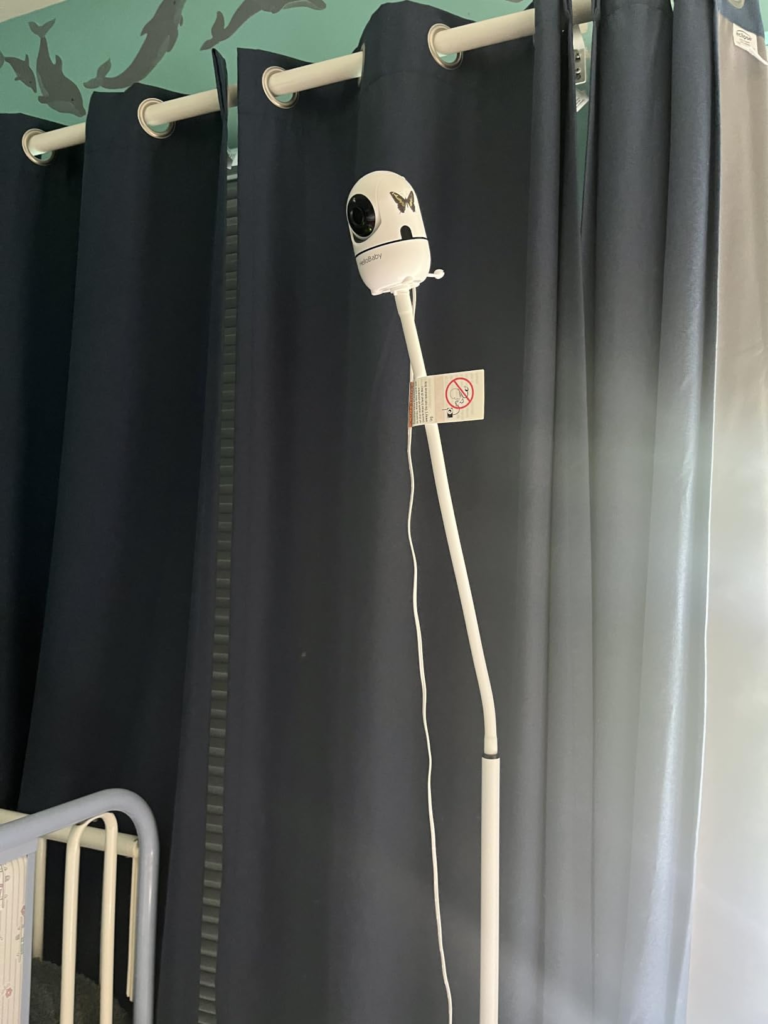
HelloBaby HB6550 vs. WiFi Monitors: Why Most Buyers Misread This Too Early
The comparison that damages this monitor’s reputation most is not against a $300 HD baby cam. It’s against a $120 WiFi monitor with 1080p resolution. And that comparison fails before it starts — because it compares two monitors solving two completely different problems.
A 1080p WiFi monitor is answering the question: “How do I watch my baby clearly from my phone from anywhere in the world?” If that’s your question, the HB6550 doesn’t compete. It was never built for that sentence.
The HB6550 answers a different question entirely: “How do I monitor my baby reliably, privately, without apps, without WiFi dependency, without setup complexity, without hacking risk, and without any moving part that can fail at 2 AM?” That question is real. Tens of millions of parents live inside it.
The mistake is treating “resolution” and “privacy” as points on the same axis. They’re not. They’re properties of entirely different system architectures.
| Comparison Point | HelloBaby HB6550 | WiFi Monitor ($120–$250+) |
|---|---|---|
| Privacy / remote hack risk | Zero (no network connection) | Present; varies by manufacturer |
| Setup time | Under 5 minutes; no app | App, account, WiFi config required |
| Remote phone viewing | Not available | Available |
| Video resolution | 480p | 720p–1080p |
| Works when WiFi drops | Yes, unaffected | No; becomes nonfunctional |
| Price range | ~$60–$70 | $100–$250+ |
| Camera expansion | Up to 4 units | Varies by system |
The question isn’t which monitor has better specs. It’s which monitor solves the problem you actually have, inside the home you actually live in, with the workflow you’ll actually maintain at 11 PM when you’re exhausted.
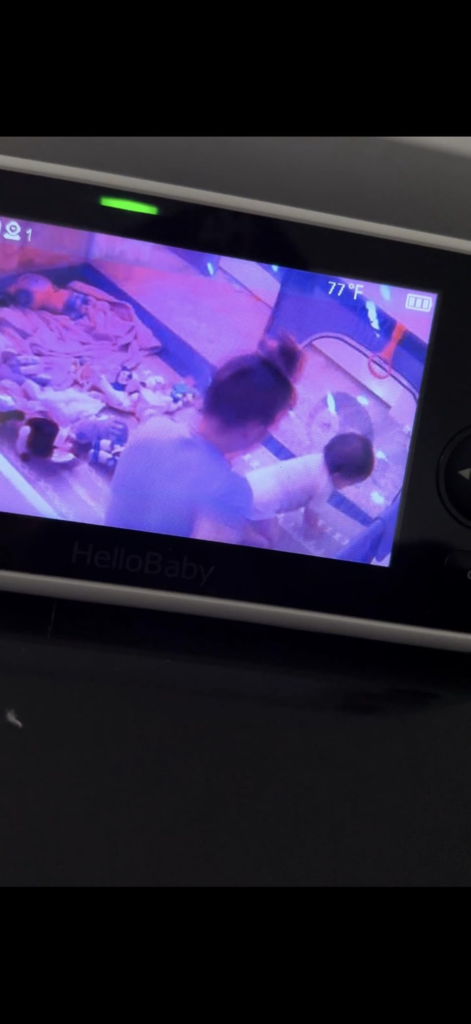
HelloBaby HB6550 Ideal User: Who Is Actually Inside This Problem
I want to describe a real type of parent. Tell me if any of these sounds like you.
You had a WiFi monitor once. At 2 AM you got a push notification — not from your baby, but from the app telling you to update firmware. The update knocked the monitor offline for forty minutes. Your baby was fine. You weren’t.
Or you read a headline about someone’s baby monitor being accessed remotely. You don’t know if your brand was involved. You haven’t checked since.
Or you set up a monitor for a travel trip — a hotel, a grandparent’s house, an Airbnb — and spent 25 minutes connecting to their WiFi and troubleshooting the app before your baby gave up waiting for nap time.
Or you’re buying for a grandparent or a babysitter, and you need it to work without a single tutorial, a single password reset, or a single call to you explaining why the screen went dark.
These are not edge cases. These are the specific friction points the HB6550 was built around.
| Who This Monitor Is Right For | Why It Solves Their Actual Problem |
|---|---|
| Privacy-first parents | No network, no cloud, no third-party access possible |
| Non-tech caregivers (grandparents, babysitters) | Plug in, turn on — complete |
| Traveling families | Works instantly in any location, no WiFi required |
| Parents of multiple children | Expandable to 4 cameras |
| Homes with unreliable WiFi | Doesn’t need internet at any point |
| Budget-conscious buyers | ~$60–$70 for a full-featured system |
HB6550 Wrong-Fit Cases & Limitations: Where Wrong-Fit Begins
This is where I speak plainly, because every ounce of regret I’ve seen from some buyers could have been avoided with a single paragraph of honest information before purchase.
If you primarily want to check on your baby from your phone while you’re outside the house — this is the wrong monitor. The architecture that blocks remote hacking also blocks remote viewing. That’s not a firmware gap they’ll close in an update. It’s the design.
If your home has three or more stories with heavy concrete or brick walls throughout — test first. The 165-to-190-foot indoor range is reliable in standard residential wood-frame construction. Atypical structures can push toward the edge.
If you need the nursery temperature to be precise within a degree or two for medical reasons — pair this with a dedicated room thermometer. The HB6550 temperature sensor reads the air at the camera’s exact location, and placement near vents, windows, or exterior walls can create variance between two and seven degrees Fahrenheit from the actual room temperature. It’s a useful guide, not a clinical instrument.
If you expect the 2x zoom to let you read fine detail at 3 AM — recalibrate. The zoom is digital. It enlarges pixels, not clarity.
| Situation | Does HB6550 Fit? | Why |
|---|---|---|
| Remote phone viewing outside home | ✗ No | No WiFi, no app — by design |
| HD or 1080p video quality | ✗ No | 480p resolution only |
| Precise temperature monitoring | ✗ No | ±2–7°F variance depending on placement |
| Multi-story homes with thick concrete walls | ⚠️ Test range first | May approach signal limits |
| Motion detection alerts | ✗ No | Not a feature of this monitor |
| Smart home integration | ✗ No | No connectivity by design |
| Standard home overnight monitoring | ✓ Yes | Reliable, private, long battery with proper charging |
| Travel / portable monitoring | ✓ Yes | No WiFi needed anywhere |
HelloBaby HB6550 No-WiFi Monitor: The One Situation Where This Product Becomes Logical
After 30 days, I can tell you exactly when this monitor stops being a purchase decision and starts being the obvious answer.
You’ve already decided you don’t want WiFi in your baby’s room. You don’t want an app. You don’t want a login. You don’t want cloud footage. You want a screen that turns on in four seconds, a camera that covers the full room, two-way audio when you need it, invisible night vision that won’t glow in your baby’s face, and a battery that carries most of the night when you charge it each evening.
That’s the sentence this monitor was built for. When you isolate that set of requirements, the list of options gets very short. The HB6550 lives at the top of that short list — which is why it’s the #1 best-selling baby monitor in the US, UK, and Germany with over 10 million units in homes.
| Feature | What It Actually Delivers |
|---|---|
| Screen | 5-inch IPS LCD, adjustable brightness, wide-angle viewing |
| Camera rotation | 355° horizontal, 120° vertical |
| Night vision | Invisible infrared LEDs — no red glow, no nursery light |
| Two-way audio | Clear enough to soothe; not studio-grade |
| VOX sensitivity | 3 adjustable levels |
| Lullabies | 8 built-in melodies, volume-adjustable |
| Temperature display | ±2–3°F typical; useful guide |
| Multi-camera | Up to 4 cameras (same-generation only — see note below) |
| Startup time | 3–4 seconds |
| EMF output | 1.04 V/m at 6 feet — among the lowest independently tested |
| Warranty | 1-year standard; optional 2-year extension available |
HelloBaby HB6550 Honest Verdict: What It Solves, What It Reduces, and What It Still Leaves to You
What it solves: the specific anxiety that a network-connected camera quietly installs in the back of your mind. The low-grade worry about a server somewhere holding footage of your baby’s room. The dread of a WiFi drop mid-night. The exhaustion of troubleshooting an app at 1 AM. The complexity that was never supposed to be part of watching a sleeping child.
What it reduces: operational friction to almost nothing. Setup is under five minutes. The remote is the parent unit itself. Panning doesn’t require an app. A lullaby is one button. The monitor disappears into the background because it gives you no reason to notice it — and that invisibility is genuinely valuable at the level of daily exhausted-parent reality.
What it still leaves to you: charging the parent unit daily in continuous video mode. Supplementing with a separate thermometer if nursery temperature precision matters for your situation. Accepting that viewing from outside the house is not available. Confirming camera-generation compatibility before adding extra units — newer HB6550 versions changed the hardware design and are not backward-compatible with earlier cameras. Contact the seller before ordering additional cameras to confirm they’ll pair with your existing parent unit.
| What It Solves | What It Reduces | What Remains Your Responsibility |
|---|---|---|
| Remote hacking risk (zero network exposure) | Setup and app complexity entirely | Daily or every-other-day charging |
| Cloud footage vulnerability | Operational learning curve | Separate precise thermometer if clinically needed |
| WiFi dependency failures at night | Monitoring anxiety | Remote viewing from outside home — not possible |
| Overengineered “smart” feature bloat | Decision fatigue from too many options | Camera-generation compatibility check before expansion |
HelloBaby HB6550 Final Decision: Final Compression
This monitor was built for one specific parent operating under one specific set of priorities. It does not try to be everything. That’s not a compromise — it’s a structural decision that makes everything it does work reliably.
If you need remote smartphone access, buy a different monitor. The architecture isn’t negotiable.
If you need privacy, simplicity, reliable range through a standard home, a battery that carries most nights when managed correctly, invisible night vision, and zero dependency on a router that can drop at the wrong moment — this is your monitor. The decision was already made the moment you defined what you actually need.
Charge it every evening. Place the camera at six feet or more from the crib. Use VOX mode on nights when you know you’ll sleep deeply. Don’t lean on the 2x zoom. Don’t rely on the temperature reading as your primary source of nursery temperature data if precision matters.
Do all of that, and the HelloBaby HB6550 does its job quietly, without drama, night after night. Which is exactly what a baby monitor is supposed to do.
Frequently Asked Questions: HelloBaby HB6550
| Question | Answer |
|---|---|
| Why does the 30-hour battery claim not match my nighttime experience? | The 30-hour figure applies exclusively to VOX (Voice Activation) mode — screen off, audio on standby, only activating when sound is detected. In continuous video mode with the screen on, battery life runs 11 to 16 hours depending on brightness and feature usage. Charging nightly is the correct operational habit for uninterrupted overnight monitoring. |
| Why is the indoor range so much shorter than 1,000 feet? | The 1,000-foot specification is measured outdoors, open air, line of sight. Walls, floors, and building materials reduce effective range significantly. Independent lab testing documented reliable connection through seven walls at 165 to 190 feet indoors — which is still one of the strongest performances in its category and sufficient for virtually all standard home layouts. |
| Why can’t I see the camera feed from my phone? | By design. The 2.4GHz FHSS encrypted signal operates entirely outside your home WiFi network. This is what makes it impossible to remotely access or hack. The same system property that prevents unauthorized remote access also prevents authorized remote access from outside the house. This is a single architectural decision with two outcomes, not a missing feature. |
| Why is the temperature reading sometimes several degrees off? | The sensor measures air temperature at the exact camera location, not an average of the nursery as a whole. Placement near a vent, a window, an exterior wall, or in a room corner where air circulates unevenly can create a reading that diverges two to seven degrees Fahrenheit from the actual room temperature. Use it as a directional guide; pair it with a separate room thermometer if precision is medically important. |
| Why does the 2x zoom not give me clearer images? | The zoom is digital, not optical. Digital zoom enlarges the existing pixel data without capturing any additional detail. At 480p source resolution, a 2x enlargement simply doubles the pixel size — producing a blurry, pixelated image that typically gives you less usable information than the unzoomed view. |
| Why might a new HB6550 camera not pair with my existing parent unit? | HelloBaby released several hardware generations of the HB6550 (2021, 2023, 2024, and 2025 versions). Internal design changes between generations mean newer camera units may not be compatible with earlier parent units. If you’re expanding your system, contact the seller directly with your current unit’s model details before purchasing additional cameras. |
| Why is there no motion detection feature? | Motion alerting is not part of the HB6550’s design. VOX mode activates on detected sound, not visual movement. If motion-triggered alerts are a required feature for your use case, this monitor category is not the right fit and a different monitor system should be considered. |
Transparency Note:
This analysis is built on aggregated real-world experience.
It extracts what repeatedly holds, what breaks, and what users uncover only after living with the system—then shapes it into a clear model you can use immediately.
Think of it as structured experience, refined and presented so you don’t have to learn it the hard way.
“A quick note: Don’t believe the star ratings, but trust personal experience. This article is a compilation of collected experiences”