MY WYZE CAM FLOODLIGHT PRO REVIEW: THE CAMERA THAT FLOODS YOUR YARD WITH LIGHT AND YOUR MIND WITH A VERY SPECIFIC QUESTION
The Result Looks Fine. The Problem Isn’t.
You replaced the old floodlight. You installed the camera. You checked the app. Everything looks fine.
But three weeks later you’re scrolling through 200 insect alerts from the previous night, you missed the one clip that actually mattered, and you’re standing in your dark yard waving your arms like a lunatic because the light won’t turn on for your dog.
That is not a setup failure. That is not user error. That is a real, documented behavioral pattern of a camera that, on paper, is genuinely impressive — and in practice, is trying to be two things at once with the tradeoffs of both.
The Wyze Cam Floodlight Pro costs $149.98. It wins awards. It gets 4-star averages. And it produces a specific category of disappointment that only shows up after installation, not before.
This review is about that gap.
What You’re Actually Feeling but Not Naming
Here is the real friction most buyers carry into this purchase:
They are not simply looking for a camera. They are looking for a replacement to something that already worked — a dumb, reliable motion light — but they want it to also record, also notify, also think. The desire is understandable. The assumption embedded in it is where the problem begins.
The Floodlight Pro is not a smart floodlight with a camera bolted on. It is a computer vision camera that also controls a light. That distinction sounds semantic. It is not. It means the light does not respond to heat signatures the way a PIR sensor does. It uses onboard AI to identify what triggered it — people, vehicles, specific objects — and that process introduces a measurable delay before the light fires.
Users have reported that on Smart Detection mode, the light can take 10 to 20 seconds to activate — long enough for multiple people to reach a vehicle before the light is even on.
The workaround is switching to “All Motion” mode. But then passing headlights and distant shadows trigger it constantly.
This is the core tradeoff, and it lives inside a product marketed on the promise of intelligent precision.
The Hidden Mechanism Behind the Miss
To understand why this happens, you need to understand what changed from a traditional floodlight to this one.
A PIR sensor reacts to heat differential in motion. It is instantaneous, dumb, and reliable. It does not think. It fires.
The Floodlight Pro replaced that sensor with an onboard AI computer vision system running at 20 FPS during the day and 15 FPS at night. The camera processes each frame, runs classification, determines whether the detected motion matches your selected filter, and then sends the signal to activate the lights. Every step in that chain adds latency.
This is not a flaw in principle. It is an honest consequence of replacing reflex with reasoning. The question is whether that tradeoff serves your actual use case.
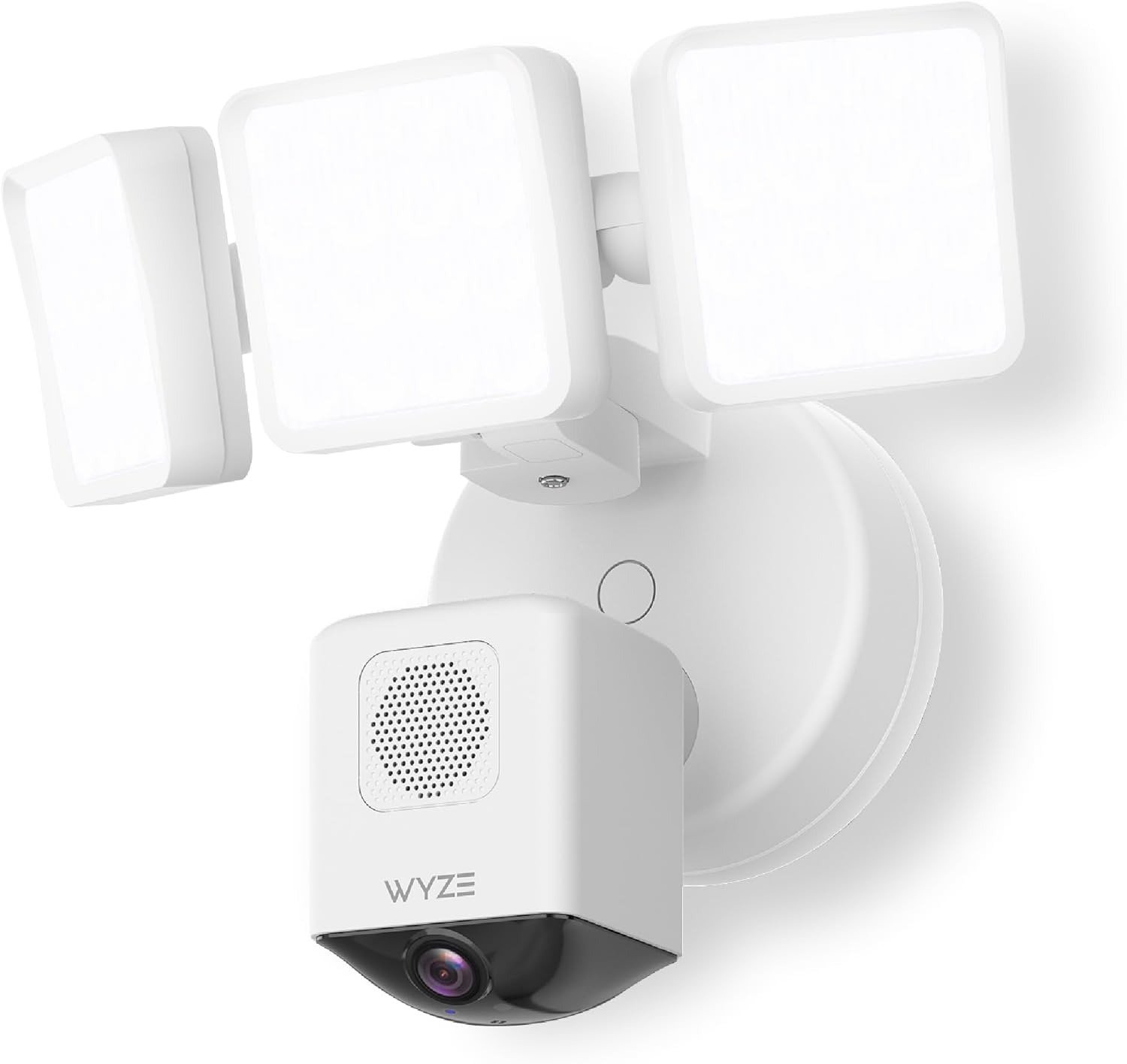
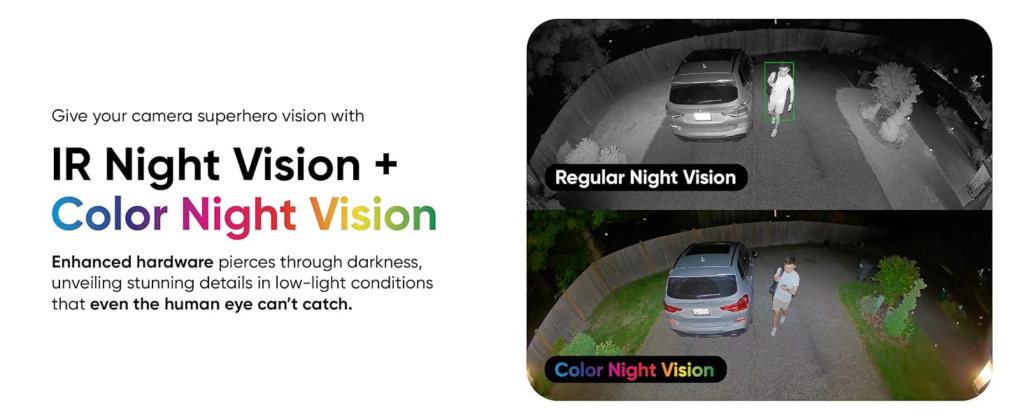
When it works — and it does work — the 3,000-lumen LED floodlights provide excellent illumination when motion triggers them at night. Color performance remains strong even after sunset.
The camera records at 2.5K (2560×1440) with a 180-degree field of view — wider than Ring’s 140 degrees, wider than most competitors in the class, capturing more ground in a single frame than almost anything tested at this price.
Reviewers have noted that 3,000 lumens reaches well over 100 feet in open space — noticeably brighter than Ring’s 2,000-lumen Floodlight Pro in direct comparison.
The hardware does not fail you. The software operating layer does.
Complete Specs at a Glance
| Specification | Wyze Cam Floodlight Pro |
|---|---|
| Resolution | 2.5K (2560×1440) |
| Field of View | 180° diagonal |
| Frame Rate | 20 FPS day / 15 FPS night |
| Floodlight Output | 3,000 lumens (3 panels × 1,000 lm each) |
| Light Temperature | 5,000K |
| Night Vision | Color + 12 × 850nm IR LEDs |
| Siren | 105 dB |
| Weather Rating | IP65 |
| Wi-Fi | Dual-band 2.4GHz + 5GHz |
| Local Storage | microSD up to 256GB (sold separately) |
| Power | Hardwired 110–120V AC |
| Smart Home | Alexa, Google Assistant, IFTTT |
| Operating Temp | -4°F to 140°F (-20°C to 60°C) |
| Price | ~$149.98 |
The Threshold Where the Outcome Quietly Breaks
There is a specific threshold inside this camera where its value proposition either holds or collapses. It is not the price. It is not the resolution. It is the motion detection mode you choose to live with.
| Detection Mode | What It Does | What It Costs You |
|---|---|---|
| Smart Detection (AI) | Fires only on people/vehicles | 10–20 second delay before light activates |
| All Motion | Fires instantly on any movement | Constant false triggers from wind, headlights, bugs |
| Customized Zones | Narrows the field being monitored | Requires app tuning; accuracy varies by environment |
The motion detection system, despite Wyze’s claims about onboard AI that should distinguish meaningful motion from insects and debris, has been documented treating every flying insect as a valid motion event — burying genuine security events in a flood of irrelevant alerts.
There is a second threshold: reliability. The camera has been reported to randomly stop showing live video entirely and cease all recording during these outages, then resume working hours or days later — with no warning and no notification. For a security device, this represents a category-level failure.
Additionally, the automatic night vision mode has been documented staying stuck in “Off” mode even when set to “Auto” — the workaround of leaving it permanently on sacrifices daytime color video.
These are not edge cases. They appear across multiple independent reviewers and verified Amazon users over a multi-year window.
Why Most Buyers Misread This Too Early
The most common mistake is comparing the Floodlight Pro to Ring or Arlo on a spec sheet and declaring it the obvious winner by price-to-spec ratio. On that metric alone, it is genuinely hard to argue against.
| Camera | Price | Resolution | Lumens | FOV | Local Storage | Sub Required |
|---|---|---|---|---|---|---|
| Wyze Floodlight Pro | ~$150 | 2.5K | 3,000 | 180° | Yes (microSD) | No |
| Ring Floodlight Cam Wired Plus | ~$200 | 1080p | 2,000 | 140° | No | Yes (for any clips) |
| Arlo Pro 3 Floodlight | ~$250 | 2K HDR | 3,000 | 160° | Optional hub | Optional |
| Blink Wired Floodlight | ~$100 | 1080p | 2,600 | 110° | No | Optional |
Ring requires a paid subscription to save or review any footage whatsoever. Without it, no clip history exists. Wyze gives you continuous local recording on a microSD card with zero subscription required.
That comparison is accurate. But buyers use it to conclude the Floodlight Pro is the better security system, when the correct conclusion is that it is better hardware with a weaker software execution.
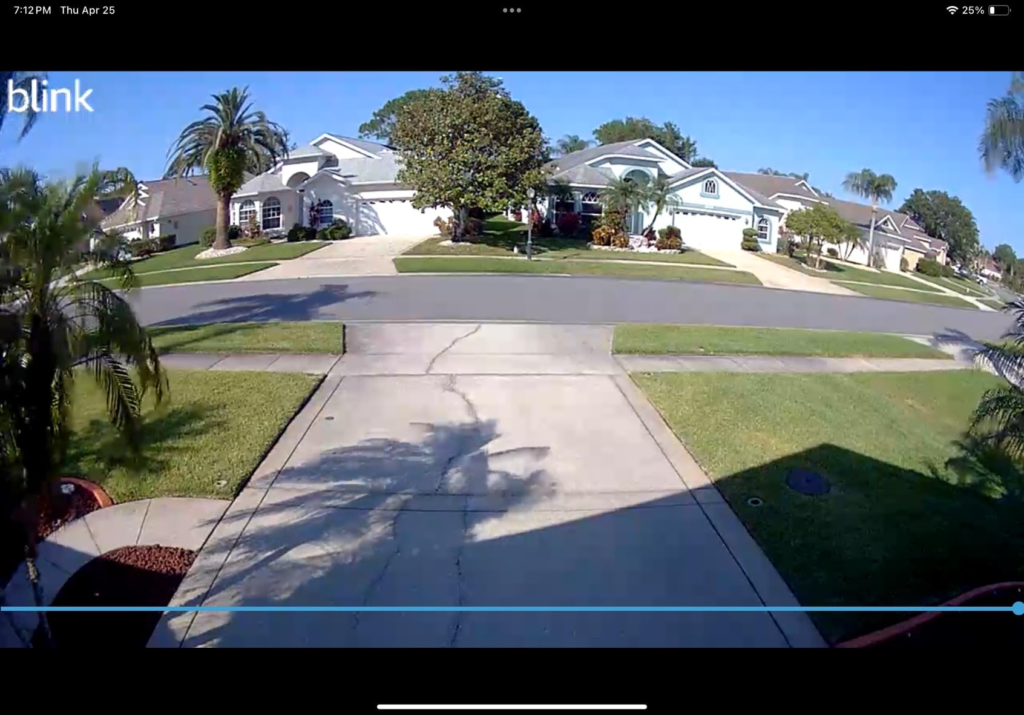
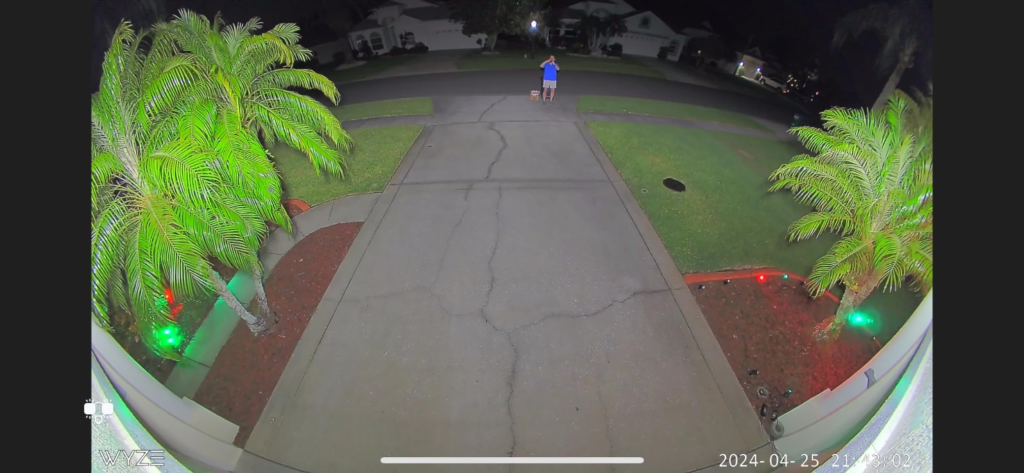
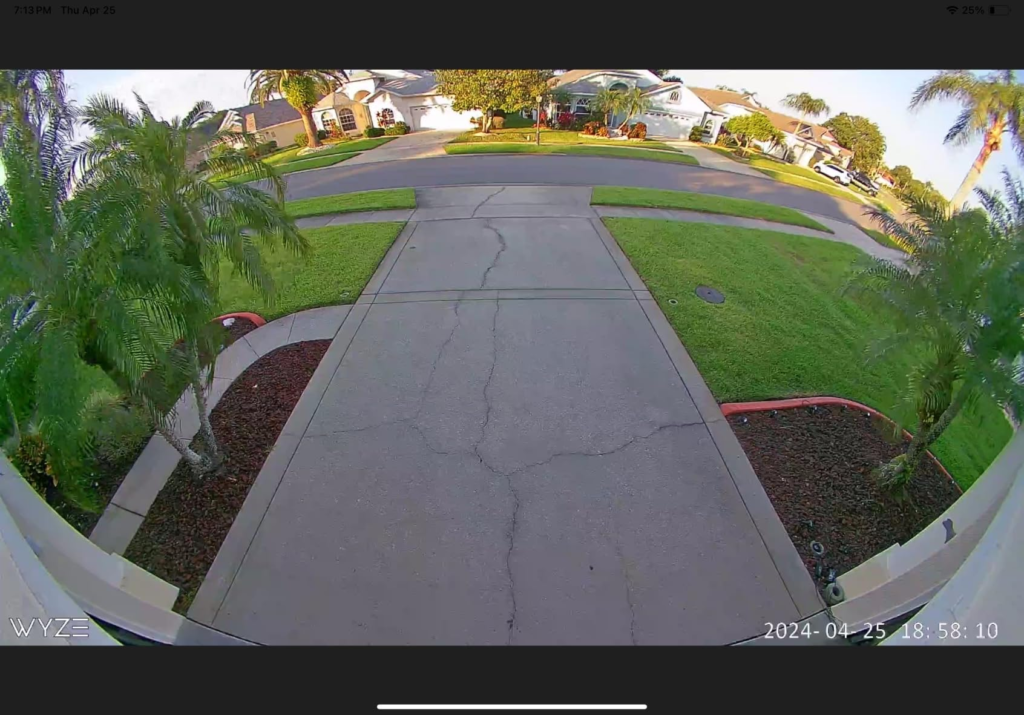
The 180-degree field of view captures a wider area than any competing product tested in its class — but that width comes with visible barrel distortion at the edges, trading total coverage for perimeter clarity.
The spec sheet does not show you that. The spec sheet never shows you that.
Storage and Subscription: What’s Actually Free vs. What Costs You
This is where Wyze separates itself most clearly from the competition — and where buyers still misunderstand the layers.
| Feature | Free (No Subscription) | Cam Plus ($2.99/mo or ~$1.67/mo annually) |
|---|---|---|
| Live Streaming | Unlimited | Unlimited |
| Local microSD Recording | 24/7 continuous | 24/7 continuous |
| Cloud Event Clips | 12-second clips, 5-min cooldown | Unlimited length, no cooldown |
| Cloud History | 14 days | 14 days |
| AI Object Detection | Basic motion | Person, pet, vehicle, package |
| Two-Way Audio | Yes | Yes |
| Web Browser View | No | Yes |
The free tier stores 12-second cloud event clips with a 5-minute cooldown between clips — meaning multiple events in rapid succession may not all be captured to the cloud.
With a microSD card installed, the camera records continuously regardless of internet status or subscription — a genuine advantage over Ring, which stores nothing locally.
Cam Plus at roughly $29.99 per year removes the cooldown, extends clip length, and enables full AI filtering for pets, vehicles, and packages. For an outdoor floodlight dealing with street-adjacent motion, the subscription is not optional in any practical sense — the free tier alone generates more false notifications than most users tolerate.
Who Is Actually Inside This Problem
The Floodlight Pro earns its place under a specific set of conditions. Not all conditions. Specific ones.
You are a strong fit if:
- You are replacing an existing hardwired outdoor light and have a junction box in the mount location
- Your primary goal is wide-area video coverage with a secondary deterrence function from the lights
- You are willing to install a microSD card and tune detection zones inside the app
- You understand the light delay on Smart Detection and accept it, because you care more about footage accuracy than instant illumination
- You are not dependent on zero-interruption recording for a high-risk perimeter — garage, driveway, backyard entry are appropriate use cases
- You are not replacing a Ring or Arlo ecosystem where your investment is already established
You are outside the fit if:
- You want an instant-fire floodlight that reacts with PIR-level speed — this camera will disappoint you on that metric
- You are security-critical and cannot tolerate random recording outages with no warning
- You need privacy zones to block a neighbor’s window from the field of view — Wyze does not offer a Privacy Zone setting on this model
- You are a pet owner whose primary use is triggering the light for animals at night — the AI mode filters them out unless you enable “All Motion,” which removes precision
- You are installing in a location without an existing junction box — the plug-in mount accessory works, but adds cable management complexity
Where Wrong-Fit Begins
Wrong-fit starts when the buyer’s primary need is a reliable, instant-response deterrent light and the camera is secondary. In that configuration, a traditional smart PIR floodlight paired with a separate camera will outperform this product on the dimension that matters most to them.
Wrong-fit continues when the buyer assumes the AI motion detection is equivalent to professional-grade vision AI. It is not. The onboard processing consistently fails to distinguish insects from humans under certain lighting and temperature conditions. This is a known firmware limitation, not a fixable setup error.
Wrong-fit concludes when someone purchases this expecting Ring-level ecosystem stability and Wyze-level pricing to coexist without tradeoff. They do not. Wyze has historically delivered hardware that punches above its price point, paired with software that requires patience and occasionally fails outright. That pattern holds here.
The One Situation Where This Product Becomes Logical
After all of this — the delays, the insect alerts, the occasional outage — there is a precise configuration where the Wyze Cam Floodlight Pro is the most rational purchase in its category.
You have an existing junction box. You are replacing a dumb floodlight. You want 180 degrees of continuous 2.5K video coverage over a wide yard, driveway, or entry. You want that footage stored locally on a card, without handing Ring a monthly fee for the right to see your own recordings. You are comfortable tuning motion zones. You understand the light response has a second or two of delay under Smart Detection, and you accept it because the false-positive reduction matters more to you.
In that configuration, nothing at $150 comes close to what this camera delivers on raw coverage and video quality. The 180-degree field of view, 2.5K resolution, three-panel 3,000-lumen floodlights, AI motion detection, and dual-band Wi-Fi are all features that cost significantly more on competing products.
Installation takes under 30 minutes for anyone comfortable replacing a light fixture, and Wyze includes a screwdriver in the box — a detail that reflects genuine product thinking.
The product earns its place when you go in with accurate expectations, not optimistic ones.
What It Solves, What It Reduces, and What It Still Leaves to You
What it genuinely solves:
Wide-area coverage without a pan motor. Continuous local recording without a subscription. A significant light output that covers real distance. Installation simplicity for anyone with basic electrical comfort.
What it reduces but does not eliminate:
False alerts. With Cam Plus and tuned detection zones, the noise drops substantially — but it does not go to zero. Night vision works, but the color-to-IR handoff requires your settings to be correct from the start.
What it still leaves to you:
Choosing the correct detection mode for your environment and accepting its specific tradeoff. Monitoring for the random outage events and power-cycling the camera when they occur. Purchasing a microSD card separately — it is not included. Accepting that there is no Privacy Zone to block out a neighbor’s property in the 180-degree sweep.
Where regret begins:
Buyers who purchase on the 180-degree and 3,000-lumen headline, install it expecting instant deterrence-first performance, and then spend three months adjusting settings trying to make it behave like a PIR floodlight. That gap does not close with settings. It is structural.
Wyze Cam Floodlight Pro vs. Competition: Honest Summary Table
| Category | Wyze Floodlight Pro | Ring Wired Plus | Arlo Pro 3 Floodlight |
|---|---|---|---|
| Video Quality | 2.5K, 180° | 1080p, 140° | 2K HDR, 160° |
| Floodlight Power | 3,000 lm (3 panels) | 2,000 lm (2 panels) | 3,000 lm (battery) |
| Local Storage | microSD, included slot | None | Requires hub ($100+) |
| Subscription Requirement | Optional (free tier usable) | Required for any clips | Optional |
| Install Type | Hardwired | Hardwired | Wireless / optional wired |
| AI Detection Speed | 10–20s delay (Smart mode) | Faster PIR + AI hybrid | Fast (battery-mode dependent) |
| Reliability Reports | Occasional random outages | Consistent | Generally consistent |
| Price | ~$150 | ~$200 | ~$250 |
| Best For | Coverage-first, local storage | Ring ecosystem users | Premium reliability, wireless |
Frequently Asked Questions
| Question | Answer |
|---|---|
| Does the Wyze Cam Floodlight Pro work without a subscription? | Yes. Live streaming, two-way audio, basic motion alerts, 12-second cloud clips with 14-day history, and local microSD continuous recording all function without any subscription. The free tier is genuinely usable, especially with a card installed. Cam Plus ($2.99/month or ~$1.67/month billed annually) adds unlimited clip length, no cooldown, and full AI object categorization. |
| Does it require a junction box? | Yes, by default. Wyze sells a separate plug-in mount accessory with a 20-foot weatherproof cable that allows installation at an outdoor outlet without a junction box, which also works for renters who cannot hardwire. |
| How much microSD storage do I actually need? | A 64GB or 128GB card is sufficient for most installations and provides several days of continuous 2.5K footage before the card loops. A 256GB card extends that to approximately 30 days. |
| Is the 180-degree view actually useful or just distorted? | Both. It captures a considerably wider area than any competing camera tested in its class — but it comes at the expense of edge clarity due to barrel distortion. For total coverage of a wide yard or driveway, the tradeoff is worth it. For close-range facial identification at the perimeter, a narrower camera with better edge sharpness is more appropriate. |
| Can I block out my neighbor’s yard from the camera feed? | No. Wyze does not currently offer a Privacy Zone setting on the Floodlight Pro model. If blocking a portion of the frame is legally or practically necessary, this camera is not the right fit. |
| Will this work with Alexa and Google Assistant? | Yes. The Floodlight Pro supports Amazon Alexa, Google Assistant, and IFTTT. Live feeds are viewable on smart displays via voice command. |
| What happens to recordings during a Wi-Fi outage? | The camera continues recording to the microSD card locally during an internet outage. Cloud clips resume automatically when connectivity returns. |
| Is the AI motion detection accurate enough to rely on for security? | Conditionally. Occasional AI false detections occur, particularly in environments with insects, moving foliage, or distant headlights. For backyard monitoring of a defined area with tuned zones, accuracy is acceptable. For a high-traffic commercial-adjacent perimeter, the alert volume on All Motion mode becomes unmanageable. |
Final Compression
The Wyze Cam Floodlight Pro is a hardware-excellent, software-imperfect product operating in a price tier where no one else offers 2.5K resolution, a 180-degree view, 3,000 lumens, and local storage without a mandatory subscription.
That combination is real. The gaps are also real.
If you are replacing an existing hardwired floodlight, want full-yard coverage on camera rather than instant-response lighting, and will invest 20 minutes into app configuration after install — this is the most rational purchase in the $150 range.
If your primary need is a reliable deterrent light that fires instantly and never misses, this camera will consistently frustrate you despite its specifications.
The decision is not whether the camera is good. It is whether your problem matches the specific type of good it is.
If it does, the next step is straightforward: the installation replaces your existing outdoor light in under 20 minutes, the app setup requires no ladder trip for QR scanning, and a 128GB microSD card added at purchase gives you continuous local coverage from day one.
If it does not, that clarity is worth more than the $150 you would have spent finding out the hard way.
Transparency Note:
This analysis is built on aggregated real-world experience. It extracts what repeatedly holds, what breaks, and what users uncover only after living with the system—then shapes it into a clear model you can use immediately.
Think of it as structured experience, refined and presented so you don’t have to learn it the hard way.
“A quick note: Don’t believe the star ratings, but trust personal experience. This article is a compilation of collected experiences”