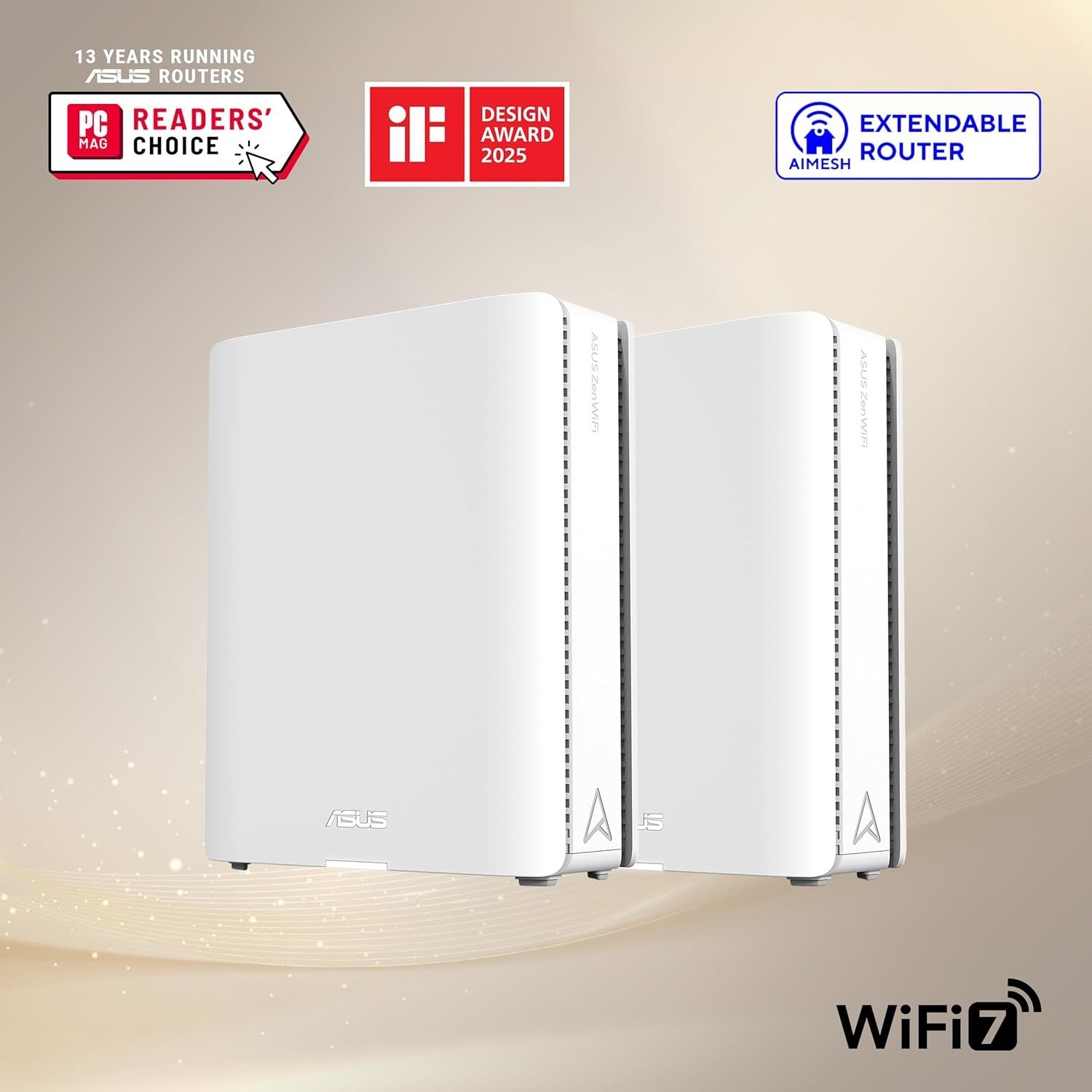
THE ASUS ZENWIFI XT9 AX7800 LOOKS LIKE IT’S WORKING — RIGHT UP UNTIL THE MOMENT IT ISN’T
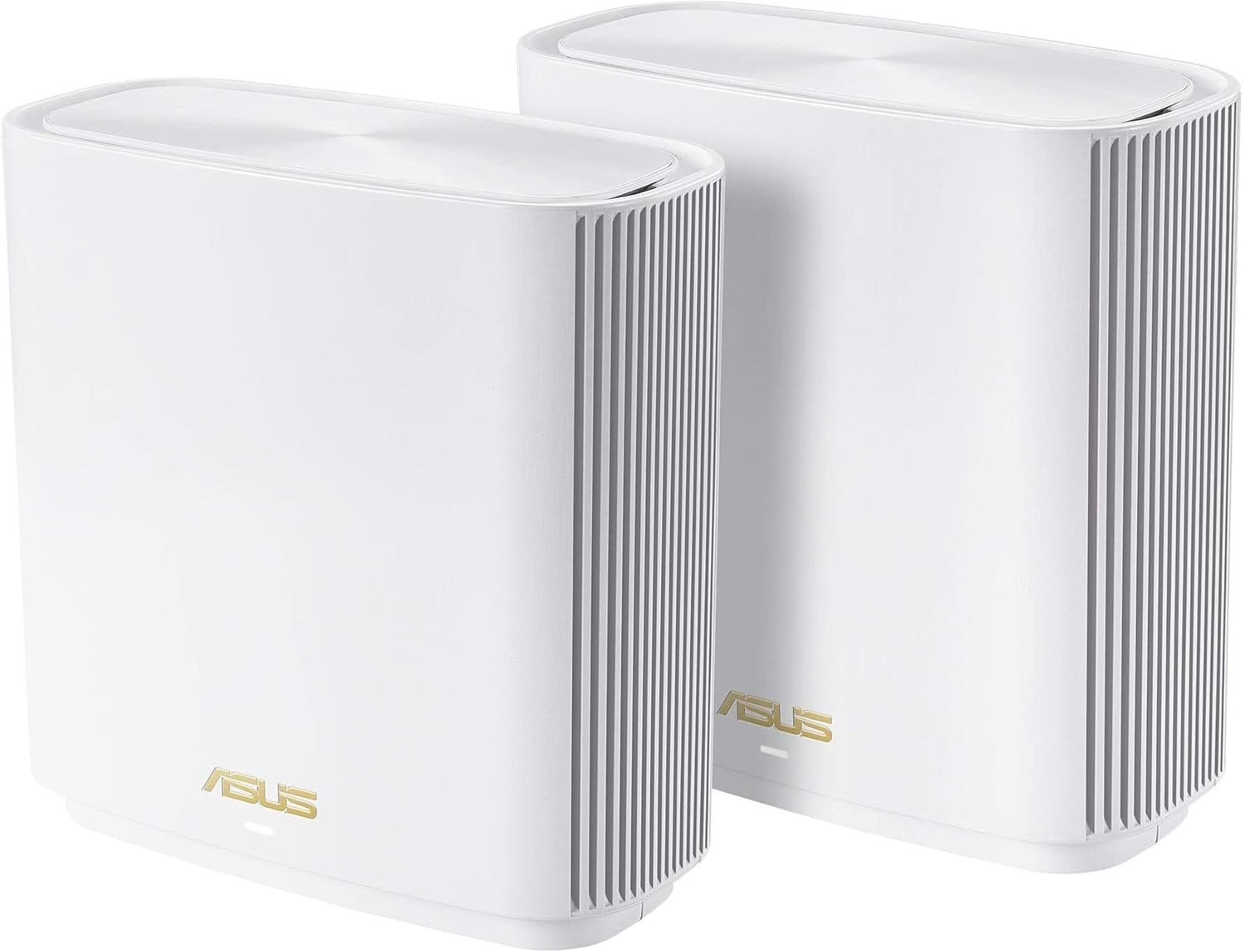
You set up the ASUS ZenWiFi XT9. The app confirmed both nodes. The signal bars look full across every room. Your devices show “connected.” And yet, something keeps slipping — the 4K stream stutters on the second floor, the ring camera drops intermittently, the promised gigabit speeds arrive on one device and disappear on another. The spec sheet said 7,800 Mbps. You’re seeing 180.
The problem isn’t the router. The problem is a gap between the architecture and the conditions most buyers unknowingly bring to it.
The Result Looks Fine. The Problem Isn’t.
The AX7800 rating combines the theoretical maximum speeds across all radio bands simultaneously — 574 Mbps on 2.4GHz, 2,402 Mbps on the primary 5GHz, and 4,804 Mbps on the backhaul 5GHz. Tech Advisor No single device ever receives that combined figure. It functions like quoting the combined top speed of three vehicles and calling it one car’s performance — the number is real in parts, but misleading as a whole.
What actually reaches your laptop, phone, or streaming device depends on far more specific variables than any spec sheet reveals. And most buyers only discover those variables after installation.
What You’re Actually Feeling but Not Naming
The frustration rarely announces itself with clarity. It comes in as inconsistency — a fast speed test in the morning, a slow one at night. Smooth 4K in the living room, buffering in the bedroom that shares a wall. A video call that holds steady for forty minutes then degrades for no visible reason.
Some users reported speeds swinging between 30 Mbps and 100 Mbps on the same connection and the same plan, without changing anything between tests. Best Buy That inconsistency isn’t random. It follows a pattern tied to how the XT9 manages its wireless backhaul under real-world interference conditions.
The feeling is: the router is doing something, but not the thing I paid for.
The Hidden Mechanism Behind the Miss
The XT9 uses its second 5GHz band as a dedicated wireless backhaul — the channel connecting the two nodes to each other — leaving the primary 5GHz and 2.4GHz bands free for client devices. ASUS In theory, this separation prevents congestion. In practice, both the backhaul band and the client bands share the same physical spectrum, the same walls, and the same interference environment as your neighbors’ networks.
Getting the fastest speeds also requires that your devices support 160MHz Wi-Fi channel bands. Devices that don’t — like many mid-range phones and older laptops — will connect at lower speeds, not because the XT9 is failing, but because the device itself can’t accept the full bandwidth being offered. Tech Advisor
This is the mechanism most buyers miss: the XT9 can transmit well above what most current household devices can receive. The bottleneck isn’t always the router. But in a wireless backhaul setup, there’s a second bottleneck — and it lives between the two nodes.
The Threshold Where the Outcome Quietly Breaks
In setups using wireless backhaul, clients connected to the remote node show full signal strength and appear connected on the AiMesh dashboard — but data transfer stops or degrades significantly. SNBForums Signal presence and data delivery are not the same thing. The XT9 reports the connection as healthy. Your device reports connected. The actual throughput has already collapsed.
This threshold has a specific trigger: wireless backhaul under certain firmware versions and interference conditions creates a state where the node appears active but its clients are effectively disconnected from real data flow.
| Backhaul Type | Stability Under Load | Firmware Sensitivity | Recovery After Drop |
|---|---|---|---|
| Wired Ethernet | High | Low | Automatic |
| Wireless (dedicated band) | Moderate | High | Requires reboot or downgrade |
| Wireless (shared band) | Low | Very High | Unreliable |
Multiple users who contacted ASUS directly and submitted logs received firmware updates that did not resolve the issue. The stable workaround, confirmed by those affected, was moving to a wired backhaul entirely. SNBForums
The threshold is this: if you cannot run an Ethernet cable between your two XT9 nodes, your system’s reliability is a function of your interference environment — not ASUS’s engineering spec.
Why Most Buyers Misread This Too Early
The ASUS ZenWiFi XT9 scored 8.1 for range and 8.3 for speed in controlled testing, making it a strong performer in apartment and single-story home scenarios. rtings Those scores are accurate — for the conditions in which they were tested. The error happens when buyers apply single-floor test results to multi-level homes with thick concrete, steel framing, or dense interference environments.
The marketing creates a second misread: the phrase “up to 5,700 sq ft” appears on every listing. ASUS itself includes a disclaimer that actual data throughput and coverage will vary based on network conditions, environmental factors, building material, construction, and network overhead. Amazon The disclaimer is present. The headline number is larger. Buyers remember the headline.
For best performance and reliability, network cables are recommended for the uplink or wired backhaul. In that configuration, the satellite node can use its entire Wi-Fi bandwidth for client devices. Dong Knows That sentence doesn’t appear in the product title. It appears in the technical review — after purchase.
Who Is Actually Inside This Problem
The ASUS ZenWiFi XT9 is genuinely well-suited for a specific buyer profile:
| Buyer Condition | XT9 Fit |
|---|---|
| Home 2,500–5,700 sq ft, single or double story | Strong |
| Ethernet cable between node locations is possible | Strong |
| Internet plan up to 1 Gbps | Full utilization — 2.5G WAN port handles it |
| Devices support Wi-Fi 6 and 160MHz channels | Full speed potential unlocked |
| ASUS ecosystem already in use (AiMesh) | Seamless expansion |
| Primarily wireless backhaul, multi-floor, interference-heavy | Weak fit |
| Devices are Wi-Fi 5 or older | Speed ceiling met before the XT9’s floor |
In a real-world test involving a building with one problematic back office that previously required PowerLine adaptors, placing one XT9 at the entry point and a second node midway down the corridor produced stable, consistent speeds across both 2.4GHz and 5GHz bands. TechRadar That result holds because the physical path between nodes was clean and the interference was low.
The XT9 isn’t a universal solution to bad Wi-Fi. It’s a precision instrument for a specific problem shape.
Where Wrong-Fit Begins
The regret starts when buyers treat the XT9 as a fix for architectural problems it cannot solve wirelessly.
You are outside the fit zone if:
- Your two nodes will be separated by two or more concrete floors with no cable run possible
- Your neighborhood Wi-Fi environment is heavily saturated on the 5GHz bands (apartment buildings, dense urban areas with 20+ visible networks)
- Your internet plan exceeds 1 Gbps symmetric — the WAN port maxes at 2.5G and LAN ports at 1G, so plans above that threshold will be throttled at the port, not the wireless layer RedditRecs
- You are planning to upgrade to Wi-Fi 6E or Wi-Fi 7 devices within the next 12–18 months — the XT9 is Wi-Fi 6 only and will not take full advantage of newer 6E or Wi-Fi 7 client devices rtings
- Your primary frustration is coverage, but the real issue is a single-node placement problem — adding a second node wirelessly in the wrong location amplifies the problem, it doesn’t solve it
The wrong-fit boundary is not about budget. It’s about topology. Buyers who purchase the XT9 expecting it to defeat structural interference via wireless backhaul will experience exactly the disconnection pattern documented in the firmware threads — and no firmware update will fix a physics problem.
The One Situation Where the ASUS ZenWiFi XT9 Becomes Logical
After everything above, the use case becomes precise.
The XT9 uses six internal antennas across 2.4GHz and dual 5GHz bands, with a 2.5G WAN port and flexible backhaul options — either the second 5GHz band or a dedicated Ethernet cable between nodes. B&H Photo Video When an Ethernet backhaul is possible, the second 5GHz band is freed entirely for client devices. That configuration removes the primary failure point entirely.
For a home between 2,500 and 5,700 square feet, where an Ethernet run between floors or across a long layout is feasible — even a single cable through a wall or along a baseboard — the XT9 in wired backhaul mode behaves like two separate high-performance Wi-Fi 6 access points sharing one intelligent system. The AiMesh software handles roaming, band assignment, and device hand-off automatically. The ASUS Router app manages everything from a smartphone, with parental controls, guest network management, and AiProtection security monitoring built in at no subscription cost. Walmart
That’s the logical case: large home, Ethernet-possible, Wi-Fi 6 devices, plan at or below 1 Gbps.
| Condition | Without Wired Backhaul | With Wired Backhaul |
|---|---|---|
| Node-to-node throughput | Shared with clients, interference-dependent | Full, dedicated, independent of RF environment |
| Client speed at remote node | Degraded by backhaul congestion | Full fronthaul capacity available |
| Firmware stability risk | High (documented issues) | Resolved — problem is wireless-only |
| 4K/gaming reliability | Inconsistent | Consistent |
| Scalability to 3rd node | Adds interference layers | Clean expansion |
What It Solves, What It Reduces, and What It Still Leaves to You
What the ASUS ZenWiFi XT9 genuinely solves:
- Dead zones in large single and double-story homes where cable is possible
- Speed inconsistency caused by a single-node placement that’s too far from the ISP modem
- Device overload on a single-band router by distributing across three bands intelligently
- Security management overhead — AiProtection runs continuously without annual renewal
What it reduces but does not eliminate:
- Interference impact — it manages bands intelligently but cannot filter neighbor saturation
- Setup complexity — the app is clean, but advanced configuration still requires comfort with network terminology
- Coverage anxiety in very large or architecturally complex homes — two nodes may not be enough; large homes will likely want three nodes, and additional nodes are expensive techadvisor
What it still leaves to you:
- The cable run between nodes, if wired backhaul is the target configuration
- Device compatibility audit — any device without Wi-Fi 6 support will connect, but won’t unlock the system’s upper-tier speeds
- Node placement discipline — putting both units in convenient spots rather than optimal ones is the most common self-inflicted failure
Final Compression
The ASUS ZenWiFi XT9 AX7800 is not a product with a flaw in its concept. It is a product with a specific operational condition that its marketing summary does not foreground.
The system delivers on its claims when the backhaul is wired, the devices are Wi-Fi 6 capable, and the home layout is within its coverage geometry. Under those conditions, the performance is consistent, the security features are genuinely useful, and the AiMesh ecosystem gives it long-term scalability that cheaper alternatives cannot match.
The system underdelivers when it runs on wireless backhaul through interference-heavy or structurally complex environments. That is not a rare edge case. It is the default setup for most buyers who purchase it without reading the technical forums.
The decision compresses to one question: Can you run a single Ethernet cable between the two node locations?
If yes — the XT9 is a logical, durable, well-engineered choice for a large home on a gigabit plan.
If no — the honest answer is that you are purchasing a system whose primary failure mode is the exact condition your home imposes on it. In that case, a Wi-Fi 6E system with a 6GHz backhaul option, or a single high-power Wi-Fi 6 router with better single-node coverage, will serve the actual problem more precisely.
The ASUS ZenWiFi XT9 is available here if your setup fits the wired backhaul profile above.
Frequently Asked Questions
Q: Does the ASUS ZenWiFi XT9 really cover 5,700 sq ft?
A: That figure assumes open-plan, low-interference conditions using both nodes together. In homes with thick walls, multiple floors, or dense wireless environments, real coverage is meaningfully lower. Think of it as the ceiling, not the average.
Q: What is the actual speed I should expect at the remote node?
A: With wireless backhaul, real-world client speeds at the satellite node typically range between 300–700 Mbps on Wi-Fi 6 devices under favorable conditions. With wired backhaul, that ceiling rises significantly, approaching the limits of your internet plan.
Q: Can the XT9 work with my older ASUS router?
A: Yes. The XT9 is fully compatible with ASUS AiMesh, meaning it can integrate with any other AiMesh-enabled ASUS router as either a primary node or a satellite. ASUS
Q: Is the wireless backhaul disconnection issue fixed by firmware updates?
A: As of the firmware versions documented in community testing, the issue persists in wireless backhaul mode between certain router combinations. Wired backhaul resolves it entirely. SNBForums
Q: Should I buy the XT9 or wait for a Wi-Fi 7 mesh system?
A: If your devices are mostly Wi-Fi 5 or Wi-Fi 6, and your internet plan is 1 Gbps or under, the XT9 will not be the bottleneck for at least three to four years. If you’re planning to upgrade to Wi-Fi 6E or Wi-Fi 7 client devices in the near term, the incremental performance gain from a Wi-Fi 7 mesh system on those devices justifies waiting.
Q: What is the maximum internet speed the XT9 WAN port supports?
A: The WAN port maxes at 2.5 Gbps. For internet plans at or below 1 Gbps, it will not be the limiting factor. RedditRecs Plans above 2.5 Gbps will be capped at the port level.
Q: Do I need a subscription for parental controls and security?
A: No. AiProtection security monitoring and parental controls are included at no ongoing cost. Walmart
Q: Can I use just one XT9 node as a standalone router?
A: Yes. A single XT9 unit covers up to 2,850 square feet and functions as a full Wi-Fi 6 router. techadvisor The mesh capability simply isn’t active until a second node is added.
Transparency Note:
This analysis is built on aggregated real-world experience.
It extracts what repeatedly holds, what breaks, and what users uncover only after living with the system—then shapes it into a clear model you can use immediately.
Think of it as structured experience, refined and presented so you don’t have to learn it the hard way.
“A quick note: Don’t believe the star ratings, but trust personal experience. This article is a compilation of collected experiences”