MOTOROLA Q11 MESH WIFI REVIEW: THE CHEAP FIX THAT STARTS TO FRAY AT A VERY SPECIFIC POINT
The Result Looks Fine. The Problem Isn’t.
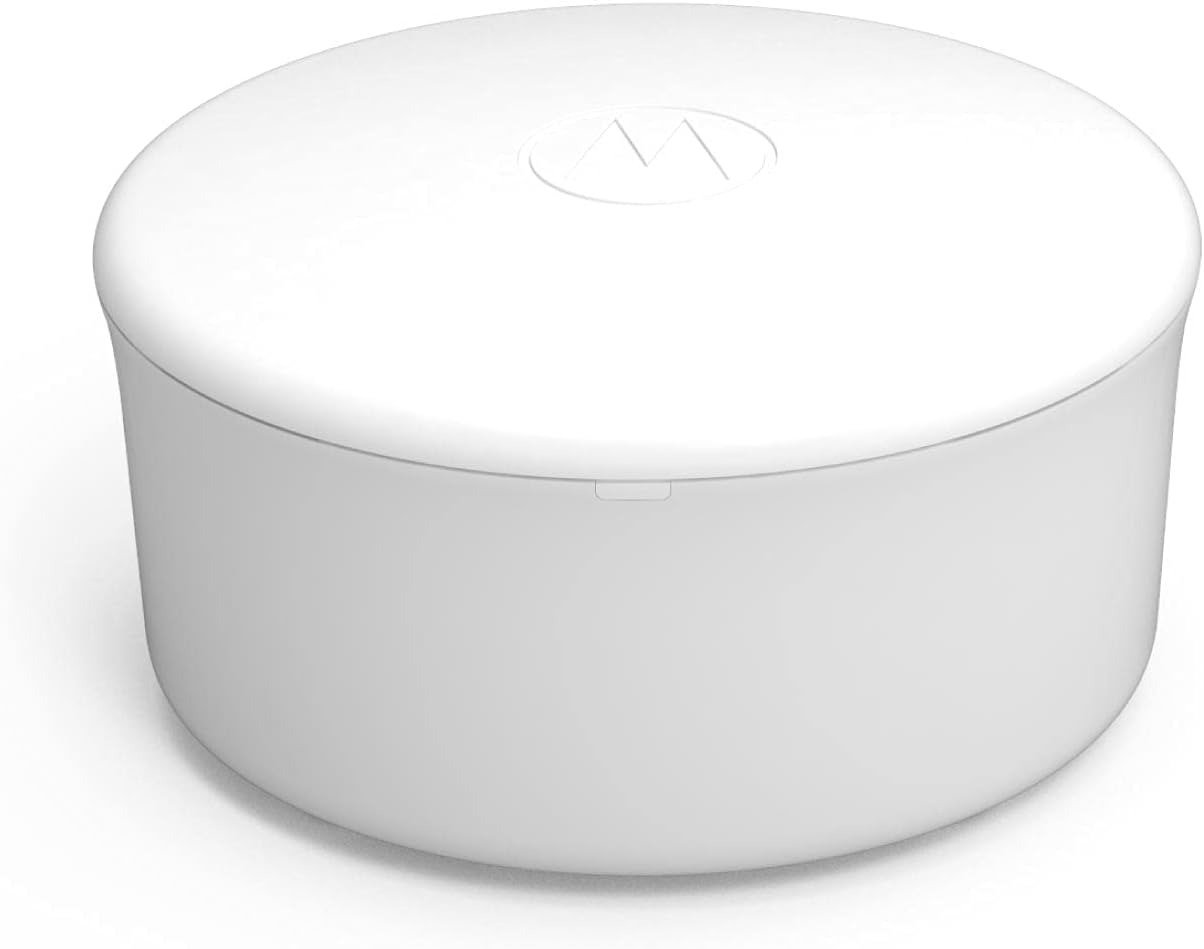
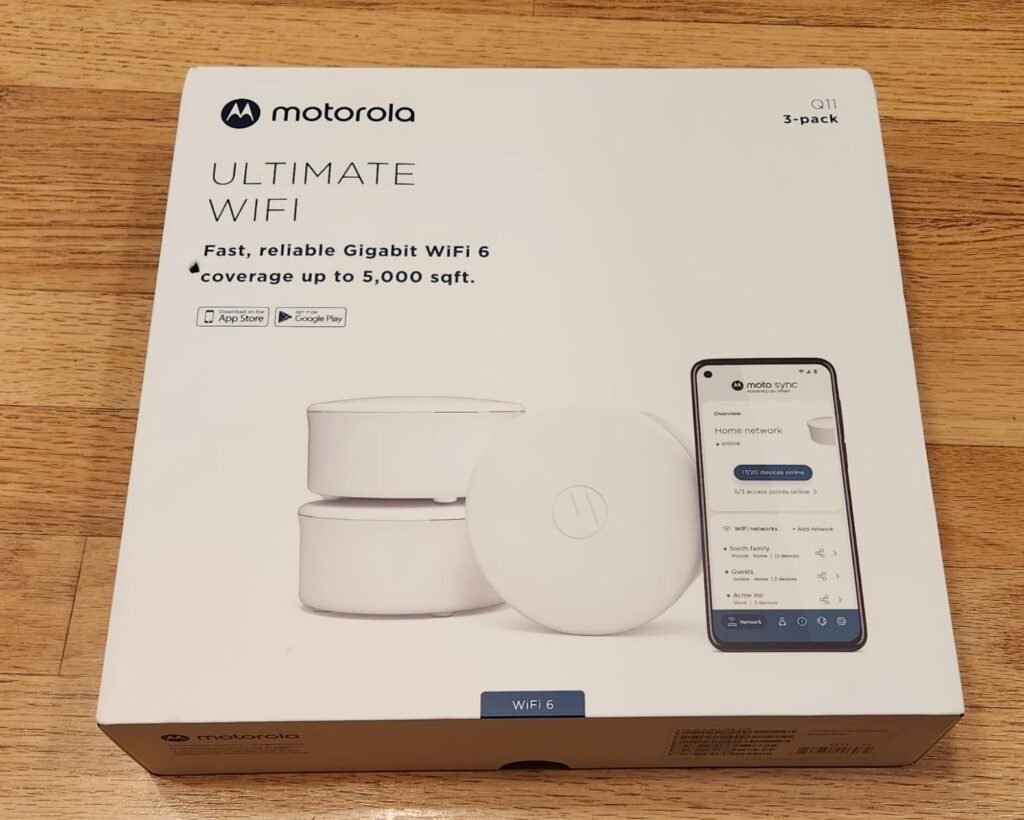
A weak mesh system rarely fails with fireworks. It fails politely. Your phone still shows bars. Netflix still opens. The living room looks “covered.” And then the house starts doing that slow, infuriating thing modern homes do when Wi-Fi is almost good enough: the camera hesitates before loading, the video call smears for two seconds, the game spikes once and swears it was your imagination. That is the trap the Motorola Q11 walks straight into. On the surface, it is attractive for obvious reasons: dual-band Wi-Fi 6, mesh coverage up to 5,000 square feet, built-in security and parental controls, app setup, and gigabit Ethernet on each node. Tom’s Guide also found that it performs well at short range and is easier to set up than many pricier systems.
What kept pulling me back, though, was not the marketing promise. It was the pattern in the evidence. Independent reviews repeatedly land in the same place: decent short-range speed, reasonable coverage, a friendly setup path, then a ceiling you feel once the network stops being a toy and starts being part of your routine. Tom’s Guide praised the price, setup, and included security, but called the overall performance mediocre and pointed out the lack of USB and the limited Ethernet count. Android Central liked the hardware and coverage, then ran into software issues and connection drops severe enough to require a full restart. TweakTown reported similar laggy moments and full network drops before later firmware seemed to improve matters.
What You’re Actually Feeling but Not Naming
Most people do not search for “backhaul inefficiency” or “mesh saturation threshold.” They search because the house feels unreliable. That is the word. Not slow. Unreliable.
I have seen this pattern over and over with entry mesh gear. The pain is not that the network is dead. The pain is that it keeps asking you to forgive it. One dropped call. One smart TV buffering spin. One baby monitor that takes a beat too long to reconnect. One dashboard app that tells you everything is fine while your patience is bleeding out through the floorboards. Android Central’s testing described exactly this kind of irritation: good hardware on paper, but software roughness and intermittent drops that make trust harder than setup. Amazon forum complaints and Reddit posts around the Q11 echo the same kind of frustration: discovery problems, setup loops, or a network that exists in the app but is not behaving the way the user expects in the room.
That distinction matters. A router problem is rarely just a bandwidth problem. It becomes a psychological tax. You start checking placement. Rebooting nodes. Explaining to other people in the house that it is “mostly fine.” You stop feeling like the network is infrastructure and start feeling like it is a pet that needs attention.
The Hidden Mechanism Behind the Miss
The most important thing I found about the Motorola Q11 is not a glamorous feature. It is a contradiction.
Retail and review coverage consistently describe the Q11 as an AX3000 mesh system, with 574Mbps on 2.4GHz and up to 2.4Gbps on 5GHz, plus 160MHz support through Broadcom’s BCM6756 platform. Tom’s Guide and Android Central both describe it that way, and TweakTown explicitly ties its speed story to 160MHz support. But Motorola’s current support specifications page lists the Q11 as AX1800, with up to 574Mbps on 2.4GHz and 1,200Mbps on 5GHz.
That mismatch is not a small footnote. It changes how a buyer imagines the product.
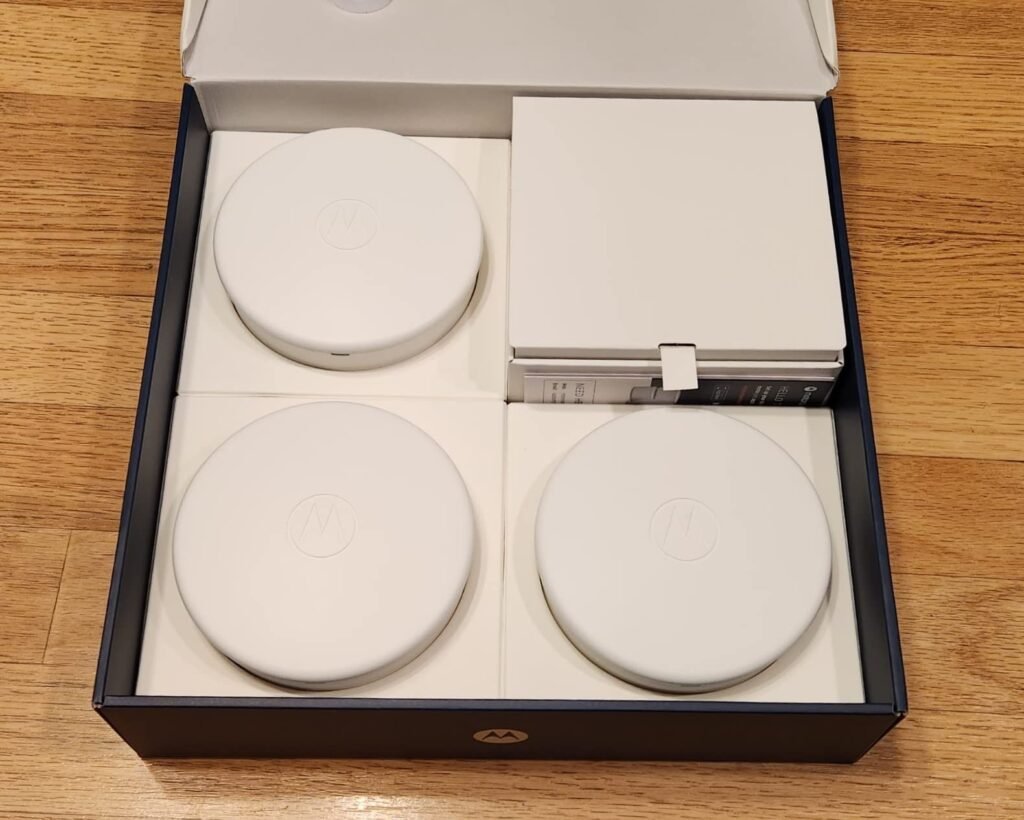
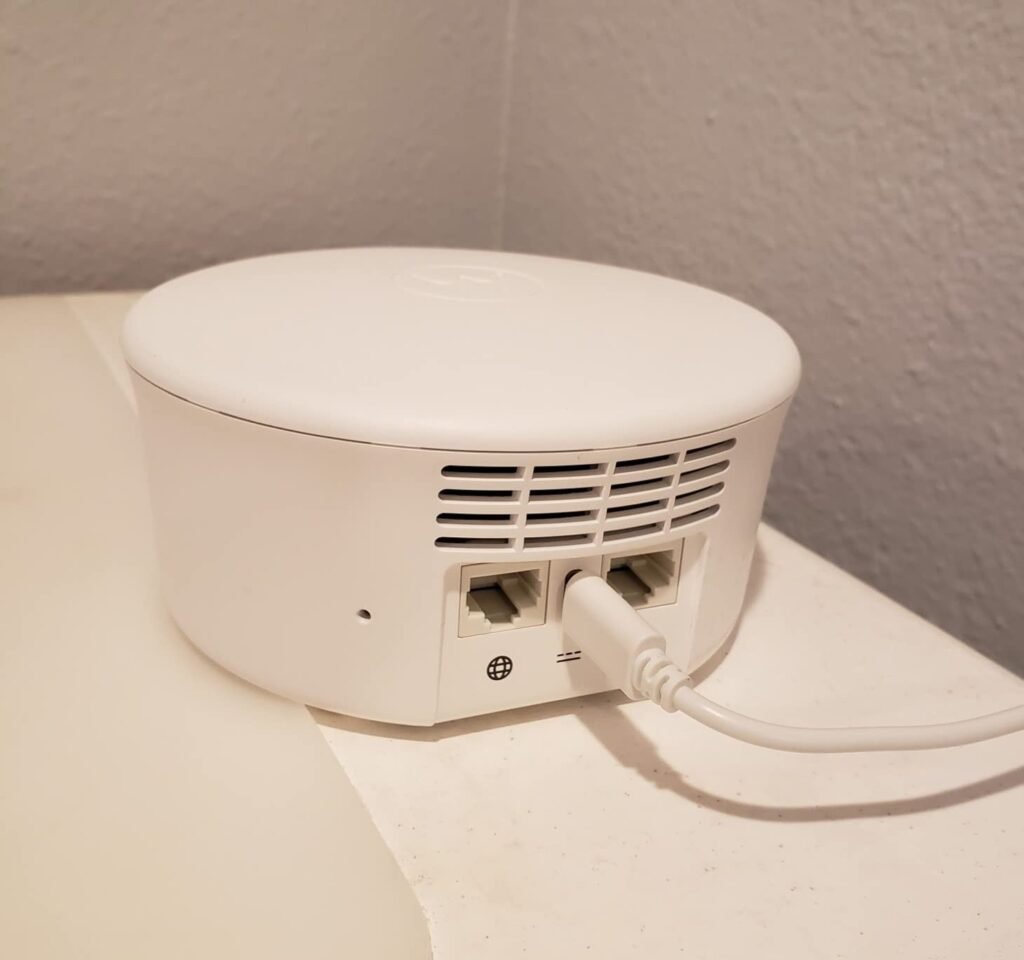
If you buy the Q11 because “AX3000 mesh” sounds like breathing room, you are making a class assumption. If you buy it after noticing that the official support page now frames it more conservatively, you make a different assumption: this is a modest, entry-level mesh kit whose real job is coverage cleanup, not performance headroom. That second framing is the safer one. The official page also makes the rest of the picture plain: two internal dual-band antennas, 2×2 MU-MIMO, OFDMA, beamforming, WPA2 AES, up to 245 total client devices in theory, one gigabit WAN and one gigabit LAN on the router unit, and two gigabit LAN ports when a unit is used as an extender.
So the hidden mechanism is simple: people misbuy the Q11 when they treat the headline class number as the product. The product is not the number. The product is a dual-band, gigabit-limited, app-managed mesh kit with modest wired I/O and a history of software inconsistency in third-party testing.
The Threshold Where the Outcome Quietly Breaks
Here is the threshold as I see it after pulling the reviews apart:
The Q11 stops feeling like a smart bargain the moment you need margin, not just coverage.
Margin means spare stability. Spare wired flexibility. Spare performance when multiple things happen at once.
Tom’s Guide measured peak 802.11ax throughput at 1.146Gbps at 15 feet and listed range at 95 feet, which tells me the Q11 can look very respectable near a node. TweakTown’s results tell the same story in a different accent: around 721Mbps on 5GHz at 10 feet, 639Mbps at 30 feet, and much lower numbers on 2.4GHz. Those are not embarrassing figures for an entry-level mesh system. They are simply not luxurious ones, especially once real walls, crowded client behavior, and dual-band mesh overhead enter the house with muddy shoes.
The break point usually arrives when three things stack:
| What changes in the house | Why the Q11 starts to feel smaller |
|---|---|
| More simultaneous activity | Dual-band mesh has less room to hide its compromises than stronger or tri-band systems |
| More wired needs | The Q11 has very limited Ethernet flexibility and no USB storage option |
| Less tolerance for resets or quirks | Reviewers found software instability more memorable than setup simplicity |
That is the threshold. Not “Can it work?” It can. The real question is: How much household friction can it absorb before it becomes the source of the friction?
Why Most Buyers Misread This Too Early
Because they compare the wrong things.
They compare advertised class. They compare box promises. They compare “supports 100+ devices” language as if every device places the same load on a mesh. They compare coverage claims as if a 5,000-square-foot headline is a guarantee instead of a context-dependent ceiling. Motorola’s own material mentions coverage up to 5,000 square feet, easy setup, and support for large device counts, which is fine as a directional statement. The mistake happens when that statement gets translated into: “This will disappear into the background no matter how I use it.”
That is also why the Q11’s strengths are easy to overvalue early:
- The setup is genuinely straightforward through the MotoSync app.
- The support structure is more accessible than on many cheap routers, including in-app help and live chat references in reviews and support materials.
- The included security and parental-control layer is useful because some rivals reserve similar features for subscriptions.
Those are real advantages. They are just not the same thing as performance resilience.
Who Is Actually Inside This Problem
The Q11 makes the most sense for a very particular kind of home.
You are probably inside the right problem if your current pain looks like this:
- One router is not reaching the far room cleanly.
- You want an easier setup path than traditional router menus.
- Your internet service is gigabit or below, not multi-gig.
- You care more about eliminating dead zones than maximizing premium throughput.
- You want built-in family controls and security without paying a monthly fee.
This is the near-fit buyer: the person whose existing network is patchy, whose expectations are practical, and whose house does not demand heroics. For that person, the Q11’s compact hardware, simple deployment, coverage story, and low-end-of-mesh pricing can absolutely feel rational. Tom’s Guide basically describes that buyer when it frames the Q11 as a bargain for people who do not need all-out performance.
Where Wrong-Fit Begins
Wrong-fit begins the second you are buying relief from complexity but secretly need headroom.
I would step away from the Q11 if any of these are true:
| Wrong-fit signal | Why it matters |
|---|---|
| You want premium stability under heavier mixed use | Reviewers repeatedly flagged software inconsistency and drops |
| You need more wired flexibility | Each unit is sparse on Ethernet, and there is no USB network storage path |
| You expect future-proof speed language to carry the load | Even the published spec framing around the Q11 is inconsistent across sources |
| You dislike app accounts or data-sharing ambiguity | Android Central explicitly criticized the data-handling/privacy posture |
| You want a set-it-and-forget-it mesh with lots of margin | The Q11’s value proposition is cost, not abundance |
This is where regret usually begins: not when the Q11 is terrible, but when the buyer is asking an entry mesh kit to behave like a more mature, better-provisioned system.
The One Situation Where This Product Becomes Logical
The Motorola Q11 becomes logical in one clean situation:
You are trying to fix coverage dead zones in a normal-sized home, on a sane budget, with gigabit-or-less internet, and you value easy setup plus included controls more than you value premium overhead.
That is it. That is the pocket where the product makes sense.
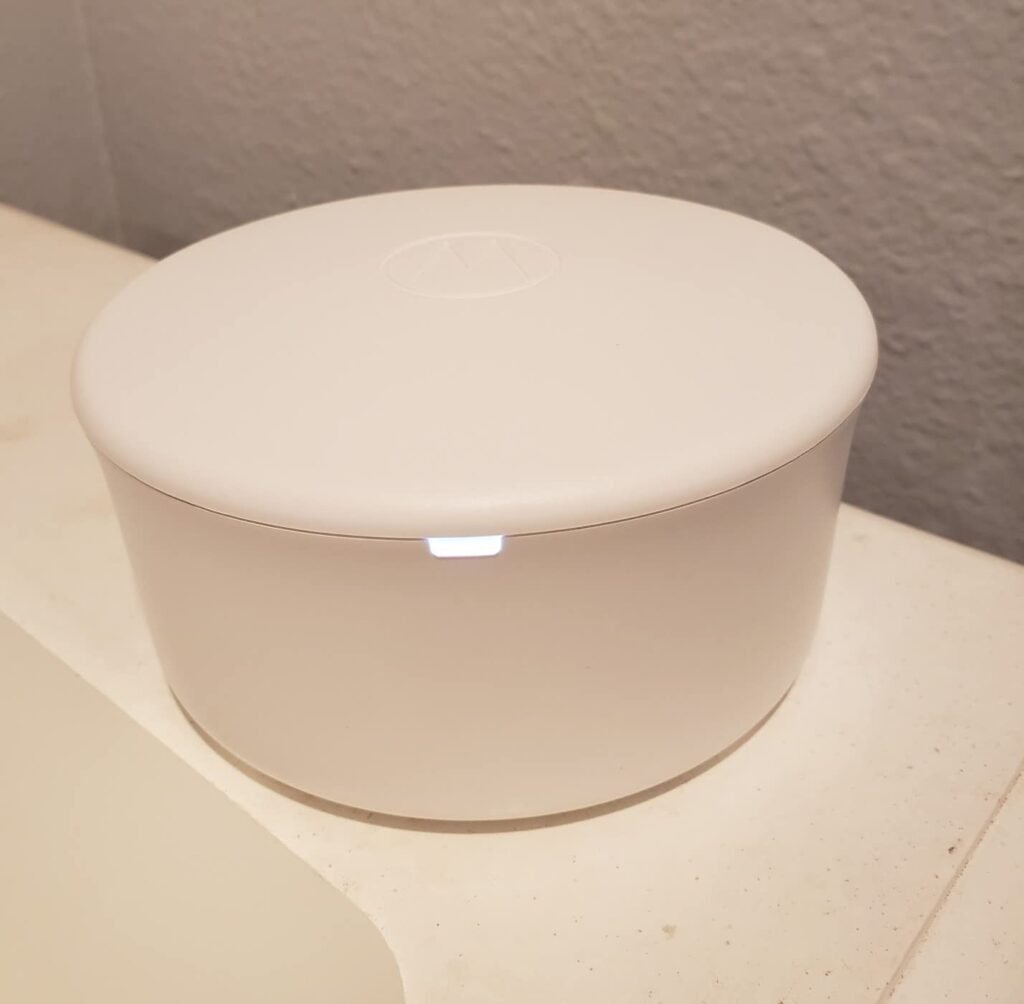
In that pocket, the Q11 is not trying to be a crown jewel. It is trying to stop the house from having obvious weak corners without demanding networking fluency. The hardware foundation is respectable for that job: Wi-Fi 6 features like OFDMA and beamforming, mesh roaming, band steering, smart backhaul behavior, app management, and gigabit wired ports. Third-party testing suggests it can deliver solid short-range performance and workable general-home speeds when conditions are not punishing.
That is the only place I can authorize it cleanly. Not as the best mesh system. Not as the clever choice for everyone. As the logical choice when your actual problem is coverage cleanup under controlled expectations.
What It Solves, What It Reduces, and What It Still Leaves to You
What it solves:
- Dead-zone reduction in homes where one router is not enough.
- Setup anxiety for buyers who do not want a dense web interface.
- Extra subscription spend for basic security and parental features.
What it reduces:
- The irritation of obvious Wi-Fi shadows.
- The need to overthink placement once nodes are spaced correctly; Motorola’s own guidance is simply to place extenders midway between the router and the weak area.
- The barrier to getting a mesh system running at all.
What it still leaves to you:
- Living with limited ports.
- Accepting that app-based convenience comes with account/app dependency, and for some reviewers, privacy discomfort.
- Accepting that this product has a documented history of firmware/software roughness in independent testing, even if later updates may have improved some behavior.
That last point matters most. A cheap mesh system can save money. It can also convert saved money into small recurring annoyances if you buy past its threshold.
Final Compression
The Motorola Q11 is not a bad idea. It is a narrow one.
When I strip away the class labels, the “whole-home” glow, and the usual mesh-router theater, I end up with a much simpler verdict: the Q11 is a budget-minded mesh fix for people whose real problem is patchy coverage, not people who need generous performance margin. The evidence supports that shape over and over—good setup, decent short-range speed, useful built-in controls, then a ceiling marked by sparse ports, mixed software confidence, and expectations that can outrun the hardware faster than buyers realize.
If your network is failing because the house has blind spots, the Q11 can be a rational correction. If your network is failing because the house is busy, demanding, wired-up, and intolerant of quirks, this is where the decision stops being vague: the low price is no longer the feature. It is the warning.
Transparency Note:
This analysis is built on aggregated real-world experience.
It extracts what repeatedly holds, what breaks, and what users uncover only after living with the system—then shapes it into a clear model you can use immediately.
Think of it as structured experience, refined and presented so you don’t have to learn it the hard way.
“A quick note: Don’t believe the star ratings, but trust personal experience. This article is a compilation of collected experiences”