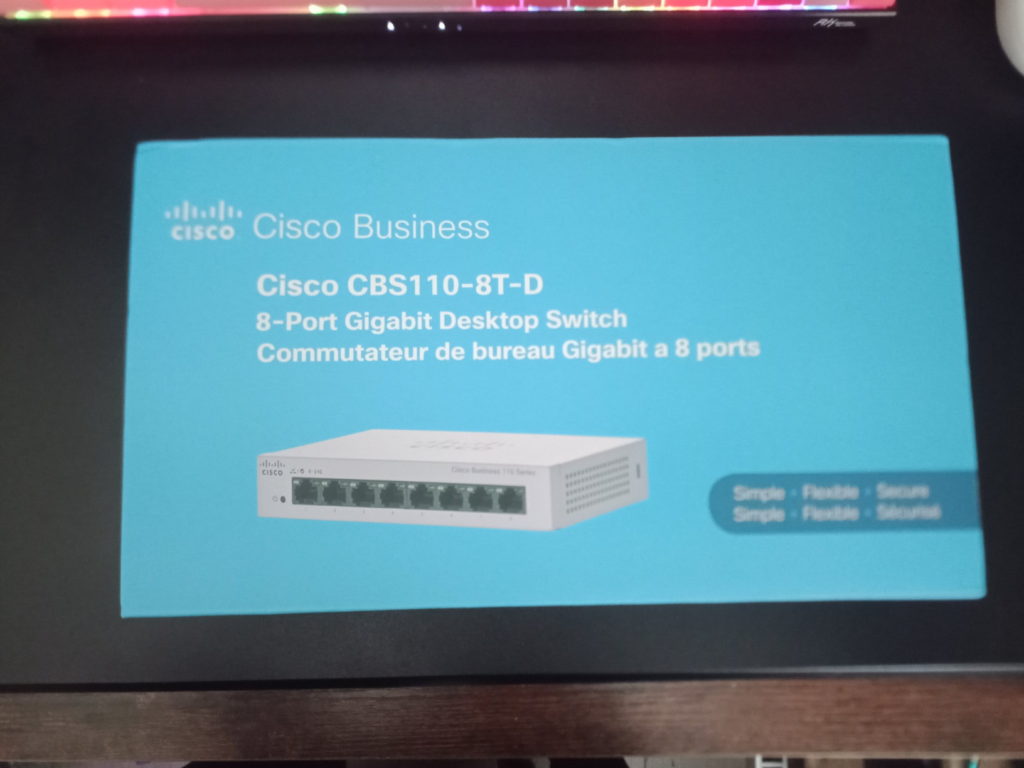
CISCO CBS110-8T-D
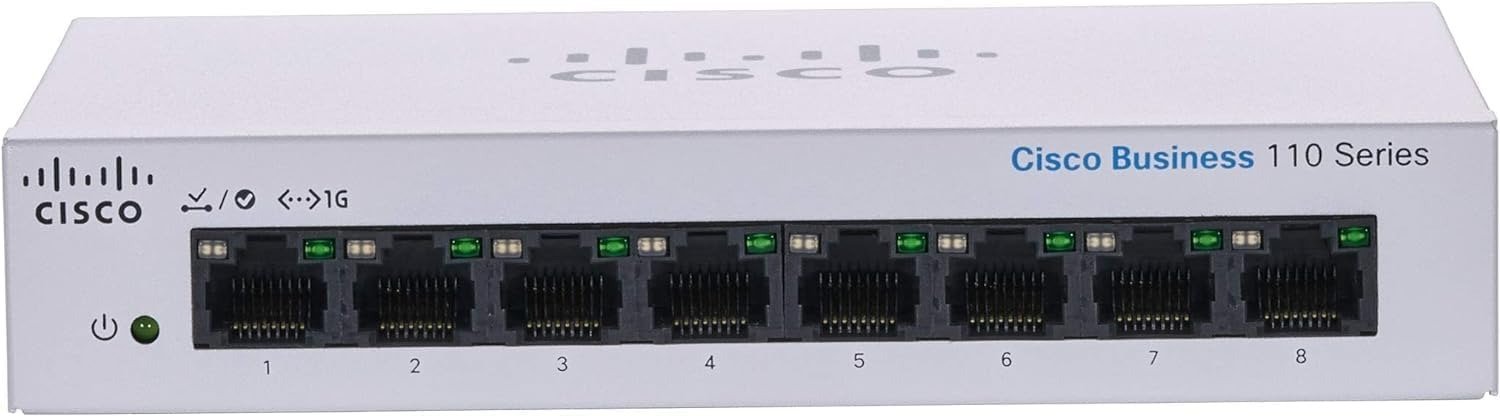
Cisco CBS110-8T-D Review: The Switch That Works Fine, Until You Find Out What It Can’t Do
Cisco CBS110-8T-D Performance: The Result Looks Fine, The Problem Isn’t
You plug it in. Eight lights turn green in under a second. Every device in the house or office suddenly has a wire, and every wire suddenly has full gigabit speed. For the first few weeks, the CBS110-8T-D feels like a solved problem.
Then someone asks if you can add a security camera by the door. Or your desk grows a second monitor, a mesh access point, a VoIP phone, and you go looking for a spare port to run power through instead of another wall adapter. That’s usually the moment the question shows up: “wait, does this switch even do PoE?”
That question isn’t a sign the switch failed. It’s a sign nobody was clear about what it was built to do in the first place — and on Amazon, that confusion is common enough that you’ll find people in the same thread pointing each other toward two different Cisco models with almost identical names after one buyer clarified their unit was gigabit but not PoE, and pointed toward a separate PoE version instead.
Cisco CBS110-8T-D Common Complaints: What You’re Actually Feeling but Not Naming
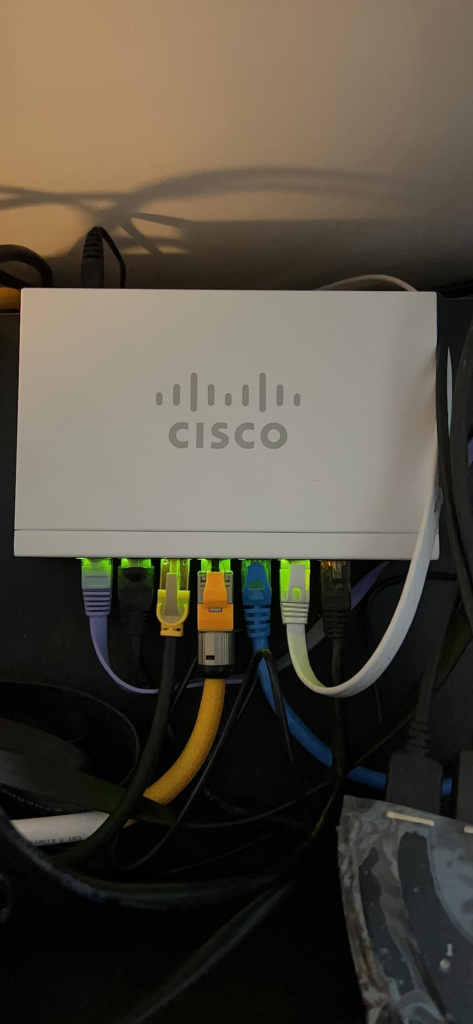
If you’ve lived with a bargain switch before this one, you already know the feeling I mean. Not a dramatic failure. A quiet, low-grade distrust. A port that used to hit full speed and now caps out lower, for no reason anyone can find. A box that gets warm to the touch and makes you wonder if tonight’s the night it dies.
That distrust is what actually drives most people toward a Cisco nameplate, more than any single spec on the box. It’s not excitement. It’s fatigue with things that almost work.
The CBS110-8T-D answers that fatigue in a specific way: fanless, silent, metal-bodied, with nothing to configure and nothing to update because there’s no firmware sitting on it waiting to be patched since these are unmanaged switches, there’s no firmware to update at all. That’s not a missing feature. That’s one less thing that can ever go wrong.
CBS110-8T-D vs CBS110-8PP-D: The Hidden Mechanism Behind the Miss
Here’s the part almost nobody explains clearly, and it’s the reason this review exists.
Cisco’s 110 series uses a naming code that looks cosmetic but isn’t. If you see a “P” in the model number, the switch carries Power over Ethernet. If you don’t, it doesn’t — full stop, no exceptions, no hidden setting to unlock it. The PoE-capable models in this series are marked by the letter “P” in the product ID, so the PoE version of an otherwise identical switch has a completely separate model number and its own power budget.
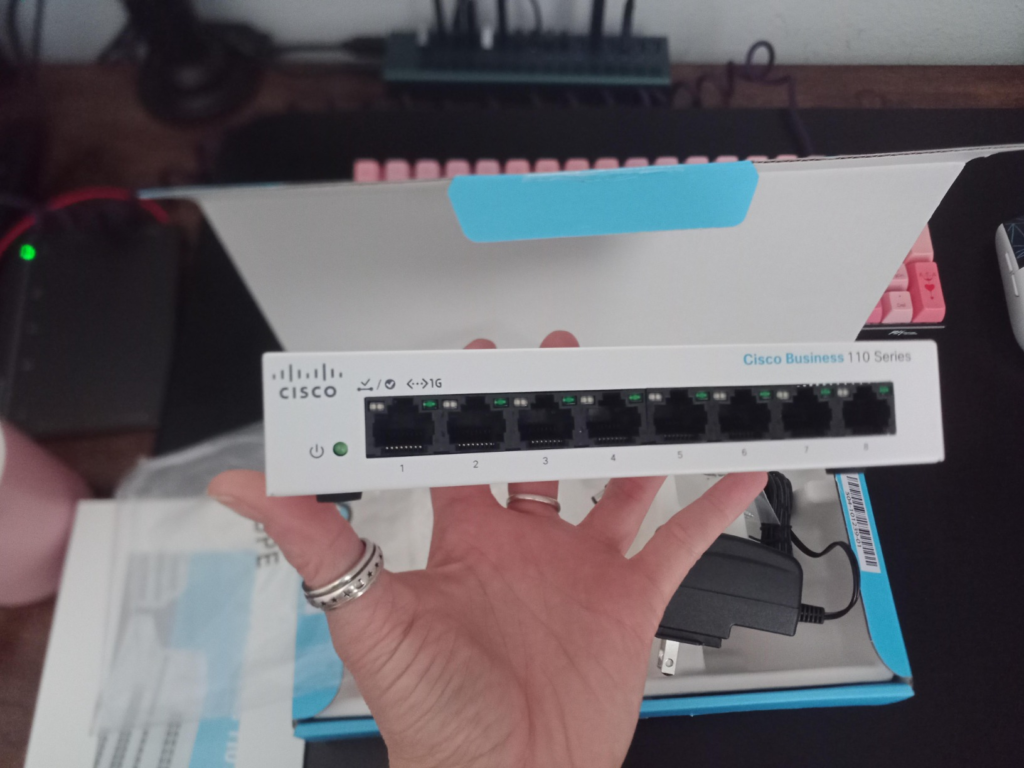
The CBS110-8T-D you’re likely looking at right now has zero PoE ports. Its sibling, the CBS110-8PP-D, has four PoE ports sharing a 32-watt budget between them. Same 8-port layout. Same price bracket. Completely different job.
| CBS110-8T-D (this review) | CBS110-8PP-D | |
|---|---|---|
| Ports | 8x Gigabit, 0 PoE | 8x Gigabit, 4 PoE |
| PoE budget | None | 32W total, shared |
| Power adapter | Small 12V/1A brick | Larger 48V/1.25A brick |
| Good for | PCs, NAS, consoles, streaming boxes | 1–2 PoE cameras or one access point |
| Setup | Zero configuration | Zero configuration |
This isn’t a rare mix-up. It’s common enough that it shows up in real buyer discussions, with people confirming after the fact which version they actually own and describing the unit as gigabit-capable but not PoE, once they’d checked. If PoE matters to you at all, this single detail decides your purchase before anything else in this article does.
CBS110-8T-D Specs and Limits: The Threshold Where the Outcome Quietly Breaks
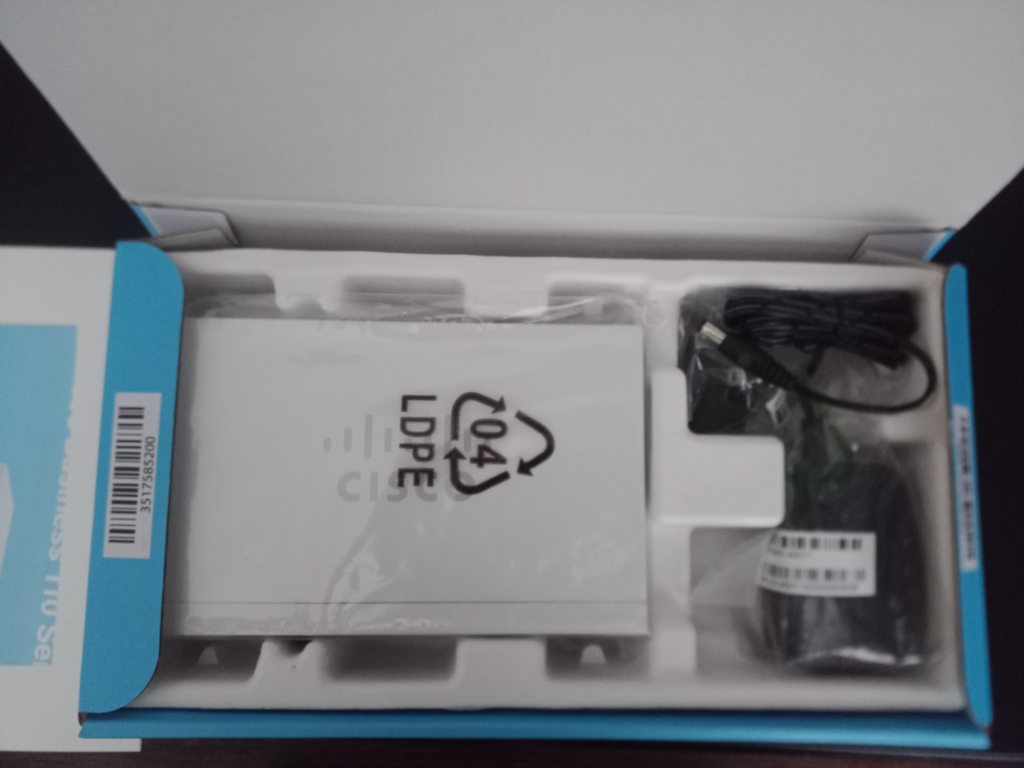
Underneath the plug-and-play simplicity, this isn’t a bargain-bin dumb switch pretending to be something more. It’s doing real traffic management in the background, even with zero screens or apps involved.
| Spec | Cisco CBS110-8T-D |
|---|---|
| Ports | 8x Gigabit Ethernet (RJ-45) |
| PoE | None |
| Switching capacity | 16 Gbps |
| Forwarding rate | 11.9 Mpps |
| MAC address table | 8,000 entries |
| QoS | 802.1p priority, 4 hardware queues, WRR |
| Jumbo frames | Up to 9,216 bytes |
| Extra protection | Loop detection, cable diagnostics |
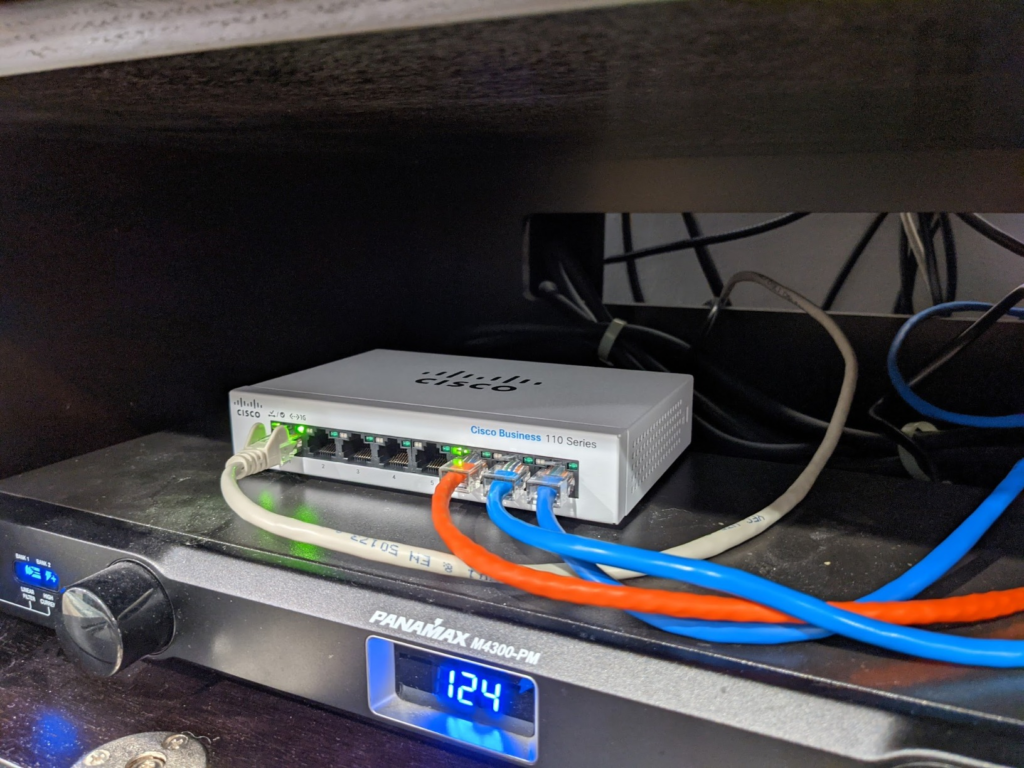
| Cooling | Fanless, silent |
| Warranty | Limited lifetime |
| Typical price | Mid-$50s to mid-$60s |
That 16 Gbps switching figure and the 11.9 Mpps forwarding rate come directly from Cisco’s own datasheet for this model — not marketing copy, the actual backplane numbers. That headroom is why eight devices pulling files, streaming, and gaming at once don’t choke each other out the way they would on a $15 no-name switch.
But here’s the threshold: this switch will never learn a VLAN, never log a single packet, never let you see which port just died without walking over and looking at it yourself. That’s not a bug waiting on a firmware update. It’s architecturally impossible on this hardware, by design. Since a managed switch only becomes worth caring about once you actually need VLAN segmentation, QoS control for voice and video, or centralized monitoring. Cross that line, and no amount of loving this box will make it the right tool anymore.
CBS110-8T-D vs TP-Link and Netgear: Why Most Buyers Misread This Too Early
“It’s just a switch, they’re all basically the same” is the sentence that gets people in trouble. Gigabit is gigabit, sure — but what happens under load, under years of use, and under a support call isn’t the same at all.
| Cisco CBS110-8T-D | TP-Link TL-SG108 | Generic budget switch | |
|---|---|---|---|
| Build | Metal, fanless | Metal, fanless | Usually plastic |
| Traffic prioritization | Yes (802.1p, 4 queues) | Basic or none | Rarely present |
| Loop protection | Built in | Varies by model | Rarely present |
| Warranty | Limited lifetime | Limited lifetime | 1–2 years typical |
| Typical price | ~$55–65 | ~$25–30 | ~$15–25 |
The TP-Link TL-SG108 shows up constantly as the direct comparison shoppers cross-check against this exact listing since it’s one of the products Amazon surfaces alongside this switch as a close alternative, and it’s a genuinely competent switch for the price. What it doesn’t carry is the same depth of QoS logic or the enterprise support chain behind the Cisco name. You’re not paying double for a badge. You’re paying for the switch that’s still quietly working in a closet five years after the cheaper one got replaced twice.
Best Use Case for the CBS110-8T-D: Who Is Actually Inside This Problem
I’ve set up more home and small-office networks than I can count, and the person who ends up happiest with this exact switch is almost always the same person: someone who ran out of physical ports before they ran out of patience.
You’ve got a router or modem with four LAN ports, and you’ve already used all of them — desktop, printer, NAS, maybe a games console — and the next device in line is sitting there with an ethernet cable and nowhere to plug it in. Or you’re setting up a small office, five to eight desks, no IT department, and the honest requirement is “everything stays connected and nobody has to think about it again.”
That’s this switch’s entire reason to exist. Not managing a network. Extending one, invisibly, permanently.
Cisco CBS110-8T-D Wrong-Fit Warning: Where Buyer’s Remorse Begins
The regret cases are just as predictable as the success cases, and they cluster around three specific situations.
| You need… | Skip this switch, get instead |
|---|---|
| PoE for a camera or access point | CBS110-8PP-D, or a Catalyst 1200 with a real PoE budget |
| VLANs to separate guest, IoT, or camera traffic | A smart or managed switch (Catalyst 1200/1300 tier) |
| Remote visibility — an alert when a port drops | Any switch with a management dashboard, not this one |
| More than 8 wired devices soon | The 16- or 24-port version in the same family |
None of these are flaws. They’re just outside the job this switch was hired to do. Buying it anyway, hoping a future firmware update adds VLANs, is the single most common way people end up disappointed — because that update is never coming. It can’t. There’s no software layer to update in the first place given the whole series is built without firmware, by design.
Cisco CBS110-8T-D Price and Verdict: The One Situation Where This Product Becomes Logical
Street pricing on this switch typically sits in the mid-$50s to mid-$60s, occasionally lower during sales, with major retailers listing it right around that range — one large electronics retailer had it priced at $63.99 at time of research. That puts it noticeably above bargain 8-port switches and noticeably below anything with a management interface.
If your situation is: “I need eight reliable wired ports, I will never touch a config screen, and I want the kind of hardware that outlives its warranty instead of testing it” — that’s the exact and only situation where this product stops being a maybe and becomes the obvious answer.
What the CBS110-8T-D Solves, Reduces, and Still Leaves to You
| Solves | Reduces | Still leaves to you |
|---|---|---|
| Not enough wired ports on your router | Random disconnects and silent speed drops | Any need for VLANs or network segmentation |
| Flaky bargain-switch failures | Setup time — genuinely zero configuration | PoE for cameras or access points (needs the PP-D) |
| Accidental network loops from double-connecting cables | Noise, since it’s fully fanless | Remote monitoring or alerts on port failure |
A real customer review of this switch, translated from a European storefront, sums up the honest ceiling and floor of this thing well: no unexplained outages or connection drops, performance that’s more than sufficient for file sharing, VoIP, and everyday cloud services on a small network, with the acknowledged trade-off that an unmanaged switch simply won’t offer VLANs or port mirroring. That’s the whole trade in one sentence. The one recurring physical gripe worth knowing about beforehand: the status LEDs run noticeably bright, enough that more than one owner has mentioned it as their only real complaint after otherwise rating the switch highly.
Cisco CBS110-8T-D Review: Frequently Asked Questions
| Question | Answer |
|---|---|
| Does the Cisco CBS110-8T-D support PoE? | No. It has zero PoE ports and zero power budget for it. The PoE version of this exact switch is a different model, the CBS110-8PP-D, with four PoE ports and a 32W shared budget. |
| What’s the real difference between CBS110-8T-D and CBS110-8PP-D? | Both have 8 gigabit ports and cost roughly the same. The 8PP-D adds PoE on 4 of those 8 ports and uses a larger external power adapter to support it. Everything else — switching capacity, QoS, warranty — is functionally the same family. |
| Can I add VLANs to this switch later with a firmware update? | No. It’s unmanaged at the hardware level, permanently. There’s no firmware layer to update. If you need VLANs, you need a smart or managed switch instead, like Cisco’s Catalyst 1200 series. |
| Is it loud? | No, it’s fanless and silent by design. The one recurring complaint isn’t noise — it’s that the status LEDs run brighter than some owners expect in a bedroom or dark room setup. |
| How many devices is this actually good for? | Up to eight wired devices comfortably. If you’re already planning for more than that, or you’ll need PoE or monitoring soon, size up now rather than buying twice. |
| Can I mount it on a wall instead of a desk? | Yes, a wall-mount kit is included with the desktop model. Full rack-mounting is only available on the larger 16- and 24-port chassis versions in this same series, not this 8-port desktop unit. |
| Is this switch outdated or being discontinued in 2026? | It’s still actively sold and covered under Cisco’s limited lifetime warranty. Cisco has been consolidating some of its older small-business switch lines into newer unified naming as part of a broader transition guide covering several legacy series, but that’s a long-term roadmap note, not a reason to hesitate on a current purchase. |
Final Verdict on the Cisco CBS110-8T-D
Strip away the model numbers and this comes down to one question: do you need a switch that extends your network, or one that manages it? If the answer is extend — more reliable wired ports, zero configuration, hardware that’s still working long after a cheaper one would have failed twice — this is exactly that switch, and it does that one job about as well as it can be done at this price.
If the answer involves PoE, VLANs, or watching your network from your phone, stop here and look one tier up before you buy.
If your setup matches the first description, the exact listing this review is based on is here:
Transparency Note:
This analysis is built on aggregated real-world experience.
It extracts what repeatedly holds, what breaks, and what users uncover only after living with the system—then shapes it into a clear model you can use immediately.
Think of it as structured experience, refined and presented so you don’t have to learn it the hard way.
“A quick note: Don’t believe the star ratings, but trust personal experience. This article is a compilation of collected experiences.”