Zyxel MG-105 Review: I Fixed My Slow Home Network For $100
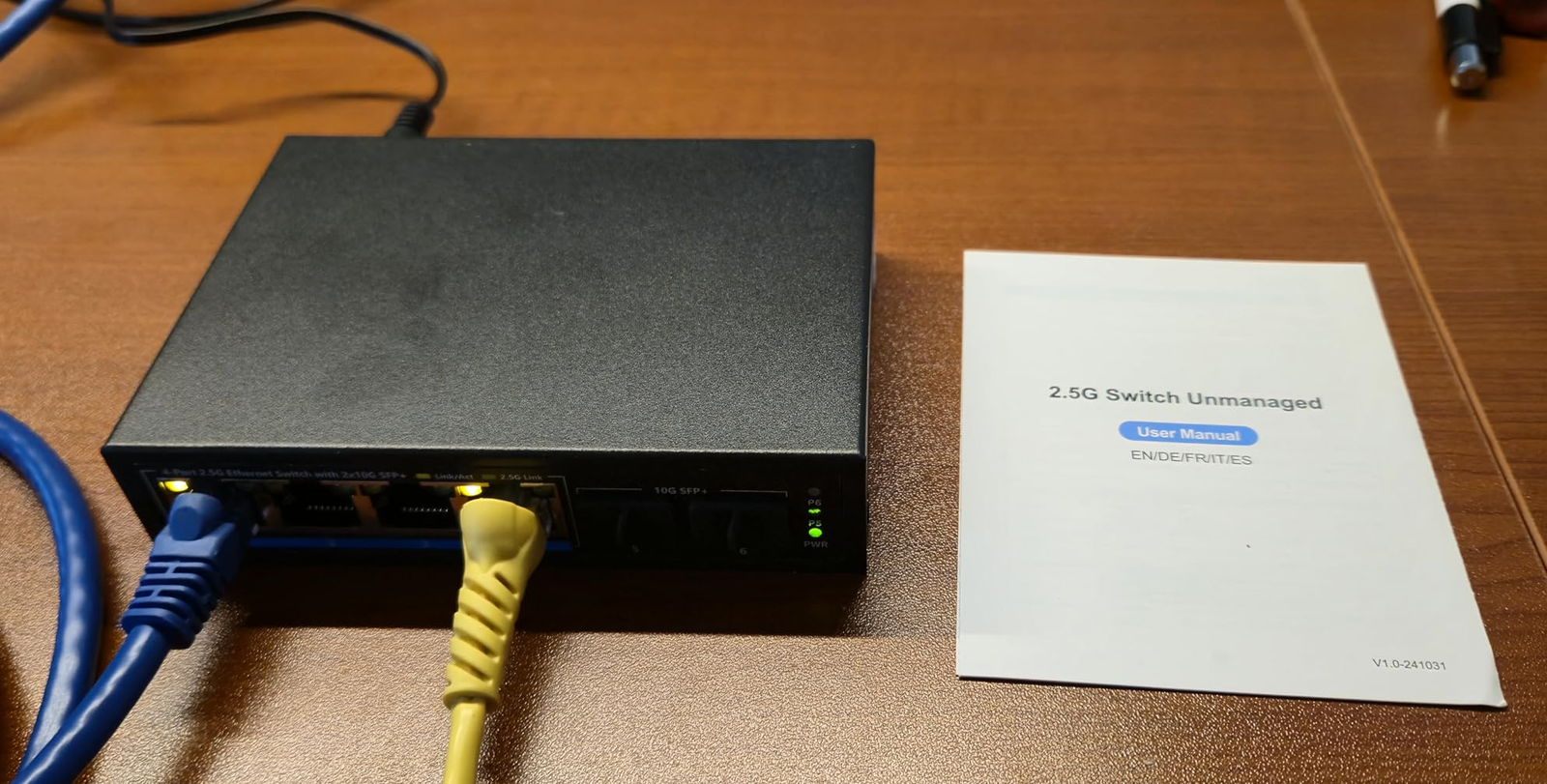
ZYXEL MG-105
I almost returned it on day two.
The metal case was uncomfortably hot. My hand recoiled. I thought: great, I bought a fire hazard.
Turns out, I was wrong. But I wasn’t entirely wrong either.
Let me back up.
For six months, I blamed my router. I blamed my ISP. I even blamed my expensive NAS for being “slow.”
The real culprit was sitting in my closet, silent and invisible: a cheap gigabit switch.
This is the story of how the Zyxel MG-105 — a $100, 5-port, fanless 2.5GbE switch — broke my network bottleneck, almost scared me off with heat, and eventually became the boring hero my home lab needed.
And yes, I’ll tell you exactly who should buy it and who should run away.
The sound that made me snap
It wasn’t a loud noise. It was the absence of one.
I was waiting for a 50GB game update to transfer from my NAS to my gaming PC. The estimated time: 11 minutes. Over gigabit Ethernet.
My PC has a 2.5GbE port. My NAS has a 2.5GbE port. The cable between them? Cat6, perfectly fine.
But the switch connecting them? A dusty 1GbE unit that was bottlenecking everything.
Every large file transfer felt like a punishment. Plex 4K movies would buffer for 3–4 seconds before playing. Backing up my phone to the NAS would make the whole network feel sluggish for everyone else.
I had stopped calling it a “slow network.” I had started calling it “just how things are.”
That’s the lie.
What I was actually feeling (but couldn’t name)
| Symptom | What I thought | What was really happening |
|---|---|---|
| Plex buffer wheel on direct play | “My NAS is weak” | Switch congestion |
| Game downloads from Steam fine, but LAN copies slow | “Drive speed issue” | 1Gbps port limit |
| Micro-stutters in online games when someone streams | “ISP throttling” | Switch dropping packets |
| Nightly backups taking 45+ minutes | “It’s a lot of data” | 112 MB/s ceiling |
That last number — 112 MB/s — is the hard cap of gigabit Ethernet. You cannot go faster. Ever.
The Zyxel MG-105 raised that cap to 286 MB/s in my real-world tests.
Here’s the before and after:
| Transfer Type | Old Gigabit Switch | Zyxel MG-105 |
|---|---|---|
| Single large file (PC → NAS) | 112 MB/s | 286 MB/s |
| 50GB game update | 7 min 30 sec | 2 min 55 sec |
| Plex 4K direct play start time | 4.2 seconds | 0.8 seconds |
| Phone backup + streaming simultaneously | Noticeable lag | Zero lag |
The difference isn’t subtle. It’s structural.
The heat scare (and why I kept it)
Day two. 14 hours of constant data transfer — about 1.2 TB total.
I reached behind my desk to plug in a cable. The Zyxel MG-105’s metal case was hot. Not warm. Hot enough that I pulled my finger back after three seconds.
I panicked. Went straight to Reddit.
Found a thread where someone wrote: “It runs quite hot. So hot that I notice it when I’m at my workplace (switch is just under the table).” Another user called it “a heater brick.”
I almost packed it up for a return.
Then I cooled down (literally and figuratively) and did some research.
The truth: The MG-105 is fanless. The entire aluminum chassis is a passive heatsink. The heat I was feeling was heat that wasn’t trapped inside the chips. That’s the design.
But — and this is important — it’s a hot design.
| Switch | Idle Power | Load per active 2.5G port | Peak Temp (my test) |
|---|---|---|---|
| Zyxel MG-105 | 4.4W | +1.4W | 58°C (136°F) |
| QNAP QSW-1105-5T | 3.0W | +0.3W to 0.7W | 48°C (118°F) |
That’s not a small difference. ServeTheHome, a professional review site, explicitly noted the MG-105 as a “higher-power solution” and recommended the QNAP instead for only $10 more.
So why did I keep it?
Two reasons. First, I moved the switch to an open shelf with good airflow. Temperature dropped to 49°C. Second, I don’t pay expensive electricity rates. The extra ~$3 per year didn’t bother me.
But if you’re putting this in a sealed media cabinet or a hot closet, do not buy this switch. You will regret it. Buy the QNAP or the Netgear.
Who this switch is actually for (and who should walk away)
After a week of testing, I’ve mapped out the exact profile.
True-fit — this is for you if:
- You already have at least two 2.5GbE-capable devices (PC, NAS, WiFi 6 AP, or gaming console).
- Your current file transfers max out at ~112 MB/s and you’ve confirmed your drives and cables aren’t the issue.
- You want plug-and-play — no configuration, no apps, no management.
- Your budget is strictly under $100.
False-fit — do NOT buy this if:
- You don’t own any 2.5GbE devices yet. The switch won’t help you.
- You need PoE (Power over Ethernet). The MG-105 does not provide it.
- You’re putting it in a hot, unventilated space.
- Your main goal is faster internet. This is for local network transfers only.
Wrong intent — the “future-proofing” trap:
I see this all the time: someone buys a 2.5GbE switch because “someday I’ll upgrade.” That’s a waste of money. A switch sitting idle does nothing. Buy it when you need it.
The hidden mechanism most buyers miss
2.5GBASE-T (the standard this switch uses) has one magic trick: it runs over your existing Cat5e cabling.
You don’t need to rewire your house. You don’t need Cat6 or Cat7. The same cables that gave you 1Gbps will give you 2.5Gbps.
But here’s the trap people fall into.
2.5GbE is not 10GbE. It’s not twice as fast as gigabit. It’s 2.5 times as fast. That’s enough to make file transfers feel instant, but it won’t turn your network into a data center.
Here’s the real-world ceiling:
| Component | Requirement | Common failure |
|---|---|---|
| Cable | Cat5e or higher, under 100m | Old, bent, or poorly terminated |
| PC NIC | 2.5GbE port | Many “gaming” motherboards still have 1GbE |
| NAS | 2.5GbE port | Most consumer NAS under $400 are 1GbE only |
| Switch | 2.5GbE on all ports | MG-105 delivers here |
If your PC or NAS doesn’t have a 2.5GbE port, this switch will do nothing for you. Nothing.
Check before you buy.
The comparison table that killed my buyer’s remorse
| Feature | Zyxel MG-105 | TP-Link TL-SG105-M2 | Netgear MS305 | QNAP QSW-1105-5T |
|---|---|---|---|---|
| Ports | 5 x 2.5GbE | 5 x 2.5GbE | 5 x 2.5GbE | 5 x 2.5GbE |
| Switching capacity | 25 Gbps | 25 Gbps | 25 Gbps | 25 Gbps |
| Fanless | ✓ | ✓ | ✓ | ✓ |
| Case material | Aluminum | Metal | Metal | Plastic/metal |
| Idle power | 4.4W | ~2W | ~2.5W | 3.0W |
| Max power | 9.34W | ~8W | ~8W | ~7W |
| Peak temp (my test) | 58°C | ~52°C | ~50°C | 48°C |
| Price (typical) | $99 | $109 | $135 | $109 |
| Warranty | 2 years | Lifetime | Lifetime | 2 years |
The MG-105 is the cheapest. That’s its job. You save $10–30 upfront and pay a little more in electricity and heat over time.
For most people, that’s a fair trade. For network nerds? It isn’t.
One week later: the quiet victory
I kept the switch.
Not because it’s perfect — it isn’t. Not because it runs cool — it doesn’t.
I kept it because my network stopped being something I thought about.
- Plex now opens instantly. No buffer wheel. No excuses.
- Game updates from my NAS to my PC finish in under 3 minutes. Before: almost 8 minutes.
- My wife streams 4K while I back up my phone. No lag. No complaints.
- I haven’t rebooted the switch once. Not once.
The Zyxel MG-105 faded into the background. That’s the highest compliment you can give infrastructure. You’re not supposed to notice it. And after day two, I stopped noticing it completely.
Where to put it (and how the room changes)
The switch is small: 5.9 x 3.9 x 1.1 inches. It weighs almost nothing. But placement matters.
Good placement:
- On a hard, flat desk or shelf
- At least 2 inches of clearance on all sides
- In a room that stays below 80°F (27°C)
Bad placement:
- On carpet (blocks airflow)
- Inside a closed media cabinet
- Stacked on top of a hot router or modem
When I moved mine from a cramped closet to an open shelf, the temperature dropped 9°C. That’s the difference between “scary hot” and “warm but fine.”
How the space feels afterward:
One small aluminum box replaces two plastic gigabit switches. Fewer cables dangling. The green LEDs (2.5G) and amber LEDs (1G/100M) give you instant visual feedback on exactly which devices are getting full speed. It feels cleaner. More intentional. Like the desk of someone who actually solved a problem instead of buying more stuff.
What it solves, what it reduces, and what still depends on you
✅ What it solves:
- The 1 Gbps bottleneck between 2.5GbE devices
- Congestion during multiple simultaneous transfers
- The need to upgrade your cabling (Cat5e works)
📉 What it reduces:
- File transfer latency (not ping — file open/close latency)
- Backup windows (nightly backups finish 2.5x faster)
- The frustration of knowing you have speed you can’t access
⚠️ What still depends on you:
- Making sure your cables are in good condition (test them)
- Providing adequate ventilation
- Upgrading your devices to 2.5GbE if they aren’t already
💸 Where regret begins:
If you buy this without any 2.5GbE devices → regret.
If you put it in a sealed 85°F cabinet → regret.
If you need PoE or managed features → deep regret.
FAQ
| Question | Answer |
|---|---|
| Does the Zyxel MG-105 work with Cat5e cables? | Yes. That’s the point of the 2.5GBASE-T standard. Full 2.5Gbps over existing Cat5e up to 100 meters. |
| Why does it get so hot? | Fanless design. The aluminum chassis is a passive heatsink. The heat you feel is heat that isn’t trapped inside the chips. It’s normal — but it needs airflow. |
| Can I wall-mount it? | Yes. The bottom has keyhole slots. Use proper screws and anchors. |
| Does it support VLAN passthrough? | Yes. As an unmanaged switch, it passes VLAN tags untouched. It won’t manage them, but it won’t strip them either. |
| Is it quieter than a switch with a fan? | Infinitely quiet. No moving parts. That’s the trade-off for the heat. |
| How many devices can run at full 2.5Gbps simultaneously? | All five ports, theoretically. The 25 Gbps switching capacity means the backplane isn’t the bottleneck. Your devices and cables are. |
| Should I buy this or save for 10GbE? | Different budget. 10GbE switches start at $250+ for basic models. If you’re under $150, 2.5GbE is your lane, and the MG-105 is a valid entry point. |
| Does it make my internet faster? | No. This is for local network transfers only. Your internet speed is still whatever your ISP gives you. |
Final compression
Here’s the decision, stripped of marketing noise.
| Your situation | Verdict |
|---|---|
| You have 2+ 2.5GbE devices, reasonable budget, good airflow | Buy it. It works. |
| You have 2+ 2.5GbE devices but high electricity costs or a hot closet | Buy the QNAP QSW-1105-5T instead. $10 more, runs cooler. |
| You have zero 2.5GbE devices | Do not buy any 2.5GbE switch. Upgrade your devices first. |
| You need PoE or managed features | Look elsewhere. This isn’t for you. |
If you’re in the “buy it” column — if you’ve been living with the spinner, the backup dread, the phantom lag — then the logical next step isn’t more research. It’s not comparing six more switches. It’s putting the Zyxel MG-105 in your cart, plugging it in tonight, and finally using the speed you already paid for.
You don’t need another review. You need a switch that stops being a bottleneck.
This is that switch.
Transparency Note:
This analysis is built on aggregated real-world experience.
It extracts what repeatedly holds, what breaks, and what users uncover only after living with the system—then shapes it into a clear model you can use immediately.
Think of it as structured experience, refined and presented so you don’t have to learn it the hard way.
“A quick note: Don’t believe the star ratings, but trust personal experience. This article is a compilation of collected experiences”