UBIQUITI UNIFI DREAM MACHINE SPECIAL EDITION REVIEW: THE POINT WHERE “GOOD ENOUGH” NETWORKING QUIETLY STOPS WORKING

The painful part is not that most home networks are slow.
It is that they look fine right up until the moment they start stealing time from you.
A camera drops for no obvious reason. A VLAN rule behaves like a locked door with a warped frame. A fast internet plan lands in the house, yet the network still feels strangely cramped. Nothing is dramatic enough to call a disaster. Everything is annoying enough to make you distrust the whole setup.
That is the crack the Ubiquiti UniFi Dream Machine Special Edition lives inside.
What I found, after tracing its official hardware limits, third-party testing, owner feedback, and long-term behavior, is that the UDM-SE is not compelling because it is “powerful.” Plenty of devices are powerful on paper. The reason it becomes persuasive is narrower, and more practical: it collapses a pile of scattered network chores into one controlled surface while still offering 10G-class WAN options, 3.5 Gbps IDS/IPS throughput, eight built-in PoE-capable LAN ports, integrated 128 GB SSD storage, and room for a 3.5-inch surveillance drive. That changes the decision for a specific kind of buyer, not for everyone.
The trap is obvious once you see it.
People shop this box as if they are buying a router. They are not. They are buying a threshold correction.
The Result Looks Fine. The Problem Isn’t.
A weak network rarely looks weak in the first week.
That is why so many people misjudge this category.
A cheap gateway can browse, stream, and pass a speed test. A decent mesh setup can make the signal bars look healthy. A patchwork of small upgrades can keep a house online long enough to hide the deeper problem. The surface is calm. The underside is messy.
What starts to rot is not always raw speed. It is coordination.
You feel it when security cameras, access points, VPN access, traffic rules, and segmentation stop behaving like one system and start behaving like roommates who barely speak. That is exactly where the UDM-SE earns attention: it is a UniFi console first, a gateway second, and a convenience machine only if your network is already dense enough to punish fragmented management. Ubiquiti positions it as a 10G cloud gateway that can manage 100+ UniFi devices, 1,000+ clients, and a meaningful number of cameras, not as a casual consumer router.
That distinction matters.
A lot.
Because the wrong buyer sees the glossy rackmount shell, the touchscreen, the 10G ports, the PoE switch, and thinks bigger numbers equal a better home router. The right buyer sees something colder: a control point that can absorb routing, switching for low-bandwidth edge devices, UniFi management, VPN access, traffic inspection, and light Protect storage without forcing five different admin surfaces into daily life. Officially, it supports 3.5 Gbps IDS/IPS throughput, dual default WAN ports out of the box, Layer 7 firewalling, content filtering, WireGuard, OpenVPN, Teleport, and VLAN-based segmentation.
That is not glamour.
That is friction removal.
What You’re Actually Feeling but Not Naming
Most people do not say, “My network lacks structural coherence.”
They say other things.
They say the Wi-Fi feels random.
They say the cameras are mostly fine.
They say remote access works, except when it doesn’t.
What they are really describing is operational drag.
Not a dramatic failure. A drip.
A network like this taxes you in three ways:
| Hidden cost | What it feels like in real life | Why it matters |
|---|---|---|
| Intervention burden | You keep revisiting settings, reboots, handoffs, or isolated admin pages | The network becomes a recurring task instead of quiet infrastructure |
| Expansion anxiety | Every new AP, camera, VLAN, or WAN change feels like another moving part | You delay useful upgrades because the next step looks messy |
| Trust erosion | You stop believing the stack will behave cleanly under change | Even small issues feel larger when the system no longer feels legible |
That is the real appeal behind owner praise. It is not just “fast.” Amazon’s current listing shows a strong 4.7/5 rating from roughly 249 ratings in the US listing, and the recurring positive theme is not poetic performance language. It is that setup feels quick, throughput stays high with security enabled, and the whole thing feels easy once it matches the user’s UniFi-based environment.
The emotional pull is quieter than most review pages admit.
You do not want a toy.
You do not want another dashboard.
You do not want to babysit your own house.
That is the itch.
The Hidden Mechanism Behind the Miss
The UDM-SE wins and loses on architecture.
That is the center of the entire decision.
On the strength side, the hardware is materially serious for an integrated UniFi gateway: quad-core ARM Cortex-A57 at 1.7 GHz, 4 GB RAM, 16 GB eMMC, built-in 128 GB SSD, one 2.5 GbE RJ45 WAN, two 10G SFP+ ports, eight 1 GbE RJ45 LAN ports, 180 W PoE budget, and a 3.5-inch NVR drive bay. It also supports the broader UniFi application stack, including Network, Protect, Access, Talk, and Connect.
On the constraint side, the box tempts people into a false mental model.
The eight LAN ports look like the heart of the machine. They are not.
Independent reviewers and community discussions keep circling the same point: if you treat the internal 8-port switch like the high-bandwidth center of a multi-gig network, you are reading the device too generously. Dong Ngo points out that the UDM-SE’s only native multi-gig LAN path is the 10G SFP+ LAN side, and that serious multi-gig deployments need a proper switch hanging off that uplink. Evan McCann explains the broader UniFi gateway backplane logic in plain terms: internal switch ports are fine for local switching and lower-bandwidth endpoints, but once traffic has to move through the CPU for WAN or inter-VLAN work, the shared internal path becomes the practical limit to think about.
That is the missed mechanism.
This is not the dream box for stuffing with hungry clients and pretending the built-in switch replaces a serious aggregation layer. It is the right box when the built-in ports are used for what they are good at: cameras, phones, low-to-moderate bandwidth wired devices, and convenient PoE edge distribution, while the real high-bandwidth network fans out through the SFP+ uplink into a proper switch.
The difference sounds technical. It is not.
It is the difference between a network that grows cleanly and one that feels clever until the day it doesn’t.
The Threshold Where the Outcome Quietly Breaks
Here is the threshold.
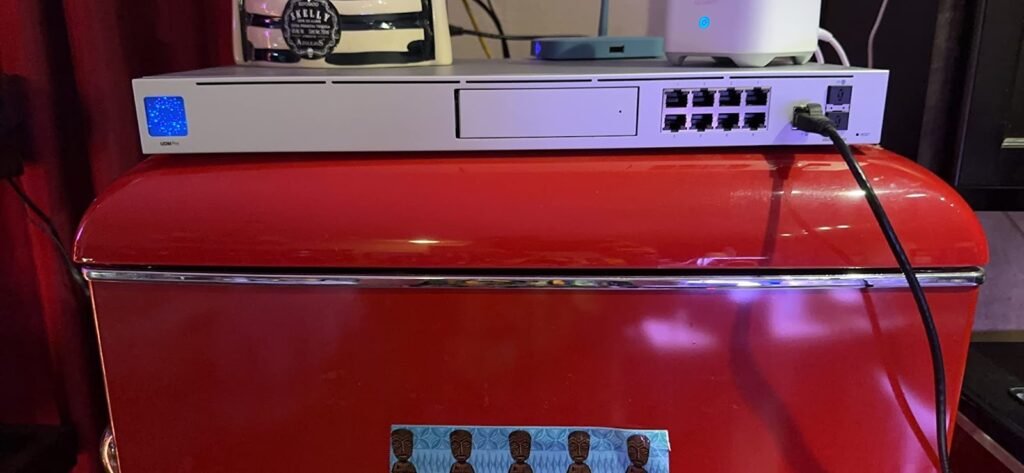
The UDM-SE stops being “a premium router” and starts becoming a logical purchase when your network has crossed from simple connectivity into managed infrastructure.
That threshold usually appears when at least three conditions start stacking:
| Threshold signal | What it usually means | Why the UDM-SE starts making sense |
|---|---|---|
| You need centralized control over multiple UniFi components | APs, cameras, VPN, segmentation, traffic rules, or remote access are already on the table | The value moves from raw throughput to unified control |
| Gigabit assumptions no longer fit cleanly | Multi-gig WAN, heavier security inspection, more cameras, or more segmented traffic enters the picture | A basic router starts to feel cramped or fragmented |
| You want fewer boxes doing overlapping jobs | Separate controller, gateway, NVR-lite behavior, and PoE edge power are creating clutter | The UDM-SE compresses that sprawl into one managed core |
Ubiquiti’s own positioning reinforces this threshold logic. The company rates the device for 100+ managed UniFi devices, 1,000+ simultaneous users, 3.5 Gbps IPS routing, and camera workloads up to 24 HD, 14 2K, or 8 4K cameras. That is far beyond ordinary apartment-router territory.
But there is another line hiding underneath the first one.
If your ISP requires PPPoE and you are chasing very high multi-gig throughput, especially under heavier security services, the UDM-SE becomes less clean. Several community and user reports point to PPPoE performance caveats on UniFi gateway families, including the UDM line, especially once expectations climb into the 2–3+ Gbps range. Even unofficial field reports show that configuration details such as smart queues can materially change results. That does not make the UDM-SE bad. It makes it conditional.
That is why the threshold matters more than the hype.
The right network makes this box feel elegant.
The wrong network makes it feel expensive.
Why Most Buyers Misread This Too Early
Because they compare features before they compare failure modes.
That is the early mistake.
A buyer sees:
- 10G SFP+
- 2.5G WAN
- eight PoE ports
- built-in storage
- firewalling and VPN
- beautiful UniFi interface
And the brain immediately assembles a fantasy: one box, one rack unit, one clean purchase, one finished problem.
It is a seductive story. It is also incomplete.
The UDM-SE has no built-in Wi-Fi, which is a strength for long-term modularity, but only if you actually want separate access points. It also does not turn into a mini NAS; the drive bay is for Protect and related application storage, not for becoming a general-purpose file server. And while the PoE ports are genuinely useful, they are Gigabit only and do not support PoE++, which matters if you are dreaming about squeezing maximum performance from newer multi-gig APs without an external switch.
That is where early comparisons go wrong.
People compare the UDM-SE against cheaper routers as if they are in the same lane. Then they compare it against modular enterprise gear as if it should win every engineering argument. Both frames are lazy.
The honest frame is tighter:
| Wrong comparison | Why it misleads |
|---|---|
| “Is this just a better home router?” | It hides the fact that the value is unified infrastructure control, not just routing |
| “Can I skip a proper switch forever?” | It ignores the internal-port limitations for bandwidth-hungry designs |
| “Can this replace NAS, NVR, AP, gateway, and switch without compromise?” | It compresses too many jobs into one fantasy outcome |
There is also the software side. Reviewers who like the platform still note that UniFi gives you a lot of knobs. For some users that feels empowering; for others it feels like walking into a clean room full of unlabeled drawers. Dong Ngo calls the customizability potentially overwhelming, while still noting you can start from defaults and grow into it gradually.
That is a fair warning.
A sleek interface does not erase complexity. It merely makes complexity easier to approach.
Who Is Actually Inside This Problem
This device is for a narrower audience than its popularity suggests.
It fits best when you are one of these people:
| Best-fit user | Why the fit is strong |
|---|---|
| The advanced home user already leaning into UniFi | You want one control plane for gateway, APs, cameras, policy, and remote access |
| The small business or serious home office operator | You need segmentation, stable VPN options, traffic visibility, and PoE edge convenience |
| The structured upgrader | You know you will add APs, cameras, VLANs, or a proper switch and want a core that can stay relevant |
| The “I’m tired of scattered admin panels” buyer | Centralization is the product, not just routing speed |
I would add one more category that rarely gets named cleanly: the person who is not chasing enterprise prestige, but is done with consumer improvisation.
That person matters.
They are not trying to cosplay a data center. They are trying to stop wasting mental energy on a network that has become annoyingly consequential. They want one place to see clients, policies, ports, VPN, security, and cameras. Ubiquiti’s app stack and single-surface management are exactly what make the UDM-SE emotionally sticky for that buyer. Officially, the platform includes advanced firewalling, DPI, ad blocking, content filtering, VPN options including WireGuard, and license-free SD-WAN features such as Site Magic. Third-party reviewers consistently highlight that same “single pane of glass” appeal.
For that person, the box does not feel flashy.
It feels relieving.
Where Wrong-Fit Begins
This is where the dream breaks.
The UDM-SE is the wrong fit if you are any of the following:
| Wrong-fit case | Why regret starts here |
|---|---|
| You just need a straightforward Wi-Fi router | There is no built-in Wi-Fi, and UniFi’s strength assumes a broader ecosystem |
| You want maximum multi-gig switching from the built-in RJ45 ports | The integrated switch is not the right place to center a bandwidth-hungry design |
| Your setup is strongly PPPoE-dependent at very high speeds | Reported real-world behavior can get messy enough that you should verify before buying |
| You want a cheap entry into UniFi | This is not the “try it and see” console; it assumes intent |
| You want a NAS hidden inside a gateway | The storage is not user-exposed general NAS storage |
This boundary matters because the UDM-SE is easy to romanticize.
Rackmount gear has a visual authority to it. A silver 1U box with a screen, SFP+, PoE, and surveillance potential looks like competence made physical. But beautiful hardware can still be a wrong purchase. If you buy this for image, the first month will feel thrilling and the sixth month may feel faintly ridiculous. If you buy it because your network has actually become segmented, camera-aware, AP-driven, policy-heavy, or upgrade-sensitive, the feeling reverses: the first month feels like work, and the sixth month feels easier.
That is the cleanest line I can draw.
Admiration is not fit.
Intent is fit.
The One Situation Where This Product Becomes Logical
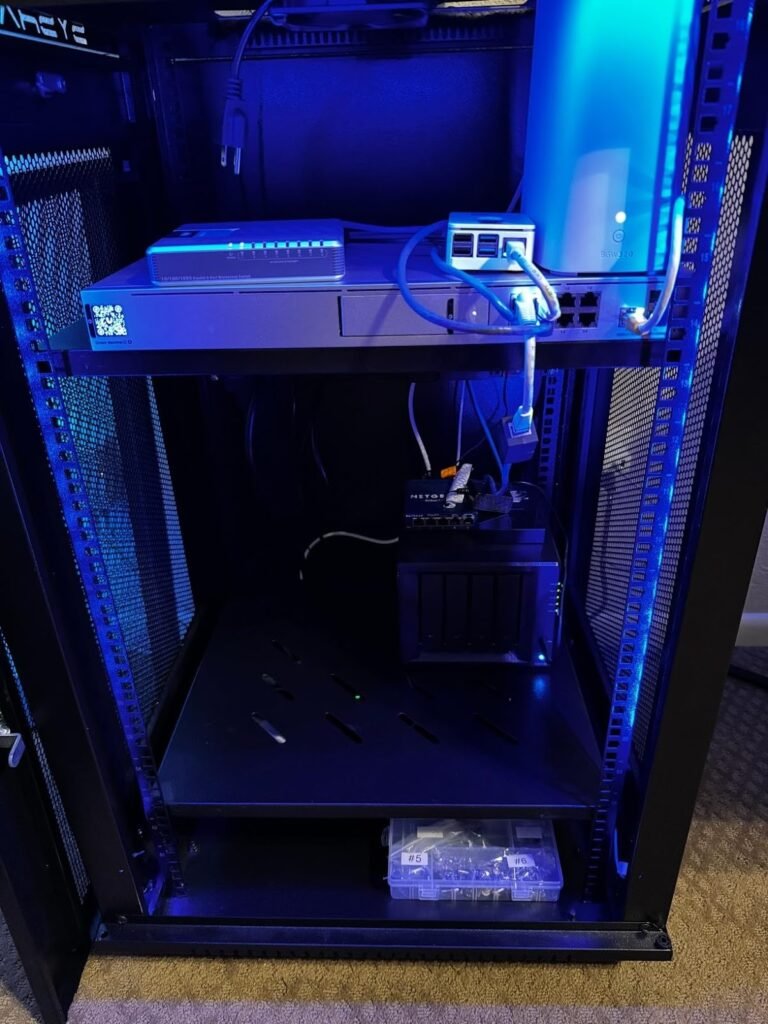
The UDM-SE becomes logical when you want one core box to run a UniFi-centered network that has already moved beyond “internet access” into managed, segmented, always-on behavior.
That is the one situation.
Not prestige.
Not curiosity.
Not decoration.
Logic.
If I reduce the whole purchase to one practical image, it is this: a house or small site with multiple access points, several wired edge devices, a few PoE cameras, remote access needs, and enough network policy that the real burden is no longer speed alone, but control. In that scenario, the UDM-SE’s blend of gateway, controller, PoE edge switching, Protect-ready storage path, dual-WAN options, and mature UniFi software starts to feel less like a product bundle and more like a cleanup operation.
The hardware summary looks like this:
| UDM-SE capability | Why it matters in a real deployment |
|---|---|
| 3.5 Gbps IDS/IPS throughput | Security features remain usable beyond plain gigabit territory |
| 1 × 2.5 GbE WAN + 2 × 10G SFP+ | Gives flexibility for multi-gig WAN and proper switch uplinks |
| 8 × 1 GbE LAN with PoE/PoE+ and 180 W budget | Useful for cameras, APs, phones, and edge devices without an immediate separate PoE switch |
| 128 GB SSD + 3.5″ drive bay | Lets the box handle UniFi apps and light Protect storage roles in one chassis |
| UniFi control plane | Centralizes management in a way many owners explicitly value |
And the lived logic is even simpler:
You buy this when the cost of network fragmentation is finally higher than the cost of buying a serious core.
What It Solves, What It Reduces, and What It Still Leaves to You
What it solves:
- It consolidates management across a UniFi deployment into one control surface.
- It gives you real WAN flexibility and a credible security-throughput ceiling.
- It powers a meaningful number of edge devices directly through built-in PoE.
- It supports a cleaner migration into cameras, VPN, segmentation, and distributed UniFi growth.
What it reduces:
- Dashboard sprawl
- Cable-and-adapter clutter
- Low-grade network distrust
- The recurring need to mentally stitch together disconnected tools
What it still leaves to you:
- Choosing proper APs, because there is no built-in Wi-Fi.
- Adding a real switch if your local bandwidth demands are serious.
- Validating ISP specifics if PPPoE is central to your plan.
- Accepting that UniFi’s polish does not remove the need to think clearly about topology, VLANs, and fit.
That last point is the one many review pages blur on purpose.
A good interface can soften complexity. It cannot repeal it.
Final Compression
The UDM-SE is not the answer to “What is the best router?”
That question is too lazy for a device like this.
The real question is harsher: at what point does a scattered network stop being a minor inconvenience and start becoming a structural tax on your time, trust, and upgrades?
That is where the UDM-SE enters.
Not at the beginning.
Not for everyone.
Not as a magic box.
It becomes persuasive when your break point is already visible: more UniFi gear, more policy, more cameras, more PoE, more remote access, more reasons to stop improvising. In that lane, the UDM-SE is not attractive because it promises perfection. It is attractive because it draws a clean line through a messy middle and gives the network a center of gravity.
Transparency Note:
This analysis is built on aggregated real-world experience.
It extracts what repeatedly holds, what breaks, and what users uncover only after living with the system—then shapes it into a clear model you can use immediately.
Think of it as structured experience, refined and presented so you don’t have to learn it the hard way.
“A quick note: Don’t believe the star ratings, but trust personal experience. This article is a compilation of collected experiences”