ASUS RT-AX55 Review: The 80MHz Ceiling Most Buyers Overlook Before They Pay
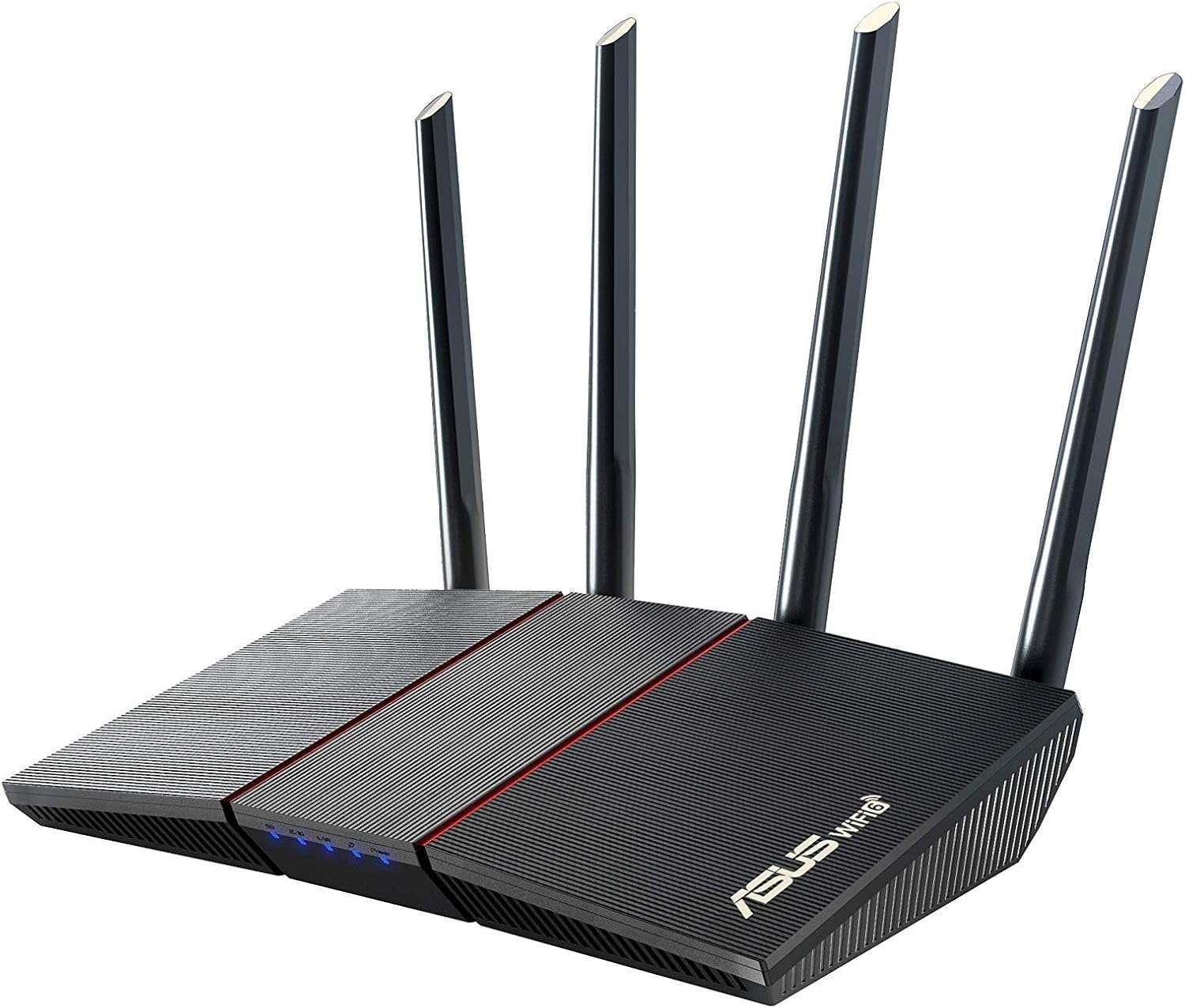
ASUS RT-AX55
I’ve watched enough people unbox this router to know how the disappointment usually starts. Not with a dead unit, not with a return — with a green light, an app that says “excellent connection,” and a feeling three weeks in that something still isn’t quite right.
The Result Looks Fine. The Problem Isn’t.
On paper, everything checks out. It’s a Wi-Fi 6 router. The box says AX1800. The app confirms a strong signal. Streaming works, calls connect.
And yet some buyers still end up two rooms away, watching a download stall at a number that doesn’t match what they pay their ISP for. Nothing is broken. Nothing flags an error in the app. The result simply doesn’t match the expectation the spec sheet quietly built — and that gap is the real story here, almost never explained before checkout.
What You’re Actually Feeling but Not Naming
A speed test near the router looks fine. Run it from the bedroom, and the number drops further than it should for a router this new. Add an AiMesh node to fix a dead spot, and a few smart-home devices quietly stop showing up. After a brief power blip, Wi-Fi doesn’t always come back on its own — some users have had to open the admin panel and re-enable it by hand.
None of this is dramatic alone. Stacked together, it’s a specific kind of friction: you bought “Wi-Fi 6” and got something that behaves like it only some of the time.
The Hidden Mechanism Behind the Miss
AX1800 is a combined figure — 574 Mbps on 2.4GHz plus 1201 Mbps on 5GHz, added together for a headline number no single device will ever actually see.
The number that matters more is the one Asus doesn’t put on the front of the box: 80MHz, the maximum channel width on either band. Higher-tier Wi-Fi 6 routers use 160MHz channels to roughly double real 5GHz throughput. This router doesn’t have that option — it’s part of what keeps the price down.
| Spec | What the RT-AX55 Actually Offers |
|---|---|
| Wi-Fi standard | Dual-band Wi-Fi 6 (802.11ax) |
| Speed class | AX1800 — 574 Mbps (2.4GHz) + 1201 Mbps (5GHz) |
| Max channel width | 80MHz (no 160MHz support) |
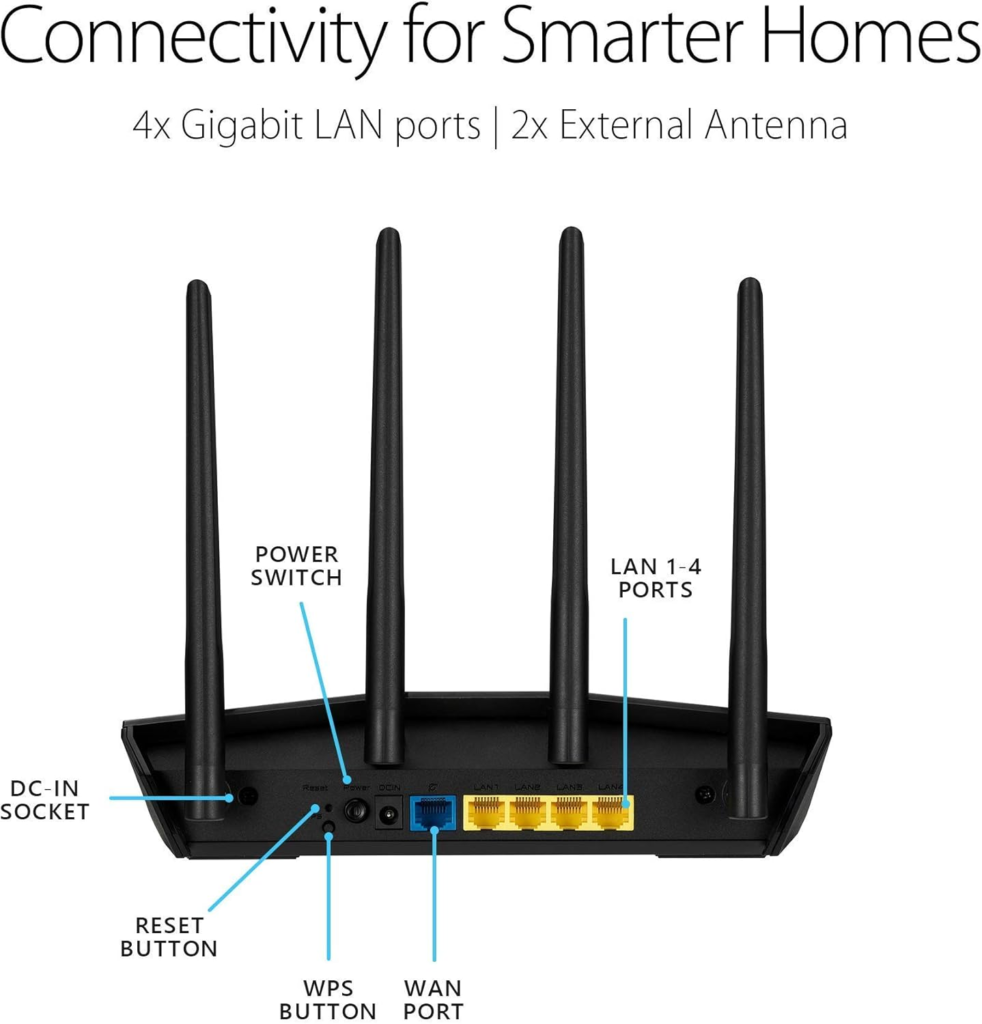
| Ports | 4x Gigabit LAN, 1x Gigabit WAN, no USB |
| Security | WPA2 / WPA3-Personal, AiProtection (free, lifetime) |
| Mesh | AiMesh — works as primary router or node |
In independent lab testing, real 5GHz throughput on this router has landed in the 500–600 Mbps range at close-to-moderate range. That’s solid for a budget unit — and it’s also, mathematically, the practical ceiling, not a setting you can tune away. The second piece is the radio itself: with no dedicated backhaul band, an AiMesh node talks to the main router over the same radio your devices use, so coverage grows but the capacity it grows on doesn’t.
The Threshold Where the Outcome Quietly Breaks
| Your Internet Plan | What You’ll Realistically See on Wi-Fi |
|---|---|
| Up to 300 Mbps | Close to full plan speed in most rooms |
| 300–600 Mbps | Strong near the router; noticeable drop at distance |
| 600 Mbps–1 Gbps | The 80MHz ceiling becomes visible; speed plateaus below plan |
| 1 Gbps+ (multi-gig fiber) | Wired devices benefit; Wi-Fi clients won’t reach full plan speed |
The same logic applies to space and device count. A single-floor apartment or a modest two-to-three-bedroom home sits comfortably inside this threshold. Cross into a home needing two or three AiMesh nodes, or a household running thirty-plus connected devices with simultaneous 4K and gaming traffic, and the shared-radio design starts to show.
Why Most Buyers Misread This Too Early
The common mistake is comparing AX1800 to a bigger number — AX3000, AX5400 — and assuming the gap is just “less powerful,” like a smaller engine. It isn’t a smooth scale. It’s a hard channel-width cutoff that either applies to your situation or doesn’t.
A second misread treats “Wi-Fi 6” as one guarantee instead of a set of features needing the right conditions. OFDMA, which lets the router talk to many devices without queuing them one by one, genuinely helps a crowded apartment building or a house full of smart plugs. It does nothing to raise the 80MHz ceiling for one device pulling a large file.
One correction worth making directly: older reviews note this router shipped without WPA3 support. True at launch in 2020 — not true for a long time since. Current units list WPA3-Personal alongside WPA2. If yours doesn’t show it, the fix is a firmware update, not a return.
One real caution, not a rumor: certain AiMesh firmware releases for this router have had a documented bug where smart-home devices lose their connection to mesh nodes after updating. It’s logged in Asus’s own support forum, not a one-off complaint, and later firmware has resolved it. Running this as a node, check your firmware version before assuming the hardware is at fault.
Who Is Actually Inside This Problem
| Good Fit | Wrong Fit |
|---|---|
| Apartments, condos, 1–3 bedroom homes | Homes over ~1,800 sq ft on a single unit |
| Internet plans up to roughly 500 Mbps | Gigabit or multi-gig fiber plans |
| 10–20 typical connected devices | 30+ device smart-home households |
| Replacing an aging Wi-Fi 4/5 router | Anyone wanting USB storage, 160MHz, or 2.5G WAN |
| A first step into Wi-Fi 6 and AiMesh, on a budget | Power users wanting manual control over backhaul |
If you’re upgrading from whatever your ISP handed you, or from a five-plus-year-old Wi-Fi 5 unit, this router solves the actual problem you have. If your problem is a gigabit plan you’re not seeing over Wi-Fi, this was never going to solve it — no router at this price does.
Where Wrong-Fit Begins
The regret cases are predictable. They almost always involve someone who bought on the AX1800 number alone, without checking it against their plan speed or square footage.
On a 1 Gbps+ connection expecting to see that speed on a laptop over Wi-Fi, the 80MHz ceiling caps you well below it regardless of how strong the signal looks. Needing three or more AiMesh nodes for full coverage, the shared-radio backhaul costs noticeably more throughput than a tri-band mesh built for that scale. And if external storage, a 2.5G port, or manual channel-width control matters, those features start one or two product lines up.
The One Situation Where This Product Becomes Logical
Once your situation is matched against the threshold above, the decision tends to make itself. On a sub-gigabit plan, in a space one router plus maybe one AiMesh node will cover, replacing something older and less secure — the ASUS RT-AX55 gives you real Wi-Fi 6 efficiency: OFDMA for a crowded device list, Target Wake Time for battery-powered smart-home gear, BSS Coloring if you live in a dense building — without paying for a 160MHz radio or a USB port you won’t use.
It isn’t the router for chasing the biggest number on the box. It’s the router for someone who already knows what their home needs and doesn’t want to overpay to get it.
What It Solves, What It Reduces, and What It Still Leaves to You
| It Solves | It Reduces | It Still Leaves to You |
|---|---|---|
| Dead zones (with one AiMesh node) | Congestion on multi-device networks | Watching firmware versions on AiMesh nodes |
| An outdated, insecure router | Interference in dense buildings | Accepting the 80MHz real-world ceiling |
| Parental controls and guest access | Battery drain on smart-home devices | No USB port for storage or printing |
| Ongoing threats (AiProtection, free for life) | — | Manually re-enabling Wi-Fi after rare power-event bugs |
Frequently Asked Questions
| Question | Answer |
|---|---|
| Does the ASUS RT-AX55 support WPA3? | Yes, on current firmware. Early 2020 units launched without it; Asus added WPA3-Personal later. Update your firmware if it’s missing from your settings. |
| Does it have a USB port for external storage? | No. That’s one of the features cut to hit this price. If NAS or printer-sharing matters, look one tier up. |
| How many devices can it realistically handle? | Comfortably 15–25 typical devices on normal browsing, streaming, and calls. Push well past 30 with heavy simultaneous 4K and gaming traffic, and you’ll feel the radio’s limits. |
| Can I use it as an AiMesh extender with a different Asus router? | Yes — it works as either the primary router or a node. Confirm both devices are on stable, matching firmware first, since some AiMesh updates have had node-connectivity bugs Asus has since patched. |
| What’s the real difference between this and the RT-AX56U? | The RT-AX56U adds a USB port plus slightly more RAM and flash storage. Core Wi-Fi performance between the two is close enough that the USB port is usually the deciding factor. |
| Will this give me gigabit speeds over Wi-Fi? | Not reliably. The 80MHz channel limit caps realistic 5GHz throughput below 1 Gbps regardless of your plan. Wired devices on its Gigabit ports can still reach full speed. |
Final Compression
It comes down to one question: does your home sit inside this router’s threshold, or outside it? Plan under roughly 500–600 Mbps, apartment-to-modest-house sized, upgrading from something older — the case is already made. This is where the decision stops being vague:
If you’re already past that threshold — gigabit fiber, a large multi-floor home, a need for USB storage — stretching this one usually costs more in frustration than choosing correctly now.
Transparency Note:
This analysis is built on aggregated real-world experience. It extracts what repeatedly holds, what breaks, and what users uncover only after living with the system—then shapes it into a clear model you can use immediately. Think of it as structured experience, refined and presented so you don’t have to learn it the hard way.
“A quick note: Don’t believe the star ratings, but trust personal experience. This article is a compilation of collected experiences”