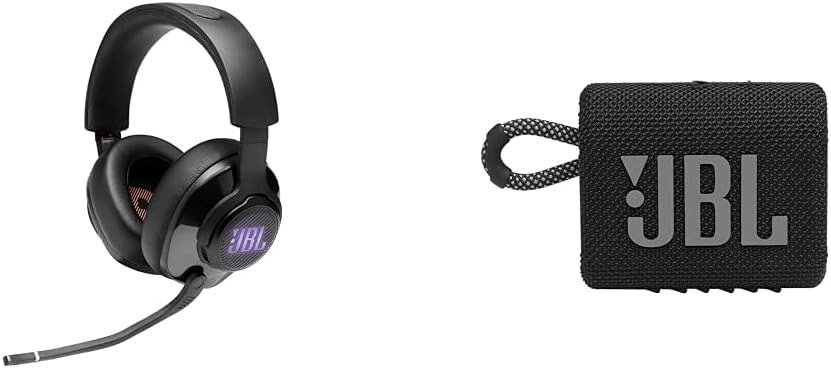
JBL QUANTUM 400 REVIEW: WHY IT SOUNDS INCREDIBLE TO HALF ITS OWNERS AND AVERAGE TO THE REST
The Result Looks Fine. The Problem Isn’t.
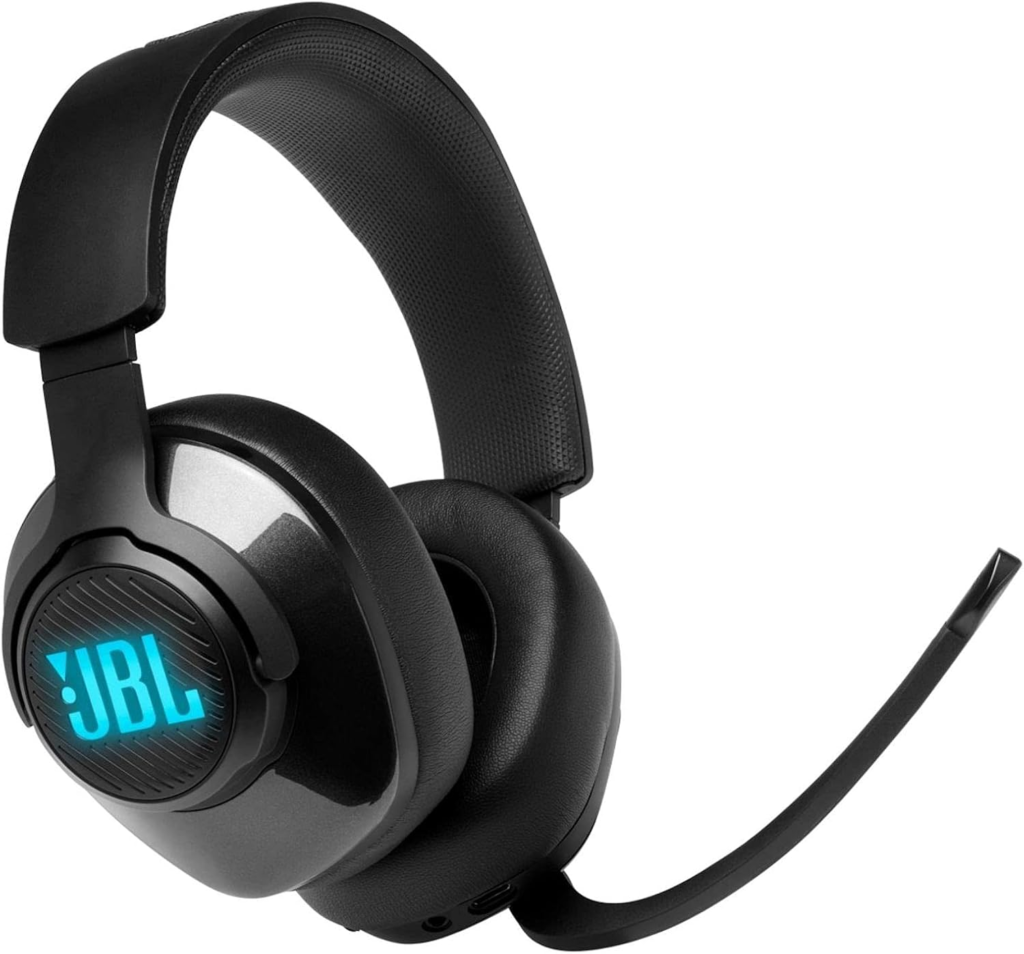
On paper, the JBL Quantum 400 reads like a clean budget win: 50mm drivers, virtual surround sound, a Discord-certified chat dial, memory foam cushions, RGB accents. At its usual sale price in the $40–$70 range, that’s a lot of checklist for not much money.
And for a large share of owners, it delivers exactly that. Four-star averages across hundreds of verified reviews on major retailers back this up.
But read past the star rating and a second pattern shows up just as often: people describing the same headset as “just okay,” “basic,” or “not as immersive as advertised.” Same product, same price, same box. Different verdict.
That gap isn’t random. It’s structural.
What You’re Actually Feeling but Not Naming
If you’ve used this headset and felt mildly let down by the “surround sound” claim, here’s what you were likely experiencing without having a name for it: you were running the Quantum 400 in its reduced state and didn’t know a fuller one existed.
No RGB lighting. No virtual surround. A mute button that looks like it should do something and quietly doesn’t. None of that means the unit is defective. It means it’s operating on the wrong side of a line built into the hardware itself.
The Hidden Mechanism Behind the Miss
The Quantum 400 ships with two cables for a reason that isn’t cosmetic. The USB-A cable is a digital, data-carrying connection. The 3.5mm cable is a passive analog one.
JBL’s QuantumSURROUND processing, DTS Headphone:X v2.0, the onboard EQ, the RGB driver, and the mute-LED logic all live inside the JBL QuantumENGINE software — and that software only talks to the headset through the USB connection, on Windows. The 3.5mm cable physically cannot carry that data. It only carries audio and mic signal, the same as any standard wired headphone.
So when a console owner, a Mac user, or anyone plugged into a 3.5mm jack says the Quantum 400 sounds “fine but unremarkable,” they’re not wrong. They’re accurately describing the other product hiding inside the same shell.
The Threshold Where the Outcome Quietly Breaks
I call this the Port Line — the single setup decision that splits every Quantum 400 owner into one of two real-world experiences.
| Capability | USB + Windows (above the Port Line) | 3.5mm, any device (below the Port Line) |
|---|---|---|
| Stereo audio | Yes | Yes |
| Microphone input | Yes | Yes |
| QuantumSURROUND / DTS Headphone:X v2.0 | Yes | No |
| RGB logo lighting | Yes | No |
| Mute button / mute LED | Functional | Confirmed non-functional by JBL support |
| EQ and profile customization | Yes, via QuantumENGINE | No software available |
| Native app support | Windows 7+ only | None (Mac/Linux: base audio only) |
There is no warning label that tells you this at the point of sale. You find out by using the headset on whatever device you already own.
Why Most Buyers Misread This Too Early
Most people shopping for this headset compare it the way they’d compare a spec sheet: driver size against driver size, “surround sound” bullet against “surround sound” bullet. That’s the trap. A bullet point that says QuantumSURROUND doesn’t say which connection unlocks it.
The second misread is treating console and PC as interchangeable platforms for a headset like this. They’re not, here. A wireless headset behaves the same regardless of how you plug it in, because there’s nothing to plug in. A USB-dependent wired headset like the Quantum 400 does not carry that assumption over, and the listing doesn’t correct it for you.
Who Is Actually Inside This Problem
| Buyer profile | Where they land |
|---|---|
| Windows PC gamer, connecting via USB | True fit — gets the full feature set the marketing describes |
| Console gamer using the 3.5mm controller cable | Workable fit — solid basic stereo and mic, but not the immersive layer |
| Mac or Linux desktop user | Limited fit — base audio works, no app, no surround |
| Listener shopping for music/audiophile use | Wrong intent — this is a bass-leaning gaming signature, not a neutral one |
| Someone replacing a wireless headset and expecting the same flexibility | Wrong intent — this is wired-only, full stop |
If you fall into the first row, the rest of this review is mostly confirmation. If you fall into rows two through five, the next section matters more than anything above it.
Where Wrong-Fit Begins
There’s a second, physical pattern worth knowing before you buy, separate from the Port Line: the rotating swivel joint where the earcup meets the headband is the most commonly reported wear point on this headset. Owner reviews describe cracking at that hinge in the four-to-eight-month range under normal daily use, and the existence of a small replacement-parts market for Quantum 400 headbands and ear cushions tells you this isn’t an isolated complaint.
A smaller number of owners report a single ear channel going silent (audio dropping to mono) months into ownership — not common, but documented closely enough across forums that it’s worth factoring into how you treat the unit, not just how you use it.
Practically: if you tend to lay down with headphones on, store them stretched flat, or you’re rough on gear in general, that hinge is the part that will tell you first.
| Reported issue | Typical onset | Where it shows up |
|---|---|---|
| Headband swivel cracking | ~4–8 months | Owner reviews, third-party repair parts |
| Single-channel (mono) failure | Variable | Forum and community reports |
| Mute button inactive | Immediate | Confirmed by JBL support — 3.5mm connection only |
| Ear cushion wear | 12+ months | Owner reviews across the Quantum wired lineup |
The One Situation Where This Product Becomes Logical
Strip away the marketing and the Quantum 400 makes complete sense for one specific buyer: someone gaming on a Windows PC, plugging in over USB, who wants DTS Headphone:X-grade positional audio and a Discord-ready mic setup without paying wireless prices.
In that exact configuration, independent audio testing found the DTS Headphone:X mode genuinely more natural and more useful for picking out footsteps and directional cues than JBL’s own QuantumSURROUND mode — and rated the microphone clearer than most headsets at this price point, with low background noise pickup. The plain stereo mode, with surround switched off entirely, was rated the best-sounding option of the three for straightforward listening.
That’s a real, specific advantage. It’s just conditional on staying above the Port Line.
What It Solves, What It Reduces, and What It Still Leaves to You
It solves the budget-surround problem for Windows USB users — DTS Headphone:X here punches above the price. It reduces the all-day-comfort risk most cheap headsets carry, thanks to the memory foam and lightweight build. It does not solve cross-platform consistency: switch from PC to console and you are knowingly trading features away, not discovering a bonus.
It still leaves you responsible for two things: treating the swivel hinge gently, and confirming — before you buy, not after — which side of the Port Line your actual setup puts you on.
Frequently Asked Questions
| Question | Answer |
|---|---|
| Does the JBL Quantum 400 work on PS4, PS5, or Xbox? | Yes, via the included 3.5mm cable for basic stereo audio and mic. RGB lighting, the mute button/LED, and QuantumSURROUND do not function on console, since those require the USB+Windows software path. |
| Does it work on Mac? | Audio and mic work over USB or 3.5mm, but JBL QuantumENGINE software is Windows-only, so surround sound, EQ presets, and RGB control are not available on Mac. |
| Why doesn’t the mute button on my Quantum 400 do anything? | If you’re connected via the 3.5mm cable, this is expected behavior, not a defect — JBL has confirmed the mute button and mute LED only function over the USB connection. |
| Is the JBL Quantum 400 worth it in 2026? | For a Windows PC gamer plugging in over USB, yes — DTS Headphone:X positional audio and mic quality are genuinely strong for the price. For a console-only or Mac user buying it specifically for surround sound and RGB, it’s a weaker match for the money. |
| How long does the JBL Quantum 400 actually last? | Most owners report normal wear timelines, but the headband swivel hinge is the most frequently cited failure point, typically surfacing between four and eight months of regular use. |
| What’s the real difference between the Quantum 400 and the Quantum 600? | The core difference is wired versus wireless, not sound signature — the 600 adds wireless freedom at a higher price, while the 400 keeps the same DTS Headphone:X and QuantumENGINE feature set tied to a USB cable. |
Final Compression
One headset, two real experiences, and one decision that separates them: how you plug it in. If you’re on a Windows PC and you’ll connect over USB, the Quantum 400 is a logically sound buy at its usual sale price — [check current availability and price here](https://www.amazon.com/JBL-Quantum-400-Headphones-Built/dp/B0CW8Z9S5X). If your setup lives on the other side of the Port Line, go in knowing exactly which features you’re leaving on the table, and decide from there.
Transparency Note:
This analysis is built on aggregated real-world experience. It extracts what repeatedly holds, what breaks, and what users uncover only after living with the system—then shapes it into a clear model you can use immediately. Think of it as structured experience, refined and presented so you don’t have to learn it the hard way.
“A quick note: Don’t believe the star ratings, but trust personal experience. This article is a compilation of collected experiences”