TP-Link TL-SG116P: 16 PoE+ Ports, One Hidden Threshold, and the Decision Most Buyers Get Wrong
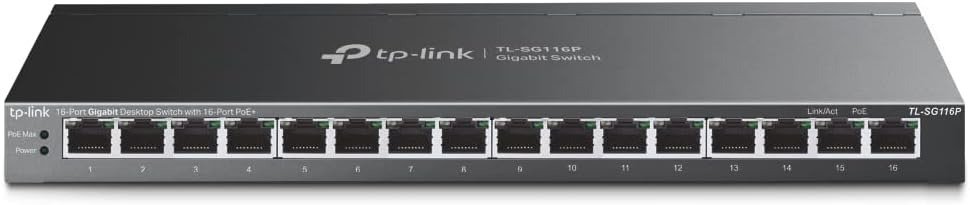
TP-LINK TL-SG116P
The Setup Looks Right. The Problem Hides Inside the Power Math.
You see 16 PoE+ ports. You see 120W total budget. You assume coverage.
That assumption is correct for most deployments. It is incorrect for some. And the difference between those two groups does not show up on the spec sheet — it shows up three weeks after installation, when a camera stops feeding or an access point drops at the worst possible moment.
The TP-Link TL-SG116P is a genuinely capable unmanaged PoE+ switch. It is not a compromised product. But it operates under a constraint that becomes critical at a specific threshold — and the marketing language around it creates a silent misread that costs time, credibility, and occasionally the peace of mind of a client who expected 16 devices to stay on at all times.
Understanding that threshold before you purchase is what this article is for.
What You’re Probably Feeling but Haven’t Named Yet
You’re not confused about PoE. You know what it does. You’ve deployed cameras, access points, or VoIP phones before.
What’s nagging at you is something else: the sense that 16 PoE+ ports at this price point might be doing something internally that the product page doesn’t explain.
You’re right. And it’s not a flaw — it’s a structural design decision with a specific consequence.
The TL-SG116P distributes power across all 16 ports from a shared budget of 120W. Each port can theoretically deliver up to 30W. But 16 ports × 30W = 480W. The budget is 120W. That gap is where the real behavior lives.
When the total power draw across all active PoE ports approaches or exceeds 120W, the switch does not crash. It does something more controlled — and more misunderstood.
The Hidden Mechanism Behind the Miss
The TL-SG116P uses a priority-based power protection system. When total consumption exceeds the 120W ceiling, the switch automatically cuts power to the lowest-priority port to protect the rest.
If all PoE device power consumption is greater than 120W, a priority will be arranged among the PoE ports, and the system will cut off the power of the lowest-priority port.
This is not a failure. This is intentional. But here is what the spec page does not tell you clearly: by default, the lowest-numbered ports carry higher priority. Ports 1 through 4 are treated as high-priority. Ports 5 through 16 are progressively lower.
If you have 14 cameras each drawing 9W — a reasonable estimate for a 4K IP camera — your total draw is 126W. That is 6W over the ceiling. One camera will lose power. Which one? The one connected to your highest-numbered port. Likely the one you paid the least attention to during setup.
TP-Link’s intelligent power allocation ensures the switch doesn’t exceed its budget and safely powers down low-priority devices if needed.
The system works exactly as designed. The problem is that most buyers don’t run this calculation before purchasing. They count ports, not watts.
The Threshold Where Performance Quietly Breaks
The 120W budget threshold is where the outcome diverges.
Here is a concrete breakdown of how the math behaves across realistic use cases:
| Device Type | Typical Draw per Port | Max Devices Within 120W Budget |
|---|---|---|
| Basic IP Camera (HD, 720p/1080p) | 3–7W | 17–40 devices |
| 4K IP Camera (standard) | 8–12W | 10–15 devices |
| WiFi 6 Access Point | 15–25W | 4–8 devices |
| VoIP Phone | 3–6W | 20–40 devices |
| PTZ Camera (motorized) | 20–30W | 4–6 devices |
| Mixed: 10 cameras + 3 APs | 10 × 8W + 3 × 20W = 140W | Exceeds budget |
The column that matters most is the last row. Mixed deployments — which are the most common real-world scenario — often hit the budget ceiling before the port ceiling.
The 120W PoE budget is sufficient for most use cases involving IP security cameras (typically consuming 3–9W each) and VoIP phones.
This is accurate. For low-draw cameras only, the TL-SG116P holds without any issue. The problem appears precisely when you combine device types — cameras alongside access points, or cameras alongside PTZ units. That mixed deployment is where the threshold becomes real.
The Extend Mode Trade-Off Most Buyers Don’t Calculate
There is a second threshold that changes outcomes: the 250-meter Extend Mode.
When Extend Mode is enabled on these switches, it drops the port speed down to 10Mbps, which is plenty for most IP cameras.
Extend Mode applies to ports 1 through 4 only. When enabled, those ports reach up to 250 meters — useful for outdoor perimeter cameras. The trade-off is explicit: Gigabit drops to 10Mbps.
Here is where the misread happens. Buyers enable Extend Mode on ports 1 through 4 for their distant cameras, then assume those ports are still available for high-bandwidth devices. They are not. A WiFi 6 access point running at 15–20W and requiring reliable throughput should never sit on an Extend Mode port. At 10Mbps, it will function — but it will not perform.
| Mode | Port Range | Speed | Max Distance | Suitable For |
|---|---|---|---|---|
| Standard | 1–16 | 1000Mbps | 100m | APs, cameras, VoIP, all PoE+ |
| Extend | 1–4 only | 10Mbps | 250m | Low-bandwidth cameras only |
| Priority | 1–4 | 1000Mbps | 100m | Critical devices — cameras, APs |
| Isolation | All | 1000Mbps | 100m | Client separation, security |
A common deployment mistake: using Extend Mode on ports 1–4 for distance, then connecting an access point to port 1 thinking priority mode protects it. Priority mode and Extend Mode are not simultaneously compatible in the same way. Extend Mode dominates the speed. The AP gets power but not enough bandwidth.
Why Most Buyers Misread This Switch Too Early
The comparison that loses people fastest is the port count comparison.
They look at a Netgear GS316EP — 16 ports, a total PoE budget of 180 Watts , with web management and VLAN support — and then look at the TL-SG116P at 120W, no web GUI, no VLAN, lower price. They either decide the Netgear is worth the premium, or they buy the TP-Link and later wish for the management layer.
The comparison is legitimate. But it misses the actual question: do you need management, or do you need ports?
If your deployment is pure cameras and VoIP phones, no VLAN segmentation required, no remote monitoring, and all draws stay under 120W — the TL-SG116P is structurally superior in simplicity. Nothing to configure. Nothing to break. Nothing to update.
If your deployment requires separating IoT traffic from office traffic, monitoring per-port power draw remotely, or running high-draw APs alongside cameras — the unmanaged ceiling becomes a structural problem, not a minor inconvenience.
The mistake is forcing the TL-SG116P into a managed deployment context. It was not built for that. It was built for a specific type of network — and in that context, it is genuinely strong.
Who Is Actually Inside This Problem
The TL-SG116P is a direct match for a specific profile. Here is an honest description of who that is:
Fits cleanly:
- Small businesses running 8–16 IP cameras with per-device draws under 9W each
- Warehouses, retail environments, and schools deploying only low-to-mid draw cameras
- VoIP-heavy offices with standard phones drawing 3–6W per device
- Any environment where total device draw stays comfortably under 100W
- Installers who want zero-configuration deployment with no client training burden
- Situations where cabling runs exceed 100m and cameras are the primary endpoint
Fits with awareness:
- Mixed camera + AP deployments where total draw stays under 100W
- Environments using Extend Mode on ports 1–4 for distant cameras only, with no high-bandwidth devices on those ports
Where Wrong-Fit Begins
This switch starts delivering regret at a specific intersection of conditions — not randomly, and not subtly. The signal is usually a camera that periodically drops, an AP that reboots at load, or a client asking why one device keeps going offline.
| Scenario | Why It Breaks |
|---|---|
| 5+ high-draw APs (WiFi 6 at 20W+) on the same switch | Budget exhausted before all APs are fully powered |
| PTZ cameras across 8+ ports | PTZ units often draw 20–30W; 6+ units alone hit the ceiling |
| 16 devices all pulling near-maximum PoE | Mathematically impossible to sustain full 16-port draw at 120W |
| Requiring per-VLAN segmentation | No VLAN support; traffic separation is impossible at the switch level |
| SNMP monitoring or remote management | Fully unmanaged; no GUI, no monitoring dashboard, no alerts |
| IT environments requiring port-level diagnostics | No management interface; troubleshooting requires physical inspection |
Power users occasionally wish for web-managed features, VLAN tagging, or remote monitoring, which are absent due to its unmanaged nature. That absence is not a defect. It is a categorical distinction. The TL-SG116P is not trying to be a managed switch at a lower price. It is a structurally different product built for a structurally different deployment.
The regret comes from buying it as a budget substitute for a managed switch, not from buying it as what it actually is.
The One Situation Where the TP-Link TL-SG116P Becomes Logical
After the power math is confirmed, after Extend Mode trade-offs are understood, after the absence of VLAN and management is accepted — there is a specific condition under which this switch becomes the most rational choice in its category.
That condition: you need all 16 ports to carry PoE, your total power draw stays under 100W, you need zero-configuration deployment, and you want physical reliability in a fanless metal chassis without firmware maintenance overhead.
16 PoE+ Ports unlike many budget switches that only provide 4 or 8 PoE-enabled ports, the TL-SG116P includes PoE on all 16 ports, offering unmatched flexibility for powering multiple devices simultaneously.
At this price point, full 16-port PoE+ coverage is rare. Most competing switches in the same price range offer 8 PoE ports and 8 non-PoE, which means half your devices need separate power adapters or a second switch. The TL-SG116P eliminates that entirely.
Feedback from customers has been overwhelmingly positive, with several reviewers using it to power up to 16 IP cameras and reporting stable, uninterrupted video feeds. Customers describe the housing as solid metal, with a quality feel that inspires confidence in long-term durability.
For the deployment profile it was built for, it holds. Not just adequately — reliably.
What It Solves, What It Reduces, and What It Still Leaves to You
| Category | What the TL-SG116P Does |
|---|---|
| Cabling | Eliminates separate power runs for all 16 PoE devices |
| Noise | Fanless design operates completely silently — no thermal management required |
| Distance | Extend Mode reaches 250m for far-placed cameras on ports 1–4 |
| Device recovery | Auto-reboots unresponsive PoE devices without manual intervention |
| Client separation | One-click Isolation Mode blocks inter-client traffic |
| Budget protection | Priority Mode ensures critical devices keep power when ceiling is approached |
| Warranty | 3-year warranty with technical support included |
What it does not solve:
- It does not give you visibility into per-port power consumption
- It does not allow VLAN segmentation at the switch level
- It does not offer remote management, SNMP, or a monitoring dashboard
- It does not guarantee 120W is always available — actual PoE budget varies with cable quality and environmental factors
- It does not warn you before cutting power to a low-priority port — the cut is automatic and silent
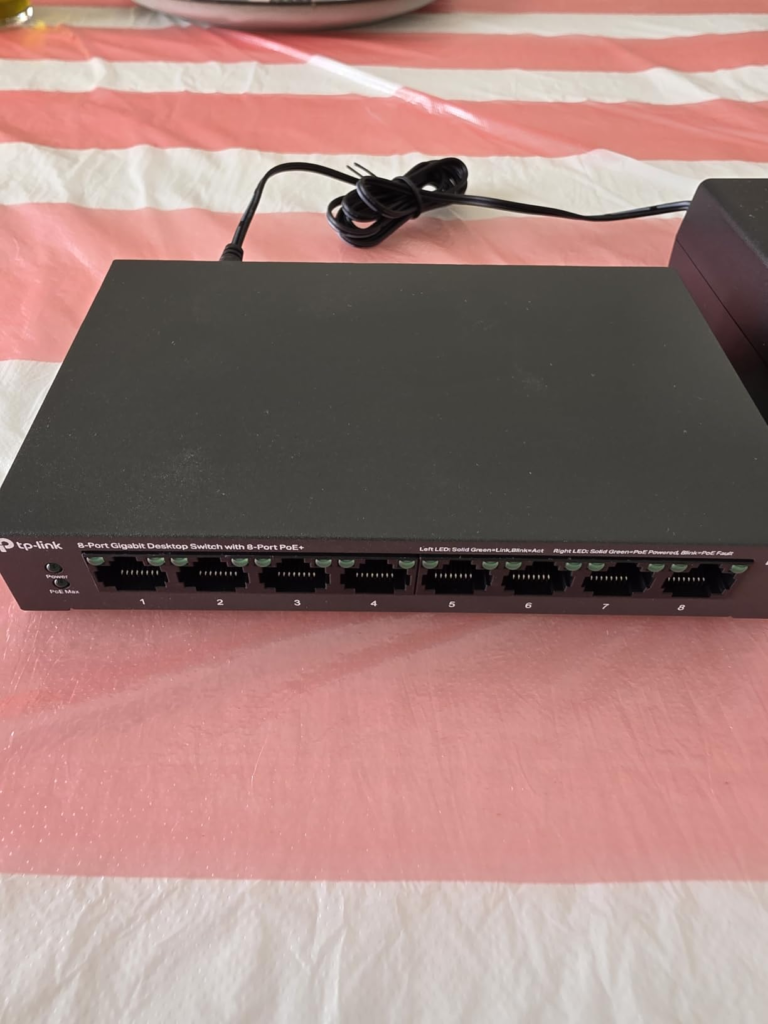
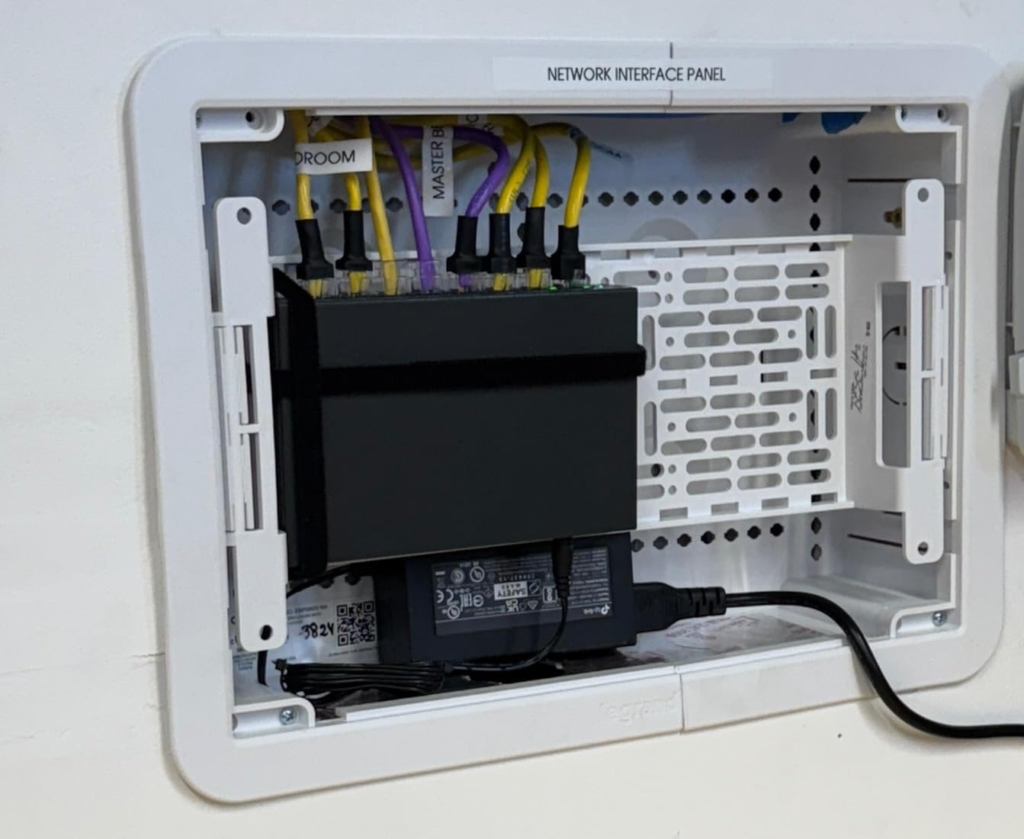
The external power adapter design, noted by multiple reviewers, is less tidy than an internal PSU. In rack-mounted or enclosed installations, this requires cable management planning.
Final Compression
The TP-Link TL-SG116P is not a switch for every 16-port deployment. It is a switch for a specific deployment — one where all 16 devices are PoE-powered, where total draw stays under 100W in realistic conditions, and where the absence of management is an acceptable trade for simplicity, silence, and price.
The threshold that breaks the outcome is not the port count. It is the power budget — specifically what happens when mixed high-draw devices push aggregate consumption past 120W, and when Extend Mode ports are mistakenly used for bandwidth-sensitive devices.
If your deployment stays inside those boundaries, this switch is structurally correct and operationally reliable.
If your deployment requires managed traffic separation, per-port monitoring, or consistent full-power delivery to high-draw access points alongside cameras — this is not where the decision ends. It is where you need a different category of switch.
Confirming your total device watt draw before purchase is not optional with this switch. It is the decision.
Frequently Asked Questions (FAQ)
| Question | Answer |
|---|---|
| Can the TP-Link TL-SG116P really power all 16 ports at the same time? | Yes — but only if the combined draw of all connected devices stays under 120W. Devices drawing 3–7W each (standard IP cameras, VoIP phones) can all run simultaneously with room to spare. High-draw devices like WiFi 6 APs or PTZ cameras consume 15–30W each, which quickly exhausts the shared budget across fewer ports. |
| What happens when the 120W budget is exceeded? | The switch automatically cuts power to the lowest-priority port — by default, the highest-numbered port in use. The cut happens without any alert or notification. The device connected to that port loses power until total load drops below the ceiling. |
| Does Extend Mode work on all 16 ports? | No. Extend Mode is available only on ports 1 through 4. When enabled, those ports reach up to 250m but drop to 10Mbps. The remaining 12 ports operate normally at up to 100m and full Gigabit speed. |
| Is the TL-SG116P suitable for WiFi 6 access points? | With caution. WiFi 6 APs commonly draw 15–25W each. Three APs at 20W each consume 60W — half the total budget before any cameras are counted. If APs are your primary devices and you need more than 4–5 of them, a switch with a higher PoE budget is the structurally correct choice. |
| Can I configure VLANs on the TL-SG116P? | No. It is a fully unmanaged switch with no web interface, no VLAN support, and no traffic management tools beyond the hardware-level Isolation Mode (which blocks all inter-port traffic when enabled). For VLAN support at this port count, consider the TP-Link TL-SG116E or the Netgear GS316EP. |
| Does PoE Auto Recovery really work without setup? | Auto Recovery requires a one-time configuration step — it is not enabled out of the box. Once configured, it actively monitors connected PoE devices and automatically reboots any that stop sending data packets, eliminating the need for manual camera or AP restarts. |
| Is the external power adapter a reliability concern? | It is a tidiness concern more than a reliability one. The external adapter is a structural design trade-off that keeps internal heat low and costs down. Failure of the adapter brick is uncommon but possible, and replacements are widely available. For rack installations, it requires cable management planning. |
| Who should not buy this switch? | Anyone who needs per-VLAN segmentation, SNMP monitoring, remote management, or reliable full-power delivery to more than 4–5 high-draw devices simultaneously. For those use cases, the TL-SG116P creates a ceiling you will hit — and there is no configuration path around it. |
Transparency Note:
This analysis is built on aggregated real-world experience.
It extracts what repeatedly holds, what breaks, and what users uncover only after living with the system—then shapes it into a clear model you can use immediately.
Think of it as structured experience, refined and presented so you don’t have to learn it the hard way.
“A quick note: Don’t believe the star ratings, but trust personal experience. This article is a compilation of collected experiences”
From our analytics lab: More top-rated reviews