Amazon Smart Air Quality Monitor Review: The Number Behind the Green Light
AMAZON SMART AIR QUALITY MONITOR
The Room Looked Fine. That Was Never the Point.
It’s a Tuesday night and the kitchen still smells faintly of onions, twenty minutes after the exhaust fan shut off. Upstairs, a humidifier hums next to the crib. The windows are shut because it’s January and heat isn’t free. Nobody’s coughing. Nobody’s dizzy. Nothing in the room looks wrong.
That’s the exact situation this device exists to interrupt. The rooms that feel calm are rarely the ones people check — and the rooms nobody thinks to check are usually the ones quietly building up a problem.
I plugged in the Amazon Smart Air Quality Monitor expecting a quiet confirmation that my house was, more or less, fine. Seven minutes later it had its first reading. Two days later, once the sensor finished settling into the room, it had a real one. The gap between what a room feels like and what this thing actually logs is the whole reason a review like this needs to exist.
“Stuffy” Isn’t a Reading. It’s a Guess.
Most people never put a number on bad air. They say a room feels stuffy, heavy, stale, or “off” — vague words for a problem nobody’s measured. This monitor exists to turn that guess into five actual numbers: particulate matter (PM2.5), volatile organic compounds (VOCs), carbon monoxide (CO), humidity, and temperature.
Why does a room that felt completely normal on Tuesday suddenly read yellow by Thursday, with nothing obviously different about it? Usually it’s one of those five things creeping up quietly — cooking residue, a new candle, humidity climbing after a shower with the fan off.
That list also matters for what’s missing. If the “off” feeling you’re chasing is a stuffy, sleepy afternoon in a closed-up home office, there’s a real chance the actual cause is carbon dioxide build-up from too little fresh air — and CO2 is one pollutant this device was never built to see. Hold onto that; it matters again later, because it’s the difference between buying this monitor for the right reason and buying it for the wrong one.
Amazon Smart Air Quality Monitor Specs: What’s Actually Inside the Box
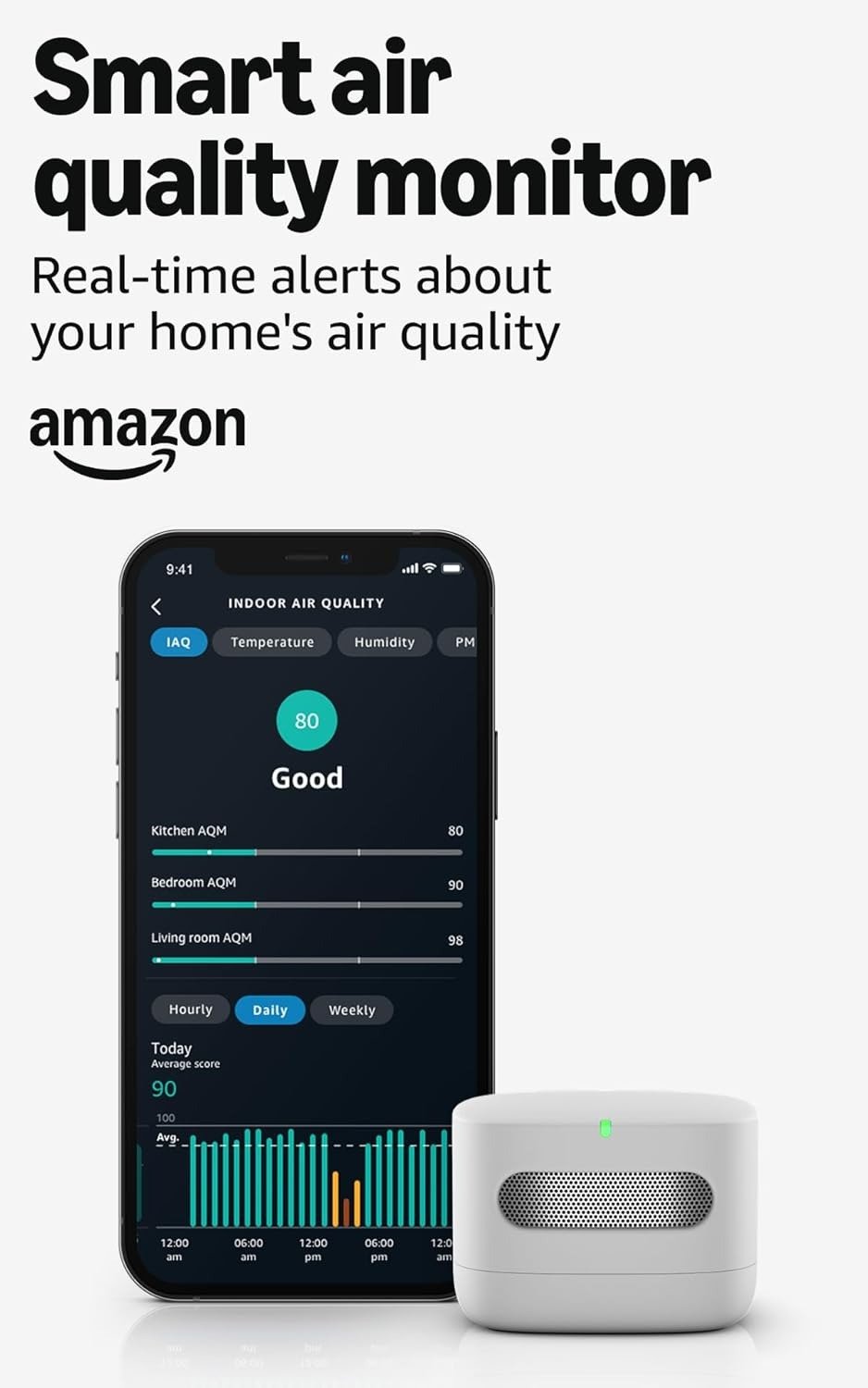
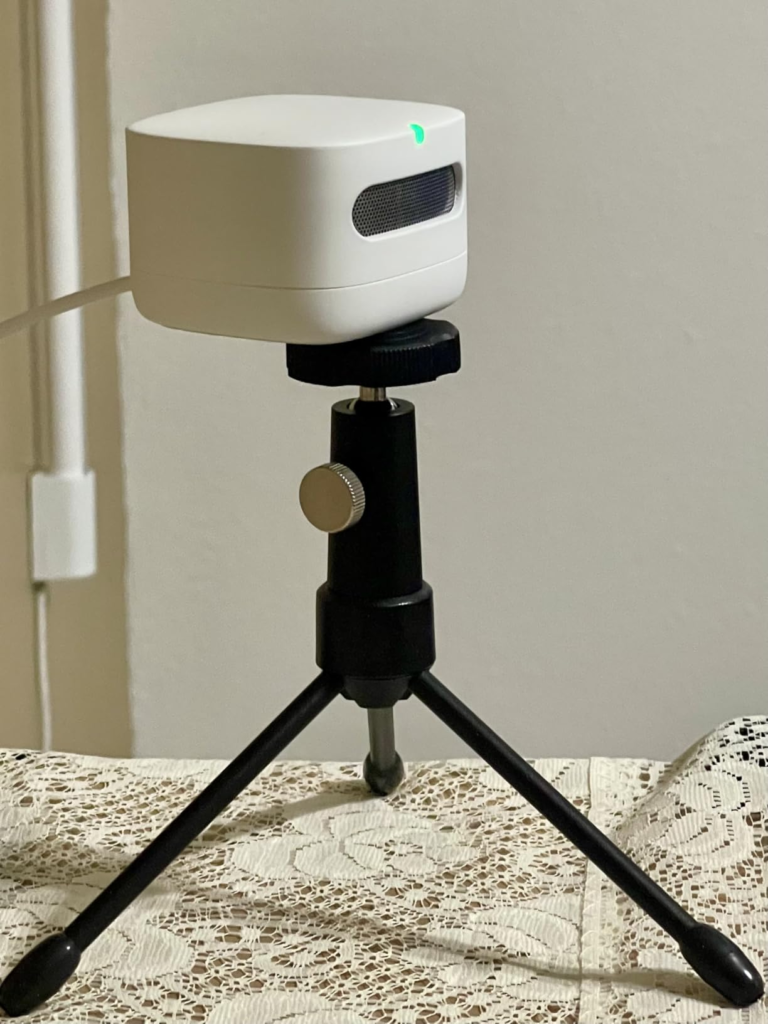
Strip away the marketing and the device is small — about the size of an Echo Dot, white plastic, a vented grille on the front, one button on the back. Behind that grille sits a Sensirion SEN44 sensor handling particulate matter, VOCs, humidity, and temperature, paired with a Figaro TGS5141 sensor for carbon monoxide. Everything reports into a single 0–100 “IAQ” score, which is what the front LED is actually translating into a color.
| Spec | Amazon Smart Air Quality Monitor |
|---|---|
| Measures | PM2.5, VOCs, CO, humidity, temperature |
| Does not measure | CO2, radon |
| Onboard display | None — single color LED only |
| Full readout | Alexa app, or an Echo device with a screen |
| Setup time | ~7 minutes to first reading |
| Full calibration | Up to 48 hours |
| Power | Micro-USB, plugged in, no battery backup |
| Data export | Not available |
| Warranty | 1 year |
| Typical price | ~$70 single unit; this listing bundles two |
No screen, no numbers on the device itself — just the light. That one design choice explains most of what people either love or resent about this monitor.
The Threshold Where Green Quietly Stops Meaning “Healthy”
Here’s the part that doesn’t make it onto the product page. The LED runs on the overall IAQ score: green from 65–100, yellow from 35–64, red from 0–34. For PM2.5 specifically, Amazon calls anything from 0 to 35 µg/m³ “good.”
Thirty-five micrograms per cubic meter isn’t a number Amazon invented — it’s the EPA’s own 24-hour PM2.5 limit. But that’s the ceiling of what’s legally acceptable over a full day, not a target for what’s actually healthy. The EPA’s long-term health guidance, tightened in 2024, sits at 9 µg/m³ annually. So a room can sit at the very top edge of this monitor’s “good” range — green light, no alert — while running close to four times higher than what regulators now consider genuinely protective over time.
| LED Color | IAQ Score | Amazon Calls It | What’s Actually Happening |
|---|---|---|---|
| Green | 65–100 | Good | PM2.5 can still be near 35 µg/m³ |
| Yellow | 35–64 | Moderate | Worth ventilating or running a purifier |
| Red | 0–34 | Poor | Action recommended now |
None of this makes the monitor dishonest — it makes the light a glance tool, not a lab instrument. Amazon itself rates the PM2.5 sensor accurate to within ±20 µg/m³ or ±20%, whichever is larger. Independent testers comparing it against reference sensors have measured real-world deviation running into the high-20-percent range. VOC readings are relative, not an absolute chemical concentration. Temperature tracks tightly, within about a degree. Humidity is the weakest of the five, off by roughly ±10% in outside testing. That combination makes this a trend tool — good at telling you a room is getting worse, not built to tell you precisely how much worse.
Why So Many First-Time Buyers Judge It in the Wrong Minute
Three objections show up in almost every review and comment thread for this device, and each deserves a straight answer instead of a shrug.
Why leave out a screen most competitors include? Because building a numeric display into the hardware costs money and adds a component most people would rarely glance at directly. Skipping it is exactly how Amazon undercuts $150–200 competitors while still reporting the same five numbers through the app.
“It should track CO2 like the others do.” It doesn’t, and if CO2 is specifically what you’re chasing — for sleep quality, focus, or that classic closed-door drowsiness — this isn’t your device. The Awair Element exists precisely for that gap, and we’ll get to it shortly.
“The accuracy complaints mean it’s junk.” They mean it’s a budget consumer sensor, not a reference-grade instrument — true of nearly every monitor under $150. The real question isn’t whether it’s lab-perfect. It’s whether it’s precise enough to catch a real problem, and for particulate spikes from cooking, cleaning, or wildfire smoke, independent testers have consistently found that it is.
Where the Value Actually Sits
| What Works | What Doesn’t |
|---|---|
| Roughly half the price of comparable monitors | No onboard display — LED only |
| Seamless Alexa Routines and automation | No CO2 or radon sensor |
| Simple, fast setup | No data export |
| Compact, very low power draw | Humidity accuracy weaker than rivals |
| Solid PM2.5 and temperature tracking for the price | No battery backup during outages |
Who Should Buy This Air Quality Monitor — and Who Shouldn’t
| Buy it if you… | Skip it if you… |
|---|---|
| Already use Echo devices or the Alexa app daily | Have no interest in the Alexa ecosystem |
| Want automation — a purifier or fan triggered by air quality | Want CO2 tracking specifically |
| Want simple color-coded awareness, not raw data | Want to export or analyze your own data |
| Need to cover two rooms on a budget (nursery, kitchen) | Need a certified carbon monoxide alarm |
| Care more about price than lab-grade precision | Want numbers visible on the device, no app required |
That carbon monoxide line is worth repeating outside the table: Amazon states plainly that this device is not certified as a CO alarm and isn’t a substitute for one. If CO safety is the actual reason you’re shopping, buy a certified detector first. This monitor is a bonus layer of awareness, never the primary one.
Amazon Smart Air Quality Monitor vs Alternatives: How It Stacks Up
| Monitor | Measures CO2 | Onboard Display | Approx. Price | Best For |
|---|---|---|---|---|
| Amazon Smart Air Quality Monitor | No | No (LED only) | ~$70 | Alexa households, budget, automation |
| Awair Element | Yes | Yes | ~$200 | CO2, sleep/focus tracking, precision |
| IKEA Vindstyrka / Qingping Lite | No | Yes | ~$50–80 | A screen without app dependency |
| Airthings View Plus | Yes (+ radon) | Yes | ~$330 | Whole-home, radon-aware households |
Amazon’s device wins on price and how invisibly it slots into a home already running on Alexa. It loses on precision, display, and the CO2 gap the moment your priorities shift toward tracking depth over convenience.
Why Two Units Beats One
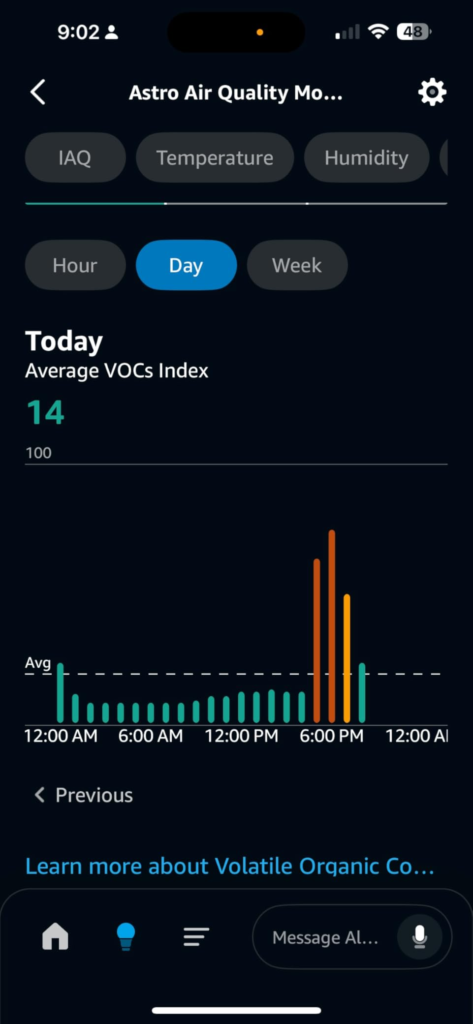
The listing you’re looking at is the two-pack, and that’s not just a bulk discount — it changes how useful the whole system is. One monitor gives you a single, isolated number. Two, placed in different rooms, give you a comparison: which room is actually worse right now, and when.
That contrast is where the real value shows up. A kitchen spiking during dinner while the nursery stays flat tells you the range hood needs attention. Both rooms drifting yellow at the same time points to something bigger — outdoor smoke, a sealed-up house, an overdue HVAC filter. One data point can’t show you that. Two can.
Worth knowing: if you ask Alexa out loud for “the indoor air quality,” she’ll only read back one monitor’s score — generally whichever is currently better. The side-by-side comparison lives in the app, not in the spoken answer, so plan on checking the dashboard once you own more than one.
What It Actually Solves, and What Still Depends on You
This monitor doesn’t clean anything. No filter, no fan, no purifying function of its own — it watches, scores, and, if you set up a Routine, nudges another device into action. What it solves is blindness: the gap between how a room feels and what’s actually building up inside it. What it reduces is guesswork around when to open a window or run a purifier. What it still leaves entirely to you is the fix itself, and noticing the alert in the first place if notifications are muted.
Frequently Asked Questions
| Question | Answer |
|---|---|
| Does it have a screen showing the actual numbers? | No. The only onboard indicator is a single color LED — green, yellow, or red. Full numeric readings live in the Alexa app or on an Echo device with a screen. |
| Does it measure CO2? | No, and it doesn’t measure radon either. It covers PM2.5, VOCs, CO, humidity, and temperature only. |
| Is the carbon monoxide reading a substitute for a CO alarm? | No. Amazon is explicit that this isn’t certified as a CO alarm or detector. Keep a dedicated, certified CO alarm regardless of whether you own this monitor. |
| Do I need an Echo speaker to use it? | No. The free Alexa app on your phone is enough. An Echo device adds voice queries and spoken alerts, but it isn’t required. |
| How long until the readings are reliable? | About seven minutes for a first reading, then up to 48 hours for the sensor to fully settle into your room’s baseline. |
| Can I export or download the historical data? | No. You can browse hourly, daily, and weekly trends inside the Alexa app, but there’s no export or download option. |
| Does it run on batteries? | No. It’s powered continuously through micro-USB, so it has no backup during a power outage. |
| Why buy the two-pack instead of one unit? | One monitor gives you a single number in isolation. Two, placed in different rooms, let you compare — which is usually how you actually find the source of a problem, not just its symptom. |
Final Compression
Strip away the debate and it comes down to one honest question: do you want a precise instrument, or a fast, cheap, Alexa-native early-warning system? This monitor was never built to be the first. As the second, at this price, placed in two rooms instead of one, it earns its keep.
If you’re already living inside the Alexa ecosystem and just want to stop guessing which room in your home needs a window cracked open, this is where the decision stops being complicated:
Transparency Note:
This analysis is built on aggregated real-world experience. It extracts what repeatedly holds, what breaks, and what users uncover only after living with the system—then shapes it into a clear model you can use immediately. Think of it as structured experience, refined and presented so you don’t have to learn it the hard way.
“A quick note: Don’t believe the star ratings, but trust personal experience. This article is a compilation of collected experiences.”