Home Assistant Green Review: The $199 Hub That Still Hides a 32GB Problem
HOME ASSISTANT GREEN
It’s Friday night. You want to dim the lounge lights, lock the door, and tell the thermostat to chill out for the next two hours. That means four apps, two logins you’ve forgotten, and a Wi-Fi bulb that’s decided tonight is the night to go offline. You’re not bad at tech. You’re just tired of babysitting tech that was supposed to babysit your house.
That exact fatigue is why Home Assistant Green exists, and why so many people land on its product page at 11pm looking for one straight answer: does this little box actually fix the mess, or does it just move the mess somewhere else? I’m going to walk through what’s actually inside it, what real owners run into a few months in, and where the line sits between “this was the right call” and “I should have used what I already own.”
Home Assistant Green Specs: The Result Looks Fine, the Problem Isn’t
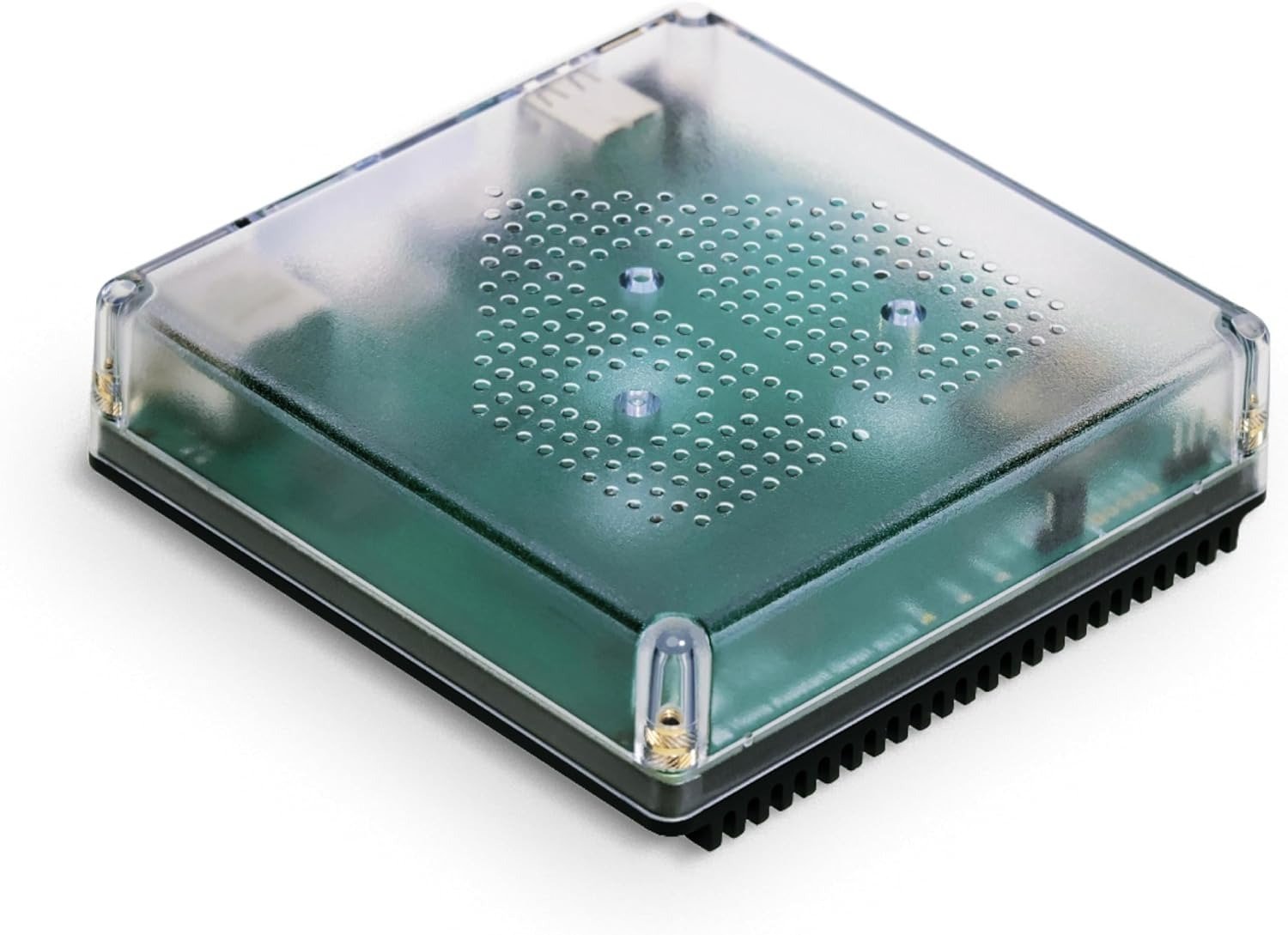
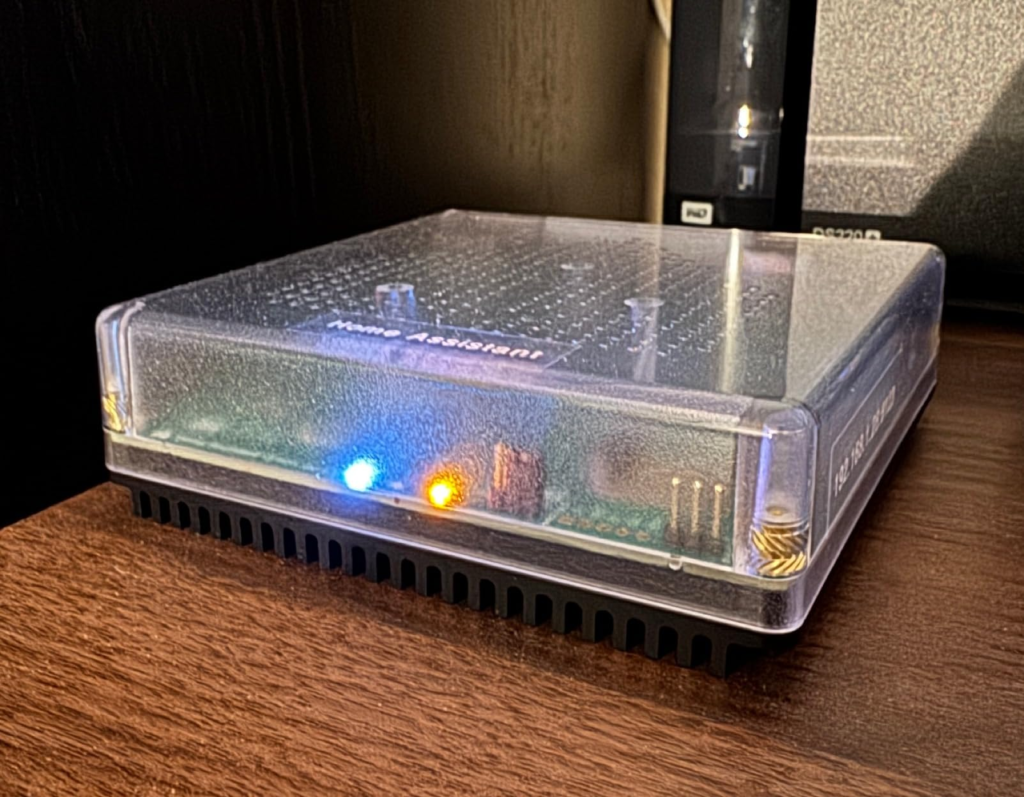
On paper, Green reads like a sensible little computer. Quad-core ARM chip, 4GB of RAM, fanless, silent, sips about 1.7 watts at idle. Plug in power and Ethernet, open a browser, and Home Assistant OS is already sitting there waiting for you. No flashing an SD card, no terminal, no decision paralysis about which Linux distro to pick.
| Spec | Detail |
|---|---|
| SoC | Rockchip RK3566, quad-core ARM Cortex-A55 @ 1.8GHz |
| RAM | 4GB LPDDR4X |
| Storage | 32GB eMMC (soldered, not removable) |
| Ports | 2x USB 2.0, Gigabit Ethernet, HDMI (diagnostics only), microSD (recovery only) |
| Wireless | None built in — no Wi-Fi, no Bluetooth, no Zigbee/Z-Wave/Thread |
| Power draw | ~1.7W idle, ~3W under load |
| Dimensions | 112 x 112 x 32mm, 340g |
| In the box | Hub, Gigabit Ethernet cable, universal power adapter (US/UK/EU plugs) |
That spec sheet is the easy part to verify. It’s not where this device actually gets tested.
Home Assistant Green Setup: What You’re Actually Feeling but Not Naming
The setup itself is genuinely fast — most people are through the wizard and watching their Hue lights and Sonos speakers auto-populate in well under an hour. That part of the marketing is honest.
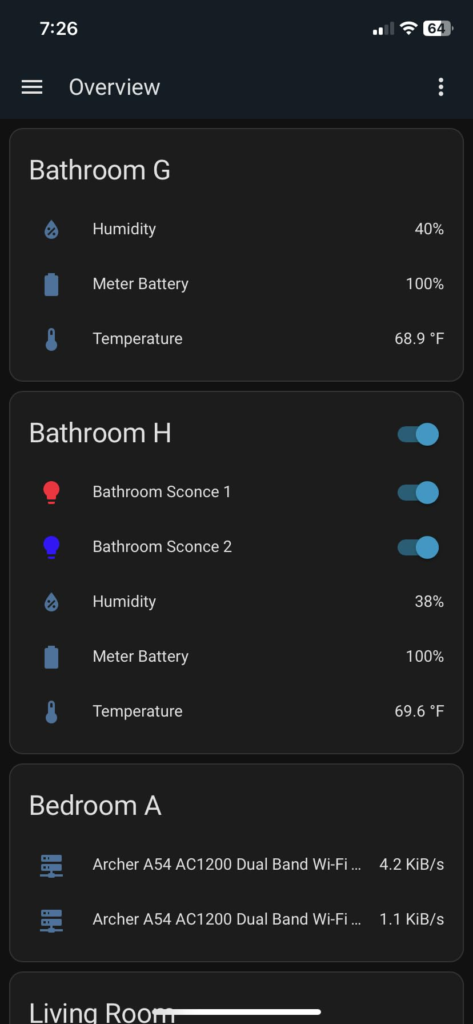
But there’s a second feeling that shows up a few weeks later, usually buried in Settings → System → Storage, and most new owners can’t name it at first. It’s not a bug message. It’s a number. A small, climbing percentage labeled “eMMC lifetime used.” And on a device pitched as the beginner-friendly, set-it-and-forget-it option, that number is the first sign that “fine” and “actually fine long-term” aren’t the same claim.
Home Assistant Green eMMC Storage: The Hidden Mechanism Behind the Miss
Here’s the mechanism nobody puts on the box. The 32GB of storage isn’t an SD card you can swap or an SSD you can upgrade — it’s eMMC, soldered directly to the board. Every state change, every sensor update, every backup Home Assistant logs gets written to that same fixed chip, and flash storage has a finite number of write cycles before it degrades.
This isn’t a rumor. It’s the single most repeated thread on the official Home Assistant community forum. New owners report 10–20% “lifetime used” within days or weeks of normal use. One detailed report described 80% used after roughly a year of unremarkable, beginner-level use — on a device marketed specifically as beginner-friendly. The “easiest way to start” comes with a wear gauge running in the background that the easiest possible buyer is the least likely to know to check.
Home Assistant Green Lifespan: The Threshold Where the Outcome Quietly Breaks
The break point isn’t dramatic. There’s no crash, no warning popup demanding action. It’s quiet. The percentage just keeps climbing in the background while everything still looks normal, until one day it doesn’t.
The fix, if you catch it early, is simple: move your recorder database and backups onto an external USB drive from day one, trim how many days of history you’re storing, and stop logging entities you never actually look at. Do that in week one and eMMC wear stops being a threat. Do nothing, and the clock you didn’t know was running keeps running anyway. That’s the actual threshold — not a hardware failure, but the gap between owners who knew to act early and owners who found out the hard way.
Home Assistant Green vs Raspberry Pi: Why Most Buyers Misread This Too Early
The comparison most people run in their head is “Green vs. a Raspberry Pi I could set up myself,” and they usually run it on price alone. That’s the trap. A bare Pi 5 board looks cheaper until you add a case, a proper power supply, and an SSD instead of an SD card — at which point the total often lands close to what Green now costs, while still requiring you to flash the OS, manage updates, and troubleshoot it yourself.
| Home Assistant Green | Raspberry Pi 5 (DIY) | Home Assistant Yellow | |
|---|---|---|---|
| Setup | Plug-and-play, OS preinstalled | Manual flash + config | Plug-and-play |
| Built-in radios | None (USB dongle needed) | None (USB dongle needed) | Zigbee built in |
| Storage | 32GB eMMC, fixed | Removable SD/SSD | Expandable via NVMe |
| Upgradeable | No | Yes | Yes (RAM, storage) |
| Official support | Full, direct from Nabu Casa | Community-supported | Full, direct from Nabu Casa |
| Best for | Zero-effort entry, gifting | Tinkerers, existing hardware owners | Buyers who’ll outgrow Green |
The real misread isn’t “which is cheaper.” It’s buying based on sticker price instead of who’s going to be doing the maintenance for the next three years — you, or nobody.
Who Should Buy Home Assistant Green: Who Is Actually Inside This Problem
The person this genuinely fits already has a drawer full of mismatched apps — one for the lights, one for the thermostat, maybe a Hue bridge gathering dust in a closet — and just wants one dashboard, one automation engine, and to stop paying three separate small subscriptions for things that don’t need to be in the cloud. Real long-term owners describe exactly this: consolidating five vendor apps into one system and cancelling a recurring subscription they no longer needed, with the hardware paying for itself within a couple of years.
If that’s your Friday night, you’re inside the problem this box was built to solve.
Home Assistant Green Compatibility: Where Wrong-Fit Begins
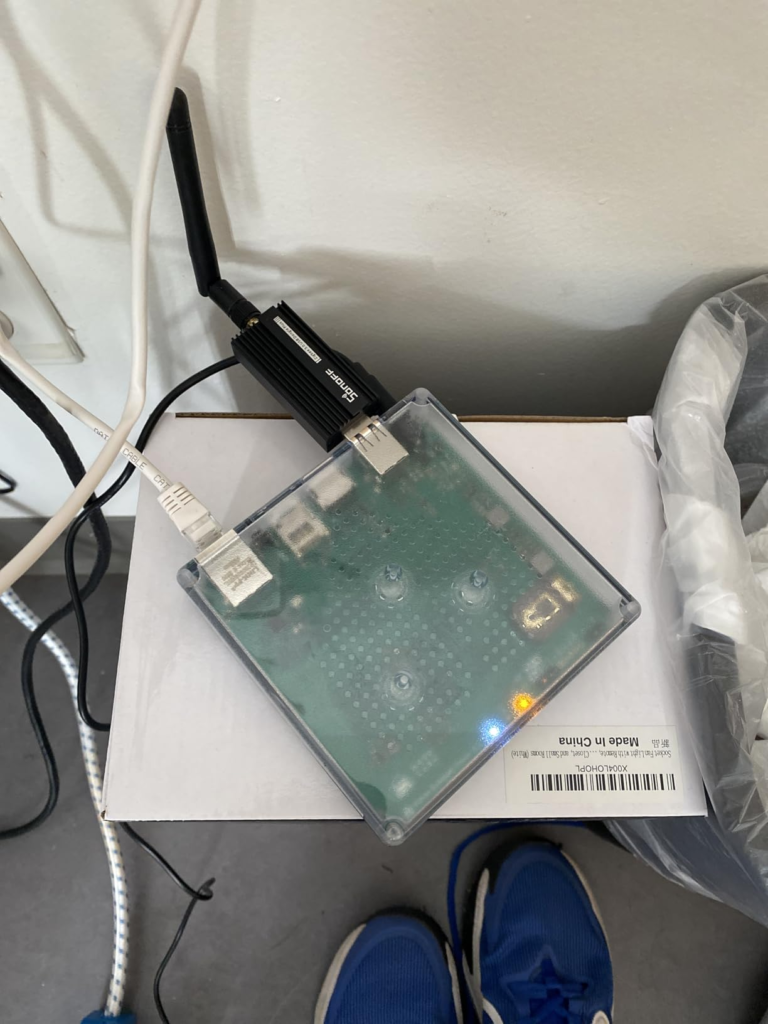
Wrong-fit starts the moment you assume “smart home hub” means it talks to everything out of the box. It doesn’t. No Wi-Fi, no Bluetooth, no Zigbee, no Z-Wave, no Thread — none of it is built in. Green only natively understands Wi-Fi devices already on your network and a Gigabit Ethernet cable to your router. Everything else, Zigbee bulbs, Z-Wave locks, Thread sensors, needs a separate USB radio (Connect ZBT-2 for Zigbee/Thread, ZWA-2 for Z-Wave), and even then, a single ZBT-2 can only run Zigbee or Thread, not both at once.
| Need | Built in? | What you actually need |
|---|---|---|
| Wi-Fi devices | Yes | Nothing extra |
| Zigbee devices | No | Connect ZBT-2 (~$49) |
| Z-Wave devices | No | Connect ZWA-2 |
| Thread/Matter | No | Connect ZBT-2, dedicated to Thread |
| Voice assistants (Alexa/Google) | Partial | Home Assistant Cloud recommended |
| Secure remote access | No | Home Assistant Cloud or your own VPN |
If you pictured one box quietly absorbing every protocol you own, that picture was never accurate. Plan the dongles into the budget before you plan the hub.
Home Assistant Green Price: The One Situation Where This Hub Becomes Logical
Here’s the part that surprises almost everyone who looked this up a year or two ago: Green launched in late 2023 at $99. Component costs, particularly RAM, kept rising, and Nabu Casa has been transparent that the part cost of building this device has nearly doubled since launch. The official MSRP has climbed in stages and now sits at $199 / €179.
| Period | Approx. price | Why |
|---|---|---|
| Late 2023 (launch) | $99 | Original price point |
| 2024–2025 | ~$119–$159 | Tariffs, rising component costs |
| 2026 (current) | $199 / €179 | Continued RAM/component cost increases |
That price hike is genuinely annoying if you were comparing it to the $99 figure still floating around in old blog posts and videos. But once you stop comparing it to its old self and start comparing it to a fully kitted-out Pi 5, a paid cloud-locked competitor hub, or your own time spent troubleshooting a DIY build, $199 stops being a shock and starts being a fairly ordinary entry fee for “I never have to think about the OS again.”
Home Assistant Green Pros and Cons: What It Solves, What It Reduces, and What It Still Leaves to You
| Pros | Cons |
|---|---|
| Genuinely plug-and-play, OS preinstalled | No Wi-Fi, Bluetooth, or mesh radios built in |
| Silent, fanless, low power draw | Storage is fixed eMMC — no upgrade path |
| Official support directly from Nabu Casa | eMMC wear needs active management from day one |
| Local-first, no forced subscription | Price has nearly doubled since 2023 |
| Works with HomeKit, Google, Alexa, SmartThings | Cloud subscription needed for smooth voice + remote access |
| 1,000+ integrations, monthly updates | Modest CPU under heavy multi-camera or AI workloads |
It solves the app-clutter problem completely. It reduces, but doesn’t eliminate, the technical involvement — you still need to know the eMMC trick exists. And it still leaves the dongle decisions and the YAML learning curve entirely on you if you want to go past the basics.
Home Assistant Green FAQ: Quick Answers Before You Decide
| Question | Answer |
|---|---|
| Does Home Assistant Green have Wi-Fi or Bluetooth built in? | No. It connects only via Gigabit Ethernet. Wi-Fi devices on your network are detected automatically, but the hub itself has no wireless radio. |
| Do I need a Home Assistant Cloud subscription? | No, the core platform works fully without it. Cloud ($6.50/month or $65/year) adds encrypted remote access and smoother Alexa/Google Assistant integration, but you can use a VPN or your own remote-access setup instead. |
| Will the eMMC storage actually wear out? | It can, under normal write activity, faster than most beginners expect. Moving your database and backups to an external USB drive early largely solves this. |
| Is it better than building my own Raspberry Pi setup? | If you already own a spare Pi or NAS, no — install Home Assistant on what you have. If you’re starting from zero, Green is usually cheaper and far less work once you account for a case, PSU, and storage. |
| What’s the real difference between Green and Yellow? | Yellow has a built-in Zigbee radio and an upgrade path for RAM and storage. Green is sealed, simpler, and was built purely for fast, no-assembly setup. |
| Can I run Zigbee and Z-Wave at the same time? | Yes, with two separate USB dongles (ZBT-2 and ZWA-2) plugged into Green’s two USB ports. |
Home Assistant Green Review: Final Verdict
If you already own hardware sitting idle, or you specifically need built-in wireless radios out of the box, Green isn’t solving a problem you have — it’s just a more expensive way to recreate one. But if you’re done juggling apps, you want one system you actually own, and you’re willing to spend five minutes protecting that eMMC chip the way the manual doesn’t quite tell you to, this is where the decision stops being vague.
Transparency Note:
This analysis is built on aggregated real-world experience.
It extracts what repeatedly holds, what breaks, and what users uncover only after living with the system—then shapes it into a clear model you can use immediately.
Think of it as structured experience, refined and presented so you don’t have to learn it the hard way.
“A quick note: Don’t believe the star ratings, but trust personal experience. This article is a compilation of collected experiences.”