NETGEAR Nighthawk CAX30 Review: Why Your Internet Still Feels Capped
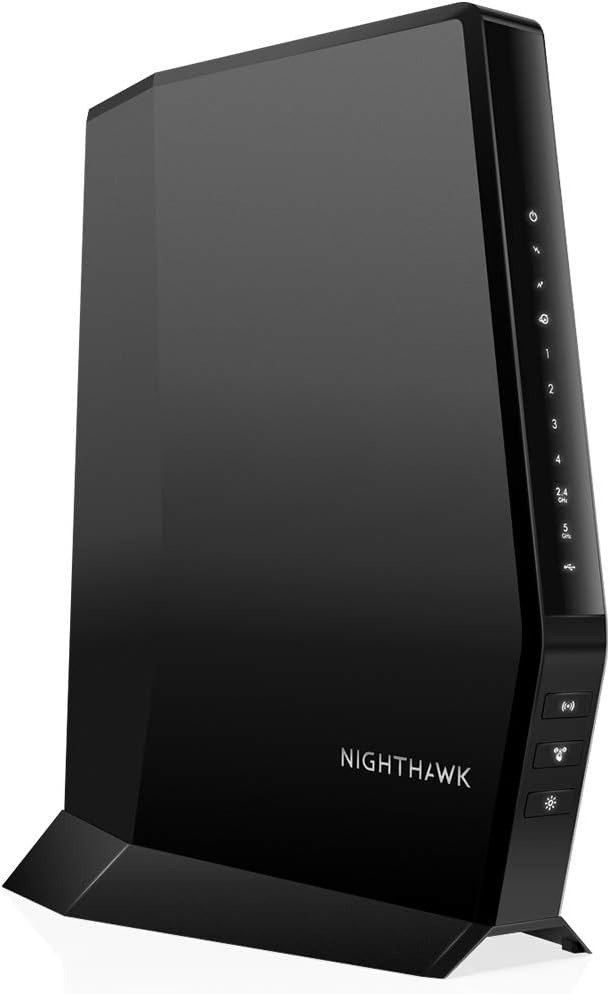
PRODUCT NAME: NETGEAR Nighthawk CAX30
Your bill went up. Your speed didn’t. That gap — between what you’re paying for and what’s actually reaching your laptop — is usually the first clue that the box blinking in the closet isn’t the upgrade it used to be.
The NETGEAR Nighthawk CAX30 gets bought by people trying to close that exact gap: cable subscribers tired of a rented gateway and a rental fee that only ever climbs. Whether it actually closes the gap for you comes down to three numbers almost nobody checks before clicking buy. We’ll get to all three.
Here’s what’s actually in the box, before the marketing language starts:
| Spec | What You Get |
|---|---|
| Modem | DOCSIS 3.1, 32×8 channel bonding |
| WiFi | Dual-band WiFi 6 (AX2700), up to 2.7 Gbps combined |
| Coverage | Roughly 2,000–2,500 sq. ft. |
| Devices | Rated for about 25 simultaneous connections |
| Wired ports | 4× Gigabit Ethernet, port aggregation supported |
| Extra ports | 1× USB 3.0 |
| Security | NETGEAR Armor (30-day trial), WPA3 |
| Setup | Nighthawk app or browser, typically 15–40 minutes |
| Works with | Xfinity, Spectrum, Cox, and most US cable ISPs |
| Won’t work with | DSL, fiber, satellite, or bundled voice service |
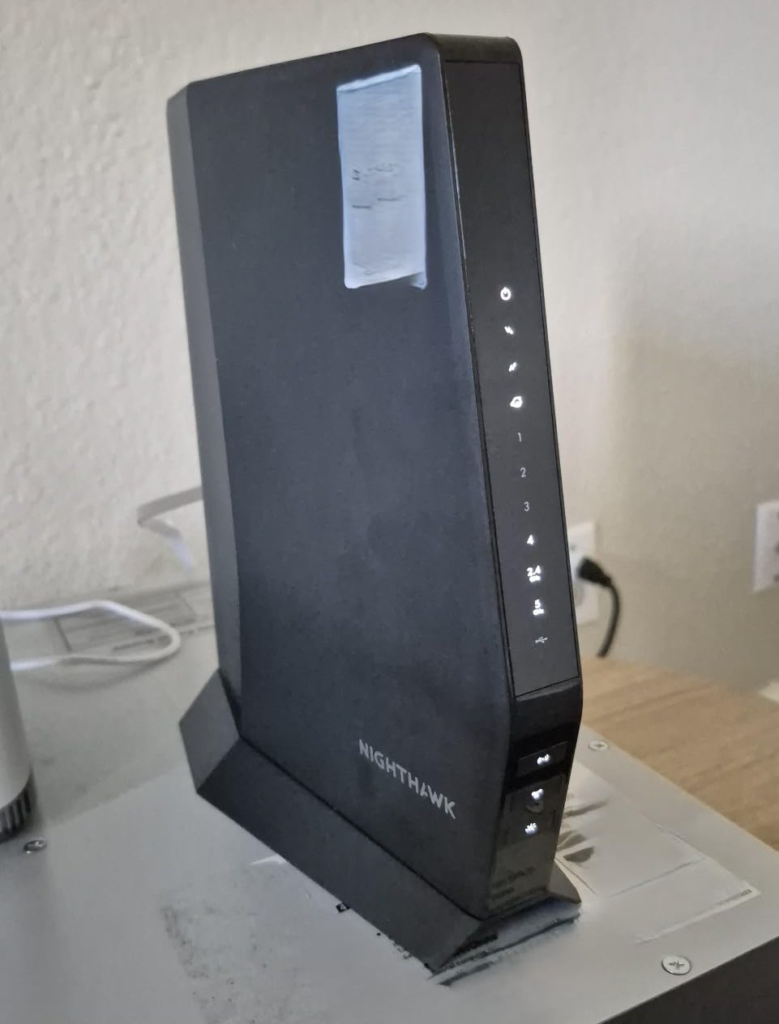
NETGEAR Nighthawk CAX30 Speed Test: The Number on the Box Isn’t the Number You Get
“2.7 Gbps” sits right on the front of the packaging. It’s not wrong, exactly — it’s just not the number that shows up when you run a speed test.
That 2.7Gbps is what AX2700 means: the 2.4GHz and 5GHz bands added together, on paper, under lab conditions, with multiple devices pulling from both bands at once. No single laptop or console will ever see that number alone. On a wired connection, most owners land somewhere in the 500–900Mbps range depending on their plan and ISP — which sounds like a downgrade until you realize it isn’t a flaw in the hardware. It’s a different question being answered.
DOCSIS 3.1, the modem standard inside this device, is rated by the cable industry at up to 10Gbps downstream in theory. No residential cable plan in the US comes close to using that. So the real question was never what this modem can theoretically carry. It’s what your ISP is actually willing to push through it.
NETGEAR Nighthawk CAX30 vs Rented Modem: The Annoyance You Never Quite Named
Why does a box you’re renting for $15 a month somehow feel like the thing holding your entire house back?
It’s rarely one dramatic failure. It’s the call dropping for half a second during the meeting you couldn’t reschedule. It’s two people streaming at once and the picture quietly downgrading itself. It’s opening the bill eighteen months in and noticing the equipment line crept up again, for a box that was already outdated when they handed it to you. None of it’s dramatic enough to complain about on its own. All of it adds up to a feeling you can’t quite name — until you check what a modem you actually own costs to run: nothing, every month, forever.
DOCSIS 3.1 and WiFi 6 Explained: The Hidden Mechanism Behind the Mismatch
Here’s the part most listings skip. There are three separate ceilings stacked on top of each other, and the gap between what you expected and what you got usually lives in one of them.
First, DOCSIS 3.1 with 32×8 channel bonding can theoretically carry up to 10Gbps down. Second, your ISP certifies this specific model for a much lower number, because certification reflects what they’ve actually tested and will guarantee — not what the hardware could theoretically do. Third, the four Ethernet ports on the back are standard Gigabit, with no faster 2.5GbE port on this model, which means a single wired device physically cannot cross roughly 940Mbps, no matter what your plan promises.
WiFi 6 solves a different problem entirely: not raw speed, but how gracefully the router handles a house full of devices talking at once, using a technique called OFDMA so they stop queuing up behind each other. It’s why a home with fifteen smart devices feels less congested on this than on older WiFi 5 hardware, even at the same headline speed.
NETGEAR Nighthawk CAX30 Speed Limit: The 940Mbps Wall Nobody Puts on the Box
| Provider | Certified Speed on CAX30 | What That Means for You |
|---|---|---|
| Xfinity | Up to 800 Mbps | Gig-plus plans exceed certification |
| Spectrum | Up to 1 Gbps | Covers Spectrum’s Gig plan |
| Cox | Up to 1 Gbps | Covers Cox Gigablast and below |
| Any provider, 1.2 Gbps+ wired | Not fully supported | No 2.5GbE port; wired tops out near 940 Mbps |
This is the number that actually governs your experience, and it’s almost never the number anyone leads with.
If you’re on Xfinity, this modem is certified up to 800Mbps — full stop, regardless of which gigabit-plus plan you’re paying for. Spectrum and Cox extend certification to 1Gbps. Across every provider, once your plan crosses roughly 940Mbps, the Ethernet ports become the bottleneck instead of the cable line. None of that shows up on the box. It only shows up on a speed test, after the return window, when the disappointment has nowhere to go.
NETGEAR Nighthawk CAX30 vs CAX80: Why Buyers Pick the Wrong Number
| Spec | CAX30 | CAX80 |
|---|---|---|
| WiFi speed | AX2700 (2.7 Gbps) | AX6000 (6 Gbps) |
| Best for plans up to | ~1 Gbps | ~2 Gbps |
| Wired ports | 4× 1GbE | 4× 1GbE + 1× 2.5GbE |
| Coverage | ~2,000–2,500 sq. ft. | ~2,500 sq. ft.+ |
| Typical price | Lower | Higher |
Most people compare these two by looking at one figure — AX2700 versus AX6000 — and assume bigger means safer. It’s a reasonable instinct that leads to the wrong purchase about as often as the right one.
The number that actually matters is your plan’s speed tier, not the router’s marketing ceiling. Someone on a 400Mbps plan buying the CAX80 is paying for headroom they may never use. Someone on a 1.2Gbps plan buying the CAX30, expecting that headline 2.7Gbps to cover them, is the one who’ll feel shorted — not because the modem underperforms, but because the wrong number got compared to the wrong plan.
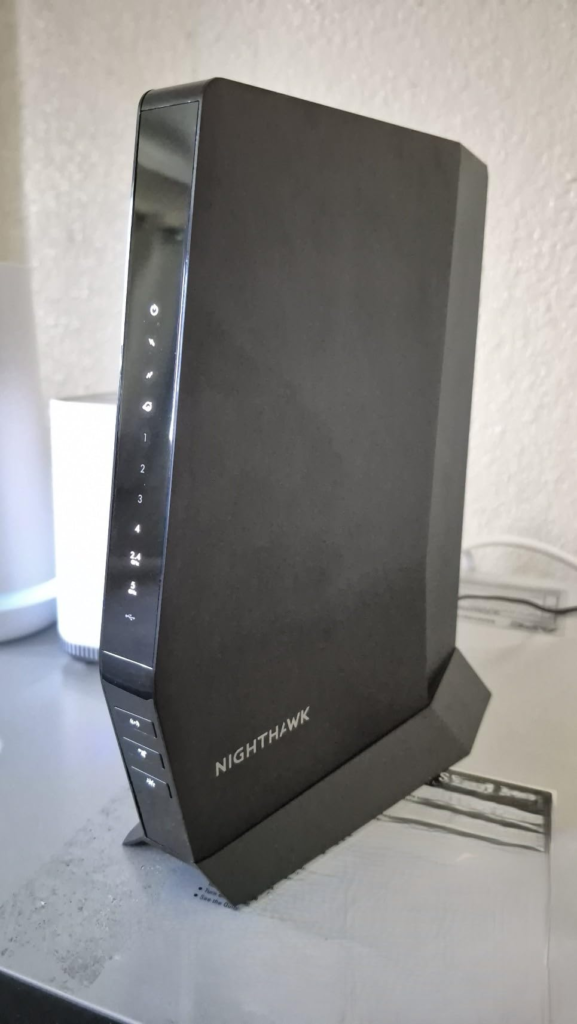
Who the NETGEAR Nighthawk CAX30 Modem Router Is Actually For
This fits a specific, common situation: a cable subscriber on Xfinity, Spectrum, Cox, or similar, paying a monthly rental fee for a plan between roughly 400Mbps and 1Gbps, living in a home around 2,000–2,500 square feet that isn’t fighting three floors and a finished basement. You want one box instead of two, a setup that takes thirty minutes instead of an afternoon, and built-in security you don’t have to think about again. You’re not chasing VLANs or per-device traffic shaping — you just want the rental fee gone and the WiFi to stop being the excuse for everything that goes wrong online.
NETGEAR Nighthawk CAX30 Compatibility: Where the Wrong Fit Begins
| Buy It If | Skip It If |
|---|---|
| You rent a modem from Xfinity, Spectrum, or Cox | You’re on AT&T, Verizon Fios, CenturyLink, or DSL |
| Your plan tops out around 800 Mbps–1 Gbps | Your plan is 1.2 Gbps+ and you need full wired speed |
| Your home is roughly 2,000–2,500 sq. ft. | You’re in a large, multi-story, thick-walled home |
| You want one box and a simple setup | You need VLANs, advanced QoS, or deep traffic logs |
| You don’t need bundled home phone service | Your plan includes bundled voice or “triple play” |
A few situations rule this out completely, no configuration around it. If your service is AT&T, Verizon Fios, CenturyLink, Frontier, or any DSL or fiber connection, this modem is physically incompatible — it needs a coaxial cable line, not fiber or phone line. The same goes for bundled home phone service: there’s no telephone jack on this unit.
Beyond the hard nos, there’s a softer wrong-fit zone. Large or multi-story homes with thick interior walls will likely outgrow the coverage and end up needing an extender anyway, which quietly erodes the “one simple box” appeal that made this attractive in the first place. And if you want to segment your network or dig into detailed traffic logs, the built-in tools here favor convenience over depth.
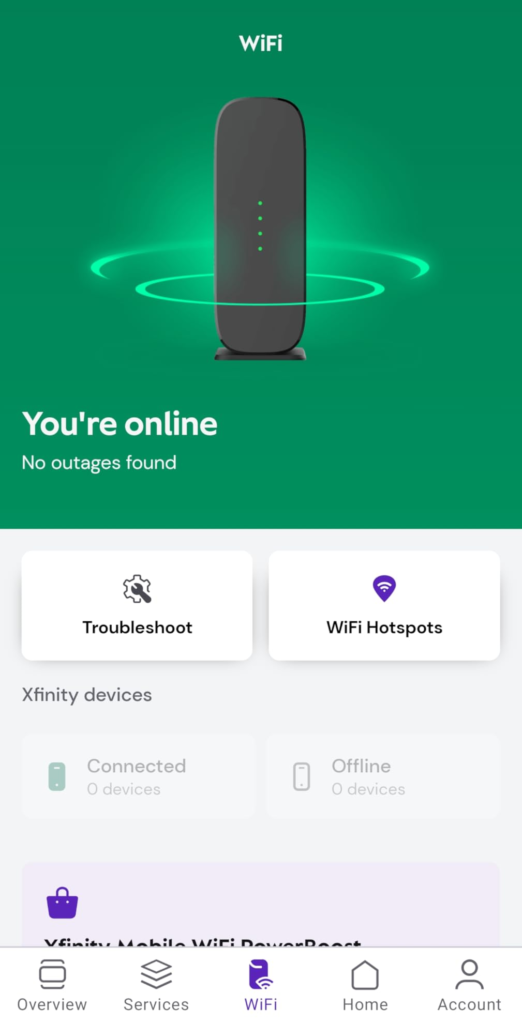
NETGEAR Nighthawk CAX30 Firmware Problems: The Complaint You’ll See Repeated
Look through enough reviews and forum threads and one complaint resurfaces with real consistency: WiFi occasionally goes flaky after a firmware update, usually on the 5GHz band, with devices showing connected but not actually passing data, while the wired Ethernet ports keep working normally. It surfaced clearly enough that NETGEAR’s own support site has a dedicated fix article for it, and smaller numbers of owners still mention it in recent reviews.
It’s a real pattern, not a rumor — and it’s also not universal; the much larger share of owners never run into it. If it happens to you, a factory reset or rolling back to the previous firmware version through NETGEAR’s support site resolves it for most people, and keeping a spare Ethernet cable handy means you’re never fully offline while you sort it out. Worth knowing going in. Not worth losing sleep over.
NETGEAR Nighthawk CAX30 Rental Savings: The One Situation Where It’s the Obvious Choice
| Provider | Typical Modem/Router Rental | Annual Cost of Renting |
|---|---|---|
| Xfinity | ~$15/month | ~$180/year |
| Cox | ~$10–14/month | ~$120–168/year |
| Spectrum | $0–10/month | $0–120/year (plan-dependent) |
Once everything above lines up — cable provider, plan at or under a gig, home that fits the coverage — the decision stops being complicated and turns into arithmetic. NETGEAR advertises savings of up to $168 a year. At Xfinity’s current $15-a-month rate, that’s actually closer to $180 — the marketing number just hasn’t caught up with the last rental hike. Even at full retail price, most owners break even somewhere between twelve and eighteen months, and every month after that is rental money that simply stops leaving the account.
One honest caveat, since it trips people up: on Xfinity specifically, dropping the rented gateway removes the $15 equipment line, but if unlimited data was bundled into that fee, you may see a separate ~$30/month unlimited-data charge appear once you switch to owned hardware. The modem savings are real. They’re just a different line item than the data plan, and worth checking before you assume the whole bill drops.
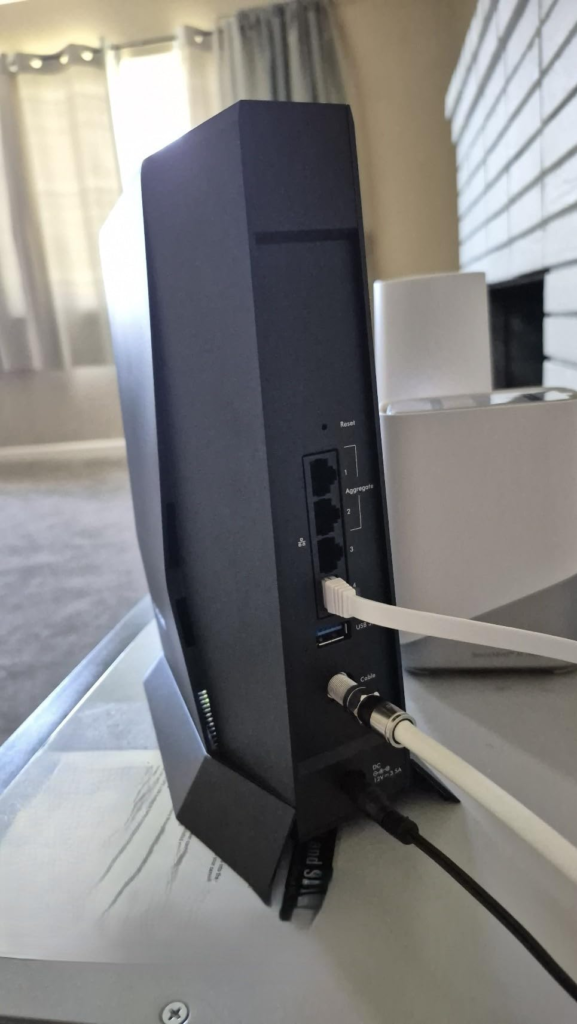
NETGEAR Nighthawk CAX30 Review: Final Verdict
| What Works | What Doesn’t |
|---|---|
| Real speed gain over an aging rented gateway | Wired speed tops out near 940 Mbps regardless of plan |
| Pays for itself in about a year on average | No 2.5GbE port for above-gig wired speed |
| Simple app-based setup, usually under 30 minutes | Occasional firmware-related WiFi drops |
| Solid coverage for mid-size homes | Not a mesh system — large homes may need extenders |
| Built-in NETGEAR Armor security included | Network controls are basic, not power-user depth |
| Strong long-term reliability for most owners | Can’t pair with bundled home phone/voice |
What this actually fixes: the rental fee, the aging ISP gateway, and the mental tax of running two boxes instead of one. What it meaningfully reduces: the random drops and dead zones that come standard with five-year-old rental equipment, plus the setup headache — most owners are online inside thirty minutes. What it doesn’t fix: a home too large for one access point, a plan above roughly a gig that needs full wired speed, or a network that needs more control than a consumer app is built to offer.
If you’re currently renting a modem for a cable plan that tops out at or under a gig, the decision stops being vague the moment you put today’s price next to your next twelve rental bills.
NETGEAR Nighthawk CAX30 Review: Frequently Asked Questions
| Question | Answer |
|---|---|
| Does the NETGEAR Nighthawk CAX30 work with AT&T or Verizon Fios? | No. It’s a cable modem built for coaxial connections only. AT&T, Verizon Fios, CenturyLink, Frontier, and any DSL or fiber service are not compatible, regardless of plan or speed. |
| Will it support a gigabit Xfinity plan? | Officially, Xfinity certifies this model up to 800Mbps. It will still function on faster plans, but you won’t get certified support or guaranteed full speed beyond that ceiling — Spectrum and Cox extend certification further, to 1Gbps. |
| Do I need to call my ISP to activate it? | Usually no — most providers let you self-activate through their app or website once it’s plugged in. Xfinity customers occasionally report a wait of anywhere from a few minutes to a few hours for server-side authorization, which is normal, not a sign anything’s broken. |
| How much will I actually save by buying instead of renting? | Based on current rental rates, roughly $120 to $180 a year depending on your provider, with most owners recovering the purchase price within twelve to eighteen months. |
| Can I use my own WiFi router instead of the built-in one? | Yes. You can disable the CAX30’s wireless radios and run it purely as a modem feeding your own router, if you’d rather keep your existing WiFi setup. |
| What’s the real difference between the CAX30 and the CAX80? | The CAX80 offers higher WiFi speed (AX6000 vs AX2700), an extra 2.5-gigabit Ethernet port, and slightly larger coverage — built for plans up to roughly 2Gbps. The CAX30 is built for plans up to about 1Gbps and costs less. |
| Why does my WiFi drop after a firmware update? | A known, intermittent issue affects some units after certain firmware updates, mostly on the 5GHz band. A factory reset or rolling back to the previous firmware version through NETGEAR’s support site fixes it for most people. |
| Is it compatible with a home phone or bundled voice plan? | No. There’s no telephone jack on this model, so it can’t replace equipment tied to a bundled voice or “triple play” package. |
Transparency Note:
This analysis is built on aggregated real-world experience.
It extracts what repeatedly holds, what breaks, and what users uncover only after living with the system—then shapes it into a clear model you can use immediately.
Think of it as structured experience, refined and presented so you don’t have to learn it the hard way.
“A quick note: Don’t believe the star ratings, but trust personal experience. This article is a compilation of collected experiences.”