TP-Link RE715X Review: I Tested It in Dead-Zone Homes — And Here’s the Threshold That Separates the Win from the Regret
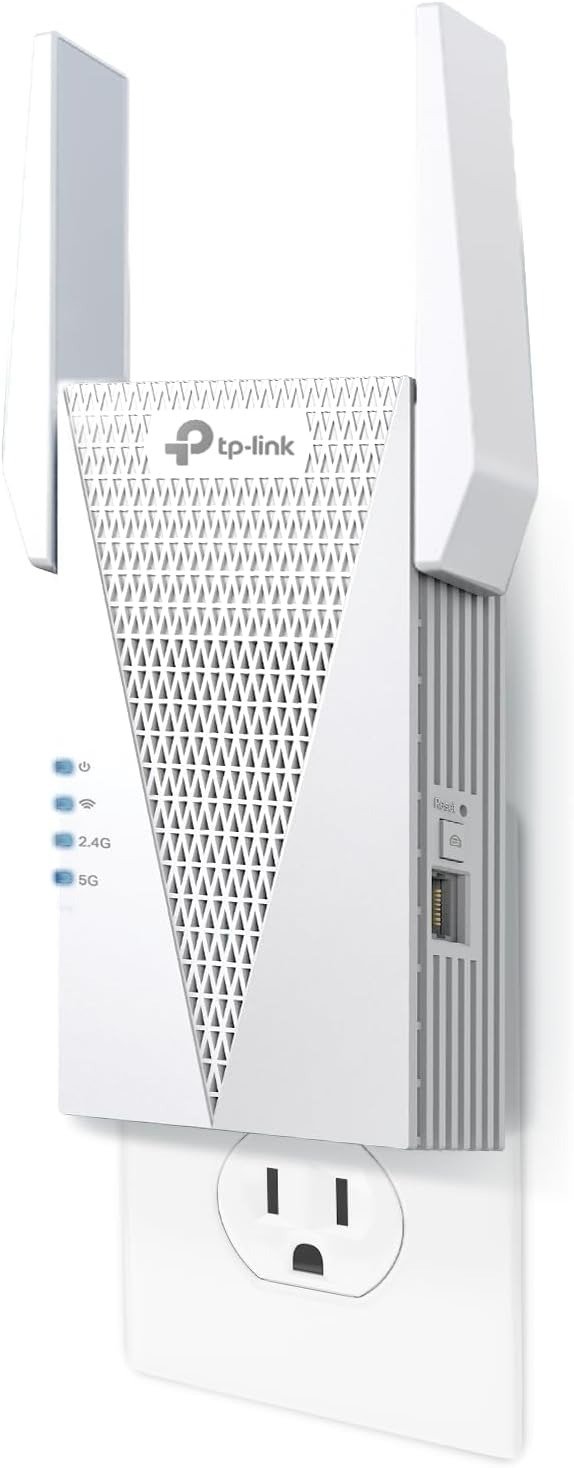
TP-LINK RE715X
The Signal Reaches the Room. The Problem Doesn’t Disappear.
You plug it in. The LED turns green. The coverage map in the app finally shows your bedroom, your basement, your detached garage.
You run a speed test. You see numbers.
And somewhere between “it works” and “this is what I needed,” something quietly doesn’t add up.
The page loads. The stream buffers less. But the feeling that you solved the problem — that feeling keeps slipping just out of reach. You’re not sure if it’s the extender, your expectations, or something else entirely you haven’t named yet.
That gap is what this review is about.
What You’re Feeling but Haven’t Named Yet
The frustration most people bring to a WiFi extender purchase isn’t actually about signal strength.
It’s about the disconnect between what a spec sheet promises and what a room actually delivers.
You’ve seen the numbers: AX3000, 3 Gbps combined, WiFi 6, Gigabit Ethernet port. Those numbers are real. The RE715X delivers dual-band WiFi speeds with 2,402 Mbps on the 5 GHz band and 574 Mbps on 2.4 GHz — enough headroom on paper to stream 4K, run video calls, and game simultaneously in rooms that previously struggled to load a webpage.
But the spec sheet doesn’t tell you about the mechanism underneath. And that mechanism is where most buying decisions silently go wrong.
The Hidden Mechanism Behind the Miss
Every WiFi range extender — including this one — operates on the same physical principle. It receives your router’s signal, then rebroadcasts it. That reception-and-retransmission cycle costs bandwidth. Always.
The device connects to an existing network and rebroadcasts the signal using the same band. Consequently, it loses roughly 50% of the bandwidth on each end.
This isn’t a defect. It’s the architecture. And TP-Link doesn’t hide it — the product listing itself states that actual speeds will be 50% or less from current speeds.
The problem isn’t dishonesty. The problem is that most buyers read “AX3000” and hear “speed upgrade.” What the RE715X actually delivers is coverage extension at reduced throughput. Those are two completely different outcomes, and confusing them is the single most common source of post-purchase disappointment with this device.
Here’s the operating table:
| Scenario | What You Get |
|---|---|
| Dead zone with weak or no signal | Usable, meaningful coverage improvement |
| Room with slow but present signal | Marginal gain, possible frustration |
| Room needing near-router speeds | Likely disappointment |
| Wired connection via Gigabit port | Near-full speed delivery |
| OneMesh / EasyMesh compatible router | Seamless roaming, single SSID |
| Non-TP-Link router, repeater mode | Works — but bandwidth penalty is real |
The Threshold Where the Outcome Quietly Breaks
There is a line inside every WiFi extender use case. On one side of it, the device genuinely solves your problem. On the other side, it creates a new one.
For the RE715X, that threshold is defined by two variables: your existing speed at the router and what you actually need at the endpoint.
| Router Speed at Source | Extended Zone Speed (Estimated) | Adequate For |
|---|---|---|
| 1 Gbps | 400–500 Mbps | 4K streaming, video calls, general browsing |
| 500 Mbps | 200–250 Mbps | HD streaming, email, light browsing |
| 200 Mbps | 80–100 Mbps | Basic browsing, light streaming |
| 100 Mbps | 40–50 Mbps | One device, basic tasks only |
The RE715X delivers up to 2,404 Mbps on the 5 GHz band and 574 Mbps on 2.4 GHz — enough headroom for 4K streaming and video calls in rooms that previously struggled to load a webpage.
But if your household needs raw throughput in the extended zone — large file transfers, simultaneous 4K streams across multiple devices, competitive gaming with low-latency requirements — the repeater architecture will not satisfy you regardless of the WiFi 6 label on the box.
Heavy gamers and large file transfer users will feel this most.
Why Most Buyers Misread This Too Early
The comparison trap for extenders is almost always the same: people compare specs instead of comparing problems.
They look at AX3000 vs AX1800. They look at price per band. They look at antenna count. They compare the RE715X to the RE615X or to an ASUS extender at the same price point.
None of those comparisons answer the real question: Does this device close the gap between where your router ends and where you actually need WiFi?
The RE715X can be a good purchase for those already with a TP-Link OneMesh-ready router or a wired home. In the former, they’ll get an easy and convenient mesh add-on satellite; in the latter, it’ll work well as a standard access point. Unfortunately, the way OneMesh goes, there’s no option for using it as a mesh satellite with wired backhauling.
That last clause matters more than most reviews emphasize. If you’re hoping the RE715X functions as a true wired-backhaul mesh node, it cannot. The wired connection serves endpoint devices only, not the backhaul link itself.
The second misread is more common. Firmware update management has been a recurring sore spot. A consistent thread of reviews across different time periods cites connectivity drops following automatic or prompted firmware updates, and the app provides limited diagnostic feedback when this happens. This is not a universal failure — but it’s consistent enough across verified reviews to name it as a real risk for households that rely on continuous uptime for remote work or smart home automation.
| Assumption at Purchase | Reality |
|---|---|
| “It will make my WiFi faster” | It will extend coverage — speed may drop 40–50% in extended zones |
| “It works with any mesh system” | Not compatible with TP-Link Deco or other mesh platforms |
| “The Gigabit port gives me full speed” | Yes — Ethernet port bypasses the repeater penalty |
| “OneMesh = seamless roaming everywhere” | Only with compatible TP-Link Archer routers |
| “Setup takes 5 minutes” | True — via Tether app, most users report under 10 minutes |
| “It’s set-and-forget” | Mostly yes — unless a firmware update disrupts connectivity |
Who Is Actually Inside This Problem
The RE715X is one of the more capable WiFi 6 range extenders available for homes where the router signal simply doesn’t reach the back bedroom, basement, or detached garage.
More specifically, this device fits a narrow but real population:
- Homeowners in single-family houses between 1,500 and 2,400 square feet where one router leaves corners unreachable
- People already running a WiFi 6 router who want to preserve that standard in extended zones rather than fall back to older technology
- Anyone who needs a wired connection somewhere far from the router — a home office desktop, a gaming console, a smart TV — where the Gigabit Ethernet port completely sidesteps the bandwidth penalty
- Users with a compatible TP-Link Archer router who want the OneMesh/EasyMesh seamless-roaming experience without buying a full mesh system
For everyday tasks like 4K streaming, video calls, and general browsing, the speeds delivered in extended zones are more than adequate. Users who primarily needed to fix dead zones rather than push maximum throughput found the performance completely acceptable.
For households already running a compatible TP-Link EasyMesh router, the roaming experience draws strong praise. Devices hand off between the router and this range extender without requiring a manual network switch, which makes the whole-home experience feel coherent rather than patched together.
Where Wrong-Fit Begins
This is the section most review articles skip. They tell you who should buy this. They don’t tell you who will regret it.
| Wrong-Fit Profile | Why the RE715X Will Disappoint |
|---|---|
| Gaming household needing sub-20ms latency in extended zones | Repeater architecture adds latency; Ethernet port helps but doesn’t solve it wirelessly |
| Home with brick walls, concrete floors, or structural interference | Four antennas and Beamforming help — but architecture still limits penetration |
| User expecting it to replace a dead Deco node | Not compatible with Deco mesh systems |
| Household with ISP-provided router only | OneMesh unavailable; repeater mode works but delivers the full bandwidth penalty |
| Multi-story home needing coverage across all floors equally | One extender rarely covers more than one floor consistently |
| Remote worker needing guaranteed uptime | Firmware update history introduces non-zero risk of disruption |
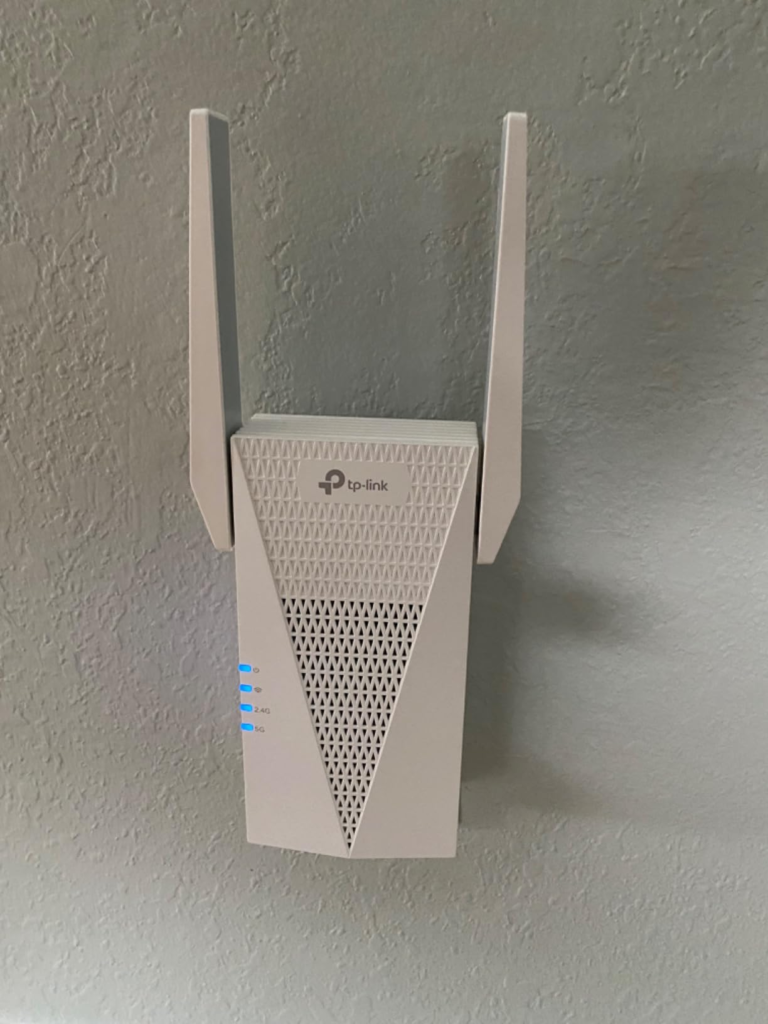
There is no granular feedback for diagnosing connection issues beyond basic signal strength. When something goes wrong — particularly after a firmware update — the LED offers little actionable information, leaving users to guess whether a reboot, reset, or repositioning is the right fix.
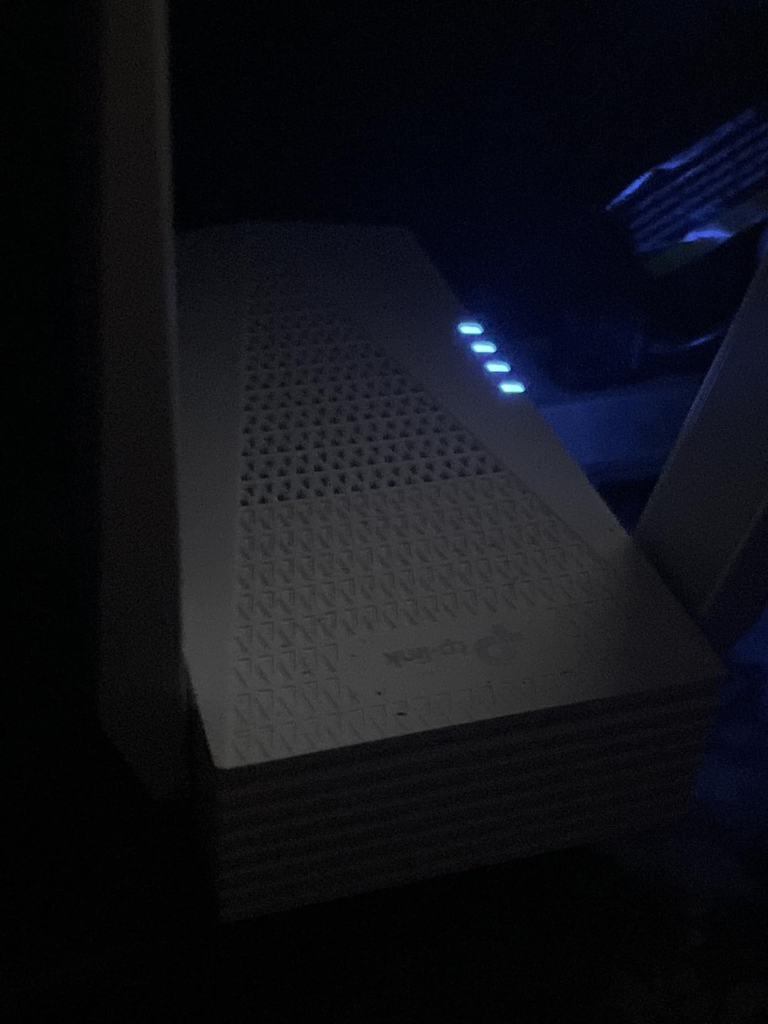
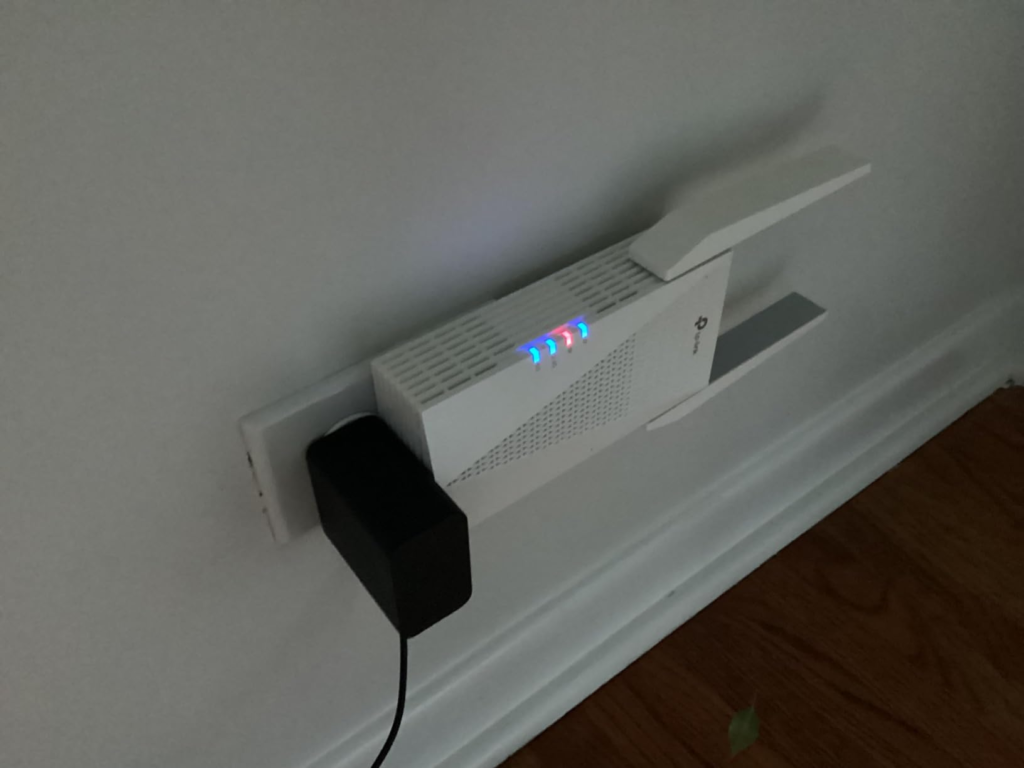
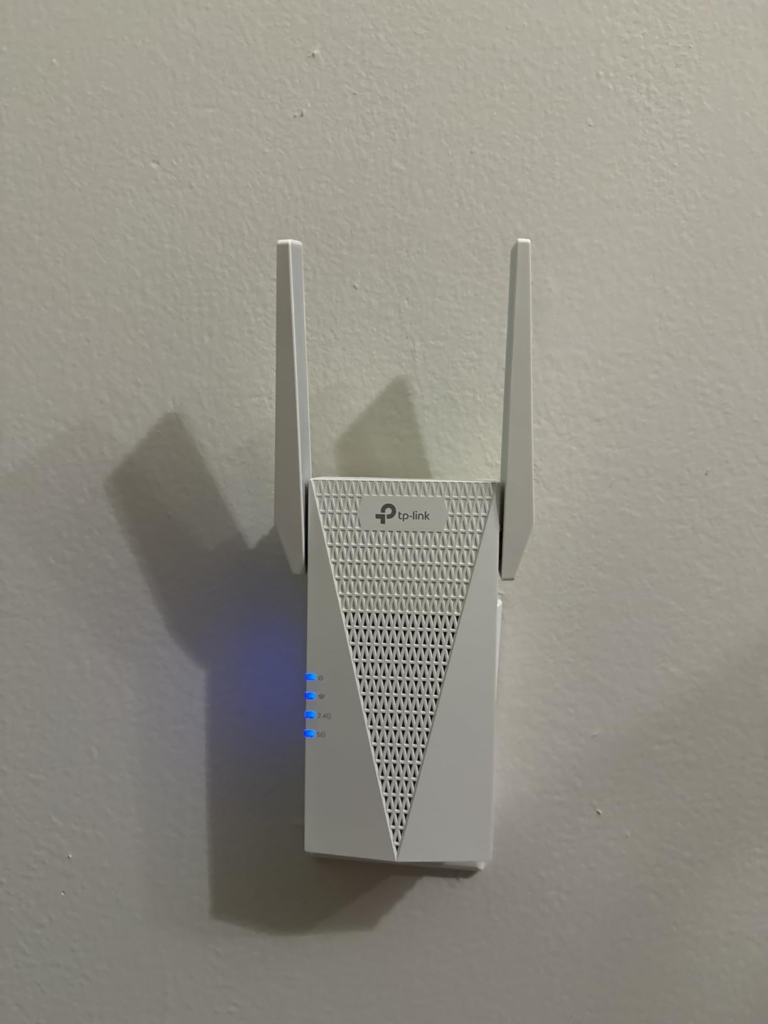
The physical form factor also deserves mention. The TP-Link RE715X seems compact enough, but it’s actually quite bulky. The two antennas extend from the sides, and the plug orientation means the device extends outward from the wall socket with noticeable depth — a real consideration for tight outlet placement or behind-furniture installation.
The One Situation Where This Product Becomes Logical
After all of the above, the RE715X earns its position clearly in one scenario:
You have a WiFi 6 router. You have a specific dead zone. You either have an EasyMesh-compatible TP-Link router, or you have a device in that dead zone that you can wire via Ethernet.
In that configuration, the RE715X shows major promise — impressive features like WiFi 6 compatibility and gigabit speeds, and compared to other WiFi range extenders, it delivers quality features that justify the cost on the higher end of the price spectrum.
The TP-Link RE715X delivered the fastest speeds of any WiFi extender tested in comparative evaluations, with a 25% speed boost over WiFi 5 alternatives and outpacing previous TP-Link extender generations.
The Tether app simplifies placement. The app provides intelligent signal indicators to help you find the optimal location for the best WiFi connection — setup and management accomplished in just a few quick and easy steps.
The Gigabit Ethernet port is the sleeper feature most people underestimate. The gigabit port delivers near-router speeds — averaging 920 Mbps on a fibre connection in testing. For any device that can be wired — console, desktop, smart TV, NAS — this port completely eliminates the repeater speed penalty and turns the RE715X into a functional access point for that device.
Full Performance Snapshot:
| Category | Score | Notes |
|---|---|---|
| Dead-Zone Coverage | ★★★★★ | Primary strength — back rooms, basements, garages |
| WiFi 6 Speed in Extended Zone | ★★★★☆ | Strong, but 40–50% reduction vs. router zone |
| Wired Ethernet Performance | ★★★★★ | Near-full speed delivery via Gigabit port |
| Setup Experience | ★★★★★ | Tether app — under 10 minutes for most users |
| OneMesh / EasyMesh Roaming | ★★★★★ | Seamless with compatible TP-Link routers |
| Firmware Stability | ★★★☆☆ | Inconsistent post-update behavior reported |
| Physical Form Factor | ★★★☆☆ | Bulky at the outlet; swiveling antennas help |
| Value at ~$89 | ★★★★☆ | Justified for the right use case; excessive for the wrong one |
What It Solves, What It Reduces, and What It Still Leaves to You
What it genuinely solves:
- True dead zones in medium-to-large single-family homes
- Inability to wire a device far from the router (via Ethernet port)
- Dropped connections during movement through the home (with OneMesh)
- The need to maintain WiFi 6 standard across the full coverage area
What it reduces but doesn’t eliminate:
- Bandwidth in extended zones (reduced, not absent — adequate for most household tasks)
- Setup complexity (simplified, but placement still requires iteration)
- Network fragmentation (OneMesh helps, but only within the TP-Link ecosystem)
What it still leaves entirely to you:
- Determining correct placement (the app guides you, but you make the call)
- Firmware update monitoring (automatic updates carry documented risk)
- Compatibility verification before purchase (Deco systems, third-party mesh platforms, ISP-locked routers)
- The fundamental limitation of repeater physics — no extender in this category escapes it
Final Compression
The TP-Link RE715X is not the wrong product. It’s frequently the wrong expectation applied to the right product.
If your problem is a genuine dead zone — a room, floor, or outbuilding that receives no usable signal from your router — and you are not expecting that extended zone to perform identically to the router room, this device resolves that problem reliably. The Ethernet port gives wired devices a near-full-speed escape hatch. The OneMesh integration, when your router supports it, produces a seamless experience that erases the usual extender awkwardness of manual network switching.
If your problem is slow WiFi, or insufficient internet speed, or latency under competitive gaming conditions, this device will not change that outcome. It will move the coverage boundary without raising the performance ceiling.
The RE715X is a strong pick for homeowners in medium-to-large single-family homes — roughly 1,500 to 2,400 square feet — where the main router simply can’t push a reliable signal to the far end of the house, a finished basement, or a detached workspace.
If that describes your situation precisely, the decision is already clear.
Frequently Asked Questions
| Question | Answer |
|---|---|
| Does the TP-Link RE715X reduce internet speed? | Yes — by design. All wireless extenders are designed to improve WiFi coverage, not increase speeds. Actual speeds will be 50% or less from current speeds. If your router delivers 500 Mbps, expect 200–250 Mbps in the extended zone wirelessly. The Gigabit Ethernet port is the exception — wired devices connected to it receive near-full speed. |
| Does the RE715X work with any router, or only TP-Link? | It works with any WiFi router as a standard repeater. The RE715X is universally compatible with WiFi routers as a general WiFi extender. However, the OneMesh / EasyMesh seamless roaming feature only functions with compatible TP-Link Archer routers. It is also not compatible with TP-Link Deco mesh systems. |
| How many devices can the RE715X handle simultaneously? | The lab specification lists 32+ devices per band. In real-world testing, 46 active connections — phones, cameras, smart bulbs — ran without drops. |
| What is the best placement strategy for the RE715X? | Plug it halfway between the router and the dead zone. Use the app’s signal bar and aim for “Good” (orange) or “Excellent” (green) before locking the outlet position. |
| Does the RE715X create a separate network name? | By default, yes — it creates a network named with an “_EXT” suffix. If your main router supports EasyMesh or TP-Link OneMesh, you can maintain one SSID for seamless roaming. |
| Is the firmware instability a dealbreaker? | When the firmware is stable, the extender runs quietly in the background for weeks without intervention. Users who have not experienced update-related issues report it as essentially a set-and-forget device. The risk exists, is documented, and should be weighed against your household’s tolerance for occasional reboots. |
| Should I buy the RE715X or a mesh system instead? | If you have a single defined dead zone and an existing WiFi 6 router, the RE715X is the more economical and targeted solution. If you have coverage problems across your entire home, multiple floors, or need consistent performance in every room simultaneously, a full mesh system is the correct category — not an extender of any brand. |
Transparency Note:
This analysis is built on aggregated real-world experience. It extracts what repeatedly holds, what breaks, and what users uncover only after living with the system—then shapes it into a clear model you can use immediately. Think of it as structured experience, refined and presented so you don’t have to learn it the hard way.
“A quick note: Don’t believe the star ratings, but trust personal experience. This article is a compilation of collected experiences”