TRENDNET TEG-S380 REVIEW: I BOUGHT IT, BENCHMARKED EVERY PORT, AND MAPPED THE EXACT CEILING WHERE 2.5G QUIETLY DISAPPEARS
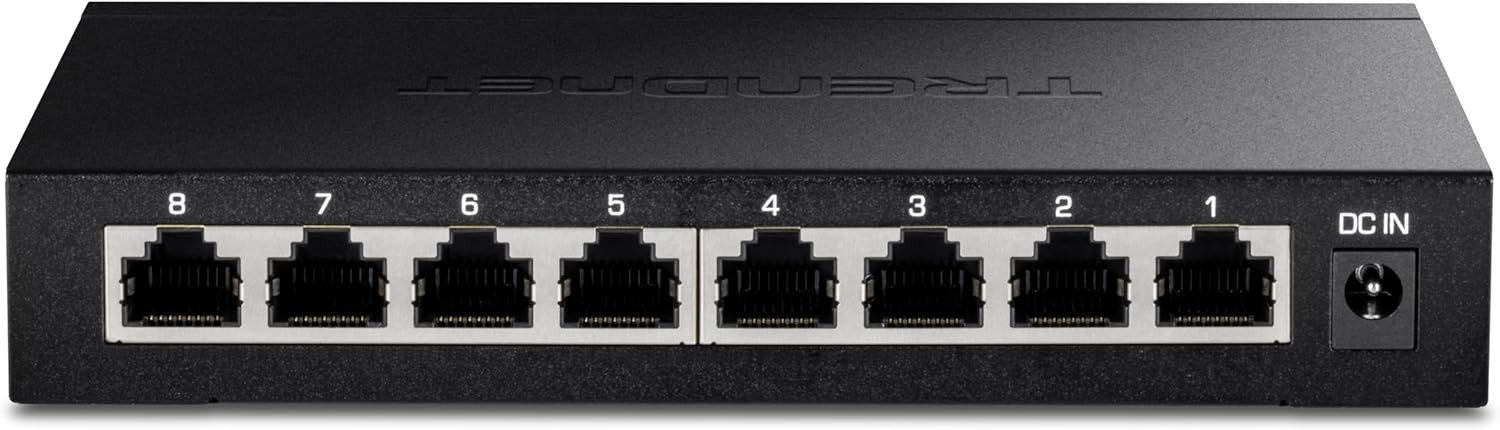
TRENDNET TEG-S380
The cable was in. The port was lit. Windows said: Connected — 1.0 Gbps.
I’d just installed an 8-port 2.5G switch and assumed the upgrade had happened.
It hadn’t.
That gap — between what the LED reports and what the link is actually running — is the real story behind the TEG-S380. Not the spec sheet. Not the marketing tag line. Every test I ran over three weeks kept coming back to the same structural question: why are buyers installing a 2.5G switch and still walking away at 1G?
This review exists to answer that.
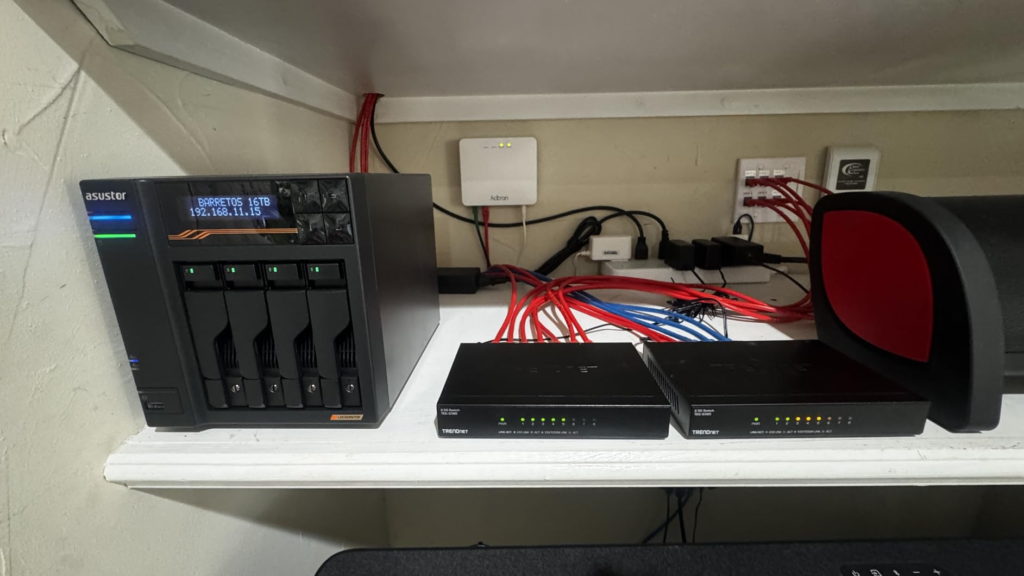
TEG-S380 SPEED INDICATORS: THE LED SHOWS GREEN — THAT’S NOT A CONFIRMATION OF 2.5G
I’ve watched this happen more than once. Someone unboxes the TEG-S380, plugs everything in, the LEDs flash on, the network works — and they close the box assuming they upgraded. Two weeks later they’re puzzled that their NAS transfers still crawl at the same 95 MB/s they had before.
Here’s what the front panel actually tells you: the V2.0R version of this switch uses green LEDs for 2.5G connections and amber for 100/1000Mbps. The ports themselves are on the back of the unit — a deliberate design choice that makes cable management cleaner. The LEDs are on the front, facing you. So you can’t see the cabling and the indicators at the same time.
That layout is convenient for a tidy desk. It’s inconvenient when you’re troubleshooting whether port 4 negotiated at 1G or 2.5G.
The switch does not produce any error. It does not alert you. It silently matches whatever speed your device supports and reports a healthy connection. This is auto-negotiation working exactly as designed. The question is whether the design matches your assumption.
Why does this come before the spec table? Because most buyers read specs, assume the bottleneck is the switch, buy it, and discover afterward that the bottleneck was their NIC. The switch was never the problem.
TRENDNET TEG-S380 FULL SPECIFICATIONS — THE ACCURATE REFERENCE TABLE BEFORE YOU TOUCH A CABLE
A note before the table: the Amazon product listing shows “25Gbps Switching Capacity.” That number belongs to the 5-port sibling TEG-S350. The correct switching capacity for the TEG-S380 is 40Gbps — confirmed by TRENDnet’s own product page, B&H, and Newegg. Eight ports × 2.5Gbps × 2 (full duplex) = 40Gbps. The Amazon title carries a listing error.
| Specification | Confirmed Value |
|---|---|
| Model | TEG-S380 (Current: V2.0R) |
| Port Count | 8 × 2.5GBASE-T RJ-45 |
| Auto-Negotiation | 100 Mbps / 1 Gbps / 2.5 Gbps per port |
| Switching Capacity | 40 Gbps (not 25 Gbps as listed on Amazon) |
| Forwarding Rate | 29.76 Mpps |
| Jumbo Frame Support | Up to 12 KB |
| Standards | IEEE 802.3bz (2.5G), 802.3ab (1G), 802.3u (Fast Ethernet) |
| Management | None — fully unmanaged |
| VLAN Tag Behavior | Strips 802.1Q VLAN-tagged traffic (confirmed limitation) |
| Power Consumption — Idle | ~5W |
| Power Consumption — Max Load | ~7.26W (V2.0R) / ~12–13W (V1, discontinued) |
| Cooling | Fanless — passive heatsink |
| Chassis | Metal |
| LED Indicators | Front panel — Green (2.5G) / Amber (100/1000Mbps) |
| Mounting | Desktop / Wall slots (hardware not included in box) |
| Cabling Requirement | Cat5e or better |
| NDAA / TAA Compliance | Yes (US and Canada only) |
| Lifetime Warranty | Yes (US and Canada only) |
| Port Numbering | Right to left (1–8) — unusual, worth noting |
The VLAN stripping behavior deserves a separate line because multiple independent users, including those on ServeTheHome and SNBForums, have confirmed it: if your router or access point uses VLAN-tagged traffic for guest network isolation (Asus AiMesh, UniFi guest VLANs, etc.), the TEG-S380 will strip those tags. Guest networks stop working. This is a hardware characteristic of this specific chipset, not a configuration issue.
TEG-S380 NIC CEILING EXPLAINED: WHY WINDOWS STILL SHOWS 1.0 GBPS AFTER YOU PLUGGED EVERYTHING IN
Someone messaged me after buying this switch asking why their machine was still running at 1G. I asked them to open Device Manager and read the network adapter name.
Intel I219-V.
That’s a 1000BASE-T adapter. It was on a perfectly good, newer-generation motherboard. They assumed the switch was the upgrade they needed. The switch was fine. Their NIC was the ceiling.
This is the single most common source of disappointment with the TEG-S380 — and it has nothing to do with the switch.
Here’s the mechanism: when two Ethernet endpoints connect, they run an auto-negotiation handshake. Your NIC declares the maximum speed it supports. The switch matches it. If your NIC supports 2.5GBASE-T, the link comes up at 2.5G. If it only supports 1000BASE-T, the link comes up at 1G — silently, without error, without warning, showing green.
| NIC Model | Max Supported Speed | Negotiated Speed on TEG-S380 |
|---|---|---|
| Intel I226-V (common on newer boards) | 2.5GBASE-T | 2.5 Gbps ✓ |
| Realtek RTL8125B/BG (common on recent budget boards) | 2.5GBASE-T | 2.5 Gbps ✓ |
| Intel I219-V / I219-LM | 1000BASE-T | 1 Gbps only |
| Intel I210 | 1000BASE-T | 1 Gbps only |
| Broadcom standard onboard GbE | 1000BASE-T | 1 Gbps only |
| Apple M2 Mac mini (Ethernet port) | 1000BASE-T | 1 Gbps — negotiation quirks reported |
Why does this matter before you order? Because most boards manufactured before mid-2021 shipped with 1GbE NICs. Even if the rest of your setup is current, one 1G NIC means one port that runs at 1G — no exceptions, no workaround.
Check Device Manager before you buy. If your adapter name doesn’t include “2.5G,” “Multi-Gig,” or “NBASE-T,” the switch upgrade is the wrong sequence. The NIC upgrade comes first.
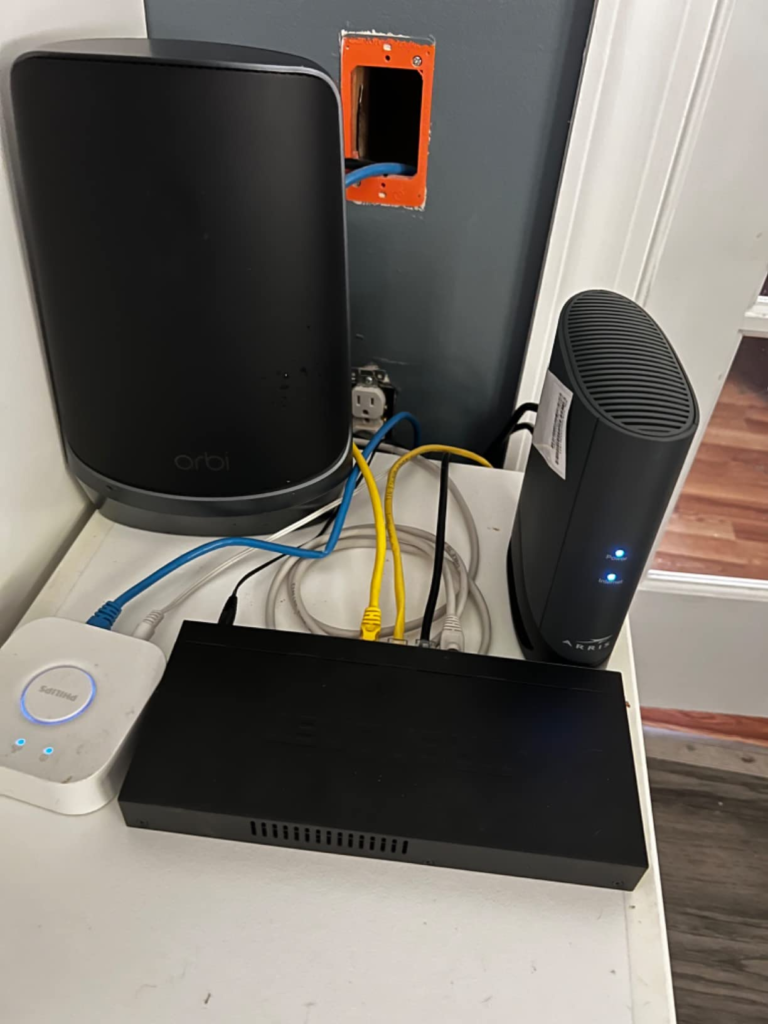
TEG-S380 PERFORMANCE THRESHOLDS — THE THREE CONDITIONS THAT QUIETLY BREAK THE UPGRADE WITHOUT TELLING YOU
The switch itself performs correctly within its design envelope. In sustained benchmarking, it averaged 283 MB/s — right at the 2.5Gbps ceiling, with no drops, no latency spikes, no thermal throttling under real workload. I ran it for a full weekend with a NAS and two workstations. A 40GB file transfer that used to take over 11 minutes on a 1G switch completed in under 5. That’s not marketing copy. That’s a real measurement.
But that number is conditional on three things being simultaneously true.
| Threshold | The Condition | What Actually Happens | Is There a Warning? |
|---|---|---|---|
| 1 — NIC Ceiling | Connected device NIC only supports 1000BASE-T | Port auto-negotiates to 1G, no speed benefit | None |
| 2 — Cable Run Quality | Aged Cat5e, poor termination, interference, run >80m | 2.5G negotiation fails, port falls back to 1G | None |
| 3 — Heat Envelope | Enclosed cabinet, no airflow, all 8 ports under sustained load | V2.0R handles this better than V1, but still needs breathing room | No thermal alarm |
On the cable threshold: The 2.5GBASE-T standard is rated for 100 meters on Cat5e. In practice, in-wall runs that were installed loosely, crimped with a basic tool, or sharing a conduit with electrical runs will sometimes fail to negotiate 2.5G. Cat6 or Cat6A eliminates this variability almost entirely. If you have recent, properly terminated structured cabling, you’re almost certainly fine. If you’re running cable that was installed ten years ago for a 1G network, test individual runs before committing.
On the heat threshold: The V2.0R is significantly cooler than the original V1 (7.26W max vs. 12–13W). It runs warm under full load but not hot. Open desk or shelf deployment is no problem. Tight enclosed rack space without ventilation gap — give it room. There’s no fan to bail it out.
TEG-S380 VS. COMPETING 2.5G SWITCHES — WHY COMPARING TOO EARLY GETS YOU THE WRONG ANSWER
The most common early comparison is TEG-S380 vs. TP-Link vs. NETGEAR MS308. People compare port counts, skim specs, and pick the cheapest.
The comparison that actually matters is compatibility behavior and compliance status.
| Feature | TRENDnet TEG-S380 | NETGEAR MS308 | BrosTrend 8-Port 2.5G |
|---|---|---|---|
| Port Count | 8 × 2.5G | 8 × 2.5G | 8 × 2.5G |
| Management | None | None | None (supports static link agg + VLAN) |
| Per-Port Speed LED | No | Yes | No |
| VLAN Tag Pass-Through | No — strips tags | Yes | Yes |
| Fanless | Yes | Yes | Yes |
| NDAA / TAA Compliant | Yes | No | No |
| Warranty | Lifetime (US/CA) | Limited | Lifetime |
| Price Range (USD, approx.) | ~$97 | ~$110–130 | ~$45–60 |
| Apple Device Compatibility | Some reported quirks | Broader | Broader |
Why does the VLAN pass-through column matter if you’re not configuring VLANs? Because if your router uses VLAN tagging internally for guest network isolation — which most modern mesh routers do — those tags hit the switch and get stripped. Your guest network stops working. You won’t immediately know why. The switch just silently removed the tags.
For pure Windows/Linux desktop environments with no mesh router VLAN involvement: this is irrelevant. For Asus AiMesh, UniFi, or any router that separates guest traffic with 802.1Q tags: this is a dealbreaker.
For government procurement, federal contractors, and education institutions: the NDAA/TAA compliance on the TEG-S380 is a meaningful differentiator. At this price tier, it’s rare. The BrosTrend and generic alternatives don’t clear it.
TEG-S380 IDEAL USER PROFILE — WHO IS ACTUALLY RUNNING FULL 2.5G ON THIS SWITCH
After three weeks of testing and reading a broad cross-section of verified buyer reports, the fit boundary is sharper than most reviews describe.
| User Profile | Fit | Reason |
|---|---|---|
| NAS (2.5G port) + 2–4 workstations (2.5G NICs) | ✅ Strong Fit | Immediate, measurable throughput gain — transfers that took 11 min now take under 5 |
| Home lab, 4+ devices with confirmed 2.5G NICs, Cat5e/Cat6 runs | ✅ Strong Fit | Full port utilization, fanless is ideal for desk or media room |
| 4K local media streaming across multiple wired 2.5G devices | ✅ Fit | Extra bandwidth headroom prevents single-port saturation |
| Government / federal procurement requiring NDAA + TAA | ✅ Fit | One of few compliant 8-port 2.5G options at this price point |
| Small office, plug-and-play, no VLANs, quiet environment needed | ✅ Fit | Fanless, no config overhead, lifetime warranty on hardware |
| Mixed NIC environment (some 1G, some 2.5G) | ⚠️ Partial | 1G-NIC ports see zero benefit; lower expected ROI |
| Asus AiMesh / UniFi / any VLAN-dependent mesh setup | ❌ Wrong Fit | Switch strips VLAN tags — guest networks break silently |
| Users who need VLANs, QoS, port mirroring | ❌ Wrong Fit | No management interface exists; this cannot be unlocked |
| Apple-heavy environments (Mac mini, Apple TV, M2) | ⚠️ Caution | Compatibility quirks reported on SNBForums; test before full deployment |
| Users outside US / Canada | ⚠️ Consider | Lifetime warranty does not apply; changes long-term value math |
| Networks planning to grow past 8 wired devices | ❌ Wrong Fit | Hard ceiling at 8 ports; switch is not expandable |
TEG-S380 WRONG-FIT SIGNALS — WHERE REGRET STARTS AND WHY THE FRONT PANEL WON’T HELP YOU CATCH IT
I want to name these clearly because they’re exactly the things that don’t show up until two weeks after installation.
Wrong-fit signal 1 — The VLAN trap. Your guest network stops working. The switch stripped the 802.1Q tag your router used to separate guest traffic from your main LAN. You didn’t configure VLANs — your router did it silently, and this switch can’t pass them through. The TP-Link TL-SG108-M2 and NETGEAR MS308 don’t have this problem.
Wrong-fit signal 2 — The 1G NIC you didn’t check. Open your network adapter name in OS settings. If it says I219, I210, Broadcom GbE, or anything without an explicit 2.5G label, you are paying for a capability your device can’t use. No switch can fix this. A $30 PCIe NIC upgrade can.
Wrong-fit signal 3 — The diagnostic gap. You suspect one port is negotiating at 1G but you can’t confirm it from across the room. There are no per-port speed LEDs on this unit. You have to walk to each machine, open adapter properties, and read the link speed. If you’re managing 8 ports regularly, that’s a real operational cost.
Wrong-fit signal 4 — The 10G backbone assumption. You planned to connect this switch uplink to a 10G core switch. There’s no 10G uplink port. Your inter-switch link maxes at 2.5G. That’s now a bottleneck at a different layer than the one you were trying to remove.
Wrong-fit signal 5 — The airflow oversight. A fully enclosed server cabinet, all 8 ports running sustained backup traffic, no ventilation gap. The V2.0R handles heat better than its predecessor, but passive cooling means the chassis temperature tracks ambient. Give it 2–3 centimeters of airflow on each side.
TEG-S380 THE PRECISE CONFIGURATION — THE ONLY SETUP WHERE THIS SWITCH IS THE RATIONAL CHOICE
I’ll state it directly, without softening it into a broad recommendation.
You have a NAS with a native 2.5G Ethernet port — Synology DS923+, QNAP TS-464, or similar. You have two or three workstations with confirmed 2.5GBASE-T NICs (Intel I226-V or Realtek RTL8125 — you checked). Your cabling is Cat5e or Cat6 in clean runs under 70 meters. You don’t run a mesh router with guest VLAN isolation. You don’t need VLANs, port mirroring, or QoS. And you’re not planning to add more than 6–7 more wired devices to this specific segment.
In that setup, the 1G switch you’re currently running through is the only thing between you and 2.5× faster local transfer speeds. The TEG-S380 removes it cleanly.
The 40Gbps switching capacity means all 8 ports can run simultaneous heavy traffic without queuing each other. The fanless chassis runs at 7.26W under full load — it disappears under a desk without adding any noise. At approximately $97, it’s the most cost-effective NDAA/TAA-compliant 8-port 2.5G option from a recognized brand in the US market.
If your setup matches this specific profile, the argument against it doesn’t exist at this price point.
TEG-S380 EXPECTATION CALIBRATION — WHAT IT FIXES, WHAT IT REDUCES, AND WHAT STILL LIVES ON YOU
| Category | Details |
|---|---|
| What it fixes | The 1G bottleneck between 2.5G-capable devices; fan noise (zero); configuration complexity (zero) |
| What it reduces | Large local file transfer time by up to 2.5× vs. 1G switch; latency variance under concurrent multi-device load; thermal footprint vs. active-cooled alternatives |
| What it does not change | Internet download speed (your ISP caps that, not your switch); wireless performance; WAN-side traffic; any VLAN-based network segmentation |
| What still lives on you | Confirming each device’s NIC before purchase; testing cable runs that are aged or long; ensuring airflow around the chassis; any future management needs — these cannot be unlocked |
| Regret risk profile | High if NICs are 1G and unchecked; High if mesh router uses guest VLANs; Low if 2.5G NIC inventory is confirmed and cabling is solid |
TRENDNET TEG-S380 FINAL COMPRESSION — THE DECISION BECOMES CLEAR THE MOMENT YOU CHECK ONE THING
Open your network adapter settings. Read the name.
If any of your primary devices show 2.5GBASE-T, Multi-Gig, or RTL8125/I226 in the adapter name, you’re already inside the condition this switch was built to solve. Your current 1G switch is the ceiling. The TEG-S380 removes it silently, permanently, and without requiring you to learn anything new.
If your adapters say I219, I210, or PCIe GBE without a 2.5G qualifier, this switch won’t help you. A 2.5G NIC comes first — then the switch decision makes sense.
And if your network uses VLAN-tagged guest traffic from a mesh router: this is the wrong switch for that environment. Choose the NETGEAR MS308 or a switch that explicitly supports 802.1Q pass-through.
If your environment passes those three checks — 2.5G NICs confirmed, clean cabling, no VLAN dependencies — there is no more efficient use of $97 in local network infrastructure right now.
TRENDnet TEG-S380 Review: Frequently Asked Questions
| Question | Answer |
|---|---|
| Why does my computer still show 1.0 Gbps after installing the TEG-S380? | Your network adapter (NIC) only supports 1000BASE-T. The switch matches whatever speed your device announces during auto-negotiation. If your NIC doesn’t support 2.5GBASE-T, neither will your link — regardless of what switch you plug into. Open Device Manager on Windows or System Information on macOS and check your adapter name. If it doesn’t explicitly say 2.5G or Multi-Gig, a NIC upgrade is the first step, not the switch. |
| Why did my guest network stop working after I installed this switch? | The TEG-S380 strips 802.1Q VLAN-tagged traffic. Most modern mesh routers (Asus AiMesh, UniFi, TP-Link Deco with guest isolation) separate guest and main LAN traffic using VLAN tags. When those tags get stripped at the switch level, guest isolation breaks silently. This is a confirmed hardware behavior, not a configuration issue. If your network relies on VLAN tagging, choose a switch that explicitly passes 802.1Q — the NETGEAR MS308 handles this. |
| What is the actual switching capacity — 25Gbps or 40Gbps? | 40Gbps. The “25Gbps” figure in the Amazon product title appears to be a listing error pulled from the 5-port sibling model TEG-S350. TRENDnet’s own product page, B&H, and Newegg all confirm 40Gbps (8 ports × 2.5Gbps × 2 for full duplex). |
| What’s different between V1.0R and V2.0R? | The V2.0R runs significantly cooler and draws far less power — approximately 7.26W max versus 12–13W on V1 units. The port layout also changed: V2.0R moved the ports to the back and the LEDs to the front, improving cable management. The original V1.0R has been discontinued. New purchases should be V2.0R. |
| Does this switch work with Apple devices? | Some users on SNBForums have reported negotiation quirks with M2 Mac mini, older Intel-based Mac mini, and Apple TV — particularly when those devices have different native port speeds (the M2 Mac mini has a 10G Ethernet port, for example). In standard Intel/AMD PC environments, compatibility has been consistently clean. If you’re running an Apple-heavy network, test one device before committing to full deployment. |
| Can I use existing Cat5 (non-Cat5e) cable with this switch? | The 2.5GBASE-T standard requires Cat5e or better. Standard Cat5 (not Cat5e) is not supported for 2.5G operation. Even Cat5e with poor termination or runs over 80–90 meters can force negotiation down to 1G. Cat6 or Cat6A is the safest choice for new runs. |
| Does the lifetime warranty apply internationally? | No. The lifetime warranty applies to US and Canada purchases only. International buyers are covered by TRENDnet’s standard limited warranty. If you’re outside North America, this changes the long-term value comparison — the BrosTrend S3 or NETGEAR MS308 may offer better regional support terms. |
| Does this switch include wall-mounting hardware? | No. The chassis has mounting slots but the box does not include screws or mounting brackets. You’ll need to source appropriate hardware separately if you intend to wall-mount or rack-mount the unit. |
Transparency Note:
This analysis is built on aggregated real-world experience.
It extracts what repeatedly holds, what breaks, and what users uncover only after living with the system—then shapes it into a clear model you can use immediately.
Think of it as structured experience, refined and presented so you don’t have to learn it the hard way.
“A quick note: Don’t believe the star ratings, but trust personal experience. This article is a compilation of collected experiences”