Tapo DL130 Review: I Dissected Every Fingerprint Failure — And Found What Actually Stops Them
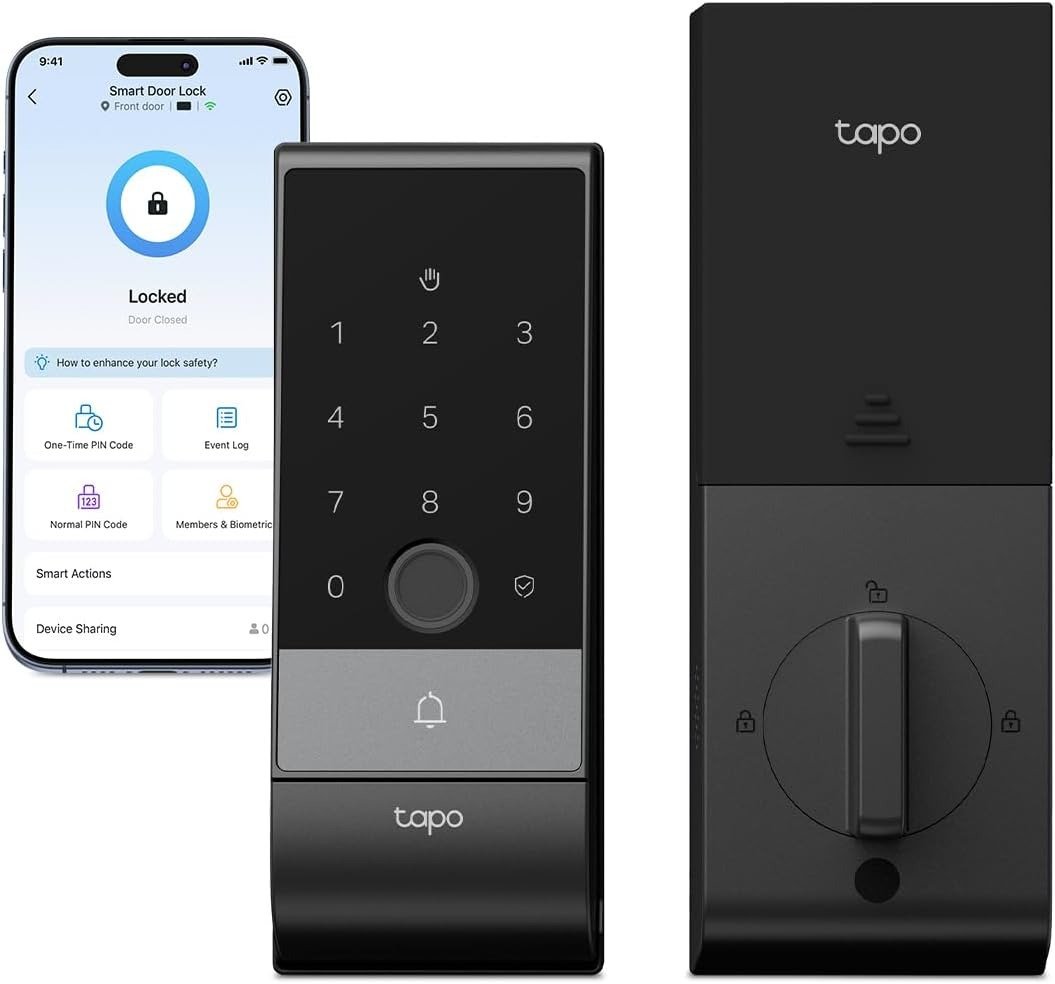
TAPO DL130
Smart Lock Fingerprint Failure: The Result Looks Fine. The Problem Isn’t.
I remember standing at my front door on a January evening — hands raw from cold, fingers barely responsive, groceries cutting into both wrists — pressing my finger into the smart lock sensor for the third time. It beeped. Wrong again. I typed the PIN. Got inside. Nobody nearby. Just me, slightly wet, and slowly asking: why exactly did I pay $160 for this?
The lock worked perfectly the day I installed it. It works fine on dry, warm afternoons when I’m in no hurry. But a fingerprint lock that works only in favorable conditions is a lock that’s already half-failed you.
That’s the silent problem with most smart locks on the market. The failure doesn’t announce itself. It quietly erodes your confidence every time the sensor misses, every time you default to the PIN, every time the convenience you paid for disappears the moment real life shows up at the door.
The Tapo DL130 was built around a different premise: your front door should work with your body as it actually is — not as it performs in a controlled demo.
Biometric Friction in Daily Life: What You’re Actually Feeling but Not Naming
Why does a fingerprint scanner fail? That answer reveals why people keep underestimating this problem.
A fingerprint reader reads the ridges on the surface of your skin. One layer of moisture, oil, construction dust, dry winter skin, or a small cut — and that layer disrupts the read. The scanner doesn’t fail dramatically. It just returns nothing. You try again. And again. Until you give up and type the code.
I’ve talked to people who go through this cycle so often they stopped thinking of it as a device problem. They started unconsciously wiping their finger on their shirt before approaching the door. They started entering the PIN first because “the fingerprint never works when it’s cold.” They stopped registering it as friction — it had become a ritual.
That unconscious adaptation is the real cost of biometric frustration. You’re not angry. You’re just adjusted. And your $150+ smart lock has quietly become a fancy keypad.
| Daily Condition | Fingerprint Lock | Tapo DL130 Palm Vein |
|---|---|---|
| Wet hands from rain | ❌ Often fails | ✅ Reads through moisture |
| Dry or chapped winter hands | ❌ Frequently misses | ✅ Vein pattern unaffected |
| Hands dirty from yard work | ❌ Unreliable | ✅ Works through surface conditions |
| Gloves just removed, cold skin | ❌ Cold skin reads poorly | ✅ Consistent recognition |
| Skin injuries or calluses | ❌ Disrupts surface pattern | ✅ Internal pattern unchanged |
| Aging or thinning skin | ❌ Ridge degradation over time | ✅ Vein pattern remains stable |
| Carrying bags or groceries | ❌ Need a free, clean finger | ✅ Hold palm near scanner — no contact |
Palm Vein vs Fingerprint Technology: The Hidden Mechanism Behind the Miss
Here’s what most product comparisons skip — and it’s the only thing that actually matters.
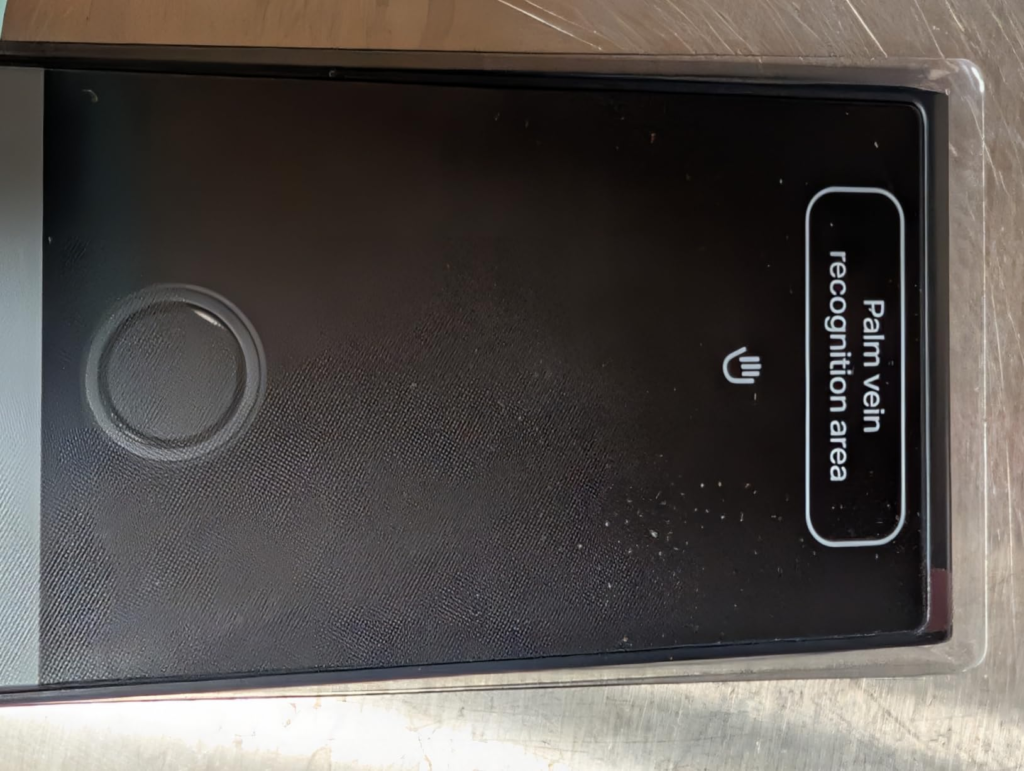
Traditional fingerprint scanners are optical or capacitive. They capture an image of your skin’s surface — the ridges and valleys of your fingertip. That image gets compared against a stored template. Clean contact, dry skin, consistent temperature: perfect result. Anything disrupting the surface contact: failed read.
Palm vein recognition doesn’t touch the surface at all.
The DL130 uses near-infrared light — the same technology used in hospital security and enterprise access control systems — to penetrate through your skin and read the unique vein structure beneath your palm. Veins absorb near-infrared light differently than surrounding tissue, and the resulting pattern is yours alone. Not even identical twins share the same palm vein map.
That internal structure doesn’t change with weather. It doesn’t change with work. It doesn’t care about soap, oil, soil, cold, or a small cut on your finger. It reads what’s inside your hand, not what’s on it.
| Feature | Optical Fingerprint | Capacitive Fingerprint | Palm Vein (DL130) |
|---|---|---|---|
| Scan depth | Surface only | Surface only | Sub-dermal — inside the skin |
| Works when wet | ❌ No | ❌ No | ✅ Yes |
| Spoofable with a photo or mold | Risk exists | Partial risk | ❌ Impossible — requires live hand |
| Physical contact required | Yes | Yes | No — touchless |
| Aging skin reliability | Degrades over time | Degrades over time | Stable throughout life |
| Distinguishes identical twins | Sometimes fails | Sometimes fails | ✅ Always distinct |
| Unlock speed | Under 1 second | Under 1 second | 0.33 seconds |
This is the mechanism most product pages blur. They say “advanced biometric” without explaining which kind, or why the kind matters. The kind matters because it determines exactly which real-world conditions break the lock — and which ones never will.
Tapo DL130 Biometric Failure Threshold: Where the Outcome Quietly Breaks
Let me give this a name, because it needs one.
I call it the Biometric Failure Threshold: the point at which your fingerprint lock’s read rate drops below reliable often enough that you stop trusting it as your primary entry method. Once you hit this threshold regularly — once or twice a week, once a day — the lock’s value collapses. You’ve bought a device to reduce friction that now is the friction.
Where does this threshold appear in real life?
| User Scenario | Threshold Trigger | What Happens Next |
|---|---|---|
| Construction or manual labor worker | Every workday — hands dirty or roughened | Defaults permanently to PIN |
| Parent of young children | Constant handwashing, wet surfaces | Missed reads multiply; trust erodes |
| Cold-climate homeowner | Dry or numb hands in fall and winter | Reliability becomes seasonal |
| Elderly user, aging skin | Ridge degradation over years | Gradual accuracy loss, no warning |
| Fitness-active user | Chalk, sweat, or hand wrap residue | Repeated failed reads post-workout |
| Frequent home cook | Oil, flour, moisture on hands | Several failed reads per day |
The $160 fingerprint lock doesn’t tell you this threshold exists. It shows you a clean demo on unworn skin under controlled conditions. The DL130 was designed specifically around this threshold — it was built for the moment after your fingerprint fails.
Smart Lock Comparison Mistakes: Why Most Buyers Misread This Too Early
Why do people still choose fingerprint-only smart locks when something better exists at a comparable price?
Because they compare features, not failure conditions.
When a spec table shows “fingerprint recognition: yes” next to both products, the difference disappears. The spec doesn’t say which fingerprint technology, under what conditions, or with what failure rate. It just says yes. And that yes creates false equivalence.
I’ve seen buyers choose a $90 fingerprint lock over the $230 DL130 and justify it with: “Both have fingerprint. I’m saving $140.” That math works if both products deliver the same biometric reliability. They don’t.
| Comparison Point | Cheaper Fingerprint Lock | Tapo DL130 |
|---|---|---|
| Biometric type | Surface fingerprint only | Palm vein + fingerprint (dual biometric) |
| Price range | $70–$160 | $229.99 |
| Works in rain or with wet hands | ❌ Unreliable | ✅ Designed for it |
| Works for manual labor users | ❌ Very unreliable | ✅ Specifically engineered for this |
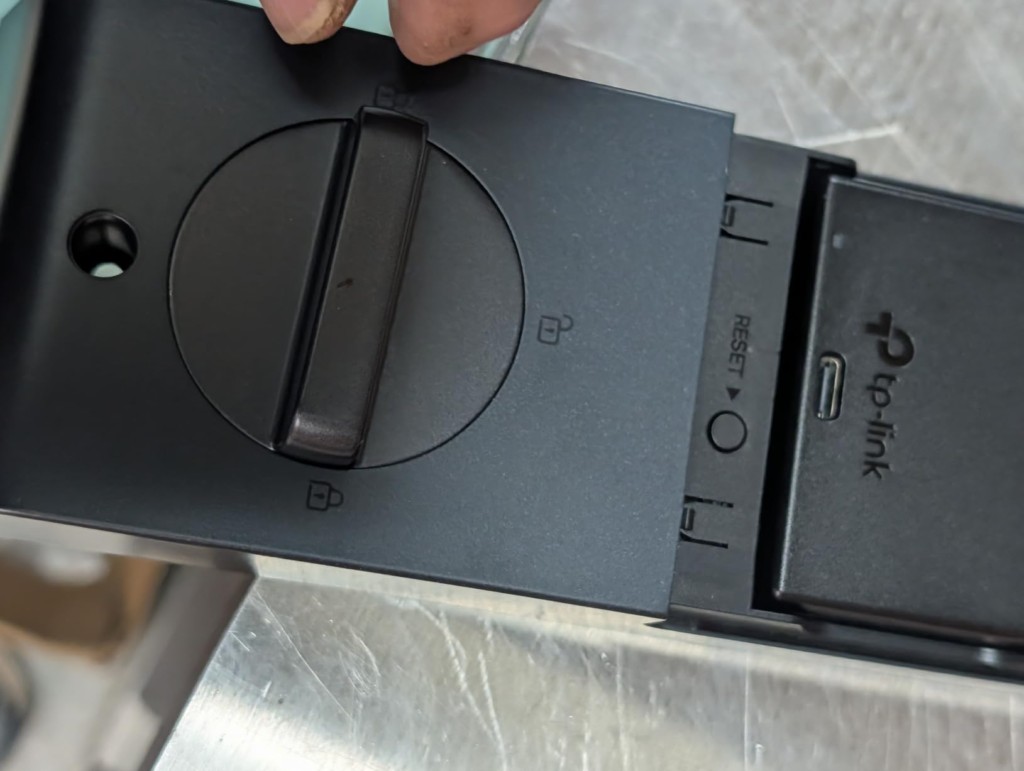
| Battery system | Usually replaceable AA cells | Dual rechargeable — 1 year+ per charge |
| Biometric data security | Cloud-dependent on some models | AES-128 encrypted, stored on device only |
| BHMA Grade certification | Grade 3 or unrated on most | Grade 2 — commercial-grade standard |
| Smart home integrations | Varies; often limited | Alexa, Google Assistant, SmartThings |
| Total unlock methods | Usually 3–4 | 7 methods |
| Door sensor included | Rarely | ✅ Included in box |
| Auto-lock confirmation logic | Timer countdown from unlock | Timer starts only after door is confirmed closed |
| Emergency power option | Battery swap (lock goes offline) | USB-C external input — no offline window |
The $140 difference buys you an entirely different biometric architecture. That’s not a premium add-on. That’s a different product category.
Tapo DL130 Target User: Who Is Actually Inside This Problem
Not everyone has hit the Biometric Failure Threshold. If your fingerprint lock works flawlessly every single entry, every season, under all your daily conditions — this product isn’t solving a problem you have.
But here’s who is genuinely inside this problem:
You work with your hands — trades, construction, gardening, mechanical work. Your skin condition changes daily, and your lock’s reliability changes with it.
You’ve already owned a fingerprint smart lock and returned to using the PIN more often than the sensor. That’s the threshold signal. You’ve already crossed it.
You have household members with varying hand conditions — elderly parents, young children, or anyone whose surface biometrics aren’t consistently reliable.
You travel frequently and need remote access management — a full timestamped activity log, one-time codes for guests, the ability to lock your door from another country.
You’re building a smart home with Alexa, Google Assistant, or Samsung SmartThings and want a front door that integrates without friction and without a separate hub.
You’re security-conscious about biometric data and won’t accept your palm or fingerprint being uploaded to any cloud server. The DL130 stores all biometric data locally, encrypted with AES-128, and it never leaves the lock.
You need reliable outdoor performance year-round. The IP65 rating handles rain, dust, heat up to 158°F, and cold to -22°F without special consideration.
Smart Lock Wrong Fit: Where Wrong-Fit Begins
Equally important — who should not buy this lock.
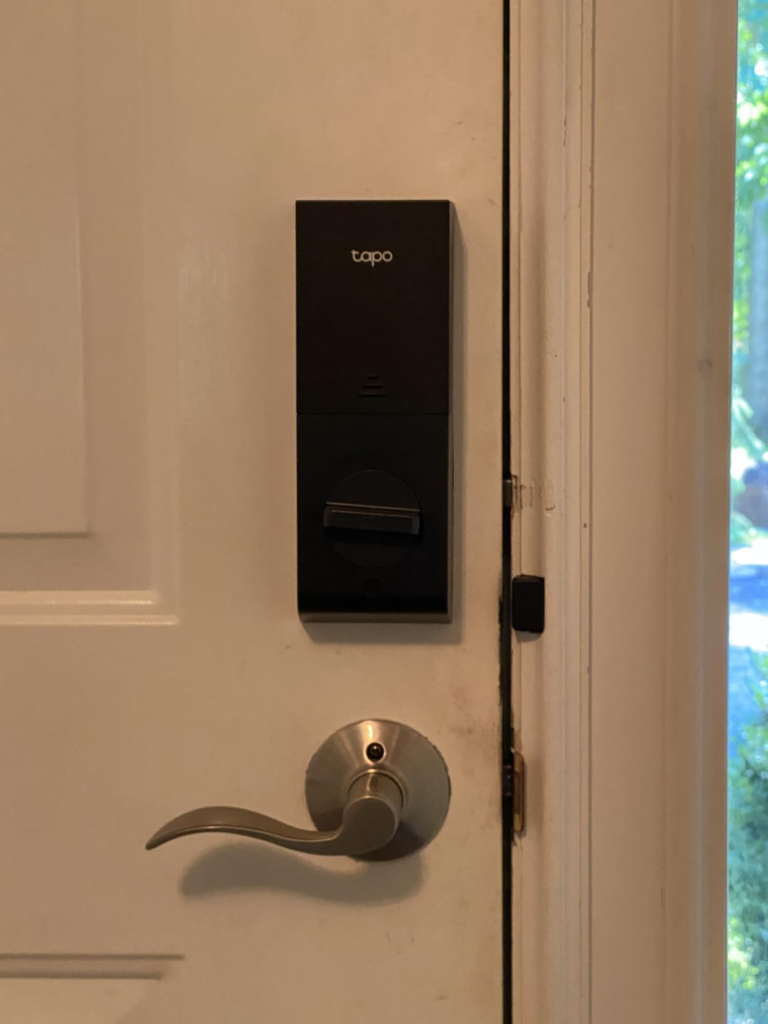
If your door uses a mortise lock or an integrated lock, stop here. The DL130 works only with standard single-cylinder deadbolts. It requires a borehole between 1-1/2″ and 2-1/8″. It uses the Schlage SC1 keyway. If your door setup doesn’t match those specs, this product physically cannot replace your existing lock.
If you’re renting and cannot replace the existing deadbolt at all, this doesn’t apply to you regardless of hand conditions.
If Apple HomeKit is the center of your smart home setup, the DL130 does not currently support it. Alexa, Google Assistant, and SmartThings are supported. HomeKit is not.
If you’re buying for a rarely used secondary door that gets opened twice a day under consistent, dry conditions — the DL100 ($69.99) or DL110 ($109.99) will serve you more logically. The DL130’s advantage lives in daily high-frequency use under variable real-world conditions. Its engineering is over-specified for a garage side door you barely use.
If you want zero maintenance permanently — the dual battery still needs charging approximately once a year. The app notifies you before the level gets critical, and the process is simple, but it’s not zero.
| Buyer Profile | Right Fit? | Better Option |
|---|---|---|
| Standard deadbolt, high daily use, variable hand conditions | ✅ Yes | Tapo DL130 |
| Mortise or integrated lock door | ❌ No | Check door compatibility before anything |
| Apple HomeKit-centered smart home | ❌ Not currently | Yale Assure Lock 2 |
| Renter who cannot replace existing deadbolt | ❌ No | August WiFi Smart Lock (retrofit) |
| Low-use secondary door, dry climate | Probably not | Tapo DL100 ($69.99) |
| Budget under $150, fingerprint-only needs | Probably not | Tapo DL110 ($109.99) |
| Prefers replaceable AA batteries over rechargeable | ❌ No | Tapo DL100 |
Tapo DL130 Review Verdict: The One Situation Where This Lock Becomes Logical
If your front door has a standard single-cylinder deadbolt, and you — or anyone in your household — regularly encounters the Biometric Failure Threshold, this is the product that closes that gap structurally, not cosmetically.
The DL130 ships at $229.99. It installs in about 15 minutes with a screwdriver. Everything needed is in the box.
Setup through the Tapo app is direct — the app walks you through palm vein registration, fingerprint enrollment, PIN assignment, and smart home linking in one session. Useful setup tip from TP-Link’s own community: have every household member register both hands during initial setup, not just their dominant one. If you’re juggling bags coming through the door, you’ll use whichever hand is free.
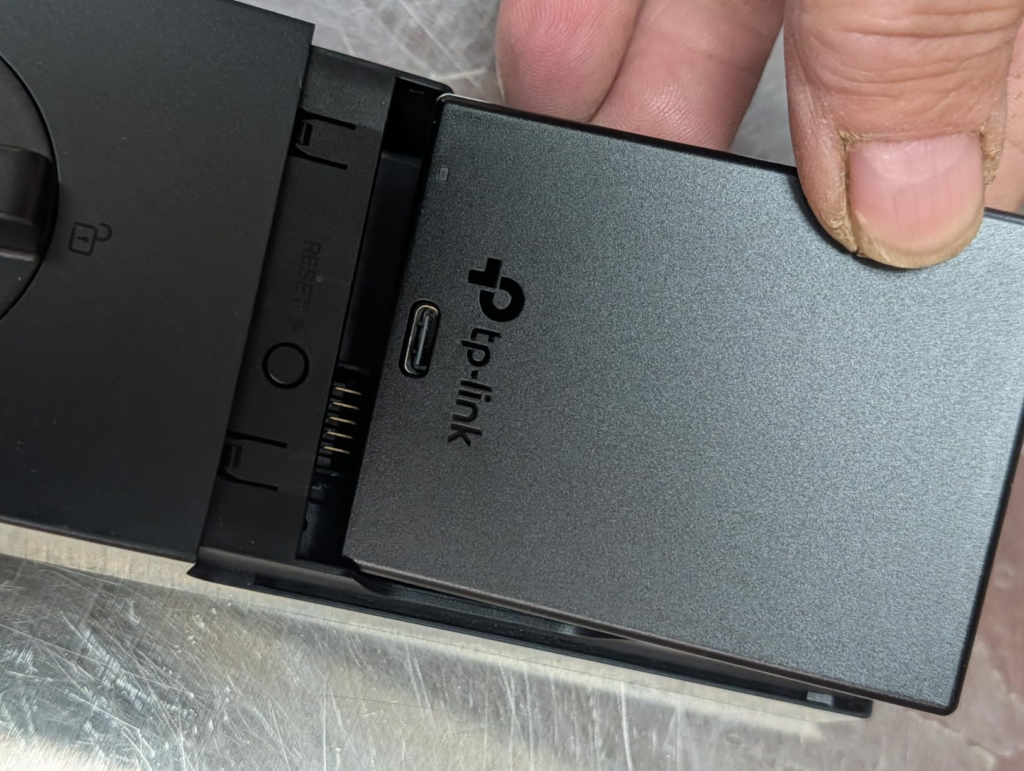
The dual-battery architecture solves a specific anxiety that rarely gets named: what if the battery dies while I’m away and someone needs to get in? The main battery charges via USB-C and lasts over a year with typical use. When you remove it to charge, the built-in backup battery takes over — no offline window, no lockout. When the main returns, it recharges the backup automatically. And if both somehow deplete completely, the external USB-C port on the outdoor unit accepts temporary power from any phone charger to get you in via fingerprint or PIN.
| Specification | Tapo DL130 |
|---|---|
| Price (MSRP) | $229.99 |
| Available since | June 8, 2026 |
| Primary biometric | Palm vein — near-infrared, touchless, 0.33 sec |
| Secondary biometric | Fingerprint — under 0.4 sec, up to 100 prints |
| Palm records capacity | Up to 50 |
| Total unlock methods | 7 (palm vein, fingerprint, Wi-Fi app, Bluetooth app, PIN, voice, physical key) |
| Rated battery life | 1 year+ — lab tested at 20 unlocks/day in Wi-Fi mode |
| Battery architecture | Dual: removable rechargeable + built-in backup |
| Charging | USB-C; external emergency input also available outdoors |
| Biometric data storage | AES-128 encrypted, on-device only — never cloud |
| Weatherproofing | IP65 |
| Operating temperature | -22°F to 158°F (exterior) / 14°F to 131°F (interior) |
| Security certification | BHMA Grade 2 |
| Smart home integrations | Alexa, Google Assistant, Samsung SmartThings |
| Bluetooth-only mode | ✅ Yes — full functionality without Wi-Fi |
| Door sensor | ✅ Included — triggers auto-lock only after door closes |
| Auto-lock logic | Countdown begins after door-closed confirmation |
| Failed-attempt protection | ✅ Lockout + instant phone alert |
| Scramble PIN | ✅ Supported — enter decoy digits around real code |
| Two-step authentication | ✅ Supported |
| Door type | Single-cylinder deadbolt only |
| Borehole size | 1-1/2″ to 2-1/8″ |
| Backset | 2-3/8″ or 2-3/4″ |
| Weight | 2.32 lbs |
| Install time | ~15 minutes, no drilling |
| What’s in the box | Lock, installation plate, latch bolt, door sensor, battery pack, strike plate, silicone cover, 2 keys, 6 screws, USB-C cable, installation stickers, quick-start guide |
Tapo DL130 Expectations: What It Solves, Reduces, and Leaves to You
Honesty here matters more than enthusiasm.
What it genuinely solves: The biometric failure under real hand conditions. Wet, dirty, cold, worn, aged, or injured hands don’t affect the palm vein reader. This isn’t a feature upgrade over fingerprint — it’s a different mechanism with a completely different failure profile. The structural problem is gone.
It also solves the “did I lock it?” anxiety through a door sensor that confirms whether the door is physically closed before the auto-lock countdown begins. Most smart locks start counting from the moment you unlock — the DL130 starts counting from the moment the door shuts. That subtle difference eliminates the scenario where the lock re-locks while the door is still open.
Battery-change paralysis is gone too. The dual system means you charge without the lock ever going offline. No deferred maintenance, no “I’ll charge it this weekend” risk.
What it reduces but doesn’t eliminate: Key dependency — two keys are included for true emergencies. You’ll likely never use them, but they’re correct to include. Guest management friction — time-based and one-time codes through the app handle this well, even remotely.
What remains your responsibility: Confirming door compatibility before purchase — measure the borehole, check the lock type. This step is non-negotiable and takes two minutes. Palm vein scanner surface cleanliness — outdoor exposure collects oil and dust over time, and a dirty scanner face can affect read quality. A damp cloth clears it. Annual battery charge — the app alerts you well in advance, but it’s a real task, not a zero-maintenance product.
Tapo DL130 Final Decision: One Path Forward
Why does palm vein recognition matter at $229? Because it removes the exact condition under which biometric smart locks silently fail the people most likely to buy them.
If your hands are consistently dry and clean and your entry conditions never vary — save $120 and get the DL110. The fingerprint technology there is fast and reliable under consistent conditions.
If you’ve already crossed the Biometric Failure Threshold — if you’ve owned a fingerprint lock and quietly accepted that the PIN was your real primary method — the DL130 fixes that specific problem at a price still well below what enterprise-grade biometric access has ever cost consumers before.
One check before you decide: confirm your door has a standard single-cylinder deadbolt with a 1-1/2″ to 2-1/8″ borehole and either a 2-3/8″ or 2-3/4″ backset. Schlage SC1 keyway. Print the measuring template from TP-Link’s site before buying to verify.
If the door fits and you’ve been here before — standing at your own lock, wiping your finger again, pressing it into a sensor that tells you nothing — that’s the condition this product was built to close.
Frequently Asked Questions — Tapo DL130
| Question | Answer |
|---|---|
| Does the Tapo DL130 work without Wi-Fi? | Yes. Bluetooth-only mode lets you set up and use the lock with no Wi-Fi required. Palm vein, fingerprint, and PIN all work locally. App control via Bluetooth requires proximity to the lock. For remote app control from another location, Wi-Fi connection is needed. |
| How many people can be enrolled on the DL130? | Up to 50 palm vein records and up to 100 fingerprints can be stored on-device. The Tapo app lets you assign separate permission levels to shared users — basic or advanced — and revoke access remotely at any time. |
| Does the Tapo DL130 support Apple HomeKit? | Not currently. The DL130 works with Amazon Alexa, Google Assistant, and Samsung SmartThings. HomeKit is not supported at this time. If your smart home runs on HomeKit, check compatibility before buying. |
| What door types does the DL130 fit? | Single-cylinder deadbolts only. It is not compatible with mortise locks or integrated locks. Required borehole diameter: 1-1/2″ to 2-1/8″. Backset: 2-3/8″ or 2-3/4″. Keyway: Schlage SC1. TP-Link provides printable measuring templates on their support page. |
| What if both batteries die completely? | The external USB-C port on the outdoor unit accepts temporary power from a standard phone charger or power bank. This allows you to unlock via fingerprint or PIN long enough to get inside and recharge the main battery. |
| Is biometric data stored in the cloud? | No. All palm vein and fingerprint data is encrypted with AES-128 and stored entirely inside the lock. It is never uploaded to any cloud server. Tapo is a signatory of CISA’s Secure-by-Design pledge. |
| How long does the battery realistically last? | TP-Link’s lab figure is 1+ year at 20 unlocks per day in Wi-Fi mode. Real-world life varies based on how often Wi-Fi polls the router, palm vein auto-wake distance settings, and signal strength. Enabling Wi-Fi scheduling — auto-off overnight, replaced locally by Bluetooth — meaningfully extends charge cycles. |
| Can the palm vein scanner be affected by extreme weather? | The DL130 is IP65 rated and operates from -22°F to 158°F. TP-Link’s official troubleshooting documentation confirms that oil, dust, or debris on the scanner surface (not the hand) can reduce read accuracy. A damp cloth wipe resolves this. The hand’s condition does not affect palm vein accuracy. |
| How difficult is the installation? | TP-Link estimates 15 minutes with a standard screwdriver. The box includes all hardware, printable door measurement templates, and an in-app step-by-step walkthrough. No drilling or additional tools are required for standard installations. The app also includes a setup video guide. |
| Can the DL130 work alongside a Tapo video doorbell? | Yes. After linking in the Tapo app, doorbell calls from visitors let you lock or unlock directly from the call interface or live view feed. If the linked doorbell includes a chime, it also rings when visitors press the DL130’s built-in doorbell button. A separate chime is not included in the box — the doorbell speaker is positioned on the interior unit. |
Transparency Note:
This analysis is built on aggregated real-world experience.
It extracts what repeatedly holds, what breaks, and what users uncover only after living with the system—then shapes it into a clear model you can use immediately.
Think of it as structured experience, refined and presented so you don’t have to learn it the hard way.
“A quick note: Don’t believe the star ratings, but trust personal experience. This article is a compilation of collected experiences”