ULTRALOQ U-Bolt WiFi Smart Lock: Seven Ways In — and the One Condition That Decides Everything
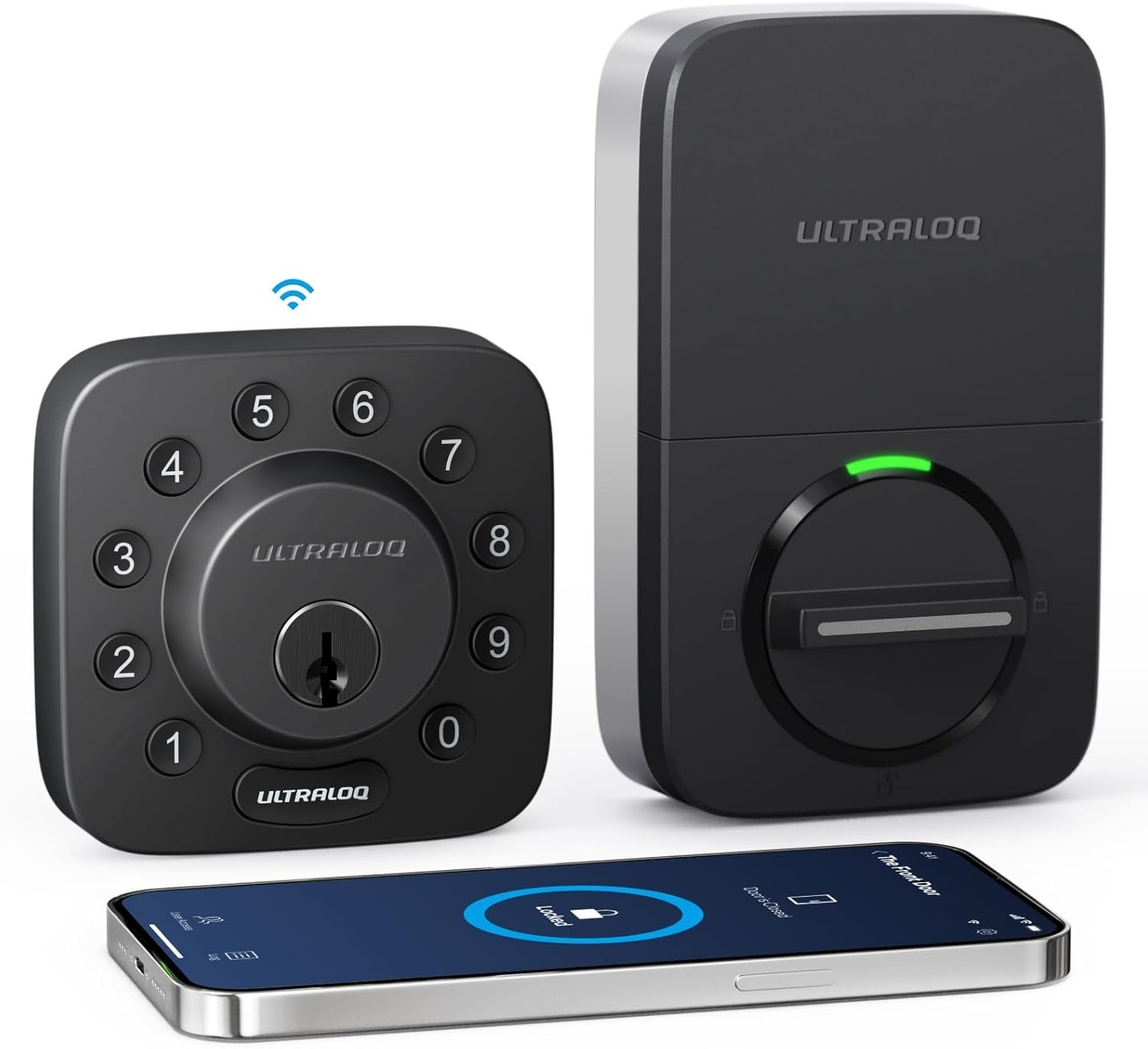
ULTRALOQ U-BOLT WIFI SMART LOCK
You installed it. You enrolled your fingerprint. You set the auto-lock timer. You left the house and told yourself: this is it, no more fumbling for keys.
Then, three weeks later, you came home to a lock that wouldn’t respond to the app. Or the auto-lock stopped engaging. Or the batteries were dead in six weeks instead of six months. Or you stood at your own door at 11 PM pressing your thumb to the reader while it blinked and did nothing.
The lock didn’t fail because it’s a bad product. It failed because no one told you exactly what this product depends on to work correctly — and what it silently gives up when those conditions aren’t met.
That is what this article is about.
The Result Looks Fine. The Problem Isn’t.
Every feature on the ULTRALOQ U-Bolt WiFi sounds like something you’d want. Seven entry methods. Built-in WiFi. No hub required. Door sensor included. Auto-lock and auto-unlock. ANSI Grade 1 certification. Alexa, Google, SmartThings compatibility. IP65 weatherproofing. 100 fingerprints stored. 50 access codes. Remote access from anywhere.
The spec sheet is one of the most generous in the sub-$120 smart lock category.
The problem is that the spec sheet describes maximum performance under ideal conditions — and the gap between those conditions and your actual front door is where the real experience lives.
Here is what the spec sheet does not say: built-in WiFi consumes significantly more battery than Bluetooth-only operation. The manufacturer’s own documentation acknowledges battery life of 3 to 6 months for the WiFi model versus up to a year for the non-WiFi version. The lock requires a 2.4GHz-only WiFi network — if your phone or router defaults to 5GHz during setup, the pairing process breaks completely. And the firmware managing auto-lock, activity logging, and the LED indicator has exhibited what users and the official community forum describe as a periodic “zombie state” — where those functions silently stop working until someone physically pulls the batteries.
None of that makes the lock defective in a categorical sense. It makes the lock conditional. And conditions are exactly what the feature count does not communicate.
What You’re Actually Feeling but Not Naming
The frustration most buyers bring to this lock isn’t “this product is broken.” It’s something more specific and harder to diagnose: it mostly works, but I can’t trust it completely.
The app shows the door is locked. But was that notification from five minutes ago or five hours ago? The auto-unlock didn’t trigger when you walked up. Was it the geofence radius, the Bluetooth range, or the battery dropping below the threshold where that feature becomes unreliable? The fingerprint reader accepted your thumb on the first try Tuesday and rejected it four times Wednesday morning. Temperature? Dry skin? Firmware state?
These are not catastrophic failures. They are friction accumulations — small gaps between expected and actual behavior that compound into a persistent background doubt about whether your front door is doing what you think it’s doing.
This is the lived experience that surfaces consistently across user reports, community forums, and aggregated review patterns: not outright malfunction, but unreliability at the edges of the feature set. The core mechanical operation — turning the bolt, entering a code, using the key — is solid. The premium smart behaviors — remote status accuracy, automatic triggers, consistent biometric reads — are where the margin of trust narrows.
That is the honest shape of this product. And once you see it clearly, the buying decision becomes much less ambiguous.
The Hidden Mechanism Behind the Miss
Most smart lock failures get blamed on the lock. The actual mechanism is usually the intersection point — the layer where wireless connectivity, battery voltage, and firmware state all have to align simultaneously for the premium features to work.
Here’s what that looks like with the U-Bolt WiFi specifically:
The built-in WiFi chip draws power continuously, not only when communicating. That persistent draw is why batteries degrade faster under heavy remote access usage — particularly in rentals or multi-user environments where the lock is actively queried dozens of times per day. The 3-to-6-month battery range represents average household use. High-frequency access environments can push that window significantly shorter.
WiFi connectivity in this lock is 2.4GHz only. That’s not a flaw — 2.4GHz has better range through walls than 5GHz. But modern mesh networks and dual-band routers often handle band assignment dynamically, and some configurations intermittently push the lock’s connection to an authentication state it cannot resolve without a manual reset. This is the source of the most-reported frustration: the lock drops off the network, becomes unreachable via app, yet continues to function locally via keypad or Bluetooth.
The firmware managing the auto-lock timer, activity log, and status LED runs on the same processor as the WiFi stack. When the WiFi module enters a degraded state — whether from signal fluctuation, a network event, or what the community forum describes as a memory leak — it can pull those secondary functions into a non-operational state without triggering any visible alert. The lock appears online. The app shows it as connected. But the auto-lock isn’t firing and the log has stopped recording.
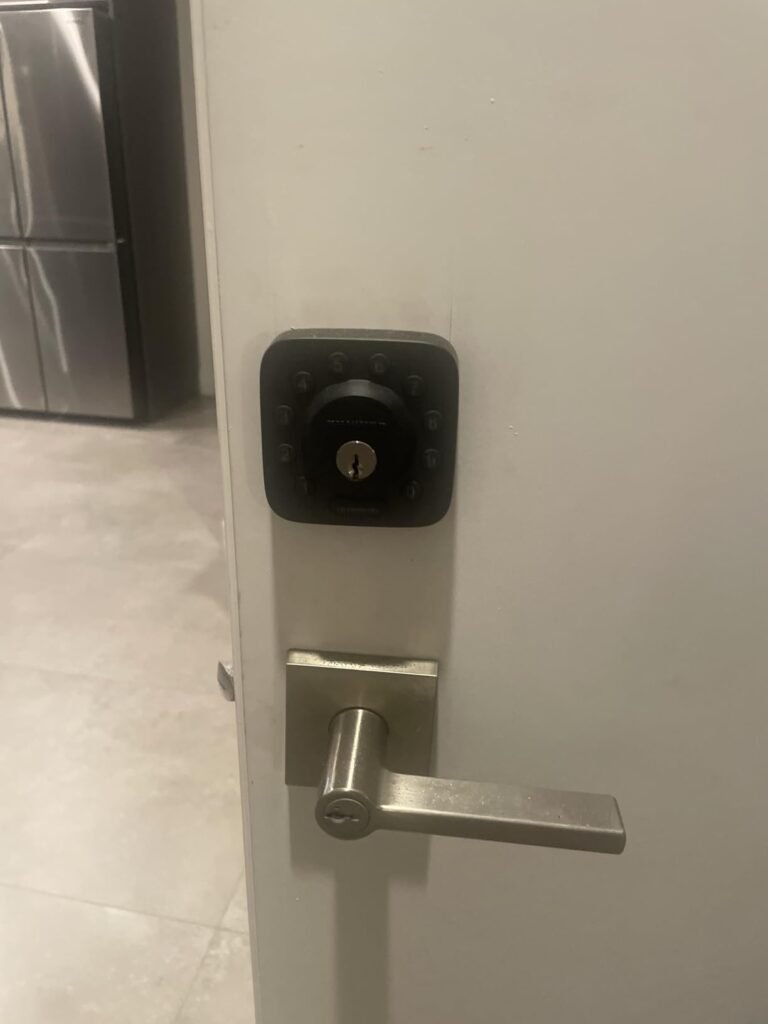
Understanding this mechanism changes how you evaluate the lock. The issue is not the deadbolt, the keypad, the fingerprint reader, or the physical hardware — all of which perform reliably. The issue is the WiFi intelligence layer, and whether your environment can sustain it consistently.
The Threshold Where the Outcome Quietly Breaks
There is a specific operational threshold with this lock, and it runs along three axes simultaneously.
| Axis | Below Threshold (Reliable) | Above Threshold (Degraded) |
|---|---|---|
| Network | Stable 2.4GHz, consistent signal, simple SSID | Mesh network with band-steering, intermittent 2.4GHz coverage, ISP modem resets |
| Battery | Fresh alkalines, low-to-moderate access frequency | Partially drained cells, built-in WiFi active, high access frequency (rental/multi-user) |
| Firmware state | Recent battery pull or firmware update, < 4 weeks since last reset | Weeks of continuous uptime, no reboot, active WiFi connection sustained |
When all three axes are below threshold, the U-Bolt WiFi delivers on its feature promise cleanly. Remote access works. Auto-lock fires on schedule. The app reflects accurate door status. The fingerprint reader is fast and consistent.
When any one axis moves above threshold — especially battery depletion combined with heavy WiFi usage — the premium smart features begin to degrade in ways that are invisible until you need them.
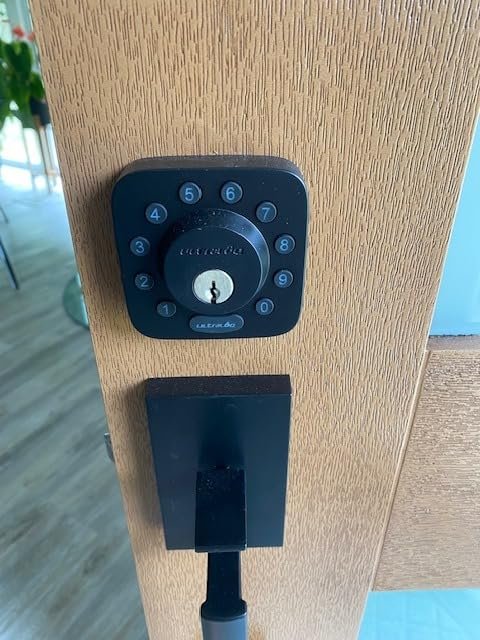
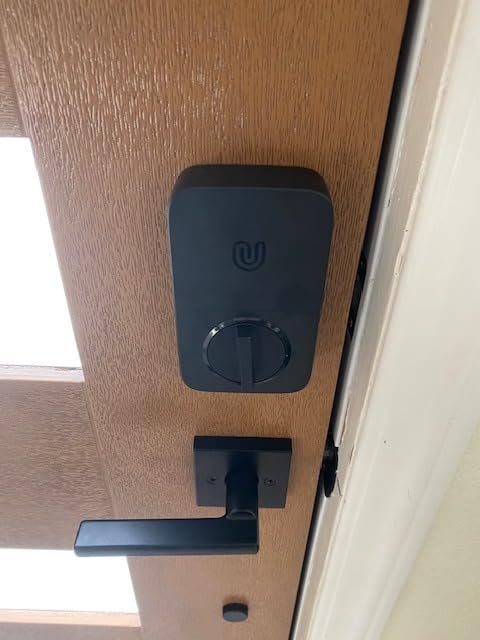
The mechanical features do not participate in this threshold at all. The keypad, the physical key, and the Bluetooth local connection remain functional regardless of WiFi or battery state, as long as the battery has any charge at all. The lock even includes a micro-USB port for emergency external power if the batteries die completely before you reach the door.
The threshold is not a defect. It’s a design reality that most buyers only discover after installation.
Why Most Buyers Misread This Too Early
The comparison most people make before buying this lock is wrong. They compare it to a $30 deadbolt, find it dramatically superior, and proceed. Or they compare it to a $200 lock, find it more affordable, and feel they are getting a deal.
Neither comparison is the useful one.
The useful comparison is between the U-Bolt WiFi and the version of itself it can be — and the specific conditions your home either does or does not provide for it to reach that version.
A second common misread is feature-count evaluation. Seven entry methods sounds comprehensive. And it is — at the point of installation. What changes over weeks and months is that two or three of those seven methods (the WiFi-dependent ones) begin to operate with varying reliability based on environmental conditions, while the other four (keypad, key, Bluetooth, fingerprint) remain stable. Buyers who entered expecting all seven to perform equally consistently are the ones who write negative reviews. Buyers who understood the WiFi layer as variable and everything else as solid are the ones who rate it highly and continue using it.
There is also a misread specific to rental and high-traffic properties. The U-Bolt WiFi is frequently marketed toward Airbnb hosts and property managers. For single-property, moderate-use scenarios, it handles this well. For properties with multiple daily access events, continuous remote monitoring, and no one available to physically reset the lock when it enters a degraded state, the battery and firmware constraints become operationally significant — not just inconvenient.
Who Is Actually Inside This Problem
The person this lock genuinely serves well looks like this:
They live in or manage a single property. They have a standard home WiFi router broadcasting a stable 2.4GHz network. They access the lock fewer than 10–15 times per day across all users. They value remote monitoring and access sharing — for family members, occasional housekeepers, or short-term guests — but are not running a continuous high-traffic operation. They are fine checking battery level monthly and replacing AA batteries every 3 to 5 months rather than 10 to 12. They do not have an Apple HomeKit ecosystem and are not depending on tight Apple Home integration. They want multiple entry options and value the fingerprint reader as a fast, keyless daily entry method.
This is a genuinely large audience. The lock works well for them, and it works well consistently when their network environment is stable.
| User Type | Fit Level | Key Reason |
|---|---|---|
| Family home, stable router, moderate use | Strong fit | WiFi layer performs reliably at low-moderate frequency |
| Airbnb host, single property, occasional guests | Good fit with awareness | Battery management required; WiFi holds under lower access volume |
| Renter needing keyless entry + access sharing | Good fit | Bluetooth + keypad reliable regardless of WiFi state |
| Property manager, multiple daily guests, no on-site presence | Marginal fit | High access volume stresses battery and WiFi layer |
| Apple HomeKit household | Not compatible | No HomeKit support; Alexa/Google only |
| Commercial or office multi-door deployment | Not recommended | Firmware reset burden at scale is unsustainable |
Where Wrong-Fit Begins
You are outside the fit boundary of this lock if:
Your WiFi network is mesh with aggressive band-steering that you cannot configure at the router level. The 2.4GHz-only requirement becomes a repeated source of disconnection that no amount of troubleshooting fully resolves in these environments.
You are managing a property remotely — meaning no one can physically access the lock to perform a battery pull when the firmware enters a degraded state. The auto-reset is not automatic. It requires someone to remove and reinsert the batteries.
Your primary smart home ecosystem is Apple HomeKit. This lock does not support it. The Alexa and Google integration works well; the Apple pathway does not exist.
You are replacing a lock based on security anxiety and expecting the U-Bolt WiFi to deliver tighter physical security than a quality traditional deadbolt. It won’t. The ANSI Grade 1 certification is meaningful, but smart lock attack surfaces are different from physical attack surfaces. If pure tamper resistance is the priority, the smart features are secondary — and you may be overpaying for capabilities you don’t need.
You expect set-and-forget operation for two years without any maintenance attention. This lock is not in that category. It is a managed smart device, not a passive mechanical component.
The One Situation Where This Product Becomes Logical
The ULTRALOQ U-Bolt WiFi becomes the structurally correct choice when your problem is access management, not just entry convenience — and when access management happens at a single location that you sometimes need to control remotely.
Specifically: you need to share temporary or recurring access with people who should not have a physical key. You want to know when the door opens and closes without being present. You want the door to lock itself without relying on someone remembering to do it. And you want a fallback entry method for every scenario — dead phone, forgotten code, drained battery, lost key — covered before the problem occurs.
The U-Bolt WiFi covers all of that within a single device at around $119, without requiring an additional hub, without drilling new holes, and without wiring. The installation fits most US standard doors and takes one screwdriver and under 30 minutes.
| Feature | U-Bolt WiFi | Value Delivered |
|---|---|---|
| Built-in WiFi (no hub) | ✓ | Removes $50 bridge cost; direct remote access |
| 7 entry methods | ✓ | Redundancy across every failure scenario |
| Door sensor included | ✓ | Real-time open/close status without add-on |
| Auto-lock + auto-unlock | ✓ | Removes human forgetting from the security equation |
| 100 fingerprint slots | ✓ (Pro version) | Household + recurring guest coverage |
| ANSI Grade 1 | ✓ | Meets highest residential deadbolt standard |
| IP65 weatherproofing | ✓ | Front door durability in real climate conditions |
| Emergency USB power | ✓ | Dead battery doesn’t mean locked out |
| Apple HomeKit | ✗ | Not supported; Alexa/Google only |
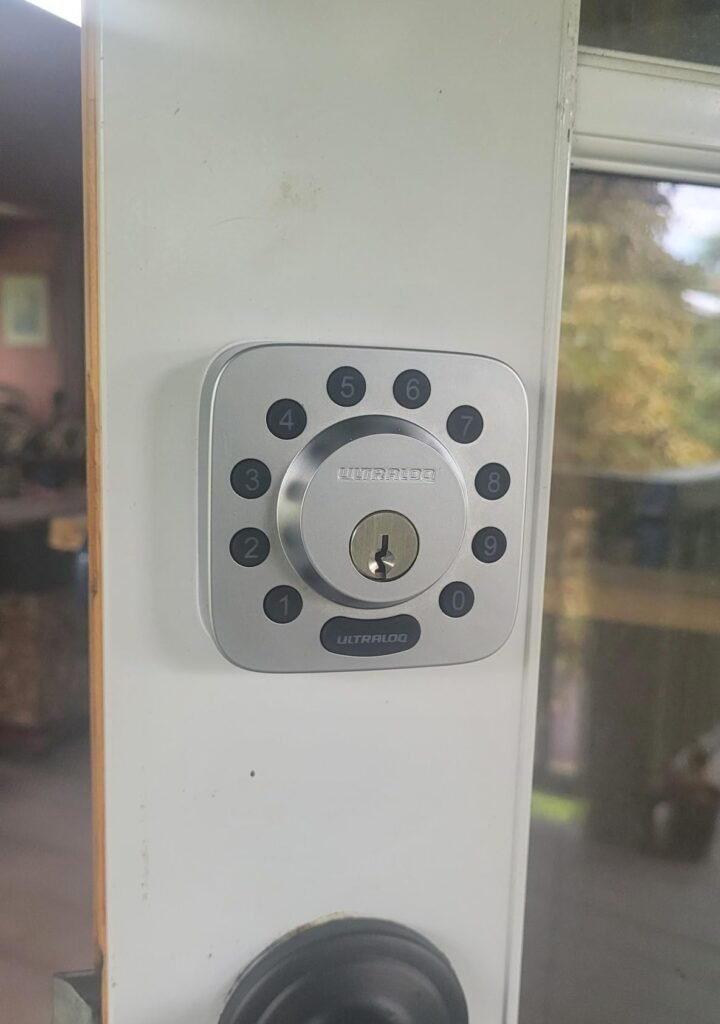
The specific ASIN being evaluated (B0BXS8XJVT) is the standard U-Bolt WiFi — the non-Pro variant, meaning no fingerprint reader. Entry methods are keypad, app, auto-unlock, eKey sharing, voice control, and mechanical key. If the fingerprint reader matters to you, the Pro variant is the one to choose. If it doesn’t — if you primarily want remote control and access sharing with a reliable keypad fallback — this version does that job cleanly at lower cost.
What It Solves, What It Reduces, and What It Still Leaves to You
| Category | What It Does |
|---|---|
| Solves completely | Physical key dependency for authorized users |
| Solves completely | Manual locking forgetfulness (auto-lock on door close) |
| Solves completely | Remote access sharing without duplicating keys |
| Reduces significantly | Lockout risk (multiple fallback entry methods) |
| Reduces significantly | Access audit gap (activity log via app) |
| Reduces partially | Battery anxiety (micro-USB backup; low-battery notification) |
| Does not solve | WiFi drop isolation without manual reset |
| Does not solve | Apple HomeKit integration requirement |
| Still requires from you | Battery replacement every 3–5 months with WiFi active |
| Still requires from you | Occasional firmware reset (battery pull) if auto-lock stops |
| Still requires from you | 2.4GHz-compatible router setup at installation |
This is not a plug-and-forget smart home device. It is a managed access system that significantly reduces the burden of key management and manual locking — with the condition that you treat the WiFi layer as a component that requires periodic attention, not permanent autonomy.
If you go in with that expectation, the experience matches the value. If you go in expecting zero-maintenance remote automation, the gap between expectation and reality is where the regret begins.
Final Compression
The ULTRALOQ U-Bolt WiFi is the correct lock for a specific condition: you manage access to one property, you need remote control and access sharing, you have a stable 2.4GHz network, and you are willing to replace batteries every few months and occasionally reset the firmware.
Under those conditions, it delivers more access flexibility per dollar than most alternatives in its class, with no additional hub required, six or seven redundant entry methods, and an activity log that actually tells you what happened at your door and when.
Under different conditions — high-frequency rental use, mesh WiFi with no manual band control, Apple HomeKit dependency, or zero-maintenance expectations — the gap between the feature list and the lived experience will find you.
The decision isn’t difficult once the conditions are visible. If the conditions above match your situation, this is where the decision stops being vague.
Frequently Asked Questions
| Question | Answer |
|---|---|
| Does the ULTRALOQ U-Bolt WiFi work without internet? | Yes. The keypad, mechanical key, and Bluetooth local connection all function without internet or WiFi. WiFi is required only for remote app control, activity logging, and voice assistant commands. |
| What WiFi frequency does it require? | 2.4GHz only (802.11 b/g/n). It does not support 5GHz networks, and your phone must also be on a 2.4GHz network during the initial setup pairing process. |
| How long do the batteries last? | The manufacturer specifies 3 to 6 months with built-in WiFi active, depending on access frequency. Bluetooth-only mode (without continuous WiFi) extends this to up to a year. Heavy-use rental environments typically see the shorter end of that range. |
| What happens if the batteries die completely? | The Pro version includes a micro-USB port that allows you to temporarily power the lock with an external battery bank. The standard U-Bolt WiFi also includes a key backup. The lock provides low-battery notifications well before failure. |
| Does it work with Apple HomeKit? | No. The U-Bolt WiFi is compatible with Amazon Alexa, Google Home, SmartThings, and IFTTT. Apple HomeKit support is only available on the separate Bolt Fingerprint (HomeKit version) model. |
| What is the difference between the U-Bolt WiFi and U-Bolt Pro WiFi? | The Pro version adds a 360° fingerprint reader that stores up to 100 fingerprints. Both include built-in WiFi, door sensor, auto-lock, and all keypad/app entry methods. If fingerprint access is important to you, choose the Pro variant. |
| Why does the auto-lock sometimes stop working? | This is a known firmware behavior. After extended periods of continuous operation, the firmware can enter a degraded state where auto-lock, activity logging, and the LED indicator stop functioning — while the lock itself remains operational. A battery pull (removing and reinserting the batteries) resets the firmware and restores all functions immediately. |
| Is it difficult to install? | No. It replaces a standard US deadbolt using four screws and a screwdriver. No wiring, no drilling. Most installations are complete in under 30 minutes. It fits doors with a 2-1/8″ borehole; a thick door kit is available for doors between 1¾” and 2¼” thick. |
| What security grade does it hold? | ANSI Grade 1 — the highest residential deadbolt certification from the Builders Hardware Manufacturers Association. |
| Can I share access with guests without giving them the app? | Yes. You can share a temporary or permanent access code, or send an eKey through the app. The recipient can enter via keypad using the code without needing the app or a Bluetooth connection. |
Transparency Note:
This analysis is built on aggregated real-world experience.
It extracts what repeatedly holds, what breaks, and what users uncover only after living with the system—then shapes it into a clear model you can use immediately.
Think of it as structured experience, refined and presented so you don’t have to learn it the hard way.
“A quick note: Don’t believe the star ratings, but trust personal experience. This article is a compilation of collected experiences”