YOUR FINGERPRINT UNLOCKS THE DOOR. YOUR ASSUMPTIONS KEEP LOCKING YOU OUT.
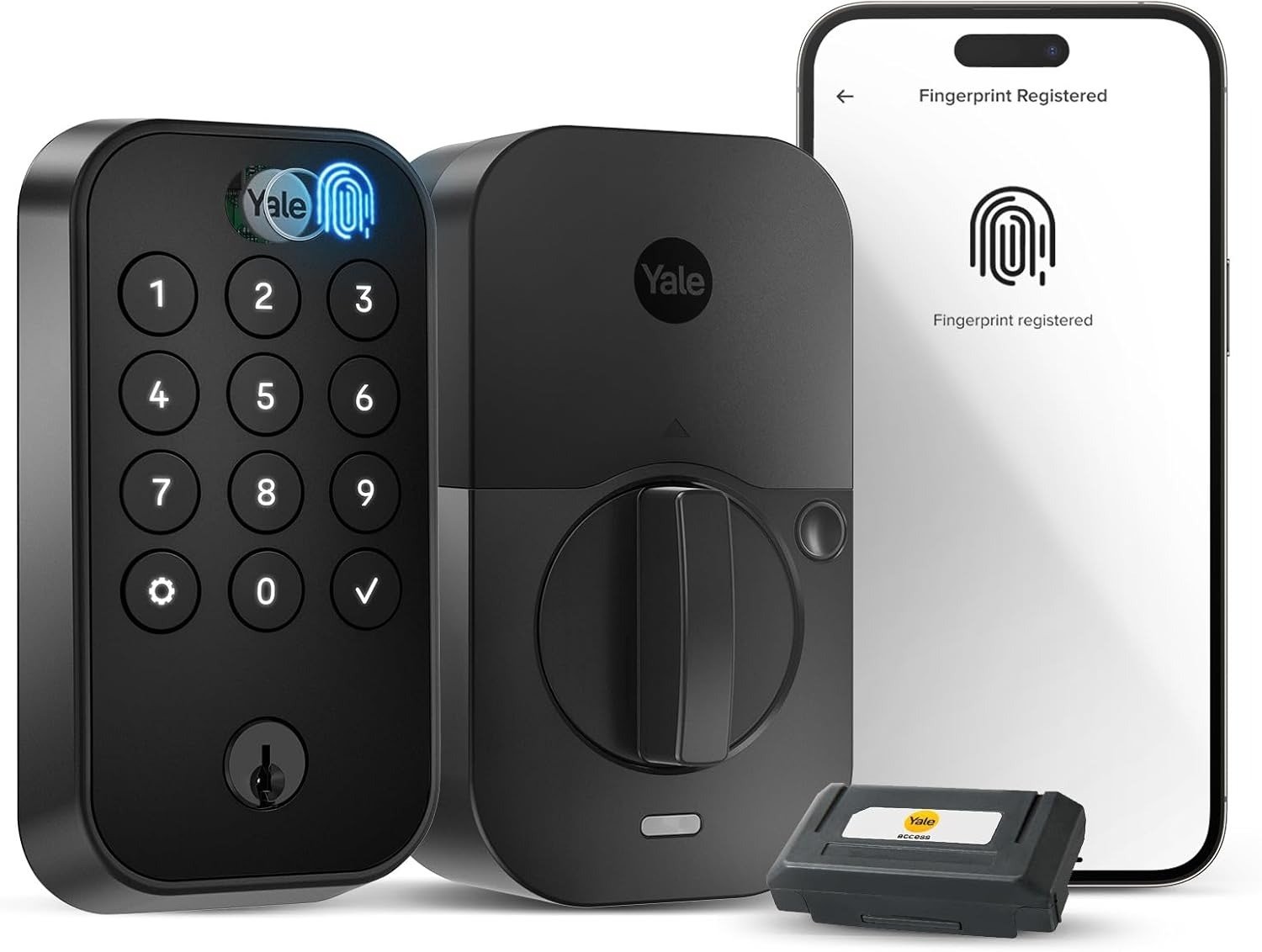
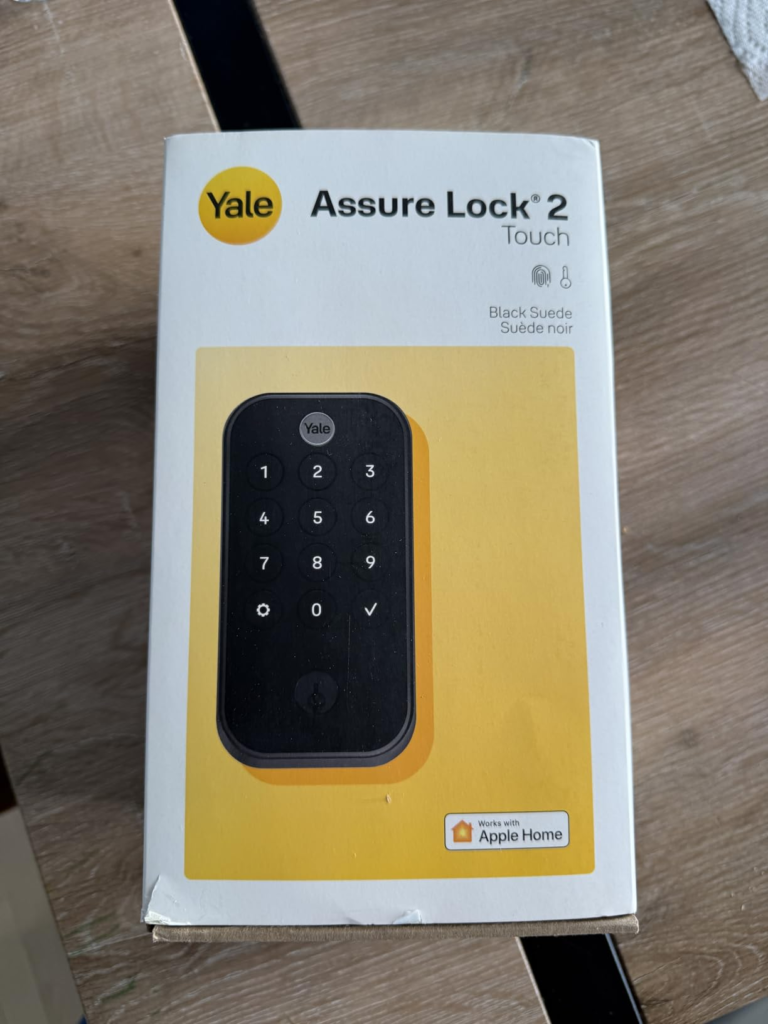
Yale ASSURE LOCK 2 TOUCH (YRD410-F-WF1)
You switched to a smart lock to stop thinking about your front door. You still think about it. Not constantly — just enough. A small, recurring friction you can’t quite name. Did it lock? Is the battery dying? Why did the app just say “offline”? Why did the keypad disappear in the sun when your dog walker needed in?
That’s not a product failure in the catastrophic sense. It’s something quieter and more expensive: a feature-fit mismatch wearing the costume of a minor inconvenience.
The Yale Assure Lock 2 Touch (YRD410-F-WF1) is a genuinely capable piece of engineering. It will unlock in under half a second when it recognizes your fingerprint. It integrates with Alexa, Google Home, HomeKit, and SmartThings. It logs every entry, sends notifications, and lets you hand out virtual keys to a dog walker from a hotel lobby. The hardware is tight. The design is restrained and good-looking.
And yet a meaningful percentage of buyers end up in a strange purgatory: the lock does most things well, but the specific thing they needed it to do most reliably becomes the exact thing that quietly fails.
The problem isn’t the product. The problem is the gap between the condition you’re actually in and the condition this product was built for.
THE RESULT LOOKS FINE. THE FRICTION ISN’T GONE.
Most smart lock buyers frame the purchase as an upgrade from analog inconvenience. They imagine the physical key disappearing and nothing taking its place — just seamless, silent entry. That’s the mental picture. It’s also the source of almost every disappointment.
What actually replaces the key isn’t nothing. It’s a system. And systems have conditions.
The Yale Assure Lock 2 Touch runs on four AA batteries, a 2.4GHz Wi-Fi module, a fingerprint sensor, a capacitive touchscreen keypad, and a companion app. Each component performs well in isolation. What users discover over weeks of real use is that the system’s reliability is a product of how those components interact with your specific door, your specific home network, and your specific daily pattern — not a product of the spec sheet alone.
Some users report the lock dropping and regaining its Wi-Fi signal repeatedly, generating constant notifications that Yale support couldn’t resolve. Best Buy Others report the opposite: months of stable, frictionless operation where the fingerprint becomes as fast and thoughtless as breathing. The difference between these two outcomes isn’t luck. It’s installation alignment, deadbolt friction, Wi-Fi band compatibility, and daily access frequency — variables that are yours to own, not Yale’s to absorb.
Understanding this isn’t pessimism. It’s the only way to make a clean decision.
WHAT YOU’RE ACTUALLY FEELING BUT NOT NAMING
The low-grade dissatisfaction with a smart lock rarely presents itself clearly. It doesn’t announce itself as “my door access system has a reliability bottleneck.” It comes as:
A slight hesitation before pressing your finger, because you’re not 100% sure it’ll work the first time. A momentary irritation when you open the app to check the lock status and see “status unavailable.” A creeping awareness that the battery percentage is dropping faster than the timeline you were promised. A moment of genuine problem when a guest needs PIN access but the sun is hitting the keypad directly and the numbers are invisible.
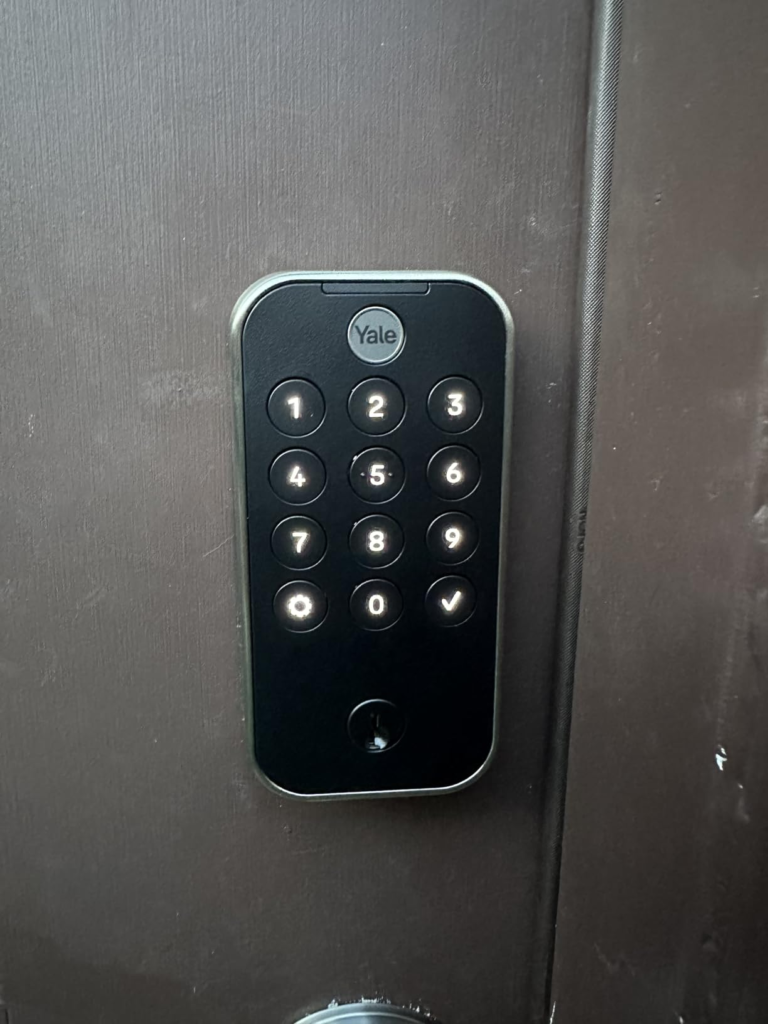
The touchscreen numeric keypad only appears after you touch the lock, and while the backlight makes it easy to see at night, it becomes nearly impossible to make out numbers in direct sunlight. TechHive This is not a minor cosmetic flaw. If your primary method of giving access to people who aren’t enrolled is the keypad — and for guests, cleaners, and contractors, it usually is — then this is a recurring operational failure that happens specifically during daylight hours, which is when most of those people arrive.
The fingerprint reader bypasses this entirely for enrolled users. But fingerprint enrollment is not casual. The lock takes 12 separate impressions per person, supports up to 20 fingerprint sets, and fingerprint users receive 24/7 unrestricted access — you cannot limit them to specific time windows the way you can with PIN users. TechHive That’s a structural constraint, not a setting you can toggle.
This is what people feel before they name it: the gap between the access control they imagined and the access control they actually have.
THE HIDDEN MECHANISM BEHIND THE MISS
Every smart lock has a power budget. The Yale Assure Lock 2 Touch spends that budget differently than most people expect.
The Wi-Fi module draws continuous power to maintain your home network connection. The fingerprint sensor activates on contact. The DoorSense® module polls the door status. The Auto-Lock timer runs silently in the background. The app pushes and receives notifications in real time. Each of these draws from the same four AA batteries.
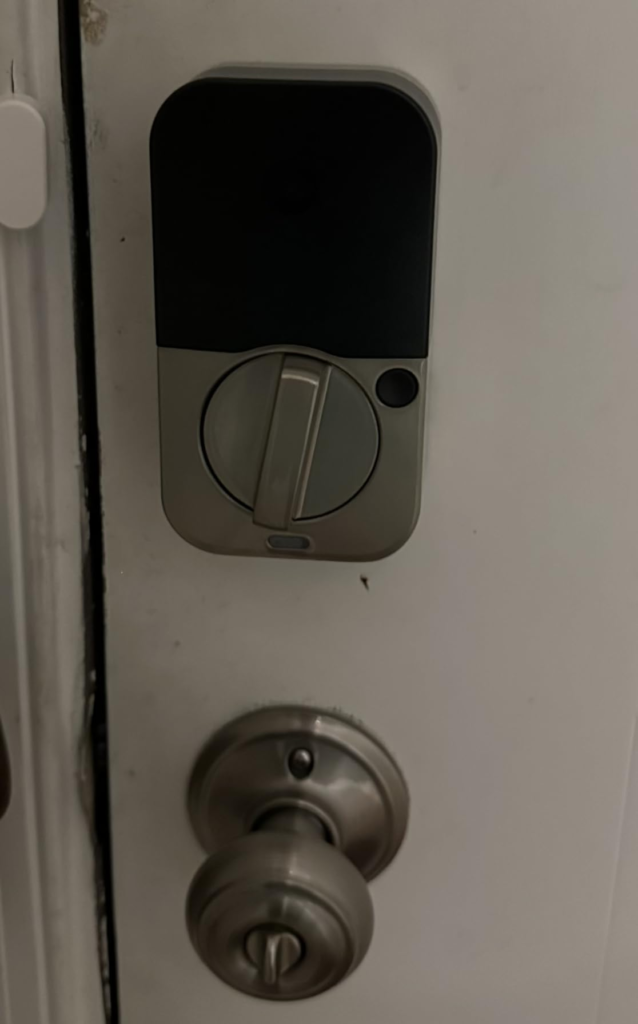
Improper installation causes sensor wake-ups as the lock repeatedly attempts to detect door status, draining power exponentially. Smart Home Wizards A deadbolt that rubs slightly against the door frame — barely noticeable mechanically — puts the motor under repeated strain and shortens battery life dramatically. One verified user documented battery death in under two months using Duracell Optimum batteries, with no low-battery notification arriving before the lock went dead. Best Buy
Yale’s advertised battery life assumes clean installation with properly aligned hardware, moderate daily use, and a stable Wi-Fi signal. Under those conditions, the system performs as described. Under conditions that deviate — a door that’s slightly off-square, a router that’s two rooms away, a household with six daily users — the power budget compresses and the margin disappears.
This is the hidden mechanism: the lock’s performance envelope is narrower than its feature list suggests. Not fraudulently narrow. Narrower than marketing implies, which is a different thing.
THE THRESHOLD WHERE THE OUTCOME QUIETLY BREAKS
There is a specific threshold where the Yale Assure Lock 2 Touch begins to generate friction instead of eliminating it. Call it the Multi-Condition Reliability Threshold: the point at which a household’s access demands exceed what a single biometric layer can cleanly serve.
Here’s what that threshold looks like in practice:
| Access Condition | Below Threshold | Above Threshold |
|---|---|---|
| Primary users enrolled | 1–4 people, consistent fingers | 5+ people or variable users |
| Guest/contractor access | Occasional, planned | Frequent, ad hoc, daytime |
| Door alignment | Clean deadbolt travel | Any mechanical resistance |
| Wi-Fi environment | Stable 2.4GHz near lock | Interference, distance, mesh dropout |
| Battery replacement cadence | Every 3–6 months acceptable | Every 6–8 weeks is a burden |
| Apple ecosystem dependency | Android or mixed household | iPhone-only, wants Home Key |
Apple users who want Apple Home Keys cannot get that feature on the Touch model — Home Key is only available on the Assure Lock 2 Plus, which means giving up the fingerprint reader and the physical backup key cylinder entirely. TechHive This is not a minor trade-off. It’s a binary product-line decision that forces a real choice between biometric convenience and NFC tap-entry.
Below that threshold, this lock performs with genuine elegance. Above it, the daily friction compounds.
WHY MOST BUYERS MISREAD THIS TOO EARLY
The most common decision error with smart locks is comparing them at the feature layer. Fingerprint: check. Wi-Fi: check. App control: check. Alexa: check. HomeKit: check.
That’s an inventory, not an evaluation.
The actual decision variable is access architecture — who needs to get in, how, how often, under what time constraints, and what happens when the primary method fails. Most buyers don’t think about this until after installation, which is when the system shows them exactly which assumptions were wrong.
Some users report the fingerprint reader as too finicky, with three registered household users never successfully unlocking with their prints, while others describe the same sensor as life-changing and instantly accurate. Best Buy Both experiences are real. The difference is enrollment quality, finger condition (dry fingers, wet hands, cold weather), and how consistently the sensor was trained.
Auto-unlock triggers at 10 feet with configurable auto-lock timers, though premature locking without full latching poses security concerns. Smart Home Wizards This is the kind of operational nuance that doesn’t surface in a feature comparison. It surfaces at 11pm when you’re carrying groceries and the door locks itself before the bolt has fully caught.
The early comparison trap — judging a smart lock by its headline features rather than its operational behavior over weeks — is the reason the review landscape for this product is so split. The buyers who researched the conditions first overwhelmingly report satisfaction. The buyers who bought on features alone report the friction.
WHO IS ACTUALLY INSIDE THIS PROBLEM
This lock was designed for a specific type of household, and it performs best within that type.
The profile of a user for whom the Yale Assure Lock 2 Touch becomes genuinely frictionless:
A household with two to four consistent daily users, all of whom enroll fingerprints during initial setup. A front door that operates smoothly, with no deadbolt drag or frame misalignment. A home Wi-Fi router on 2.4GHz within reasonable range of the front door — or a willingness to keep the Wi-Fi module optional and rely on Bluetooth for local proximity control. A mixed smart home ecosystem: not exclusively Apple-dependent, comfortable with Alexa or Google as the voice layer. Someone who manages occasional guest access through PIN codes rather than relying on guests to handle it themselves at the keypad in midday sun.
The fingerprint reader has been very accurate and recognizes registered prints in under half a second in real-world multi-user household testing. TechHive For the household described above, the lock delivers on that promise consistently.
The access friction that does exist — battery monitoring, occasional Wi-Fi dropout, sunlight keypad visibility — is manageable and infrequent enough to stay below the annoyance threshold.
WHERE WRONG-FIT BEGINS
There are specific conditions under which this lock will compound your friction rather than reduce it. These are not edge cases. They are common household configurations.
You primarily manage an Apple ecosystem and want Home Key. The Touch model does not support it. The Apple Home Key feature is available only on the Assure Lock 2 Plus, which costs approximately $289.99 — and choosing it means giving up the fingerprint reader entirely. Smart Home Scope If tap-to-unlock via Apple Watch matters to you, this is the wrong product line.
You have frequent ad hoc daytime guests. The PIN keypad is invisible in direct sunlight. This is a documented, confirmed limitation from independent reviewers. If a significant portion of your access events involve people entering codes — rather than using enrolled fingerprints — during daylight hours, this lock will create a recurring problem.
Your door has any mechanical friction in the deadbolt. Even slight misalignment will drain the battery faster than the published estimates and may cause false lock status readings in the app. The door must operate cleanly.
You need time-restricted biometric access. Fingerprint users on this lock cannot be restricted to specific time windows — that scheduling capability applies only to PIN users. TechHive A cleaning service enrolled via fingerprint has 24/7 access. If this is a constraint for your household, you’ll need to manage access via PIN codes instead, which brings you back to the keypad visibility problem.
These four conditions define the wrong-fit boundary. Anyone inside them should reconsider before purchasing.
THE ONE SITUATION WHERE THIS PRODUCT BECOMES LOGICAL
After all of that — after mapping the thresholds, the trade-offs, the battery variables, the sunlight limitation, the Apple Home Key exclusion — there is a specific situation where the Yale Assure Lock 2 Touch YRD410-F-WF1 becomes the most rational choice on the market.
That situation: a household of two to four people who want biometric-primary entry, need a physical backup key, operate across a mixed smart home ecosystem (not Apple-exclusive), and want remote access without relying on a separate hub.
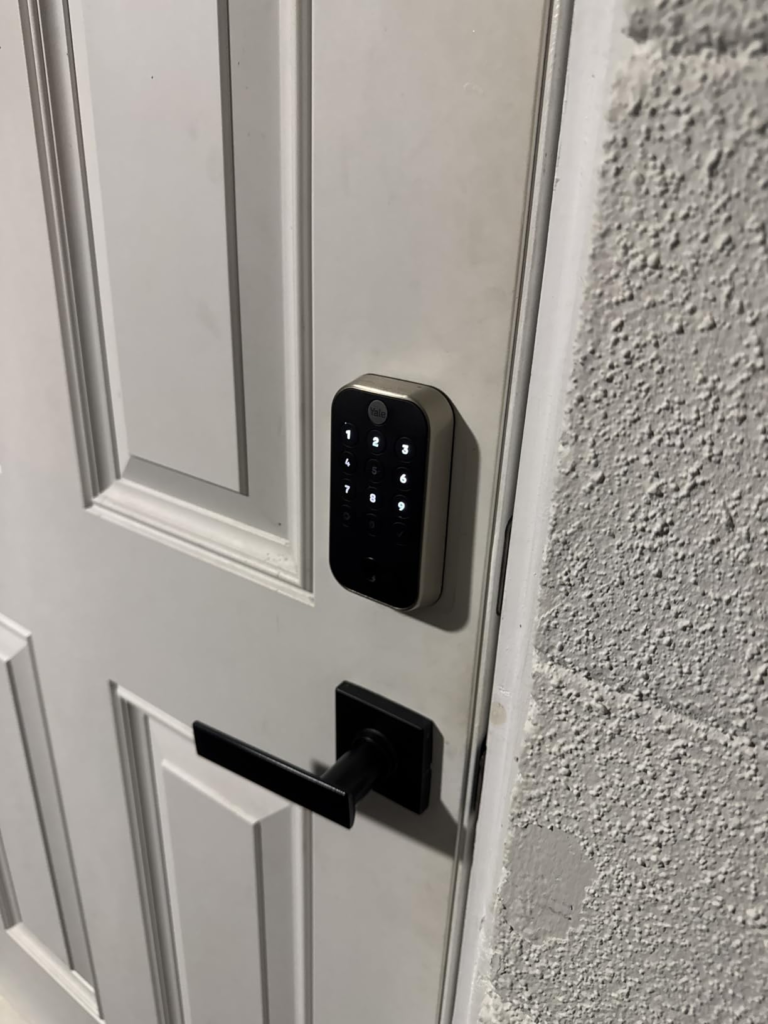
The built-in Wi-Fi module provides remote lock/unlock, activity feed, virtual key sharing, and DoorSense® door status monitoring — all through the Yale Access app, with no separate bridge hardware required. Yale Home The fingerprint reader provides under-0.5-second recognition that genuinely replaces the cognitive load of a physical key for enrolled users. The physical key cylinder remains as an unobtrusive backup that doesn’t compromise the lock’s clean exterior.
| Feature | Yale Assure Lock 2 Touch YRD410-F |
|---|---|
| Fingerprint capacity | 20 users |
| Recognition speed | Under 0.5 seconds |
| Connectivity | Bluetooth + 2.4GHz Wi-Fi (built-in) |
| Backup entry | Physical key cylinder included |
| Smart home compatibility | Alexa, Google Home, Apple HomeKit, SmartThings |
| Door monitoring | DoorSense® (door open/closed detection) |
| Battery | 4× AA, approx. 3–6 months (install-dependent) |
| Security certification | ANSI/BHMA Grade 2 |
| Biometric data storage | On-device only, 128-bit AES encrypted, never uploaded |
| Apple Home Key | Not supported on this model |
| Keypad visibility in sunlight | Limited |
For the household that fits, this lock doesn’t feel like a smart home gadget. It feels like the door itself got smarter.
WHAT IT SOLVES, WHAT IT REDUCES, AND WHAT IT STILL LEAVES TO YOU
What it solves: The daily physical key ritual for enrolled household members. Lost or duplicated key risk. Remote awareness of who entered and when. Controlled guest access via time-limited PIN codes. Auto-lock gaps when doors are left unlocked.
What it reduces: The need to be physically present to let people in. The cognitive overhead of key management across multiple users. Battery anxiety — provided installation is clean and the door operates smoothly.
What it still leaves to you: Door alignment quality at installation. Monitoring battery health proactively, especially in the first 30 days of use. Managing daytime guest access through enrolled fingerprints rather than relying on keypad visibility. The decision to stay on Bluetooth-only versus activating the Wi-Fi module, which trades battery life for remote access.
The lock does not eliminate the operational overhead of your front door. It restructures it. The restructuring is favorable for most households inside the right-fit profile. For households outside it, the restructuring creates new overhead in places where none existed before.
FINAL COMPRESSION
The Yale Assure Lock 2 Touch YRD410-F-WF1 is not a lock that works for everyone who wants a smart lock. It is a lock that works with precision for households where biometric-primary entry is the main goal, the door is properly aligned, and the smart home ecosystem is not exclusively Apple-dependent.
If your household fits that description, the decision is not complicated. The fingerprint reader is fast. The remote access is real. The physical backup key removes the catastrophic failure scenario. The DoorSense integration removes the “did I lock it?” loop. The biometric data never leaves the device.
If your household has frequent daytime guests needing keypad access, a strong dependence on Apple Home Key, or a door with mechanical issues — this lock will perform below what you paid for, not because it’s defective, but because the fit was wrong before the purchase.
The right next step is straightforward: if you’re inside the right-fit profile, the lock is available now through the Amazon listing, and the installation requires only a Phillips screwdriver and an afternoon. If you’re outside it, the evaluation has saved you from a purchase you’d be reversing in sixty days.
The decision stops being vague when you stop evaluating features and start evaluating fit.
Transparency Note:
This analysis is built on aggregated real-world experience.
It extracts what repeatedly holds, what breaks, and what users uncover only after living with the system—then shapes it into a clear model you can use immediately.
Think of it as structured experience, refined and presented so you don’t have to learn it the hard way.
“A quick note: Don’t believe the star ratings, but trust personal experience. This article is a compilation of collected experiences”