Mysa Smart Thermostat Review: Why Your Electric Baseboard Heater Runs All Day and Still Feels Cold
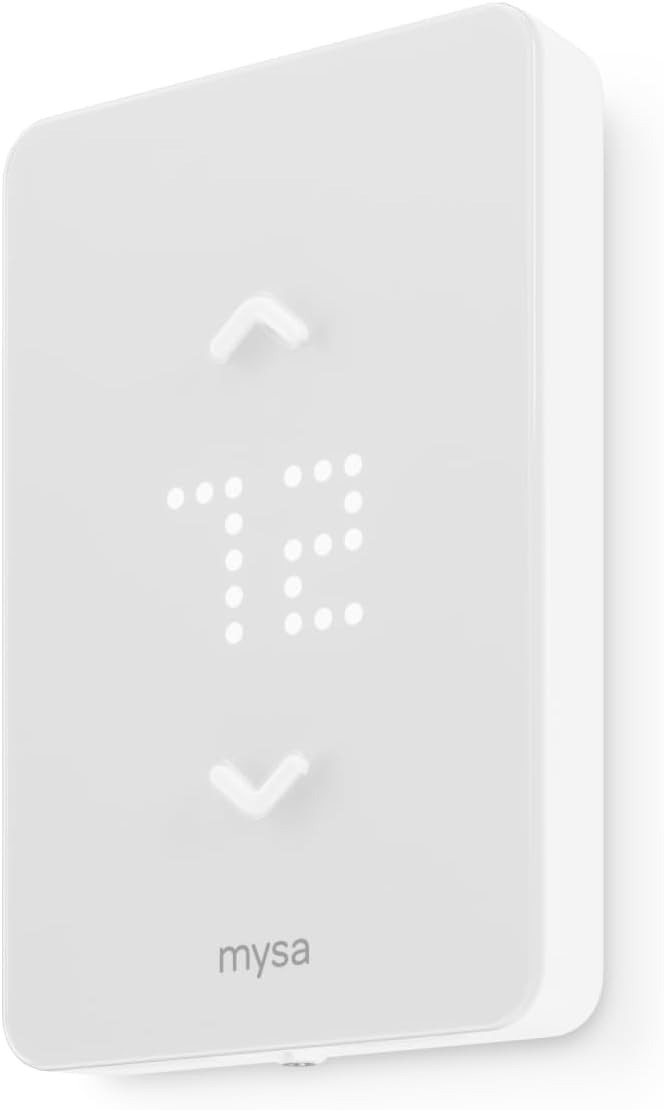
MYSA SMART THERMOSTAT
Electric Baseboard Heating Problems: The Room Looks Warm on Paper, Not in Your Socks
You set the dial. It clicks on. Twenty minutes later the display — or the thermometer on the wall — says the room is warm enough, and you’re still reaching for a sweater near the window, still avoiding the cold tile by the door, still not sure why the number and your feet disagree.
That gap is the actual problem. Not “the heater is broken.” Not “the house is drafty.” The number on the wall and the temperature in the room have quietly stopped agreeing with each other, and almost nobody traces it back far enough to see why.
Temperature Swings and High Electric Bills: What You’ve Been Feeling but Never Named
Here’s the friction, named plainly: your baseboard heater isn’t failing to turn on — it’s overshooting, then undershooting, then overshooting again. Every one of those swings is either heat you paid for and didn’t need, or cold air you didn’t ask for. Some owners only notice the pattern when a brutal cold snap turns into a two-month electric bill in the thirteen-to-fourteen-hundred-dollar range.
And “the thermostat is fine, it clicks” stops being reassuring right around then. The dial isn’t lying to you on purpose. It’s just built to be imprecise in a way nobody explains at the hardware store.
Why Mechanical Thermostats Fail: The Bimetal Strip Nobody Told You About
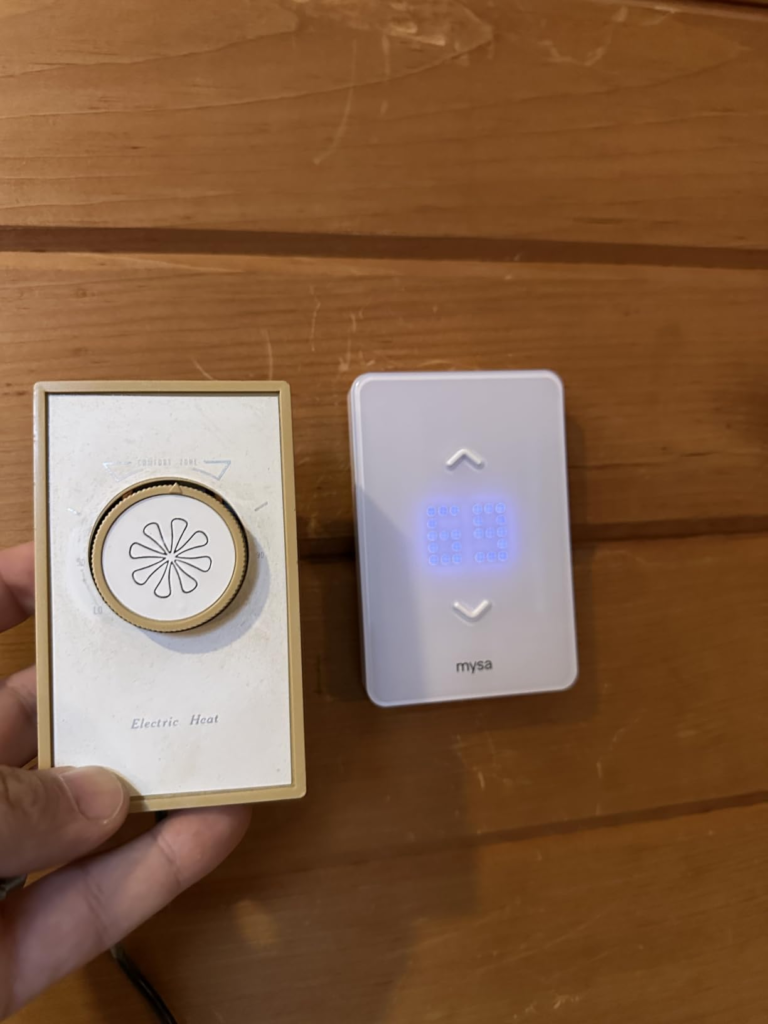
Inside almost every old baseboard dial sits a bimetal strip — two metals bonded together that physically bend as they heat, opening and closing a switch. That strip degrades with age, and dust or a loosening wire connection behind the faceplate compound the drift, which is exactly what produces the swings and the unresponsive controls people chalk up to “old house, old heater.”
Two concrete signs it’s the thermostat and not the room: a heater that clicks but never actually warms up usually points to a burnt-out element, and a faceplate that feels hot to the touch is something a digital unit shouldn’t do.
It’s not a dramatic failure. It’s a slow one — which is exactly why almost nobody catches it in the act.
Temperature Differential Explained: The Point Where “Close Enough” Quietly Breaks
Every mechanical thermostat has what HVAC techs call a differential — the gap between “too cold, turn on” and “too warm, turn off.” On a new bimetal strip that gap is small. On a worn one, it’s often several degrees wide, and it widens a little more every winter without any visible warning.
You don’t notice a threshold being crossed. You just start describing the back bedroom as “always a bit cold” and quietly stop questioning it.
That’s the exact gap a digital sensor is built to close. It’s a measurement problem before it’s ever a comfort problem: holding a room within about half a degree Fahrenheit of setpoint isn’t a luxury spec — it’s the difference between a room that actually sits at your number and one that only visits it twice a cycle.
Smart Thermostat vs Smart Plug: Why So Many Baseboard Owners Buy the Wrong Fix First
This is where most people go looking for a fix and grab the wrong one. They search “smart thermostat,” see Nest or Ecobee, and buy it — not realizing baseboard heat runs on a completely different electrical category. Regular low-voltage smart thermostats built for furnaces or central HVAC aren’t just incompatible with baseboard circuits — they can be genuinely unsafe if wired into one.
Others reach for a smart plug instead, which can crudely switch power but throws away the calibrated, moment-to-moment control that’s the entire reason to upgrade — and plenty of baseboard heaters aren’t even safely plug-compatible to begin with.
| Low-Voltage Systems | Line-Voltage Systems | |
|---|---|---|
| Common examples | Furnace, heat pump, central AC | Baseboard, convector, fan-forced heater, radiant ceiling |
| Wiring at the thermostat | Thin wires labeled R, C, W, Y, G, or O/B | Thick wires running straight to the breaker panel |
| Typical smart thermostats | Nest, Ecobee, most Honeywell models | Mysa, Sinopé — line-voltage-specific models only |
| Crossing the two | — | Not a matter of preference — it can be unsafe |
One longtime owner described it plainly: the mainstream option “failed” on their baseboard system before a line-voltage thermostat actually worked. That’s not a rare story. It’s the single most common wrong turn in this category.
Line-Voltage Baseboard Heat: Who This Problem Actually Belongs To
This isn’t a fix for everyone with a cold room. It’s for people running electric resistance heat specifically — baseboards, in-wall convectors, fan-forced heaters, or radiant ceiling panels — usually somewhere the heat runs for months, not weeks. You’re the target reader if you’re working a physical dial (or a basic digital one with no app), if you’ve got more than one zone and you’re tired of walking room to room to adjust each one by hand, and if the electric bill has started feeling disconnected from how warm the house actually is.
You’re also, quietly, the reader who’s already half-suspected the thermostat itself is the problem. You just haven’t had a reason to confirm it yet.
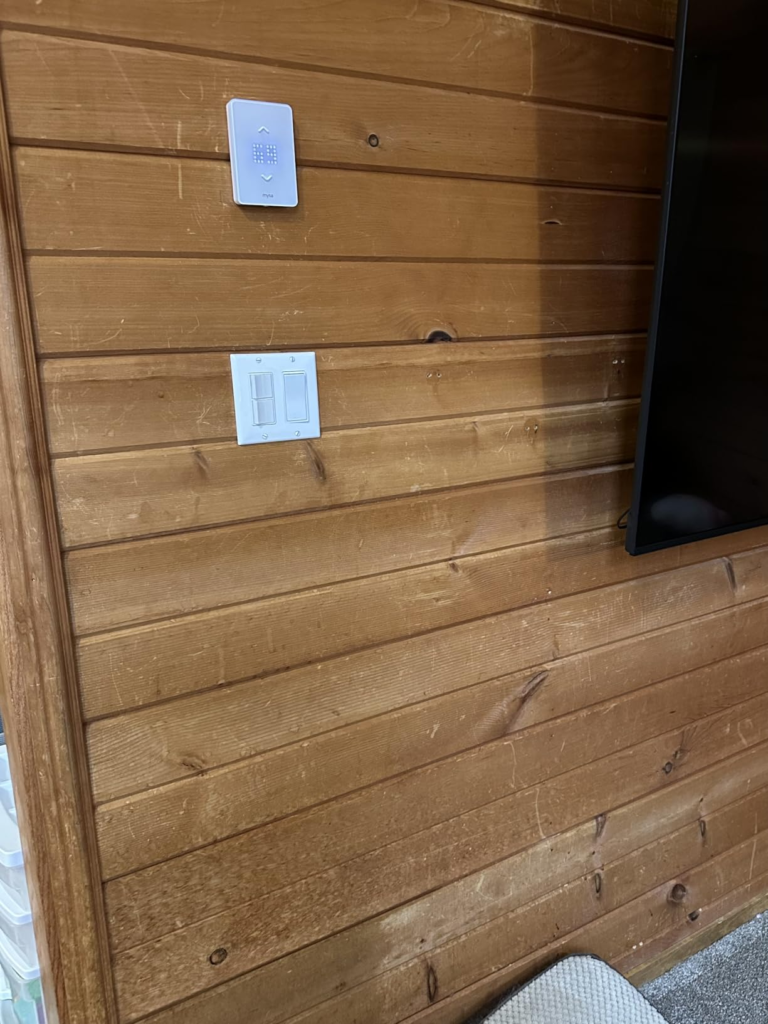
Mysa Compatibility Requirements: Where the Wrong-Fit Purchase Begins
Here’s where honesty matters more than enthusiasm. Mysa works only with high or line-voltage electric heating — 120 to 240 volts — and it does not work with low-voltage systems or genuine two-wire installations. If you open the gang box and see only two wires, that’s unusual enough to double-check for extra wires capped off and tucked inside before assuming your home can’t support it — most boxes have more wiring than people expect.
The other real limit is wattage. Mysa is rated for up to 1,900 watts at 120V or 3,800 watts at 240V, and it needs at least four wires — a neutral or a second live wire — to run. That ceiling trips people up more than you’d think: homeowners with two large baseboards ganged onto a single 4,000-watt circuit have found that setup simply exceeds what Mysa can handle, which means splitting the circuit or looking elsewhere.
And before touching anything: this is 120/240V wiring, so power gets shut off at the breaker first, and anyone not fully comfortable with that hires a licensed electrician — worth repeating after one baseboard forum regular’s cautionary tale about a mismatched amperage rating that left a thermostat’s plastic cover starting to melt.
| Fits Your Home | Skip This One |
|---|---|
| Baseboard, convector, fan-forced, or radiant ceiling heat | Furnace, heat pump, or central air (24V systems) |
| 120–240V line-voltage wiring | A true two-wire box with no spare wires |
| Circuit under 3,800W (240V) / 1,900W (120V) | A single zone pulling 4,000W or more |
| A 2.4GHz Wi-Fi signal reaching the room | No home Wi-Fi, or a 5GHz-only setup |
| Comfortable at the breaker, or hiring an electrician | Unwilling to verify wiring before buying |
If your circuit runs hotter than that ceiling, it’s worth knowing Sinopé sells a line-voltage model rated up to roughly 4,000 watts at 240V. This review isn’t pretending Mysa is the only line-voltage option — just the one that fits most single- and double-baseboard rooms cleanly.
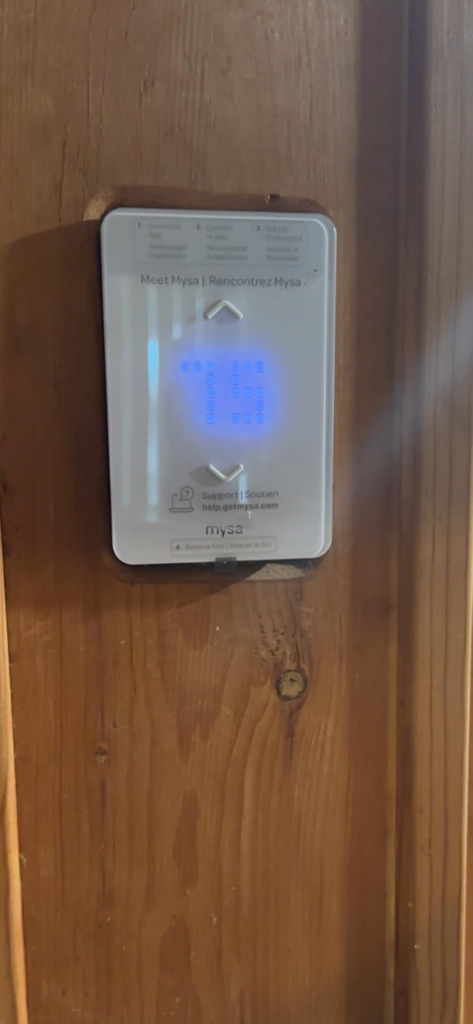
Mysa Smart Thermostat for Electric Baseboard Heaters: The One Situation Where It’s the Logical Call
Once your heat is confirmed line-voltage, your box has the wires, and your circuit sits under the ceiling, the decision stops being complicated. Mysa connects straight to your home Wi-Fi with no separate hub or bridge to buy, which simplifies both the shopping list and the install. One practical note for the first hour after power-up: don’t panic if the reading looks slightly off — the sensor is still settling in.
Mysa Smart Thermostat — Full Spec Sheet
| Spec | Detail |
|---|---|
| Voltage | 120–240 VAC |
| Max load | 16A — 1,900W @ 120V / 3,800W @ 240V, on a 20A breaker |
| Wiring required | 4 wires (line, load, neutral or L2, ground) |
| Sensors | Temperature accurate to ±0.5°F, humidity to ±2%, plus light and proximity sensors |
| Connectivity | 2.4GHz Wi-Fi (802.11 b/g/n) and Bluetooth Low Energy for setup |
| Voice / smart home | Apple HomeKit, Amazon Alexa, Google Assistant, SmartThings |
| Certification | UL 60730 |
| Dimensions | 5.1 x 3.5 x 0.8 in |
| Subscription | None — scheduling, remote control, and runtime reports are included at purchase |
| Warranty | 5-year manufacturer warranty |
Mysa vs Sinopé, in Short
| Mysa | Sinopé | |
|---|---|---|
| Wi-Fi setup | Direct — no bridge required | Some models connect directly; others use a separate Zigbee hub |
| Max wattage | Up to 3,800W @ 240V | Up to 4,000W @ 240V on its higher-capacity model |
| Wiring | 4-wire, dedicated power | 2-wire, power-stealing on its base models |
| Display | Cleaner, more minimal | Shows more at a glance — outside temp, date |
| Best for | Single rooms, small zone counts, no extra hardware | Larger installs, or circuits above Mysa’s wattage ceiling |
Neither one wins outright — it comes down to which one actually matches your wiring and your zone count, which is the whole point of checking compatibility before checking price.
Mysa Pros and Cons: What It Fixes, What It Trims, and What Still Depends on You
This is the part most listings skip, and it’s the part that actually earns trust.
| It Solves | It Reduces | It Still Leaves to You |
|---|---|---|
| The wide, unpredictable swing of a worn bimetal dial | Mysa’s own figures cite up to 15–26% off heating costs when schedules and geofencing are actually used | Verifying wiring and wattage before buying, not after |
| Walking room to room to adjust every dial by hand | Runtime during hours nobody’s home, via geofencing | A stable, dedicated 2.4GHz Wi-Fi signal at the thermostat |
| Not knowing which room is driving the bill | Guesswork, via monthly per-room runtime reports | Actually building a schedule — used as a glorified on/off timer, the savings shrink to what a basic programmable thermostat already gives you |
Worth saying plainly: if your Wi-Fi drops, Mysa doesn’t stop heating — it keeps running on its last setting and simply loses remote and scheduling features until it reconnects. That’s the kind of detail that either builds trust or exposes a product, and here it holds up. What doesn’t fully hold up is a promise of zero friction: a small share of buyers report a unit arriving underpowered or dead out of the box, and the fix is usually a straightforward exchange, not a repair.
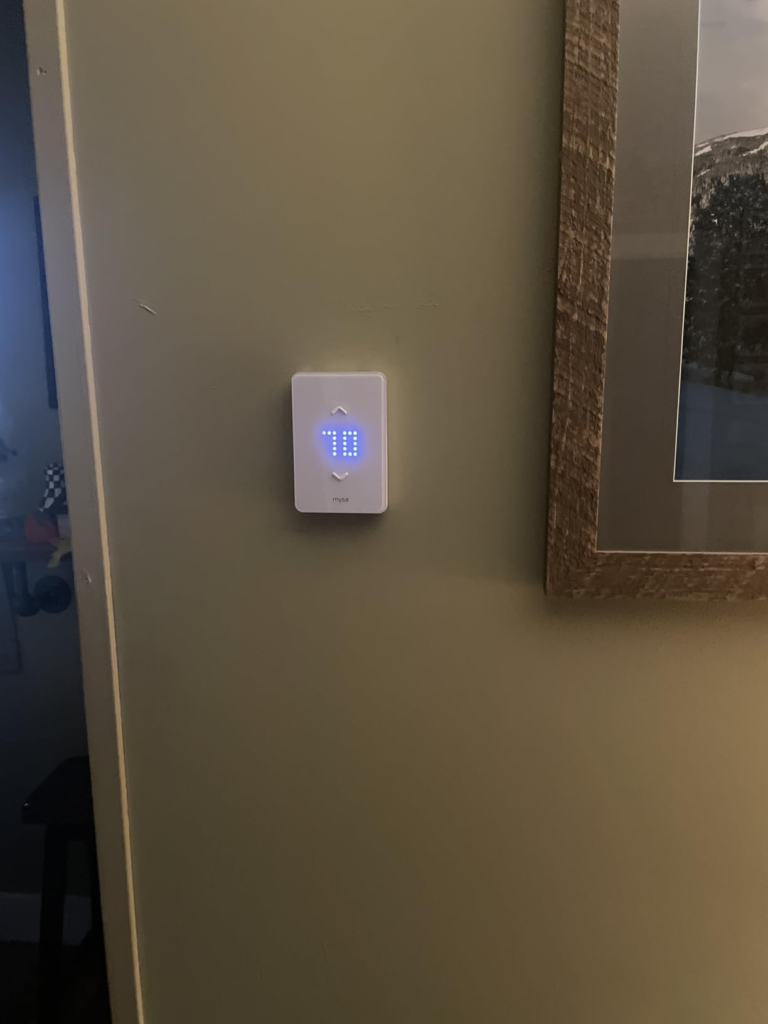
Mysa Thermostat Review — Frequently Asked Questions
| Question | Answer |
|---|---|
| Does Mysa work with all electric baseboard heaters? | It works with 120–240V baseboard, convector, fan-forced, and radiant ceiling systems — not with low-voltage 24V systems like furnaces or heat pumps, and not with genuine two-wire-only setups. |
| Do I need an electrician to install it? | Most homeowners finish it themselves in 15–20 minutes, but power gets shut off at the breaker first, and anyone not fully comfortable with that hires a licensed electrician. |
| Does it actually lower your heating bill? | Mysa’s own figures put the range at roughly 15–26% — but that number assumes you actually use scheduling and geofencing, not leave it at one fixed temperature all season. |
| What happens if the Wi-Fi drops? | The thermostat keeps heating on its last known setting; you only lose remote control and scheduling until it reconnects. |
| Can one Mysa run more than one baseboard heater? | Yes, as long as the combined wattage of everything wired to it stays under 3,800W at 240V or 1,900W at 120V. |
| Is a neutral wire required? | Yes — a neutral or second live wire, four wires total at minimum. Truly two-wire-only boxes are rare; check for extra capped wires before assuming yours is one. |
| Does it work with Alexa, Google Home, and Apple HomeKit? | Yes, along with SmartThings. |
| Mysa or Sinopé — which should you actually buy? | If your box is four-wire and your circuit is under 3,800W, Mysa’s no-hub setup usually wins on simplicity. If you’re stuck with two-wire wiring or a circuit closer to 4,000W, Sinopé’s higher-capacity, power-stealing model is built for exactly that gap. |
Final Verdict: Is the Mysa Smart Thermostat Worth It?
If you’ve read this far, you already know which side of the wiring you’re on. This isn’t a thermostat that fixes a drafty window or a heater with a dying element — it fixes the imprecision sitting between your wall and your comfort, and it only makes sense once the wiring and wattage actually line up.
If your baseboard heat is confirmed line-voltage, your box has four wires, and your circuit sits under the load limit, there’s nothing left to deliberate.
Transparency Note:
This analysis is built on aggregated real-world experience.
It extracts what repeatedly holds, what breaks, and what users uncover only after living with the system—then shapes it into a clear model you can use immediately.
Think of it as structured experience, refined and presented so you don’t have to learn it the hard way.
“A quick note: Don’t believe the star ratings, but trust personal experience. This article is a compilation of collected experiences.”