Cielo Breez Eco Review: The Hidden Flaw Before You Buy
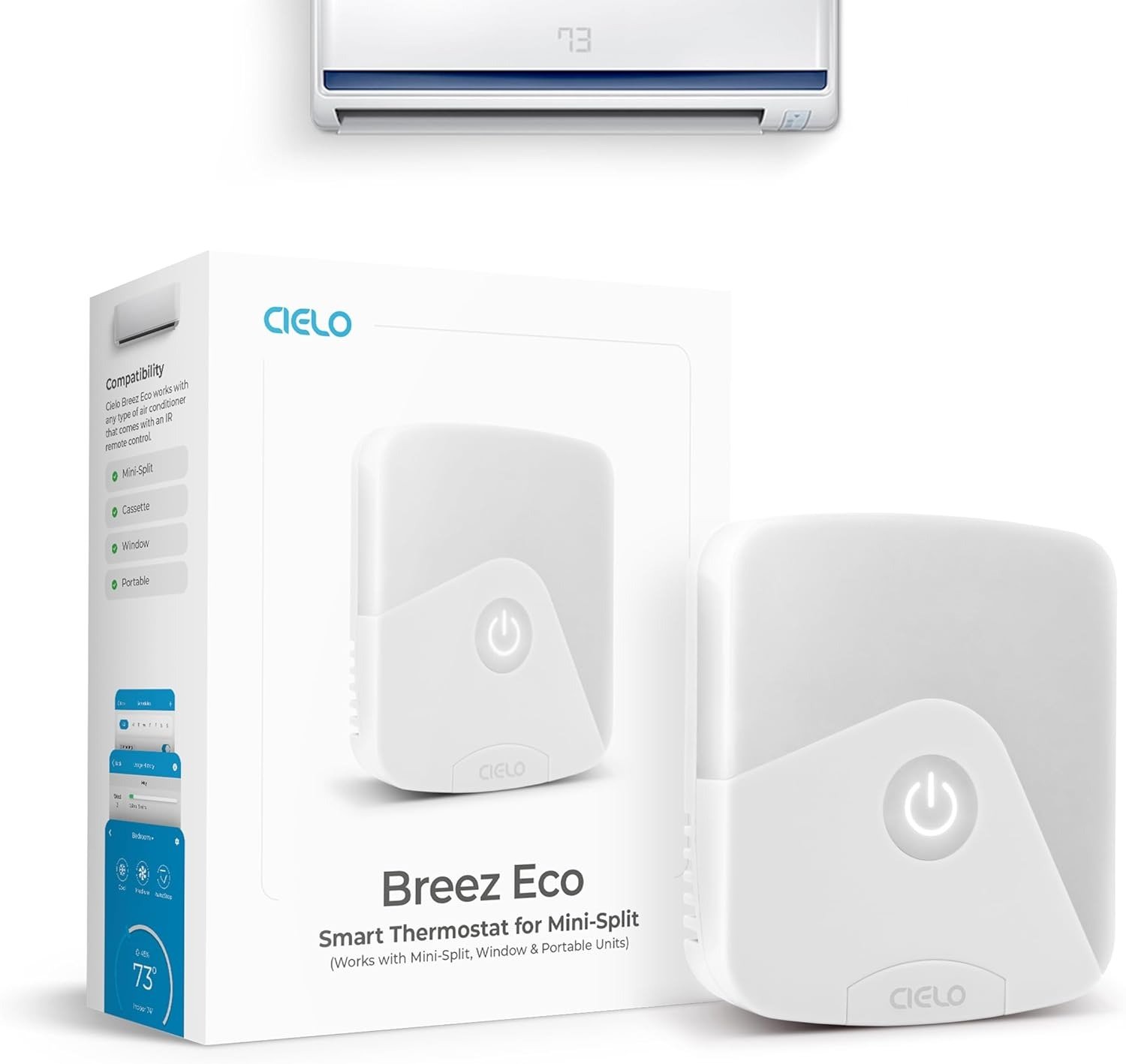
CIELO BREEZ ECO
It’s 9:40 at night. You’ve already adjusted the AC three times. The remote is warm from being handled, the room still doesn’t feel like what the display says, and you’re left with the only question that actually matters: why does a room with a working, powered-on air conditioner still feel wrong?
That question is exactly why people end up searching for something like the Cielo Breez Eco. Not because they love smart home gadgets — because they’re tired of babysitting a machine that’s supposed to run itself.
I went through the installation manual, the official spec sheet, competitor teardown reviews, real owner comments, and the troubleshooting threads people only write when something’s actually gone wrong. Here’s the real picture — including the parts that don’t make it into the bullet points.
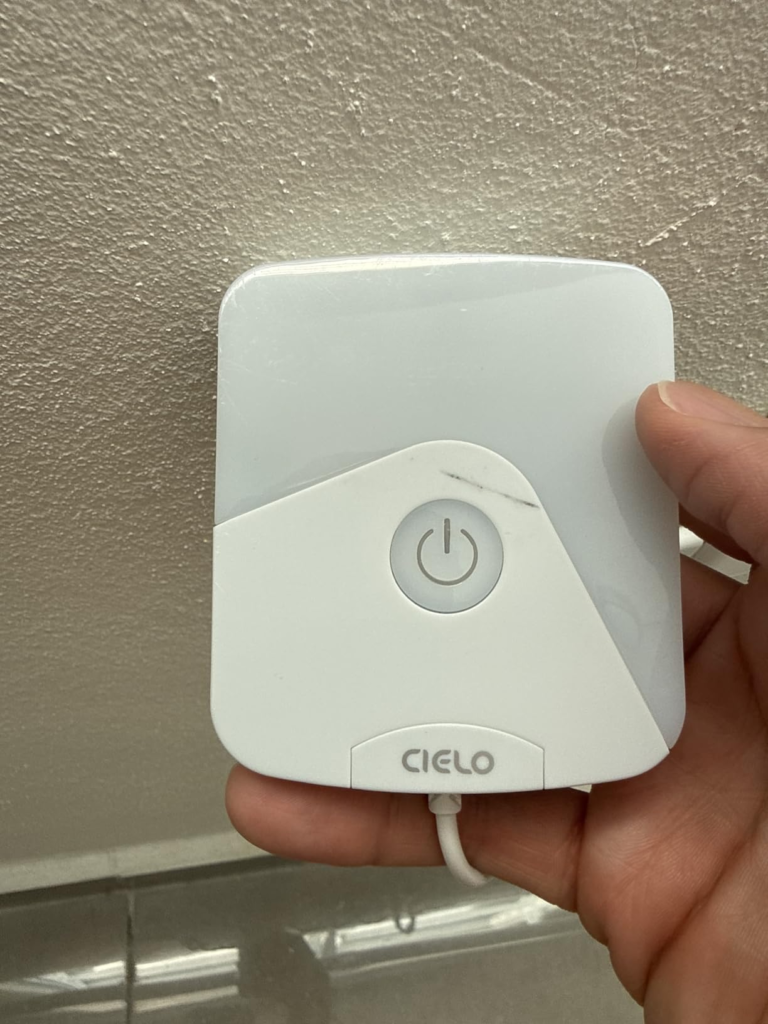
Cielo Breez Eco Review: The Room Feels Fine, The Number Doesn’t Add Up
Here’s a failure nobody warns you about. Buried in Cielo’s setup instructions is one small line: whenever you use your AC’s original remote directly, you’re supposed to point it at the Breez device too — not just the AC. Skip that, even once, and the app quietly falls out of sync with what your air conditioner is actually doing. The screen still looks confident. The room disagrees.
There’s a second version of the same gap. Unless Comfy Mode is switched on, the number deciding when your AC actually starts and stops cooling isn’t Cielo’s sensor — it’s the sensor built into the air conditioner itself, usually sitting right next to the cold air intake. Cielo’s sensor, placed wherever you actually sit in the room, might read 78°F while the AC’s own sensor insists the target’s been hit and shuts off. Neither device is broken. They’re just measuring two different corners of the same room.
Smart AC Controller Struggles: What You’re Actually Feeling But Not Naming
You’ve felt pieces of this without ever naming the whole thing. Dead remote batteries at the worst possible moment. The guilt of running the AC all day for a plant, a pet, or an empty room because there was no way to check in from outside. Coming home to a wall of heat because nobody was there to start it early. Owning two or three ductless units and needing a different remote — or the exact right button sequence — for each one.
None of that is really about temperature. It’s about not having one reliable way to know and control what your air conditioner is doing when you’re not standing in front of it.
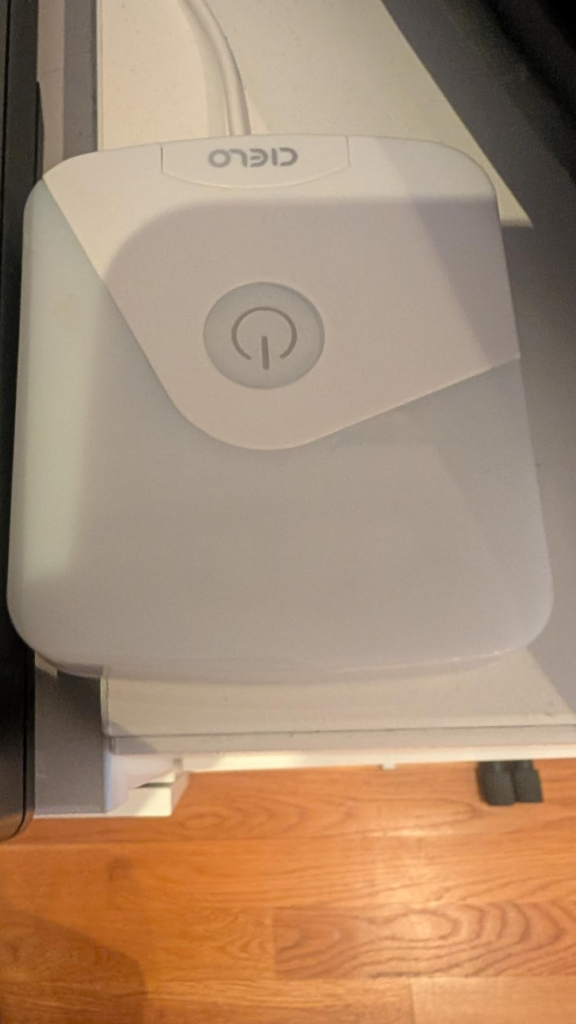
IR Line-of-Sight & 2.4GHz WiFi: The Hidden Mechanism Behind the Miss
Strip away the marketing and Breez Eco is doing two fairly simple jobs at once.
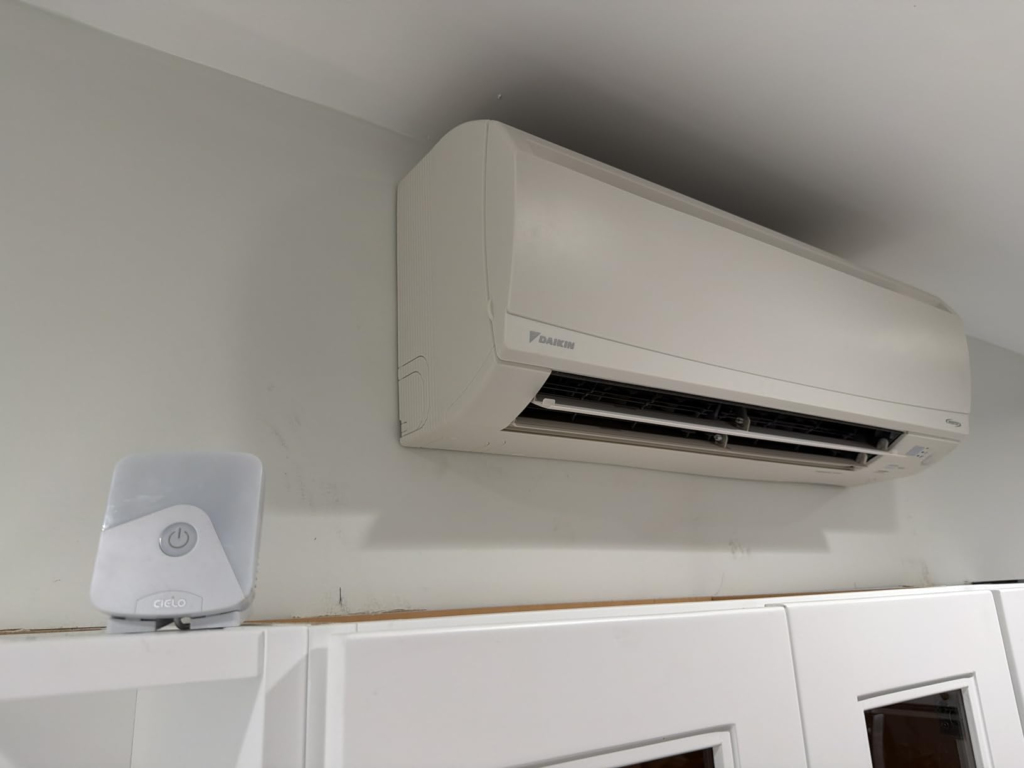
Job one: it’s an infrared transmitter, exactly like your AC’s remote. That means it needs a clear, unobstructed line to your air conditioner’s receiver — Cielo’s own installation guide puts that window at roughly 6 to 12 feet. Tuck it behind a couch or around a corner, and commands simply won’t land, no matter how strong your WiFi is.
Job two: it’s a 2.4GHz-only WiFi device. Not 5GHz, not dual-band, not whatever your router hands out by default to new devices. On paper, that’s a footnote. In practice, real troubleshooting threads and Cielo’s own support documentation point to it as the single most common reason owners report the app dropping every ten to fifteen minutes. Mesh systems, WiFi extenders, guest networks, and client isolation settings (a default on plenty of newer routers) can all quietly break the connection — and setup itself requires Bluetooth and location permissions turned on, which catches people off guard for what looks like a simple WiFi gadget.
None of this makes the device unreliable once it’s dialed in. It just means the ten minutes spent getting placement and network settings right the first time are the ten minutes that decide whether you love this thing or fight it.
| Spec | Detail |
|---|---|
| Compatible AC types | Mini-split (ductless), window, portable — any unit with an infrared (IR) remote |
| Model compatibility | Auto-detects across a 20,000+ model IR library; manual remote selection as backup |
| Connectivity | WiFi, 2.4GHz only (no 5GHz) |
| Ecosystem support | Amazon Alexa, Google Assistant, Siri Shortcuts, Samsung SmartThings, IFTTT |
| Subscription | None — full app is free |
| Sensors | Built-in temperature & humidity |
| On-device control | Single on/off touch button only — no display, no manual temp control |
| Placement | 6–12 ft from the AC, unobstructed line of sight |
| Power | 5V USB adapter + micro-USB cable (included) |
| Dimensions | ~0.8″ H x 3.4″ L x 3″ W |
| Materials | Polycarbonate & ABS |
| In the box | Table stand, wall-mount kit, USB adapter, cable, manual |
| Warranty | 1-year manufacturer warranty |
| Typical price | Roughly $60–$100, depending on retailer and promotions |
Comfy Mode Accuracy: Where the Room and the App Quietly Split
There’s a specific point where this device stops being “set and forget” and starts asking for a little more attention: the moment you lean on it to hold a precise comfort band instead of just switching things on and off by schedule.
Independent hands-on testing on this sensor class found the temperature reading reasonably accurate — within about a degree — but humidity consistently reading roughly 10% lower than reality. Add a sensor sitting in direct sunlight or too close to a window, and Comfy Mode starts making decisions off a slightly wrong picture of the room. That’s not a defect. It’s what happens when a sub-$100 controller estimates something even proper lab instruments find genuinely difficult. Keep it out of direct sun, away from the AC’s own airflow, and roughly at the height you actually feel temperature, and this stops being a problem at all.
Cielo Breez Eco vs. a Smart Plug: Why Most Buyers Misread This Too Early
The most common shortcut people take before buying anything like this: “why not just plug the AC into a smart outlet?” Because a smart plug can only cut all power. It can’t set a temperature, can’t preserve fan speed or mode, can’t run Comfy Mode against real humidity — and repeatedly hard-cutting power to a compressor is harder on the unit than a proper off command sent the way the remote sends it. A smart plug is a light switch. Breez Eco is closer to a translator that lets your phone speak your AC’s actual language.
The second shortcut is assuming every smart AC controller is basically interchangeable, so price should decide everything. Against Sensibo Sky, one of its closest rivals, Breez Eco has generally undercut it on price while matching most core features, and it adds Siri Shortcuts support that Sensibo skips. Sensibo, in turn, tends to edge ahead on notification polish and lets more than one household member share control — something Breez Eco still doesn’t handle well. Neither gap is really about which brand is better. It’s about which specific limitation you’re more willing to live with.
| What people assume | What’s actually true |
|---|---|
| “It’s basically a smart plug” | It sends full remote commands — mode, fan speed, temperature — not just power on/off |
| “The app’s temperature is my room’s real temperature” | Outside Comfy Mode, your AC’s own built-in sensor still decides when it cycles |
| “Any WiFi network works” | 2.4GHz only — mesh systems and client isolation can quietly break it |
| “Pricier automatically means more reliable” | Sensibo Sky costs more in most comparisons and shares nearly the same reliability profile |
Mini-Split & Window AC Owners: Who Cielo Breez Eco Actually Fixes
This device is built for one specific household: someone with a mini-split, window, or portable AC that came with a physical infrared remote, who wants real scheduling, geofencing, and phone control without a monthly fee attached. Renters get genuine value here too — nothing about installation is permanent, so there’s no drilling, no rewiring, nothing to explain to a landlord.
| You’re a strong fit if… |
|---|
| Your AC has a physical IR remote — mini-split, window, or portable |
| You want scheduling + geofencing without a subscription |
| You rent, or don’t want to touch walls or wiring |
| You’re managing 1–2 units per person, not a shared multi-person setup |
| You mostly want phone-based control and don’t need a wall display |
Smart AC Controller Limitations: Where Cielo Breez Eco Isn’t the Right Fit
| Reconsider if… |
|---|
| Several household members each need independent app access or their own geofencing |
| You specifically want native Apple HomeKit, not a Siri Shortcuts workaround |
| Your router can’t be adjusted — locked-down corporate firewall or forced captive portal |
| Your AC has no IR remote at all (hardwired panel or proprietary wireless remote) |
| The real issue is a weak or aging AC unit, not a lack of automation |
| You need solid placement beyond about 12 feet without repositioning it |
Cielo Breez Eco Review: The One Situation Where It Becomes the Logical Upgrade
If you’ve read this far and recognized your own living room in the “good fit” list more than the “reconsider” list, the decision stops being complicated. This is a modestly priced device solving a problem most people have quietly tolerated for years — not because there was no fix, but because nobody had named the actual problem clearly enough to go looking for one.
Energy Savings Reality Check: What It Fixes, What It Eases, and What’s Still on You
| Solves | Eases | Still on you |
|---|---|---|
| Juggling separate remotes per unit | Electric bills, by not cooling empty rooms | Correct placement (line of sight, no direct sun) |
| Forgetting to switch the AC off before leaving | Guessing at manual schedules | Router settings (2.4GHz, no client isolation) |
| Not knowing your AC’s status while you’re out | Filter-change reminders | Knowing when Comfy Mode applies vs. manual mode |
| No usable remote on hand | Tracking multiple units in one app | Realistic expectations — savings aren’t a guaranteed 25% |
Cielo Breez Eco Review: Frequently Asked Questions
| Question | Answer |
|---|---|
| Does it work with my specific air conditioner? | If your AC has a physical remote using infrared (not Bluetooth, not a proprietary wireless signal), it’s very likely covered. The auto-detection library spans 20,000+ mini-split, window, and portable models, with manual remote selection as a backup. |
| Do I need a subscription or a smart home hub? | No. The Cielo Home app is free with no paywalled features, and the Eco connects directly over WiFi without a separate hub. |
| Can I still control the AC if my internet goes down? | Partially. The on-device button toggles power locally without internet. Remote access away from home, voice commands, and app-based temperature changes need an active connection. |
| Will it work with my 5GHz WiFi network? | No — 2.4GHz only. Most routers still broadcast both bands, so this usually just means picking the right network name during setup. |
| Can more than one person in my household control it independently? | Not cleanly. There’s no true multi-user account system, so households sharing control generally share one login. |
| Does it actually lower my electricity bill? | Cielo advertises savings of up to 25% — a manufacturer estimate, not an independently verified average. Real savings come from cutting hours the AC runs unnecessarily, mainly through geofencing and scheduling, so the outcome depends on how consistently those features get used. |
| Can I keep using my AC’s original remote after installing this? | Yes — just point it at the Breez device when you do, not only the AC, or the app can fall out of sync with the AC’s real settings. |
| How far can it sit from my air conditioner? | Roughly 6 to 12 feet, with a clear line of sight — about the same distance you’d stand to use the original remote. |
Cielo Breez Eco Verdict: The One Clean Next Step
If your evenings still involve three trips to a remote you can’t find, or an electric bill that doesn’t match how empty the house was all day, this is the point where delaying the fix usually costs more — in comfort and in electricity — than just making the call now.
Transparency Note:
This analysis is built on aggregated real-world experience.
It extracts what repeatedly holds, what breaks, and what users uncover only after living with the system—then shapes it into a clear model you can use immediately.
Think of it as structured experience, refined and presented so you don’t have to learn it the hard way.
“A quick note: Don’t believe the star ratings, but trust personal experience. This article is a compilation of collected experiences.”