THE GOVEE M1 RGBIC STRIP LIGHT LOOKS PERFECT IN EVERY VIDEO — AND THAT’S EXACTLY WHY YOU’RE ABOUT TO MISJUDGE IT
The Result Looks Fine. The Problem Isn’t.
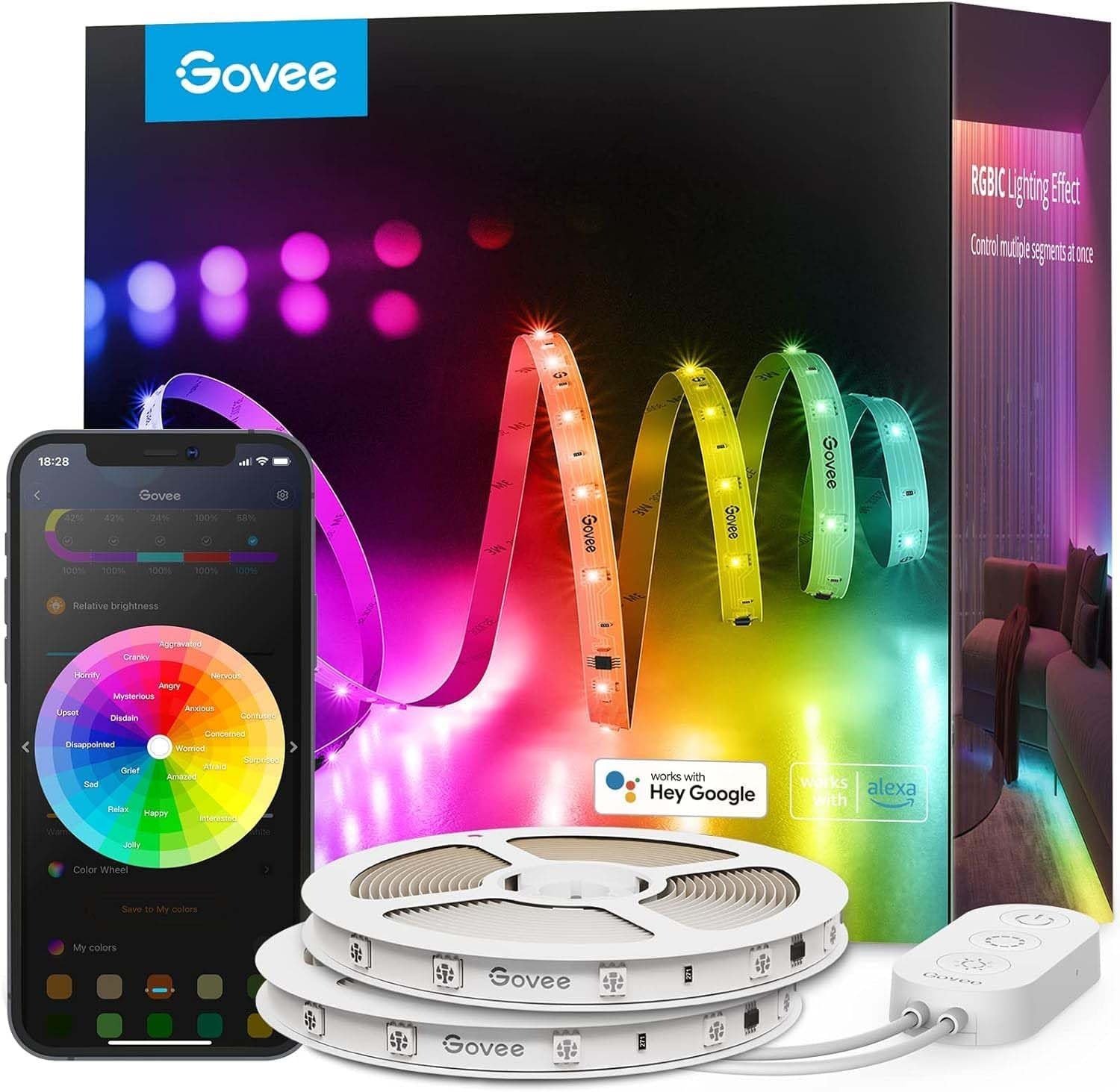
You’ve seen the footage. The wall washes in gradient waves. The colors shift without stepping. The effect is clean, almost cinematic. You assume you understand what you’re buying.
You don’t. Not yet.
The strip performs exactly as shown — under the specific conditions shown. The footage is always a dark room. The strip is always flush against a neutral surface. The camera is always positioned to catch the bleed. None of that is dishonest. But none of it tells you what you actually need to know before you install one.
The Govee M1 RGBIC isn’t difficult to use. It isn’t fragile. It isn’t poorly made. The failure doesn’t happen inside the product. It happens in the gap between what you pictured and what your actual room, surface, and use case will produce.
That gap is the only thing worth reading about.
What You’re Actually Feeling but Not Naming
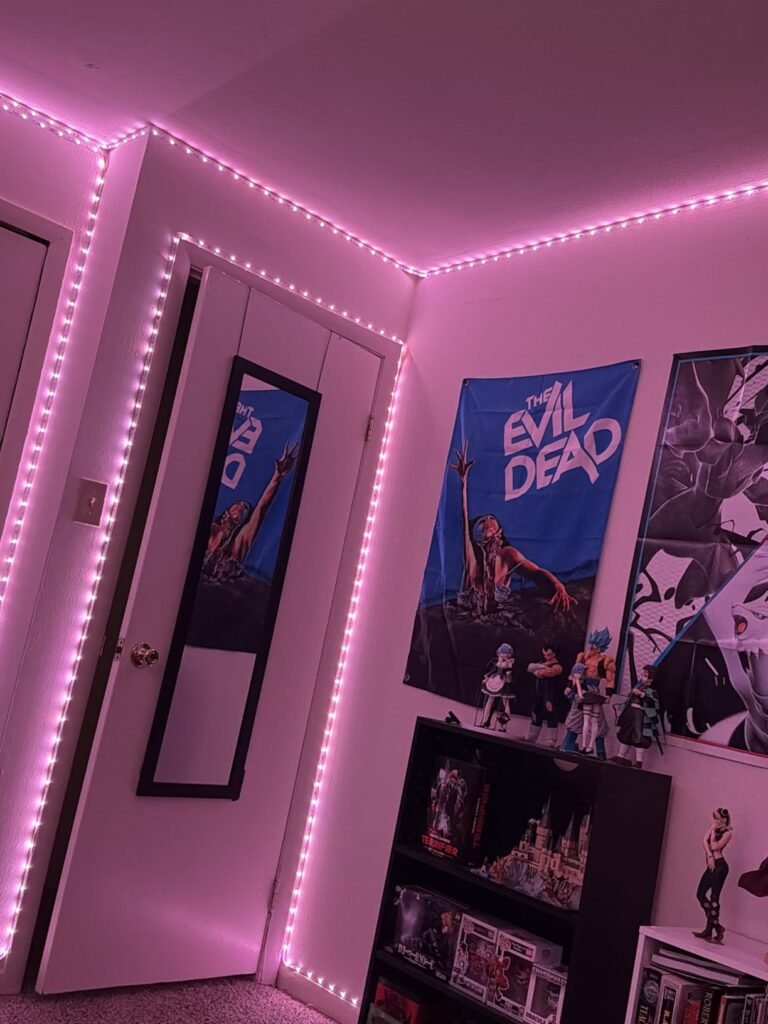
You bought strip lights before. Or you almost did. Either way, you walked away with the same vague dissatisfaction: the effect felt cheap. Not broken — cheap. The colors looked flat. The transitions were choppy. The individual LEDs were visible as dots, not as a wash. It looked like a kids’ bedroom, not an environment.
That specific feeling — the gap between what you imagined and what appeared on the wall — has a mechanical cause. It wasn’t about brightness. It wasn’t about color count. It was about LED density and independent segment control. Standard RGB strips run the same color signal down the entire length. Every bead locks to the same hue. There is no gradient. There is no flow. There is one color at a time, full stop.
What you were picturing in your head — multiple colors coexisting, colors moving across the strip like a wave — requires a completely different architecture.
That architecture has a name. And the M1 is built on it.
The Hidden Mechanism Behind the Miss
RGBIC stands for Red, Green, Blue, with Independent Control. The M1 goes further with a 4-in-1 RGBIC+ chipset — each bead carries four subpixels and each segment of the strip receives its own instruction independently.
| Feature | Standard RGB Strip | Govee M1 RGBIC+ |
|---|---|---|
| Colors simultaneously on strip | 1 | Multiple (up to full segment count) |
| LED density | 18–30 LEDs/meter (typical) | 60 LEDs/meter |
| Gradient capability | None | Full, smooth |
| Segment control | None | Up to 50 customizable segments |
| White light accuracy | None | Warm-to-cool tunable white |
| Animation effects | Basic | 17 built-in + DIY mode |
| Smart home compatibility | Limited | Matter, Alexa, Google, Apple Home |
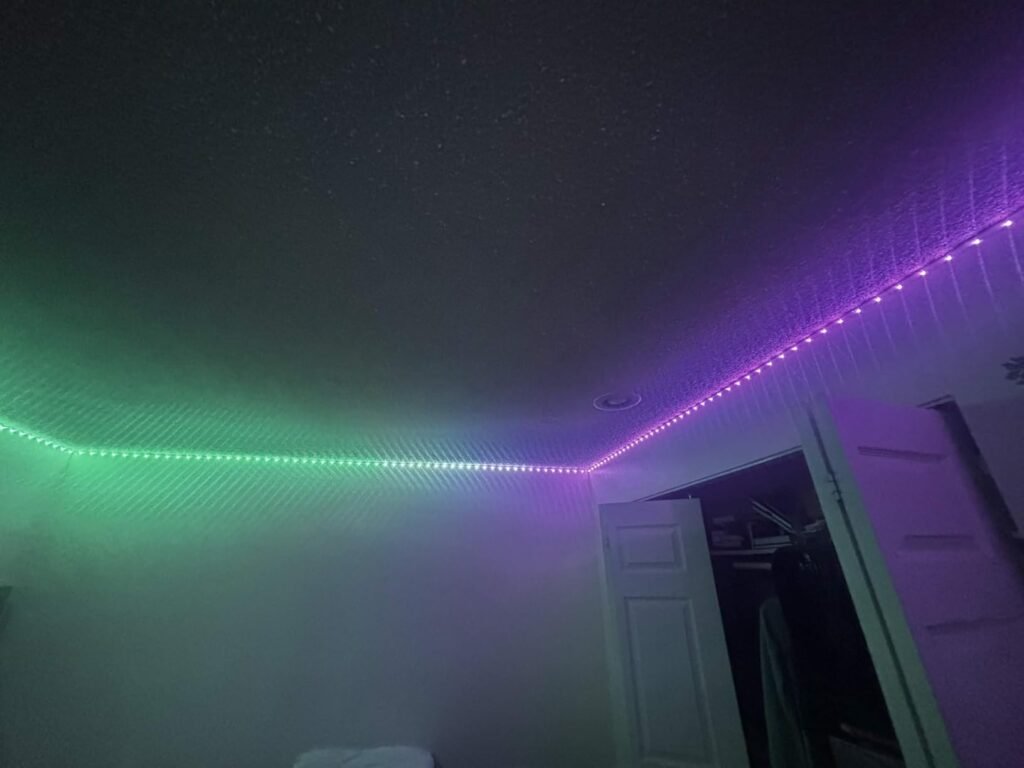
The density number matters more than people realize. At 60 LEDs per meter, the individual beads disappear as separate light sources. What your eye sees is a continuous ribbon of color, not a chain of dots. That is the specific visual quality that cheaper strips cannot replicate regardless of how many “scene modes” they list.
The independent control architecture is what makes gradient and flow effects possible. Without it, any animation is a simulation — the whole strip changes at once, blinking in a pattern. With it, color genuinely travels down the strip as a wave. The mechanism is different. The result is visibly different.
The Threshold Where the Outcome Quietly Breaks
The M1 produces its full visual effect under a specific set of physical conditions. When those conditions aren’t met, the effect degrades — not catastrophically, but meaningfully.
| Condition | Result Within Threshold | Result Outside Threshold |
|---|---|---|
| Dark or dim room | Full wall bleed, vivid gradient | Effect visible but weaker in bright ambient light |
| Neutral/white surface behind | Clean color reflection | Colored or textured walls absorb or shift the bleed |
| Strip mounted flush, concealed | Ribbon of light, beads invisible | Beads visible if strip face is directly in sightline |
| Length needed ≤ 16.4 ft | One strip covers it cleanly | Connecting multiple units requires planning; no mid-strip extension |
| App engagement | Access to full 50-segment DIY, 17 effects, music sync | Without app: basic function only |
| Adhesive on clean, smooth surface | Holds reliably | On textured, porous, or dusty surfaces, adhesive fails over months |
The adhesive failure is the most underreported real-world complaint. Users who installed on drywall with slight texture or under cabinets that collect grease report gradual peeling within three to six months. The M1’s adhesive is not exceptional. On a perfectly smooth, clean surface it holds. On anything else, you will supplement with channel clips or third-party mounting tape — or you will restick it repeatedly until you remove it.
This is not a defect. It is a boundary condition that the product page does not articulate clearly.
Why Most Buyers Misread This Too Early
The first comparison most people run is price-per-foot. The M1 sits at roughly $60–$100 for 16.4 feet depending on the variant and promotion. Generic strips on Amazon offer 32 or even 65 feet for the same or less.
That comparison is structurally wrong.
A 65-foot standard RGB strip and a 16-foot RGBIC+ strip are not the same product category priced differently. They produce categorically different visual results. Comparing them on cost-per-foot is equivalent to comparing a projector to a lamp on lumens-per-dollar. The number is real. The comparison is meaningless.
The second error is treating the spec sheet as the experience. 60 LEDs/meter sounds technical. “4-in-1 chipset” sounds like marketing. What both mean in practice: the wall behind the strip looks like it’s being lit by something that breathes. Colors don’t blink. They travel. That specific quality — the one that made you stop scrolling when you saw the demo video — cannot be produced by a cheaper architecture.
The third error is assuming the Philips Hue alternative is simply “more expensive.” Hue’s Gradient Lightstrip offers superior color science and deeper smart home ecosystem integration for homeowners who need museum-quality white light accuracy. The M1 wins on raw brightness and dynamic visual effects. They are built for different outputs. Choosing between them is a question of use case, not of which brand is “better.”
Who Is Actually Inside This Problem
| Profile | Is the M1 the right tool? |
|---|---|
| Gaming or streaming setup wanting reactive background lighting | Yes — music sync and app control are exactly built for this |
| TV backlighting with bias light effect | Yes — especially the 16.4 ft length, which maps to most large screen setups |
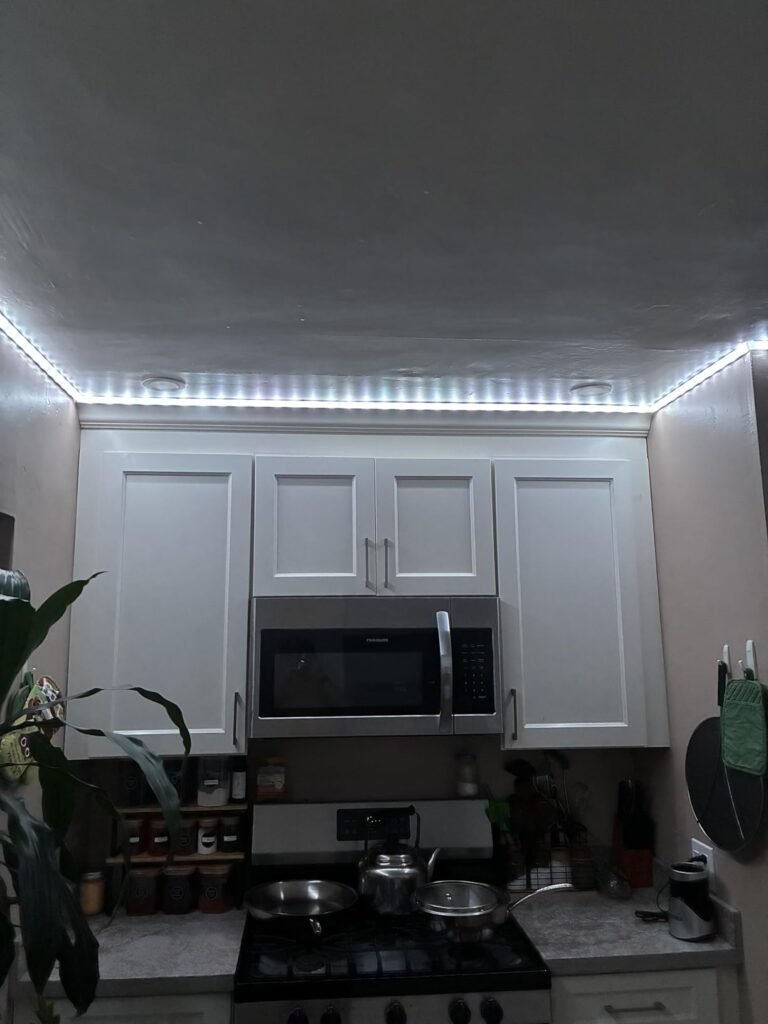
| Under-cabinet kitchen accent lighting | Conditional — adhesive durability on smooth cabinet bottom is acceptable; near the stove is a risk |
| Bedroom ambient / mood lighting | Yes — tunable white and dimming handle sleep routine use well |
| Living room architectural accent on smooth drywall ledge | Yes — wall wash effect at 60 LEDs/m is the core use case |
| Replacing functional room lighting entirely | No — this is an accent tool, not a primary light source |
| Users who want zero-app, plug-and-play simplicity | Partial — basic colors work without the app, but the product’s real capability lives entirely inside the Govee Home app |
| Users in a Philips Hue ecosystem who need seamless native integration | Conditional — Matter compatibility exists, but Govee’s best effects remain Govee-app-exclusive |
Where Wrong-Fit Begins
The M1 will disappoint you if your situation matches any of the following:
You need to cover more than 16.4 feet continuously. The M1 comes in fixed lengths. Multiple units can be used in the same room, but they are not designed to chain into a single seamless run. If your installation requires a continuous strip around a large perimeter, you are managing multiple controllers, which is manageable but adds friction.
Your surface is not smooth. Brick, rough drywall, wood paneling, fabric — the adhesive will not hold long-term. If you’re unwilling to supplement with mechanical mounting, budget for that frustration or choose a different product.
You expect the app to be optional. At basic level, the M1 works without an app. At the level that made you want it — 50-segment DIY control, music reactivity, smooth animation effects, Matter automations — the app is not optional. It is the product. If app-based lighting control creates friction in your life, the M1’s ceiling will feel like its floor.
You are buying it as functional lighting. The M1 outputs impressive lumen numbers, but the beam direction is lateral. It lights walls and ceilings around it. It does not light surfaces below it. Using it as a room’s primary light source will leave you with dramatic walls and a dim room.
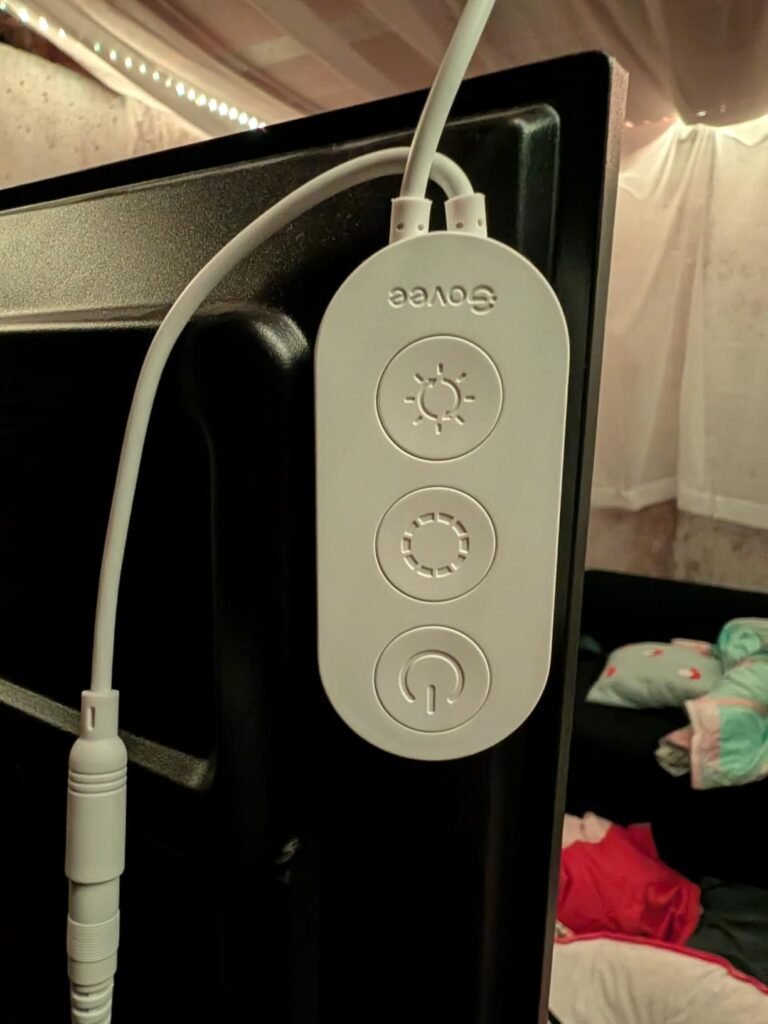
You want to buy it and forget it physically. The strip, when visible in daylight or regular light, is a gray plastic ribbon with a visible control box. It is not architectural. It is designed to be hidden and experienced, not displayed.
The One Situation Where This Product Becomes Logical
You are building or upgrading a dedicated space — a gaming setup, a streaming background, a home theater, a bedroom designed for atmosphere, or a workspace you spend hours inside — and you want the ambient lighting to participate in what’s happening in the room. Not just glow. Participate.
In that situation, the M1’s architecture is the correct one. The density means the light blends rather than dots. The segment control means you design zones, not just colors. The music sync means the light responds to audio in real time, with a built-in microphone in the control box. The Matter integration means the M1 talks to whatever smart home stack you already run — Apple Home, Alexa, Google, SmartThings.
No other strip at this price point combines all four of those properties. Most offer one or two.
| Capability | Govee M1 RGBIC+ | Typical $20–$30 RGBIC Strip |
|---|---|---|
| Segment-level independent control | 50 segments | 6–10 segments (if any) |
| LED density | 60 LEDs/m | 18–30 LEDs/m |
| Tunable white (warm to cool) | Yes | Rarely |
| Matter smart home | Yes | No |
| Music sync (built-in mic) | Yes | Sometimes |
| Animation quality | 17 effects + full DIY | 3–8 preset modes |
| Ecosystem voice control | Alexa, Google, Siri Shortcuts | Usually Govee app only |
The price difference between the M1 and a generic RGBIC strip is not a premium for the brand name. It is payment for the density, the segment count, and the smart home architecture. Those are not upgrades to the same product. They are the conditions under which the effect you want becomes physically possible.
What It Solves, What It Reduces, and What It Still Leaves to You
| Category | What the M1 delivers |
|---|---|
| Solves | The dot-grid look of low-density strips |
| Solves | Single-color limitation of standard RGB |
| Solves | Smart home isolation — runs on Matter natively |
| Solves | Choppy animations — smooth gradient travel at 60 LEDs/m |
| Reduces | Visible LED bead effect (nearly eliminated at proper viewing distance) |
| Reduces | App complexity — Govee Home is functional, not elegant, but navigable |
| Reduces | Installation time — adhesive and clips included, setup under 20 minutes on smooth surfaces |
| Leaves to you | Adhesive reinforcement on imperfect surfaces |
| Leaves to you | App learning curve for DIY segment customization |
| Leaves to you | Power management for runs exceeding 16.4 ft (requires separate units) |
| Leaves to you | Daytime aesthetics — the strip itself is not designed to be seen unlit |
The M1 does not promise invisibility or permanence. It promises a visual quality ceiling that cheaper products cannot reach, and it delivers on that promise inside the surface and distance conditions it was designed for.
Final Compression
The question is not whether the Govee M1 RGBIC is good. It is. The question is whether your specific installation — the surface, the room brightness, the intended use, the length required — sits inside or outside the threshold where it performs as shown.
If you are outfitting a controlled ambient space on smooth, clean surfaces, need 16 feet or less of continuous run, and are willing to engage the app to access the full effect: the M1 is the most capable strip at this price point available today. No competitor at this cost combines 60 LEDs per meter, 50-segment DIY control, tunable white, and Matter compatibility in a single unit.
If your surface is rough, your room is brightly lit, you need more than one contiguous run, or you want a plug-and-play lighting tool with no app dependency: the M1 will underperform relative to your expectation — not because it failed, but because you were outside the conditions it was built for.
The decision compresses to one question: does your situation match the threshold? If yes, the delay costs more than the choice.
Frequently Asked Questions
| a question | Answer |
|---|---|
| Q: Can I cut the Govee M1 RGBIC strip to a shorter length? | Yes. The M1 is cuttable at designated points (every 8 cm / approximately every 3 inches). Cutting at the correct marks does not disable the remaining strip. Cutting at a random point may damage the circuit and void the remaining segment’s function. |
| Q: Does the Govee M1 work without the app? | Basic on/off and a limited set of pre-set colors work without the app via direct Bluetooth pairing. However, 50-segment DIY control, music sync, custom animations, Matter automations, and scene scheduling all require the Govee Home app. The app is free and available on iOS and Android. |
| Q: Is the Govee M1 compatible with Apple HomeKit? | Yes. The M1 with Matter supports Apple Home natively. You can control it via the Home app and Siri voice commands. However, advanced features like segment-level DIY and music sync remain exclusive to the Govee Home app even when integrated with HomeKit. |
| Q: How does the adhesive hold over time? | On perfectly smooth, clean surfaces (glass, painted smooth drywall, laminate, clean cabinet undersides), the adhesive holds reliably for most users. On textured drywall, rough wood, or any surface with oils or dust, adhesive failure is reported within three to six months. Govee includes adhesive clips as supplementary mounting; using them from the start is advisable on any non-ideal surface. |
| Q: Can I connect multiple M1 strips for a longer run? | Not as a single continuous strip. Each M1 unit is a self-contained run with its own controller. Multiple units can operate simultaneously in the same room via the Govee Home app, and they can be grouped or synced. But they cannot be chained into one seamlessly addressable strip like some higher-end systems allow. |
| Q: How is the Govee M1 different from cheaper Govee RGBIC strips? | The key differences are LED density (60 vs. 18–30 per meter), segment count (50 vs. 6–10), chipset generation (4-in-1 RGBIC+ vs. standard RGBIC), tunable white light capability, and Matter smart home support. The visual difference between 18 LEDs/meter and 60 LEDs/meter is not subtle. It determines whether you see individual dots or a continuous ribbon of color. |
| Q: Is the Govee M1 bright enough to replace room lighting? | No. The M1 is an accent and ambient lighting tool. It produces strong wall-wash and atmospheric effects, and its lumen output is genuinely impressive for a strip light. But the beam direction is lateral — it illuminates surrounding surfaces, not the space below it. It is designed to work alongside room lighting, not replace it. |
Transparency Note:
This analysis is built on aggregated real-world experience.
It extracts what repeatedly holds, what breaks, and what users uncover only after living with the system—then shapes it into a clear model you can use immediately.
Think of it as structured experience, refined and presented so you don’t have to learn it the hard way.
“A quick note: Don’t believe the star ratings, but trust personal experience. This article is a compilation of collected experiences”