Emporia Vue Energy Monitor Review: Your Bill Looks Normal, But Your Panel Knows Better
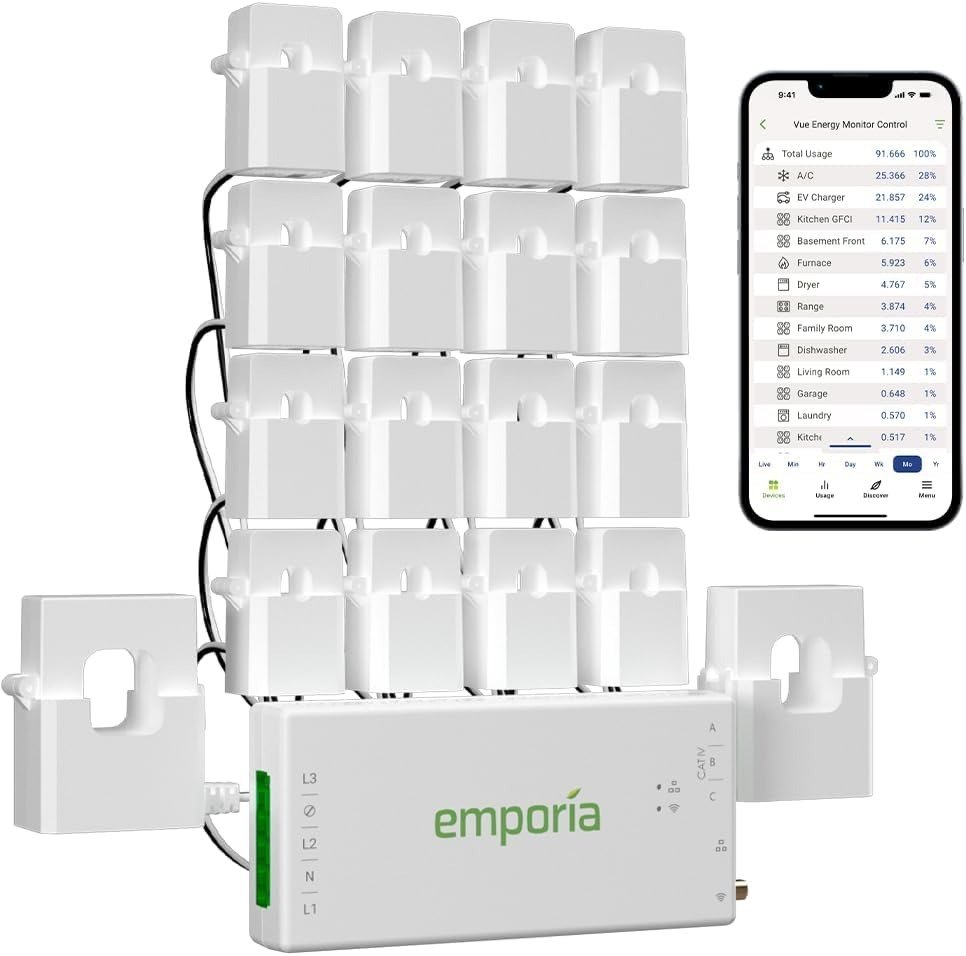
EMPORIA VUE ENERGY MONITOR
You open the electric bill. It’s basically the same number as last month — maybe ten dollars higher, maybe ten lower. Nothing that would make you call the utility company. Nothing that would make you Google anything.
And yet.
You still glance at the thermostat a beat too long. You still notice the HVAC kicking on for the third time this hour and wonder, quietly, if that’s normal. You still remember the technician who came out twice and found “no issue.” A bill that looks fine isn’t the same as a house that’s running fine — a bill is just an average, and averages are very good at hiding exactly the thing you’d want to know.
That gap, between what the number says and what’s actually happening behind the panel cover, is the entire reason a circuit-level monitor like the Emporia Vue exists. This review covers what it actually measures, where the real limit shows up once you own one, who it’s genuinely built for, and who should look elsewhere first.
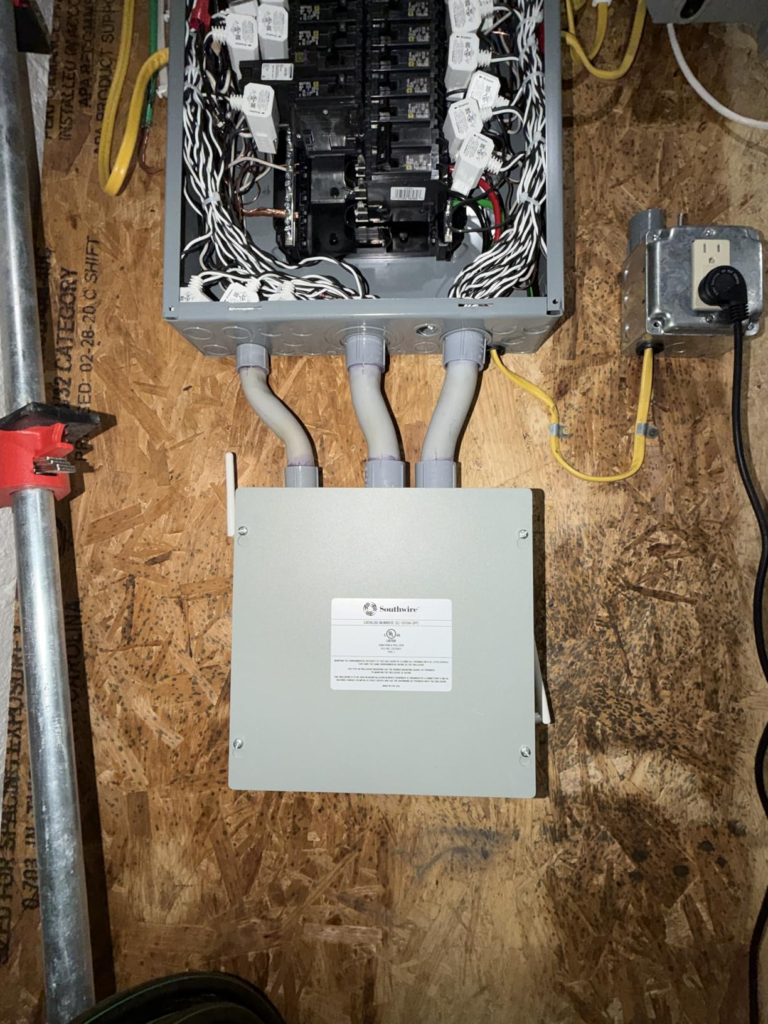
Emporia Vue Review: The Bill Looks Fine, The Panel Doesn’t Agree
A utility bill is a single number produced by a single meter watching a single wire — the one feeding your entire house. It has no idea whether that total came from a water heater running twice as long as it should, a garage freezer nobody remembers plugging in, or just a genuinely efficient household. It only knows the sum.
That’s the quiet flaw in “the bill looks normal”: normal is a range, not a fact. A stuck heating element and a well-run home can land on nearly the same total if other circuits happen to run lighter that month. The number forgives what it can’t see.
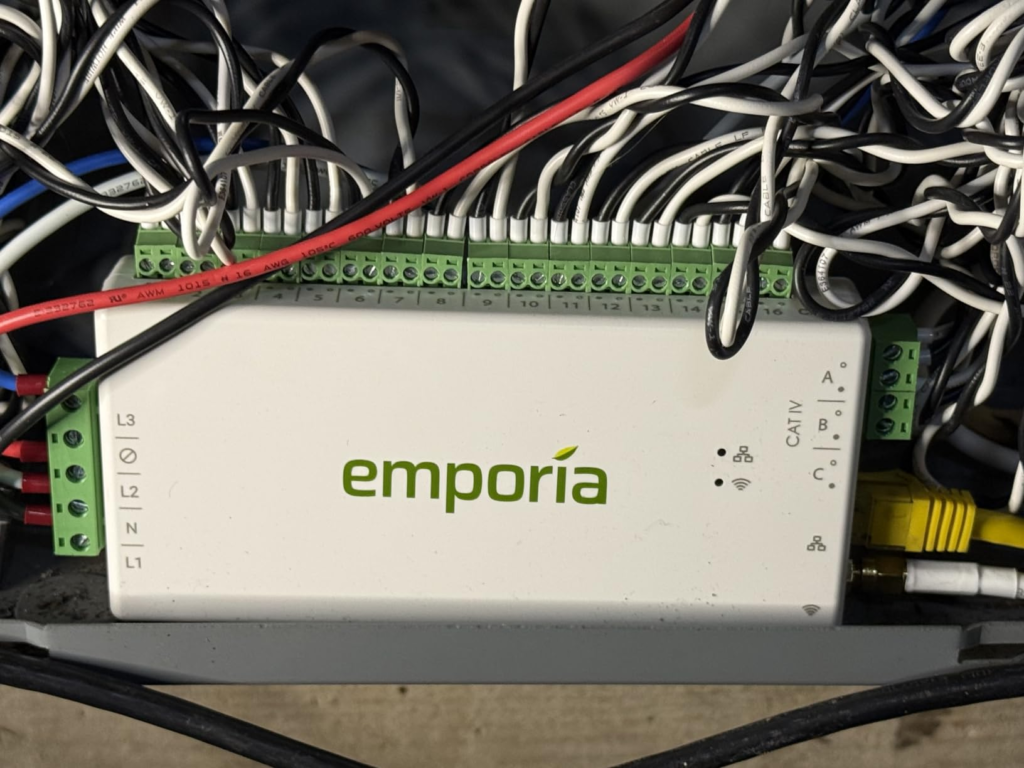
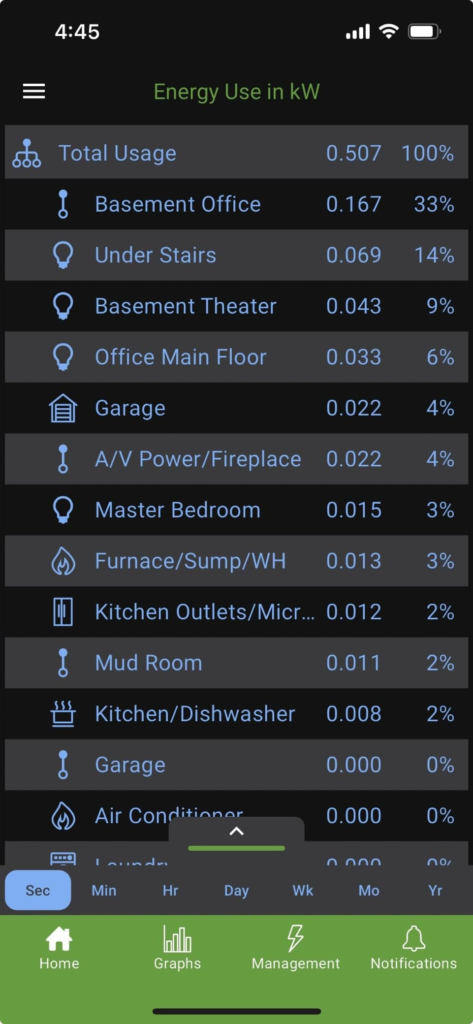
Emporia built the Vue around the opposite idea. Instead of one number for the whole house, you get a separate, live reading for each circuit you clip a sensor onto — sixteen of them, in the kit this review covers. The bill stops being the end of the story and becomes the first page.
Home Energy Monitoring: The Feeling You Haven’t Named Yet
Before anyone buys a monitor, they usually live with a version of this for months. Not a crisis — just a low hum of doubt.
It’s checking the dryer timer because it feels like it’s taking longer lately. It’s hearing the sump pump more than you used to. It’s staring at a smart thermostat’s “runtime today” and not actually knowing whether that number is good or bad, because you’ve never had a baseline to compare it to. It’s the specific frustration of a technician saying everything tested fine, while your gut disagrees.
None of that is really about money. It’s about not knowing what “right” looks like for your own panel — and a monthly total was never built to show you that.
Circuit-Level Monitoring Explained: What Your Utility Meter Hides
Here’s the part most buyers skip past, and it’s the part that explains why this device is built the way it is.
Your utility meter, smart or not, measures current at one point — where the grid meets your house. Every appliance and every phantom load gets summed into a single stream before it ever reaches that meter. By the time you see a number, the individual story behind it is already gone. That’s not a flaw in your utility’s equipment; it’s simply not what that meter is for.
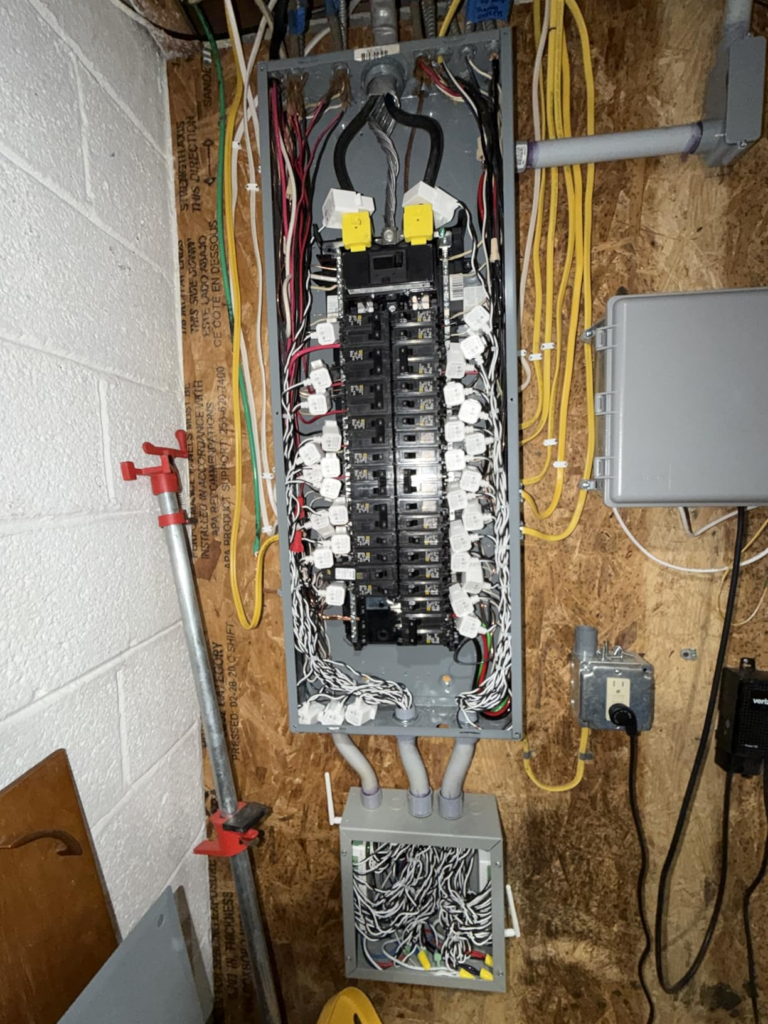
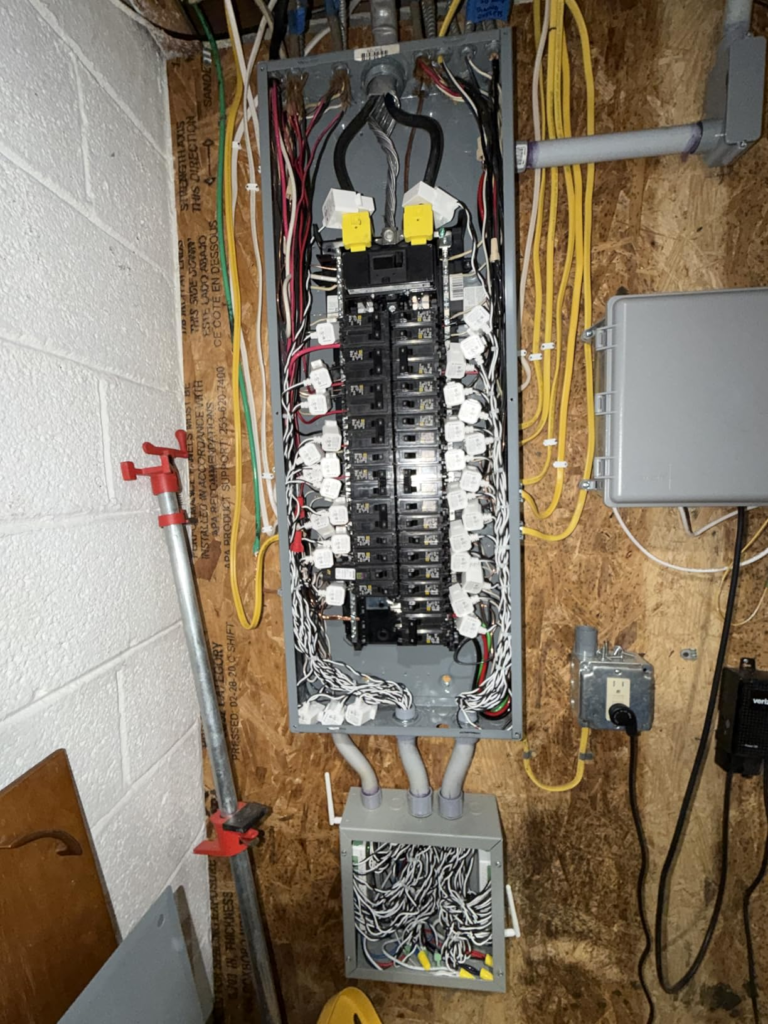
The Vue solves this by moving the measurement point. It places current-transformer (CT) sensors — clip-on rings, no wire-cutting involved — around your two main service lines and around up to sixteen individual breaker circuits inside your own panel. Each sensor reports its own live reading, sampled around 24,000 times a second, back to a hub that pushes the data to Emporia’s app over WiFi.
The result is direct measurement, not an estimate. Emporia rates the system at roughly ±2% accuracy, and reviewers who’ve checked it against real bills over full billing cycles generally confirm numbers that line up closely.
| Spec | Emporia Vue — 16-Sensor Kit |
|---|---|
| Circuits monitored | Up to 16 branch (50A) + 2 mains (200A) |
| Accuracy | ±2% |
| Sampling rate | ~24,000 samples/second |
| Data resolution | 1-second live; 1-minute history (7 days); hourly (indefinite) |
| Connectivity | 2.4GHz WiFi (wired Ethernet also supported) |
| Local/offline storage | Not supported out of the box |
| Certifications | UL Listed (UL 61010), CE |
| Subscription | None |
| Typical install time | 30–60 minutes, DIY-capable |
| Price | Around $199–$200 |
Emporia Vue 16-Circuit Limit: The Threshold Where Whole-Home Monitoring Breaks
This is the number nobody puts in the headline, and it’s the one that actually decides whether this kit fits your house: sixteen.
That’s the branch-circuit ceiling on a single Vue unit. Most panels have 20 to 42 breaker slots, but not every one carries a load worth watching individually — a hallway outlet or doorbell transformer rarely needs its own sensor. For a typical home, sixteen usually covers HVAC, water heater, dryer, range, dishwasher, washer, EV charger, and a well or sump pump, with room to spare.
The threshold shows up in two situations. First: bigger homes, workshops, or multi-zone HVAC setups can run out of sensors before they run out of circuits worth watching. Second, and more often missed: a garage, finished basement, or ADU on its own sub-panel needs its own coverage, and the app doesn’t yet merge a main panel and sub-panel into one seamless view — you pair (“nest”) a second unit instead. Emporia has said a cleaner combined view is coming, but as of this review, it isn’t here.
Neither situation is a defect. It’s a ceiling — one most people don’t know exists until they’re already halfway through their first install.
| Kit | What’s included | Best for |
|---|---|---|
| Whole-Home Only (~$99.99) | Hub + 2× 200A mains sensors | Total usage only, no circuit detail |
| 8-Circuit (~$149.99) | Hub + mains + 8× 50A branch sensors | Your biggest loads only |
| 16-Circuit (~$199.99) | Hub + mains + 16× 50A branch sensors | Full-panel visibility — this review’s focus |
| 16+ circuits or a sub-panel | Add a second Vue, “nested” in-app | Larger homes, workshops, ADUs |
Emporia Vue vs. Sense: Why Most Buyers Compare the Wrong Thing
The comparison almost everyone makes going in: “Sense uses AI, so I barely have to touch my panel — isn’t that just better?”
It’s a fair question. Sense genuinely does need less physical wiring: two clamps on your mains, optional solar clamps, done. In exchange, it doesn’t measure your dryer or water heater directly — it listens to the combined signal at your mains and tries to mathematically recognize each appliance’s electrical “signature” as it switches on and off.
When that works, it’s impressive. The catch, documented consistently across owner reports, is that it doesn’t always work fast. Learning a home’s devices commonly takes two to four weeks, sometimes longer for less distinctive loads, and a meaningful share of usage — especially small electronics, LED lighting, variable-speed motors — can end up permanently stuck in a generic “Other” bucket rather than identified. You get a polished app and a partial answer.
Emporia trades that convenience the other way: more sensors to physically install, but every one of those sixteen circuits is labeled by you and measured directly from day one, nothing left to guess. Price tracks the difference too — Sense runs close to three times the cost of Emporia’s base unit.
| Feature | Emporia Vue | Sense |
|---|---|---|
| Measurement method | Direct CT clamps per circuit | AI inference from mains signature |
| Branch wiring required | Yes, up to 16 sensors | No — mains only |
| Data from day one | Immediate, labeled by you | 2–4 week+ learning period |
| Small/variable loads | Measured directly | Often bucketed as “Other” |
| Approx. price | ~$100–$200 | ~$300 |
| Best for | Exact answers on known circuits | Less wiring, passive discovery |
Emporia Vue Review: Who Actually Needs 16 Circuits
Strip away the marketing on both sides and the real audience for this kit is fairly narrow — in a good way.
It’s the homeowner, not renter (you need real, standing access to your own panel), already circling one of a few situations: a bill that moves in ways nothing in your routine explains; solar or a heat pump conversion you want hard before-and-after numbers on, not a sales estimate; an EV charger you’d like to shift off peak-rate hours once you can see its actual draw; or an appliance you suspect is failing before it takes something else down with it. It’s also, plainly, the person who’d rather look at a graph than trust a feeling.
If that’s you, the 16-circuit kit specifically — not the 8-circuit or mains-only versions — is the one built to answer the question completely instead of partially.
Emporia Vue Downsides: Where the Wrong-Fit Buyer Begins
Accuracy on the drawbacks matters more than the pitch, so here’s where this device stops being the right answer.
It requires an active internet connection to function — there’s no built-in local-only mode. Lose WiFi, or Emporia’s servers go down, and you lose your live view until it’s back. A community-documented workaround exists (flashing alternate firmware for local smart-home integration), but that’s a technical detour, not something the product does out of the box. It also needs a 2.4GHz network specifically; plenty of modern routers hide that behind one combined network name, which is the single most common setup snag new owners report — worth checking before assuming the unit itself is broken.
It’s also not a zero-touch install. The clamps don’t require cutting wires, and a confident DIYer usually finishes in under an hour, but you’re working inside a live panel, where the main service conductors stay energized even with the main breaker off. Emporia recommends a licensed electrician, and that’s worth taking seriously rather than treating as boilerplate caution. On an already crowded panel, routing sixteen sensor leads and closing the cover cleanly can also take real patience.
And if your panel uses busbar-style connections rather than standard breakers, or you’re on a larger three-phase service, the sensors in this kit may not physically fit — you’d need Emporia’s separately sold flexible sensors, adding cost most buyers don’t budget for upfront.
None of this makes the device unreliable. It makes it a real electrical installation with real prerequisites, not just an app download.
Emporia Vue 16-Sensor Kit: The One Situation Where It’s the Logical Buy
Put the pieces together and one buyer comes into focus clearly: someone who already knows, roughly, which sixteen circuits they’d point a sensor at if cost weren’t a factor — HVAC, water heater, dryer, oven, EV charger, the suspicious one — and wants that measured directly instead of inferred over a few months.
For that buyer, the mains-only kit tells you nothing the bill didn’t already, and the 8-circuit kit leaves real questions unanswered. The 16-circuit kit is the version that actually closes the loop — and since the sensors are cheaper bundled here than added individually later, it’s also the more efficient buy for anyone fairly confident they’ll want full coverage eventually.
Emporia Vue Review: What It Solves, What It Reduces, What’s Still On You
| Solves | Reduces | Still on you |
|---|---|---|
| “Which circuit is doing this?” — exact, labeled data | Wasted service calls chasing symptoms, not causes | Actually opening the app and looking |
| “Is this appliance already failing?” — visible abnormal patterns | Guesswork on solar/EV payback before you commit | Getting WiFi signal to reach the panel |
| “Am I really using less after this upgrade?” — real before/after numbers | Phantom “vampire” loads hiding in plain sight | Adding a second unit past 16 circuits or a sub-panel |
Worth saying plainly: the Vue is a diagnostic instrument, not an automatic bill-cutter. It shows you, in exact numbers, what’s costing you money — it doesn’t turn off your water heater for you. The savings, and several independent reviewers converge on a rough 10%+ reduction in wasted usage for households that act on what they see, depend entirely on you looking and changing something once you know.
Emporia Vue Energy Monitor: Frequently Asked Questions
| Question | Answer |
|---|---|
| Does the Emporia Vue require a monthly subscription? | No. The app is free, cloud storage is unlimited, and there’s no recurring fee for core features — a real point of difference from competitors like Curb, which has reportedly moved to mandatory monthly charges. |
| Do I need to hire an electrician? | Not strictly — the clamp-on sensors don’t require cutting wires. But you’re working inside a live panel where the main conductors stay energized even with the breaker off, so Emporia recommends a licensed electrician, and that’s genuinely sound advice, not a liability disclaimer. |
| How accurate is the data, really? | Roughly ±2%, on par with a utility-grade meter, and independent checks against real bills generally confirm that range. |
| Does it work with solar panels? | Yes. Net metering and bidirectional flow are built into the two mains sensors, with no extra subscription needed to see production versus consumption. |
| What if I have more than 16 circuits I care about? | Add a second Vue unit and “nest” it with the first in the app. It works, but sub-panel views don’t yet merge as cleanly as a single-panel install. |
| Does it still work if my WiFi goes down? | Not for live viewing — there’s no built-in local storage mode. Historical data stays safe in the cloud, but you’re offline until the connection returns, unless you take the advanced route of flashing local firmware yourself. |
| Emporia Vue or Sense — which should I actually buy? | If you want exact, labeled numbers for specific circuits starting day one and don’t mind the extra wiring, Emporia. If you’d rather do less panel work and can be patient with a slower, partial, AI-driven guess at what’s running, Sense — at roughly three times the price. |
Emporia Vue Energy Monitor Review: Final Verdict
Take away the spec sheet and it comes down to one question: do you want your electricity data measured, or estimated? The Vue’s sixteen-sensor design is built entirely around the first answer — direct, labeled, ±2%-accurate numbers for the circuits you actually care about, no recurring fee attached, and a real, honestly-stated ceiling once you cross sixteen meaningful circuits or add a sub-panel.
If your panel is already past the point where the monthly bill can explain what’s happening inside it, this is where the guessing stops.
Transparency Note:
This analysis is built on aggregated real-world experience.
It extracts what repeatedly holds, what breaks, and what users uncover only after living with the system—then shapes it into a clear model you can use immediately.
Think of it as structured experience, refined and presented so you don’t have to learn it the hard way.
“A quick note: Don’t believe the star ratings, but trust personal experience. This article is a compilation of collected experiences.”