AQARA G410 REVIEW: WHAT "WORKS WITH EVERYTHING" REALLY MEANS
AQARA G410
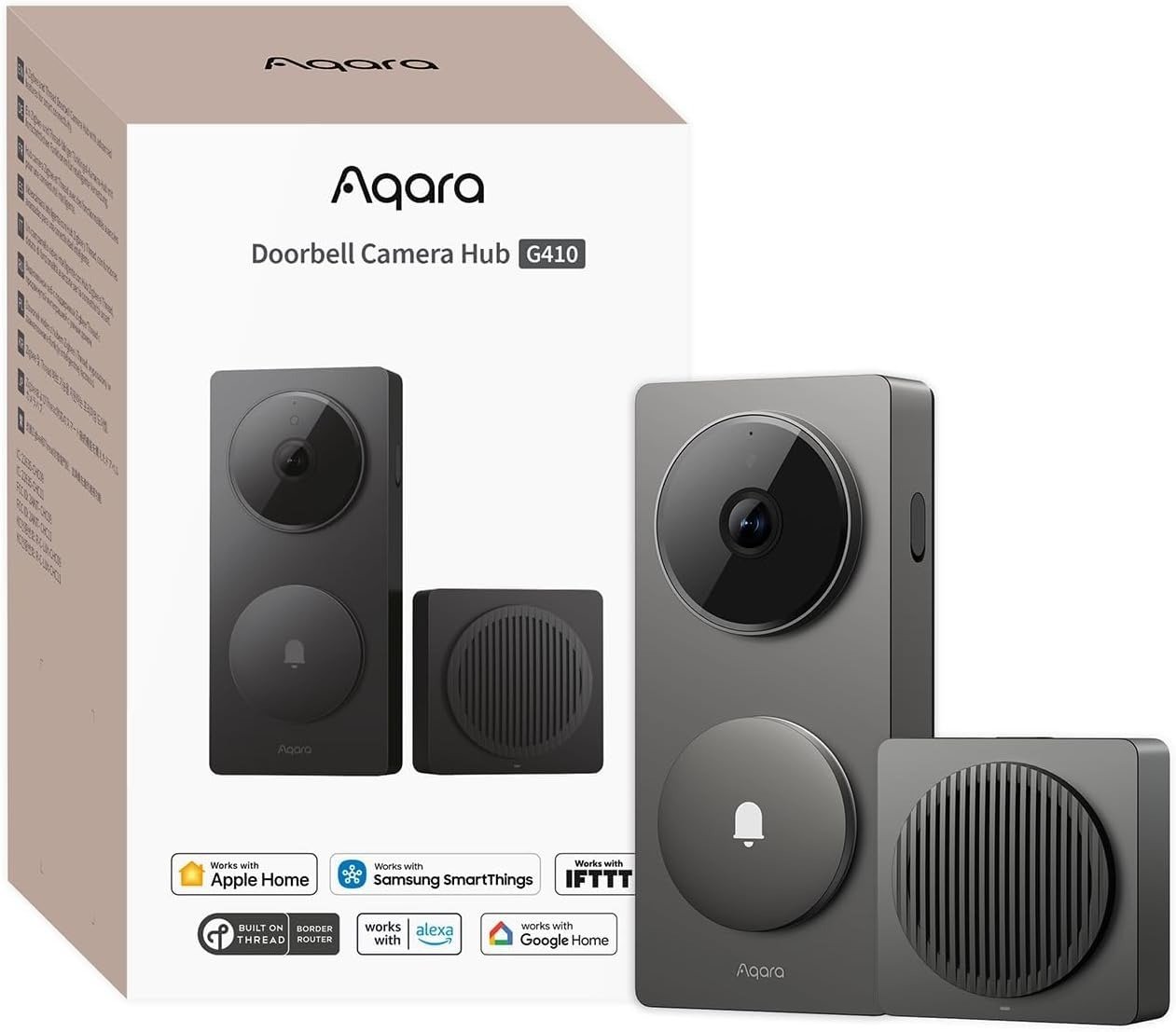
Every mixed-phone household has had the same argument. One of you has an iPhone. The other has a Pixel or a Galaxy. Whoever buys the video doorbell first ends up quietly choosing a side, because most doorbells are built for one ecosystem and merely tolerate the rest. The Aqara G410 is the first doorbell that claims to actually end that argument — HomeKit, Alexa, Google Home, Home Assistant, and Matter, all from one $130 unit that doubles as a smart home hub. That’s the pitch. What this review actually answers is whether “works with everything” means the same experience on every platform, or whether it just moves the compromise somewhere you won’t notice until after it’s already on the wall.
Aqara G410 Compatibility: The Result Looks Fine, The Problem Isn’t
On paper, this is close to the most complete spec sheet in the video doorbell category right now. 2K resolution, a 175-degree lens, mmWave radar instead of the cheap motion sensors that mistake a shadow for a stranger, dual-band Wi-Fi, and a chime unit that secretly moonlights as a Zigbee hub, a Thread border router, and a Matter controller. None of that is exaggerated — it holds up against Aqara’s own listing and against several independent hands-on reviews.
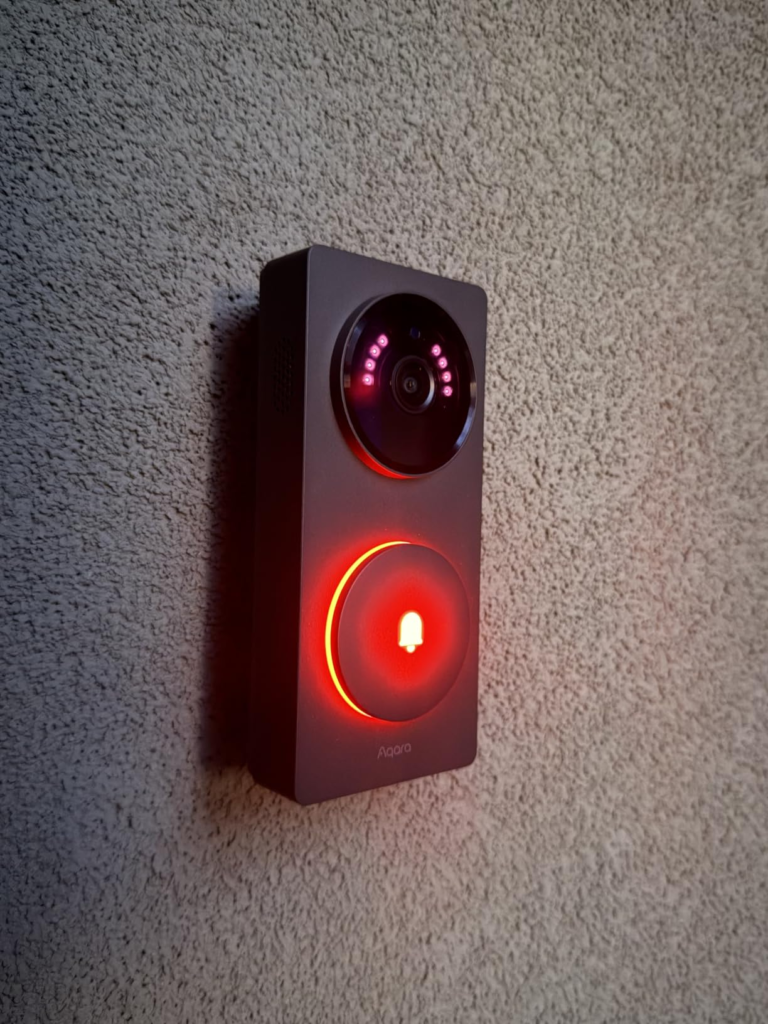
| Spec | Aqara G410 |
|---|---|
| Resolution | 2K (2048 × 1536), 4:3 aspect ratio |
| Field of view | 175°, f/1.8 aperture |
| Motion sensing | mmWave radar + on-device facial recognition |
| Power | 6× AA batteries (~5 months) or hardwired, 12–24V AC/DC |
| Wi-Fi | Dual-band, 2.4GHz / 5GHz |
| Local storage | microSD in chime, up to 512GB (not included), plus NAS backup |
| Hub functions | Zigbee 3.0 (Aqara devices), Thread border router, Matter controller |
| Weather rating | IPX3 |
| Price | Around $129.99 |
So why do buyers with a spec sheet this strong still end up mildly disappointed six months in? Because a spec sheet describes the hardware, not what you’ll actually see on your specific phone, on your specific platform, at ten o’clock on a Tuesday night when someone’s really standing at your door. That gap is small enough that most write-ups skip it entirely. It’s also exactly the gap that decides whether you’ll still like this thing next year.
Smart Doorbell Ecosystem Lock-In: What You’re Actually Feeling but Not Naming
If you’ve shopped for a video doorbell before, you already know the feeling, even without a name for it. It isn’t that Ring is bad or Nest is bad. It’s the quieter dread of picking a side — knowing that whichever brand you commit to, you’re also committing your porch, your notifications, and probably your next hub purchase to that brand’s app and that brand’s monthly fee.
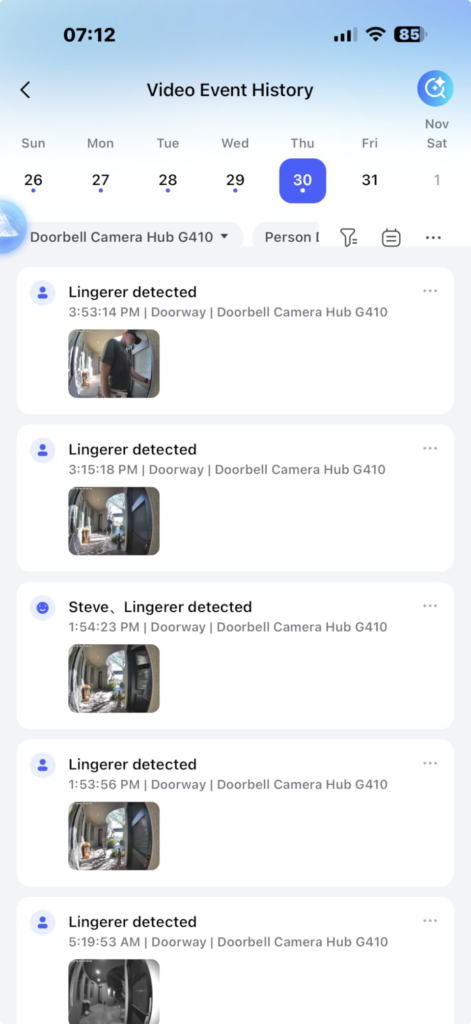
That feeling has a name: ecosystem lock-in. It shows up in small, specific annoyances rather than one big failure. Your partner’s phone gets a duller version of the app. Your Alexa speaker announces a ring your Google display never mentions. You cancel a $4-a-month plan and lose the one clip you actually needed from three weeks ago. None of it is dramatic on its own. It’s just friction, repeated often enough that the doorbell starts to feel like it’s working against you instead of for you.
Aqara G410 vs HomeKit Secure Video: The Hidden Mechanism Behind the Miss
Here’s the part almost nobody explains before you buy: “compatible with” and “fully functional on” are not the same sentence, and the G410 is a textbook case of the difference.
Inside Aqara’s own app, you get the full picture — native 2K, complete mmWave lingering detection, on-device facial recognition, and every automation the hub can trigger. Step outside that app and the picture narrows, platform by platform. Viewed through Apple Home via HomeKit Secure Video, the resolution is capped well below the doorbell’s native 2K — reviewers measuring it land anywhere from 1080p to around 1200p, and while the exact number varies by source, every hands-on test agrees on the direction: Apple Home shows a noticeably softer image than Aqara’s own app does. Bridge it into Alexa or Google Home through Matter and you typically get live view and basic alerts, not the deeper facial-recognition automations that make this doorbell interesting in the first place.
There’s a second layer that catches even careful buyers off guard. “No subscription required” is true, for local recording to a microSD card. It stops being true the moment you want cloud backup, extended history, or Apple’s Secure Video specifically. HomeKit Secure Video needs two things a lot of people don’t already own: a dedicated Apple home hub (a HomePod, HomePod mini, or Apple TV — Apple’s current Home architecture no longer accepts an iPad for this role), and an active iCloud+ subscription. If you’re not deep in Apple’s ecosystem already, the equivalent path is Aqara’s own HomeGuardian plan: roughly $5 a month for one camera, or $10 a month for unlimited cameras, with a 90-day rolling history.
Why does this matter? Because it changes what you should actually expect to see, based on which phone is in your pocket — and that’s not a line item on any product listing.
| Where you’re watching | What you actually get |
|---|---|
| Aqara Home app | Full native 2K, complete facial recognition, all automations |
| Apple Home (HomeKit Secure Video) | Resolution capped below native 2K; needs a home hub + iCloud+ |
| Alexa / Google Home (via Matter) | Live view and basic alerts; deeper AI stays inside Aqara’s app |
| Home Assistant (RTSP / local) | Full local access for advanced users, though some owners report the stream needing more troubleshooting than a plug-and-play setup |
Aqara G410 IPX3 Weatherproofing: The Threshold Where the Outcome Quietly Breaks
Everything above this point is a software trade-off. This one is physics, and it doesn’t care how good the app is.
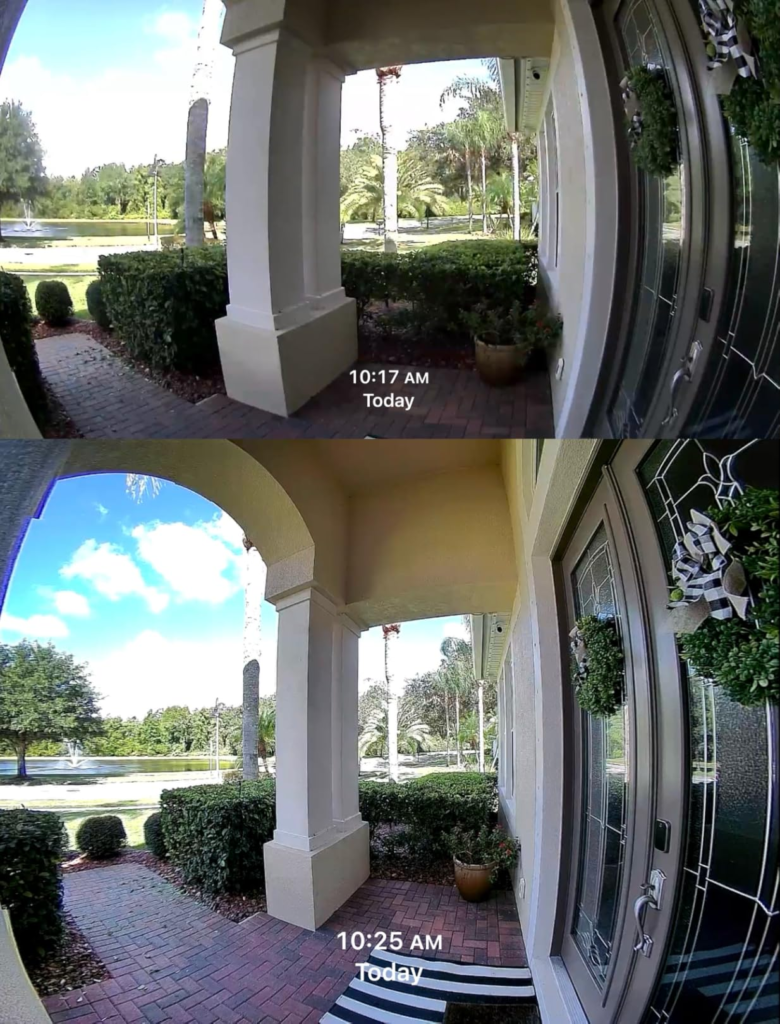
The G410 carries an IPX3 rating — in plain terms, it can handle a light, angled splash, not driving rain, not a hose, not water pooling near the seams. Nearly every independent review of this doorbell, across different outlets and different years of the product line, lands on the identical warning: mount it under a genuine overhang, a covered porch, or a recessed entryway, or don’t mount it at all. Aqara sells an add-on weatherproof cover, and it helps at the margins, but it isn’t a substitute for actual cover from the sky.
Call it the covered-door test: stand at your own front door during a real, sideways rainstorm. Do you get wet? If yes, this specific doorbell isn’t the one for that door, no matter how much you like everything else about it.
There’s a smaller, softer threshold worth naming too. Aqara’s own official support forum has a running thread of firmware updates that didn’t go smoothly — a camera stuck mid-update, a HomeKit connection that drops after an upgrade, a stream that needs a manual restart until the next patch lands. None of it is catastrophic, and Aqara does push fixes. But it’s documented often enough, in the company’s own forum, that you should expect an occasional rough update rather than years of silent, flawless firmware.
Aqara G410 vs Ring vs Nest Doorbell: Why Most Buyers Misread This Too Early
The comparison most people make is the fastest one: open three listings, line up price and resolution, pick whichever number looks biggest. That comparison misreads what these products actually are.
Ring and Nest are appliances. You mount them, pick a plan, and the doorbell disappears into a system someone else designed end to end — which is exactly what a huge number of households want, and both are more weather-tolerant out of the box than the G410. The G410 is a different kind of object: a doorbell trying to double as the brain of your smart home, at the cost of some polish and some weather protection.
| Aqara G410 | Ring Battery Doorbell Plus | Google Nest Doorbell | |
|---|---|---|---|
| Price (approx.) | $130 | $120 | $180 |
| Weather rating | IPX3 — covered areas only | Designed for direct outdoor exposure | IP65, rain-ready |
| Local storage, no subscription | Yes, via microSD | No | Limited free history only |
| Doubles as a smart home hub | Yes — Zigbee, Thread, Matter | No | No |
| Best fit | Mixed-ecosystem, Matter or Aqara households | Alexa households wanting simplicity | Google Home households wanting AI detection |
Judged purely on resolution or purely on price, the G410 doesn’t clearly “win.” The real question isn’t which doorbell has the sharper picture. It’s whether you want a doorbell, or a doorbell that also quietly replaces the separate hub you’d otherwise have to buy anyway.
Who Should Buy the Aqara G410: Who Is Actually Inside This Problem
Strip away the marketing and the buyer this actually fits is fairly narrow — but for that buyer, it’s a genuinely strong match.
You’re in that group if your entryway sits under real cover, if your household is split across Apple and Android and you’re tired of picking a side, if you already own Aqara sensors or you’re building toward a Matter-based smart home, or if a doorbell that replaces a standalone hub is worth more to you than having the single sleekest-looking unit on the door. You’re also a good fit if an optional $5-a-month plan feels reasonable to you precisely because it’s optional, not mandatory.
Aqara G410 Deal-Breakers: Where Wrong-Fit Begins
The flip side matters just as much, and it’s where buyers end up mildly let down by a product that, on paper, did nothing wrong.
| Skip the G410 if… | Because… |
|---|---|
| Your door faces open weather with no overhang | IPX3 can’t handle sustained rain exposure |
| You want the sharpest possible image inside Apple Home specifically | HomeKit Secure Video caps resolution below the doorbell’s native 2K |
| You already run a full Ring or Nest camera system | You’d gain little from the hub features and lose the ecosystem polish you already paid for |
| You want genuinely zero-maintenance hardware | Occasional firmware updates need attention, per Aqara’s own support forum |
| A sleek, minimal design matters to you | Reviewers consistently describe the bulky, six-battery build as looking more budget than premium |
If two or more of those describe your situation, this specific doorbell will probably leave you mildly annoyed rather than happy, even though nothing about it is actually broken.
Aqara G410 Price and Value: The One Situation Where This Becomes Logical
Put the pieces together and one buyer profile falls out clearly: a covered entryway, a household or smart home setup spanning more than one ecosystem, and a preference for owning your storage instead of renting it monthly.
For that buyer, around $130 is a genuinely good number. You’re not just buying a doorbell — you’re buying a doorbell, a Zigbee hub, a Thread border router, and a Matter controller, four devices that would otherwise sit in four separate boxes. Weighed against buying a standalone hub plus a competing doorbell separately, the G410 usually wins on both cost and cable clutter. If this is the situation you’re actually in, the decision stops being complicated.
Aqara G410 Pros and Cons: What It Solves, What It Reduces, and What’s Still on You
| It solves | It reduces | It still leaves to you |
|---|---|---|
| Buying a separate smart home hub | False alerts from wind, shadows, and passing cars, thanks to mmWave | Confirming your entryway is actually covered before you order |
| Being locked into one phone ecosystem | Mandatory monthly fees for basic recording | Budgeting for a microSD card, sold separately |
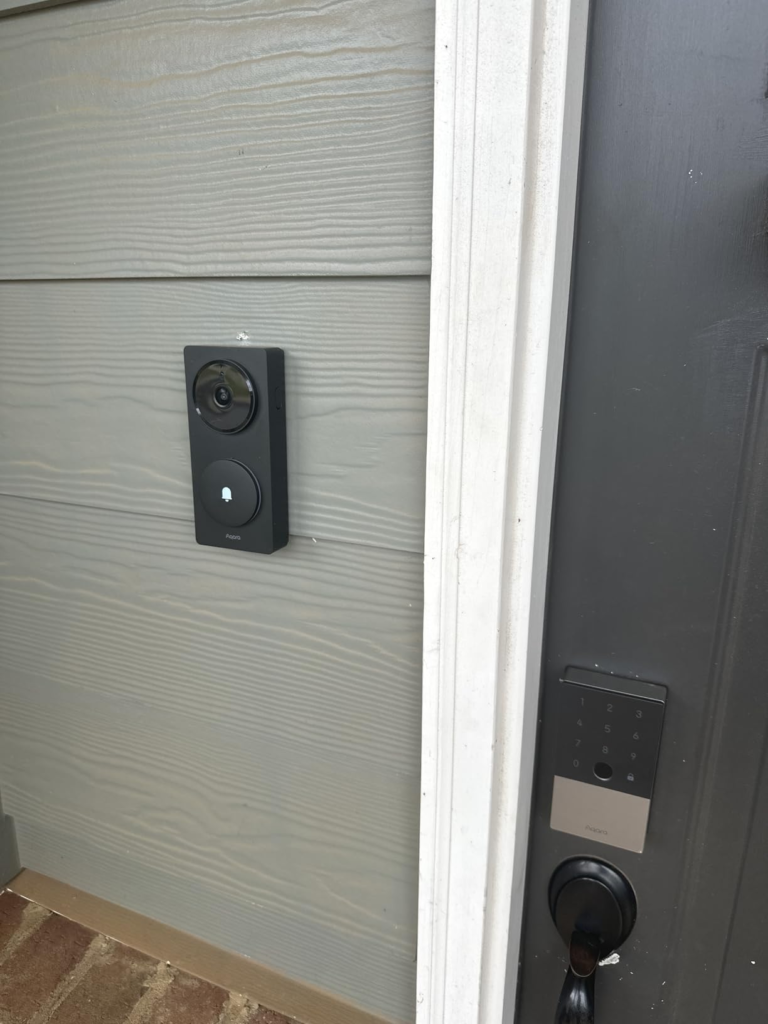
| Package and face visibility, via the tall 4:3 frame | The clutter of separate Zigbee and Matter hubs | Accepting a bulkier, less premium-looking unit on your door |
| Tolerating the occasional rough firmware update |
None of this makes the G410 flawless, and it isn’t trying to be. It’s honest about what it trades away for what it consolidates, which is more useful to know upfront than any star rating.
Aqara G410 FAQ: The Questions Everyone Asks Before Buying
| Question | Answer |
|---|---|
| Do I need a subscription to use the Aqara G410? | No, not for the basics. Local recording to a microSD card works without any subscription. You’d only need Aqara’s HomeGuardian plan (around $5/month for one camera) or Apple’s iCloud+ if you specifically want off-site cloud backup or HomeKit Secure Video. |
| Will it work if my partner has an iPhone and I have an Android phone? | Yes — that’s the doorbell’s main selling point. Both of you get live footage and alerts, though the Apple side sees a lower resolution than what the Aqara app shows on Android. |
| Is the Aqara G410 actually waterproof? | No. It’s rated IPX3, which covers light splashing, not driving rain or direct exposure. It needs a covered porch, overhang, or recessed doorway. |
| How long does the battery actually last? | Aqara rates it around five months on six AA batteries at roughly ten activations a day. High-traffic doors, busy streets, or multi-unit entries will drain it faster, and Aqara itself suggests hardwiring in those cases. |
| Is the G410 worth it over the older G4? | If you already own a working G4, this is a nice-to-have, not a must-have swap. If you’re buying your first Aqara doorbell, the G410’s dual-band Wi-Fi, mmWave sensing, and sharper lens make it the clear pick between the two. |
| Does it need drilling to install? | No. It ships with a mounting plate, an angled wedge, and an adhesive pad for renters, alongside screws for a permanent mount. The adhesive holds well on most siding, though a couple of reviewers found it less reliable on rough brick. |
Aqara G410 Final Verdict: The Decision, Compressed
Everything above compresses into two questions. Is your doorway actually covered from the weather? And are you trying to solve just “who’s at the door,” or that plus “I own too many separate smart home hubs” at the same time?
If your answer to the first is yes, and your answer to the second is “both,” the decision stops being complicated — that’s exactly the situation this doorbell was built for. You can check current pricing and availability on the Aqara G410 product page.
Transparency Note:
This analysis is built on aggregated real-world experience. It extracts what repeatedly holds, what breaks, and what users uncover only after living with the system—then shapes it into a clear model you can use immediately.
Think of it as structured experience, refined and presented so you don’t have to learn it the hard way.
“A quick note: Don’t believe the star ratings, but trust personal experience. This article is a compilation of collected experiences.”