AMCREST IP4M-1048EW-AI REVIEW: THE FOOTAGE LOOKS LIKE 4K, UNTIL YOU READ THE FINE PRINT
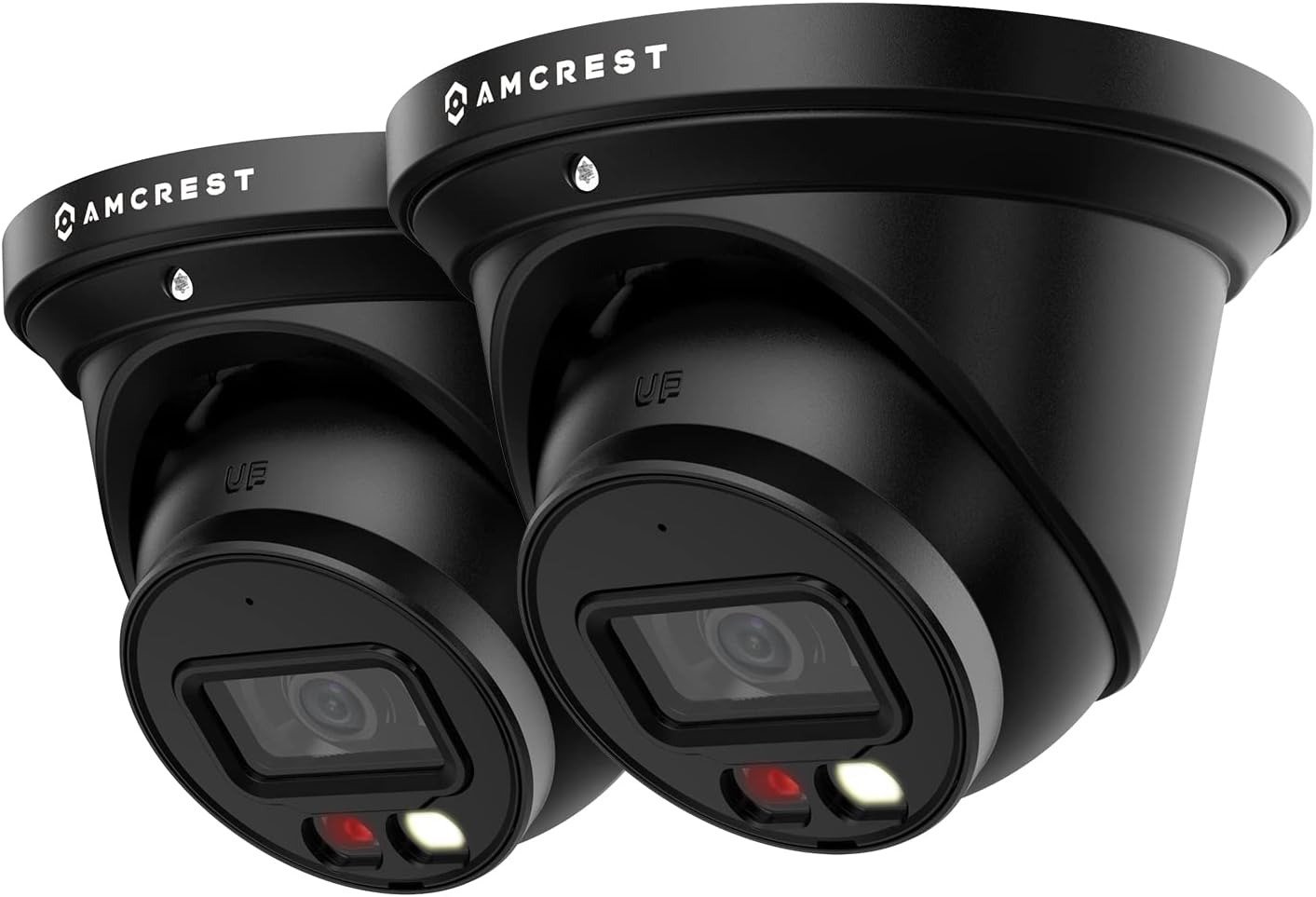
AMCREST IP4M-1048EW-AI
It’s 2 a.m. and your phone lights up with a motion alert. You open it half-asleep, expecting the crisp, colorful footage the product photos promised. What you actually get depends on things nobody put in the bullet points. That gap — between what a “4K AI Smart Turret” implies on the box and what a PoE security camera actually delivers once it’s bolted to your siding — is the whole story of the Amcrest IP4M-1048EW-AI.
I went through Amcrest’s own spec sheets, its support documentation, its owner forum, and the install threads where real buyers compare notes on this exact sensor. Here’s the honest version.
Amcrest IP4M-1048EW-AI Night Footage: Clean Demo, Different Reality
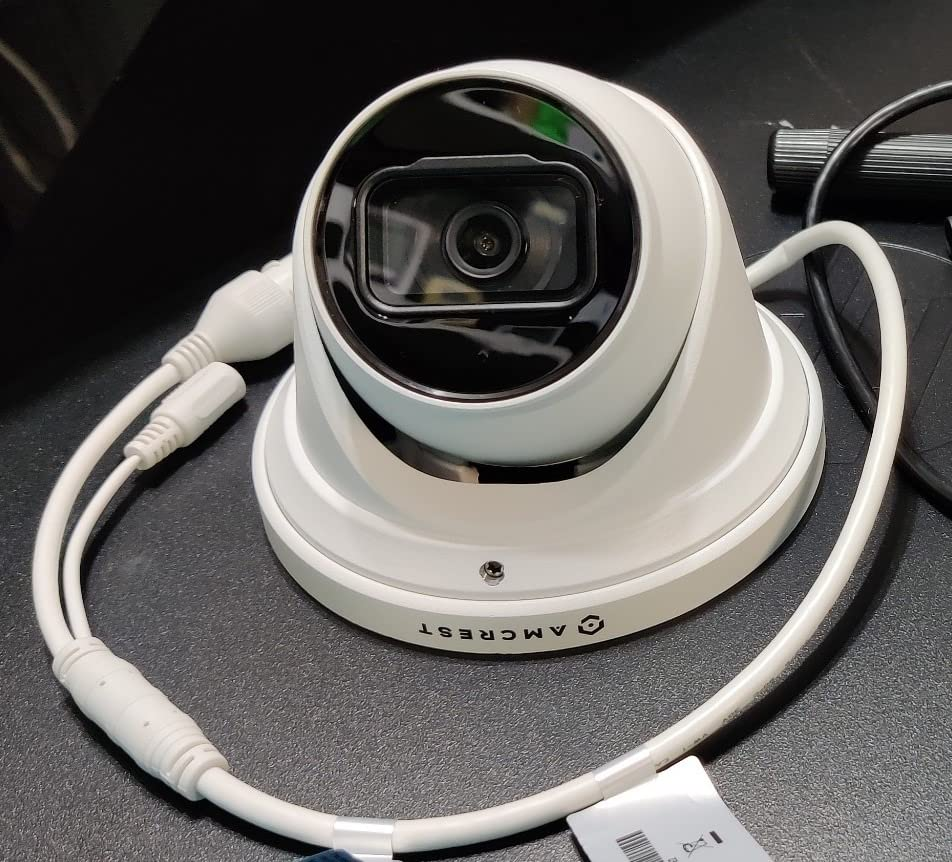
The marketing shots look like daylight. The “NightColor” name does a lot of heavy lifting. And under the right conditions — a porch, a driveway, anything within reach of the camera’s own light — this camera earns those shots. The problem isn’t that it fails. It’s that “looks fine in the demo” and “performs the way you assumed” are two different promises, and the listing blends them into one.
| Spec | What Amcrest Documents |
|---|---|
| Model | IP4M-1048EW-AI |
| Image sensor | 1/1.8″ CMOS, 4MP @ 30fps |
| Marketed as | “4K UHD” / “UltraHD” (native output is 4MP, not 3840×2160) |
| Lens | 2.8mm fixed, 113° field of view |
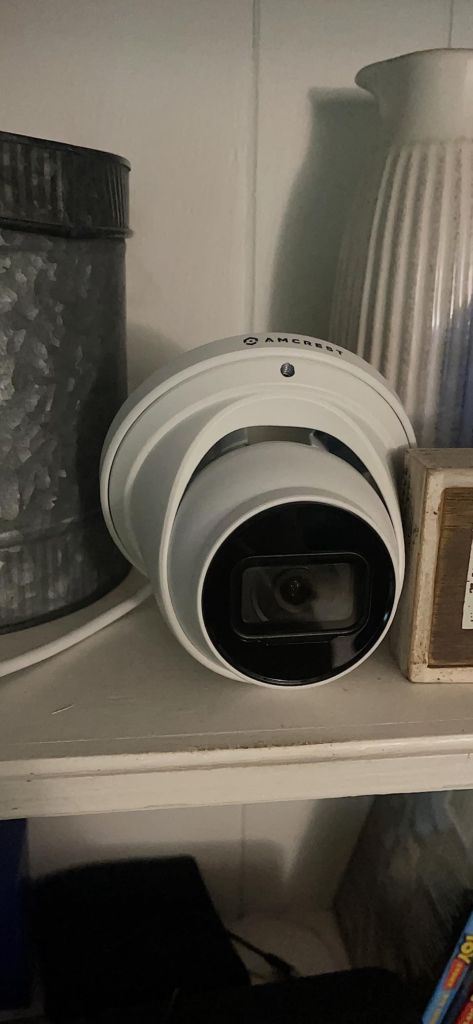
| Pan/tilt | None — fixed position despite the “turret” name |
| Standard IR night vision | Up to ~32 ft, black and white |
| NightColor (LED) range | Up to ~66 ft, full color |
| Weatherproofing | IP67 |
| Power | PoE (802.3af-class) — no WiFi radio, no plug adapter |
| Audio | Listed as built-in mic; buyer Q&A on the listing disputes it — confirm before buying |
| Local storage | microSD up to 256GB (card sold separately) |
| Onboard AI | Tripwire, intrusion, loitering, parking, abandoned/missing object, crowd gathering, heat map, people counting |
| Dimensions / weight | 6.14 × 6.14 × 5.4 in / 1.63 lb |
Almost every complaint I found about this camera traces back to an assumption made on the product page — not a defect in the hardware.
Amcrest Camera Setup Confusion: What PoE, 4K, and AI Actually Cost You
Three words are doing a lot of work on this listing, and each one hides something.
“4K” implies 3840×2160. The sensor inside is a 1/1.8″, 4-megapixel chip — roughly half that pixel count. Amcrest’s own literature calls it “UltraHD,” which is technically defensible and still not what most shoppers picture when they read “4K” in a title.
“PoE” means nothing to a first-time buyer, and that’s exactly the issue. There’s no WiFi radio and no power brick in the box. It needs one cable carrying both data and power, from a switch, an injector, or a PoE-capable recorder.
“AI” implies smarter alerts, and here it genuinely delivers — but not because of a subscription. That part is worth understanding before you write off the cloud plan as a scam.
NightColor and Onboard AI Explained: How the IP4M-1048EW-AI Really Sees at Night
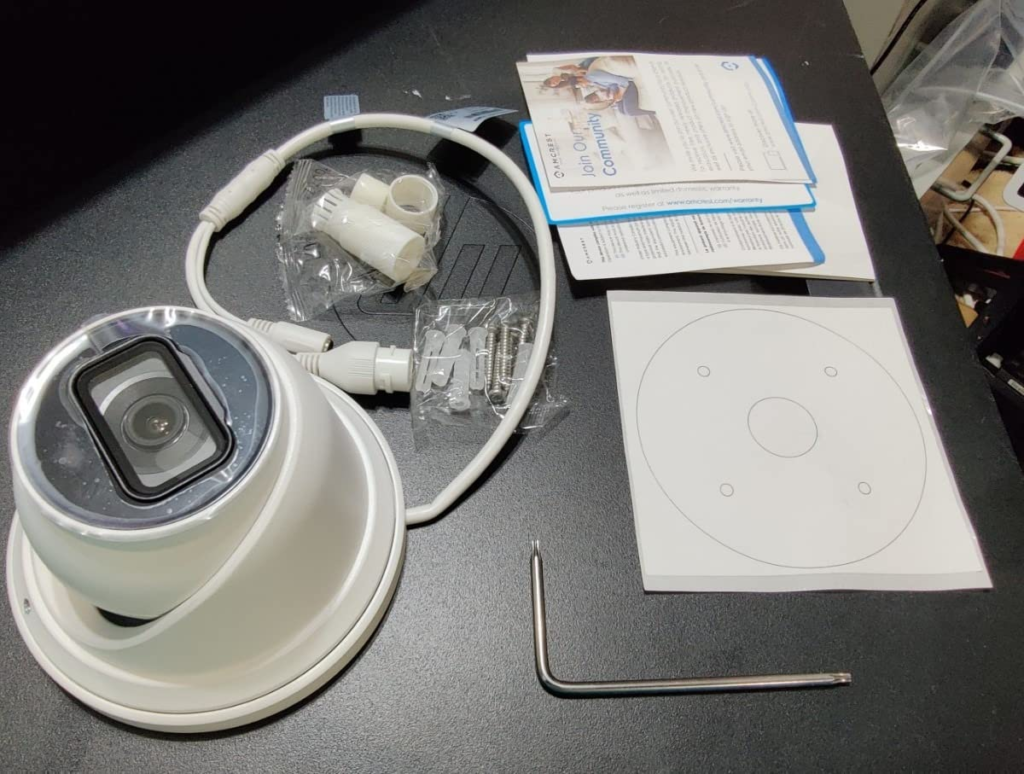
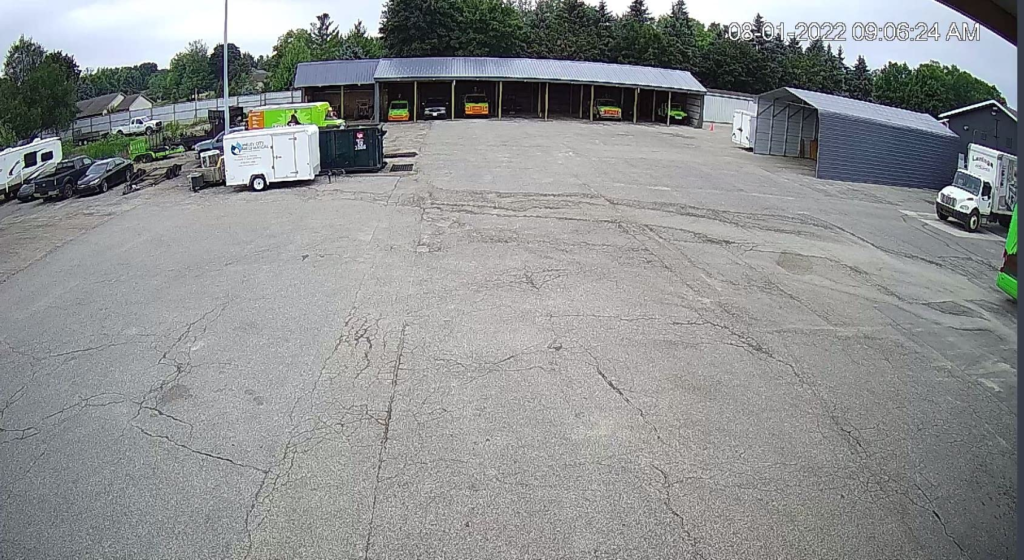
Two white LEDs sit beside the lens — that’s the entire mechanism behind “NightColor.” It isn’t passive starlight sensing pulling color out of moonlight. It’s an active spotlight, rated by Amcrest at up to 66 feet. Inside that range, in clear air, you get color. Past it, or through rain and fog scattering that light back at the lens, you get a dimmer, grainier version of the same picture, or the camera drops to standard black-and-white IR, rated around 32 feet. Neither figure is a guarantee. Both are best-case numbers.
The AI side is more useful than the marketing makes it sound. Tripwire, intrusion, and loitering detection run on the camera’s own processor, not in the cloud. One long-time owner of this same 4-megapixel AI sensor — Amcrest uses it across both the bullet and turret versions — described roughly two false face alerts in thirty days of real use, mostly triggered by night bugs rather than rain or shadows. That’s a meaningfully lower false-alarm rate than budget cameras that just relabel basic motion detection as “AI.”
| Plan | Clip Storage Window | Cost |
|---|---|---|
| Local recording + onboard AI alerts | Unlimited, card-dependent | No subscription required |
| Free cloud trial (first year) | 3-day motion clips, 12-sec events | Free (card on file) |
| Base cloud plan | 3-day motion clips | ~$1.99/month |
| Extended cloud plans | 7–60 days, camera-dependent | Roughly $4–$20/month |
Every tier above is for off-site backup of clips, not for switching AI on. Skip all of them and detection still works — you just lose the safety net if your SD card or recorder ever fails.
The Setup Threshold: Where a Simple Camera Purchase Becomes a Networking Project
Here’s the threshold that catches people. A camera priced close to a mid-range WiFi model suddenly needs a $25–$60 PoE injector, a PoE switch, or a recorder you weren’t planning to buy — because a standard home router port has no PoE pins and won’t power this thing at all. Enough owners on Amcrest’s own forums and independent camera communities describe hitting this exact wall that it’s clearly not an edge case. It’s the default first experience for anyone arriving from plug-in WiFi cameras.
| Comes in the Box | You’ll Likely Still Need |
|---|---|
| One IP4M-1048EW-AI camera | A PoE switch, PoE injector, or PoE-capable recorder |
| Mounting bracket and screws | A microSD card (up to 256GB) for local recording |
| Quick-start guide | Ethernet cable long enough to reach the install point |
| — | An external mic/speaker, if two-way audio matters and yours doesn’t have one |
None of this is hidden, exactly. It’s just spread across a spec sheet most people never open before checkout, which is a very different thing from “included.”
Amcrest vs. Plug-In WiFi Cameras: Why the Comparison Falls Apart
Why do so many buyers compare this to a Ring or Wyze camera and walk away annoyed? Because the comparison was never fair. Wire-free WiFi cameras are built for zero-networking setup and shallow customization. This is a PoE, ONVIF-friendly camera built for people who want local storage, no mandatory subscription, and compatibility with software like Blue Iris or Home Assistant.
Judge it on “how fast can I get this running with no tools,” and it loses. Judge it on what it’s actually built to be — a wired, locally-controlled AI sensor — and the same traits that frustrate a first-timer are exactly what a more deliberate buyer is shopping for.
Who the Amcrest IP4M-1048EW-AI Is Actually Built For
This camera makes sense for someone who already owns, or is willing to buy, basic PoE gear. It makes sense for someone who wants real onboard AI filtering without a monthly fee standing between them and their alerts. It makes sense for anyone planning to run it through a recorder, Blue Iris, or a home automation setup where local, RTSP-accessible video actually matters.
It also, quietly, makes sense for anyone mounting a camera within realistic range of a porch, entryway, or driveway — not a floodlit yard 150 feet from the mount point.
Amcrest IP4M-1048EW-AI Drawbacks: Where This Camera Becomes the Wrong Choice
| A Good Fit If You… | Skip It If You… |
|---|---|
| Already own, or don’t mind buying, PoE gear | Want plug-in WiFi setup with zero wiring |
| Want local AI alerts without a mandatory subscription | Assumed “AI” meant cloud-only smart features |
| Are mounting within realistic range of the camera’s own light | Need to cover a large, dim yard well past 60–70 ft |
| Are fine with 4MP (“UltraHD”) detail | Specifically need true 8MP/4K resolution |
| Might run this through Blue Iris, a recorder, or Home Assistant | Need guaranteed NDAA-compliant hardware |
If you’re renting and can’t run cable or mount hardware, this fights you the entire way. If you want a phone-only setup with no PoE gear and no learning curve, a wire-free camera gets you there faster. And if your install needs government or NDAA-compliant equipment, Amcrest’s own spec sheet discloses that this model may include non-NDAA-compliant components — worth a call to procurement before ordering, not after.
When the Amcrest IP4M-1048EW-AI Is the Logical Call
Strip away the marketing language and what’s left is a fixed-lens, weatherproof, PoE turret camera with a genuinely capable onboard AI engine, priced well under Amcrest’s own 8-megapixel true-4K models. If the profile above describes you — PoE-comfortable, subscription-averse, realistic about mounting distance — this stops being a marketing decision and becomes a fairly straightforward one.
Amcrest IP4M-1048EW-AI Pros and Cons: What Changes, What Still Depends on You
What it solves: false-alarm fatigue from dumb motion detection, backed by onboard AI that’s earned real trust in long-term owner reports. What it reduces: the total-darkness guesswork of black-and-white-only cameras, at least within LED range. What it still leaves entirely to you: buying the right PoE hardware, picking a mount point inside the camera’s real-world range, confirming the audio situation directly instead of trusting either side of that Amazon Q&A argument, and deciding whether cloud backup is worth the monthly line item.
AMCREST IP4M-1048EW-AI FAQ: Fast Answers Before You Buy
| Question | Answer |
|---|---|
| Is the Amcrest IP4M-1048EW-AI actually 4K resolution? | No. Amcrest’s own spec sheet lists a 1/1.8″, 4-megapixel sensor — roughly half the pixel count of true 3840×2160 4K. “4K UHD” here is a marketing category, not a literal resolution claim. |
| Does this camera run on WiFi, or does it need a cable? | It’s PoE, not WiFi. It needs one Ethernet cable carrying power and data, from a switch, injector, or PoE recorder. A normal router port won’t power it. |
| Do I need to buy a recorder (NVR) to use it? | No. It records locally to a microSD card (sold separately) or a PC, and you manage it through the Amcrest View Pro app. A recorder only matters if you’re centralizing multiple cameras. |
| Does the AI detection need a paid subscription to work? | No. Tripwire, intrusion, and loitering detection run locally on the camera. The paid Smart Home/Cloud tiers are for off-site clip backup, not for enabling AI. |
| Does it have a built-in microphone? | Genuinely unclear even in Amcrest’s own materials. Their product page lists one-way audio via a built-in mic; real buyer Q&A on the listing includes a direct claim that there isn’t one and two-way audio needs external hardware. Confirm with the current listing or Amcrest support before assuming either way. |
| How far does NightColor actually see in real darkness? | Up to 66 feet using the camera’s white LEDs, per Amcrest, with standard black-and-white IR rated around 32 feet beyond that. Both are best-case figures that shrink with rain, fog, or an off-center subject. |
| Does this camera pan and tilt to follow motion? | No. Despite the “turret” name, Amcrest lists Pan/Tilt as “None.” The 113° lens covers a wide static area, but it won’t physically move to track anything. |
| Is this listing for one camera or a two-pack? | The IP4M-1048EW-AI SKU is documented as a single camera. If you searched for a two-pack and landed here, check the quantity or variant selector before checkout — don’t assume two ship for the price of one. |
| Is the Amcrest IP4M-1048EW-AI NDAA compliant? | Amcrest’s own spec sheet discloses that the product may contain non-NDAA-compliant components. That mostly affects government or federally-funded installs — most home buyers won’t be affected, but it’s worth knowing if you are one. |
Final Verdict: Is the Amcrest IP4M-1048EW-AI Worth Buying?
It isn’t overpromising as badly as the “4K” label suggests, and it isn’t underdelivering the way a skimmed one-star review might make it sound. It’s a 4-megapixel, PoE, locally-controlled AI camera that does exactly that job well, once you’ve budgeted for the networking gear the listing doesn’t put front and center. If that’s the camera you’re actually looking for, this is where the decision stops being vague:
Transparency Note:
This analysis is built on aggregated real-world experience.
It extracts what repeatedly holds, what breaks, and what users uncover only after living with the system—then shapes it into a clear model you can use immediately.
Think of it as structured experience, refined and presented so you don’t have to learn it the hard way.
“A quick note: Don’t believe the star ratings, but trust personal experience. This article is a compilation of collected experiences.”