Level Lock Pro Review: It Disappears Into Your Door. So Do Its Weak Points.
LEVEL LOCK PRO
Groceries in both arms, phone sitting at 4%, and the little lock icon in the app is just spinning. You tap the door out of habit anyway. Nothing happens. This is the exact moment every smart lock ad quietly promises will never happen to you.
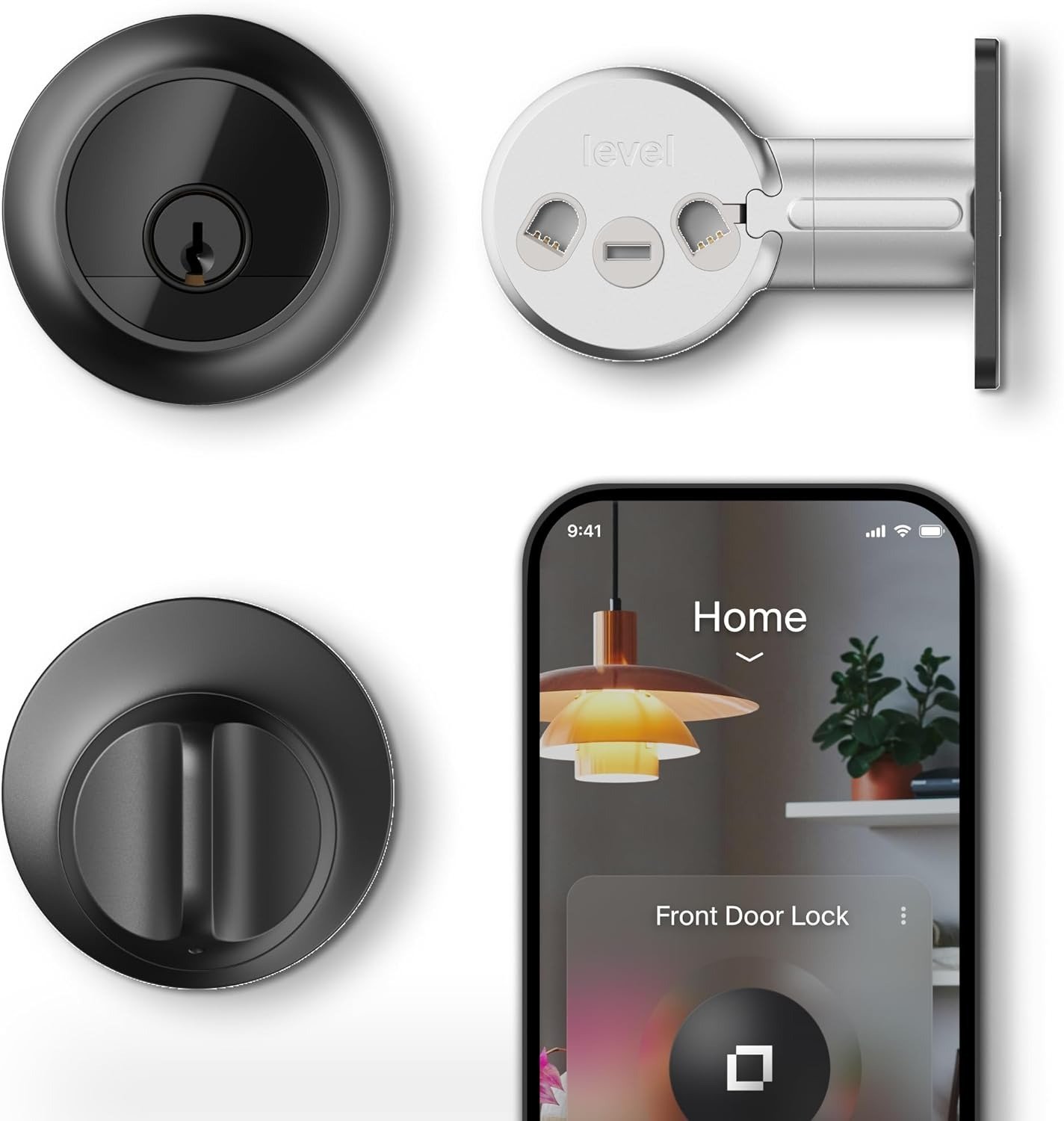
The Level Lock Pro is built around one idea: your front door should look like it has no idea what a smartphone is. No keypad, no glowing ring, no plastic faceplate — just a normal deadbolt that happens to open when you tap your phone against it. It’s a good idea, and on a lot of doors, it works exactly as promised. But “invisible” cuts two ways. A lock engineered to hide its technology also hides its requirements, and almost nobody figures out what those are until after the box is open.
Level Lock Pro Reviews: Why the 5-Star Praise Skips the Part That Matters
Search this lock and you’ll find genuinely glowing coverage. Forbes Vetted named it their top smart lock pick after weeks of testing, praising how it hides its intelligence behind ordinary hardware, with its top pick being the Level Lock Pro specifically because it looks like a standard lock while hiding away a wide range of smart functions. CNN Underscored’s reviewer had zero jamming and zero dropped connections over a month of daily use, reporting the lock hadn’t jammed once since installation and continued to stay connected without issue, even locking it remotely from miles away.
That’s all true. It’s also all collected under close-to-ideal conditions: a fresh install, a standard door, an Apple TV or HomePod already sitting in the living room. None of that tells you what happens on a door that’s a little swollen from last winter, or in a house that doesn’t already own a Thread hub. That’s not those reviewers being dishonest — it’s just what a five-week test on one well-behaved door can’t show you.
Level Lock Pro Daily Use: The Half-Second Hesitation You Can’t Quite Name
Here’s what actually shows up after the honeymoon week. You walk up, tap, and there’s a pause before the bolt turns — not broken, just thinking. You start locking the door manually out of habit because you’re not 100% sure the auto-lock caught it last time. You notice the battery indicator in the app more than you expected to.
None of that is a defect exactly. It’s the quiet tax of a device that chose to look like nothing rather than announce itself, and it’s worth naming before you’re the one standing at the door figuring it out in real time.
| Level Lock Pro | At a glance |
|---|---|
| Price | $349, plus $79 for the Level Connect bridge and $79 for the keypad if you want either, with a price of $349 as reviewed rising to $507 once the Level Connect Wi-Fi bridge and Level Keypad are added |
| Security rating | ANSI Grade 1 / BHMA AAA, with a bump- and pick-resistant cylinder and end-to-end encryption, certified AAA by BHMA and ANSI grade 1/A, representing the highest industry standards for security, durability, and finish |
| Connectivity | Bluetooth locally; Matter-over-Thread for remote access, which needs a compatible hub — a feature that requires either Level Connect or a Matter-over-Thread smart home hub |
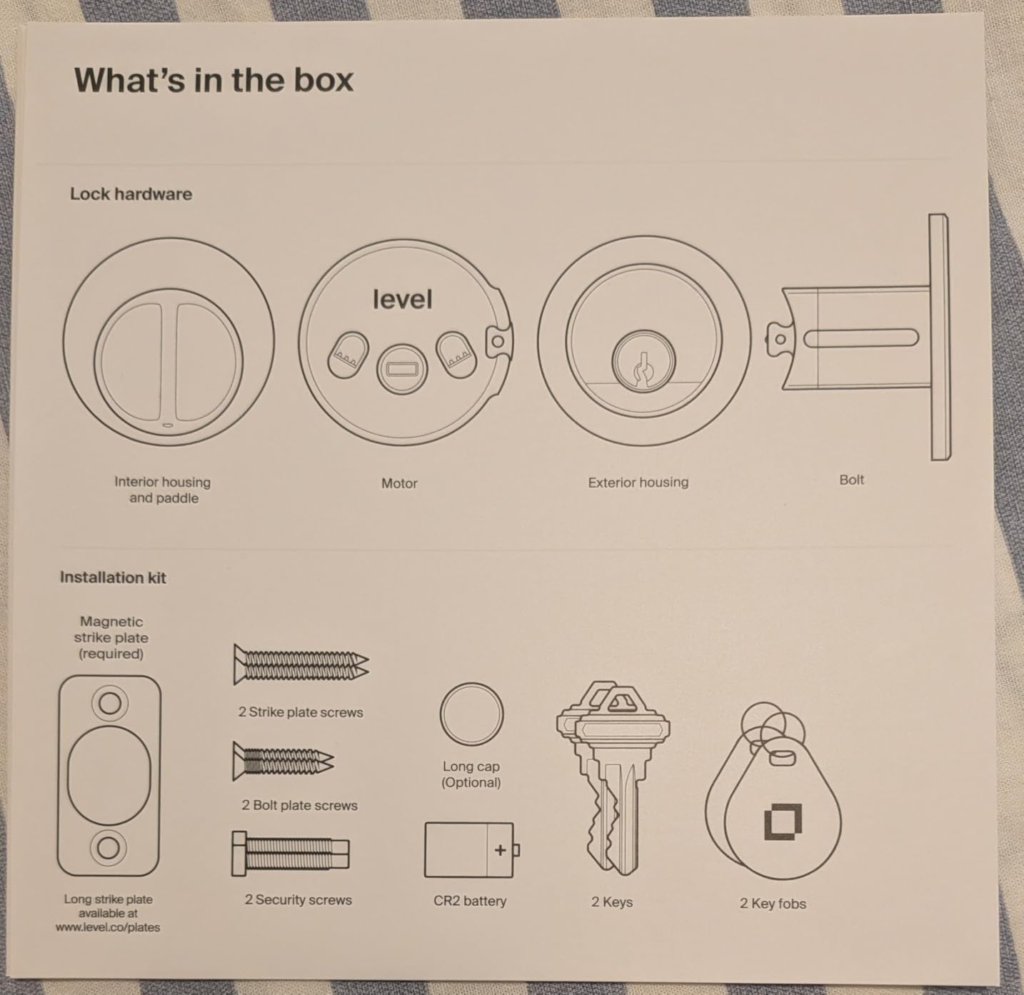
| Battery | One CR2 lithium cell inside the bolt itself, officially rated toward 12 months |
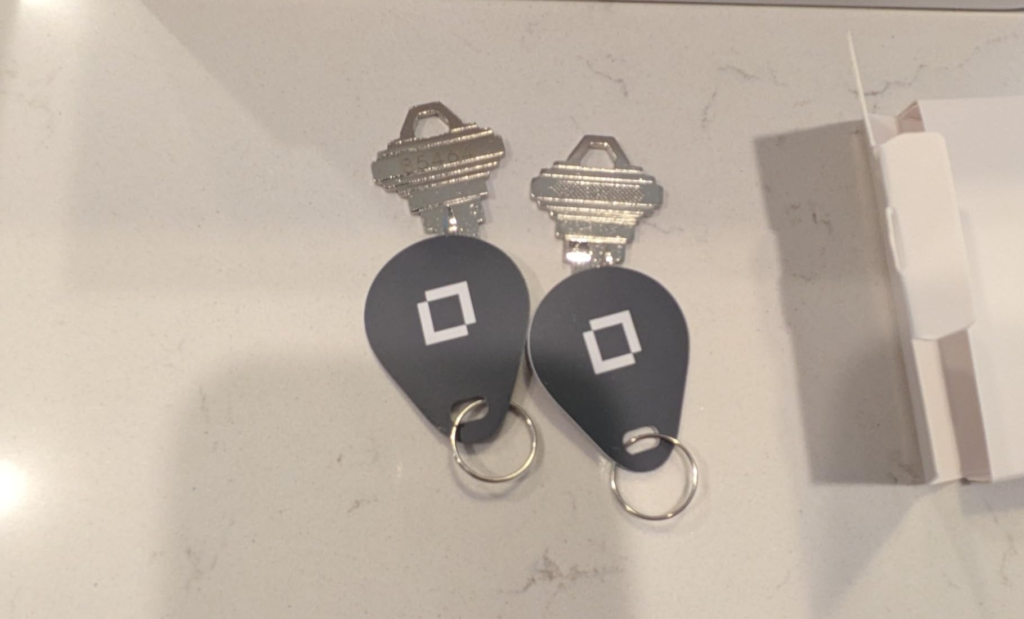
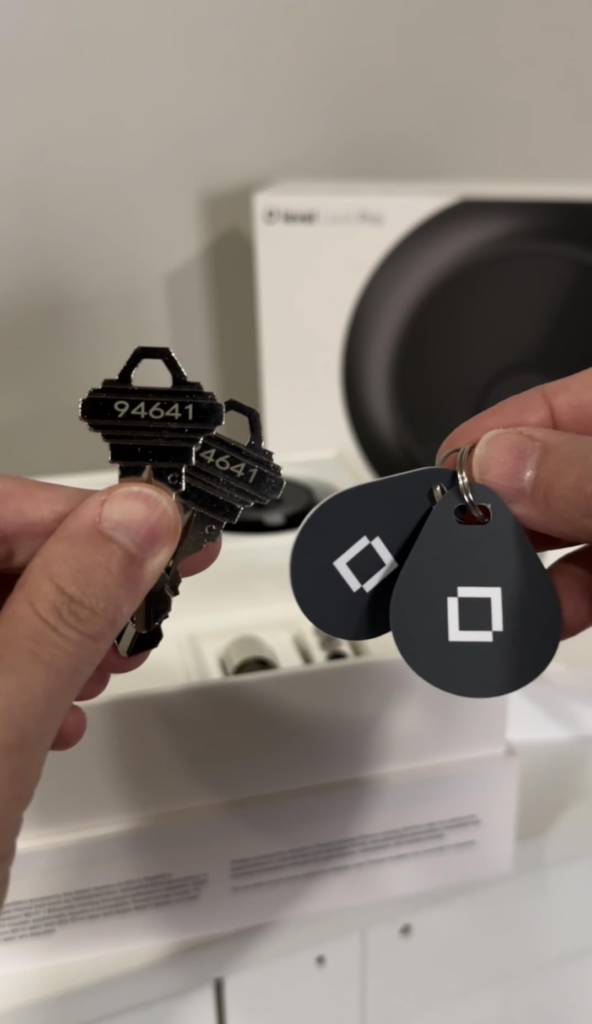
| Backup entry | Physical key and NFC fobs/cards — no USB-C or 9-volt jump terminal |
| Door fit | 1¾”–2″ thick, 2⅛” bore hole, 2⅜” or 2¾” backset, engineered for backset lengths of 2.375″ or 2.75″ and door thickness of 1.75″ to 2″, with an ANSI standard 2.125″ bore hole diameter |
| Weather rating | IP54, with the Level Lock Pro carrying an IP54 water and dust resistance rating that holds up fine in rain |
| Warranty | 2-year limited |
Level Lock Pro Battery and Motor: The Real Mechanism Behind the Complaints
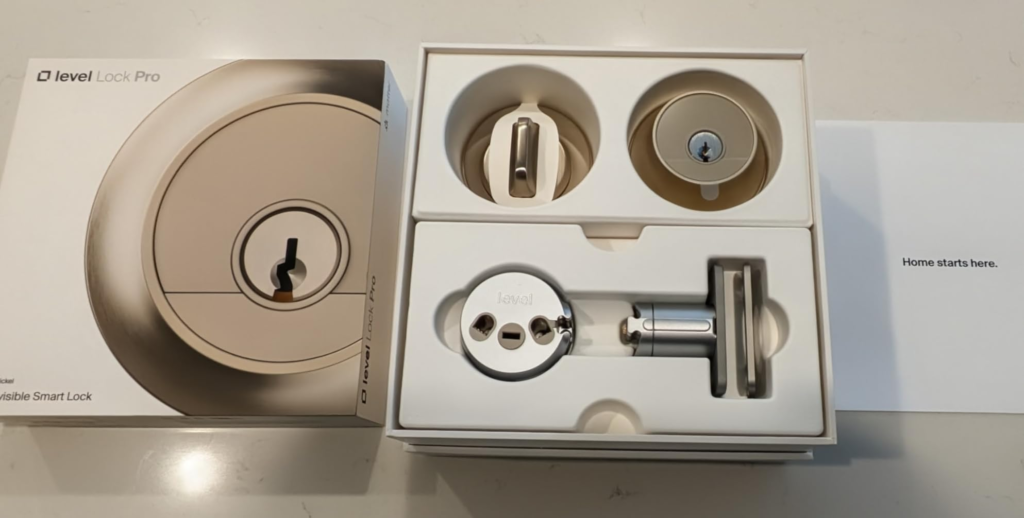
Why does a lock this expensive still get accused of jamming? It comes down to one component nobody puts on a spec sheet: the motor. To fit inside a standard deadbolt housing instead of bulging off your door, Level had to shrink the motor down dramatically — and multiple reviewers who’ve tested it against Schlage’s competing lock independently flagged it as unusually weak for the category, describing it as the least powerful motor encountered in any smart lock tested, which becomes a real problem on doors that aren’t consistently well-sealed or perfectly aligned.
That’s not a rumor — it’s echoed in Level’s own installation guidance. One detailed teardown of the Pro model states plainly that because the motor is small, the door has to be well-aligned, and if your door needs a firm shove to close, you should fix your strike plate before installing the lock, since a small motor makes precision essential and a door that needs a hard push to close properly will likely need strike plate adjustment first. That single sentence explains almost every “it keeps catching on the strike plate” complaint you’ll find. It’s rarely the lock. It’s the door the lock was asked to trust.
Level Lock Pro Reliability: The Threshold Where the Invisible Design Breaks
Every part of this lock’s appeal depends on something you can’t see. That’s true in two completely different ways, and both matter before you buy.
The first is the hub. Touch-to-unlock and the door sensor work over Bluetooth with no extra hardware. But remote access, away-from-home control, and live door status all require either the $79 Level Connect bridge or an existing Matter-over-Thread hub — an Apple TV 4K, a HomePod, a SmartThings Station, or a Thread-capable Echo or Nest speaker. Buy this lock without one of those already in your house, and you’ve bought a very well-dressed Bluetooth lock. Real-world testing bears this out unevenly, too: one MacRumors review of this exact model reported needing a fresh battery roughly every three months, frequent strike-plate catching, and a touch-sensor that triggered too easily by accident, concluding the reviewer wouldn’t buy one for personal use because of those three issues specifically. A separate Gizmodo test hit a different wall entirely — the lock went unresponsive inside Apple Home for two full days until the battery was pulled and reinserted, with Level’s own spokesperson attributing this kind of issue to complex networks running multiple hubs and a large number of devices. Same lock, two testers, two completely different failure modes — which is itself the tell. The variable isn’t the hardware. It’s the environment it’s dropped into.
The second dependency is newer, and most reviews written before this summer won’t mention it at all: Level’s parent company, ASSA ABLOY, laid off most of Level’s staff in late June 2026 and is folding the brand into its Kwikset division, with the two co-founders and most of the engineering team departing. Basic locking through Apple Home and Matter should keep working because those functions run locally, but the mobile app, auto-unlock, and door-status updates depend on Level’s cloud infrastructure, and Assa Abloy hasn’t detailed what happens to that infrastructure long-term. Call this what it is: the same invisibility tax, at a company level. You’re not just trusting a hub you own. You’re trusting a support structure you can’t see either.
Level Lock Pro vs Schlage Encode Plus: Why That Comparison Asks the Wrong Question
Most buyers compare this lock to Schlage’s Encode Plus on paper — same ANSI Grade 1 rating, both support Apple Home Key — and assume the decision comes down to looks. It doesn’t. It comes down to how much invisible infrastructure you’re willing to buy or already own.
| Level Lock Pro | Schlage Encode Plus | |
|---|---|---|
| Remote access | Requires Level Connect or a Matter/Thread hub | Built-in Wi-Fi, no hub needed |
| Home Key first-tap reliability | Roughly 90% in independent testing, per one reviewer who clocked Home Key failing on the first attempt about 10% of the time on the Level lock, always succeeding by the second try | Over 99% across three months of testing, with hundreds of lock and unlock attempts producing only a single Home Key failure |
| Keypad | $79 accessory | Included |
| Visible hardware | None — hides entirely inside the door | Exterior keypad module |
| Realistic all-in cost | ~$427–$507 with bridge and keypad | ~$329, fully functional out of the box |
Neither lock is “wrong.” But the comparison most people run — feature checklist against feature checklist — misses the actual fork in the road: do you want zero visible technology and are you willing to pay for the hub that makes it work, or do you want everything working immediately for less money, with a keypad module on your door?
Who the Level Lock Pro Is Actually Built For
Strip away the marketing and the fit is narrower than the price tag suggests. This lock rewards a very specific household: iPhone and Apple Watch users, people who already own an Apple TV 4K, HomePod, or SmartThings Station, and — this is the part that gets skipped — people whose front door already closes smoothly without being shouldered shut. If that’s your door and your ecosystem, the friction most reviewers hit simply doesn’t apply to you, because you were never going to touch the two things that cause it.
Level Lock Pro Compatibility: Where the Wrong Fit Begins
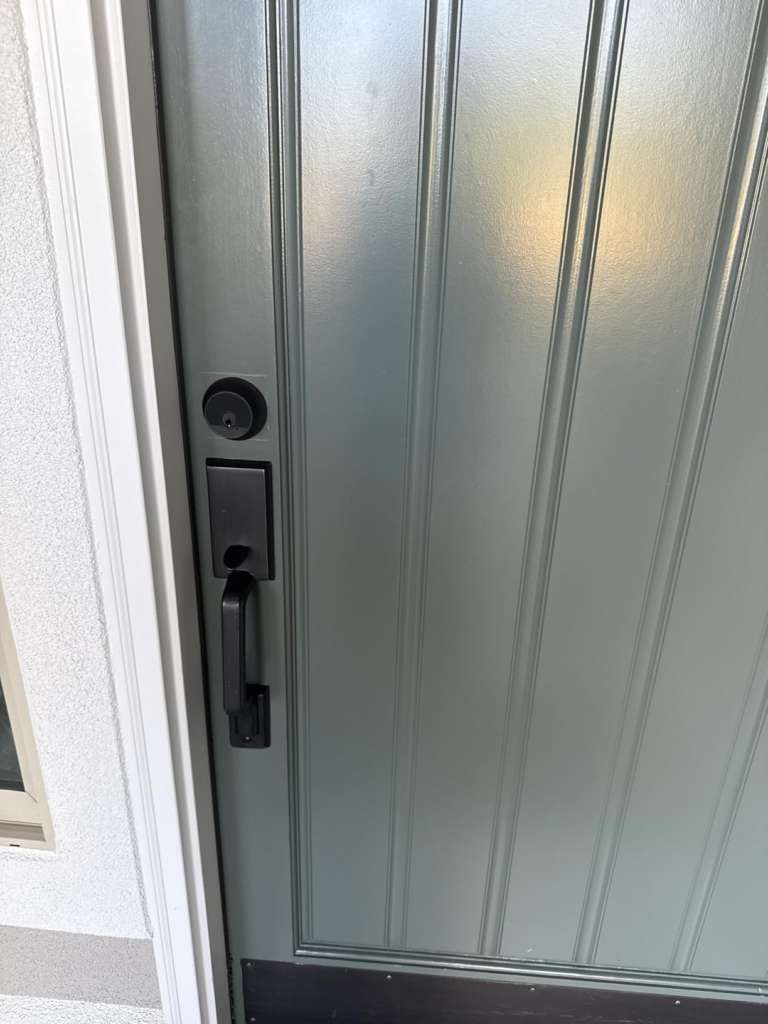
Level’s own compatibility documentation is specific almost to the point of being a warning label: doors must be 1¾” to 2″ thick with a standard 2⅛” bore hole and either a 2⅜” or 2¾” backset, and the door needs to be properly aligned already — with the deadbolt turning smoothly and without needing to push or pull the door to make it latch. Mortise locks and interlocking locks are ruled out entirely, since Level Lock is only compatible with standard or low-profile deadbolts and tubular locks that don’t share an exterior faceplate.
| You’re a good fit if… | You’re a poor fit if… |
|---|---|
| You already own an Apple TV 4K, HomePod, or SmartThings Station | You have no Matter/Thread hub and don’t want to buy one |
| Your door is standard-size and closes cleanly on its own | Your door sticks, swells seasonally, or needs a shove to shut |
| You want zero visible smart-lock hardware | You want a keypad included, not sold separately |
| You’re primarily an iPhone/Apple Watch household | You need fingerprint or biometric entry |
| You’re fine swapping one CR2 battery a year, key as backup | You want USB-C or 9V emergency power built in |
When the Level Lock Pro Is Worth Its $349 Price
There’s one specific situation where this lock stops being a gamble and starts being the obviously correct call: an Apple-first household, a door that already closes without complaint, and at least one compatible hub already sitting in the living room. In that exact setup, you’re not paying the invisibility tax at all — you already own the infrastructure it depends on. The $349 buys you a lock that vanishes into your door and just works, because every hidden requirement was already satisfied before the box arrived.
Level Lock Pro Pros and Cons: What It Solves, What It Doesn’t, What’s Still On You
| It solves | It doesn’t solve | It leaves to you |
|---|---|---|
| Looking like a normal deadbolt, inside and out | Remote access without extra hardware | Confirming your door is properly aligned first |
| Apple Home Key tap-to-unlock | A built-in keypad | Budgeting the real $427–$507 all-in cost if you need one |
| Certified, top-tier physical security (ANSI Grade 1) | Emergency USB-C power if the battery dies | Watching how Level’s restructuring affects app support |
| Door-ajar detection with no visible sensors | Consistently fast Home Key on the first tap | Keeping a spare CR2 battery on hand |
Level Lock Pro Review: The Final Call
Take away the finish options and the marketing copy, and this is a lock for a fairly specific person: someone who already lives inside Apple’s ecosystem, already owns the hub hardware this lock quietly assumes, and has a door that doesn’t need convincing to close. For that person, $349 is a fair price for something that disappears completely. For everyone else — no hub, an older or slightly stubborn door, or a need for a keypad without an extra charge — the real cost shows up after checkout, not before it.
If your door and your smart home already meet this lock halfway, this is the logical next step.
Level Lock Pro FAQ: Fast Answers Before You Buy
| Question | Answer |
|---|---|
| Does the Level Lock Pro work with Android phones? | Yes, for local Bluetooth control through the Level app. Apple Home Key’s tap-to-unlock is iPhone and Apple Watch only, requiring an iPhone XS or later on iOS 17.1 or later, or an Apple Watch Series 4 or later, while Android needs version 8.0 or later for basic app control. |
| Do I need to buy anything else to use it fully? | Realistically, yes, unless you already own a Matter/Thread hub — otherwise you’re looking at $79 for the Level Connect bridge and another $79 if you want a keypad, which is how a $349 lock becomes a $507 install, once both accessories are added to the base price. |
| How long does the battery actually last? | Officially, close to a year on the single CR2 cell. In practice, that varies enormously — one professional reviewer needed a replacement every three months, while another was still going strong after a month with no issues and expected to reach the full rated period. Door alignment and hub load both move that number. |
| What happens if the battery dies while I’m out? | You’re back to the physical key. There’s no USB-C or 9-volt jump terminal on this model, unlike some competitors that build one in as a fallback. |
| Is it actually secure? | Yes — it carries an ANSI Grade 1 and BHMA AAA rating, the highest available residential certification, with a bump- and pick-resistant cylinder and end-to-end encryption, matching the top security tier of far bulkier competing locks. |
| Should the news about Level’s layoffs worry me? | It’s worth knowing, not panicking over. Basic Apple Home and Matter locking should keep working locally regardless of what happens to Level as a company, but app-based features, auto-unlock, and remote status updates depend on servers that just lost most of the team that ran them, with Assa Abloy stating it will keep supporting the product without confirming what long-term investment in the platform will look like. If long-term software support is a dealbreaker for you, weigh that before buying. |
Transparency Note:
This analysis is built on aggregated real-world experience. It extracts what repeatedly holds, what breaks, and what users uncover only after living with the system—then shapes it into a clear model you can use immediately. Think of it as structured experience, refined and presented so you don’t have to learn it the hard way.
“A quick note: Don’t believe the star ratings, but trust personal experience. This article is a compilation of collected experiences.”