Synology MR2200ac Review: Your Wi-Fi Isn’t Broken — You Just Haven’t Met Its Real Condition Yet
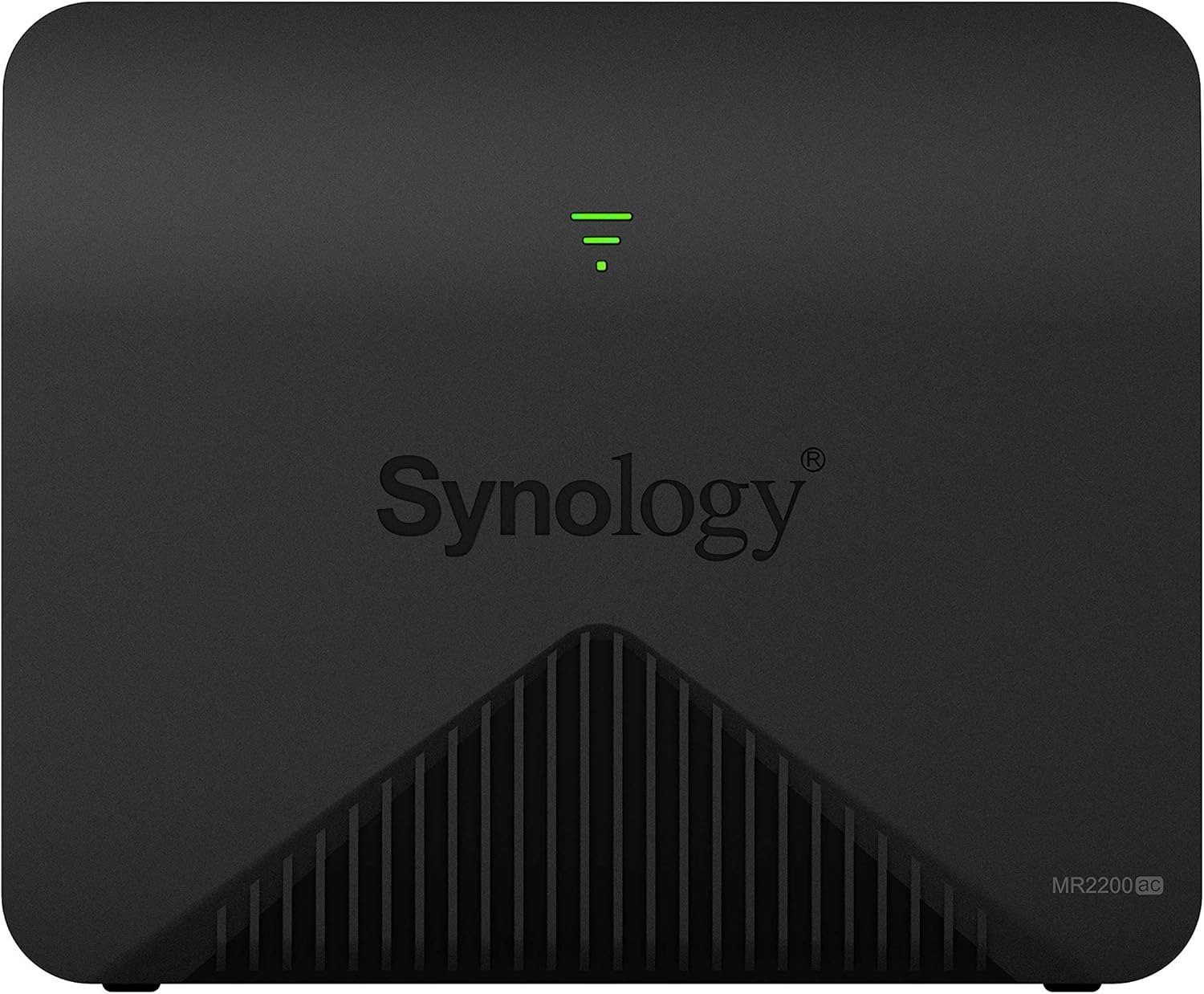
SYNology MR2200AC
The Signal Looks Fine. The Problem Isn’t.
You walk from one room to another and the connection drops for three seconds. Not completely — just enough to break the video call, stutter the stream, or force your phone to reconnect. Your router’s signal strength reads full bars. The speed test at your desk says 300 Mbps. But something is wrong, and the specs don’t explain it.
This is the exact situation the Synology MR2200ac was designed to address — and also the situation most buyers misread before they understand what kind of device they’re actually looking at.
The MR2200ac is not a conventional router upgrade. It isn’t a faster version of what you have. It is a mesh node — a tri-band wireless unit built to extend, stabilize, and intelligently hand off connections across physical space. That distinction matters more than any benchmark you’ll find on the spec sheet.
What You’re Feeling But Not Naming
Most people don’t describe their Wi-Fi problem accurately. They say “slow internet” when what they mean is inconsistent coverage. They say “the router is weak” when the actual issue is that a single point-source radio cannot physically penetrate three walls and a floor without degradation.
The Synology MR2200ac targets this specific failure. When a device moves between rooms, the transition between access points is nearly seamless — users testing video playback while walking between spaces barely notice the switch happening. That invisible handoff is the entire value proposition. Not raw speed. Not flashy specs. Seamless spatial continuity.
The system supports full 802.11k/v/r standards, meaning devices roam between access points cleanly without manual disconnection or reconnection events.
If your current problem is dead zones, lag spikes when moving through your home, or a network that works perfectly in one room and inexplicably fails in another — you are describing a mesh problem, and this device exists to solve it.
The Hidden Mechanism Behind the Miss
The MR2200ac runs on a Qualcomm IPQ4019 quad-core processor at 716 MHz, with internal tri-band radios: one 2.4 GHz band at 400 Mbps and two 5 GHz bands at 867 Mbps each. But the hardware story alone misses the point.
The second 5 GHz band is dedicated entirely to inter-node backhaul communication — the data pipeline between nodes — which keeps the first 5 GHz band free for client devices. This design is what separates a true mesh from a simple repeater.
Here is the mechanism that most buyers never see documented clearly:
| Layer | Function |
|---|---|
| 2.4 GHz | Long-range device fallback, IoT, lower bandwidth |
| 5 GHz Band 1 | Client-facing high-speed connection |
| 5 GHz Band 2 | Dedicated wireless backhaul between nodes |
| SRM OS | Traffic routing, band steering, roaming decisions |
A regular extender splits bandwidth — it receives on one band and retransmits on the same band, halving throughput. The MR2200ac avoids this by using a dedicated channel for inter-node traffic, which is why moving through a mesh system feels different from moving through an extended network. That architecture is also why the device performs differently in two scenarios: as a standalone unit and as a mesh node. These are not interchangeable roles.
The Threshold Where the Outcome Quietly Breaks
If you are thinking about getting the MR2200ac as a standalone primary router, the advice across multiple independent reviewers is consistent: reconsider. The weaker CPU and lower RAM are not sufficient for demanding situations, and SRM is noticeably less responsive compared to the RT2600ac.
This is the threshold. It is also the most common point of buyer confusion.
The MR2200ac performs excellently as a mesh node. In 5 GHz testing, it reached 661 Mbps — competitive with more expensive purpose-built systems. Within 10 meters without wall obstructions, signal strength holds at full capacity, and adding a second unit to a room separated by two walls compensates for the drop completely.
As a standalone unit in a medium home with no other Synology router? The results are considerably less consistent. Independent testing found performance mediocre and unbalanced in standalone mode, with speeds lagging behind competing dedicated mesh kits in the same physical environment.
The break point is simple: the MR2200ac earns its price when it operates as part of a Synology mesh ecosystem, not as its own island.
Why Most Buyers Misread This Too Early
The single most common purchase mistake with the MR2200ac is buying one unit expecting the full mesh experience, then being disappointed that coverage doesn’t expand the way the marketing implies.
The coverage math is documented clearly: two MR2200ac units together cover up to 4,000 square feet, while pairing with an RT2600ac as the primary pushes that to 5,000 square feet, with each additional MR2200ac node adding roughly 2,000 more.
One unit, alone, is a mid-tier Wi-Fi 5 router with a significant hardware constraint.
The second common mistake is feature-led comparison. Buyers look at the spec sheet, see 802.11ac, two 5 GHz radios, and WPA3 support, and assume it competes with any router in the same price class. It doesn’t compete on the same axis. The differentiator is mesh functionality and the SRM ecosystem, not raw hardware output.
A third misread involves the SRM upgrade path. Users who upgraded from SRM 1.2 to SRM 1.3 reported significant performance regressions in mesh configurations — some dropping from 60 MB/s to 15–20 MB/s throughput. Synology’s support teams acknowledged the issue, and some resolution came through subsequent updates, but the experience demonstrated a real risk in aggressive firmware adoption without factory reset preparation.
The buying decision, if made too early in the comparison process, produces the wrong result.
Who Is Actually Inside This Problem
The MR2200ac belongs to a specific type of user:
| Profile | Fit |
|---|---|
| Has or plans to get RT2600ac as primary router | ✅ Excellent — this is the ideal pairing |
| Wants to expand mesh with multiple identical nodes | ✅ Strong — 2–3 units cover large homes well |
| Has dead zones in a medium to large home | ✅ Core use case |
| Needs enterprise-grade control without enterprise pricing | ✅ SRM delivers this authentically |
| Running a home with school-age children requiring content filtering | ✅ Parental controls are category-leading |
| Wants a standalone primary router upgrade under $150 | ⚠️ Wrong tool — consider RT2600ac instead |
| Needs multiple wired Ethernet ports at each node location | ❌ One LAN port only — requires an external switch |
| Expects to mix with non-Synology mesh hardware | ❌ Closed ecosystem, Synology-only mesh |
Users in a 4,000 sq ft home running three MR2200ac units with an RT2600ac base station reported speeds three times faster and one-third the latency compared to their previous eero 6 mesh system, with straightforward setup via the DS Router app.
That is the profile where this device earns its cost without argument.
Where Wrong-Fit Begins
The wrong-fit signal is quiet and delayed. You buy one unit. You plug it in. Coverage improves slightly in adjacent rooms. Performance in the far end of the house improves marginally. You feel underwhelmed. That underwhelm is not the device failing — it is the device being used in the wrong configuration.
The single LAN port at the rear is a structural limitation with practical consequences. Users who need wired connections for multiple devices at each node location must buy an external switch, adding cost and complexity to the setup.
Additionally, the MR2200ac cannot be wall-mounted. It stands vertically on a flat surface. The device is designed to sit upright only and provides no ceiling or wall mounting option, which limits placement flexibility in some environments.
When operating as a satellite node, the SRM interface is not accessible from the node itself. USB storage connected to a satellite node also becomes non-functional — that port works only on the primary router.
These are not deal-breakers. They are accurate constraints that define the device’s real operating space.
The One Situation Where This Product Becomes Logical
You have a Synology RT2600ac (or plan to get one) as your primary router. Your home is between 2,500 and 5,000 square feet, or contains signal-disrupting materials — concrete walls, dense brick, multi-story construction. You want a managed, controllable, secure home network with genuine parental controls, not a simplified consumer app with paywalled features.
In that configuration, the MR2200ac is a direct, logical choice.
The SRM interface is frequently described by independent reviewers as the best consumer router operating system available — desktop-like, fully mouse-driven, and capable of advanced features including VPN server, DLNA media streaming, and Safe Access parental controls, all without a subscription.
The USB 3.0 port on the primary unit allows connection of an external storage device, effectively turning the router into a lightweight NAS with user account management and DLNA streaming capability. Users specifically purchasing for parental control functionality described the controls as highly configurable and effective, with latency improvements as a secondary benefit — from 100ms loaded to 30–40ms after switching to the Synology system.
The table below shows how the MR2200ac positions against alternatives in its realistic use case:
| Feature | MR2200ac (mesh node) | NETGEAR Orbi RBK50 | Google Nest Wi-Fi | ASUS AiMesh |
|---|---|---|---|---|
| Backhaul band | Dedicated 5 GHz | Dedicated 5 GHz | Shared | Shared or dedicated |
| OS depth | SRM (full desktop-class) | Orbi app (limited) | Google Home (minimal) | ASUS app (moderate) |
| Parental controls | Built-in, no subscription | Requires Circle subscription | Basic, free | Moderate, free |
| VPN server | Included | Paid tier | No | Yes (limited) |
| NAS integration | USB + SRM | No | No | No |
| Wall mounting | No | Yes | Yes | Varies |
| LAN ports per node | 1 | 4 (router) / 1 (satellite) | 2 | Varies |
| Ecosystem lock-in | Synology only | Orbi only | Google only | ASUS (open on some models) |
| Coverage per node | ~2,000 sq ft | ~3,000 sq ft | ~1,500 sq ft | Varies by model |
The SRM advantage is real and measurable in daily use. Other systems simplify network management to the point of removing control. Synology gives you the controls and assumes you can read them.
What It Solves, What It Reduces, and What It Still Leaves to You
What the MR2200ac solves:
- Dead zones and inconsistent signal across medium-to-large floor plans
- Manual band switching and sticky client behavior (devices clinging to a weak signal)
- Unmanaged household internet use — per-device traffic reporting, Safe Access filtering, bandwidth controls
- Security gaps — WPA3 support, two-factor authentication, built-in threat prevention tools
- Single-network complexity — the entire mesh runs one SSID, one management interface
What it reduces but does not eliminate:
- 5 GHz range limitations — the 5 GHz signal still degrades through concrete and dense walls; signal drops to two of four bars through two walls, which node placement compensates for but doesn’t fully override.
- Firmware upgrade friction — all nodes must run matching SRM versions, and even minor version mismatches can cause features like the Guest Network to fail. Updates require care, not just one-click acceptance.
- Standalone performance ceiling — the hardware is not designed for peak standalone router performance at gigabit internet speeds. Connections exceeding 1 Gbps WAN will see throughput limited by the CPU.
What it leaves entirely to you:
- Node placement strategy — the device provides LED signal strength feedback, but optimal placement requires testing, not guessing
- Wired backhaul complexity — using Ethernet as backhaul requires a managed switch to pass VLANs correctly; an unmanaged switch will only pass the primary network, breaking Guest and VLAN configurations.
- External switch for wired clients at each node location
Final Compression
The Synology MR2200ac is not a universal Wi-Fi upgrade. It is a precision mesh node that delivers exceptional value inside a specific configuration and fails to meet expectations outside it.
The purchase logic is this:
Buy it when you already have (or are buying) a Synology RT2600ac primary router, you have a home where single-router coverage genuinely fails, and you want institutional-grade network management without enterprise pricing or subscription fees.
Do not buy it as a replacement for a primary router if you need multiple wired ports, plan to use it with non-Synology mesh hardware, or expect standalone performance to justify the cost on its own.
The Synology MR2200ac on Amazon ships as a single unit. The decision that matters is what you’re pairing it with — and whether that pairing matches your actual floor plan and use case.
If it does, the performance gap between what you have and what this system delivers will be immediate and measurable.
Frequently Asked Questions
| Question | Answer |
|---|---|
| Can I use the Synology MR2200ac as a standalone primary router? | Yes, but with significant caveats. It functions as a standalone router, but its single LAN port, lower-powered CPU, and reduced RAM make it a poor primary router for homes with multiple wired devices or gigabit internet connections. It performs best as a mesh satellite node. |
| Do I need the RT2600ac to use the MR2200ac? | No. You can use multiple MR2200ac units together to build a full mesh network without the RT2600ac. However, two MR2200ac units together cover approximately 4,000 square feet, while the RT2600ac + MR2200ac combination covers up to 5,000 square feet. |
| Can I mix the MR2200ac with routers from other brands in a mesh? | No. Synology’s mesh system is closed to its own hardware. The MR2200ac only meshes with other MR2200ac units and Synology’s RT2600ac and RT6600ax routers. |
| Does the MR2200ac support Wi-Fi 6? | No. It is an 802.11ac (Wi-Fi 5) device. If Wi-Fi 6 compatibility is a priority — particularly for AX-capable laptops or phones — Synology’s newer WRX560 or the RT6600ax would be the appropriate consideration. |
| What happens to the USB port when using the MR2200ac as a satellite node? | The USB port becomes non-functional in satellite mode. Storage and cellular failover via USB are only available on the primary router in the mesh, not on satellite nodes. |
| Is the SRM firmware still being updated for the MR2200ac? | As of 2024, Synology continues firmware support for the MR2200ac under SRM 1.3. Users upgrading from SRM 1.2 to 1.3 reported some initial instability; a factory reset before upgrading is consistently recommended by the Synology community. |
| How many MR2200ac units can I connect in a single mesh network? | Synology recommends a maximum of six nodes in a single mesh network, though real-world performance and reliability depend on node placement and building structure. |
| Can the MR2200ac be wall-mounted? | No. It is designed to stand vertically on a flat surface only and does not support wall or ceiling mounting. |
Transparency Note:
This analysis is built on aggregated real-world experience.
It extracts what repeatedly holds, what breaks, and what users uncover only after living with the system—then shapes it into a clear model you can use immediately.
Think of it as structured experience, refined and presented so you don’t have to learn it the hard way.
“A quick note: Don’t believe the star ratings, but trust personal experience. This article is a compilation of collected experiences”