Yale Assure Lock 2 Review: It Says Locked. That’s Not Always True.
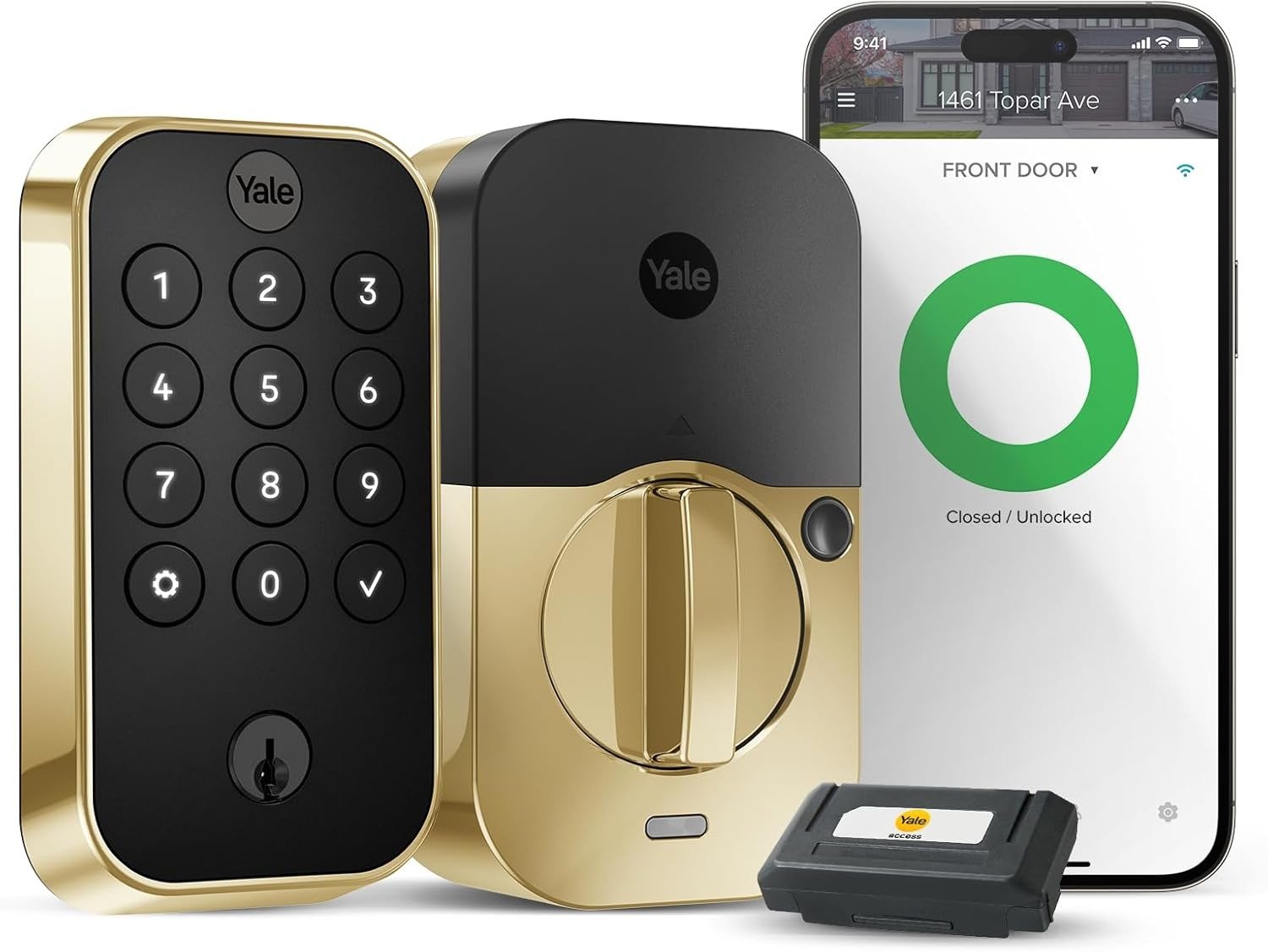
YALE ASSURE LOCK 2
Yale Assure Lock 2 Won’t Lock: The Result Looks Fine. The Problem Isn’t.
You tap the app, hear the motor turn, watch the little padlock icon flip to green, and walk to your car without touching the handle. That’s the whole point of a smart lock — it moves the checking from your hand to a screen. Do that enough times and you stop testing the door with your fingers at all.
Here’s the part nobody puts in the marketing copy: I went looking for the most common real-world complaint about this lock, and before I found a single glowing unboxing video, I found something more useful — Yale’s own support library. It has an entire article titled “Lock Needs Recalibration,” written specifically for the moment when the app reports one status and the door is doing something else. There’s a separate one for a jammed deadbolt. Companies don’t write dedicated help pages for problems that never happen.
Why does that matter more than a star rating? Because a five-star average tells you what usually goes right. A recalibration guide tells you what happens when it doesn’t — and that gap is exactly where trust in a lock either holds or breaks.
Yale Assure Lock 2 App Issues: What You’re Actually Feeling but Not Naming
Most people don’t complain about their smart lock. They just develop small, unconscious habits around it: checking the app a second time before bed, glancing at the handle even though the screen already said “locked,” feeling a flicker of doubt when the Wi-Fi icon takes an extra beat to load.
That flicker has a name. Call it the reassurance gap — the space between what your phone reports and what’s physically true at your door. It’s not paranoia, it’s a reasonable response to a device that occasionally goes quiet without warning. The low-battery alert is supposed to give you days of notice; multiple owners describe it arriving the same day the lock actually dies, which turns a routine battery swap into a stand-on-the-porch problem.
None of this means the lock is broken. It means the confidence a smart lock sells you is thinner than the confidence a boring, manual deadbolt gives you — and almost nobody tells you that before you buy.
Yale Assure Lock 2 Battery Life: The Hidden Mechanism Behind the Miss
Here’s the mechanism almost no one explains clearly: the motor that throws the deadbolt uses very little power. What actually drains four AA batteries is the Wi-Fi radio staying “reachable” so the lock can respond the instant you tap your phone from another city. That radio holds a connection to your router around the clock, and the weaker the signal, the harder it works to keep talking — burning power the bolt itself never touches.
That’s why Yale has quoted battery life for the Wi-Fi version anywhere from about three to six months depending on usage, next to roughly nine to twelve months for the same lock running Bluetooth-only. It’s also why property managers running these locks across multiple rental units have described batteries dying in weeks, not months, once a lock starts “searching” for a signal that never fully arrives.
There’s a second hidden mechanism, and it trips up more people than the first: this exact model only speaks 2.4GHz Wi-Fi. Most routers sold in the last few years broadcast one combined network name that quietly hands nearby devices to 5GHz. If you never split that into a dedicated 2.4GHz network, the lock can sit at the edge of a signal your phone shows as full bars, and you’ll never understand why it keeps dropping.
Yale Assure Lock 2 Wi-Fi Range: The Threshold Where the Outcome Quietly Breaks
Every complaint above traces back to one threshold: how well your router’s signal actually reaches your front door. Call it the signal floor. Stay above it and this lock behaves exactly like the brochure promises. Drop below it, even slightly, and the same hardware turns into a different product.
| Condition | What Actually Happens | Why |
|---|---|---|
| Router is 30+ feet or two-plus walls from the door | Battery life drops toward 4–8 weeks instead of the stated ~3–6 months | The Wi-Fi radio keeps retrying the handshake, burning power the motor never touches |
| Network broadcasts one combined 2.4/5GHz name | App shows “offline” even though your phone reports full signal | This lock only speaks 2.4GHz; without a dedicated name, it can end up stranded on the wrong band |
| Strike plate off by even a couple millimeters | Grinding on lock attempts, or “locked” shown in-app while the bolt hasn’t fully thrown | The motor has a fixed torque budget, and friction from misalignment eats into the same power meant to close the bolt |
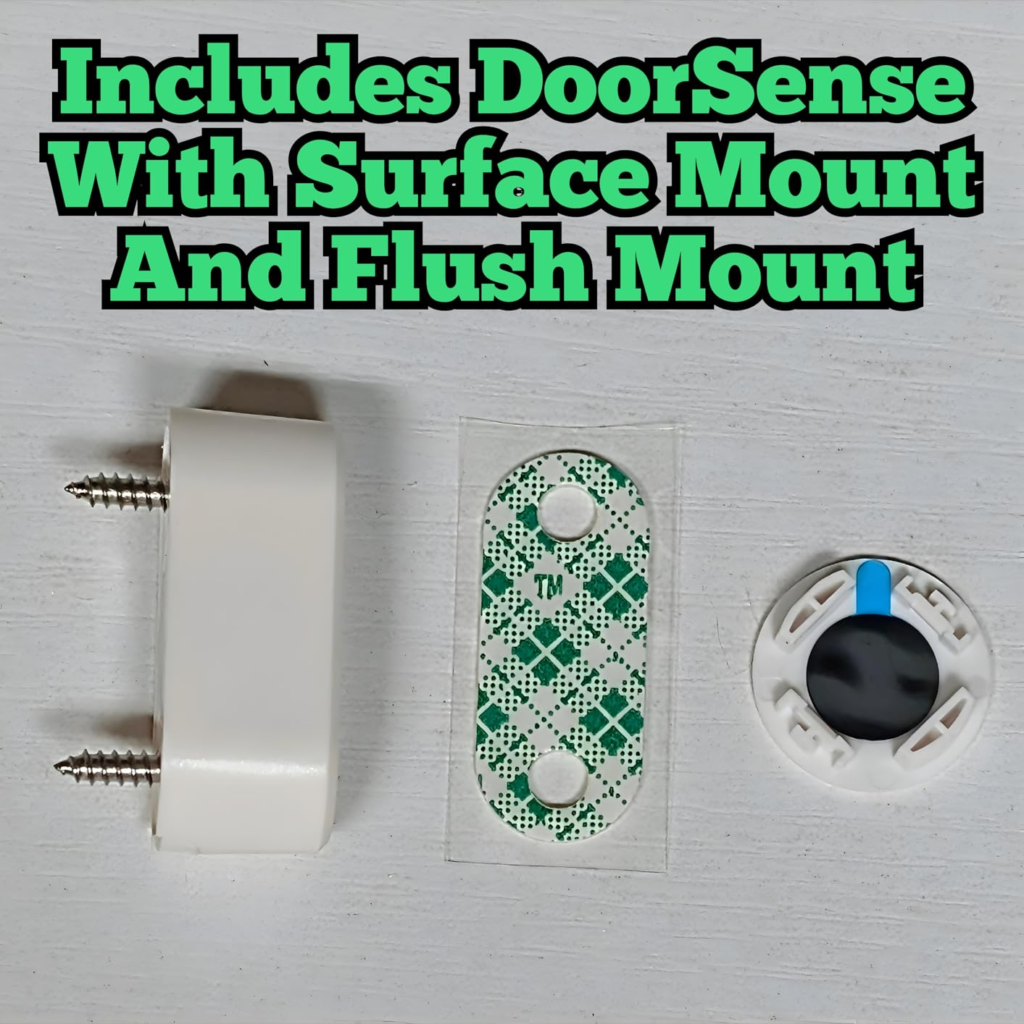
| DoorSense hasn’t been recalibrated since install | Auto-Lock quietly stops firing, or status goes stale | DoorSense reads a magnetic gap set during setup; if the frame settles afterward, that reading drifts |
None of this shows up on a spec sheet, because a spec sheet describes the lock in ideal conditions. Your front door is not a lab.
Yale Assure Lock 2 Alexa and Google Home: Why Most Buyers Misread This Too Early
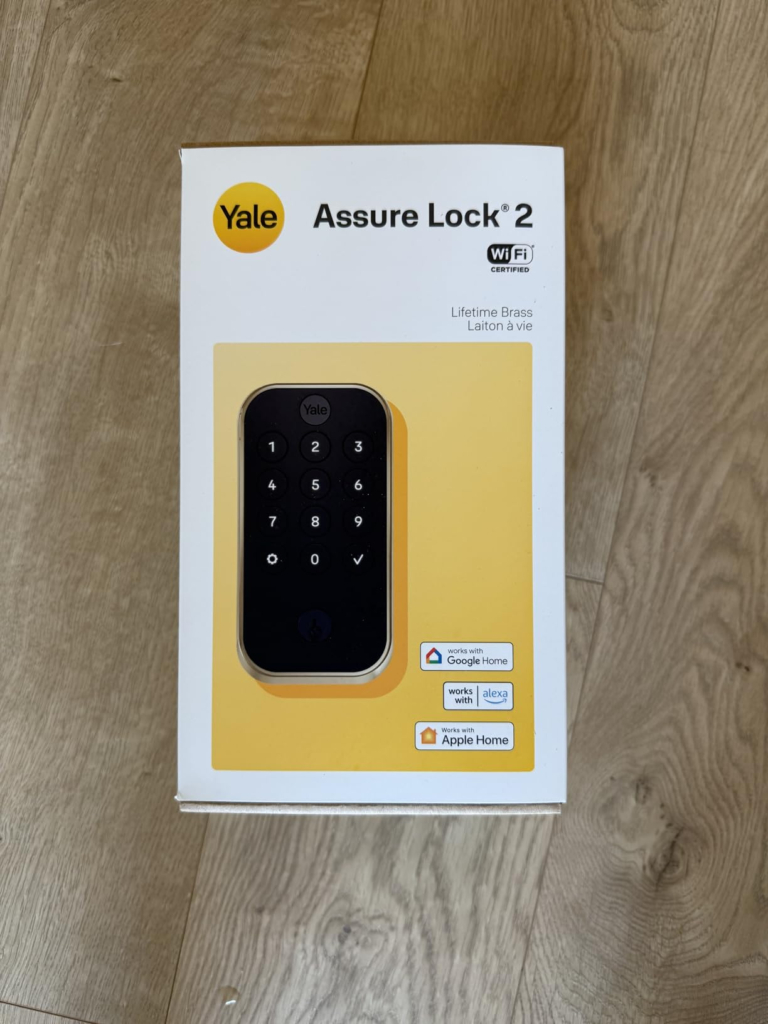
Most people shop for a smart lock the way they shop for a phone case: scan the box for checkmarks. Works with Alexa. Works with Google Assistant. Works with Apple HomeKit. Three checks, decision made.
Why is that the wrong way to compare these? Because “works with” doesn’t mean “works the same.” In hands-on testing not long after launch, reviewers found the Bluetooth-based Apple Home connection rock solid — fast, consistent, no drama — while the Wi-Fi-based Google Home integration was buggy enough to be called borderline unusable, with commands that simply didn’t fire. Alexa landed in between: voice commands proved more dependable than triggering the lock through Alexa’s own app. Firmware has moved on since, but Wi-Fi-side connectivity is still the category of complaint that shows up most often years later, in property-management forums and Yale’s own troubleshooting pages alike.
| What the Box Says | What It Quietly Assumes | What Hands-On Testing Actually Found |
|---|---|---|
| “Works with Apple HomeKit” | All HomeKit control feels equally instant | Fast and dependable — it runs over Bluetooth, not the Wi-Fi module |
| “Works with Google Assistant” | “Works with” means the same experience everywhere | The Wi-Fi-based Google Home connection was unreliable enough that lock/unlock sometimes didn’t fire |
| “Works with Amazon Alexa” | Voice and app control perform equally | Alexa voice commands proved more consistent than triggering the lock through Alexa’s own app |
| “Built-in Wi-Fi, no hub needed” | No hub means no dependency | The lock still depends entirely on your router’s signal reaching the door — a weak signal behaves like a bad hub |
Yale Assure Lock 2 Features: Who Is Actually Inside This Problem
Picture the household this lock is actually built for: a normal, mostly-square door within easy reach of the home Wi-Fi, opened by two or three people who all want a different way in — a code for one, a phone for another, a key tucked in a bag for the day someone’s battery hits 2%.
If you’re the person who currently keeps a spare key under a fake rock, or texts a garage code to the dog walker every single week, this is the exact friction it’s built to remove. Same if you rent out a unit and are tired of re-keying a physical lock every time a tenant moves out — give them a code instead, delete it the day they leave, done.
This isn’t a lock for people chasing the newest gadget. It’s for people tired of a specific, boring, recurring task, willing to trade a little battery-swap maintenance to get rid of it.
Yale Assure Lock 2 vs Schlage Encode Plus: Where Wrong-Fit Begins
Just as important as who this lock is for is who it quietly isn’t for.
If your front door sits at the far end of the house from your router — over a garage, down a long hallway, behind two interior walls — you’re set up to relive every problem above before you’ve even opened the box. If Apple Home Key (the tap-your-phone-and-walk-in trick) is the feature you actually want, this keypad configuration doesn’t have it; Yale sells a separate, pricier “Plus” line for that. And if you want the highest available forced-entry rating on the market, this lock is certified Grade 2, one step below the Grade 1 rating you’d get from something like a Schlage Encode Plus.
| Category | Yale Assure Lock 2 (Wi-Fi Keypad) | Schlage Encode Plus |
|---|---|---|
| Security certification | ANSI/BHMA Grade 2 | ANSI/BHMA Grade 1 |
| Build | Lighter, composite interior housing | Heavier, metal thumb-turn assembly |
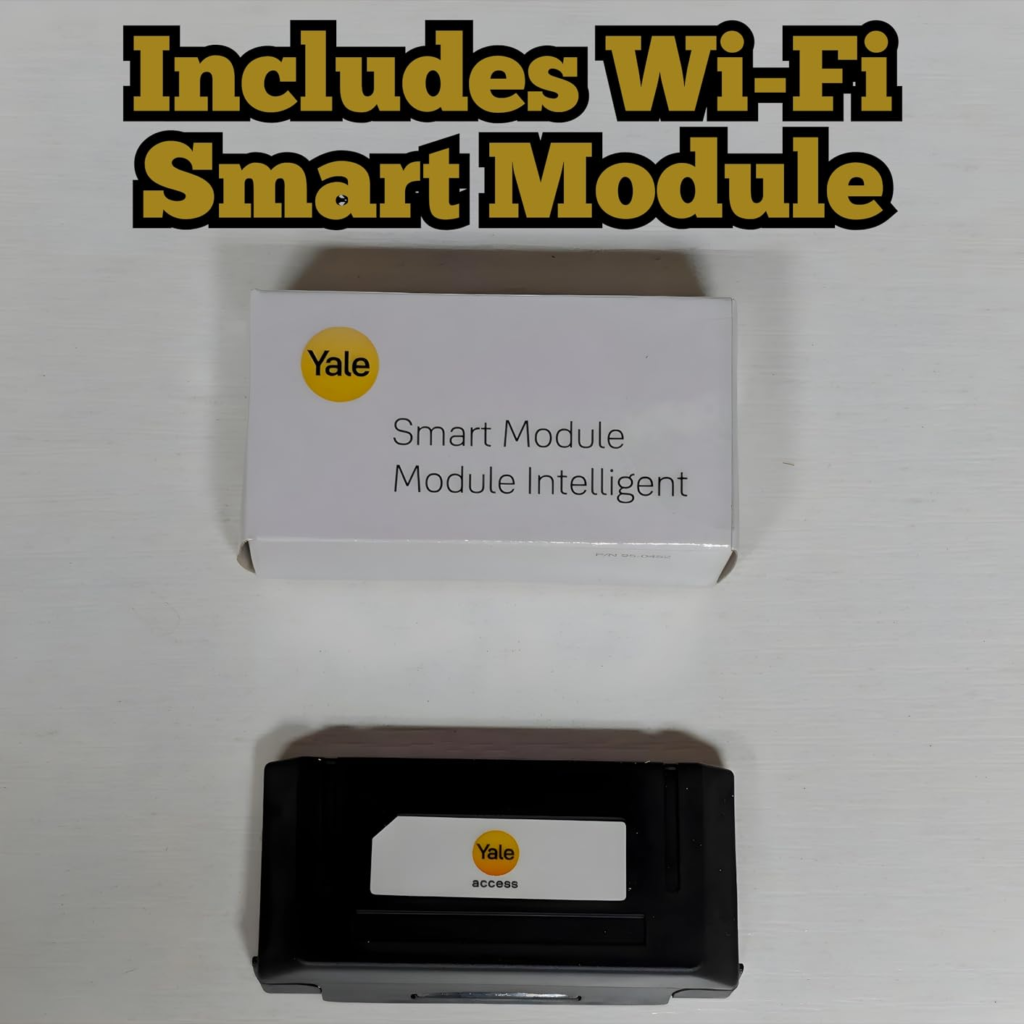
| Connectivity | Modular — swap Bluetooth, Wi-Fi, Z-Wave, or Matter | Direct built-in Wi-Fi, no module swap |
| Apple Home Key | Not on this configuration (separate “Plus” line only) | Supported |
| Door-state sensing | DoorSense: open/closed plus locked/unlocked | Locked/unlocked only |
| Typical install | About half an hour with a screwdriver | Similar, slightly longer given the heavier hardware |
| Best suited for | Apartments, rentals, flexible connectivity | High-traffic or heavily exposed doors wanting the top security grade |
Neither lock is wrong. They’re built for different doors and different worries.
Yale Assure Lock 2 Specs (YRD410-WF1-P05): The One Situation Where This Product Becomes Logical
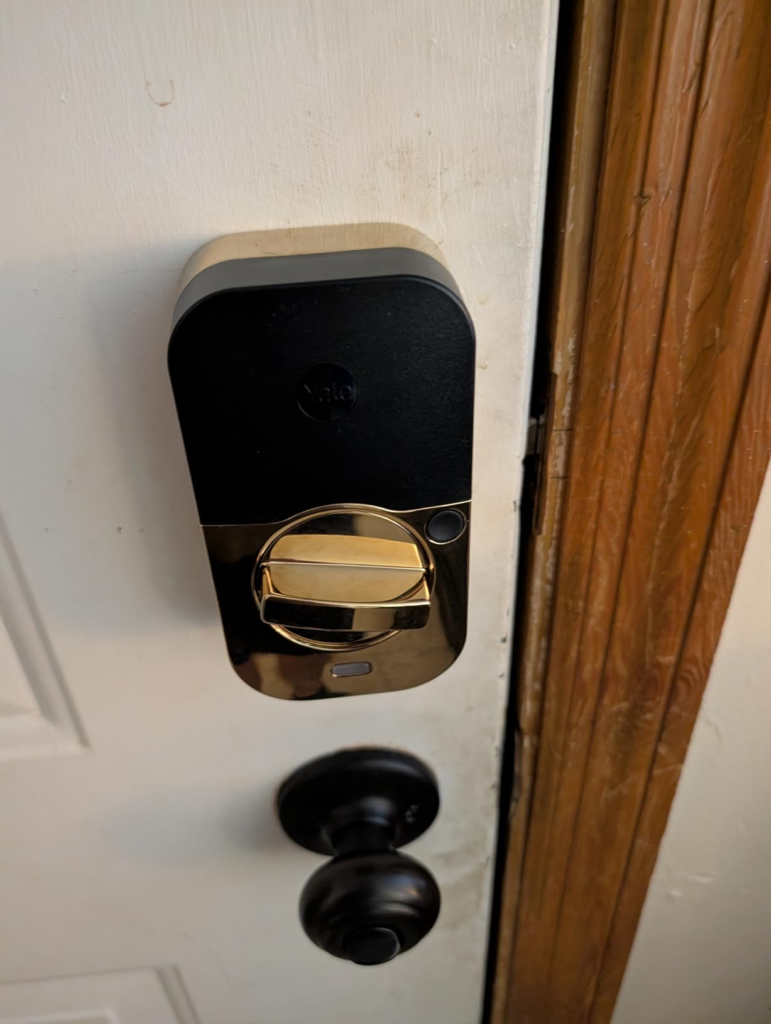
Once you’ve ruled yourself in or out using everything above, the decision gets simple. This specific configuration — the YRD410-WF1-P05 — is the keyed version of the Assure Lock 2 with the Wi-Fi module already built in, finished in Lifetime Brass: a powder-coated brass meant to resist the dulling and greening untreated brass hardware eventually gets.
It makes sense the moment your situation looks like this: solid Wi-Fi at the door, a want for keyless daily use without fully giving up a physical backup, and a finish meant to still look sharp in five years without you touching it with polish.
| Spec | Detail |
|---|---|
| Model | YRD410-WF1-P05 |
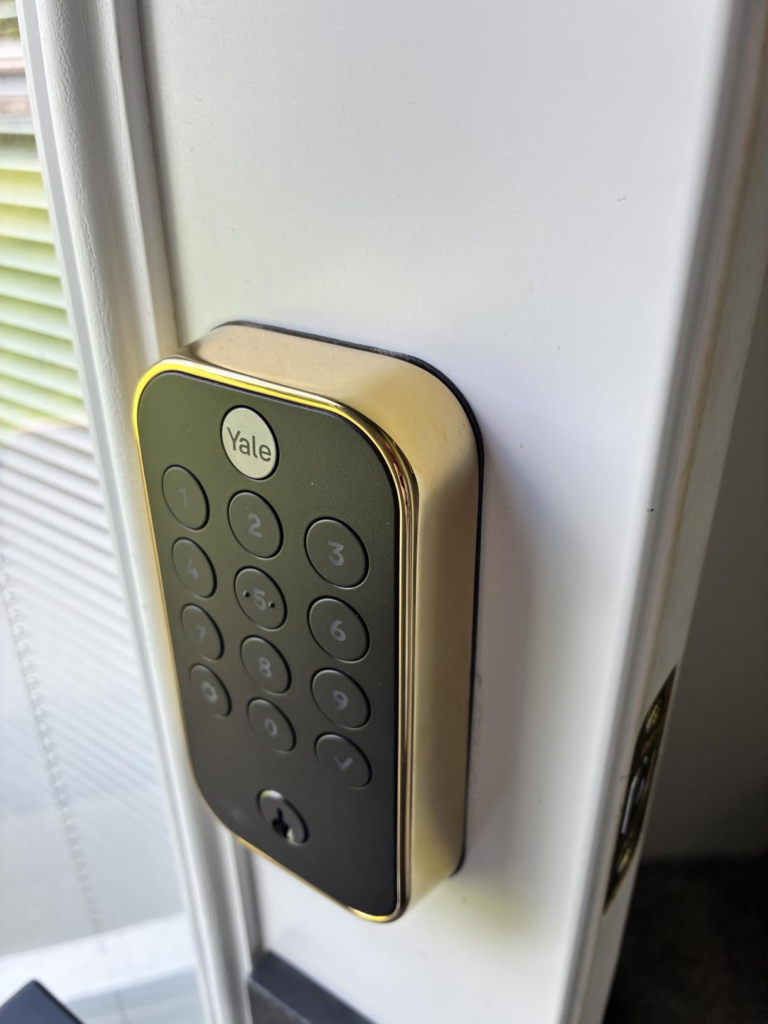
| Configuration | Keyed, pushbutton keypad, Wi-Fi built in |
| Finish | Lifetime Brass (powder-coated, tarnish-resistant) |
| Connectivity | Built-in Wi-Fi (2.4GHz only) + Bluetooth |
| Power | 4x AA alkaline batteries (included), plus 9V emergency jump terminal |
| Security certification | ANSI/BHMA Grade 2 |
| Weather rating | IPX5; rated -22°F to 140°F outside |
| User codes | Up to 250, managed in the Yale Access app |
| Smart home compatibility | Apple HomeKit, Amazon Alexa, Google Assistant, Samsung SmartThings, Airbnb app |
| Apple Home Key | Not supported on this line |
| Door fit | 1-3/8″ to 2-1/4″ thick, standard US bore and backset |
| Warranty | 2-year electronics warranty from Yale |
| Typical price | Roughly $190–$260 depending on retailer and promotions |
Yale Assure Lock 2 Pros and Cons: What It Solves, What It Reduces, and What It Still Leaves to You
What it actually solves: cut keys for guests and staff, a locked-out-at-midnight scenario you can fix from your phone, and a real answer to “did I lock the door” that doesn’t require driving home to check.
What it reduces, but doesn’t erase: forgetting to lock up (Auto-Lock handles most of it, DoorSense willing), and the awkwardness of handing out a physical key you can never fully take back.
What it still leaves to you: your Wi-Fi coverage at the door, entirely your responsibility to fix if it’s weak; a strike plate that may need a five-minute adjustment if your door isn’t perfectly square; and the discipline to actually rotate your entry codes instead of handing the same four digits to everyone for three years — which brings back the oldest keypad problem there is, a code worn into the buttons by repetition.
| Buy It If | Skip It If |
|---|---|
| Your router comfortably reaches the front door with a strong signal | Your entry door sits at the far edge of your Wi-Fi coverage |
| You want a physical backup key without giving up keyless daily use | You specifically need Apple Home Key tap-to-unlock |
| You’re managing codes for family, guests, or short-term renters | You need the highest available forced-entry security grade |
| You mainly live in Apple Home / Bluetooth control | Google Assistant is your primary control method |
| Your door and frame are in good, square condition | Your frame is out of square and you won’t adjust a strike plate |
| You’re in the US or Canada on a 2.4GHz-capable network | Your network is 5GHz-only with no separate 2.4GHz name |
Yale Assure Lock 2 FAQ: The Questions Buyers Ask Before They Commit
| Question | Answer |
|---|---|
| Does it work with Apple HomeKit? | Yes, over Bluetooth, and that connection is generally reported as fast and reliable. Full remote control through HomeKit needs a HomePod, HomePod mini, or Apple TV acting as a hub. |
| Does it support Apple Home Key (tap-to-unlock)? | No. That feature is exclusive to the separate Yale Assure Lock 2 Plus line, not this keypad configuration. |
| How long do the batteries really last? | Yale has quoted roughly three to six months with Wi-Fi active under regular use, versus about nine to twelve months in Bluetooth-only mode. Real-world life depends heavily on signal strength at the door. |
| What happens if the batteries die completely? | A 9-volt battery held to the terminal on the underside gives it a temporary jump. This keyed model also has a physical backup key that works regardless of battery state. |
| Do I need Wi-Fi for it to work at all? | No. The keypad and Bluetooth work without Wi-Fi. Wi-Fi is only required for remote access, voice assistants, and push notifications. |
| Will it connect to a 5GHz network? | No. This model is confirmed 2.4GHz only, so a dedicated 2.4GHz network name is worth setting up if your router combines both bands. |
| Is there a physical key on this exact model? | Yes. The YRD410-WF1-P05 is the keyed configuration, with one backup key included. |
| How many user codes can it store? | Up to 250, all managed through the Yale Access app. |
| What’s the warranty? | A 2-year electronics warranty from Yale — worth confirming current terms directly with Yale before you buy. |
Yale Assure Lock 2 Review: Final Compression
Strip away everything above and the decision comes down to one question: does your front door sit inside genuinely solid Wi-Fi range, on a frame that closes square? If yes, this configuration — keyed, Wi-Fi built in, a backup that doesn’t rely on a battery — is a reasonable, well-supported choice, not a gamble.
If the honest answer is no, the fix isn’t necessarily a different lock. Sometimes it’s a five-minute router move. Sometimes it’s admitting you need the sturdier, Grade 1 option instead.
Transparency Note:
This analysis is built on aggregated real-world experience.
It extracts what repeatedly holds, what breaks, and what users uncover only after living with the system—then shapes it into a clear model you can use immediately.
Think of it as structured experience, refined and presented so you don’t have to learn it the hard way.
“A quick note: Don’t believe the star ratings, but trust personal experience. This article is a compilation of collected experiences.”