Schlage Encode Plus Review: The Lock That Looks Connected Until It Isn’t
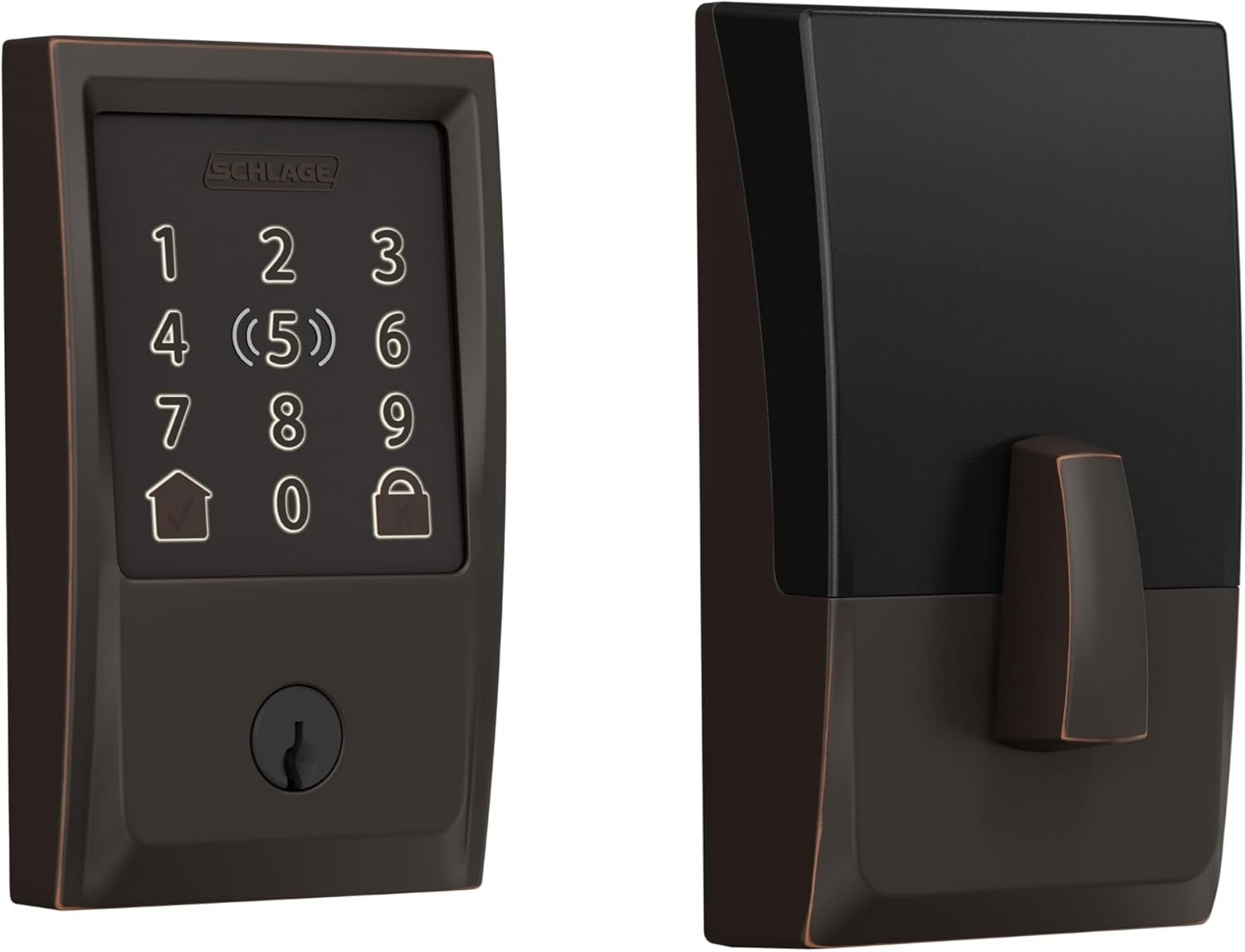
SCHLAGE ENCODE PLUS
You check the app before bed. Green dot. “Connected.” Everything’s fine. Then a week later you’re out of town, you try to buzz the dog walker in remotely, and the app just spins. The lock hasn’t broken. It simply stopped listening at some point, and nothing told you when.
That gap — between what the screen claims and what the door is actually doing — is the real story of the Schlage Encode Plus, and almost nobody reviewing it talks about it directly.
| Spec | Detail |
|---|---|
| Model | BE499WB (Encode Plus) |
| Trim / finish on this listing | Century / Aged Bronze |
| Connectivity | Built-in Wi-Fi (2.4GHz) + Bluetooth |
| Smart home | Apple HomeKit + Home Key, Alexa, Google Assistant |
| Access codes | Up to 100 |
| Power | 4x AA batteries, ~6 months official estimate |
| Security rating | ANSI/BHMA Grade 1 + Grade AAA (A156.40-2015) |
| Backup entry | Physical key (no emergency 9V terminal) |
| Install | Full deadbolt swap, screwdriver only |
| MSRP | ~$329 (vs. $299 for the standard Encode) |
Schlage Encode Plus Problems: The Result Looks Fine, The Problem Isn’t
On paper, this thing is close to unimpeachable. It’s rated ANSI/BHMA Grade 1, with the Plus specifically carrying a Grade AAA finish under A156.40 — the ceiling of the residential scale. It’s been tested to roughly 250,000 open-close cycles. Consumer Reports runs it through kick-in and drilling resistance as part of their standard lock program. None of that is marketing fluff. It’s real, independently verifiable hardware performance.
So why does a lock this well-built generate a steady trickle of “it stopped connecting” threads on forums and support boards? Because the physical lock and the network connection are two separate systems living in one shell, and only one of them is Grade 1.
Smart Lock Wi-Fi Anxiety: What You’re Actually Feeling but Not Naming
The unease people report isn’t really about security. The bolt still throws. The key still works. What erodes trust is smaller and more constant: the app taking a beat too long to respond, a lock that shows “locked” when you’re not sure it actually re-engaged, a push notification that arrives ten minutes late. Owners in support threads describe losing the connection every five to seven days, with no obvious trigger.
That’s not a flaw in the deadbolt. It’s a confidence gap — the space between “the door is secure” and “I’m certain the door is secure,” which is a very different feeling to live with every day.
Schlage Encode Plus Wi-Fi Setup: The Hidden Mechanism Behind the Miss
Here’s the mechanism, and it’s almost always avoidable. The Encode Plus only speaks 2.4GHz. Most homes now run mesh or Wi-Fi 6 routers that quietly merge the 2.4 and 5GHz bands under one network name and auto-steer devices between them — which is great for a laptop and a problem for a lock that can only hear one of those channels. Add Schlage’s own password rules — 24 characters max, no spaces, and characters like $ and & aren’t recognized — and it’s easy to see how a perfectly good router setup still fails a lock quietly, once, weeks after install.
| Requirement | What the Encode Plus needs | Common mistake |
|---|---|---|
| Band | 2.4GHz only | Connecting to a merged or 5GHz SSID |
| Password length | 24 characters max | Long passphrases from a password manager |
| Special characters | No $ or & | Auto-generated router passwords |
| Spaces | Not allowed | A trailing space from copy-pasting |
| Router type | Prefers separated bands | Mesh/AX routers that auto-steer |
Expert check before you buy: stand at your actual front door and run a free Wi-Fi analyzer app. Two bars or fewer on 2.4GHz means you’re already in the drop-off zone — fix that first, don’t diagnose it after installation.
Schlage Encode Plus Battery Life: The Threshold Where the Outcome Quietly Breaks
Why does a lock engineered to survive a quarter-million cycles run out of trust before it runs out of battery? Because the battery and the signal are quietly connected. Schlage’s own estimate is up to six months on four AA batteries. Some long-term owners of the Encode line report closer to three or four, and the pattern tracks with weak Wi-Fi — a radio that’s constantly retrying a marginal connection draws more power than one with a clean signal.
That’s the actual threshold: it’s not the batteries running flat that catches people off guard, it’s a lock running on a weak signal that drains faster and reports less reliably at the same time — two problems that look identical from the outside but only have one fix.
Schlage Encode Plus vs Encode: Why Most Buyers Misread This Too Early
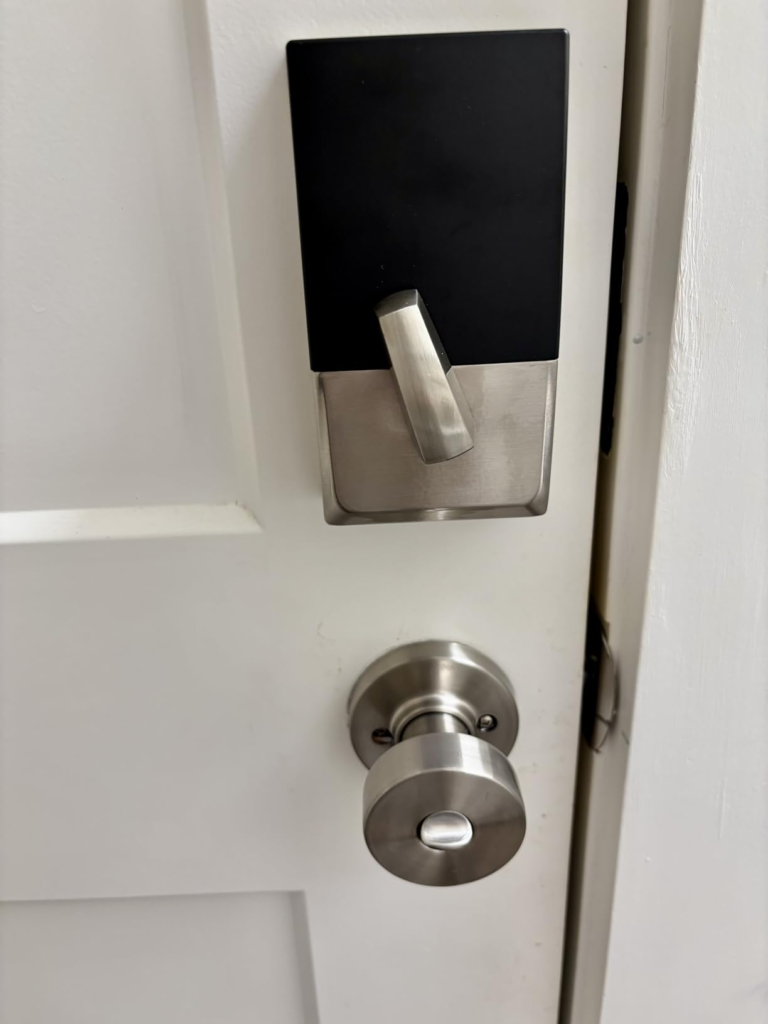
Why do so many people end up with the wrong Schlage box on their porch? Because “Schlage Encode” and “Schlage Encode Plus” are one word apart, the packaging looks nearly identical on a shelf, and the price gap — usually $60 to $80 — reads like an easy place to save money. It isn’t, if HomeKit matters to your household.
| Schlage Encode (BE489WB) | Schlage Encode Plus (BE499WB) | |
|---|---|---|
| Apple HomeKit / Home Key | Never — no firmware path exists | Yes, native tap-to-unlock |
| Security rating | ANSI/BHMA Grade 1 | Grade 1 + Grade AAA (A156.40) |
| Built-in radios | Wi-Fi only | Wi-Fi + Bluetooth |
| Touchpad | Standard capacitive | Faster-illuminating capacitive |
| Typical price gap | Base | +$60–$80 |
The HomeKit gap isn’t a software limitation waiting on an update — Schlage has been clear that it’s a hardware ceiling on the BE489WB. If you buy it and discover the gap after installing it on your door, the only fix is a return, not a firmware patch.
One more thing worth knowing before you shop: some listings tag this lock “2026 Edition.” That’s not a hardware refresh — Schlage’s 2025 lineup additions (Sense Pro, Arrive) sit alongside the Encode Plus rather than replacing it. You’re looking at the same Grade AAA mechanism that’s been leading its class for a few years now, just still being sold because nothing’s beaten it yet.
Best Smart Lock for Apple Home Key: Who Is Actually Inside This Problem
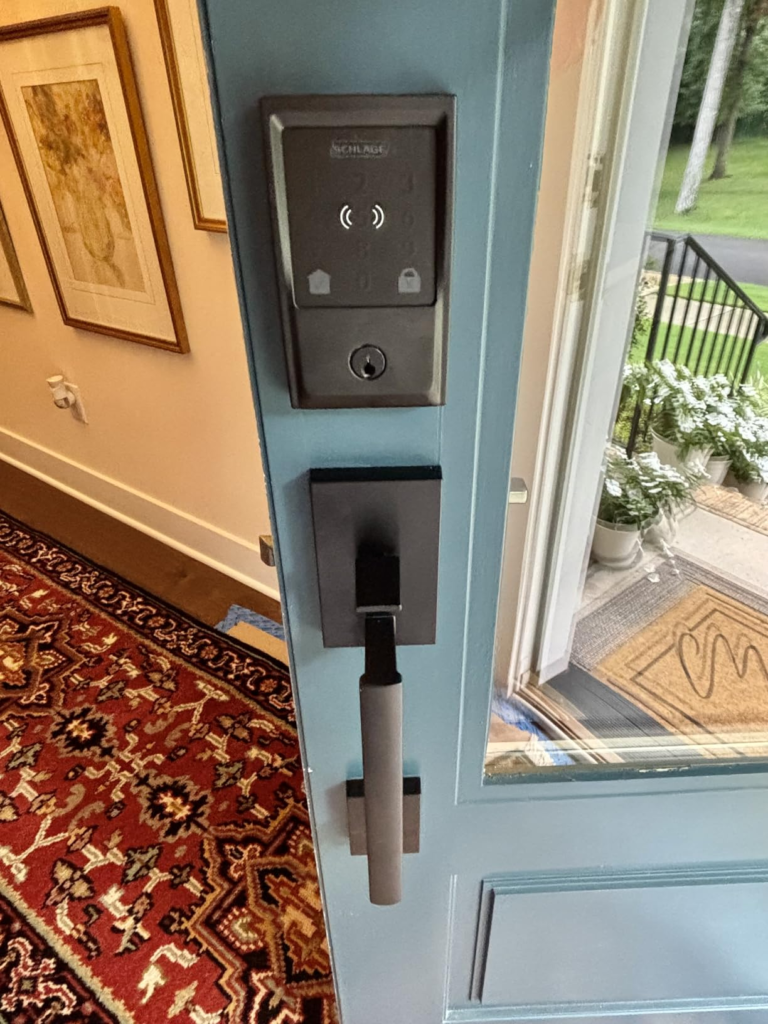
This lock earns its price for a specific household, not everyone. It’s for people who tap an iPhone or Apple Watch more often than they touch a physical key. It’s for anyone tired of cutting spare keys for a dog walker, a cleaner, or an in-law — the 100-code system with scheduling replaces that entirely. And it’s for anyone who wants the highest residential security grade without adding a separate smart hub to the mix.
Schlage Encode Plus Compatibility: Where Wrong-Fit Begins
It’s also, honestly, wrong for some houses. If your entryway is a known dead zone and you’re not willing to fix it, you’ll fight this lock forever, regardless of how good the deadbolt itself is. If nobody in the house is on an iPhone or Apple Watch, you’re paying a real premium for a feature you’ll never touch. And if you’re managing a property with 150-plus rotating codes, the 100-code cap will box you in before the security grade impresses you.
| This is probably you if… | Look elsewhere if… |
|---|---|
| Your household uses iPhone or Apple Watch daily | You’re fully Android with no HomeKit interest |
| Your front door gets a workable Wi-Fi signal (or you’ll fix it) | Your entryway is a dead zone you won’t address |
| You want zero hub or bridge in the setup | You already run Zigbee/Z-Wave and want one ecosystem |
| You manage a household’s or small rental’s worth of codes | You need 150+ simultaneous codes |
| Highest available residential security grade matters to you | Price is the only deciding factor |
Schlage Encode Plus Review: The One Situation Where This Product Becomes Logical
Once the Wi-Fi question is answered honestly and the model number is right, the case for the Encode Plus stops being about marketing and starts being arithmetic. Against the August Wi-Fi Smart Lock Pro, you’re paying roughly $70–100 more for a full deadbolt with a higher security grade and a keypad August’s retrofit design doesn’t include. Against the Yale Assure Lock 2, you’re paying a similar or modest premium for Grade 1/AAA certification instead of Grade 2, plus genuine Home Key support rather than partial HomeKit compatibility.
| Lock | Security grade | Hub needed? | Apple Home Key | Approx. street price |
|---|---|---|---|---|
| Schlage Encode Plus | Grade 1 + AAA | No | Yes | ~$280–330 |
| August Wi-Fi Smart Lock Pro | Depends on existing deadbolt | No | No | ~$230 |
| Yale Assure Lock 2 | Grade 2 | No (Wi-Fi module) | Limited | ~$220–300 |
For the household described above, that’s not a hard call. It’s just the point where the spec sheet and the daily annoyance finally point in the same direction.
Schlage Encode Plus Pros and Cons: What It Solves, What It Reduces, and What It Still Leaves to You
| What it solves | What it reduces | What’s still on you |
|---|---|---|
| Spare-key hiding and rekeying after a lost key | Guest-access hassle — schedule a code instead of copying a key | Actually checking your Wi-Fi signal and battery level |
| Hub-free remote access over Wi-Fi | The “who still has a key” uncertainty after movers or sitters | Buying the right model number — BE499WB, not BE489WB |
| Tap-to-unlock for Apple households | Fumbling for keys with your hands full | Setting a Wi-Fi password inside Schlage’s character rules |
| Highest available residential security grade | Risk from cheap, easily-picked base hardware | Accepting there’s no true geofenced auto-unlock |
Schlage Encode Plus FAQ: Fast Answers Before You Buy
| Question | Answer |
|---|---|
| Does it need a separate hub or bridge? | No. Wi-Fi and Bluetooth are both built in, so the Schlage Home app talks to it directly. |
| How long do the batteries actually last? | Schlage states up to six months on four AA batteries. Real-world reports vary — a weak Wi-Fi signal at the door tends to shorten that window, since the radio works harder to hold the connection. |
| What’s the real difference between the Encode and Encode Plus? | Apple HomeKit and Home Key, plus a Grade AAA rating instead of Grade 1 only. The regular Encode (BE489WB) can never gain HomeKit through a software update — it’s a hardware limitation. |
| Does it have a fingerprint scanner? | No. Despite what a few listings imply, entry is by keypad code, physical key, the app, or Apple Home Key (NFC tap). The touchscreen is fingerprint-resistant, meaning smudge-resistant — not a biometric reader. |
| Will it work on my mesh or Wi-Fi 6 router? | Yes, but only on the 2.4GHz band. If your router merges bands automatically, you may need to split off a dedicated 2.4GHz network name for it. |
| Is the Plus worth roughly $30–60 more than the standard Encode? | Only if HomeKit, Home Key, or the AAA rating actually matter to your household. If neither does, the standard Encode covers the same core locking function for less. |
Is the Schlage Encode Plus Worth It: Final Compression
Strip away the spec sheet and it comes down to two questions: does your entryway get a workable 2.4GHz signal, and does someone in your home actually use an iPhone or Apple Watch. If both answers are yes, the decision stops being vague — this is a Grade AAA deadbolt that removes the key-copying problem for good, and the Wi-Fi quirks above are the entire troubleshooting guide you’ll ever need. Get the model number right, give the router five minutes of attention before install, and the rest of the lock takes care of itself.
Transparency Note:
This analysis is built on aggregated real-world experience. It extracts what repeatedly holds, what breaks, and what users uncover only after living with the system—then shapes it into a clear model you can use immediately. Think of it as structured experience, refined and presented so you don’t have to learn it the hard way.
“A quick note: Don’t believe the star ratings, but trust personal experience. This article is a compilation of collected experiences.”