GOVEE H5179 REVIEW: YOU BOUGHT IT FOR PEACE OF MIND. HERE’S WHEN IT ACTUALLY DELIVERS.
The Result Looks Fine. The Problem Isn’t.
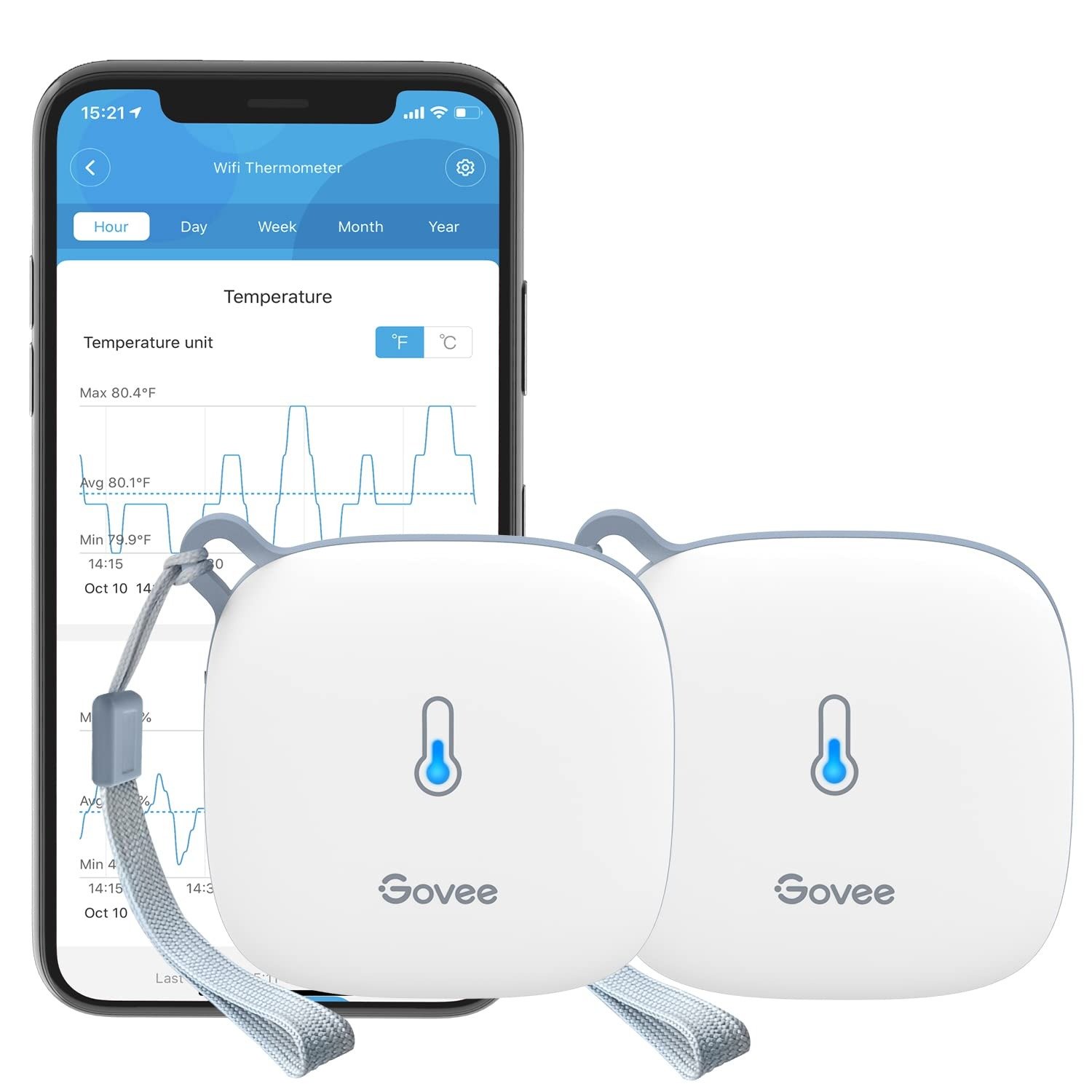
The app shows 72°F and 47% humidity. Everything looks stable.
But two nights ago, your greenhouse dropped to 41°F. The seedlings didn’t make it. You found out in the morning — not from a notification — from the damage itself.
The sensor was on. The data was being recorded. It logged every degree of that drop, timestamped, accurate to ±0.54°F.
You just never received the alert.
This is the specific failure mode the Govee H5179 produces for a predictable, narrow group of buyers. Not a sensor malfunction. Not an app crash. A structural gap between what the hardware delivers and what the setup actually requires — that most product descriptions treat as a single line in the FAQ.
The sensor works. The alert system works. The condition that activates the alert system is what most buyers miss.
What You’re Actually Feeling but Not Naming
You’re not frustrated with the temperature readings. The readings are accurate. The Swiss-made sensor inside the H5179 delivers ±0.54°F / ±0.3°C for temperature and ±3%RH for humidity — and independent testing against laboratory-grade instruments confirms it performs at or better than those published specifications across its full operating range.
What’s bothering you is the gap between the product you pictured and the product you deployed.
You pictured: place the sensor somewhere you can’t check regularly, configure alerts from your phone, and receive a notification when conditions fall outside your threshold. No daily visits required.
What you have: a sensor that does exactly that — but only after an initial configuration step that requires you to be physically present, Bluetooth-connected, within roughly 49 feet of the device, before any of the alert system activates at all.
The friction is not technical failure. It is architectural mismatch. It only surfaces when your use case involves a space you can’t easily return to after installation.
The Hidden Mechanism Behind the Miss
The H5179 operates across two entirely separate connectivity layers. They are not redundant backups. Each handles a distinct set of functions — and that division is where most buyers get caught.
| Action | Requires Bluetooth Proximity | Works via WiFi Remotely |
|---|---|---|
| View live data in the app | ✗ | ✓ |
| Check historical graphs | ✗ | ✓ |
| Export data as CSV | ✗ | ✓ |
| Ask Alexa / Google the temperature | ✗ | ✓ |
| Set alert thresholds | ✓ Must be nearby | ✗ |
| Adjust calibration offset | ✓ Must be nearby | ✗ |
| Change upload frequency | ✓ Must be nearby | ✗ |
| Reconnect after WiFi drops | ✓ Must be nearby | ✗ |
WiFi handles everything post-configuration: real-time cloud upload, remote data access, historical storage, and voice assistant integration.
Bluetooth handles configuration: alert thresholds, calibration offsets, upload frequency adjustments, and WiFi reconnection.
The practical consequence: if you deploy the device without setting alert thresholds while physically nearby, you will receive no alerts — ever — until you return to the device with Bluetooth enabled and configure them. The data will be logged perfectly. The notifications will never arrive.
This is not a bug. It is a deliberate design architecture. It just needs to be understood before deployment, not after.
The Threshold Where the Outcome Quietly Breaks
The H5179 delivers its full value for one type of user: someone who completes a thorough in-person setup before the device reaches its final location.
The outcome degrades — sometimes silently — in these specific situations:
- 5GHz-only network. The H5179 supports 2.4GHz WiFi exclusively. This is a hardware limitation, not a software gap. If your router broadcasts only 5GHz, the device will not connect. There is no firmware workaround. The fastest path to a returned unit is skipping this check.
- Skipped alert configuration. Because thresholds must be set via Bluetooth, any buyer who assumes they can configure alerts later from the app will never receive them remotely. The app will show data. No notification will ever fire.
- Remote or inaccessible deployment. If the device loses WiFi and fails to auto-reconnect, it requires a physical Bluetooth reset. A device deployed in a remote cabin, a rented property, or a permanently sealed space creates a recovery problem with no remote solution.
- Upload frequency versus battery life. Changing upload frequency also requires Bluetooth proximity. The faster the interval, the shorter the battery life — and any seasonal adjustment requires returning to the device.
| Upload Interval | Data Granularity | Estimated Battery Life | Notes |
|---|---|---|---|
| Every 10 minutes | High — fine-grained alerts | ~6–8 months | Best for critical monitoring |
| Every 30 minutes | Medium | ~12–18 months | Balanced for most use cases |
| Every 60 minutes | Low — trend analysis only | ~24+ months | Long-term passive monitoring |
| 2-second display refresh | Real-time (local only) | N/A | Not stored; display indicator only |
Battery change interval is worth planning around before deployment. At extreme temperatures (below -4°F / -20°C), battery performance will decrease noticeably from the standard estimates.
Why Most Buyers Misread This Too Early
The average purchasing decision for a WiFi hygrometer happens on one axis: does it have WiFi or not.
The buyer sees the WiFi label, sees 18,000+ Amazon reviews at 4.4 stars, sees a Swiss-made sensor claim, and concludes: reliable remote monitoring, done.
That conclusion is largely correct. The error is in what “remote monitoring” implicitly includes.
Most 1–2 star reviews on the H5179 are not about sensor inaccuracy. They cluster tightly around three failure modes — all of which are setup failures, not product failures.
| Reported Failure | Actual Root Cause | What Prevents It |
|---|---|---|
| “Never got any alerts” | Alert thresholds not set before deployment | Configure via Bluetooth before placing device in final location |
| “Won’t connect to WiFi” | Router is 5GHz only; 2.4GHz disabled | Enable 2.4GHz band on router before attempting setup |
| “Lost connection, never recovered” | WiFi dropped; requires Bluetooth reset to reconnect | Deploy only where periodic physical access remains possible |
| “Battery drained in weeks” | Upload interval set to every 10 minutes | Match upload frequency to monitoring urgency before deployment |
None of these involve sensor hardware. None involve the Govee app. Every one of them could have been prevented with a 15-minute in-person setup before the device left the buyer’s hands.
Comparing the H5179 to a basic $10 digital thermometer on accuracy alone misses the point. Comparing it to a $150 data logger on cloud dependency also misses the point. The relevant question is simpler: does your use case require fully remote configuration, or only fully remote monitoring? Those are not the same thing, and the H5179 supports only the second.
Who Is Actually Inside This Problem
You are the right buyer for the Govee H5179 under a specific condition: you need to monitor a space you cannot or do not want to physically check daily, you have access to that space at initial setup, and your network includes a 2.4GHz band.
| User Profile | H5179 Fit | Reason |
|---|---|---|
| Greenhouse grower, visits weekly | ✓ Excellent | Periodic physical access available; remote alerts between visits |
| Wine cellar, accessible location | ✓ Excellent | Set-and-forget monitoring with humidity trending |
| Home baby room or nursery monitoring | ✓ Strong | Nearby WiFi, easy setup, ongoing comfort tracking |
| Server room or home lab watch | ✓ Strong | Threshold alerts before equipment damage occurs |
| Cigar humidor, guitar case, terrarium | ✓ Strong | Compact placement, precise humidity boundary alerts |
| Deep freezer or chest freezer | ✓ Strong | Sub-zero capable; alert if temperature rises above safe level |
| Remote cabin, no planned return visit | ⚠ Risk | WiFi reconnection after dropout requires physical presence |
| Rented property with no access for setup | ✗ Wrong fit | Cannot configure alerts remotely; Bluetooth required |
| 5GHz-only network, no 2.4GHz band | ✗ Will not connect | Hardware limitation; no workaround |
| Home Assistant / local automation user | ⚠ Proceed carefully | Cloud-dependent; unofficial integrations exist but have broken repeatedly |
The “greenhouse grower who visits weekly” profile is instructive. They configure everything locally during a normal visit, deploy the device, and receive remote alerts between visits. That is the exact use case the product is engineered for.
Where Wrong-Fit Begins
If any of the following conditions describe your situation, the H5179 is not the right answer — independent of its accuracy:
- You need to modify alert thresholds from a different city. You cannot. Thresholds require Bluetooth proximity to the device. No exception exists in the current architecture.
- Your router supports 5GHz only. The device will not pair. This is the single most common cause of immediate returns.
- You require local network operation without cloud dependency. The entire data pipeline — alerts, storage, historical access — routes through Govee’s cloud servers. Home Assistant integration through official channels does not exist for the H5179 as a thermometer sensor. Unofficial BLE-based workarounds exist but have broken with multiple HA core updates and carry no support or stability guarantee.
- Your deployment location is permanently inaccessible after installation. If WiFi drops and auto-reconnect fails, you need to physically return with your phone to restore the connection. A device behind a locked door you no longer have access to is effectively offline until you return.
- You need certified accuracy for regulatory or compliance use. The H5179’s ±0.54°F accuracy is excellent for residential and prosumer monitoring. It is not NIST-certified. It is not appropriate for pharmaceutical cold chain documentation, food safety compliance, or laboratory records.
| Limitation | Severity | Affected User |
|---|---|---|
| 2.4GHz WiFi only | High | Anyone with 5GHz-only routers |
| Alert configuration requires Bluetooth proximity | Medium-High | Remote deployments, second properties |
| Full cloud dependency | High | Local-first users, Home Assistant setups |
| No remote threshold reconfiguration | Medium | Seasonal monitoring (winter vs. summer thresholds) |
| WiFi dropout requires physical recovery | Medium | Inaccessible or hard-to-reach locations |
| No NIST certification | High | Regulatory and compliance environments |
The One Situation Where This Product Becomes Logical
You have a space that matters — a greenhouse, a wine rack, a cigar humidor, a baby’s room, a server closet — that you cannot or would prefer not to physically check every day.
You power on the device. Within Bluetooth range, you open the Govee Home app, configure your temperature and humidity alert thresholds, set your preferred upload interval, confirm your 2.4GHz WiFi connection, and place the device where it will live.
From that point: the H5179 runs for 12–24+ months on three AA batteries without intervention. It reads and displays data locally every 2 seconds. It uploads to Govee’s cloud at your chosen interval. If conditions breach your threshold — in either direction — a push notification reaches your phone within minutes, regardless of whether you’re in the next room or on a different continent.
You can open the app and view 2 years of historical trends, broken down by hour, day, or week. You can export everything as a CSV for documentation or analysis. You can ask Alexa or Google Home for the current reading without unlocking your phone.
That is the device operating exactly as designed. At that performance level, for that price range, it is genuinely difficult to find a competing product that delivers equivalent accuracy, equivalent alert reliability, and equivalent data storage without a subscription or a significantly higher price point.
| Feature | Govee H5179 | Basic Digital Hygrometer | Premium Data Logger |
|---|---|---|---|
| Remote monitoring via app | ✓ | ✗ | ✓ |
| Push alert notifications | ✓ | ✗ | ✓ (often subscription) |
| 2-year data storage, free | ✓ | ✗ | ✓ (often paid) |
| In-app calibration | ✓ | ✗ | ✓ |
| Swiss-made sensor | ✓ | ✗ | ✓ |
| Alexa / Google Home | ✓ | ✗ | Rare |
| Operating range | –40°F to 140°F | Varies | Varies |
| Battery life | 12–24+ months | 12–18 months | 6–12 months |
| Typical price | ~$20–30 | ~$8–15 | ~$80–200+ |
| Local API / cloud-free | ✗ | N/A | Sometimes |
| 5GHz WiFi support | ✗ | N/A | Sometimes |
What It Solves, What It Reduces, and What It Still Leaves to You
What it solves:
The core problem of not knowing what is happening in a space when you are not present. For buyers who complete initial setup correctly, the H5179 is accurate, low-maintenance, and dependable across a wide range of real-world environments — from sub-zero freezers to high-humidity greenhouses.
What it reduces:
The energy cost of physically opening a freezer to verify temperature. The crop loss from an overnight temperature drop nobody noticed. The anxiety of leaving a humidor, terrarium, or wine cellar unmonitored during travel. The documentation gap when you need environmental records over time.
What it still leaves to you:
| Task | Handled by H5179 | Handled by You |
|---|---|---|
| Continuous real-time measurement | ✓ Automatic | — |
| Cloud upload and remote data access | ✓ Automatic | — |
| Push alert delivery (after configuration) | ✓ Automatic | — |
| Alert threshold configuration | — | Required once at initial setup |
| Router 2.4GHz band verification | — | Required before purchase |
| WiFi reconnection after dropout | — | Requires physical proximity |
| Seasonal threshold adjustment | — | Requires return visit to device |
| Battery replacement | — | Every 12–24 months |
| Calibration verification (optional) | ✓ App-based tool available | Optional; recommended at setup |
The division is clear. Everything that runs automatically does so reliably and for a long time. Everything that requires your physical presence is confined to initial setup and rare maintenance — as long as the deployment location allows periodic access.
Final Compression
The Govee H5179 is a competent, honest sensor with a structural condition attached to it.
That condition is this: everything you purchased it for — remote alerts, continuous monitoring, data logging, and historical analysis — delivers reliably and for a long time, but only after a complete in-person setup that most product listings mention in small print and most buyers skip entirely.
If you are deploying to a space you can physically access for 15 minutes before the device reaches its final location, and your router broadcasts a 2.4GHz band, and your use case is remote monitoring with push notifications for environmental thresholds: this device does its job without drama, without subscription fees, and without requiring your attention for months at a time.
If any part of your plan involves a space you cannot reach for initial Bluetooth setup, a 5GHz-only network, or the need to modify alerts remotely after deployment — those conditions need to be resolved before installation, or a different device is the right answer.
If your situation fits, the next step is straightforward: before the device reaches its final location, configure every alert threshold, verify your WiFi band, and set your upload interval. That 15-minute investment is the line between a sensor that collects data and a sensor that actually alerts you.
Frequently Asked Questions
| Question | Answer |
|---|---|
| Can I configure alerts remotely, after the device is already installed? | No. Alert thresholds must be set via Bluetooth while your phone is within approximately 49 feet of the device. This is the most critical limitation to understand before purchasing, especially for remote or hard-to-reach deployments. |
| Does the Govee H5179 support 5GHz WiFi? | No. The device connects only to 2.4GHz WiFi networks. If your router broadcasts only 5GHz, you will need to enable the 2.4GHz band before setup. This limitation is hardware-level and cannot be changed via firmware. |
| How long do the batteries last? | Approximately 12–24+ months on 3x AA batteries. Battery life depends heavily on upload frequency. A 10-minute interval significantly shortens battery life compared to a 30-minute or 60-minute setting. At sub-zero temperatures, expect shorter-than-average performance. |
| What happens if the WiFi connection drops? | The device attempts automatic reconnection. If that fails, you must physically return to the device with Bluetooth enabled to reconnect it to your network. There is no remote WiFi recovery option. |
| Can it be used inside a deep freezer? | Yes. The H5179 operates reliably down to –40°F (–40°C) and has been used in chest freezers and deep freeze environments without reported sensor degradation. Battery performance will decrease at extreme low temperatures. |
| Is the 2-year data storage actually free? | Yes. Govee provides up to 2 years of historical cloud data storage and CSV export via email at no charge as of the time of this review. No subscription is required. |
| Does it work with Home Assistant? | Not through an official native integration for this sensor model. The device is fully cloud-dependent. Unofficial Bluetooth and MQTT-based workarounds exist but have broken with multiple Home Assistant core updates. It is not recommended for local-first automation setups. |
| Is the accuracy sufficient for wine or cigar storage? | Yes. The ±0.54°F temperature and ±3%RH humidity accuracy is more than adequate for home wine cellars, cigar humidors, and botanical storage. For pharmaceutical, food safety compliance, or laboratory documentation, a NIST-certified instrument is required. |
| Can I calibrate it if the readings seem off? | Yes. The Govee Home app includes an offset calibration function that allows you to adjust temperature and humidity readings to match a known reference device. Calibration is applied to all future data displayed in the app. |
| Does it work with Alexa and Google Home? | Yes. Once connected, you can query current temperature and humidity readings via Alexa or Google Assistant. Native humidity-based automation triggers through these platforms have limited support; temperature-based automation through compatible smart thermostats has broader integration. |
Transparency Note:
This analysis is built on aggregated real-world experience. It extracts what repeatedly holds, what breaks, and what users uncover only after living with the system—then shapes it into a clear model you can use immediately. Think of it as structured experience, refined and presented so you don’t have to learn it the hard way.
“A quick note: Don’t believe the star ratings, but trust personal experience. This article is a compilation of collected experiences”