Your House Runs on a Schedule You Never Set — and the Google Nest Learning Thermostat Is Either the Fix or the Source of the Confusion
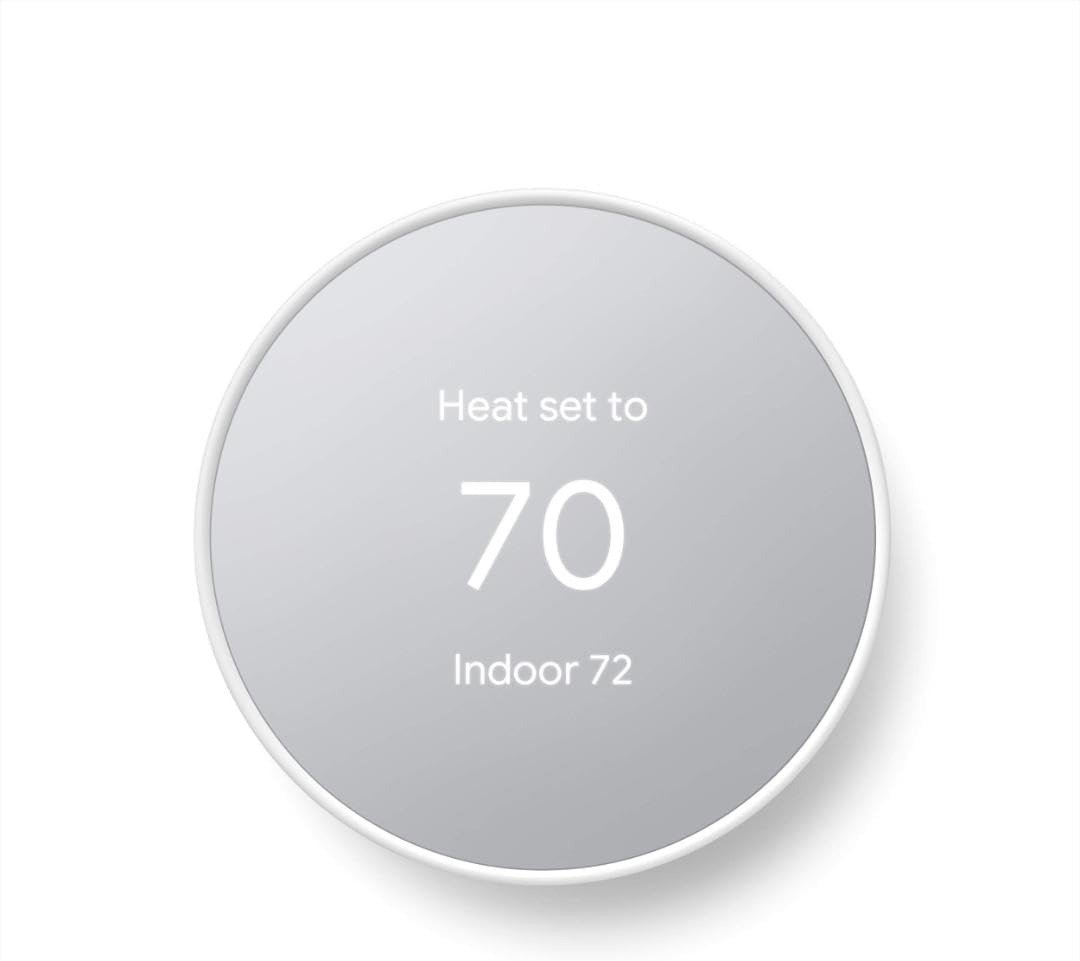
GOOGLE NEST LEARNING THERMOSTAT (4TH GEN)
The bill arrives. You know the AC ran less this month. The heat barely kicked on. And somehow the number is higher than last summer.
You didn’t change anything. That’s the part that unsettles you.
Most people read that situation as an HVAC problem. Or a utility rate hike. Or just bad luck with the weather. Very few stop to ask whether the device controlling all of it — the thermostat — is actually running the logic they think it is.
The Google Nest Learning Thermostat (4th Gen) is the most capable device in this category. It is also, in the wrong hands, one of the most quietly disruptive. Not because it’s broken. Because it does exactly what it was built to do — and what it’s built to do is not what most people assume when they install it.
The Result Looks Fine. The Problem Isn’t.
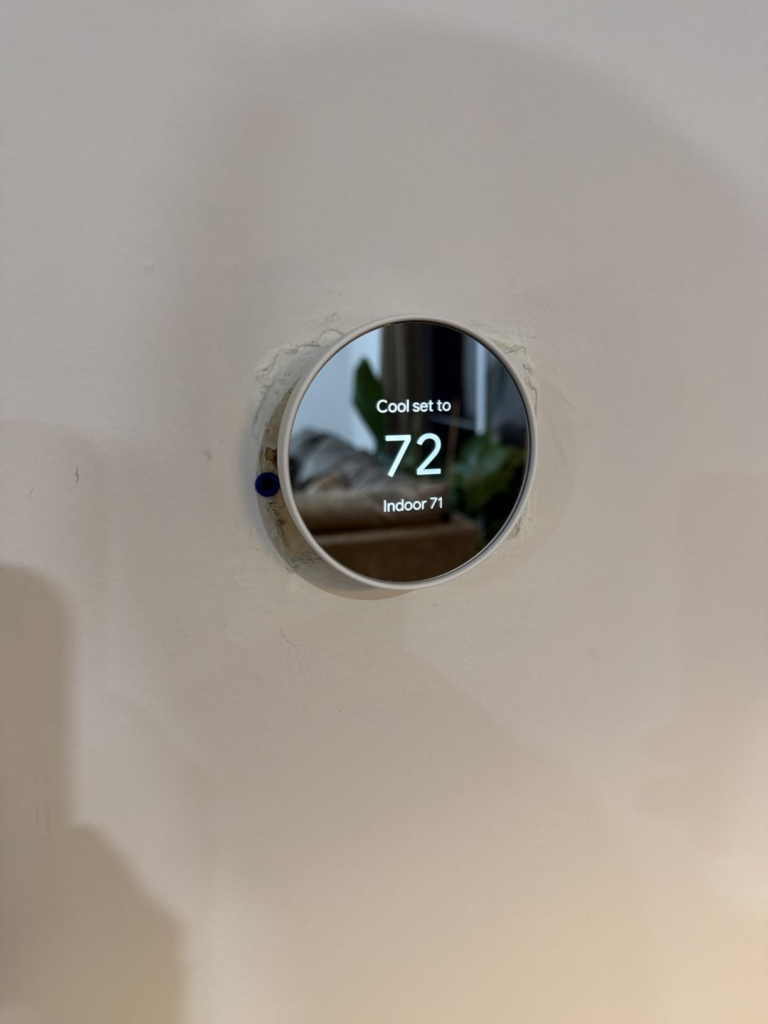
You set 72°F. The display reads 72°F. The house feels close to comfortable, most of the time.
What you don’t see: the thermostat already overrode your setting four times yesterday. Once at 6 AM when it decided you were still asleep. Once at 11 when it thought you left. Once at 2 PM based on weather data it pulled outdoors. Once at night based on a “micro-adjustment” it filed without notification.
None of this triggers an alert. None of it shows on the front screen. You’d need to dig into the energy history inside the app to catch it — and most people never do.
The result looks fine because the thermostat is keeping the house within a range you’d tolerate. But that range is not the range you set. And the system is running in patterns you didn’t authorize.
This is not a malfunction. This is the learning engine doing its job. The question is whether its job matches yours.
| What You See | What’s Actually Happening |
|---|---|
| Display reads your set temperature | Thermostat may have already overridden it 2–4x that day |
| House feels “close to comfortable” | You’re inside a tolerance band, not your exact setting |
| No alerts in the app | Micro-adjustments log silently in energy history |
| Bill seems roughly normal | HVAC may have run extra cycles to compensate |
| Learning feature appears “off” | Legacy schedule data from prior weeks may still be active |
What You’re Actually Feeling but Not Naming
There’s a specific kind of frustration that builds slowly with a smart thermostat. It doesn’t feel like a broken appliance. It feels like a quiet argument you can’t win.
You walk into the kitchen at 7 AM and it’s colder than you left it. You turn it up. By 10 AM it’s warmer than you want. You turn it down. By 3 PM something shifted again and you’re not sure if you did it or it did.
The device forums at Google’s own community support pages are filled with this exact pattern. Users who turned off Auto-Schedule, turned off Home/Away Assist, turned off Eco mode — and still found temperatures shifting on their own. Some by 1 degree. Some by 8 degrees. Some at 3 AM with no one awake to have made any adjustment.
What they were feeling — and couldn’t name — is schedule residue. When the learning algorithm builds a schedule over days or weeks, disabling the feature doesn’t instantly clear what it learned. The historical schedule remains active until explicitly wiped. And even after a wipe, in some firmware states, the thermostat interprets new manual adjustments as new learning inputs — and begins building a schedule again.
This is the friction that doesn’t appear in any spec sheet.
| Hidden Friction Point | What Users Expect | What Actually Happens |
|---|---|---|
| Turning off “Learning” | Thermostat locks to manual settings | Old learned schedule may persist until manually cleared |
| Setting manual temperature | Device holds that exact temp indefinitely | Device may interpret it as new data and adjust |
| Home/Away Assist off | Thermostat ignores your location | Eco mode or Peak Time events can still trigger temp changes |
| No schedule set | Thermostat runs your last manual temp | Device may run factory defaults or previous session memory |
| App shows “no changes” | Nothing happened overnight | Micro-adjustments may log separately from manual change history |
The Hidden Mechanism Behind the Miss
The Google Nest Learning Thermostat (4th Gen) runs on what Google describes as AI-driven micro-adjustment logic. The 4th generation specifically added outdoor weather monitoring — meaning the thermostat doesn’t just respond to your behavior. It responds to conditions outside your home, predicting how outdoor temperature will affect indoor temperature and adjusting preemptively.
On a sunny winter day, it may pause your heating before you’ve noticed any indoor warmth. On a humid summer afternoon, it may cool past your set point because it calculated that the humidity is making 74°F feel like 77°F.
These are not errors. They are the system working at full capacity.
The mechanism that causes the frustration is the same mechanism that drives the energy savings. A 2024 reassessment by Google found that Nest thermostats save an average of 12% on heating and 15% on cooling — savings derived precisely from making adjustments you wouldn’t make yourself, at times you wouldn’t think to make them.
The hidden variable: those savings only materialize if the algorithm’s assumptions about your behavior are correct.
If you work irregular hours, the occupancy detection will misread you. If you keep pets whose movement triggers the Soli radar, the presence sensor will over-detect. If your household has members with different temperature preferences who manually adjust the dial, each adjustment gets logged as a behavioral signal — and the algorithm builds a schedule from noise.
| Household Type | Learning Accuracy | Savings Potential |
|---|---|---|
| Single occupant, regular 9–5 schedule | High | 12–15% on HVAC costs |
| Two adults, synchronized schedules | High | 10–14% |
| Two adults, irregular or shift-based schedules | Low–Moderate | 3–7% (and unpredictable) |
| Household with frequent manual overrides | Very Low | May increase costs |
| Household with pets triggering presence sensor | Low | Presence detection unreliable |
| Multi-zone home relying on single sensor | Moderate | Comfort sacrificed in non-thermostat rooms |
The Threshold Where the Outcome Quietly Breaks
The Google Nest Learning Thermostat (4th Gen) has a threshold. Below it, the device improves your life — quietly, automatically, with statistically measurable results. Above it, the device introduces a management overhead that cancels its own benefit.
That threshold is weekly manual adjustment frequency.
If you find yourself manually changing your thermostat more than 3–4 times per week because the temperature is wrong when you arrive, wrong when you wake, or wrong in a way you can’t predict — the learning model is already failing on your specific occupancy pattern. The algorithm needs stable behavioral signals to build an accurate schedule. Irregular corrections read as new preferences, not as corrections. The device learns the wrong thing and optimizes toward it.
This is the threshold that the spec sheet doesn’t state, the review sites don’t quantify, and the retail page doesn’t clarify.
Below the threshold: the device runs your home better than you would manually.
Above the threshold: you are training a model with bad data, and the model is making decisions based on it.
| Manual Override Frequency | Algorithm Behavior | Expected Outcome |
|---|---|---|
| 0–2 per week | Builds clean schedule from consistent data | Strong energy savings, accurate comfort |
| 3–5 per week | Treats overrides as behavioral signals | Schedule drifts, comfort becomes inconsistent |
| 6–10 per week | Model receives contradictory inputs | Thermostat oscillates between learned and manual state |
| 10+ per week | Algorithm cannot build stable pattern | No savings, possible cost increase, high user frustration |
Why Most Buyers Misread This Too Early
The comparison that kills accurate decision-making is the feature list comparison.
The Google Nest Learning Thermostat (4th Gen) launches with:
- 60% larger crystal LCD display vs. 3rd Gen
- Soli radar presence sensing (vs. basic activity sensor)
- Outdoor weather integration
- Matter support (Apple Home, Alexa, SmartThings)
- Bundled Nest Temperature Sensor
- Smart Ventilation for air quality-triggered fresh air
- System Health Monitor with HVAC alerts
- Dynamic Farsight home screen with animations
Every one of these is real. Every one is functional. The mistake is assuming that more features at the spec level translates to better performance at the household level.
The 3rd Gen ran for nine years as a top-rated smart thermostat with none of these additions. The reason it worked for so many people wasn’t its features. It was the core learning model applied to households with predictable, low-variance schedules.
The 4th Gen improves every layer of that model. It reads the house better, reads the outdoors, reads presence more accurately. But if your household’s behavioral pattern is irregular — the improved sensors just capture irregular data with higher precision and build a more confident wrong model.
| Feature | What It Promises | What It Requires to Deliver |
|---|---|---|
| Smart Schedule (AI learning) | Auto-creates efficient schedule | Consistent, low-variance household behavior |
| Soli Radar Presence Sensing | Detects if someone is home accurately | Low pet/random motion environment |
| Outdoor Weather Integration | Preemptive heating/cooling adjustments | Trust that algorithm’s preemptions match your preferences |
| Matter Support | Works with Apple Home, Alexa, SmartThings | Active multi-platform smart home setup |
| Bundled Temperature Sensor | Comfort in a second room | Room placement planning + app configuration |
| System Health Monitor | HVAC alerts before breakdown | Connected to Google Home app, regular check-ins |
Who Is Actually Inside This Problem
The Google Nest Learning Thermostat (4th Gen) performs exactly as engineered for a specific type of household. That household:
Has 1–2 adults with broadly similar temperature preferences. Has a weekday schedule that repeats with low variance — similar wake times, similar departure times, similar return windows. Has minimal manual override behavior, meaning occupants trust the device to run the house without daily corrections. Is in a home where HVAC compatibility is confirmed (the 4th Gen works with more systems than previous models and doesn’t require a C-wire, but multi-stage or unconventional configurations should be verified). Is either fully in the Google Home ecosystem or willing to run it through Matter on another platform.
For this household, the published savings are real. Google’s 2024 assessment confirmed average savings of 12% on heating and 15% on cooling based on real utility bill comparisons before and after installation. Cumulatively, Nest thermostats have saved users an estimated $14 billion and 200 billion kWh of energy since 2011.
For this household, the $279.99 price recovers within 18–24 months at average US energy costs.
| Household Profile | Fit Level | Expected Annual Savings |
|---|---|---|
| 1–2 adults, regular schedule, minimal overrides | Strong Fit | $130–$160/year |
| Family, consistent school/work routine | Good Fit | $90–$130/year |
| Remote workers with predictable home rhythm | Good Fit | $100–$145/year |
| Shift workers, irregular hours | Weak Fit | $0–$50/year (unreliable) |
| Multi-person household with conflicting preferences | Poor Fit | Possible cost increase |
| Vacation home / seasonal-only use | Poor Fit | Device cannot learn stable pattern |
Where Wrong-Fit Begins
Wrong-fit doesn’t always feel like regret. It feels like a chore.
You start checking the app more than you expected. You find yourself pushing the dial more than once a day. You turn off learning, then turn it back on, then off again. You call support and get walked through a factory reset. The problem persists for a week, then settles, then returns.
The thermostat is not broken. The thermostat is doing what it was built for — on a household that doesn’t match its assumptions.
Wrong-fit begins clearly when:
Your household runs irregular hours. Not “slightly irregular.” Genuinely unpredictable — different days, different people, different times. The algorithm needs repetition to learn. Chaos is not a pattern.
Multiple people regularly override the temperature manually. Each override is a new data point. Conflicting overrides create a schedule the algorithm assembles from contradiction.
You have pets that trigger the Soli radar. The 4th Gen’s presence sensing reads motion more accurately than its predecessor — which means a dog moving through a room may consistently register as presence, preventing Away mode from activating.
You want simple, locked manual control. The Learning Thermostat is not a programmable thermostat. It is a system that learns and adapts. If you want to set a schedule and have it held without deviation, this architecture will frustrate you.
You’re upgrading from a 3rd Gen that works fine and don’t use Matter or multi-platform smart home. If your 3rd Gen works well and you don’t need Matter support, HomeKit integration, or a room sensor, upgrading is a nice-to-have rather than a must.
| Wrong-Fit Signal | Why It Matters |
|---|---|
| You check or adjust the thermostat daily | Device is not learning a stable pattern |
| Bill didn’t change after 90 days | Algorithm may be matching old behavior, not improving it |
| You’ve reset the schedule more than twice | Persistent mismatch between device assumptions and your life |
| Family members argue about the temperature setting | Conflicting inputs destroy the learning model |
| Pets roam freely near the thermostat area | Presence detection unreliable, Away mode won’t activate properly |
| You just want it to hold one temperature | Wrong product category entirely |
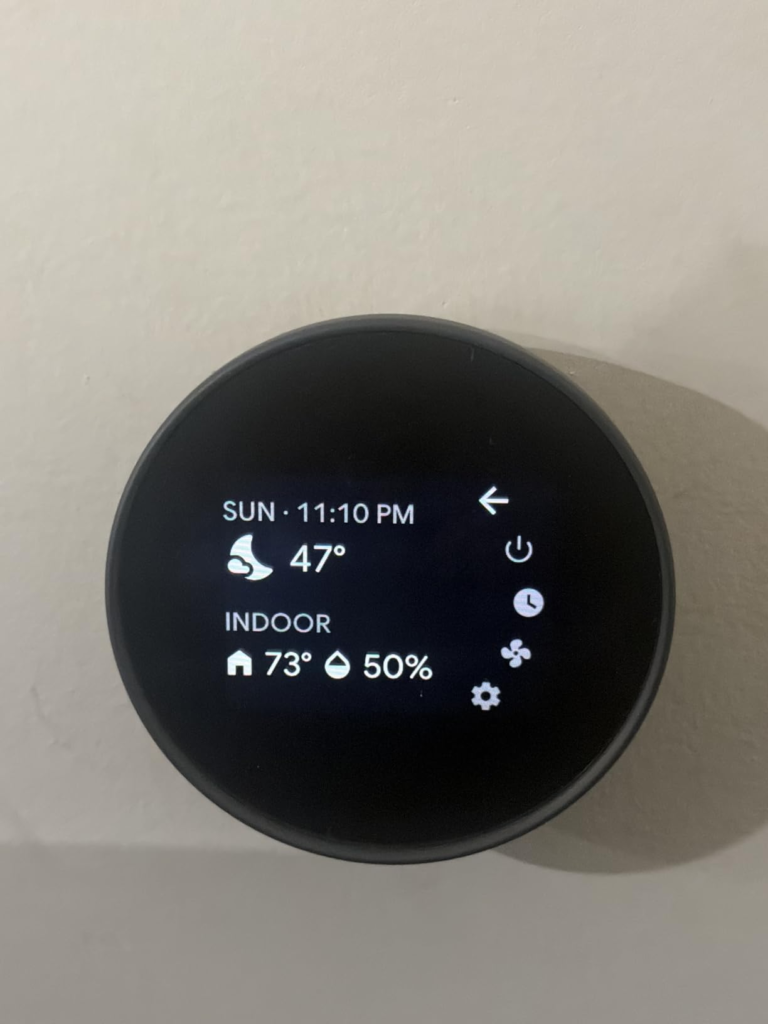
The One Situation Where This Product Becomes Logical
After the filtering above, a clear picture emerges.
The Google Nest Learning Thermostat (4th Gen) is the logical choice when you have a predictable household that is either already running a smart home ecosystem or wants to start one — and where the primary goal is reducing HVAC costs without managing a manual schedule.
The 4th Gen is a complete reimagining of Google’s smart thermostat, from its design to its improved AI features, and it even comes with a separate temperature sensor. The new Nest Learning Thermostat is a major upgrade thanks to advanced AI features, a larger bezel-free screen, and built-in Matter support, which means you’re not bound to Google — you can use Apple Home, Alexa, SmartThings, or any other Matter-compatible smart home app.
The one situation where the purchase compresses cleanly into logic:
You have a consistent schedule. You want the house managed automatically without daily intervention. You are open to a 1–4 week calibration window during which the device learns your pattern. You’re replacing an older programmable thermostat or an older Nest that lacks Matter support. And you’ve confirmed your HVAC system is compatible.
At $279.99 — with a Nest Temperature Sensor bundled in (a $39–$49 standalone value) — and with utility rebates available in many regions that can reduce the net cost by $50–$100, the math works for this household. The calibration period is real. The savings are real. The convenience is real.
| What You’re Actually Buying | What It Delivers |
|---|---|
| Device + bundled temperature sensor | Dual-room comfort prioritization from day one |
| AI learning engine | Auto-schedule that improves over 1–3 weeks |
| Soli radar presence sensing | More accurate Away/Home switching than previous gen |
| Outdoor weather integration | Preemptive temperature adjustments before you feel the change |
| Matter support | Cross-platform smart home compatibility (Apple, Amazon, Google) |
| System Health Monitor | Early HVAC issue detection before breakdown |
| ENERGY STAR certification | Qualifies for utility rebates in most US markets |
What It Solves, What It Reduces, and What It Still Leaves to You
What it solves completely:
The problem of heating or cooling an empty home. Once Home & Away is calibrated, the device stops running HVAC cycles when no one is present — and this alone accounts for a significant portion of the documented savings.
The problem of forgetting to adjust before bed, before leaving, before returning. The schedule runs automatically and adjusts as behavior patterns stabilize.
What it reduces — but doesn’t eliminate:
Unpredictable HVAC costs. The savings are real and documented, but they’re averages across household types. Your specific reduction depends on your prior thermostat behavior and how closely your occupancy pattern matches the device’s assumptions.
Manual intervention for common scenarios. You’ll still interact with the app during the learning window and occasionally when preferences shift seasonally.
What it still leaves to you:
Initial configuration. The thermostat needs correct HVAC wiring (the included wiring guide and app-based setup simplifies this, but multi-stage systems require attention). The bundled temperature sensor needs manual placement — the device doesn’t choose the room for you.
The calibration window. The first 1–4 weeks are an active period where the device is still learning. Expecting full performance from day one misreads how the system works.
Override discipline. If your household regularly overrides the temperature manually, you are actively training the device against its own optimization. The best outcomes come from setting the initial preferences correctly and then trusting the algorithm.
| Expectation | Reality Check |
|---|---|
| Saves energy immediately | Calibration takes 1–4 weeks for full accuracy |
| Holds exact set temperature always | Algorithm may adjust within a tolerance band for efficiency |
| Works perfectly with any HVAC | Best for standard 24V systems; multi-stage needs configuration |
| No maintenance required | App check-ins, filter reminders, seasonal re-calibration recommended |
| One-person task to install | Standard systems: DIY-friendly. Complex wiring: professional install advised |
Final Compression
The Google Nest Learning Thermostat (4th Gen) is not a thermostat you set and forget in the way most people imagine. It is a thermostat you configure, calibrate, and then allow to run — and the distinction matters more than any spec on the product page.
The people who benefit most are not necessarily the most tech-savvy. They’re the most consistent. Regular schedules. Low manual override frequency. Willingness to let a calibration window complete without fighting the device’s decisions.
For that household, the energy math is real, the convenience is real, and the $279.99 pays back within two cooling seasons in most US climates.
For households with irregular rhythms, conflicting preferences, or a desire for locked manual control — the frustration described across thousands of Google support threads is not a bug. It’s a mismatch between a product built to learn and a household that doesn’t have a stable pattern to teach it.
If your household fits the profile above, this is the highest-performing device in this category at this price point. The calibration window is the cost of entry. What comes after is a house that runs more intelligently than you have time to manage manually.
If you’re inside that profile, the next step is checking your HVAC compatibility on Google’s wiring checker tool and confirming whether your utility provider offers a rebate — which can reduce the net cost to under $180 in eligible regions.
If you’re outside that profile, the decision to delay is not a loss. It’s the correct read.
Frequently Asked Questions
Does the Google Nest Learning Thermostat (4th Gen) require a C-wire?
No. The 4th Gen is designed to work without a C-wire in most standard 24V systems. The setup app walks you through wiring based on your existing thermostat configuration. Multi-stage and heat pump systems should use Google’s compatibility checker before purchase.
How long does the learning period take before the thermostat runs accurately?
Most households see stable scheduling within 1–2 weeks. The device begins making adjustments from the first day, but pattern recognition improves with each repeated behavior signal. Homes with highly irregular schedules may never achieve a clean stable schedule.
Can I turn off the learning feature and use it as a manual programmable thermostat?
You can disable Auto-Schedule and set a manual schedule. However, users on the Google Nest Community forums frequently report that residual learned data persists after disabling and requires a full schedule reset to clear. If you want purely manual control with zero algorithmic override, this product category is not the right fit.
What’s included in the box with the 4th Gen that wasn’t in the 3rd Gen?
The 4th Gen bundles a Nest Temperature Sensor (a separately sold $39–$49 accessory), a new oval backplate, and updated trim kit. The sensor allows you to prioritize temperature control in a room other than where the thermostat is physically located.
Does the 4th Gen work with Apple HomeKit and Amazon Alexa?
Yes. Built-in Matter support means the 4th Gen is compatible with Apple Home, Amazon Alexa, SmartThings, and any other Matter-certified platform. Previous Nest generations were limited to the Google/Nest ecosystem.
What is the actual average energy savings?
Based on Google’s 2024 real-world assessment: 12% average reduction on heating, 15% on cooling — translating to approximately $130–$160 per year for the average US household. The EPA’s ENERGY STAR data supports an 8% average across all certified smart thermostats. Your specific savings depend on prior thermostat behavior, home size, and occupancy pattern consistency.
What’s the return window if the thermostat doesn’t match my household?
Amazon’s standard return window applies (30 days). Given that the learning calibration takes 1–4 weeks, users who want to evaluate real performance should begin configuration within the first few days of receipt.
Is upgrading from the 3rd Gen to the 4th Gen worth it?
Only if you need one or more of: Matter/multi-platform smart home support, the bundled room temperature sensor, improved Soli radar presence sensing, or outdoor weather integration. If your 3rd Gen works well and your system is simple, the heating and cooling performance will not meaningfully change with the upgrade.
From our analytics lab: More top-rated reviews
Transparency Note:
This analysis is built on aggregated real-world experience.
It extracts what repeatedly holds, what breaks, and what users uncover only after living with the system—then shapes it into a clear model you can use immediately.
Think of it as structured experience, refined and presented so you don’t have to learn it the hard way.
“A quick note: Don’t believe the star ratings, but trust personal experience. This article is a compilation of collected experiences”