EUFY VIDEO DOORBELL C31 REVIEW: WHY THE 6-MONTH BATTERY PROMISE BREAKS AT YOUR OWN FRONT DOOR
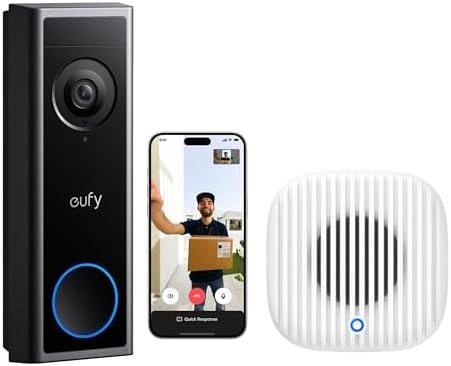
EUFY VIDEO DOORBELL C31
Three weeks in, I checked the battery indicator out of habit and it read 61%. Not six months. Three weeks. That number is the first thing worth knowing before you read another spec sheet, because it’s the gap between what the box promises and what a real front door actually asks of this device.
Here’s what makes that gap easy to miss: everything else about the eufy Video Doorbell C31 looks correct on paper. 2K clarity, a pop-up video call the moment someone presses the button, human detection that (mostly) knows the difference between a delivery driver and a shadow. None of that is fake. The picture really is sharp. The app really does ping fast — Consumer Reports clocked its alert speed at roughly 2.5 seconds, which is quick by doorbell-camera standards. So the doorbell isn’t broken. What’s broken is the assumption you bring into the purchase: that “up to 6 months of battery” means anything close to six months at your specific door, with your specific mail carrier, your specific dog-walking neighbors, your specific winter.
eufy C31 NOTIFICATION DELAY: WHAT YOU’RE ACTUALLY FEELING BUT NOT NAMING
If you already own one, or you’ve been reading reviews trying to name the unease, it isn’t really about video quality. It’s smaller and more specific than that. It’s opening the app to charge the battery sooner than you expected. It’s a string of motion alerts from someone mowing their lawn next door. It’s staring at eufy’s own setup screen trying to decide between three power modes — existing chime, bypass-and-hardwire, or battery-only — because the app doesn’t make the trade-offs obvious, and eufy has written multiple separate support articles just to explain how to choose. That’s not a one-off complaint. That’s a company acknowledging its own product creates a real decision point most buyers don’t expect to have to make on install day.
eufy C31 BATTERY LIFE EXPLAINED: THE HIDDEN MECHANISM BEHIND THE MISS
Here’s why the number drifts. The C31 wakes its camera using a PIR motion sensor, and every wake cycle — camera spin-up, clip capture, upload to the app — costs battery. That part is normal; every battery doorbell works this way. What’s specific to the C31 is how you’re meant to top the battery back up if you don’t hardwire it. eufy’s own documentation is direct about it: running the doorbell off your existing mechanical chime trickle-charges the 6,500mAh battery, and that trickle charge takes six to seven days to complete a full cycle. If your entryway sees regular foot or vehicle traffic, eufy itself notes the battery can still drain faster than that slow trickle refills it — which is a rare case of a manufacturer admitting, in its own words, that the marketing number and the daily-use number aren’t the same thing.
Owners of the closely related C30 (same wake-and-drain architecture, a smaller 5,000mAh cell) report this in plain terms on Reddit: recharging every four weeks instead of the promised half-year, with one buyer flatly calling six months “nowhere near” accurate and putting the real figure closer to a month at high-traffic doors. The C31’s bigger battery should stretch that window somewhat further. It won’t erase the underlying pattern.
| Scenario | What eufy Advertises | What Owners Commonly Report |
|---|---|---|
| Low motion, mild climate, hardwired or lightly used | Up to 6 months per charge | Close to the advertised range |
| Moderate foot or vehicle traffic | Not specified | Roughly 4–8 weeks between charges |
| High-traffic entry, cold climate, or heavy live-view use | Not specified | 3–5 weeks, sometimes less |
| Charging via existing mechanical chime | Trickle-charges the battery | 6–7 days per cycle, per eufy’s own support notes — often slower than busy doors drain it |
eufy C31 BATTERY DRAIN THRESHOLD: WHERE THE 6-MONTH NUMBER QUIETLY BREAKS
So where’s the actual line? The six-month figure assumes a quiet door: infrequent motion events, no daily live-view checking, no video calls, mild weather. Cross two or three of those at once — a delivery-heavy household, a driveway that catches every passing car, a winter that dips well below freezing — and the number doesn’t fail gracefully. It drops fast, because each of those factors compounds the same wake-cycle drain instead of adding to it in a straight line. Why does this matter more than most spec-sheet numbers? Because it’s the one figure that decides whether you’ll be pulling this doorbell off its mount every few weekends or forgetting it exists for months at a time — and that’s a maintenance rhythm, not a one-time decision.
eufy C31 VS RING VS NEST: WHY MOST BUYERS MISREAD THIS COMPARISON TOO EARLY
The comparison most people reach for is lazy in a specific way: “just get Ring, everyone has Ring.” It’s not wrong that Ring is more familiar. It’s incomplete as a reason. Ring and Nest doorbells generally hold their video history behind a subscription — without one, you typically get live view and little else worth reviewing later. eufy’s core pitch is the opposite: local storage on a microSD card or an optional HomeBase, with no subscription required to keep full function. That part of eufy’s promise is real and verifiable.
What the surface comparison misses is that “free storage” and “fast storage” aren’t the same claim. Pulling a recorded clip off the C31’s own memory, without a HomeBase attached, means the camera streams that footage back to your phone over Wi-Fi in real time — a slower, more buffer-prone experience than cloud playback or a hub with local network storage. If you’re the kind of owner who scrubs back through footage after every delivery, that architecture will wear on you faster than the marketing copy suggests.
| eufy C31 | Ring (battery models) | Nest Doorbell | |
|---|---|---|---|
| Subscription needed for real video history | No — local storage included | Effectively yes, for anything beyond live view | Effectively yes, for most AI features |
| Typical monthly cost if you want history | $0, optional cloud backup ~$3–4/camera | Roughly $4–10/month | Roughly $6–12/month |
| Apple HomeKit support | No | No | No |
| Storage ceiling | 128GB microSD, or 16TB with HomeBase S380 | Limited without a paid plan | Limited without a paid plan |
WHO IS ACTUALLY INSIDE THIS PROBLEM: IS THE EUFY C31 BUILT FOR YOU
Strip away the spec sheet and the reader this doorbell actually fits comes into focus. It’s someone buying their first video doorbell who doesn’t want a recurring bill attached to it. It’s someone who already has doorbell wiring and is willing to bypass the old chime for real 24/7 recording, or someone who’s genuinely fine with an occasional battery swap as part of the routine. It’s a moderate-traffic home — the kind where a few packages and a few visitors show up most weeks, not a shared entryway with constant motion. If that’s your door, the underlying economics work in your favor: a $99.99 doorbell with no forced monthly fee competes well against subscription-locked alternatives over two or three years.
| Spec | eufy Video Doorbell C31 |
|---|---|
| Resolution | 2K FHD (2560×1920), 4:3 head-to-toe framing |
| Power | 6,500mAh quick-release battery, or hardwired (16–24V, 30VA) |
| 24/7 recording | Only when hardwired (chime bypassed) or paired with HomeBase 3 |
| Local storage | microSD up to 128GB — not included in this bundle |
| Expandable storage | Up to 16TB via HomeBase S380 (sold separately) |
| Weatherproofing | IP65, rated -4°F to 122°F |
| Smart home | Alexa, Google Assistant — no Apple HomeKit |
| Monthly fee | None required; optional cloud backup roughly $3–4/month per camera |
| List price (doorbell alone) | $99.99 |
eufy C31 COMPATIBILITY AND LIMITS: WHERE WRONG-FIT BEGINS
Now the other side, stated plainly rather than buried. If you specifically want a downward-angled camera aimed at your porch floor to catch package theft, the C31 doesn’t have one — that’s the eufy E340’s feature, not this model’s, and it’s a real reason to step up rather than settle. If your home runs on Apple HomeKit, this isn’t your doorbell; eufy states that limitation outright. If your entry is genuinely high-traffic and hardwiring isn’t an option, expect the charging rhythm above, not the marketing one.
And if brand trust matters to your decision — it should — here’s the honest version of eufy’s history rather than the buried footnote. In late 2022, a security researcher found that some eufy cameras and doorbells were sending data to the cloud, including thumbnail images, even when marketed as fully local, and that certain live-stream requests through eufy’s web portal weren’t encrypted at all. Anker, eufy’s parent company, eventually admitted this publicly, patched the web portal, moved to encrypted streaming by default, and brought in outside auditors. It didn’t end there quietly: in February 2025, the New York Attorney General secured a $450,000 settlement with eufy’s distributing companies over exactly this failure, requiring a documented security program and stronger encryption going forward. None of that is proof the C31 has any active issue today — I found no evidence it does — but it’s fair, verifiable context for anyone deciding how much trust to extend to a “no cloud, totally private” pitch. Sensible practice either way: turn on two-factor authentication and keep the app updated.
| Buy the eufy C31 bundle if… | Look elsewhere if… |
|---|---|
| This is your first video doorbell and you want no forced subscription | You need a dedicated package-detection camera (the E340 has one) |
| You have doorbell wiring, or don’t mind charging every few weeks | Your smart home runs on Apple HomeKit |
| Your entryway sees light-to-moderate traffic | Your door is extremely high-traffic and can’t be hardwired |
| You’re comfortable managing a microSD card, or adding a HomeBase later | You want a zero-decision, zero-maintenance install with no app tinkering |
eufy C31 & CHIME 2 BUNDLE REVIEW: THE ONE SITUATION WHERE THIS BECOMES LOGICAL
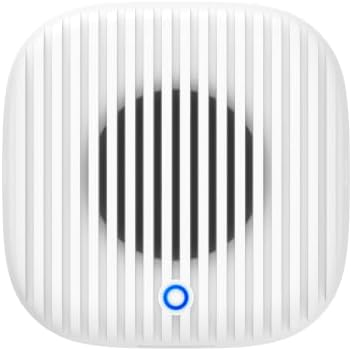
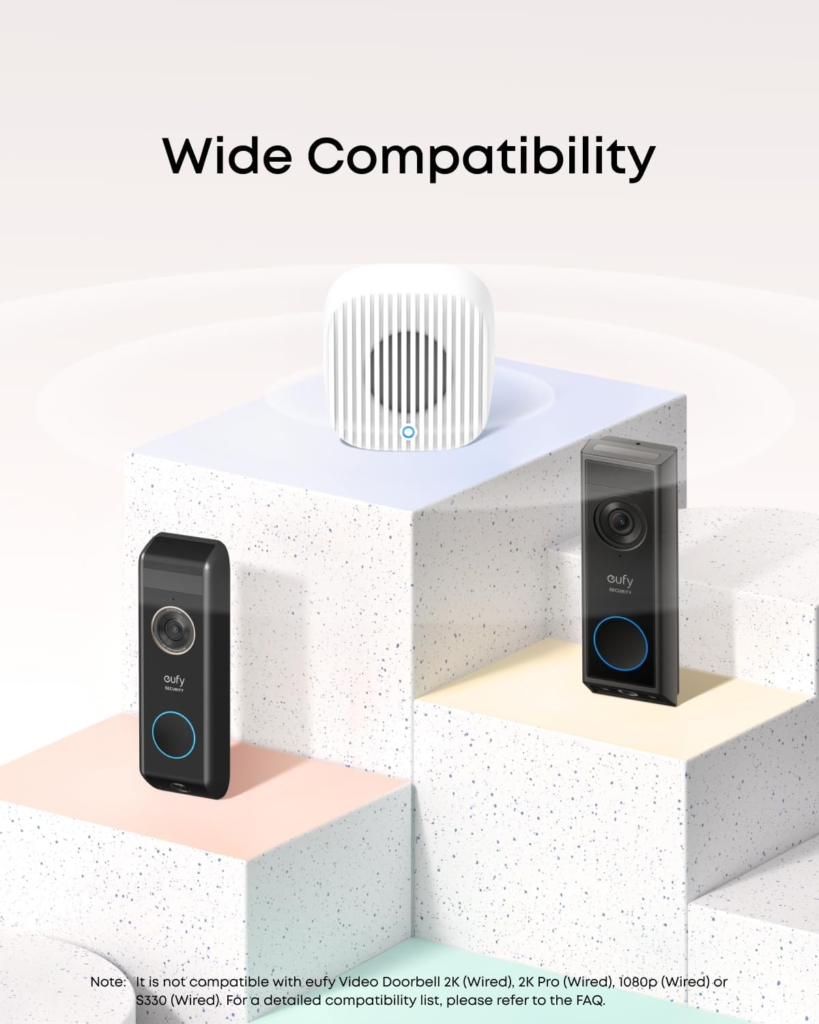
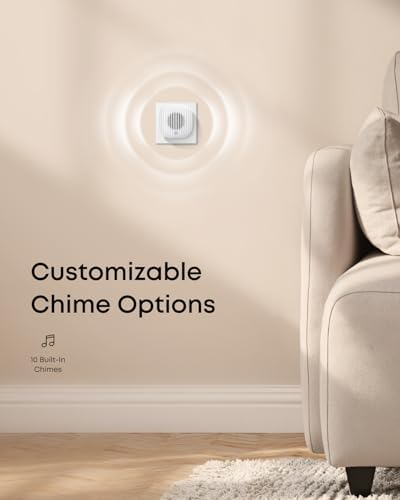
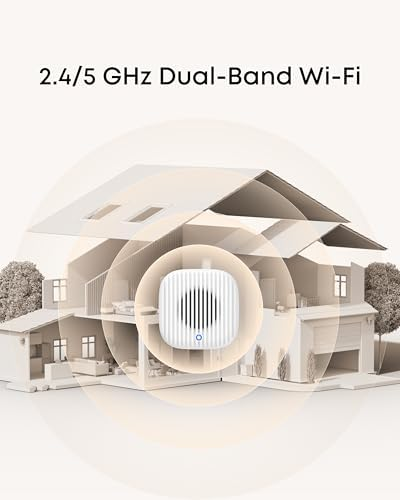
For that specific reader, the bundle solves something the doorbell alone doesn’t. If you don’t have a working mechanical chime, or you don’t trust a phone notification alone to catch you mid-shower or mid-yard-work, the Chime 2 is the missing piece. It runs on dual-band 2.4GHz and 5GHz Wi-Fi rather than the single-band connection older eufy chimes used, which matters more than it sounds — congested home networks are a common source of missed rings on older accessories. It carries ten built-in tones, hits up to 80dB (loud enough for a second floor or a larger home), and pairs over Bluetooth in minutes. One detail worth knowing before you set it up: some owners report the initial chime-sync process taking a few extra tries to lock in, so budget ten quiet minutes for it rather than expecting an instant handshake. Once paired, though, the C31 and C30 are specifically built to keep talking to their Chime 2 even across separate Wi-Fi networks — a small design choice that solves a real problem for anyone whose doorbell and home router aren’t on the same signal.
eufy C31 PROS AND CONS: WHAT IT SOLVES, WHAT IT REDUCES, AND WHAT STILL FALLS ON YOU
| What It Solves | What It Reduces | What Still Falls on You |
|---|---|---|
| No forced monthly fee for real video history | The anxiety of missing a delivery, via a live pop-up video call | Choosing your power mode deliberately on day one |
| Sharper 2K image than most doorbells near this price | Long-term cost versus Ring or Nest over 2–3 years | A charging rhythm, if you stay battery-only |
| Flexible battery-or-hardwire installation | Setup friction versus fully wired-only systems | Occasional app or firmware quirks a minority of owners report |
eufy VIDEO DOORBELL C31 FAQ: STRAIGHT ANSWERS BEFORE YOU BUY
Does the eufy C31 really last 6 months on one battery charge?
In low-traffic, mild-climate conditions, it can get close. In a normal household with regular deliveries and visitors, plan for somewhere between four and eight weeks, and shorter than that in high-traffic or cold conditions.
Do I need a HomeBase or a subscription to use it?
No. It records locally to a microSD card with no monthly fee. A HomeBase S380 is optional and adds up to 16TB of expandable storage and extra AI features; cloud backup is a separate optional add-on for off-site copies.
Can I keep my existing doorbell chime?
Yes, but with a trade-off: using your existing chime trickle-charges the battery slowly, and it disables 24/7 continuous recording. For that feature, you’ll bypass the chime and hardwire instead.
Is it compatible with Apple HomeKit?
No. It works with Amazon Alexa and Google Assistant, not Apple’s HomeKit ecosystem.
How is this different from the eufy C30 or E340?
The C30 is battery-only with no hardwire option and no 24/7 recording. The E340 adds a second, downward-angled camera specifically for package detection, at a higher price. The C31 sits between them: dual power, no dedicated package camera.
Is eufy trustworthy with home footage, given its past privacy issues?
The company had a real, documented encryption failure in 2022, admitted it, and was required by a 2025 New York Attorney General settlement to strengthen its security practices. There’s no current evidence of an active issue with this model, but it’s reasonable to enable two-factor authentication and keep firmware current regardless of which camera brand you choose.
Does the Chime 2 only work with the C31?
No — it’s also compatible with the C30, E340, S330, and S4, and it’s one of the few eufy chimes built to stay connected to the C31, C30, and E340 even across separate Wi-Fi networks.
FINAL VERDICT: eufy VIDEO DOORBELL C31 REVIEW — WHAT TO DO NEXT
None of this makes the C31 the doorbell for every door. It makes it a specific, honest trade: a lower upfront cost and no forced subscription, in exchange for managing your own battery rhythm and knowing which power mode you actually need. If you’ve read this far because that trade already sounds like your front door — moderate traffic, no patience for a monthly bill, comfortable making one clear setup decision instead of five vague ones — this is where the search can stop.
Transparency Note:
This analysis is built on aggregated real-world experience.
It extracts what repeatedly holds, what breaks, and what users uncover only after living with the system—then shapes it into a clear model you can use immediately.
Think of it as structured experience, refined and presented so you don’t have to learn it the hard way.
“A quick note: Don’t believe the star ratings, but trust personal experience. This article is a compilation of collected experiences.”