KWIKSET HALO SMART LOCK REVIEW: THE DOOR LOCKS PERFECTLY UNTIL THE BATTERIES QUIETLY GIVE UP
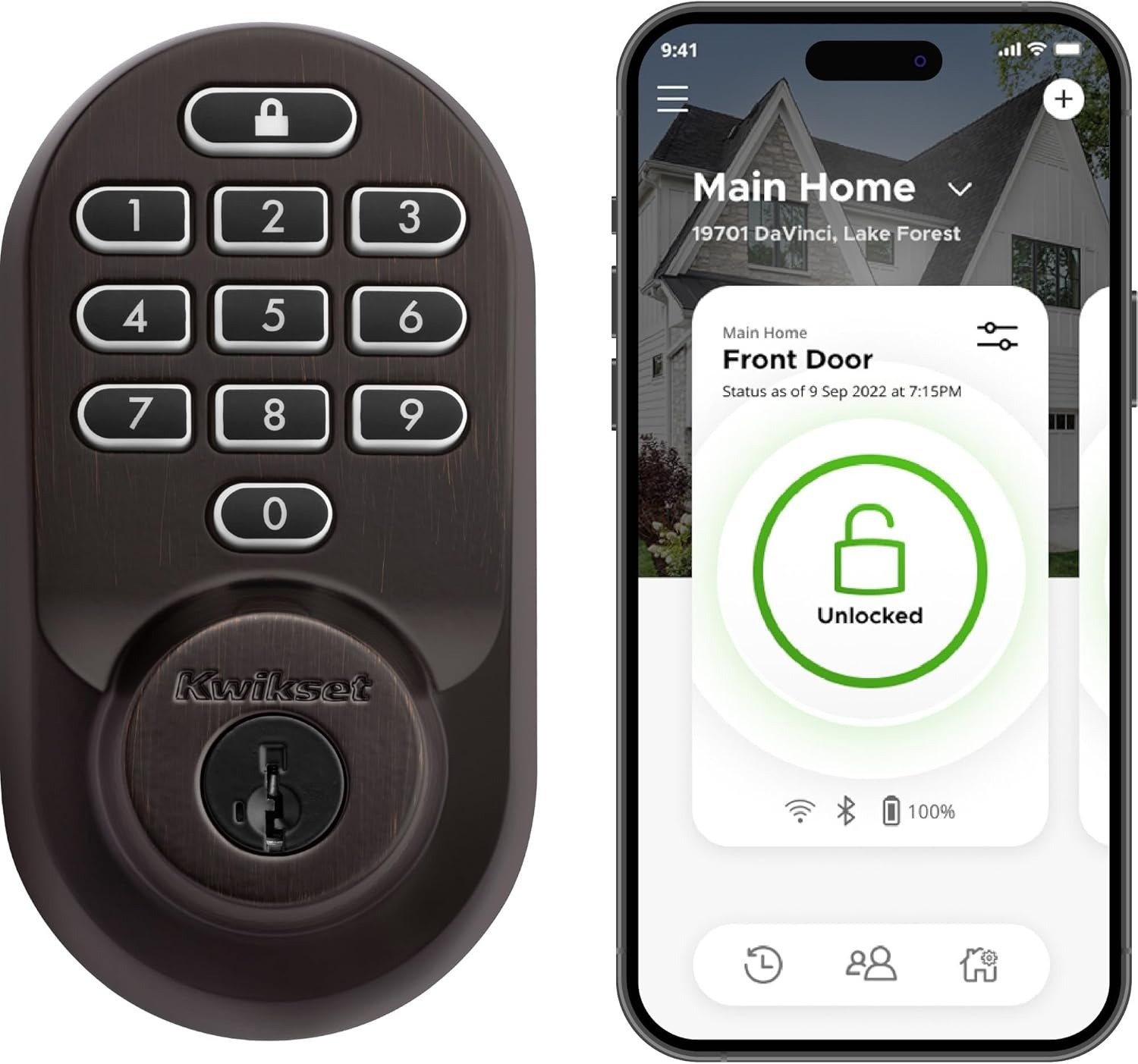
KWIKSET HALO SMART LOCK
You walk up with both arms full — groceries, a kid, whatever it is that day — and the door just opens. No keys, no shoulder-checking a bag against the frame while you dig through a pocket. That’s the entire pitch of a Wi-Fi keypad deadbolt like the Kwikset Halo, and for most of the day, on most days, it actually delivers that.
Then, usually with zero warning, the keypad flashes red and beeps fast at you three or four times in a row, or the app quietly switches from “locked” to “offline.” Nothing in the days before that moment hinted it was coming. That gap — between how confident this lock feels day to day and how fast it can fall apart behind the scenes — is what this review is really about.
| Kwikset Halo Wi-Fi Smart Lock — At a Glance | |
|---|---|
| Model | 99380-002, Venetian Bronze (also sold in Satin Nickel, Matte Black) |
| Type | Wi-Fi keypad deadbolt, no hub required |
| List price | Around $230 at hardware retailers; Amazon pricing varies and discounts often |
| Batteries | 4x AA, several months under ideal conditions |
| User codes | Up to 250 |
| Rekeying | Self-rekey via SmartKey — no locksmith needed |
| Smart home | Amazon Alexa, Google Home (no native Apple HomeKit) |
| Security rating | BHMA Grade AAA certified |
| Warranty | Lifetime mechanical/finish, 1-year electronics |
| App coverage | United States and Canada only |
Kwikset Halo Smart Lock Performance: It Looks Fine, Right Up Until It Isn’t
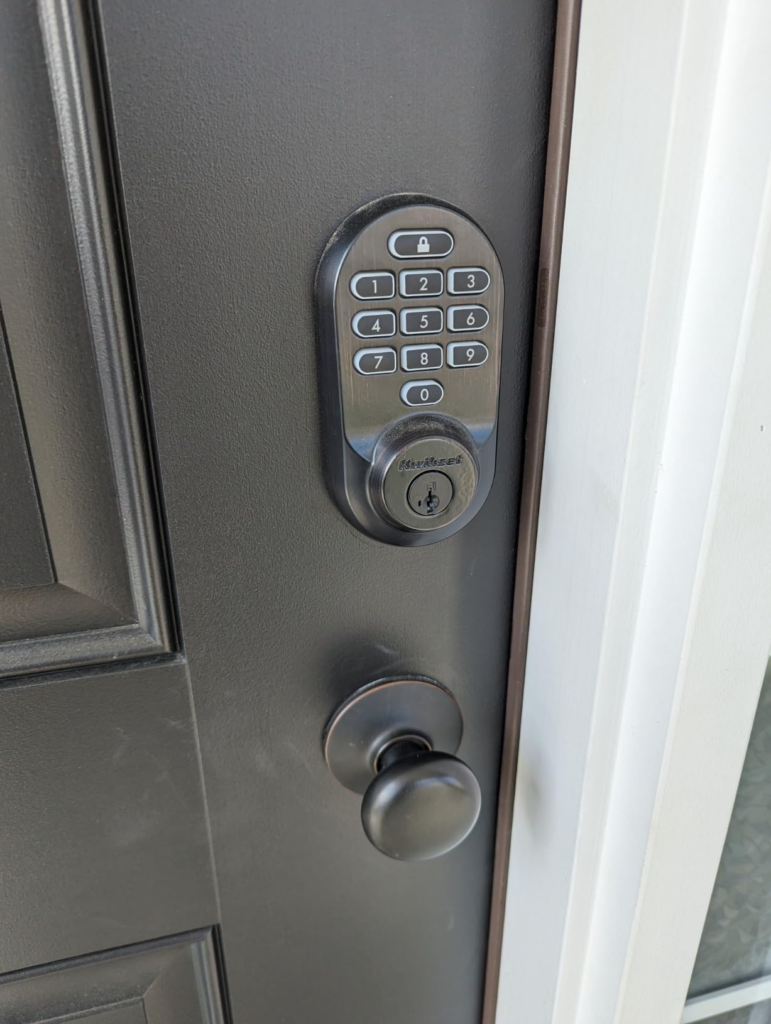
Install is genuinely easy — a screwdriver, numbered parts, an app that walks you through pairing step by step. Owners who’ve never touched a deadbolt before get it running in twenty to thirty minutes. Once it’s on the door, the SmartKey system, the geofencing auto-unlock, the code sharing for guests — all of it works the way the box says it will.
That’s exactly what makes the failure mode so disorienting. This isn’t a lock that struggles out of the gate. It’s a lock that performs perfectly for weeks, sometimes months, and then hits a wall with no ramp-up. One day it’s fine. The next, you’re standing outside with a code that isn’t registering and an app that won’t load the lock’s status.
Kwikset Halo Battery Life: What You’re Actually Feeling but Not Naming
If you own one of these, you already know the feeling, even if you haven’t put a name on it. It’s the small dread of opening the Kwikset app and seeing the battery icon lower than it has any right to be. It’s buying a fresh four-pack of AAs for the third time this year for a lock that isn’t even the one your family uses most.
Kwikset’s own marketing points to several months of battery life. Real owners, across Amazon reviews, Home Depot’s review section, and forums for landlords and Airbnb hosts, describe a much shorter window — some down to a handful of weeks. One Home Depot reviewer put it bluntly: there’s no way anyone is getting five or six months out of this thing on a low-traffic door with every battery-saving setting already switched on. That disconnect between the promise and the lived experience is the actual friction here — not “the lock is bad,” but “the lock lied to me about how much I’d need to think about it.”
Why the Kwikset Halo Drains Batteries: The Hidden Mechanism Behind the Miss
Here’s the part almost nobody explains before you buy: this usually isn’t a defective unit, and it isn’t really about which brand of battery you use. It’s physics, and Kwikset’s own support team says so directly. Every time the deadbolt throws, the motor has to push a solid metal bolt into a strike-plate hole. If that bolt and hole are even slightly out of alignment — which happens naturally as doors settle, swell in humidity, or were never perfectly hung in the first place — the motor has to fight friction on every single cycle to force it through.
You don’t feel that extra resistance. The door still locks. But the motor draws more current every time it does, and Kwikset’s own troubleshooting documentation names door alignment as, in their words, the single most common cause of shortened battery life — ahead of Wi-Fi usage, ahead of app settings, ahead of everything else. A door that’s off by a few millimeters can turn a six-month battery into a six-week one, silently, with no symptom until the batteries are already nearly gone.
The expert fix costs nothing: before you ever blame the lock, check that the deadbolt slides into the strike plate with zero resistance when you turn it by hand. If it catches even slightly, that’s the leak. Kwikset also specifically recommends standard alkaline batteries over rechargeables — rechargeables run at a lower voltage that can trigger false low-battery warnings and inconsistent performance, even when there’s real capacity left.
The Kwikset Halo Threshold: Where “Should Last Months” Turns Into “Dead in Weeks”
Line up enough owner reports side by side and a clear pattern shows up — the same lock, wildly different battery lifespans, depending almost entirely on three conditions.
| Door & Network Condition | Reported Real-World Battery Life |
|---|---|
| Well-aligned door, low daily traffic, strong Wi-Fi near the lock | Close to the advertised range — several months |
| Average alignment, moderate daily use | Roughly 2 to 4 months |
| Misaligned strike plate, high traffic, weak Wi-Fi signal | As little as 2 to 6 weeks |
That’s the alignment threshold. It isn’t a hard line the lock crosses once — it’s a slope, and where you land on it is set the day you install the thing, not the day the batteries finally die.
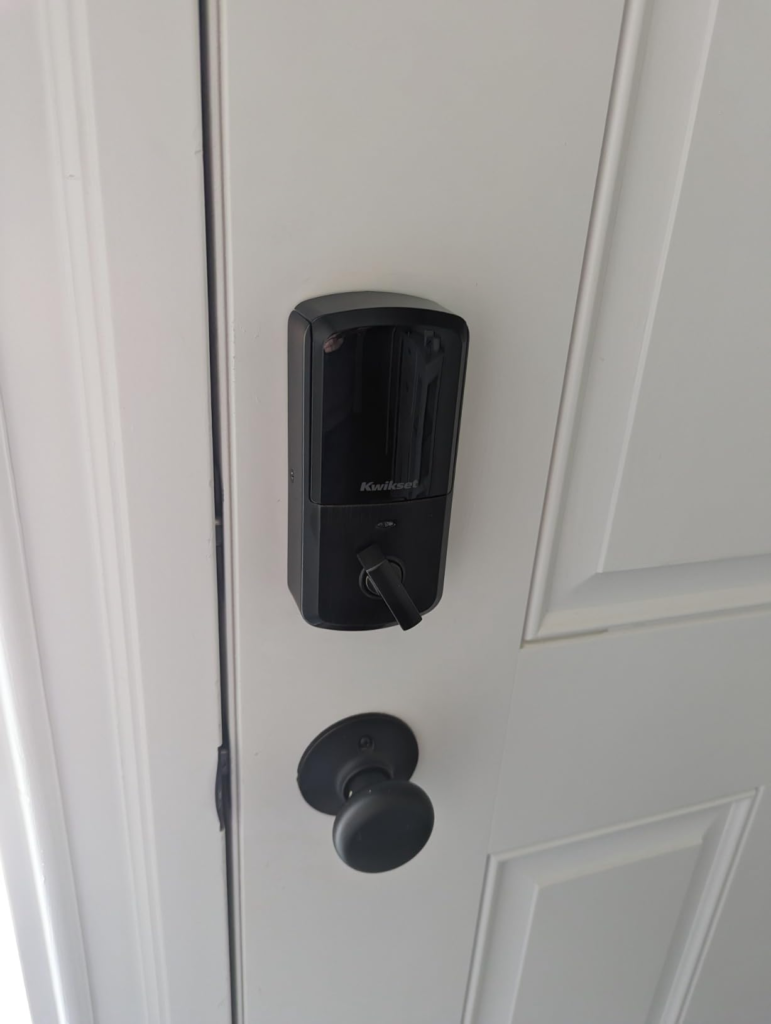
Kwikset Halo vs Schlage Encode: Why Most Buyers Compare the Wrong Things
Most people shopping between these two are comparing price tags and code limits. That’s the wrong comparison. The two things that actually decide whether you’ll be happy are which smart-home ecosystem you live in, and whether you’re willing to do a five-minute alignment check before you ever touch a battery.
| Factor | Kwikset Halo (this model) | Schlage Encode |
|---|---|---|
| Self-rekey without a locksmith | Yes, via SmartKey | No |
| User codes | Up to 250 | Up to 100 |
| Hub required | No | No |
| Apple HomeKit | No | Yes, on Encode Plus |
| Typical price | Lower | Higher, especially Encode Plus |
| Battery life | Alignment-dependent, can run short | Also alignment-dependent, more consistently reported |
| Best suited for | Rentals, frequent code turnover, Alexa/Google homes | Long-term homeowners wanting Apple ecosystem support |
Buyers who pick Halo purely because it’s cheaper and has more codes, without checking their door or their ecosystem, are the ones who end up disappointed. Buyers who actually match its strengths tend to stay loyal to it.
Who Actually Fits the Kwikset Halo — and Who Should Walk Away
Picture the two realistic owners of this lock. One is a homeowner in Ohio whose door was hung properly, who’s already got Alexa running the rest of the house, and who checks the app maybe once a week. The other is a short-term rental host generating a fresh code for every incoming guest and deleting the old one the second checkout hits — the SmartKey rekey alone saves that person a locksmith bill every time a tenant doesn’t return a key.
| Good Fit | Skip It |
|---|---|
| US or Canada-based, Alexa or Google Home household | Apple HomeKit / Apple Home household |
| Door frame is solid and true, or you’re willing to check it | Consistently freezing winters — the touchscreen slows below 32°F |
| Landlords or hosts rotating codes often | Buyers outside the US and Canada — the app is region-locked |
| Comfortable with occasional troubleshooting | Zero tolerance for any battery swap more than twice a year |
| Want built-in Wi-Fi without paying for a separate hub | Doors with known warping or alignment issues you won’t fix first |
Kwikset Halo Smart Lock Review Verdict: The One Situation Where It’s the Logical Buy
Strip away the marketing and the complaint threads, and the decision isn’t really about whether the Halo is “good.” It’s whether your door and your ecosystem are the ones it was actually engineered for.
If your strike plate lines up clean, you’re already living inside Alexa or Google’s world, and you’d rather rekey a lock yourself than call someone out for a rental turnover, the battery issue stops being a dealbreaker and becomes a five-minute check you do once, at install. Inside that specific set of conditions, this is a logical, well-built, fairly priced lock. Outside it, the same unit becomes a recurring source of dead batteries and low-grade annoyance.
What the Kwikset Halo Solves, What It Reduces, and What Still Falls on You
| It Solves | It Still Leaves to You |
|---|---|
| Fumbling for keys with your hands full | Checking door alignment before you blame the lock |
| Handing out and revoking guest access remotely | Keeping alkaline (not rechargeable) batteries on hand |
| Needing a locksmith to change who has a key | Making sure your router broadcasts 2.4GHz, not 5GHz-only |
| Paying for a separate smart-home hub | Occasional app troubleshooting and firmware updates |
It genuinely reduces the friction of managing access to a door. It does not reduce the friction of owning a battery-powered, Wi-Fi-connected piece of hardware bolted to something that moves with the weather. That second part is on you, permanently, for as long as you own it.
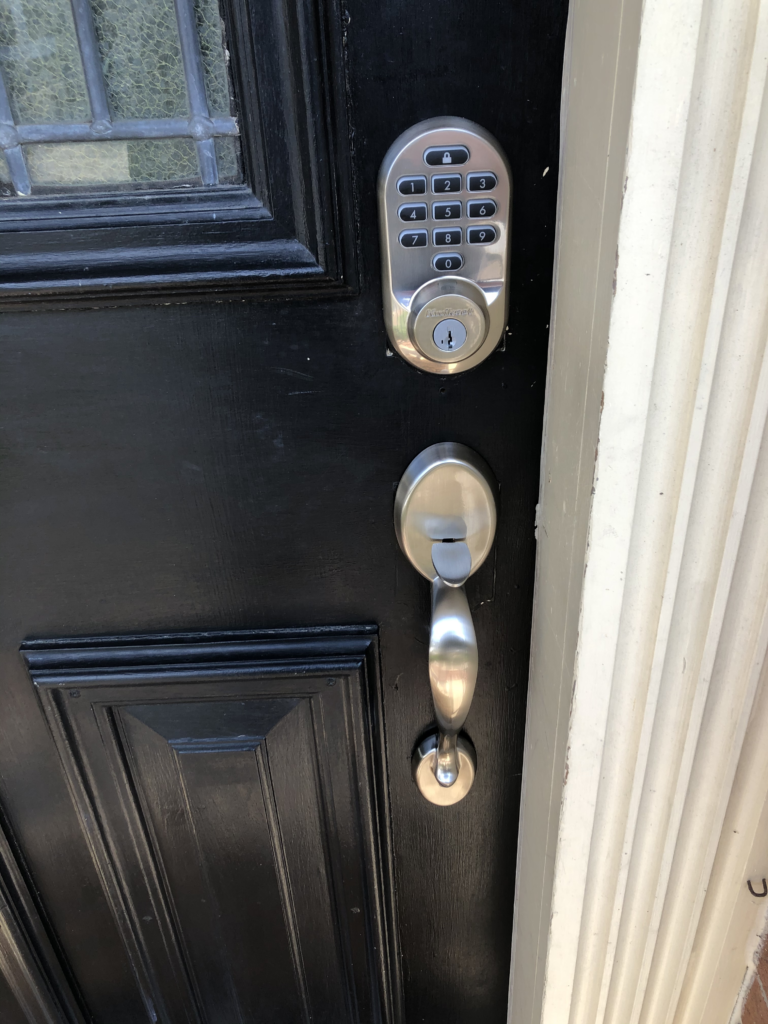
Final Compression: Is the Kwikset Halo Worth It?
The Halo isn’t a lock that fails. It’s a lock that hides its one real weakness behind weeks of flawless performance, so the moment it does show up feels like a surprise instead of a known trade-off. Once you know where that weakness lives — in a few millimeters of strike-plate alignment — it stops being mysterious and starts being manageable.
If your door is properly aligned and you’re already inside the Alexa or Google ecosystem, this is the version worth ordering.
KWIKSET HALO SMART LOCK: FREQUENTLY ASKED QUESTIONS
| Question | Answer |
|---|---|
| How long do the batteries actually last on the Kwikset Halo? | It depends heavily on door alignment. Well-aligned, low-traffic doors get close to the advertised several-month range. Misaligned doors under heavy daily use can burn through a set of 4 AA batteries in a matter of weeks. |
| Does the Kwikset Halo work with Apple HomeKit? | No. This model works natively with Amazon Alexa and Google Home. Apple Home/Matter support is only on Kwikset’s newer Halo Select and Aura Reach lines. |
| Do I need a smart home hub to use it? | No. It connects directly to your home’s 2.4GHz Wi-Fi network — no separate hub, bridge, or subscription required. |
| Can I use rechargeable batteries? | Kwikset itself recommends standard alkaline batteries over rechargeables, since rechargeables run at a lower voltage that can cause inaccurate battery readings and inconsistent performance. |
| What happens if my Wi-Fi or power goes out? | The deadbolt keeps working — the keypad code and physical key both function independently of Wi-Fi. You’ll just lose remote app control and notifications until the connection and battery are both back up. |
| Can I install it myself? | Yes. Most owners finish in 20 to 30 minutes with a screwdriver, guided by the Kwikset app. Note that it replaces the entire deadbolt rather than fitting over your existing one, so it’s more involved than a slip-over lock. |
| Does it work outside the US and Canada? | Kwikset states the app is built for the US and Canada only. Buyers in other regions have reported the app and geofencing features not functioning correctly. |
| What’s the difference between the Halo, Halo Touch, and Halo Select? | This model (Halo Keypad) uses a touchscreen, Wi-Fi, and Alexa/Google. Halo Touch swaps in a fingerprint reader. Halo Select adds Matter support for Apple Home compatibility. Same core lock body, different access methods. |
Transparency Note:
This analysis is built on aggregated real-world experience.
It extracts what repeatedly holds, what breaks, and what users uncover only after living with the system—then shapes it into a clear model you can use immediately.
Think of it as structured experience, refined and presented so you don’t have to learn it the hard way.
“A quick note: Don’t believe the star ratings, but trust personal experience. This article is a compilation of collected experiences.”