GOOGLE NEST DOORBELL (BATTERY) REVIEW: THE PICTURE LOOKS FINE. THE ALERT DOESN’T COME.
GOOGLE NEST DOORBELL (BATTERY)
We’re rinsing a coffee mug when the phone buzzes. Someone’s at the front door. By the time we dry our hands and open the app, the porch is empty. No delivery box, no neighbor waving, nothing. Just that small, specific unease of being “notified” about something we never actually got to see happen in real time.
That gap, between the buzz and the truth, is the real story of the Google Nest Doorbell (Battery). Not the box copy. Not the demo photos with perfect afternoon light and a smiling courier.
Why does a doorbell with this much detection talent still leave people staring at an empty porch, wondering what they missed? We went through the spec sheets, Google’s own support documentation, the subscription fine print, and years of owner reports to find out exactly where this thing earns its price tag, and exactly where it quietly doesn’t.
Google Nest Doorbell Battery Video Quality: The Result Looks Fine, the Problem Isn’t
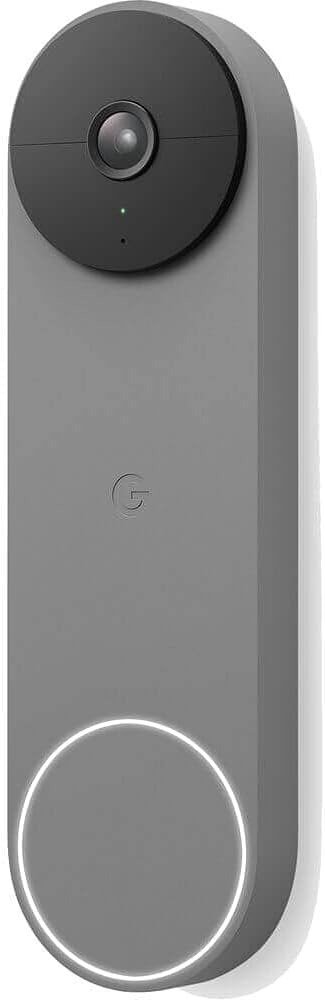
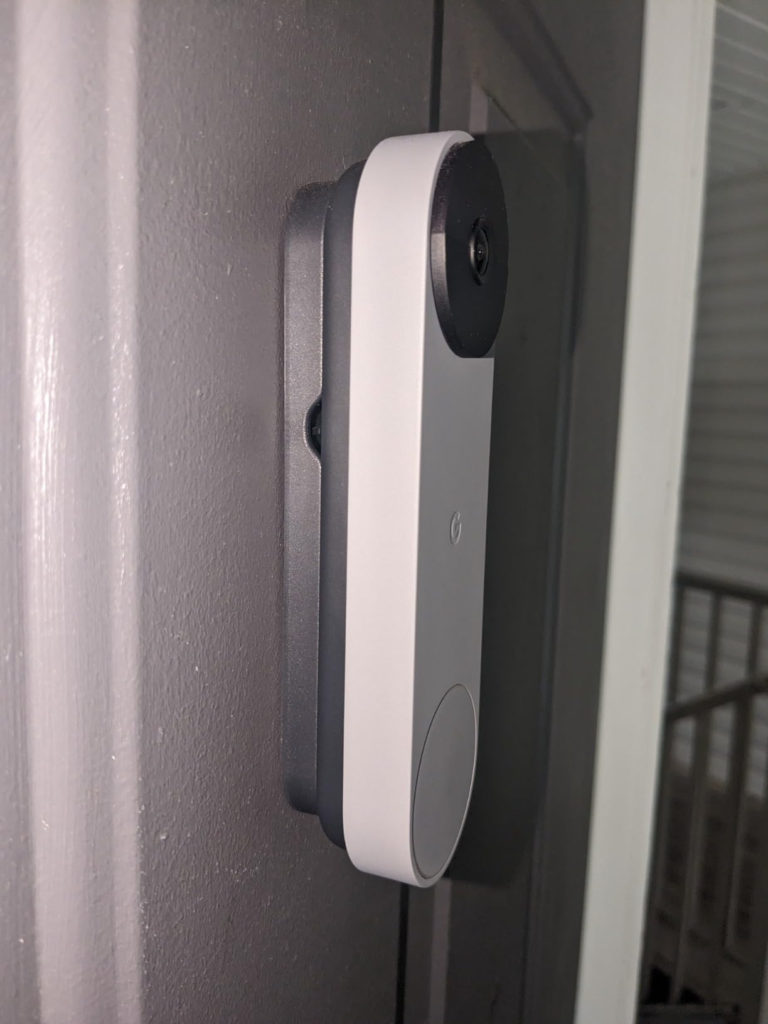
On paper the numbers read well. The lens shoots 960 x 1280 video at 30 frames per second across a 145-degree diagonal field of view, framed in a tall 3:4 ratio instead of the wide rectangle most doorbells use. That choice sounds minor until you live with it: it’s why you catch a visitor head to toe, along with whatever they just left on the mat, instead of a headless torso and a mystery box at the frame’s edge. HDR does real work too, holding detail in a porch scene even under harsh afternoon glare.
Here’s what the product photos leave out. Independent lab testing turned up daytime footage that’s bright but soft on fine detail, and low-light video that reviewers rated noticeably dimmer and less crisp than rivals in the same price bracket. The tall framing that gives you the head-to-toe shot comes with a trade-off too: the wide vertical lens visibly bends and stretches the picture near the outer edges of the frame, a side effect of the lens shape, not a defect, but worth knowing before you’re squinting at a warped porch rail at 11 p.m.
None of that makes the camera bad. It makes it good enough for a phone screen, which, honestly, is what a doorbell camera actually needs to be. Don’t expect the crop-and-zoom clarity of a dedicated security camera.
Google Nest Doorbell (Battery) — At a Glance
| Spec | Detail |
|---|---|
| Price (MSRP) | $179.99 |
| Typical street price | ~$130–$160, varies by color and retailer |
| Resolution | 960 x 1280, 30fps |
| Field of view | 145° diagonal, 3:4 vertical aspect |
| Night vision | 4 infrared LEDs, useful to roughly 10 ft |
| Free smart alerts | People, packages, animals, and vehicles |
| Free video history | 3 hours, event-based, no subscription needed |
| Battery | 6,000 mAh, ~5-hour charge via USB-C |
| Weather rating | IP54 — splash and dust resistant, not fully waterproof |
| Operating range | -4°F to 104°F |
| Plays well with | Google Home app, Assistant/Gemini, Nest Hub, Alexa (live view) |
| Doesn’t support | Apple HomeKit |
What You’re Actually Feeling but Not Naming
If you’ve lived with any video doorbell for more than a month, you already know this feeling. It’s not panic. It’s smaller, a low background static of did I miss something.
It shows up in specific, small moments. Checking the app twice after one notification because the first glance didn’t tell you enough. Glancing at the battery icon before a trip, doing quiet math about whether it survives the week. Hearing the chime and reaching the door two seconds too late, then wondering whose fault that really was.
There’s a name for the first feeling: alert lag. There’s a name for the second: battery anxiety. Most reviews never name either one, because naming them means admitting the “smart” part of a smart doorbell has edges.
The Hidden Mechanism Behind the Miss: Why the Alert Comes Late, and Why Gemini Skips This Model
Why does the notification land after the moment has already passed? Because this doorbell doesn’t think for itself on the device. Motion trips a sensor. The clip gets bundled and pushed up to Google’s servers. The actual decision, person, package, or stray cat, happens up there. Only then does a notification travel back down to your phone or speaker.
That round trip is usually quick. But owners have been reporting the same pattern across Google’s own support forums for years: notifications landing anywhere from a few seconds to, on bad days, many minutes after the actual event, even on fast, uncrowded home Wi-Fi, with no consistent fix beyond generic router troubleshooting. It isn’t constant, and it isn’t universal. But it’s persistent enough, and old enough, to read less like a glitch and more like the built-in cost of doing the thinking in the cloud instead of on the device.
There’s a second, newer mechanism worth naming, because it touches this exact model. Google rebuilt its camera lineup around Gemini in late 2025, promising plain-English descriptions of what your camera saw and the ability to ask your footage a question and get a real answer. This battery doorbell made the list for the baseline conversational upgrade. But the deeper camera intelligence, the layer that actually reads a scene and writes you a sentence about it, launched exclusively on new wired hardware. Coverage of the launch pointed to a simple reason: Gemini’s processing appetite is heavier than a battery-powered camera can sustain, so the richer features stayed wired-only, at least for now. If “works with Gemini” on the box feels thinner in practice than it does on a newer Nest Cam, that’s why.
The Threshold Where the Battery Quietly Breaks
Here’s where an honest number beats a marketing one. Google’s own guidance splits real-world battery life into three bands, and which one you land in depends entirely on how busy your porch actually is.
Real-World Battery Life by Household Activity
| Your front door | Events per day | Battery life per charge |
|---|---|---|
| Busy, lots of foot traffic | 25–30 | ~1 month |
| Typical household | 13–16 | ~2.5 months |
| Quiet, low-traffic entrance | 2–4 | ~6–7 months |
| Any household, hard freeze | — | Stops charging below 32°F/0°C |
That last row is the one nobody sees coming. It isn’t just “batteries drain faster in winter.” Below freezing, the battery physically refuses a charge, even if you’ve wired the doorbell into your existing doorbell transformer. In a hard freeze, you’re running on whatever charge was already sitting in the unit. And the battery itself isn’t something you can just swap out: Google’s own safety documentation routes any repair or disassembly through Google’s authorized service, not the owner. If it degrades early, and some owners do report that, your options are a warranty claim or a new doorbell, not a $15 part from the hardware aisle.
None of this makes the doorbell unreliable. It makes it something you manage, the way you manage a phone battery, just with a five-hour recharge and a ladder involved.
Why Most Buyers Misread the Subscription Before They Even Open the Box
Here’s the line doing the most quiet work on every listing for this doorbell: “works with Google Home & Gemini.” True. Also carrying a lot of unstated fine print.
The free tier really is generous next to most doorbell brands: person, package, animal, and vehicle detection with zero subscription required, plus three scrollable hours of event history. That’s real value competitors usually gate from day one.
What the free tier doesn’t show you is the ceiling above it. Nest Aware was renamed Google Home Premium in late 2025, and the price has risen twice since 2023. Here’s what it actually buys now:
Google Home Premium: What Changes With a Subscription
| Free | Standard ($10/mo or $100/yr) | Advanced ($20/mo or $200/yr) | |
|---|---|---|---|
| Person / package / animal / vehicle alerts | Yes | Yes | Yes |
| Event video history | 3 hours | 30 days | 60 days |
| Familiar face alerts | No | Yes* | Yes* |
| 24/7 continuous recording | No | No | No** |
| Gemini descriptions, Home Brief | No | Basic | Fuller (newer wired hardware) |
*Not available in Illinois, under state biometric privacy law. **Around-the-clock recorded footage is reserved for wired Nest hardware, and Google carves the battery doorbell out of that specifically, even wired in.
Read that bottom row twice. Even the top $200-a-year plan doesn’t unlock what people usually assume a camera subscription buys, a continuous, gapless recording you can scrub minute by minute. You get a smarter, longer highlight reel. You never get the whole tape, at any price, on this hardware.
For quick context against its closest rival:
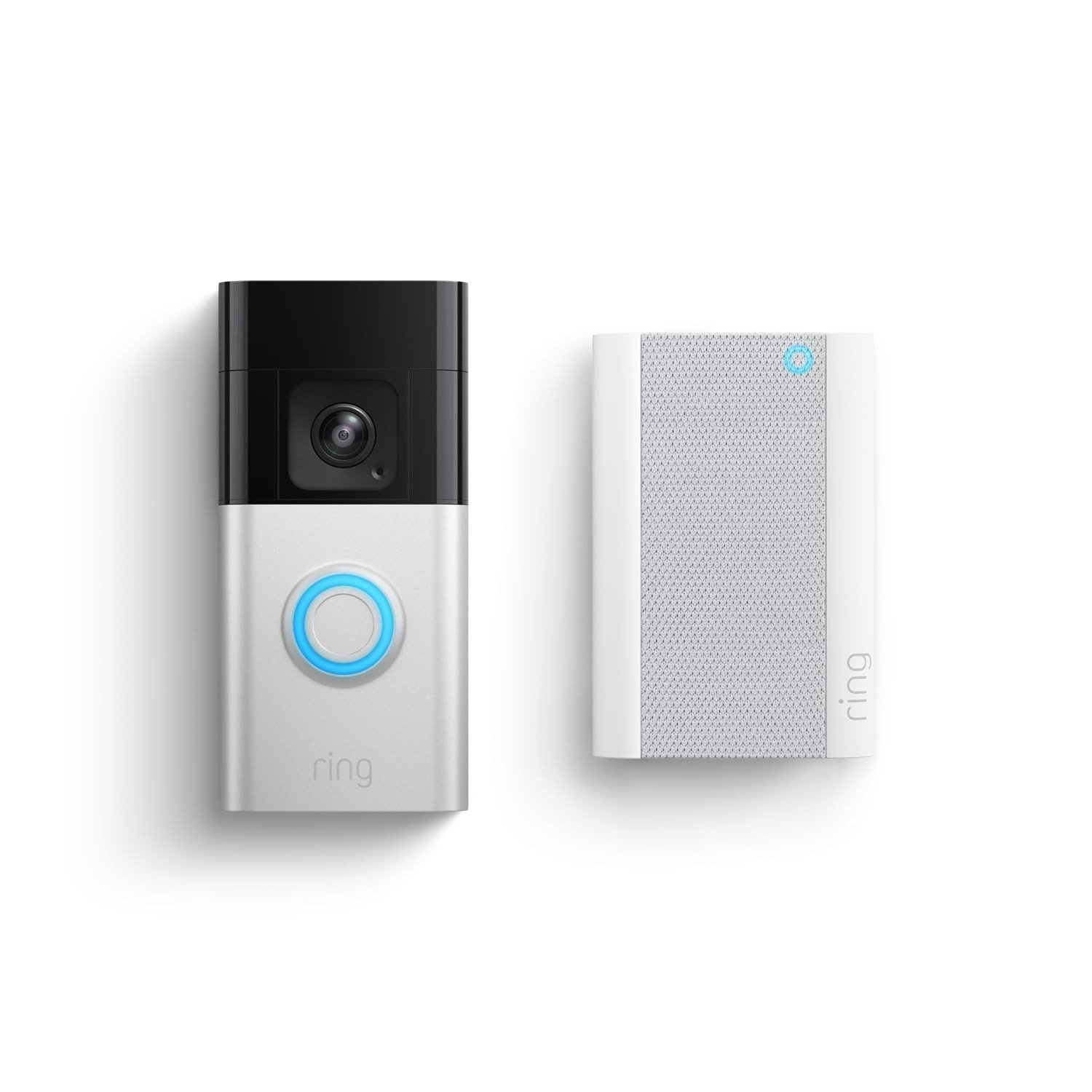
Nest Doorbell (Battery) vs. Ring Battery Doorbell Pro
| Nest Doorbell (Battery) | Ring Battery Doorbell Pro | |
|---|---|---|
| Price | ~$180 | ~$230 |
| Resolution | 960 x 1280 | 1536p |
| Battery | Sealed, built-in | Removable, swaps in seconds |
| Free smart alerts | People, packages, animals, vehicles | Person only; rest needs a plan |
| Cheapest single-cam plan | $8–10/mo | ~$5/mo |
| Apple HomeKit | No | No |
Neither brand is lying. They’re both just letting the headline feature do the talking while the asterisk does the explaining.
Who Is Actually Inside This Problem
Strip away the marketing and the complaint threads, and there’s a genuinely clear buyer here. The renter, or the owner who doesn’t want to touch existing wiring. The household already living inside Google’s world, a Nest Hub on the counter, Android phones in every pocket, a speaker or two already handling timers and weather. The buyer who wants honest, free detection on day one and isn’t ready to commit to a subscription before testing the thing for a week.
If that’s your front door, keep reading. If it isn’t, the next part will probably save you some money.
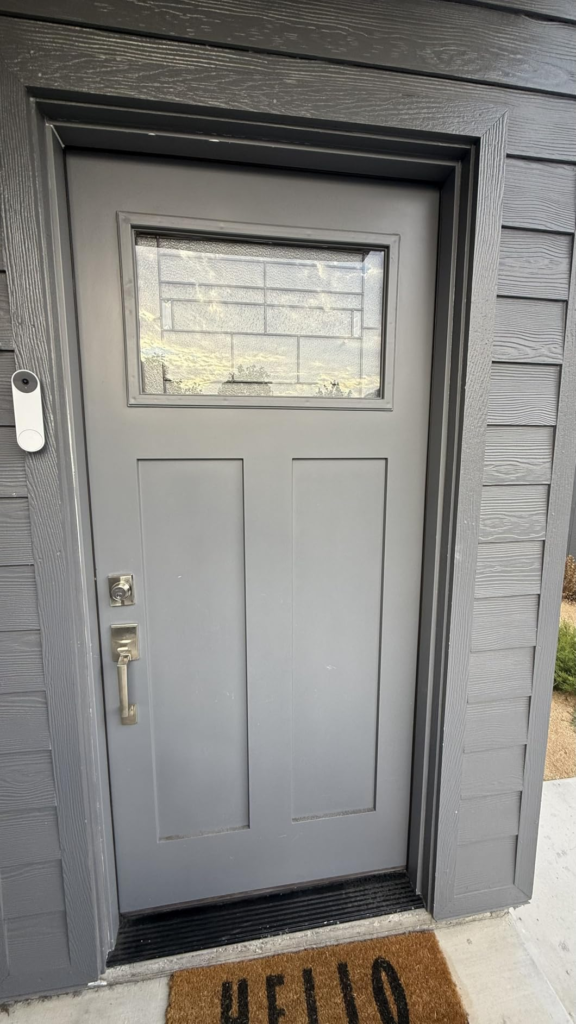
Where Wrong-Fit Begins
Why do so many one-star reviews for this exact doorbell read like they’re describing a different product? Usually because the buyer walked in expecting something this was never built to be.
You’re the wrong fit if your home runs on Apple HomeKit; it won’t slot in quietly on either side of that line. You’re the wrong fit if you actually need continuous, gapless footage, a busy rental, a theft-prone porch, a situation where you might need timestamped proof, because no plan at any price gives this specific doorbell that. You’re the wrong fit if a ten-to-twenty-second delay during a real event is something you can’t live with; that complaint has been showing up in the doorbell’s own community forums for years without a clean fix. And you’re the wrong fit if you’ve already sunk money into Ring or Alexa-first hardware and this just means a second app for the rest of the house.
Right Fit vs. Wrong Fit
| Choose this doorbell if… | Look elsewhere if… |
|---|---|
| You rent, or don’t want to touch wiring | You need Apple HomeKit |
| You’re already on Google Home, Nest Hub, or Android | You need true 24/7 recorded footage, at any plan |
| You want strong free detection before committing to a plan | A 10–20 second alert delay is a dealbreaker |
| Daylight video on a phone screen is good enough | You need the sharpest possible night footage |
| A sealed, non-swappable battery doesn’t bother you | You’ve already built a Ring or Alexa-first setup |
The One Situation Where the Nest Doorbell (Battery) Becomes the Logical Choice
Picture the household this actually fits. A renter, or someone who simply doesn’t want an electrician involved. Already carrying an Android phone, already talking to a Google speaker in the kitchen. Wants to know who’s at the door and whether the package landed, without paying anything the first month to find out.
For that household, this stops being a compromise and becomes the obviously correct answer. Setup takes minutes, no wiring required. The free detection outperforms what most rivals give away. And every limit we’ve walked through, the battery math, the alert lag, the recording ceiling, is one that household was already going to accept in exchange for never touching a wire.
That’s not every household. It doesn’t need to be. It’s just the one where the decision stops being complicated.
What It Solves, What It Reduces, and What It Still Leaves to You
It solves the wiring problem outright, and most of the false-alarm problem. You stop getting pinged for every passing car and start getting told, specifically, “package” or “person.”
It reduces the cost of finding out, since you can run it free for weeks before deciding whether a subscription earns its place.
It still leaves you a recurring charging chore every one to seven months depending on your porch traffic, a real subscription cost if you want more than three hours of memory (budget roughly $100 to $200 a year), patience for the notification lag, and a hard ceiling on continuous recording that no amount of money removes on this hardware.
Buy it for what it actually is, and the gap between the box and the doorbell disappears. Buy it for what the listing implies, and you’ll feel it every time the alert comes late.
Nest Doorbell (Battery): Quick Answers Before You Buy
Does it record 24/7, even with a subscription?
No. Continuous video history is reserved for wired Nest hardware, and the battery doorbell is specifically excluded, even wired in on the top plan. You get event clips, not a gapless tape.
How long does the battery really last?
Roughly a month on a busy front door, about two and a half months for a typical household, and up to six or seven months on a quiet entrance. Cold weather shortens all three, and stops charging entirely below freezing.
Do I need a subscription to use it at all?
No. Person, package, animal, and vehicle detection run free, permanently, with three hours of scrollable history. A subscription buys longer history, familiar-face alerts, and deeper Gemini features.
Does it work with Apple HomeKit?
No, and neither does its closest Ring rival.
Does it work with Alexa and Echo Show?
Partially. Live view, doorbell-press announcements, and two-way talk work on Echo Show and Fire TV, but familiar-face alerts and full history stay inside the Google Home app.
Can I replace the battery myself when it wears out?
No. Repairs and disassembly are meant to go through Google’s authorized service, not the owner; a failing battery is a warranty conversation, not a weekend fix.
Is it legal to record audio at my own front door?
Generally yes for video, since a porch carries little expectation of privacy. Audio is the part to think about: about a dozen U.S. states require every person in a conversation to consent before it can be recorded, not just the doorbell owner, so it’s worth a quick check of your state’s rule if a neighbor’s chat is likely to get picked up. General information, not legal advice.
Final Compression
Every video doorbell sells the same promise: know who’s there without being there. This one keeps that promise cleanly for the household we described above, and quietly breaks it for anyone hoping the box said more than it meant.
If your front door is quiet, your household already runs on Google, and you’re not chasing courtroom-grade footage, the math works in your favor. If none of that describes you, you now know exactly which line in the spec sheet to blame later.
From our analytics lab: More top-rated reviews
| PRODUCT NAME: GOOGLE NEST DOORBELL BATTERY (GWX3T) | PRODUCT NAME: BOIFUN 5MP WIRELESS DOORBELL CAMERA |
| PRODUCT NAME: AOSU DOORBELL CAMERA | PRODUCT NAME: XTU J10 DOORBELL |
| PRODUCT NAME: YOUKEY DB312 DOORBELL CAMERA | PRODUCT NAME: SWITCHBOT SMART VIDEO DOORBELL |
| PRODUCT NAME:BLINK WHOLE HOME BUNDLE | PRODUCT NAME: ARLO ESSENTIAL VIDEO DOORBELL 2K |
Transparency Note:
This analysis is built on aggregated real-world experience.
It extracts what repeatedly holds, what breaks, and what users uncover only after living with the system—then shapes it into a clear model you can use immediately.
Think of it as structured experience, refined and presented so you don’t have to learn it the hard way.
“A quick note: Don’t believe the star ratings, but trust personal experience. This article is a compilation of collected experiences.”