SwitchBot Smart Video Doorbell Review: The Monitor Earns Its Place. The Camera Has a Different Answer.
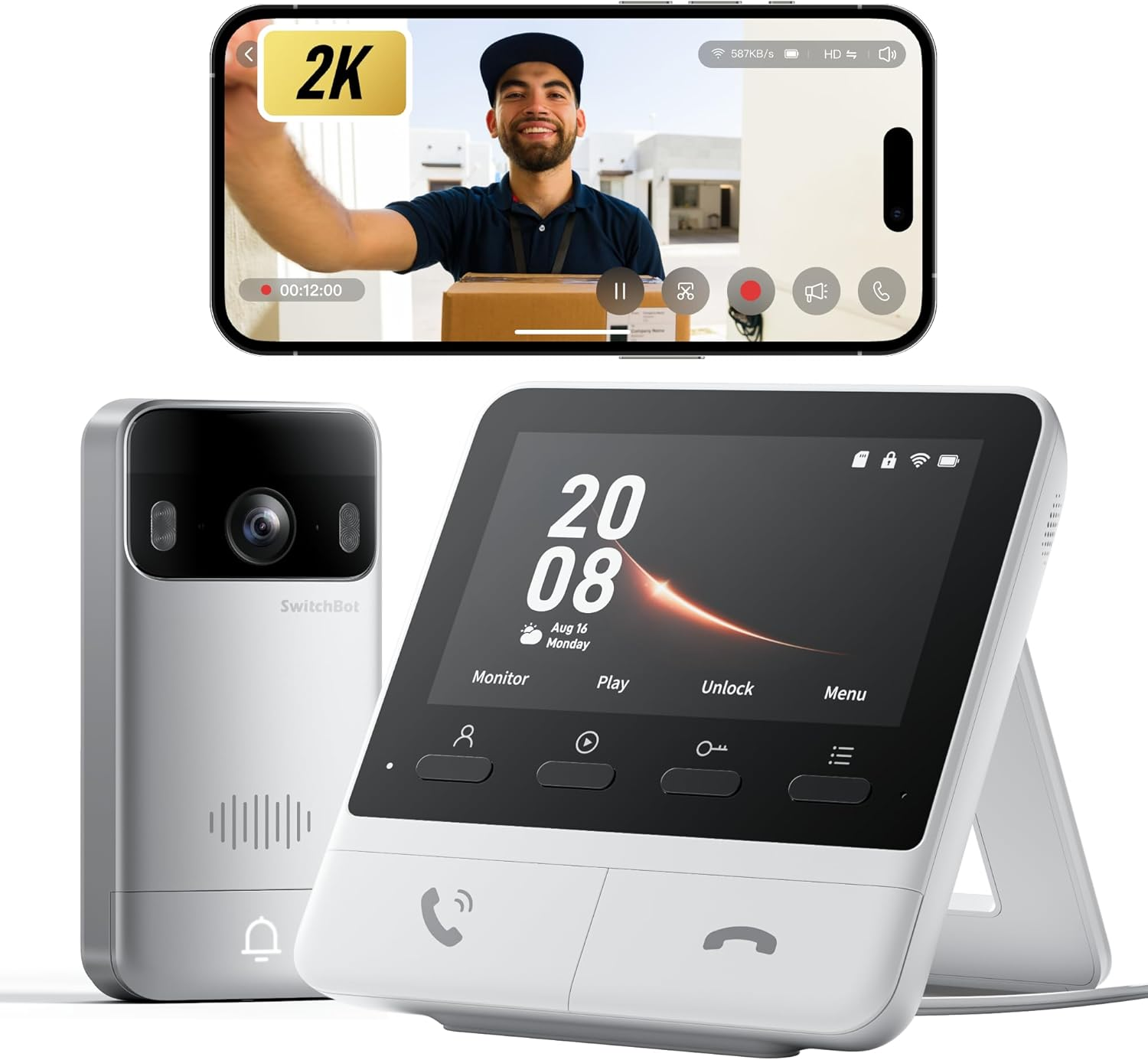
SWITCHBOT SMART VIDEO DOORBELL
The Result Looks Fine. The Problem Isn’t.
You read the spec sheet. 2K resolution. 165-degree field of view. A 5,000mAh battery that supposedly lasts 19 months. A dedicated indoor monitor so your elderly parent or young child can answer the door without touching a phone. Local storage. No mandatory subscription. Matter compatibility.
It sounds like the doorbell that finally solves everything.
It doesn’t.
What the spec sheet cannot communicate is the difference between what a camera is rated to capture and what it actually delivers on your front porch, under real light, in a real frame, triggering real notifications that you actually need to act on. Those two things are not the same product. And the gap between them is precisely where this doorbell lives.
| Specification | Claimed | Real-World Result |
|---|---|---|
| Video Resolution | 2K (2304×1296) | Recorded clips: 640×360 per independent testing |
| Battery Life | 6–19 months | Dependent on activity; high-traffic doors significantly lower |
| Field of View | 165° | 16:9 aspect ratio cuts vertical coverage sharply |
| Smart Detection | AI people/pets/vehicles | Most features require paid subscription |
| Local Storage | Up to 512GB microSD | 4GB card included; recordings only when app connected |
| Night Vision | Color night vision | Functional but dynamic range scores 0.4 out of 10 in lab testing |
| Package Detection | Implied by “AI detection” | Not available — absent entirely |
This table is not a complaint. It is a threshold map. And the threshold you need to understand before buying is this: the SwitchBot Smart Video Doorbell is two separate products sharing one housing. One of them is genuinely excellent. The other is genuinely struggling.
What You’re Actually Feeling but Not Naming
The friction that brings people to this doorbell is not abstract. It is one of these three things:
You are tired of paying Ring or Nest a monthly subscription to access your own footage. The cloud storage model feels like a trap, and you are right that it is. You want local recordings that belong to you.
Or: someone in your home — a child, an elderly relative, someone who does not want to manage a smartphone notification — needs to know who is at the door without a technical obstacle between them and the answer. A dedicated physical monitor sounds like a real solution to a real daily problem.
Or: you are already in the SwitchBot ecosystem. You have their smart lock, or you are considering it, and the promise of NFC tap-to-unlock synchronized with a doorbell camera sounds like the kind of integration that would actually simplify your mornings.
All three of these frictions are legitimate. All three are the reason this product exists. The question is whether the camera quality threshold breaks your use case before those frictions are solved — or after.
The Hidden Mechanism Behind the Miss
Here is the mechanism that most reviews mention but few explain structurally.
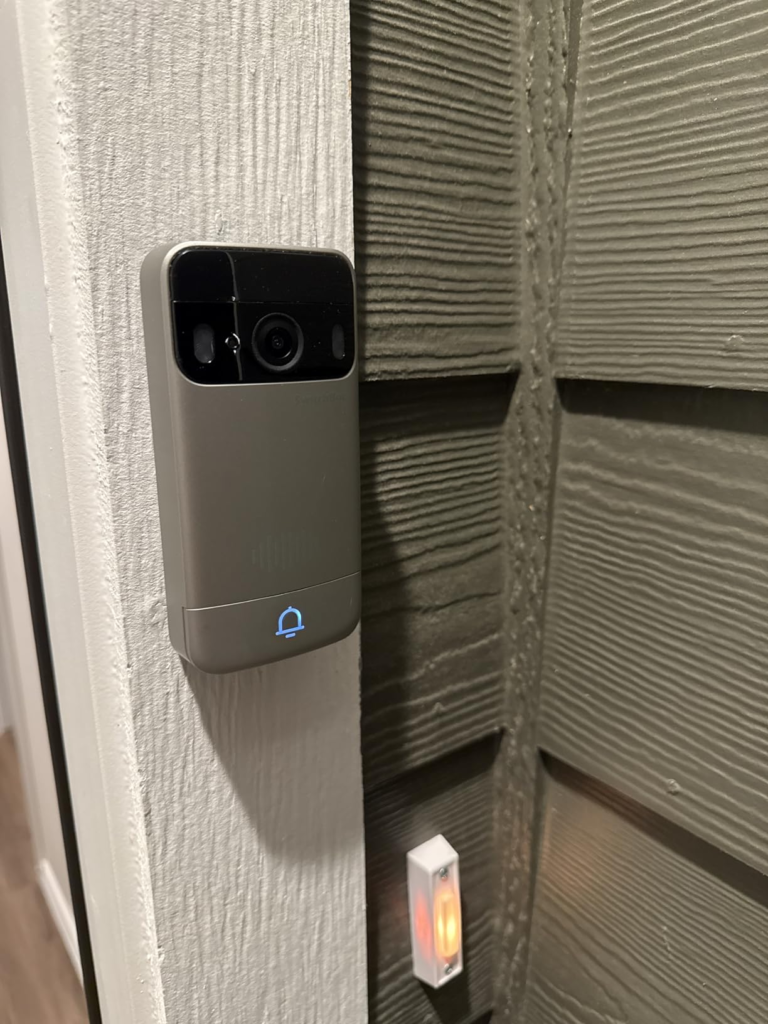
The SwitchBot Smart Video Doorbell uses a 16:9 horizontal aspect ratio. Every other competitive doorbell in its class — Google Nest Doorbell, Ring Video Doorbell 4, Eufy — uses a taller, squarer frame that captures the vertical column in front of your door: the person’s face, their torso, any package at their feet. A 16:9 frame, mounted at the recommended height of 1.2 to 1.5 meters, captures a wide horizontal sweep but cuts the vertical field so aggressively that you may lose the face of a person standing directly in front of it.
The 2K label compounds this. In independent testing by multiple reviewers, recordings saved to the microSD card were delivered at 640×360 pixels. SwitchBot’s own product team confirmed that the live stream in the app may reach 2K, but local saved video is downsampled to a fraction of that. If you buy this doorbell for the local 2K recording promise, you are buying something that does not yet exist at the storage level.
| Aspect | SwitchBot Video Doorbell | Industry Benchmark |
|---|---|---|
| Aspect Ratio | 16:9 | 3:4 or 9:16 (taller) |
| Saved Video Resolution | 640×360 (observed) | 1080p–2K local |
| Dynamic Range Score | 0.4 / 10 | Industry avg 6.0 / 10 |
| Two-Way Audio Quality | Scratchy, tinny | Industry avg 7.5 / 10 |
| Notification Delay | 8.9s (doorbell press) | Industry avg 3.4s |
| Package Detection | None | Available on most competitors |
The audio follows the same pattern. The speaker in both the doorbell unit and the indoor monitor has been described across multiple independent reviewers as tinny, scratchy, and grating. Two-way communication works, but the quality signals cheap hardware, not a $150 entry point.
The Threshold Where the Outcome Quietly Breaks
There is a specific threshold after which the camera’s visual failures become the defining experience of the product.
If your front door receives low to moderate traffic — a few visitors per day, a quiet residential street, no complex lighting transitions — the camera’s weaknesses stay mostly invisible. Low dynamic range hurts you when the sun is behind your visitor and your doorbell’s sensor cannot balance exposure. A quiet porch in flat light at midday produces a watchable image. Your monitor chimes. You press the button. You see a face. It works.
But the threshold breaks in these conditions:
Bright backlight. A visitor standing with afternoon sun behind them produces a silhouette. The camera’s dynamic range score of 0.4 out of 10 against the industry average of 6.0 is not a rounding error. It means that in the precise lighting scenario that occurs at most front doors in late afternoon — the exact moment most deliveries happen — you get a dark shape, not a face.
High-traffic situations. Battery life collapses proportionally to activity. The 19-month claim assumes extremely low-trigger environments. A busy household with frequent visitors, passing pedestrians, or a high-sensitivity motion zone can reduce this dramatically. SwitchBot built in no wired doorbell support as a fallback.
Smart detection dependency. People detection, vehicle detection, pet detection — all exist in the spec sheet. But without an active SwitchBot subscription, most of these features are locked. You receive motion alerts that do not distinguish between a delivery driver and a passing car. Filtering false positives becomes a manual job with no rich notification thumbnail to help you judge at a glance.
| Condition | Performance |
|---|---|
| Low-traffic, flat light, simple scene | Functional. Monitor works well. |
| Backlit visitor (common at afternoon doors) | Silhouette. Face not identifiable. |
| High-traffic door, frequent triggers | Battery drains faster; no wired fallback |
| Smart detection without subscription | Undifferentiated motion alerts only |
| Two-way conversation with visitor | Audio quality noticeably poor on both ends |
| Package left at door | No detection capability. None. |
Why Most Buyers Misread This Too Early
The misread happens at the comparison stage.
Ring Doorbell 4 at $100 requires a subscription for any cloud storage. Nest Doorbell at $180 is cloud-first by design. Both lock you into recurring costs. The SwitchBot at $150 with no mandatory subscription and local storage feels structurally superior before you test the camera.
The error is applying a cost and feature comparison to a product decision that should be made on camera output quality. A doorbell camera that does not show you a face is not a security device. It is a notification machine. You already have that on your phone.
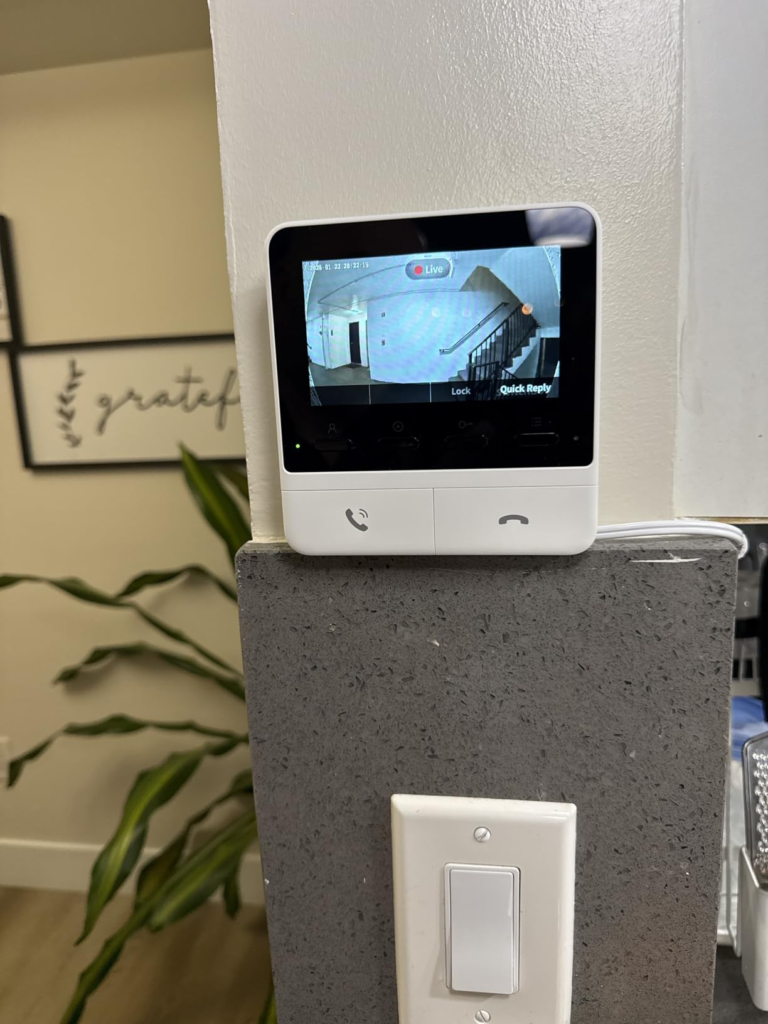
The second misread is the monitor. The monitor is genuinely good. It is well-designed, accessible, useful for households where not everyone carries a smartphone, and the EdgeLink local connection means it functions even when your router goes down. The monitor alone, for its specific use case, is worth serious consideration. But buying a video doorbell system for its monitor while accepting a broken camera is not a security upgrade. It is a chime upgrade with a camera attached.
| What Buyers Compare | What Actually Decides Satisfaction |
|---|---|
| Subscription cost | Video quality at the door |
| Spec sheet resolution | Real saved resolution vs. claimed |
| Feature list (AI detection) | Which features work without subscription |
| Monitor inclusion | Whether the camera serves its primary function |
| Battery life range | Real-world battery at actual traffic levels |
Who Is Actually Inside This Problem
This doorbell fits a specific, real person. Not everyone. A specific person.
You are inside this problem if: you already use SwitchBot’s smart lock ecosystem and the NFC unlock integration plus synchronized monitoring would genuinely complete a workflow you already started. The integration is real. The 0.3-second NFC tap unlock works. Auto-lock on “all clear” is functional and useful.
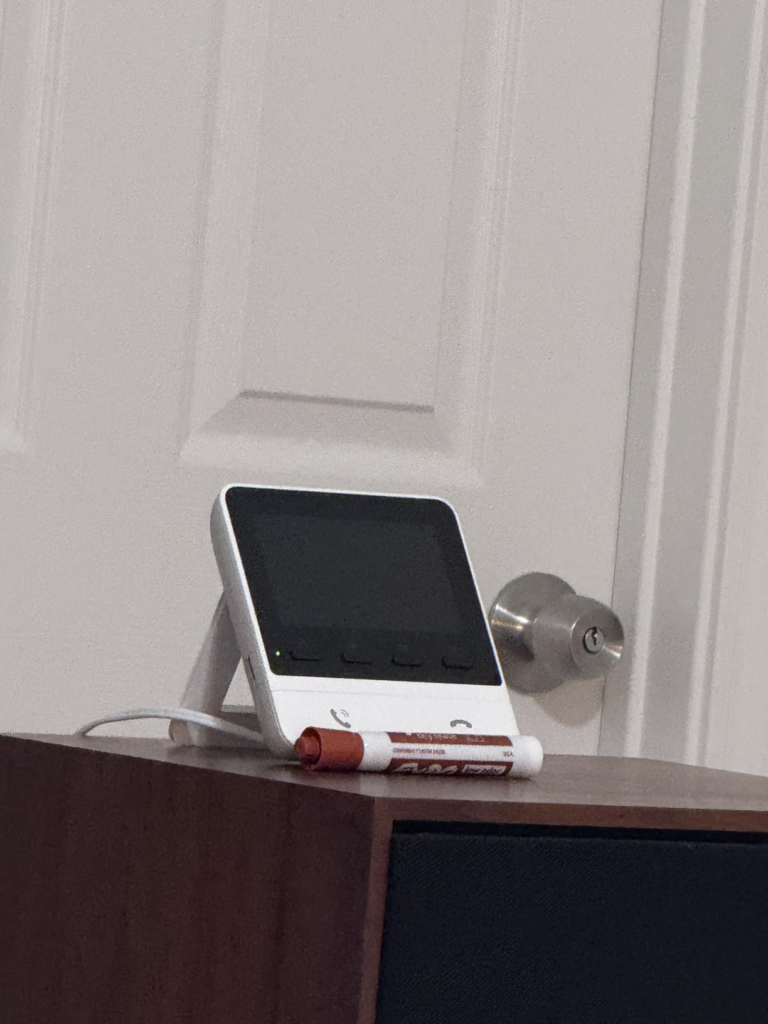
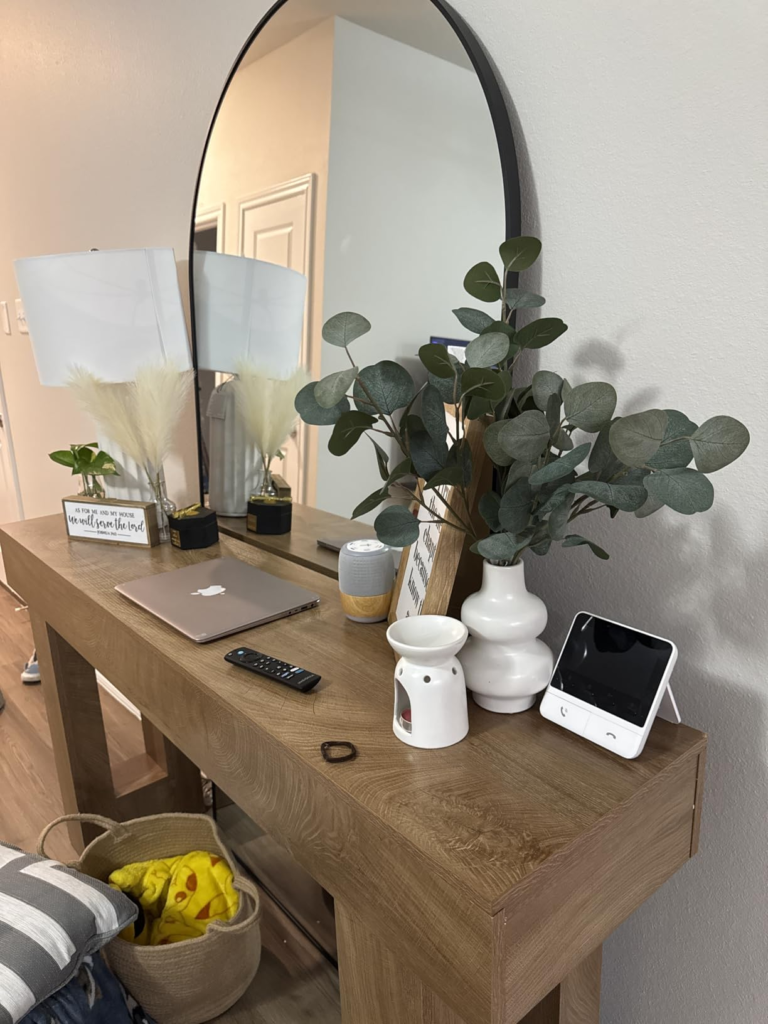
You are also inside this problem if: you need a door communication solution for a household member who cannot or will not manage smartphone notifications. The 4.3-inch indoor monitor is a physical, tactile solution that requires no app knowledge. One button for live view. One button for answer. One button for quick response. For elderly relatives, for children, for anyone living with reduced tech fluency, this monitor solves a genuine daily friction that most smart doorbells ignore.
You are also inside this problem — partially — if you have a low-traffic door, a covered porch that avoids direct backlit conditions, and your primary goal is local storage with no subscription over clean video quality. In that narrow configuration, the camera’s weaknesses stay below the threshold that breaks daily experience.
Where Wrong-Fit Begins
You are outside this product’s genuine fit if video quality is the primary reason you are replacing your current doorbell.
If you were robbed, missed a delivery, had a porch pirate incident, or need to identify a face — the camera in its current form is not equipped for that responsibility. A dynamic range score of 0.4 places it at the bottom of tested doorbells across every major review source. The wrong aspect ratio clips the vertical frame. The saved video resolution falls to 640×360. If you need to show footage to a neighbor or a police officer, what you have will not help.
You are also wrong-fit if you want a seamless smart home integration outside the SwitchBot ecosystem. Google Home, Apple Home via Matter, and Home Assistant all have documented limitations with this device. Matter camera support is described across multiple reviews as “half-baked” — Matter 1.5 introduced camera support too recently for it to work fully here. Home Assistant integration via RTSP/ONVIF exists but requires technical configuration. If you want plug-and-play integration with your existing ecosystem, confirm compatibility before purchasing.
| User Profile | Fit |
|---|---|
| SwitchBot Lock Ultra owner wanting integration | ✓ Strong fit |
| Household with elderly/tech-limited members | ✓ Monitor is a real solution |
| Low-traffic door, local storage priority | ✓ Conditional fit |
| Security-first buyer needing face identification | ✗ Wrong fit |
| Google/Apple Home ecosystem user | ✗ Requires verification |
| High-traffic residential door | ✗ Battery and camera threshold broken |
| Package theft concern | ✗ No package detection exists |
The One Situation Where This Product Becomes Logical
There is exactly one configuration where the SwitchBot Smart Video Doorbell becomes the structurally correct choice.
You own or plan to own a SwitchBot Lock Ultra. You have a household member who needs physical, non-smartphone access to see who is at the door. Your door sees moderate traffic, and your primary security layer is the lock itself — the doorbell is the communication layer, not the identification layer. Local storage matters more to you than cloud-quality video, and you will not be filing police reports off this footage.
In that configuration: the NFC unlock, the monitor, the local storage, the no-subscription model, the battery longevity, and the SwitchBot ecosystem coherence all combine into a product that makes complete sense. The camera’s weaknesses stay below your operational threshold. The monitor’s strengths become your daily experience.
Outside that configuration, the camera’s floor is lower than the price suggests it should be.
What It Solves, What It Reduces, and What It Still Leaves to You
| Category | What the SwitchBot Video Doorbell Does |
|---|---|
| Solves | Subscription fatigue — local storage is genuine and free |
| Solves | Accessibility gap — monitor gives non-smartphone users a real interface |
| Solves | SwitchBot ecosystem completion — NFC unlock, auto-lock, synchronized control |
| Solves | Weather durability — IP65 is a real rating, not marketing |
| Reduces | Offline vulnerability — EdgeLink local connection survives router failure |
| Reduces | Charging anxiety — 5,000mAh is genuinely large for battery doorbells |
| Still Leaves to You | Face identification in backlit or complex lighting |
| Still Leaves to You | Package detection — not available at any subscription level |
| Still Leaves to You | High-quality two-way audio — both speakers are substandard |
| Still Leaves to You | Smart detection without subscription — basic motion alerts only |
| Still Leaves to You | Full Matter/Google/Apple integration — verify your ecosystem first |
The battery is the most honest part of this product. The 5,000mAh pack with EcoPower relay technology is a genuine engineering decision that reduces power consumption by routing the doorbell’s Wi-Fi through the monitor rather than connecting directly. In low-traffic environments, the battery life claim is credible. That is worth acknowledging plainly.
The monitor is the second honest part. Its design is accessible, its function is clear, and its inclusion at $149.99 for the complete bundle is cheaper than every comparable pairing on the market.
The camera is where the product owes you more than it currently delivers.
Final Compression
The SwitchBot Smart Video Doorbell is a monitor system with a camera attached, not a camera system with a monitor included. That distinction is the entire purchase decision.
If your household needs physical, non-app-dependent door communication — and you are already in the SwitchBot ecosystem — this bundle closes a real gap at a price no competitor matches.
If you are buying it because the spec sheet says 2K, or because you need to identify faces, track packages, or build reliable smart home integration outside SwitchBot, the camera quality breaks your use case before the feature set saves it.
The threshold is simple: buy it for the monitor and the ecosystem. Don’t buy it for the camera alone.
If the SwitchBot ecosystem is already your infrastructure, and the monitor solves the accessibility problem you’ve been working around, this is where the decision stops being vague.
Frequently Asked Questions
| Question | Answer |
|---|---|
| Does the SwitchBot Smart Video Doorbell require a subscription? | No subscription is required for basic functionality, live view, and local storage. However, AI-powered smart detection features — people, pet, and vehicle differentiation — require a paid SwitchBot subscription to unlock. Basic motion alerts are free. |
| What is the real video quality of the SwitchBot Video Doorbell? | SwitchBot claims 2K resolution. Independent testing found that video saved to the microSD card is delivered at 640×360 pixels. The live stream in the app may reach higher quality, but saved recordings fall significantly short of the 2K marketing claim. |
| Does the SwitchBot doorbell work without Wi-Fi or internet? | Yes. The doorbell and monitor pair locally via SwitchBot’s proprietary EdgeLink protocol. You can view the live feed and receive visitor calls on the indoor monitor even without an internet connection. However, app access, cloud features, and some recording functions require Wi-Fi. |
| How long does the battery actually last? | SwitchBot claims 6 to 19 months on a single 5,000mAh charge. The real figure depends entirely on traffic. A low-activity door in EcoPower mode can approach the upper estimate. A high-traffic residential door or one with frequent false-positive triggers will deplete the battery significantly faster. |
| Does the SwitchBot Video Doorbell detect packages? | No. Despite marketing AI-powered detection for motion, people, pets, and vehicles, there is no package detection capability at any subscription level. If package theft is your primary concern, this doorbell does not address it. |
| Is the SwitchBot Video Doorbell compatible with Apple Home or Google Home? | Matter compatibility is included, but reviewers describe it as incomplete. Camera streaming via Matter is a recent addition to the standard and is not fully functional in this device. Google Home integration is limited. Apple Home control is possible only via Matter when paired with a SwitchBot Lock acting as a gateway. Verify your specific ecosystem requirements before purchasing. |
| Who is the indoor monitor best suited for? | The 4.3-inch indoor monitor is designed for household members who cannot or prefer not to manage smartphone notifications — elderly relatives, children, or anyone with reduced comfort around apps. It provides one-button live view, answer, and quick response functions with no phone required. |
| Can the SwitchBot doorbell be hardwired? | No. The doorbell is battery-powered only, with USB-C charging and an optional solar panel. There is no support for traditional wired doorbell installation or wired power as a permanent power source. |
Transparency Note:
This analysis is built on aggregated real-world experience.
It extracts what repeatedly holds, what breaks, and what users uncover only after living with the system—then shapes it into a clear model you can use immediately.
Think of it as structured experience, refined and presented so you don’t have to learn it the hard way.
“A quick note: Don’t believe the star ratings, but trust personal experience. This article is a compilation of collected experiences”