KWIKSET HALO SMART LOCK REVIEW: THE APP SAID LOCKED, THE DOOR WASN’T LISTENING
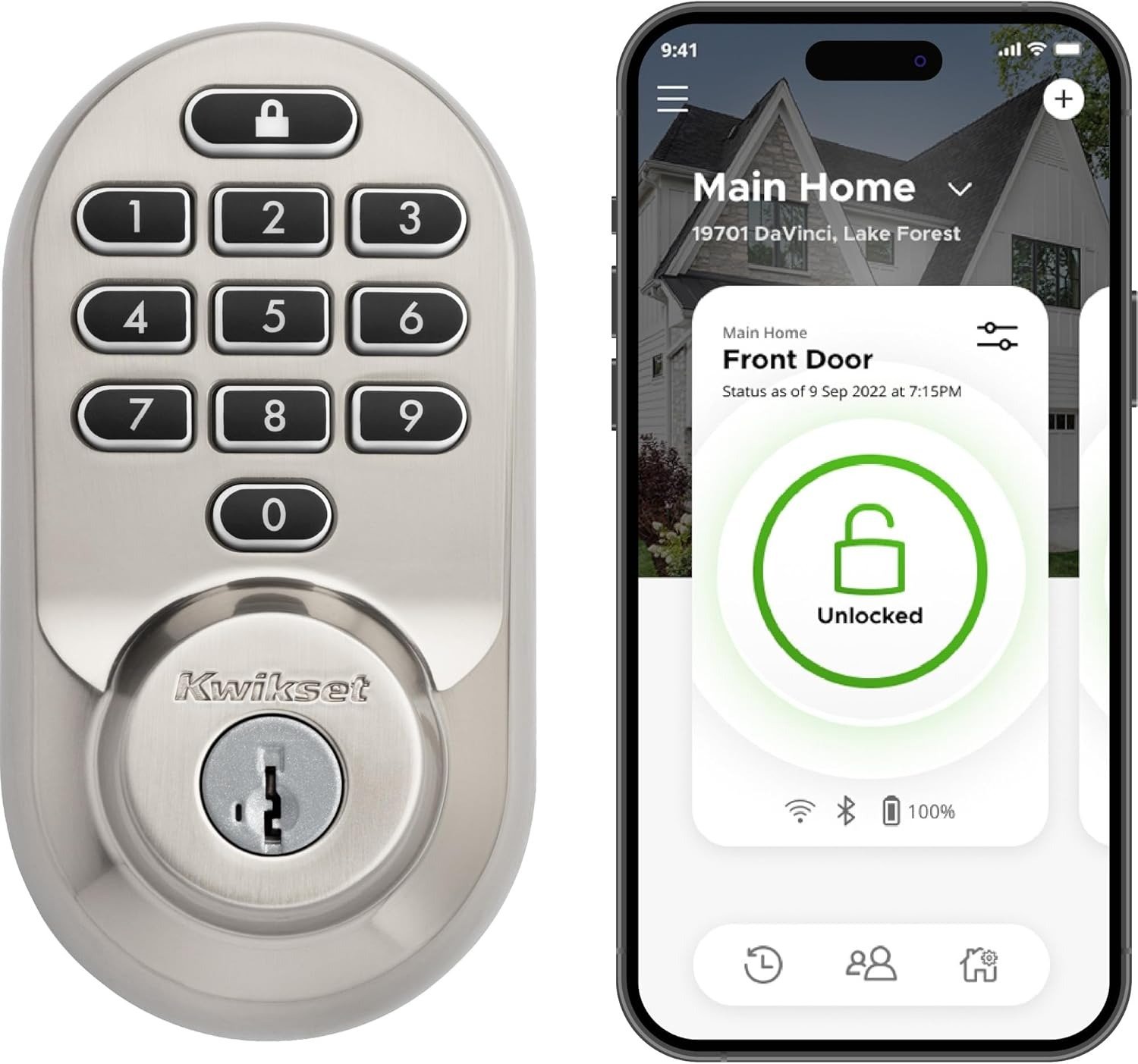
KWIKSET HALO SMART LOCK
You’re at the door with both arms full of groceries, phone at 9%, and you tap “unlock” in the Kwikset app. The little wheel just spins. Nothing happens — not because the lock failed, but because for a few seconds, it isn’t listening at all. That gap between the tap and the turn is the entire story of this lock, and almost nobody explains it before you’ve already paid for it.
Kwikset Halo Performance: The Result Looks Fine, the Problem Isn’t
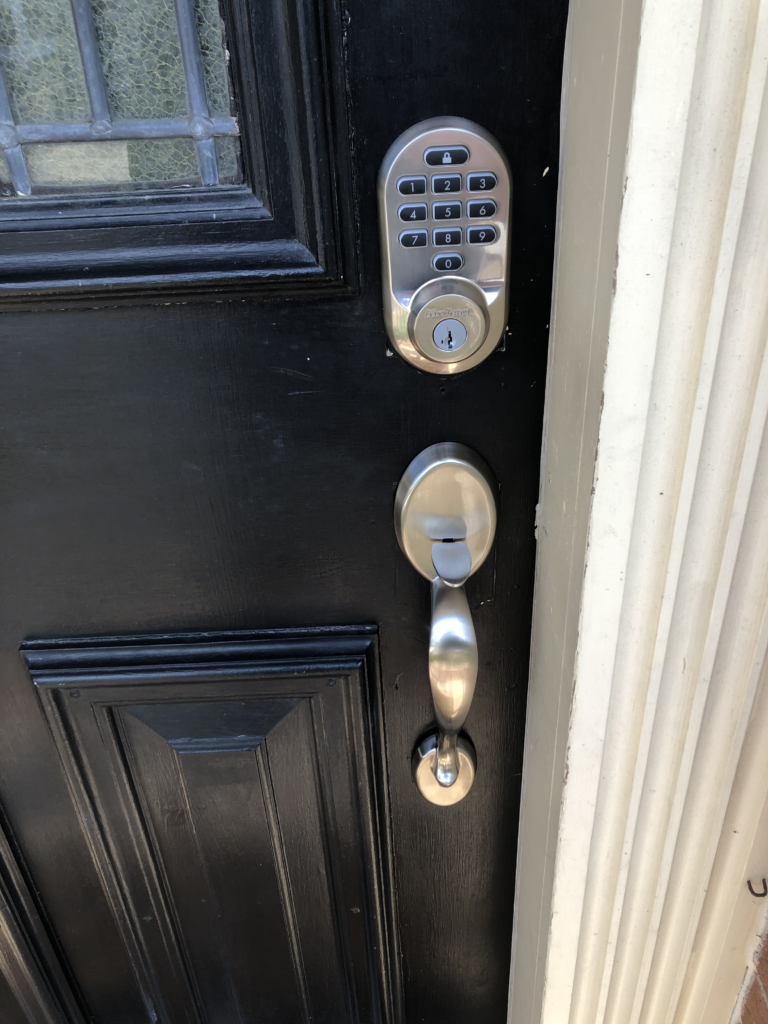
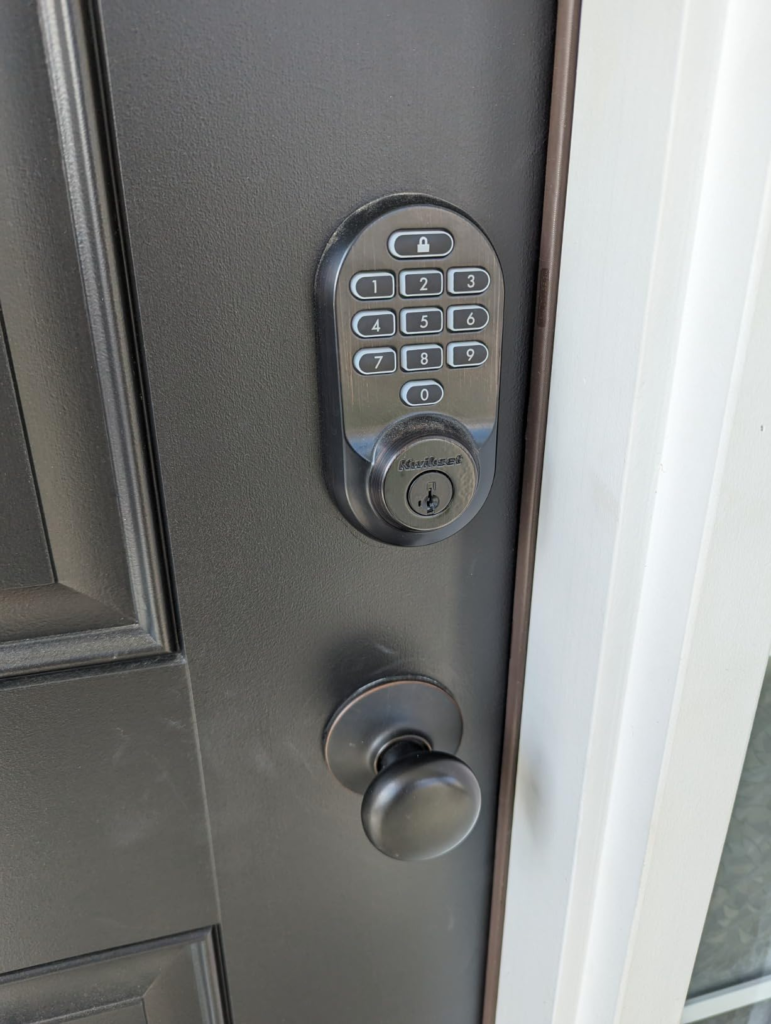
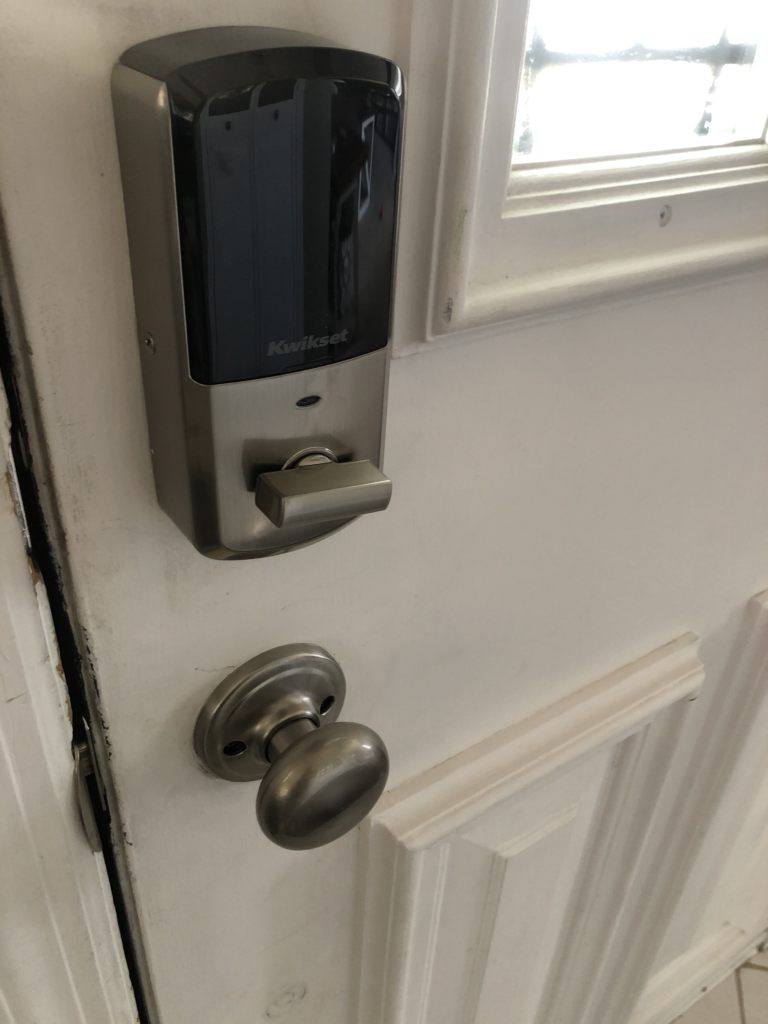
In the first week, everything about the Kwikset Halo Wi-Fi Smart Lock (model 99380-001, satin nickel) checks out. The deadbolt has real weight to it. Installation is a genuine 15-to-20-minute job with nothing but a screwdriver, and reviewers who’ve installed dozens of competing locks consistently rank it among the easier DIY jobs in the category, since every Kwikset smart lock is designed to replace an existing deadbolt using only a screwdriver. The keypad answers every press. The app looks clean and uncluttered.
None of that is where the real story lives. A WiFi deadbolt doesn’t reveal what it actually is on day one — it reveals it on day nine, or day forty, the first time your router reboots at 3 a.m. and nobody’s watching. Here’s exactly what you’re buying before we get into that:
| Spec | Detail |
|---|---|
| Model / ASIN | Kwikset 99380-001 / B081FYJ6G8 |
| Finish | Satin Nickel |
| Lock type | Single-cylinder deadbolt, pushbutton keypad |
| Connectivity | Built-in 2.4GHz WiFi, no hub required |
| Voice control | Amazon Alexa, Google Home (no Apple HomeKit) |
| Access codes | Up to 250, individually schedulable |
| Power | 4x AA batteries |
| Security | BHMA Grade AAA, 128-bit encryption, SmartKey re-key |
| Fire rating | 20-minute UL rating |
| Door fit | 1-3/8″ to 1-3/4″ thick, adjustable 2-3/8″/2-3/4″ backset |
| Warranty | Lifetime mechanical/finish, 1-year electronics |
| Typical price | Roughly $150–$180, close to its $179 MSRP |
Kwikset Halo Connectivity Complaints: What You’re Actually Feeling but Not Naming
It’s rarely one dramatic failure. It’s smaller than that — you start checking the app twice before you leave the house, not because you distrust the lock exactly, but because you’re not fully sure the last command landed. You catch yourself listening for the motor instead of reading the screen. That specific, low-grade doubt has a name, even though almost nobody uses it: the Offline Window — the stretch of time where what physically happened at your door and what your phone believes happened are two different things. On a lock that talks to WiFi and nothing else, that window is usually seconds. Occasionally, it’s longer. Why does a lock built specifically to remove doubt about your front door end up creating a new, quieter kind of doubt instead? That’s the real question — not “is this lock broken,” but “what design choice makes this specific kind of gap possible.”
Kwikset Halo WiFi Design: The Hidden Mechanism Behind the Miss
Here’s the mechanism. Halo talks directly to your home WiFi — no separate hub, no bridge box, no Z-Wave or Zigbee mesh sitting quietly in the background as a backup path. That’s the entire pitch: simpler setup, one less box, no subscription. It’s also, structurally, the same decision behind almost every “it went offline” complaint this lock gets. A smart plug draws steady, unlimited power from your wall outlet. This lock runs its WiFi radio — a notably power-hungry radio type — off four AA batteries. Kwikset’s own installation documentation goes as far as naming specific routers known to preserve battery life, and others known to shorten it, since numerous variables can negatively affect a lock’s battery life and it’s difficult to pinpoint a single source of drain — a quiet admission that not every WiFi setup treats this lock equally. Two more structural facts rarely mentioned before checkout: the lock only recognizes 2.4GHz networks, not 5GHz, and if a fresh network scan doesn’t succeed right away, it doesn’t panic — it automatically reinstates the connection to the previous network after about fifteen minutes.
| What’s Between the Lock and Your Router | Effect on the Connection |
|---|---|
| 30–40+ ft through interior walls | Weaker, more intermittent signal |
| A metal or metal-core security door | Meaningful signal loss right at the source |
| Router set to 5GHz-only or a merged “smart” band | Lock can’t see the network at all |
| A mesh WiFi node that’s weak near the front door | Same symptoms as a dead zone |
| Old, mismatched, or partly drained batteries | Radio “brownouts” that look identical to a WiFi problem |
Kwikset Halo Range and Battery Threshold: Where the Outcome Quietly Breaks
Every WiFi lock has a breaking point. The difference is whether anyone tells you where it sits.
| Condition | What Actually Happens |
|---|---|
| Battery below ~15–20% | Remote commands may lag or quietly fail before any low-battery warning shows |
| Living above the ground floor | Auto-unlock may not reliably sense which floor you’re on |
| Router or WiFi password changed | The lock won’t auto-detect this — it stays offline until manually reconnected |
| More than 250 ft from home | The exact distance where Auto-Lock by distance finally engages, not a moment sooner |
| Network set to 5GHz-only | The lock can’t detect or join it at all during setup |
One long-time owner on an accessibility forum described needing to pull and reseat the batteries roughly every two to three weeks just to get the lock to reappear correctly in the app, along with occasionally having to force-close the app to get different locks to display — a pattern that lines up exactly with a battery-and-signal interaction, not a one-off defective unit. Another buyer found the app reporting the lock as disconnected from the internet within the first five days of ownership, even though setup, installation, and initial pairing had gone smoothly. Neither story means the lock is broken. Both mean the threshold is real, and worth planning around instead of discovering by accident.
Kwikset Halo Reviews and Reality: Why Most Buyers Misread This Too Early
Here’s where a lot of one-star reviews go wrong, and it’s worth being precise about why. In one property-management forum thread, a landlord managing several rental units described replacing an entire lock and adding a WiFi extender, and still losing connection intermittently, until another commenter suggested checking the battery level when it dropped offline and whether other battery-powered devices on the same network showed the identical pattern. That’s the diagnosis most negative reviews skip. A meaningful share of “this lock is unreliable” complaints trace back to a mesh router with a weak node near the front door, batteries that are generic or already half-used, or a network still defaulting to 5GHz — none of which show up on the product page, and none of which Kwikset can fix from their end. That doesn’t erase the real structural limitation discussed above; the lock genuinely has no backup path if WiFi fails. But it does mean the environment is doing at least half the work in almost every negative review you’ll read, and it changes what you’re actually responsible for fixing if something goes wrong — not returning the lock, but moving your router or changing your batteries.
Kwikset Halo Compatibility: Who Is Actually Inside This Problem
| Your Situation | Why the Halo Fits |
|---|---|
| Single-family home, front door within normal WiFi range | Signal stays strong enough for consistent remote access |
| Alexa or Google Home household | Full native voice control, no extra bridge needed |
| Want zero monthly subscription | No app fee, no cloud tier, ever |
| Want a real fallback if the electronics ever fail | Physical key plus self-service SmartKey re-keying |
| First smart lock, or buying for a rental property | Lower price bracket than most Matter/HomeKit locks, simple DIY install |
Kwikset Halo Limitations: Where Wrong-Fit Begins
| Your Situation | Why to Reconsider |
|---|---|
| Apartment or condo above the ground floor, relying on auto-unlock | GPS reads horizontal position, not floor or elevation, so the lock may not reliably recognize which floor you’re on |
| Apple Home / HomeKit household | This generation of Halo doesn’t support HomeKit at all |
| Front door is 40+ ft from the router with no clear line of sight | Expect more frequent drops without an extender |
| Want Z-Wave, Zigbee, or Thread mesh integration today | This model is WiFi-only, with no local mesh fallback |
| Zero tolerance for ever re-pairing a device | Occasional reconnection after network changes comes with the territory |
Kwikset Halo Smart Lock: The One Situation Where This Becomes the Logical Call
Strip away everything else, and there’s one buyer this lock is quietly, specifically built for: someone with a single-family front door, WiFi that reaches it without a fight, no hard requirement for Apple HomeKit, and a preference for keyless convenience that still leaves a real, physical key in the drawer if the electronics ever die. For that person, this isn’t a compromise pick — it’s close to the correct answer. Pricing typically sits close to its $179 list price, well under most Matter- or HomeKit-ready competitors in the $220–$300 range, and what you get for that isn’t a stripped-down lock: BHMA Grade AAA certification, full 128-bit encryption, a 20-minute UL fire rating, and SmartKey Security that lets you re-key the lock yourself in seconds if a key ever goes missing.
And on the question that quietly worries a lot of smart-lock buyers — can this thing be hacked — the honest answer is grounded in an actual independent audit, not marketing copy. In late 2021, security researchers at Bitdefender found a flaw in the Android companion app, not the lock itself, that a malicious application already installed on the phone could exploit through a race condition to read protected files, including the authentication token and lock serial number. Kwikset fixed it with an app update roughly five weeks after being notified, and the same research found the lock itself had no flaws the team could identify, with the connection between lock and phone resistant to interception. That’s not a lock hiding from scrutiny — that’s a lock that was checked, found to have one narrow software issue, and fixed.
Kwikset Halo Smart Lock FAQ: Common Questions Before You Buy
| Question | Answer |
|---|---|
| Does the Kwikset Halo work with Apple HomeKit? | No. This generation of Halo supports Amazon Alexa and Google Home natively, but HomeKit isn’t part of its compatibility list. |
| Does it need a hub or a subscription? | No hub, no monthly fee. It connects straight to your home WiFi, and core features are included free in the app. |
| How long do the batteries actually last? | No single fixed number — router distance and usage both matter — but expect roughly several months to about a year on fresh, name-brand AA batteries. Weak signal and heavy remote use both shorten it. |
| Has the Kwikset Halo ever been hacked? | A 2021 audit found a flaw in the Android app, not the lock, which Kwikset patched within about five weeks; the lock’s own encryption and firmware held up well under the same review. |
| Why does my Halo keep showing offline? | Almost always one of three things: a 5GHz-only router, weak signal at the door, or batteries past their effective life. |
| Is this a good lock for an apartment? | It works fine as a keypad/app lock, but auto-unlock depends on GPS, which can’t confirm your floor — ground-floor units are the safer bet if you’ll rely on that feature. |
Kwikset Halo Smart Lock Review: Final Verdict
Take away the marketing language, and what’s left is a genuinely well-certified lock with exactly one honest structural limit: it depends entirely on your WiFi doing its job, with nothing standing behind it if that connection drops. For a ground-floor, single-family front door with reasonable signal and an owner willing to spend five minutes getting the router setup right, that limit is manageable, not disqualifying — and at this price, with a real physical key still sitting in the box, that combination is harder to find in this category than it should be. If that’s the door you’re actually standing at, the Kwikset Halo Wi-Fi Smart Lock in Satin Nickel is where the decision stops being vague.
From our analytics lab: More top-rated reviews
Transparency Note:
This analysis is built on aggregated real-world experience. It extracts what repeatedly holds, what breaks, and what users uncover only after living with the system—then shapes it into a clear model you can use immediately. Think of it as structured experience, refined and presented so you don’t have to learn it the hard way.
“A quick note: Don’t believe the star ratings, but trust personal experience. This article is a compilation of collected experiences”