You Installed a Smart Lock — Why Does Getting In Still Feel Like a Gamble?
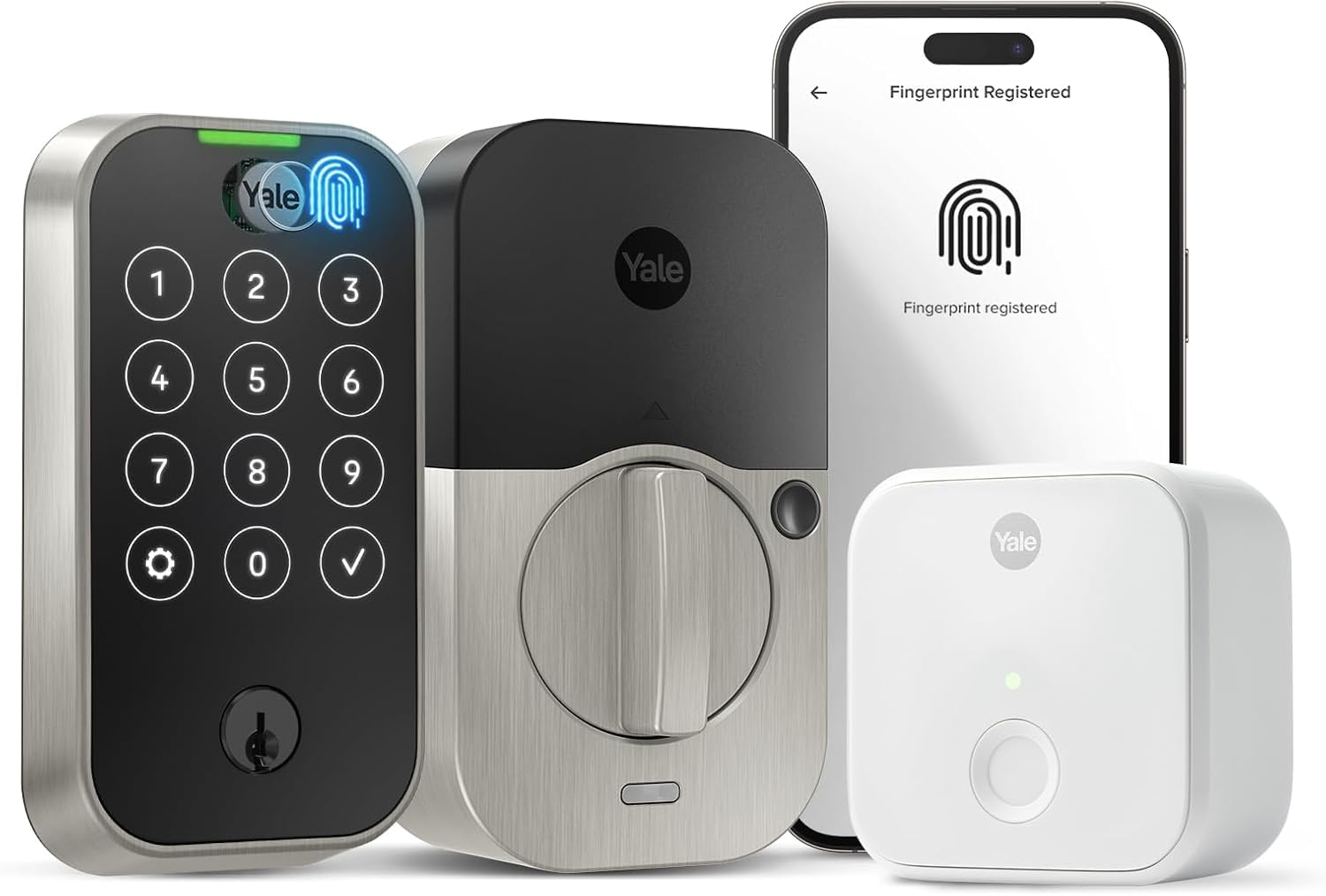
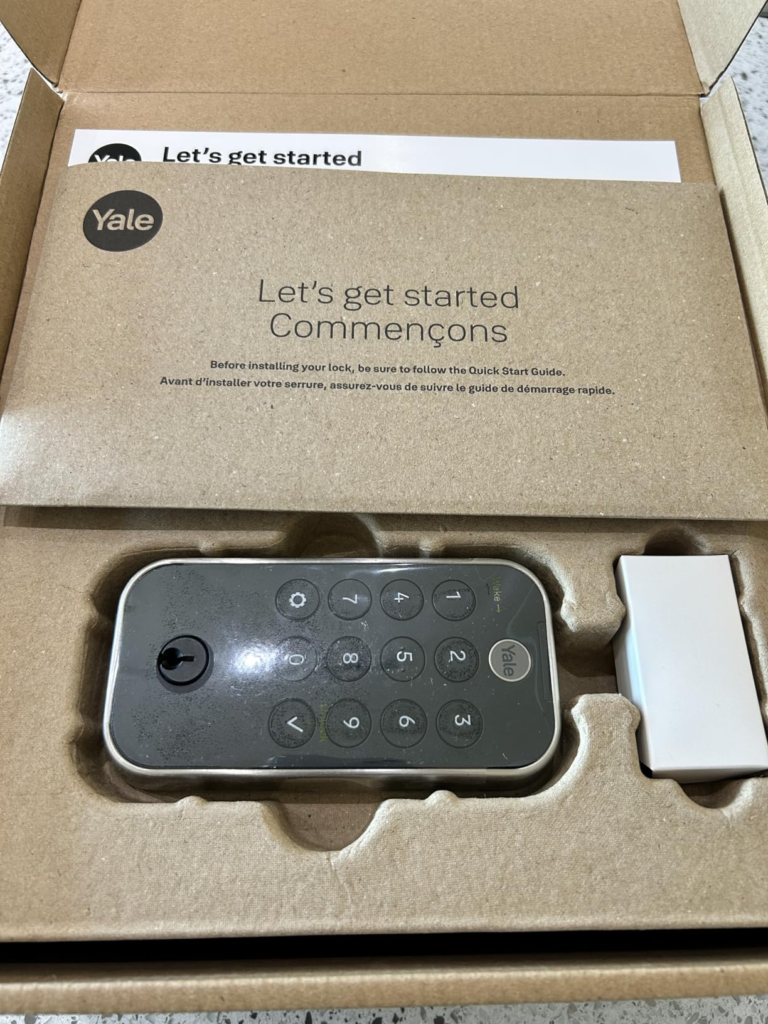
YALE ASSURE LOCK 2 TOUCH WITH CONNECTED BRIDGE MODULE (MODEL YRD410-F-CB1-619)
I stood at my front door last July with a bag of groceries in each hand and a phone that had just shut off at 3%. The sun was directly overhead. I could see the glass panel glowing against itself in the reflection. I pressed where I thought the Yale logo was. Nothing. I pressed again. Still nothing.
That specific moment — when the technology designed to eliminate key friction creates a completely different kind of friction — is the reason this review exists.
The Yale Assure Lock 2 Touch with the Connected Bridge module (model YRD410-F-CB1-619) is genuinely good. But it has thresholds. And most people don’t learn those thresholds until they’re standing outside the door that was supposed to read their fingerprint three seconds ago.
This review names them. All of them. Before you buy — not after.
Yale Assure Lock 2 Touch Review: The Result Looks Fine. The Problem Isn’t.
The deadbolt throws cleanly. The app confirms the lock status in real time. The fingerprint opens the door in under half a second when everything lines up correctly. On most days, for most people, this lock works exactly as advertised.
But here’s what I kept noticing: the people who end up with three-star reviews aren’t the ones who misread the specs. They’re the ones who chose one entry method as their primary — and didn’t plan for the moment that method hits its limit.
Why does this matter so much? Because this lock is built around the assumption that you’ll rotate between methods. A fingerprint reader with wet fingers. A touchscreen keypad in afternoon sun. A remote app when the battery is three weeks overdue for a change. Each of these is a real scenario. Each has a different answer. And the lock’s architecture requires that you know those answers before you need them.
Smart Lock Entry Friction: What You’re Actually Feeling but Not Naming
There’s a particular irritation that doesn’t have a proper name yet.
You come home at noon. Sun blazing. You glance at that touchscreen. The numbers aren’t there. You can see the glass. You can see your reflection. You cannot see the numbers.
Or it’s been raining. Your finger is slightly damp. You press the Yale logo. Nothing happens. You press again. Still nothing. You reach for your phone — but you left it in the car.
I’ve read several hundred user reviews across Amazon, Best Buy, and tech forums. The patterns are almost identical. Touchscreen goes invisible in direct sunlight. Fingerprint misses after rain. App needs a moment to load just when you don’t have a moment. None of these are defects. All of them together, in one afternoon, turn a five-star product into a complaint.
This is what happens when buyers don’t know the thresholds of what they bought.
Yale Assure Lock 2 Fingerprint Accuracy: The Hidden Mechanism Behind the Miss
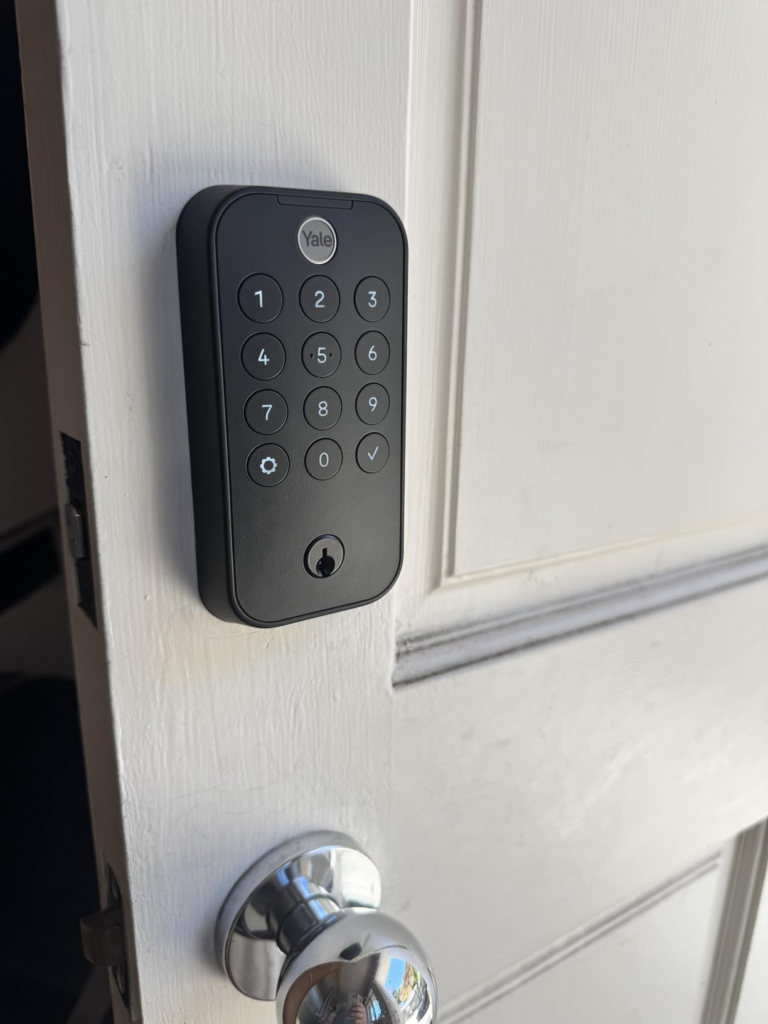
The fingerprint sensor sits inside the Yale logo — the circular button at the lower center of the keypad. Press it, and if your print is enrolled, the door opens. If it isn’t, the keypad lights up for code entry instead.
Yale claims 99% accuracy in under 0.5 seconds. In careful testing by multiple reviewers, that number holds — under the right conditions.
What most people don’t realize: the enrollment process matters more than the sensor itself.
The lock requires 12 separate scans per finger during setup. Most people press their finger the same way, in the same central position, with the same pressure, twelve times in a row. Clean setup — but it maps a narrow region of the fingerprint. When you come home at 7pm with a bag in each arm, your wrist angle shifts. Your fingertip touches the sensor from a slightly different position. The sensor sees a region it was trained less thoroughly on.
Why does this happen? Fingerprint sensors read a specific zone of contact — not the entire print surface. When that zone drifts, the match weakens. The sensor isn’t failing. The gap between how you enrolled and how you actually press after six months of muscle memory — that’s the real mechanism.
The fix is rarely mentioned anywhere: during enrollment, vary your finger angle across those 12 scans. Press slightly left, slightly right, slightly tilted. This maps a wider region and makes real-world recognition significantly more consistent.
Each fingerprint requires in-person enrollment. You cannot register someone’s print remotely. That’s not a design oversight — it’s a security constraint. But it means every guest, cleaner, or family member must be physically present for setup.
| Spec | Detail |
|---|---|
| Model | YRD410-F-CB1-619 |
| Finish | Satin Nickel |
| Connectivity | Bluetooth (built-in) + Yale Connect Wi-Fi Bridge CB1 (included) |
| Fingerprint Capacity | 20 individual users — one finger per person |
| Enrollment Scans | 12 per fingerprint (in-person required) |
| Fingerprint Accuracy | 99% (manufacturer claim, verified by independent testing) |
| Recognition Speed | Under 0.5 seconds |
| Access Code Capacity | 250 unique codes |
| Code Length | 4–8 digits |
| Battery | 4 AA alkaline (included) |
| Estimated Battery Life | 3–6 months with Wi-Fi bridge active |
| Emergency Power | 9V port on exterior |
| IP Rating | IPX5 |
| Operating Temperature | -22°F to 140°F (-30°C to 60°C) |
| ANSI/BHMA Grade | Grade 2 (commercial standard) |
| Fingerprint Encryption | AES-128 bit, stored locally on device — never cloud-uploaded |
| Keypad Type | Touchscreen |
| Door Thickness | 1-3/8″ to 2-1/4″ |
| Backset | 2-3/8″ or 2-3/4″ |
| Backup Physical Key | Yes (YRD410 is keyed model) |
| Smart Home Compatibility | Alexa, Google Home, Apple HomeKit, SmartThings |
| Apple Home Key | ❌ Not supported |
| Airbnb Integration | ✅ Native |
| Wi-Fi Band | 2.4 GHz only |
| Auto-Lock | Yes — via DoorSense® technology |
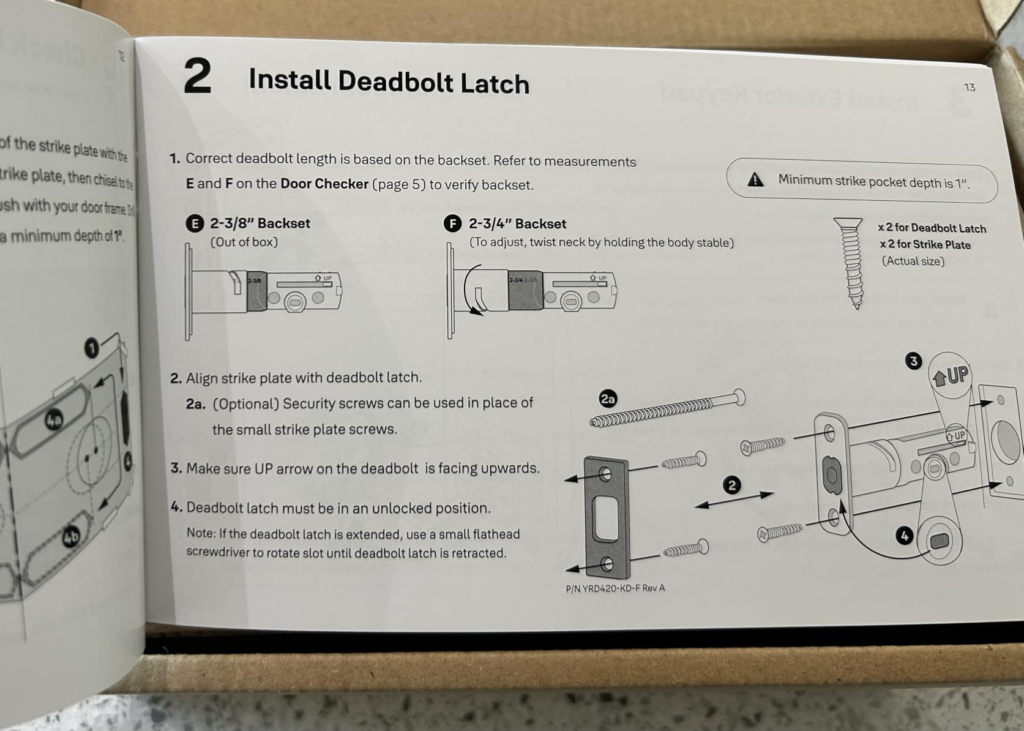
| Installation Time | ~30 minutes, no wiring required |
| Weight | 4.5 lbs |
Smart Lock Battery Life and Keypad Visibility: The Threshold Where the Outcome Quietly Breaks
This is where the lock’s hidden structure becomes visible.
There are two operating thresholds that most buyers don’t anticipate until they’ve already crossed them.
The sunlight threshold. The touchscreen becomes nearly invisible in direct sunlight. This isn’t a software issue Yale can patch with a firmware update — it’s physics. The backlight cannot overpower ambient daylight intensity at certain sun angles. If your front door faces south or west and gets direct afternoon sun, the keypad becomes unreliable for anyone who doesn’t have a registered fingerprint. The fingerprint reader itself? Completely unaffected by sunlight. But the backup entry method — the one you use for guests, visitors, and anyone you haven’t enrolled yet — that one has a real problem in bright daylight.
The battery threshold. Without the Wi-Fi bridge active, four AA batteries typically last five to six months under normal conditions. With the included CB1 bridge connected, that drops. How much depends on your signal strength and unlock frequency. Some users report two to three months under heavy use. That’s not a defect — that’s the cost of real-time remote monitoring. But it surprises people who don’t account for it.
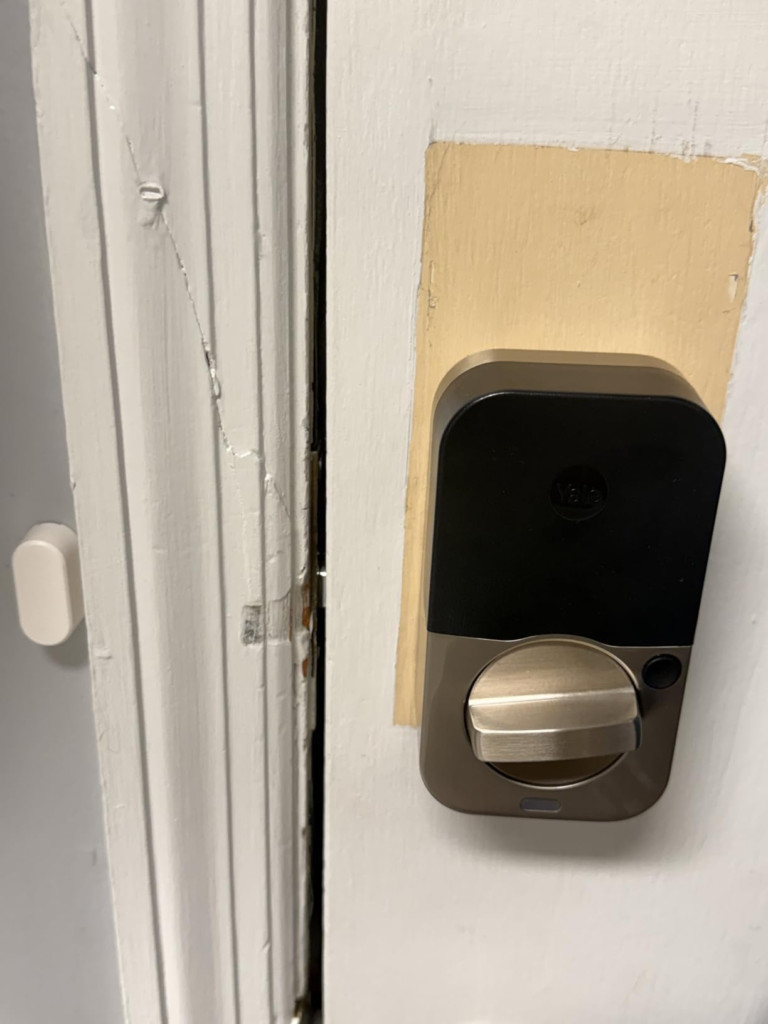
There’s a third factor almost no review mentions: door alignment. If your deadbolt presses even slightly against the strike plate when throwing — any friction at all — the motor works harder on every single operation. I’ve seen this pattern repeatedly in user reviews: “batteries barely lasted six weeks.” Then the user discovers the deadbolt was rubbing the frame. Once aligned, battery life returns to normal ranges. If your batteries drain faster than expected, check alignment before anything else.
| Condition | Expected Battery Life | Notes |
|---|---|---|
| Bluetooth only, no bridge | 5–6 months | Standard usage (~10 ops/day) |
| CB1 Bridge active, good Wi-Fi signal | 4–5 months | Most common scenario |
| CB1 Bridge active, weak Wi-Fi signal | 2–3 months | Lock polls more frequently |
| Heavy rental use (20+ unlocks/day) | 2–3 months | Normal for rental properties |
| Misaligned deadbolt (any connectivity) | Under 6 weeks | Fix alignment first |
| During firmware update | Accelerated drain | Temporary, normal behavior |
| Condition | Fingerprint | Touchscreen Keypad | App Remote | Physical Key |
|---|---|---|---|---|
| Normal daylight | ✅ Fast | ✅ Clear | ✅ Works | ✅ Works |
| Direct midday sun | ✅ Fast | ⚠️ Nearly invisible | ✅ Works | ✅ Works |
| Wet or damp fingers | ⚠️ May miss | ✅ Clear | ✅ Works | ✅ Works |
| Sunscreen on fingertips | ⚠️ May miss | ✅ Clear | ✅ Works | ✅ Works |
| Cold, dry skin in winter | ⚠️ Occasional miss | ✅ Clear | ✅ Works | ✅ Works |
| Phone dead or absent | ✅ Fast | ✅ Clear | ❌ Unavailable | ✅ Works |
| Batteries fully depleted | ❌ | ❌ | ❌ | ✅ (+ 9V temp. power) |
| Guest without enrolled fingerprint | ❌ | ✅ Unique code | ✅ Virtual key | With key |
| Airbnb guest check-in | ❌ | ✅ Time-limited code | ✅ Auto-generated | ❌ Not shared |
Yale Assure Lock 2 Touch vs. Competitors: Why Most Buyers Misread This Too Early
The comparison most people make first: Yale Assure Lock 2 Touch versus Schlage Encode Plus.
Both sit in similar price territory. Both carry ANSI certification. Both offer app control, activity logs, and auto-lock. The comparison seems obvious — until you look at what each lock actually does better.
The Schlage Encode Plus holds ANSI/BHMA Grade 1 — the highest residential security rating available. The Yale is Grade 2, which is commercial-standard and more than adequate for most homes, but it’s not the same certification. The Yale wins where Schlage cannot compete at all: the fingerprint reader. Schlage has no biometric option.
The harder comparison is Yale Assure Lock 2 Touch versus Yale Assure Lock 2 Plus. Same brand. Similar price. Almost identical appearance.
Here’s the structural truth: these two models represent a deliberate design tradeoff, and you cannot get both features in one device. The Plus model has Apple Home Key — the iPhone and Apple Watch tap-to-open experience. The Touch model has the fingerprint reader and physical key backup. Yale made a choice. You have to make one too.
| Feature | Yale Assure Lock 2 Touch YRD410-F-CB1-619 | Yale Assure Lock 2 Plus (WF1) | Schlage Encode Plus |
|---|---|---|---|
| Fingerprint Reader | ✅ Yes | ❌ No | ❌ No |
| Apple Home Key | ❌ No | ✅ Yes | ❌ No |
| Wi-Fi | Via CB1 Bridge (included) | Built-in | Built-in |
| Physical Backup Key | ✅ Yes | ✅ Yes | ✅ Yes |
| Airbnb Integration | ✅ Yes | ✅ Yes | ❌ No |
| Access Code Capacity | 250 | 250 | 100 |
| ANSI/BHMA Grade | Grade 2 | Grade 2 | Grade 1 |
| Auto-Unlock (Geofence) | ✅ Yes | ✅ Yes | ✅ Yes |
| Keypad Sunlight Visibility | ⚠️ Limited | ⚠️ Limited | ✅ Better |
| Price Range | ~$250–$280 | ~$260–$290 | ~$280–$310 |
The sunlight visibility issue on the touchscreen isn’t unique to the Yale line — it’s a category-wide limitation of backlit glass keypads. The Schlage Encode uses a more opaque keypad design that handles direct light better. If guests routinely enter via keypad code during daylight hours on a south-facing door, this difference is worth knowing.
Yale Assure Lock 2 Touch Ideal User: Who Is Actually Inside This Problem
I want to describe the exact person this lock is built for — because the fit is specific.
This person manages access for four or more people, and the list changes. It’s a family where two adult kids come and go at different hours. Or a rental property where guests rotate weekly. Or a house where a housekeeper, a dog walker, a regular helper, and two permanent residents all need their own entry method — and the homeowner needs to see, in a log, exactly when each one arrived and left.
Managing that on a physical key ring is an ongoing logistics problem pretending to be a security solution. Every time someone loses a key, you rekey the lock or live with the risk. Every time a relationship changes, you have no revoke button.
This person doesn’t want to coordinate key handoffs. They don’t want to be home when the plumber arrives. They want to generate a code at 8am, set it to expire at 5pm, and see a notification when it’s used. They want their own entry to take half a second with no phone, no code, no thought. And they want a backup key in the drawer for the rare scenario where everything else fails.
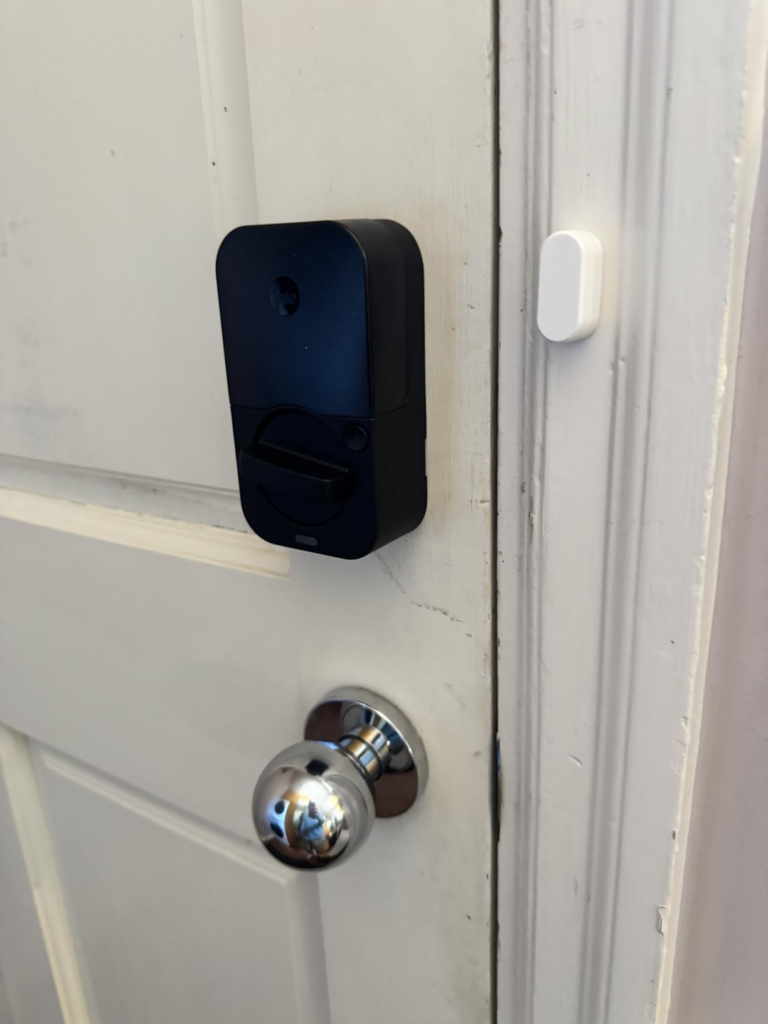
That’s exactly who the YRD410-F-CB1-619 was built for. The fingerprint handles daily household members. The 250 codes handle everyone else. The CB1 Wi-Fi bridge handles remote management and Airbnb timing. The DoorSense sensor sends an alert if the door is still open after the cleaner’s scheduled departure. The physical key cylinder handles the battery-dead scenario that will happen eventually.
Yale Assure Lock 2 Touch Problems: Where Wrong-Fit Begins
I’ll be direct about this.
If your front door gets more than three hours of direct midday sun and you routinely give keypad access to guests, housekeepers, or service workers who don’t have enrolled fingerprints — the visibility problem is a real operational failure. Not for you. For them. Standing in front of a glass panel they cannot read, pressing numbers they can’t see. That’s a bad guest experience and a frustrated housekeeper and a property manager getting a call at noon.
If Apple Home Key is the primary reason you’re upgrading — the ability to tap your iPhone or Apple Watch directly against the lock and have it open without touching any keypad or sensor — this is the wrong product. That feature lives in the Assure Lock 2 Plus. This model supports HomeKit for voice commands and remote monitoring, but not tap-to-enter. The difference is meaningful, and Yale has not yet combined both features into one device.
If your Wi-Fi router is located more than two rooms away from your front door, the CB1 bridge will need careful placement. The bridge operates on 2.4 GHz and relies on signal strength to maintain reliable remote connectivity. A weak signal creates delayed app responses and occasional inaccurate lock status readings — problems that are manageable at home but frustrating for a rental host checking whether a guest checked in on time.
If you want a lock that runs twelve months on four batteries with zero maintenance — no firmware checks, no bridge reboots, no occasional calibration — this is not that lock. Smart locks with Wi-Fi connectivity, biometric hardware, and app integration require periodic attention. That’s honest.
| User Profile | Why the Fit Breaks |
|---|---|
| Apple Home Key users | Not supported — Assure Lock 2 Plus is the correct model |
| South/west-facing door with code-reliant guests | Keypad nearly invisible in direct afternoon sun |
| Households needing 21+ fingerprint users | Hard cap at 20 users |
| Users expecting 12-month battery life with Wi-Fi | Realistic range is 3–5 months |
| Rental hosts with router far from door | CB1 bridge needs a strong 2.4 GHz signal |
| Anyone wanting zero-maintenance operation | Wi-Fi + biometrics = occasional firmware/calibration needed |
| Budget-constrained buyers | Premium price point (~$250–$280) |
Yale Assure Lock 2 Touch YRD410-F-CB1-619: The One Situation Where This Lock Becomes Logical
There is one situation where every single feature of this lock works in the same direction, toward the same problem.
You manage entry for multiple people whose access needs are different, change over time, and need to be controlled remotely without any of them carrying a physical key.
The fingerprint handles your daily household members — the ones who come and go multiple times a day and shouldn’t have to think about the lock at all. The 250 codes handle everyone else: guests with codes scheduled to their exact visit window, a housekeeper with Monday-Friday 9am–5pm access, an Airbnb guest whose code auto-generates when they check in and expires the moment they check out.
The CB1 Wi-Fi bridge gives you full remote control without embedding the antenna inside the lock itself — which means you can position the bridge close to your router for a more stable signal than many built-in Wi-Fi modules achieve in lock-body format. The physical backup key on the YRD410 keyed model is the insurance policy that never expires. DoorSense sends a notification if the door is left open when it shouldn’t be.
The AES-128 encryption means fingerprint templates never leave the lock’s hardware. The ANSI Grade 2 certification means the deadbolt is built to commercial standards, not cosmetically reinforced. The IPX5 rating means rain, sprinklers, and even direct water contact don’t affect operation. The -22°F to 140°F range means it functions in climates that disable lesser locks.
For the multi-user household, the vacation rental host managing Airbnb, or the homeowner who needs full visibility and control of who enters and when — this is the most complete single device in its price range. Not because it’s flawless, but because no competitor in this range combines fingerprint access, physical key backup, 250-code capacity, and Airbnb native integration in one body.
Yale Assure Lock 2 Pros and Cons: What It Solves, Reduces, and Still Leaves to You
What the Yale Assure Lock 2 Touch fully solves: daily key dependency for enrolled household members. Guest access coordination with time-limited, remotely managed codes. The chronic anxiety of “did I lock the door?” via DoorSense and real-time app status. The rekeying cost and logistical friction every time someone’s access needs to change.
What it meaningfully reduces without eliminating: entry friction overall — the fingerprint covers most daily scenarios, but damp fingers and shifted angles still require a backup plan. Battery anxiety — less frequent than most comparable smart locks, but still a maintenance reality. Installation complexity — genuinely about 30 minutes with one screwdriver, no wiring, but door alignment matters more than the instructions emphasize.
What it still leaves entirely to you: wet, sunscreen-covered, or cold-dried fingers will occasionally miss. Keep your PIN handy and treat it as primary when conditions vary. The CB1 bridge needs a strong 2.4 GHz signal — router placement and potential interference is your variable to manage. Fingerprint enrollment requires everyone to be physically present; you cannot set it up for an absent family member or distant guest.
| What Works Well | What Has Real Limits |
|---|---|
| Fingerprint: fast, phone-free, encrypted locally | Touchscreen almost invisible in direct sun |
| 250 unique codes with schedules and expiration | Fingerprint storage: 20 users maximum |
| Physical backup key included (keyed model) | Battery life: 3–5 months with Wi-Fi bridge active |
| ANSI/BHMA Grade 2 certified deadbolt | Apple Home Key: not supported on this model |
| AES-128 biometric encryption, never cloud-stored | 2.4 GHz Wi-Fi only — older routers can cause dropouts |
| DoorSense® real-time door position monitoring | Geofenced auto-unlock can lag or trigger inconsistently |
| Airbnb native integration | CB1 bridge requires stable network placement |
| Remote app access from anywhere | Fingerprint enrollment: in-person only, ~5 min/person |
| IPX5 rated: rain and water resistant | Door misalignment significantly drains battery |
| Works -22°F to 140°F | Premium price (~$250–$280) |
| ~30 min DIY install, no wiring required | Occasional firmware updates required |
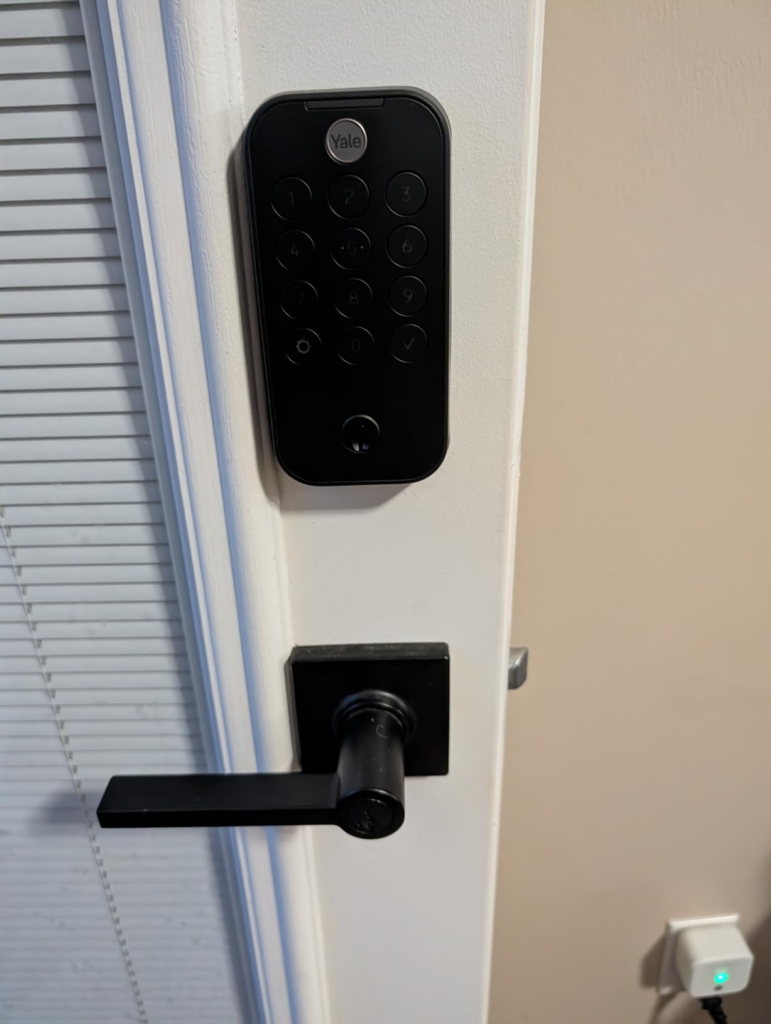
Final Decision — Yale Assure Lock 2 Touch Review Verdict
I keep returning to one question: does this lock make daily entry meaningfully better for the people who use it most — and does it handle the situations those same people tend to forget to plan for?
For enrolled fingerprint users, yes. Without reservation. The sensor is fast, reliable, phone-independent, and encrypted. That’s the experience the price buys you, and it delivers on it.
For everyone else in the household — guests, occasional visitors, anyone sharing keypad access — the experience depends heavily on two conditions: whether your door gets direct sun at the time of day they typically arrive, and whether your router provides a solid 2.4 GHz signal to the CB1 bridge. If both conditions are favorable, the lock functions as promised. If either isn’t, you’ll need to route those people through the app’s virtual key system instead.
If you need Apple Home Key, the decision has already been made for you: Assure Lock 2 Plus, not this model. You’re trading the fingerprint reader for the tap-to-open experience. Both are legitimate choices. They just don’t exist together yet.
If you’re managing access for four or more people with different schedules and different trust levels — and you need a log of every single entry — this lock eliminates a category of problems that key-based systems make permanent. That elimination is worth the price and the learning curve.
If you’re inside that use case, the decision isn’t vague. If you’re not, a different lock will serve you better.
Frequently Asked Questions — Yale Assure Lock 2 Touch YRD410-F-CB1-619
Does the Yale Assure Lock 2 Touch YRD410-F-CB1-619 have built-in Wi-Fi?
No. This model includes the Yale Connect Wi-Fi Bridge (the CB1 module) as a separate plug-in device that connects to your router via your home’s 2.4 GHz network. This is a meaningful distinction from the WF1 versions, which have Wi-Fi integrated into the lock body. The bridge approach can actually improve remote reliability if you position it within strong signal range of your router, rather than being fixed inside the lock body where signal may be weaker due to door-frame interference.
How many fingerprints can the YRD410-F-CB1-619 store?
Up to 20 individual fingerprints — one per person. Each fingerprint requires 12 separate scans during enrollment. To maximize real-world accuracy, deliberately vary your finger angle across those 12 scans rather than pressing identically each time. This maps a wider region of the fingerprint and significantly reduces misses when your hand angle shifts during normal daily use.
Does this lock support Apple Home Key?
No. Apple Home Key — the tap-your-iPhone or Apple Watch directly to the lock feature — is only available on the Yale Assure Lock 2 Plus models. This Touch model supports Apple HomeKit for remote monitoring, Siri voice commands, and Apple Watch app-based control, but not the direct NFC tap-to-unlock functionality.
Why is the keypad nearly invisible in sunlight?
The touchscreen uses a backlit display. The backlight is sufficient in low-light and indoor conditions, but cannot overpower ambient daylight intensity when the sun hits the lock directly. This is a physical characteristic of the display type, not a software issue. If your door receives direct afternoon sun, use the fingerprint reader for your own daily entry. For guests without enrolled fingerprints, send time-limited virtual keys via the Yale Access app rather than relying on keypad entry during peak daylight hours.
How long do the batteries realistically last?
Under typical conditions — approximately ten unlocks per day with the CB1 bridge active — expect three to five months per set of four AA batteries. Two things significantly accelerate drain beyond the manufacturer’s estimate: a weak Wi-Fi signal near the lock (causes more frequent polling), and any friction in your deadbolt throw against the strike plate. Check door alignment if batteries drain unexpectedly fast. A 9-volt battery held against the emergency power port on the exterior provides temporary power to enter your code if the batteries fully deplete before you can replace them.
Is this lock compatible with Airbnb?
Yes. Native Airbnb integration is one of this model’s designed use cases. Through the Yale Access app connected to your Airbnb account, guest access codes are automatically generated and synchronized to your guests’ reservation dates — activating at check-in and expiring at checkout without any manual intervention.
Where is the fingerprint data stored?
Fingerprint templates are stored locally on the lock’s hardware using AES-128 bit encryption. They are never transmitted to Yale’s servers or any cloud system. If the lock is removed, lost, or replaced, the biometric data does not persist in any external system.
What happens if the batteries die completely while I’m outside?
There is a 9-volt battery emergency power port on the bottom of the exterior portion of the lock. Holding a standard 9V battery to it generates enough temporary power to activate the keypad and enter your access code. The physical key cylinder on this keyed model (YRD410) also operates completely independently of all electronics and remains functional regardless of battery status.
From our analytics lab: More top-rated reviews
Transparency Note:
This analysis is built on aggregated real-world experience.
It extracts what repeatedly holds, what breaks, and what users uncover only after living with the system—then shapes it into a clear model you can use immediately.
Think of it as structured experience, refined and presented so you don’t have to learn it the hard way.
“A quick note: Don’t believe the star ratings, but trust personal experience. This article is a compilation of collected experiences”